-
-
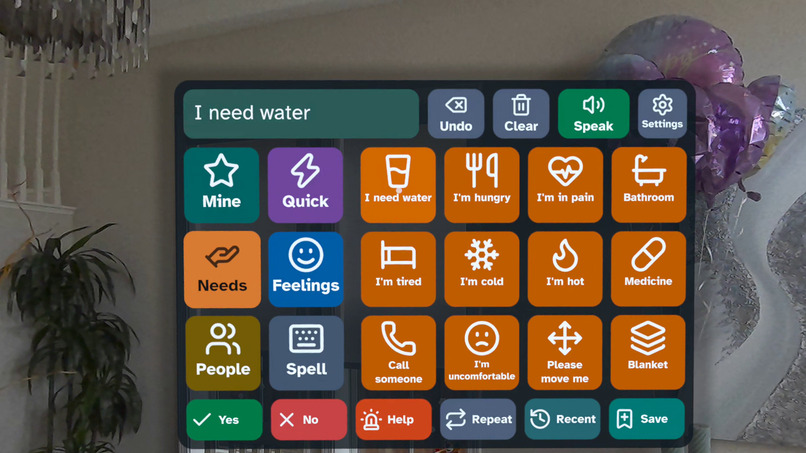
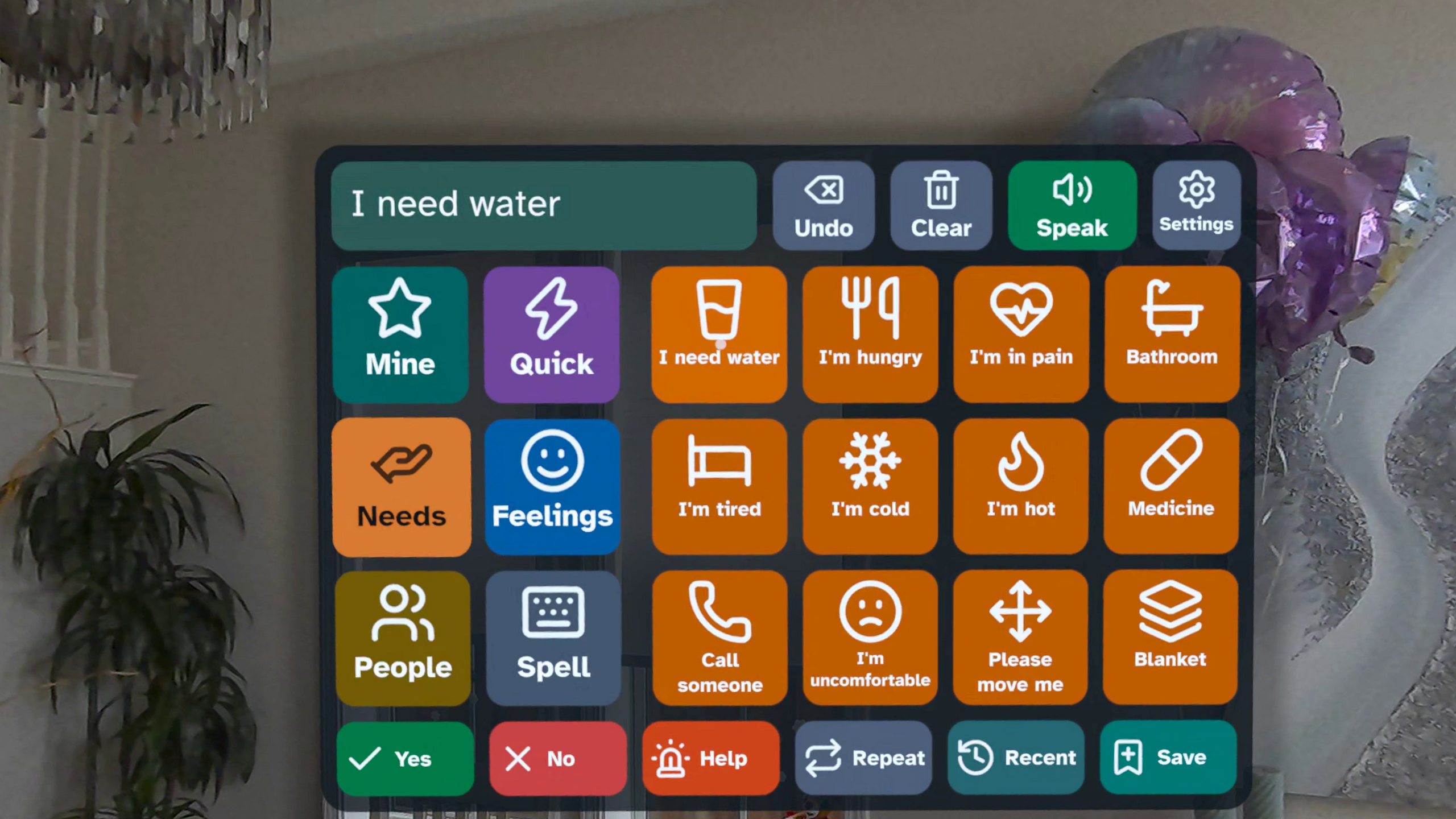
GazeBoard floating in a real living room. Needs page open; the sentence bar reads "I need water", chosen by looking at a tile.
-
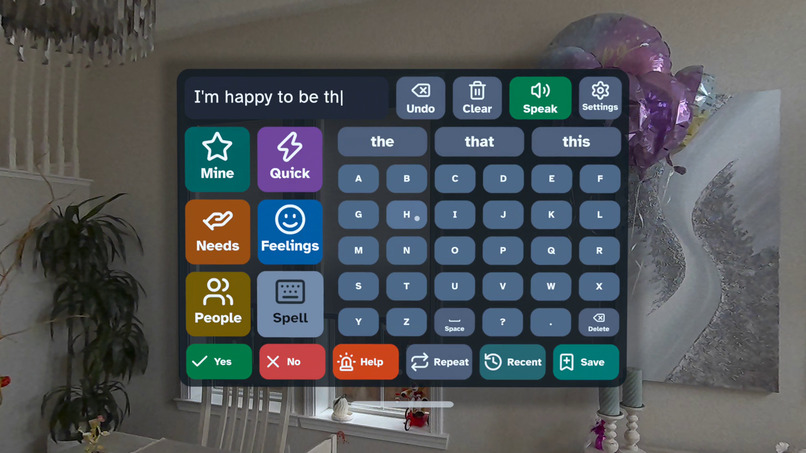
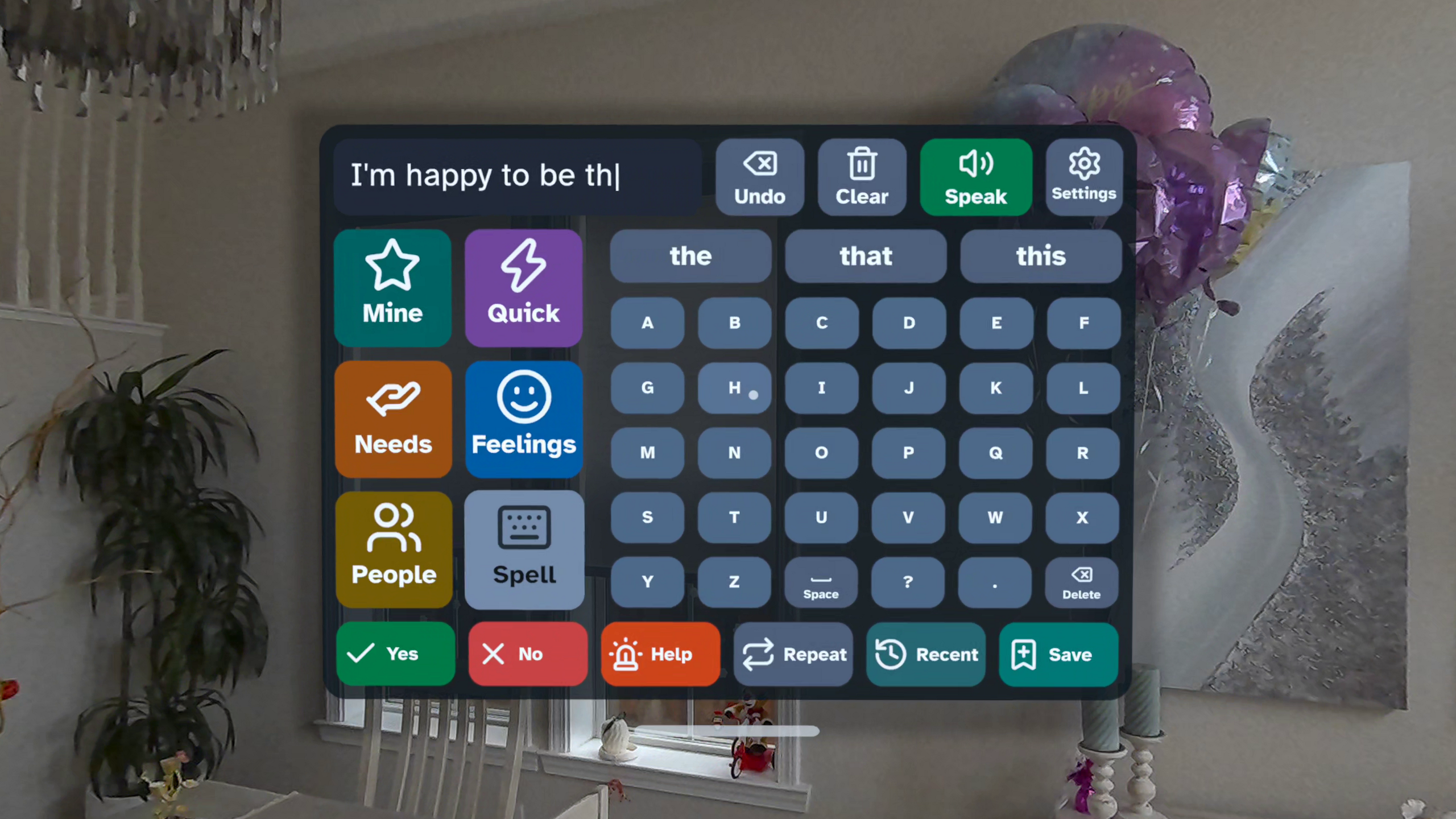
Spell page: a letter keyboard with predicted words "the", "that", "this". The sentence bar reads "I'm happy to be th".
-
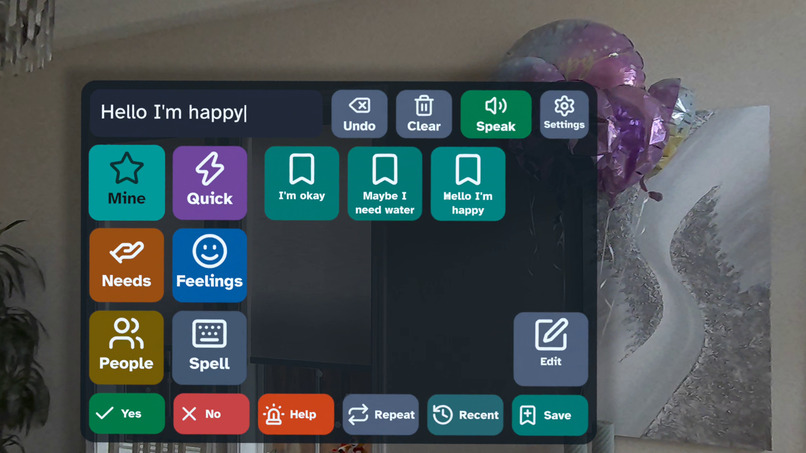
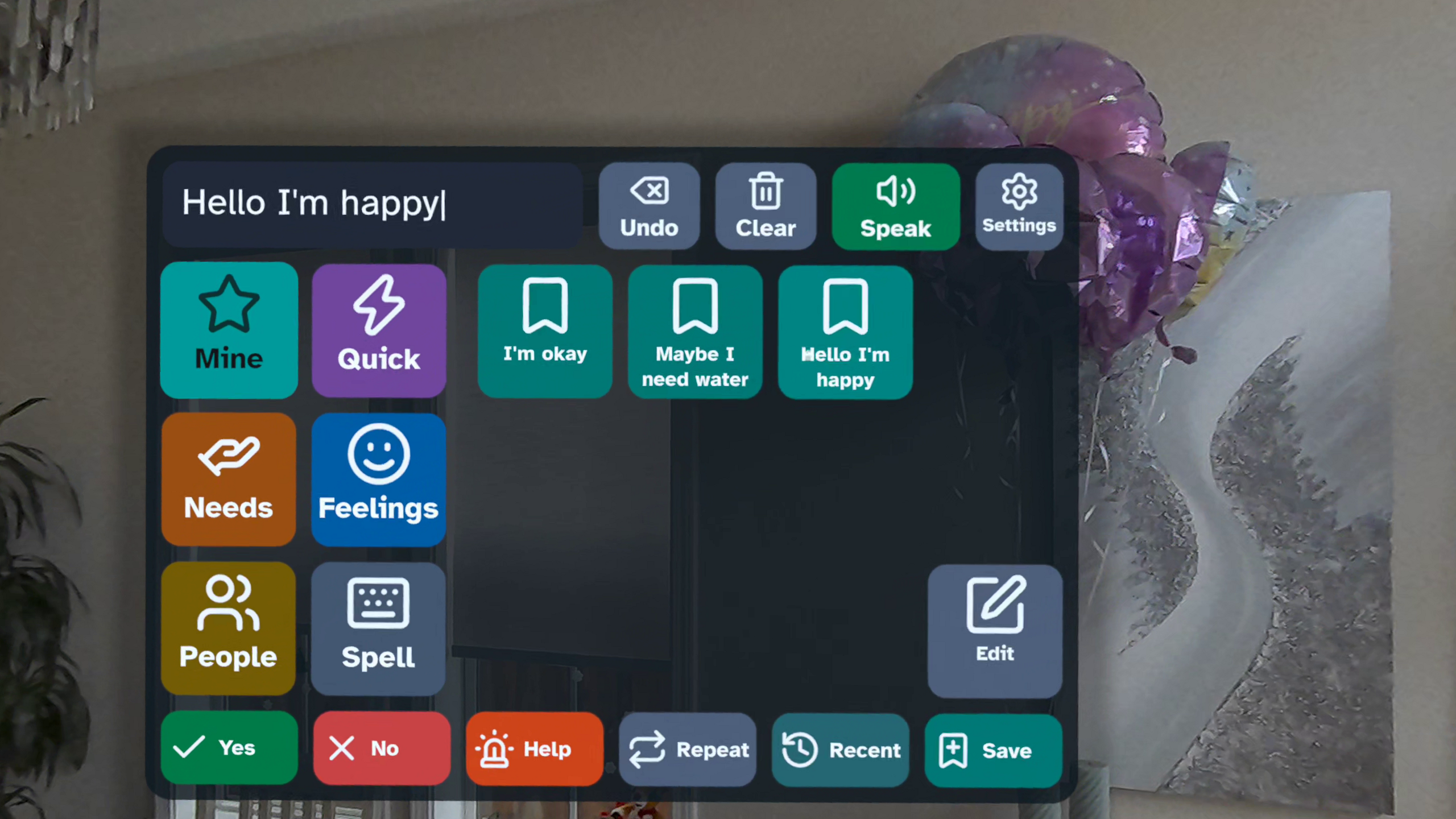
Mine page with three saved phrases: "I'm okay", "Maybe I need water" and "Hello I'm happy". Each one speaks with a look.
-
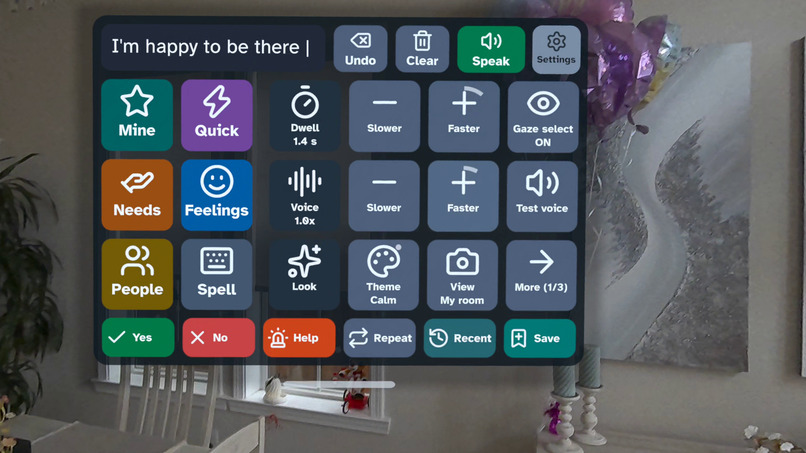
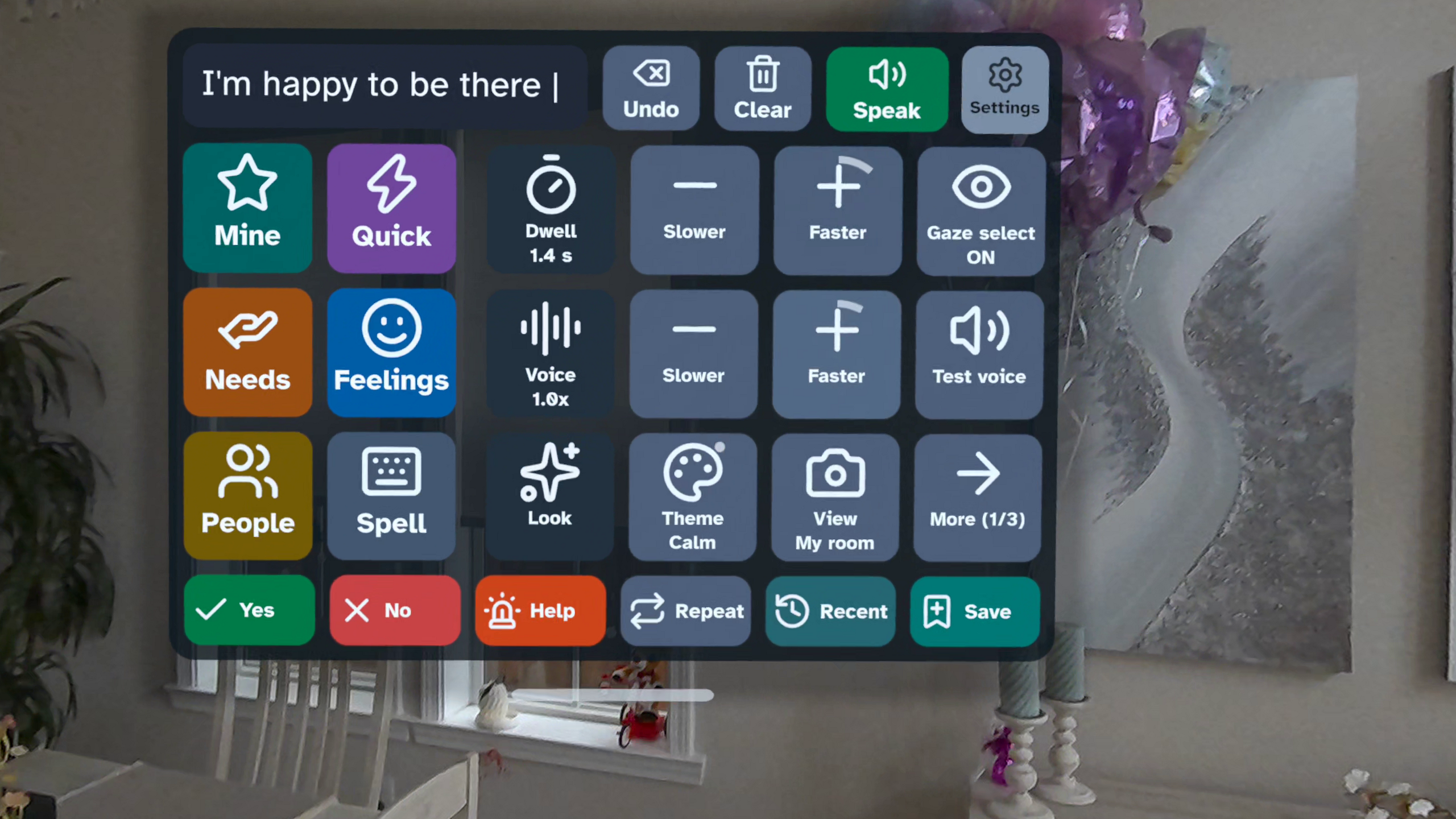
Settings page 1 of 3: hold time, speech speed, gaze select, voice test, theme, and your room or the calm room.
-
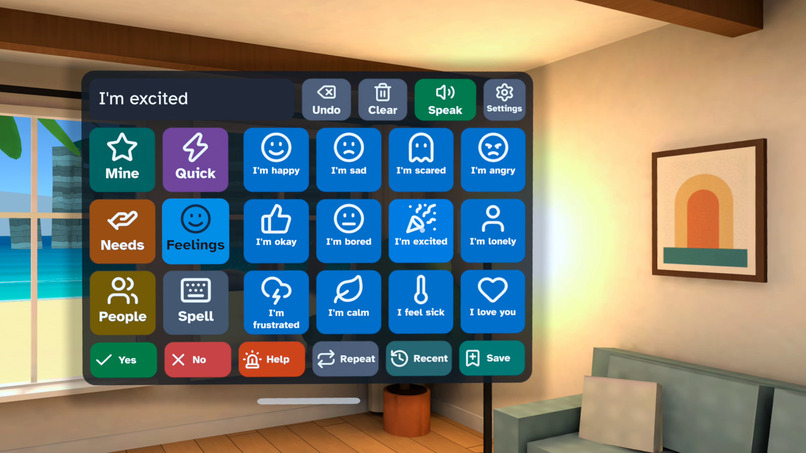
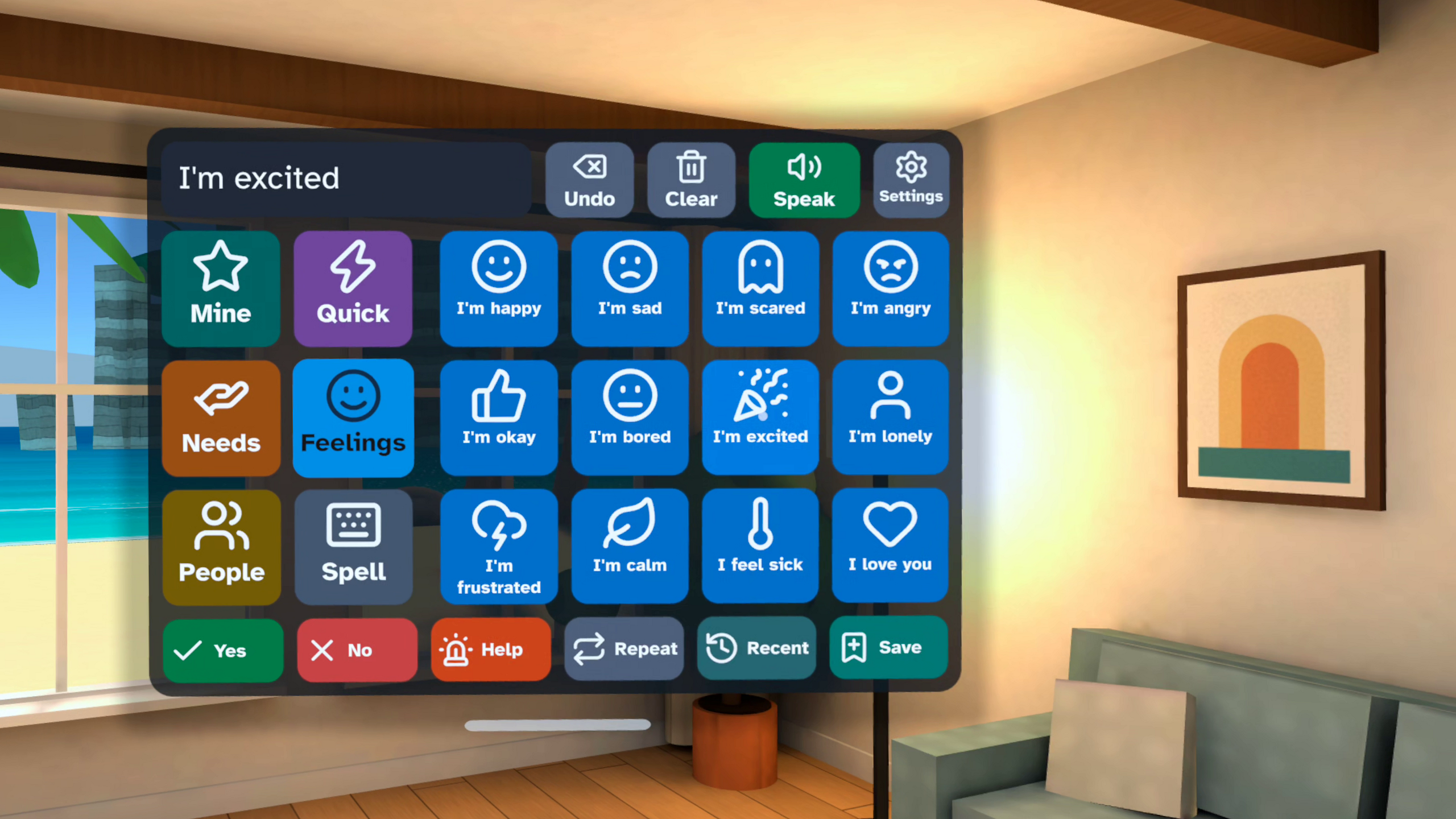
The virtual calm room: a sunlit living room with a sea view. Feelings page open; the sentence bar reads "I'm excited".
-
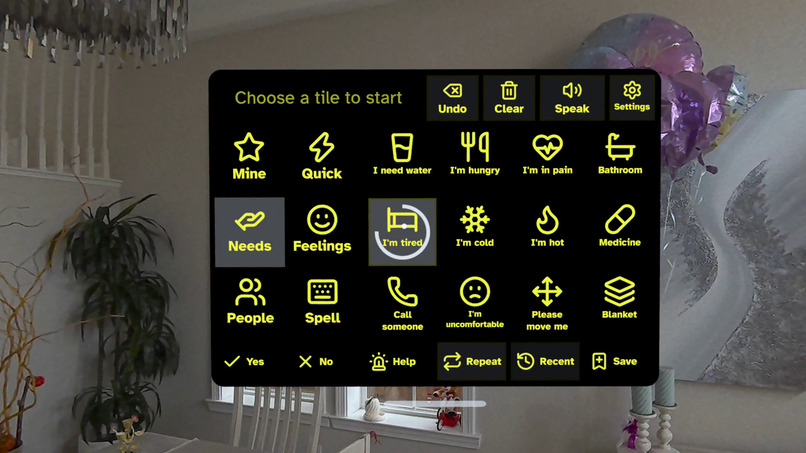
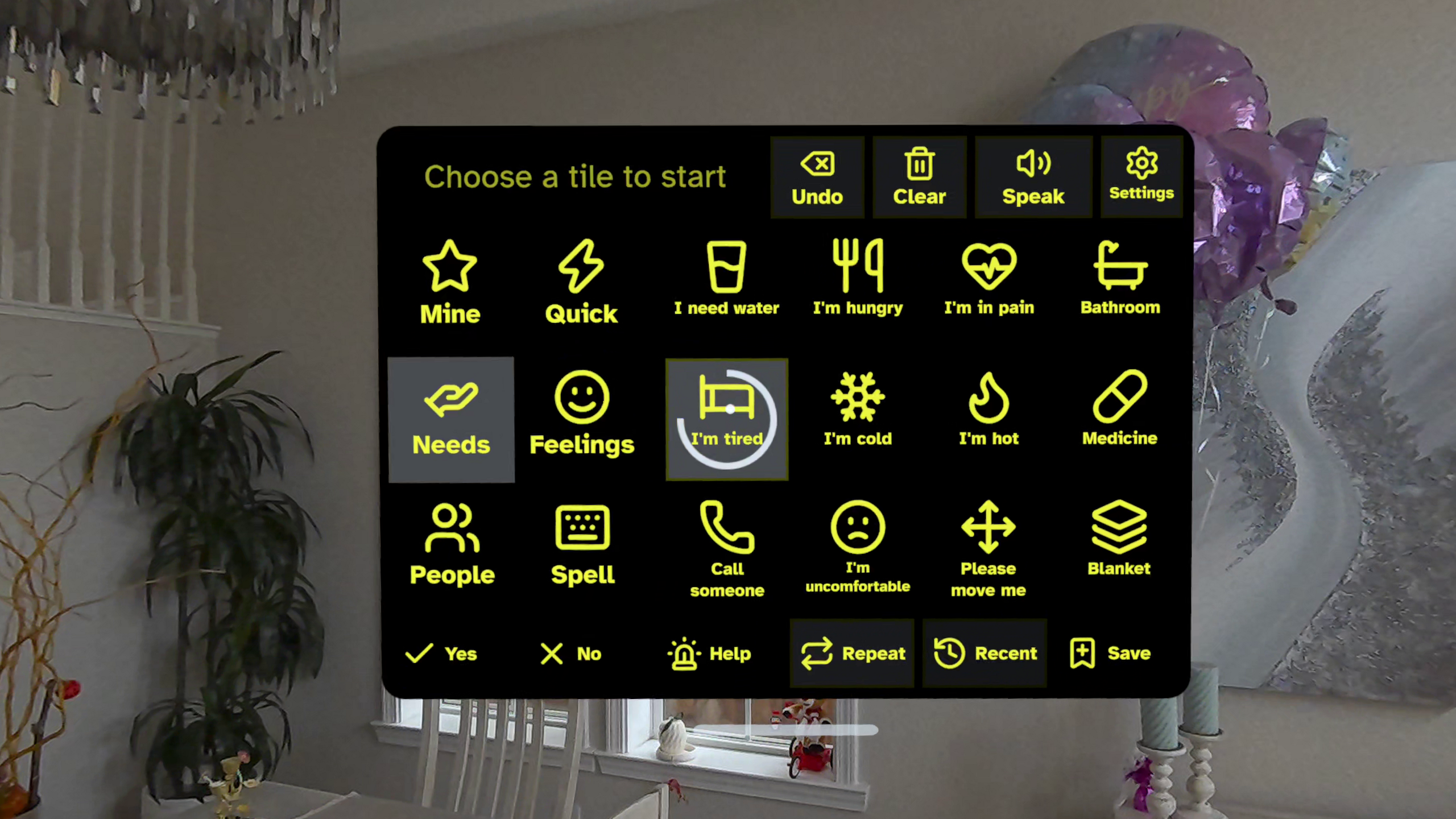
High-contrast theme: black tiles with yellow icons and text. A gaze ring fills on the "I'm tired" tile in Needs.
Inspiration. Augmentative and alternative communication (AAC) is how people who cannot rely on speech tell others what they need. Dedicated AAC devices are expensive and hard to get outside clinics. A Quest 3S already has head tracking, a display in front of the eyes, speakers and a camera view of the room. GazeBoard is the experiment: can a consumer headset be a usable communication board, with no hands at all?
What it does. The board shows categories (Quick, Needs, Feelings, People, Spell and the user's own "Mine" page) of large tiles with an icon and a label. A dot shows where the head is pointing. Holding it on a tile fills a ring; when it completes, the headset speaks the phrase and adds it to a sentence bar. A fixed row keeps Yes, No, Help, Repeat and Save always one glance away. Help sounds an alarm and can send an alert to a caregiver's phone. Spell offers three predicted words above the letters, ranking the user's own vocabulary first. Save turns any sentence into a personal tile. Settings, reachable without hands, adjust dwell time, voice speed, three themes (Calm, Warm, High contrast), where the board sits and how big it is, and the view: passthrough by default, so the listener stays visible, or a calm beach house where waves roll in and wash up the sand.
How it was built. Unity 6 with the Meta XR All-in-One SDK (v207) and the Interaction SDK. Dwell selection sits on Unity UI hover events, so one set of tiles answers to head gaze, pinch and controllers. Speech comes from the Meta Voice SDK; every board phrase is baked into the APK, so the board works with no internet, and sentences the user composes are kept on the device after they are first spoken. Word prediction runs offline. Typography is Atkinson Hyperlegible, designed for low vision; icons are Lucide; tile colours follow the Fitzgerald key used in AAC and are checked for text contrast.
Hands. With hand tracking, aim with the head and pinch to choose: a pinch does exactly what a completed dwell does. Pinch the bar under the board and drag to move it. Dwell can be switched off for people who prefer to pinch; Settings and the switch that turns dwell back on always answer to gaze, also after a restart, so a person who cannot pinch always has a way back.
It says when it cannot. With no internet, a newly spelled sentence cannot be turned into speech. GazeBoard never speaks part of a sentence in its place: it keeps the text on the board, shows a notice and says "No internet". A phone alert that was not sent is shown too.
Accessibility decisions. Big uniform squares, a slower dwell on category and destructive tiles so a drifting gaze cannot switch pages or delete, a grace period that absorbs jitter at tile edges, a visible gaze dot, a narrow gaze cone so only the tile under the dot responds, spoken confirmation for every setting, and a high-contrast theme.
Limits. Quest 3 and 3S have no eye tracking, so this version needs enough controlled head movement to aim and hold. It has not yet been tested with AAC users or clinicians; comfort, accuracy and fatigue over long sessions are the first things to measure. Phone alerts go through the public ntfy service under a private, hard-to-guess code that can be replaced at any time; that is not authenticated pairing, and "sent" means the service accepted the message, not that someone read it.
What's next. Target launch on the Meta Horizon Store: January 2027. Before that, testing with AAC users and speech therapists; then eye tracking on headsets that have it; switch scanning as a third input; custom categories and symbol sets; protected phone pairing; multilingual boards.
The narration and the dramatization clips in the video are AI-generated; every interaction with the app is real headset footage.


