Inspiration
Picture someone with ALS who can follow every word in the room but can't say anything back. The tools that exist are either very expensive eye-tracking hardware, or free apps where you spell out every letter with your eyes. Spelling "yes I slept well" that way takes minutes. By then the conversation has moved on.
We kept coming back to one question: most of what a patient needs to say is an answer to something someone just asked. So what if the screen already had the answers on it?
What it does
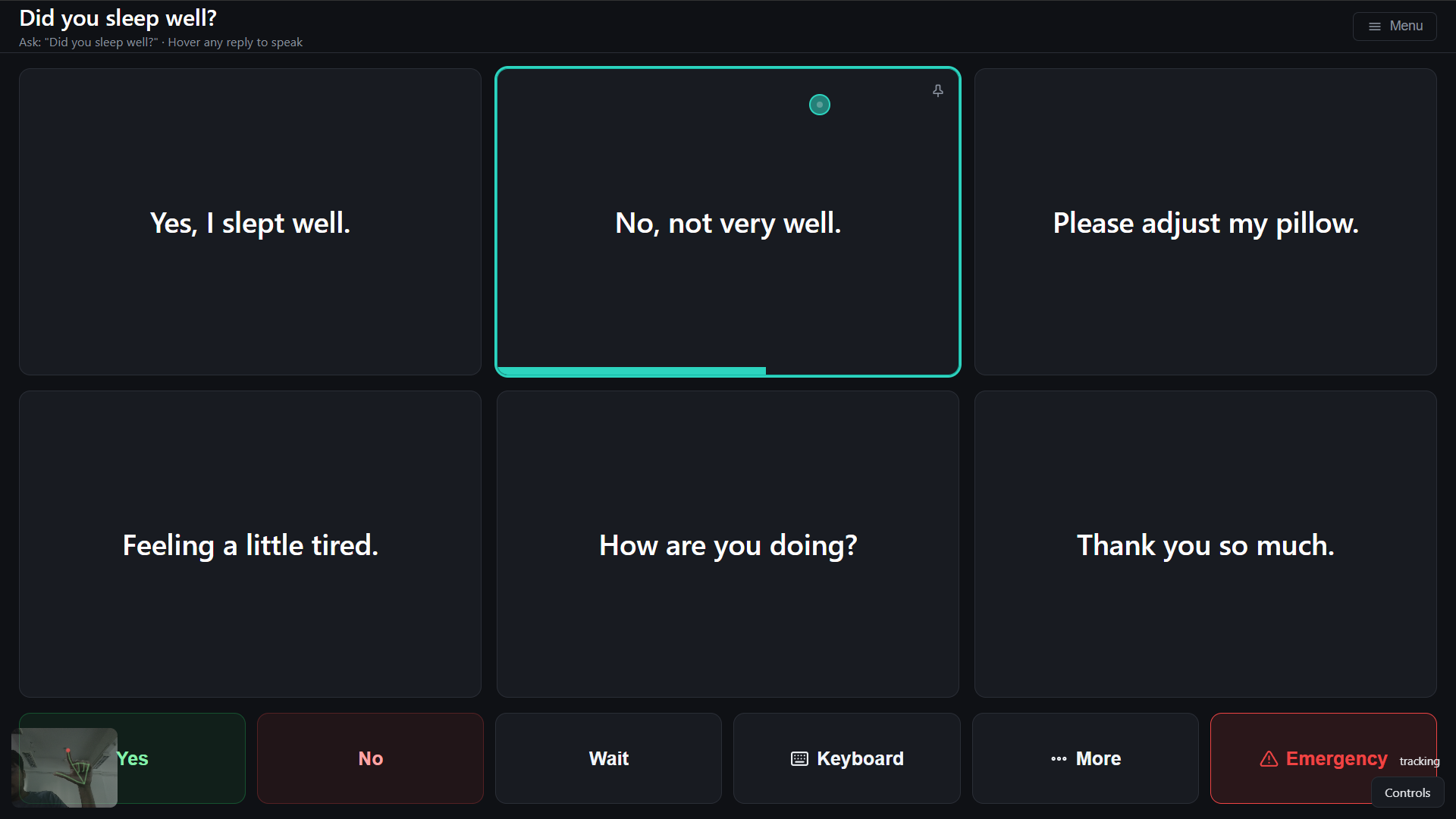
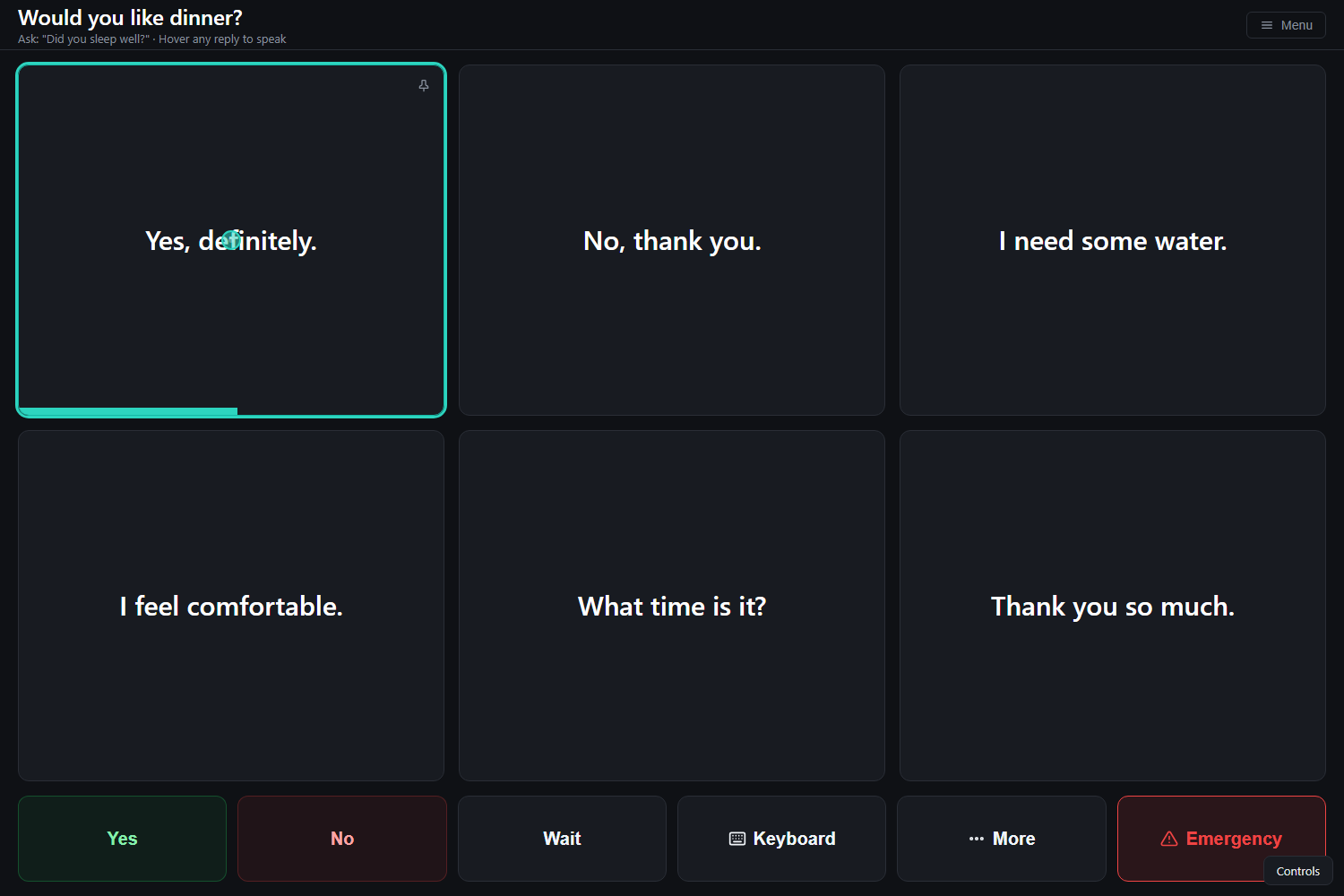
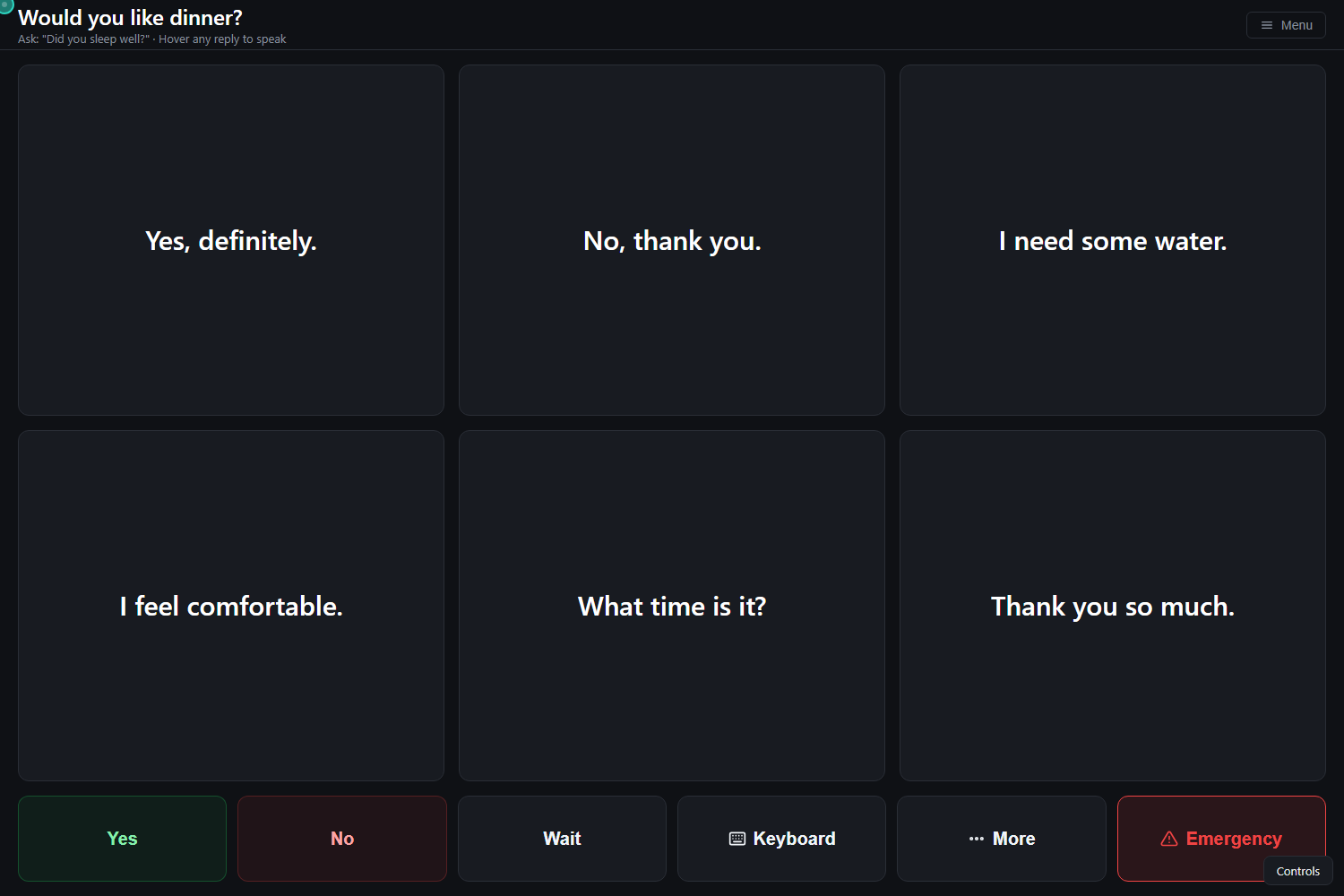
You ask the patient a question out loud, say "Would you like dinner?" Gaze Voice hears it, and a moment later six full replies appear on screen. The patient looks at one for about a second and the laptop says it out loud.
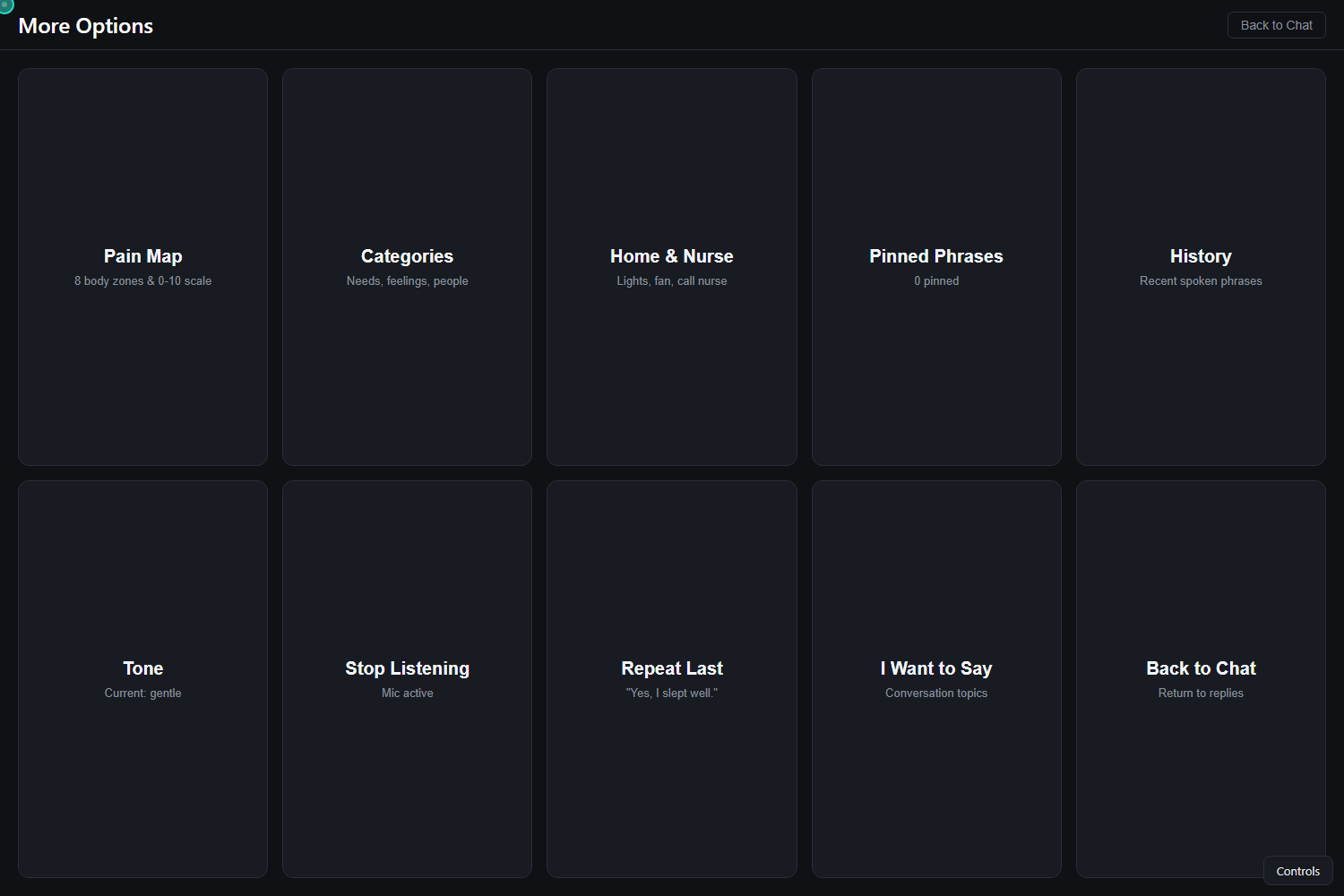
The replies always show up in the same places. "Agree" is always top-left, "decline" is next to it, and so on. Yes, No, Wait, Keyboard, More and Emergency sit along the bottom and never move. We did this on purpose: someone who selects with their eyes shouldn't have to re-read the whole screen every time. While the AI is thinking, the old replies just dim and can't be picked, so nothing ever changes under the patient's eyes mid-selection.
You don't need eyes that track perfectly either. It works with eye movement, head movement, a hand pinch, blinks, or a single button that steps through the rows. You can mix them, like head to point and pinch to click.
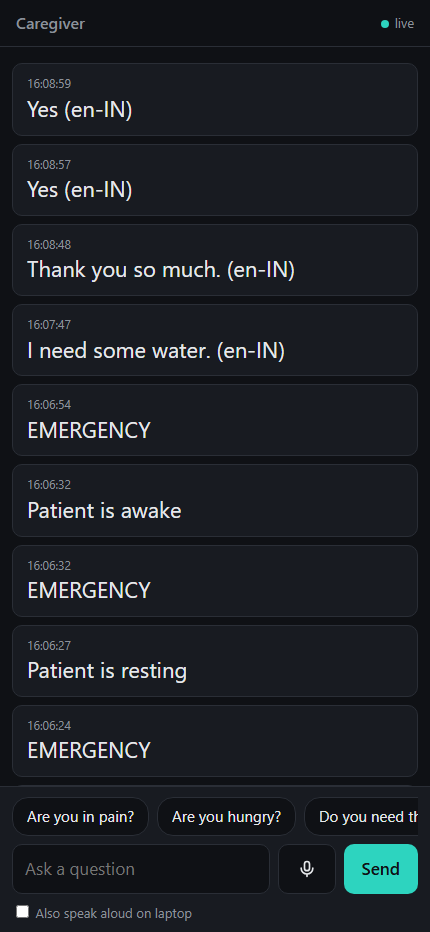
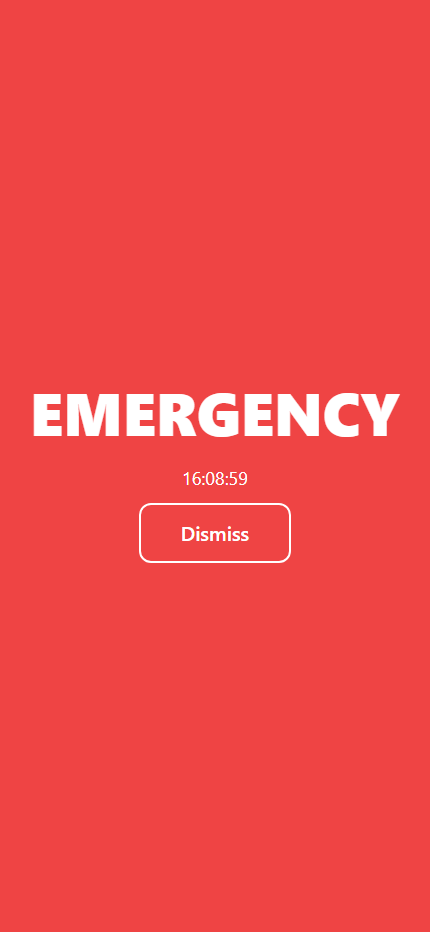
The caregiver opens a page on their phone and sees what the patient said as it happens, from anywhere, not just the same Wi-Fi. If the patient hits Emergency, the phone goes full-screen red and vibrates. The caregiver can also type a question from the phone, and it shows up on the patient's screen.
A few other things we added once the core worked:
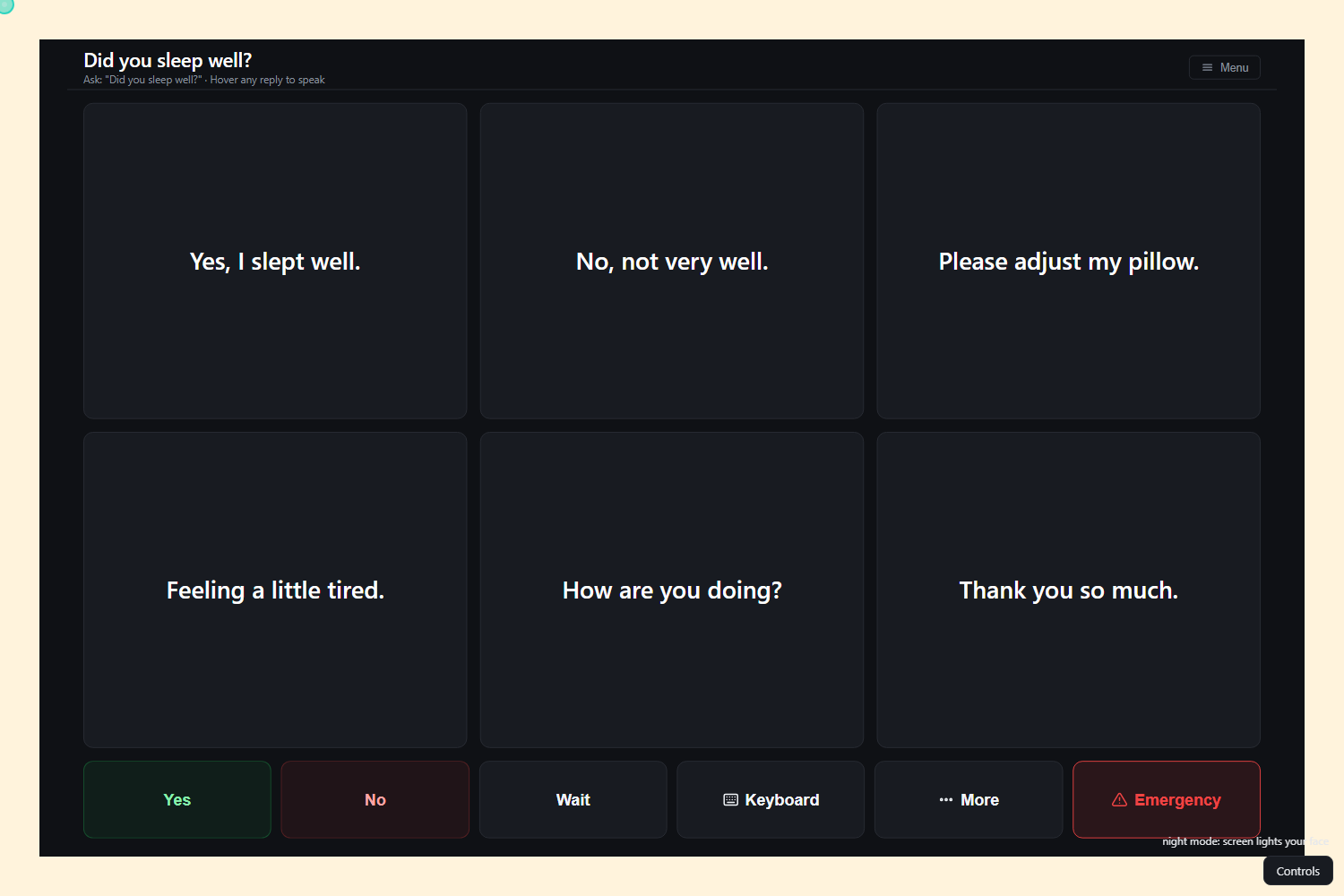
- Night mode. If the room is too dark for the camera, the screen lights up the patient's face. If that's still not enough, it switches to button scanning.
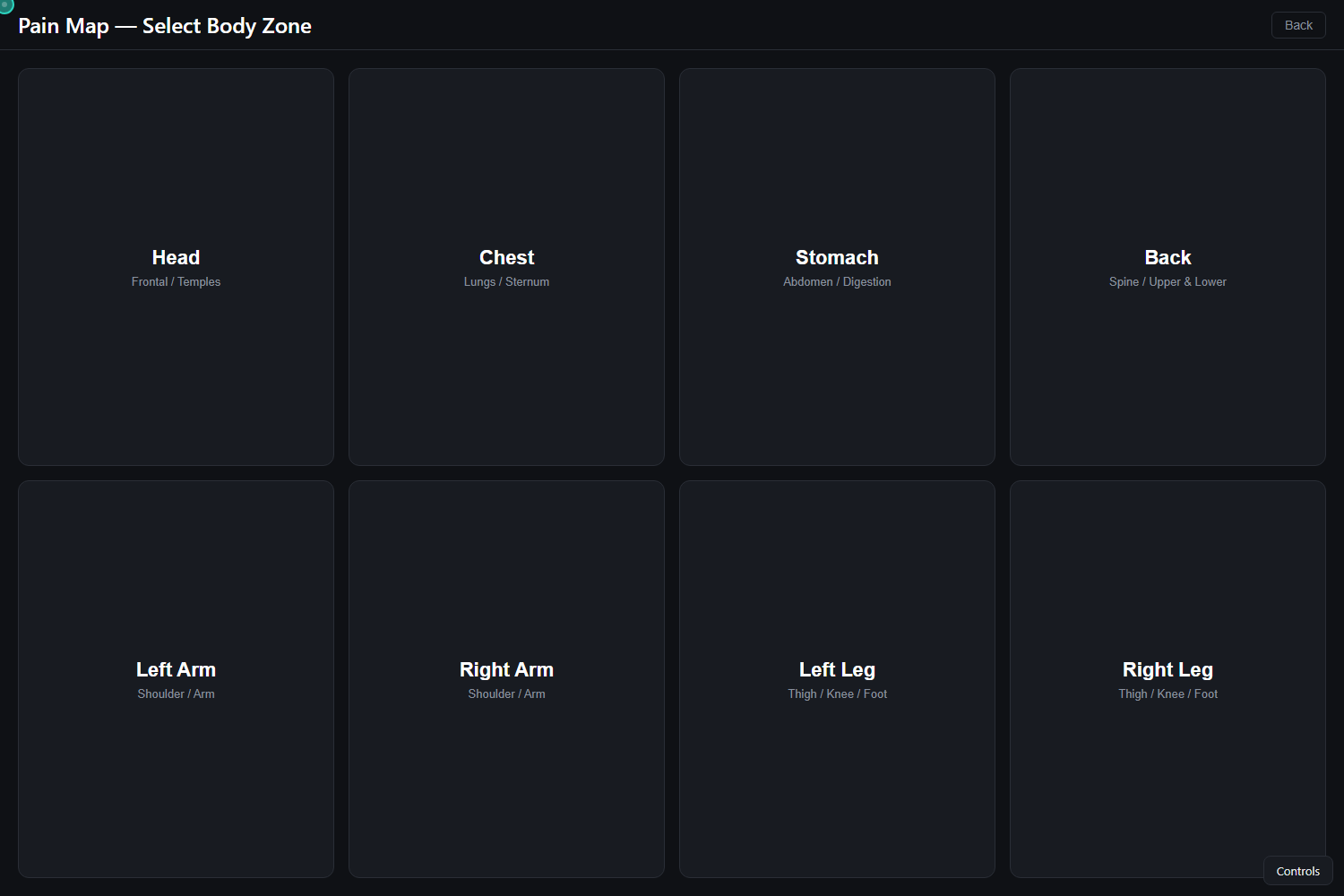
- Pain map. The patient can point to where it hurts.
- Indian languages. Replies can be translated into Hindi, Marathi, Gujarati, Tamil, Bengali and Telugu for family members who don't speak English.
- Learning. The app gets more accurate every time the patient confirms a selection, and it notices when they're getting tired.
The camera feed never leaves the browser. Only the text of the question goes to the AI.
How we built it
It's a plain web app: Vite and vanilla JavaScript. MediaPipe tracks the face and hands right in the browser, a small Node server relays events to the caregiver's phone, and Groq runs the reply model (with Gemini as a backup). The whole thing is deployed as one service on Railway.
We split into two halves that met at an agreed list of events. One half took the gaze engine, the other the conversation board, and we reviewed each other's pull requests before merging.
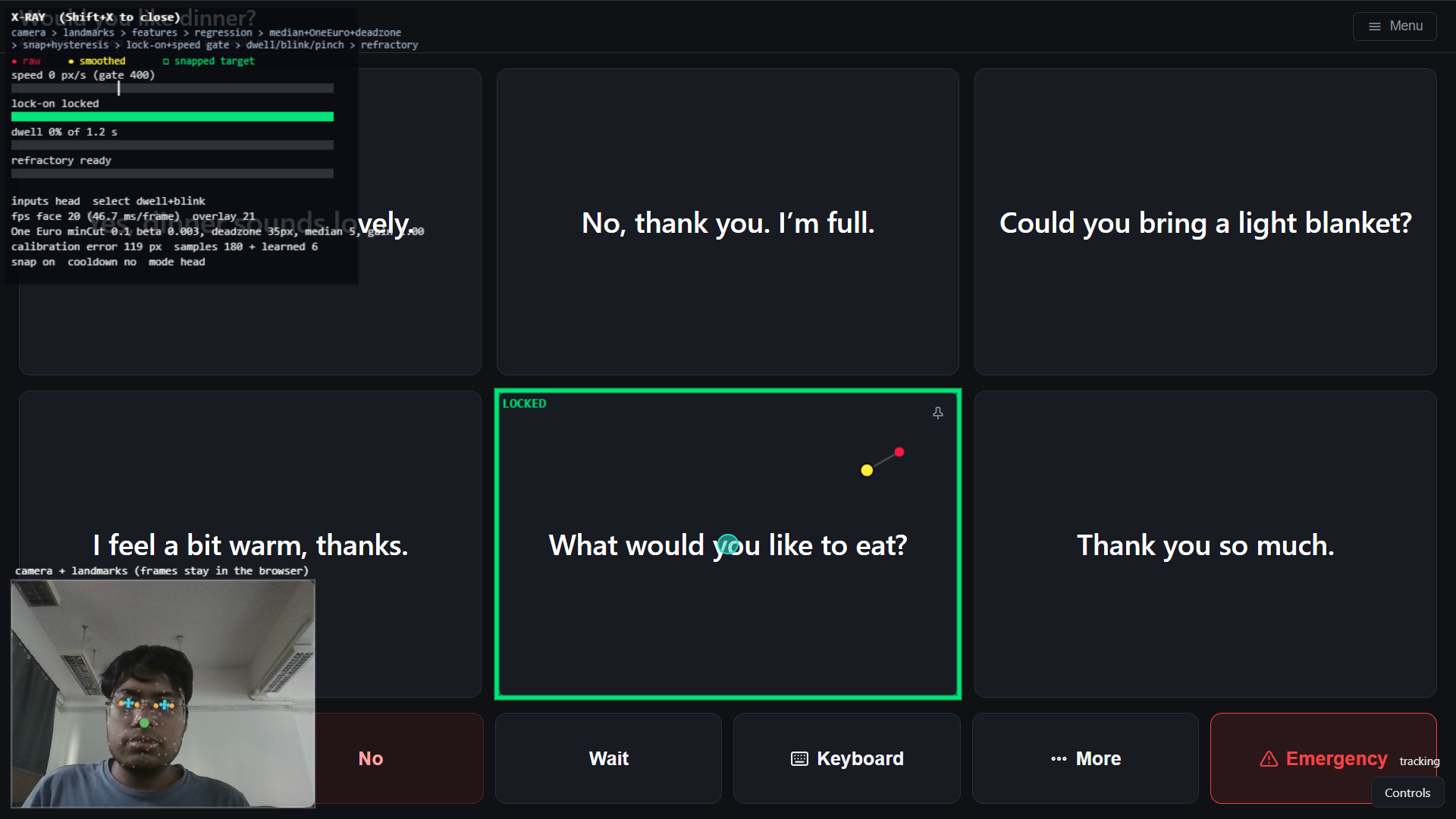
The gaze side does more than it looks like. Raw webcam estimates were jumping around by about 100 pixels, so each point goes through a few stages:
- a median filter and a One Euro filter;
- snapping to the nearest tile;
- a rule that the pointer has to sit still for 300 ms before a selection even starts counting.
For eye tracking we wrote our own small model: ridge regression on where the iris sits inside each eye, plus head pose, fitted from the calibration dots.
Press Shift+X and you can watch all of it happen live: the raw point, the smoothed one, and the tile it locks onto.
We also wrote a Playwright test suite that clicks through the whole app with a fake AI, so we could merge fast without breaking things.
Challenges we ran into
The first version was honestly bad. The pointer shook even when we sat completely still, and calibration was off by around 100 px. Most of the day went into making it calm, not adding features.
Then we hit the classic problem with gaze input: everything you look at gets selected. Our first fix put the app to sleep after every reply, and it was annoying to use, because you had to keep waking it up. We threw that out. Now the pointer has to settle before anything counts, there's a 1.5 second breather after each selection, and there's a manual pause button.
The AI fought with the stable layout. Fresh suggestions every time meant tiles kept changing under the patient's eyes. So we fixed the slots and let the AI only fill them in. At one point the replies also flickered: quick placeholder answers first, then the real ones a second later. Now the board changes exactly once per question.
Hand tracking was fine for big tiles but miserable on the keyboard. Closing your fingers to "click" moved the pointer onto the next key. We fixed it by rewinding the pointer 250 ms whenever a pinch starts.
Our first UI was a mess: emojis everywhere, ten border colours, and two dozen things on screen at once. We cut it down to one question, six replies and one row of buttons.
And the network. The venue blocked the port our tunnel needed, so we ended up packing the app and the phone relay into one server and deploying it.
Accomplishments that we're proud of
That someone can answer a question in one look instead of spelling it out. That it runs on a normal laptop webcam with nothing extra to buy. And that the caregiver's phone really buzzes when Emergency is pressed, even on a different network.
What we learned
We expected the hard part to be the AI. It wasn't. Nearly every improvement that made the app usable was about timing and restraint: fewer things on screen, things staying put, and a pause in the right place. Our UI got noticeably better the moment we started deleting stuff.
What's next for Gaze Voice
- Running the reply model on the device, so it works with no internet.
- Putting it in front of speech therapists and actual patients. We haven't done that yet, and it's the thing that matters most.
- Learning each patient's own phrases over time.
- Spoken output in every Indian language, and proper push notifications for caregivers.
Built With
- accessibility
- computer-vision
- css3
- gemini
- gpt-oss
- groq
- html5
- javascript
- machine-learning
- mediapipe
- node.js
- playwright
- railway
- vite
- web-speech-api
- webgazer
- websockets

Log in or sign up for Devpost to join the conversation.