Inspiration
Quarantine has made it difficult for people to partake in activities with their friends. The restriction placed on in-person interactions can create a sense of isolation and make life dull. Gauntlet attempts to bring back a feeling of togetherness and bonding by allowing users to organize friendly real-life competitions with a group of their friends.
What it does
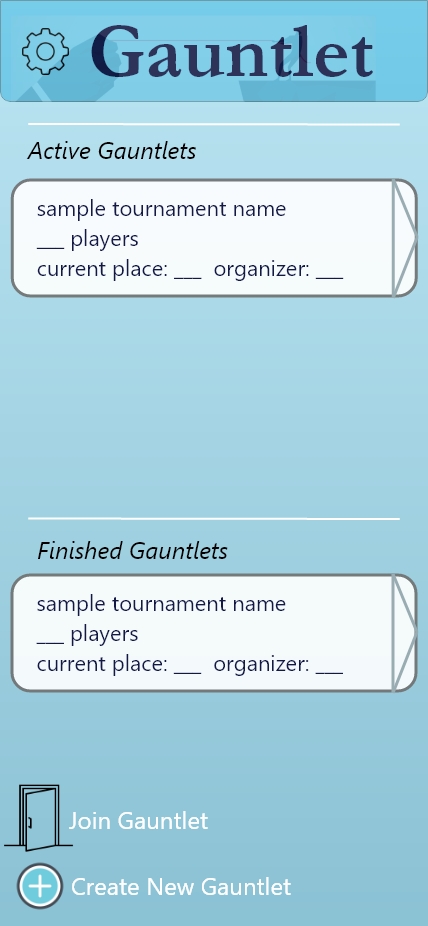
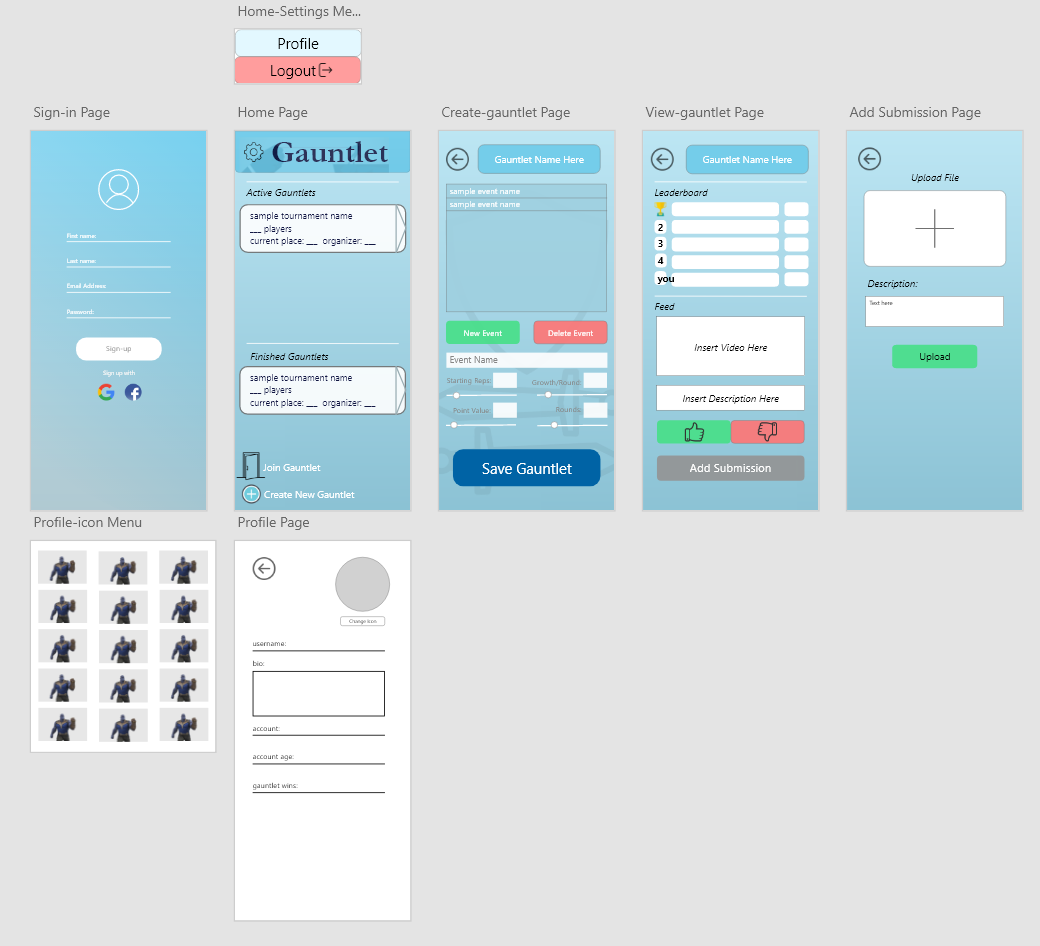
Gauntlet allows users to create new "gauntlets", which consist of customizable activities that have corresponding point values. The gauntlet creator can then invite their friends to join that gauntlet, and all participants will compete to see who can accumulate the most points by performing the specified activities. Participants must upload proof of completing an activity, and the proof will be judged by other members in the gauntlet. As specific activities are completed more times, the difficulty of that activity will increase. Players can view a gauntlet's scoreboard, judge other gauntlet submissions, view past (completed gauntlets), and update their personal gauntlet profile.
How we built it
This program was built on Godot, which is an open-source game engine. We chose Godot because the engine allowed for similar flexibility to Android Studio, while also being able to export to every platform including Windows, iOS, MacOS, Linux, and even had support for HTML5 exports. It also provides useful tools for animation that aren't found in most mobile development IDEs, as well as having community-developed firebase integration. The UI of the program was prototyped on Adobe XD, then manually implemented in Godot. After finishing the majority of the UI, we implemented the firebase plugin and used it to manage gauntlet and user data.
Challenges we ran into
The application must be compatible with all screen sizes, which required a lot of anchor and margin manipulation in the UI. The Google Firebase plugin for Godot was missing some important functionalities, such as reading Google's Realtime Database on command. We had to add a few functions to the Firebase plugin to get it working in the way we intended. Godot only supported uploading videos in .webm or .ogv format. This made it difficult to directly upload media to the application since most videos are in the .mp4 format, and there was no simple method of converting the video file format. Additionally, since Godot is cross-platform by default, there is no simple way to handle file uploads using any platform's file explorer. Instead, Godot uses their own file explorer, which did not work for our purposes. Godot handled events in the form of signals, which were data sent by nodes (e.g. buttons, boxes, text lines) when specific actions occurred. These signals took some time to get used to, and they were sometimes tricky or messy to handle. We overcame this by studying up on coroutines and using them to better handle HTTP requests with latency.
Accomplishments that we're proud of
We successfully implemented a communications/interfacing-related application on a game engine, which was a lot harder than we initially thought. We were able to draft a simple, elegant User Interface on Adobe XD, which we mostly copied over to the Godot engine. We added the needed functionalities to the Godot Firebase plugin and found a temporary solution to the issue of uploading media on Godot.
What we learned
We learned how to use Godot scripts, plugins, and the engine as a whole. Prior to this, only one of us has used Godot previously, and they had only used it once. We learned how to design User Interfaces on Godot and handle events from signals emitted by nodes. We learned how to access, store, and update data on Google Firebase through REST APIs. We learned how to create and authenticate users on Google Firebase.
What's next for Gauntlet
We hope to improve the UI design and eventually port the application to the iOS app store and the Google Play Store.
Built With
- firebase
- godot
- xd

Log in or sign up for Devpost to join the conversation.