Inspiration
In industrial settings, operators often read analog gauges by eye. Blur, glare, poor lighting, and confusing dial markings can make a reading difficult to judge. We wanted to build a tool that helps inspect gauge images and clearly signals when a result needs a human’s attention.
What it does
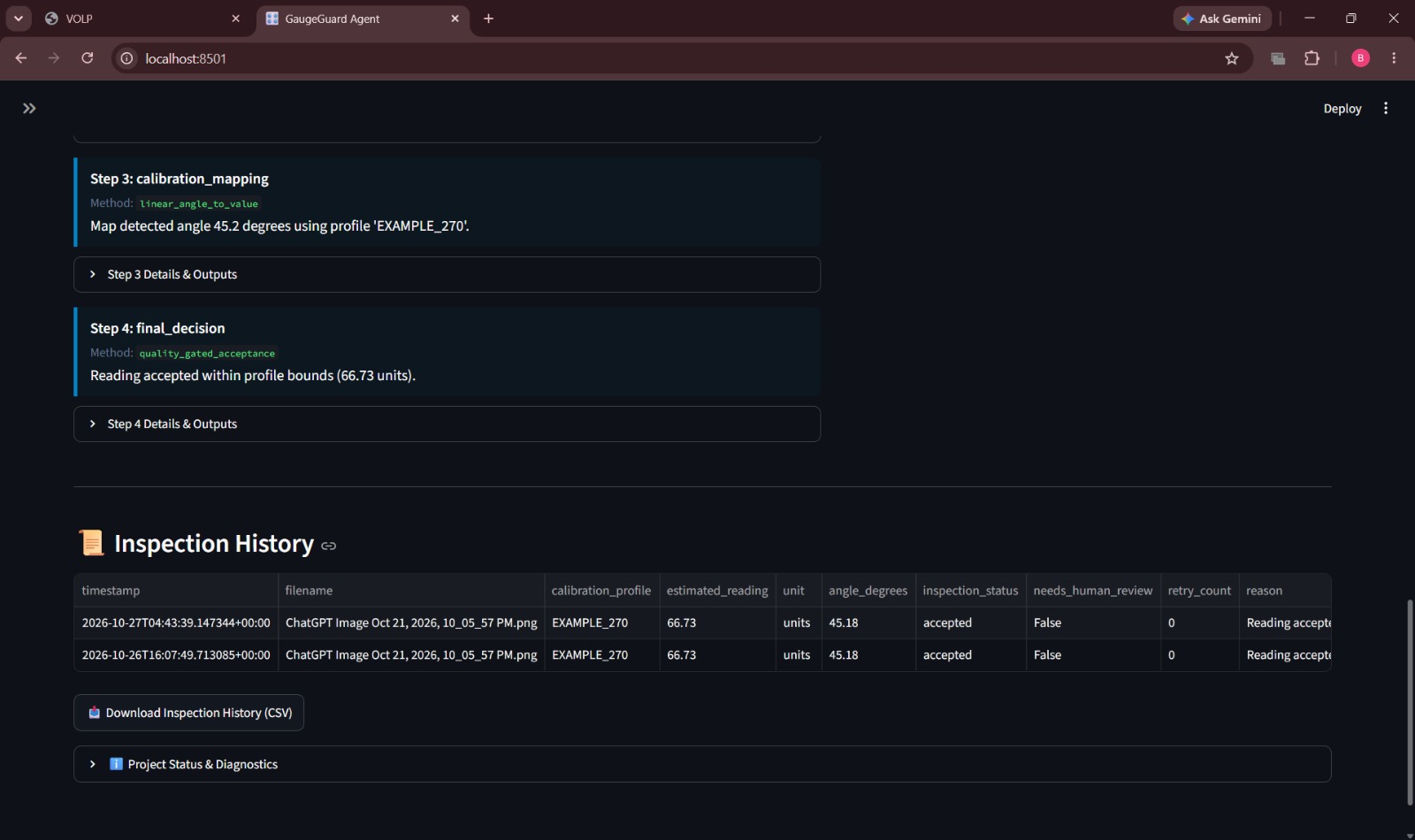
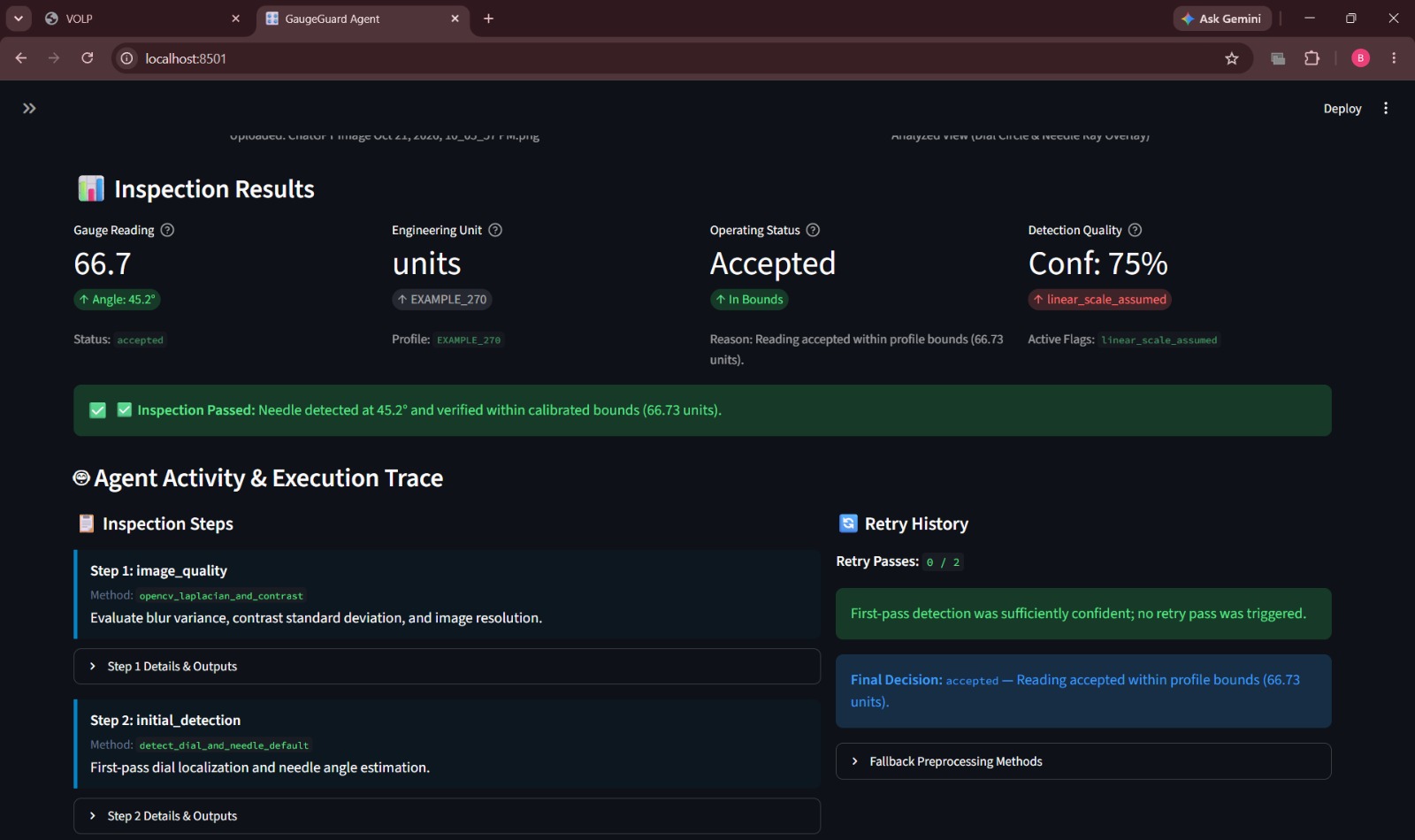
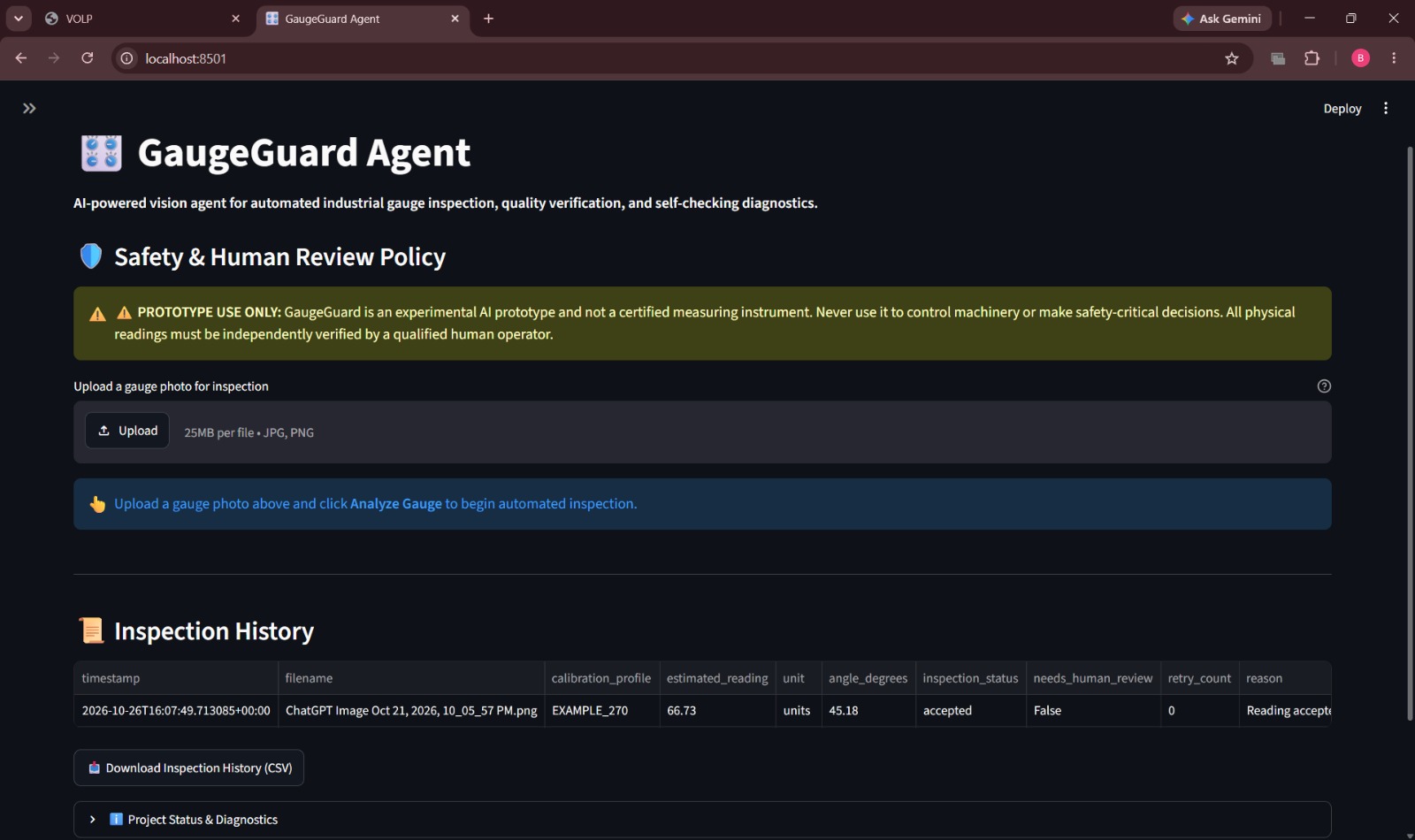
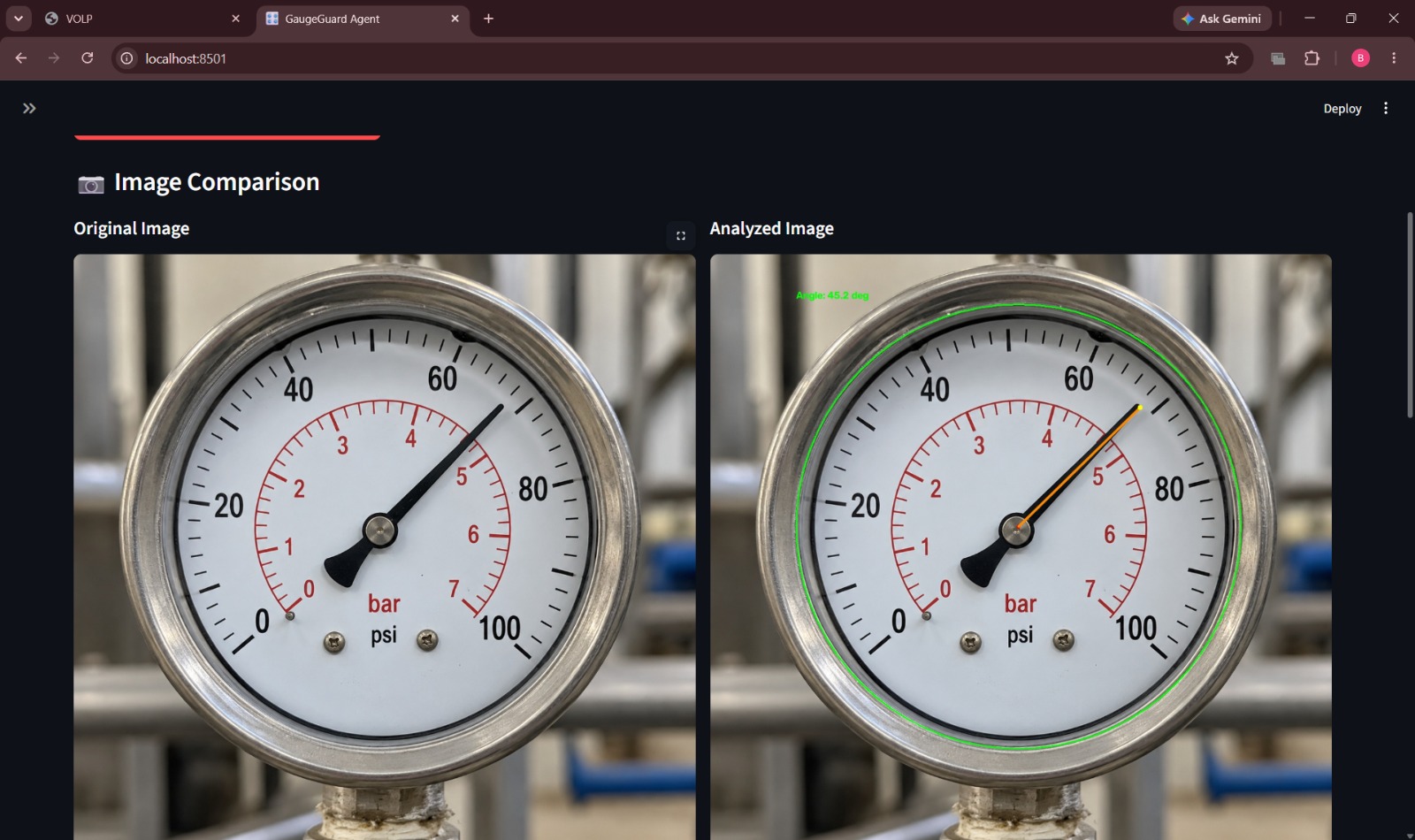
GaugeGuard analyzes an uploaded gauge image using OpenCV. It checks image quality, detects the dial and needle, estimates the needle’s angle, and converts that angle into a calibrated reading. Its agent workflow uses the visual results to decide whether to accept the reading, retry with another image-processing approach, or request human review. The app displays the annotated image and action log to make the process easier to follow.
How we built it
We built GaugeGuard as a Python application with a Streamlit interface. OpenCV handles image processing and dial-and-needle detection; a calibration module maps the estimated angle to a gauge value; and an agent controller coordinates inspection, retries, and escalation. The project also includes an architecture diagram, evaluation materials, and tests.
Challenges we ran into
Detecting the correct needle is difficult when images contain blur, glare, tick marks, a center cap, or multiple pointers. We also needed to make sure that uncertain or invalid results would be reported as failures or sent for review instead of being presented as reliable readings. Integrating the vision, calibration, agent, and interface modules was another challenge.
Accomplishments that we're proud of
We built an end-to-end prototype that connects image inspection to a next-step decision. GaugeGuard can show its detection visually, record the actions it took, and handle cases where it cannot confidently produce a reading. On a synthetic single-needle gauge image, our detector estimated a known 250° angle as 250.11°.
What we learned
We learned that a plausible-looking computer vision result is not necessarily a reliable one. Image quality, competing visual features, and clear failure handling all matter. We also learned how to connect OpenCV processing to calibration and an agent workflow, and how to make that workflow easier to inspect through visual annotations and action logs.
What's next for GaugeGuard
Next, we plan to evaluate GaugeGuard on a larger set of real, labeled gauge images, including difficult cases such as glare, blur, and multiple needles. We also aim to improve detection and confidence estimates, document measured performance and limitations, and deploy the prototype on AWS for a reproducible demonstration. GaugeGuard is an assistive prototype, not a certified instrument or a replacement for safety-critical checks.
Built With
- agents
- ai
- amazon-web-services
- computer
- image
- industrial
- inspection
- numpy
- opencv
- processing
- python
- streamlit
- vision


Log in or sign up for Devpost to join the conversation.