-
-
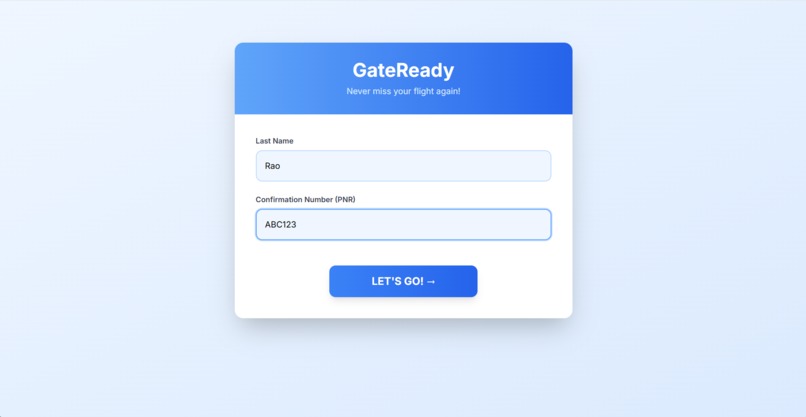
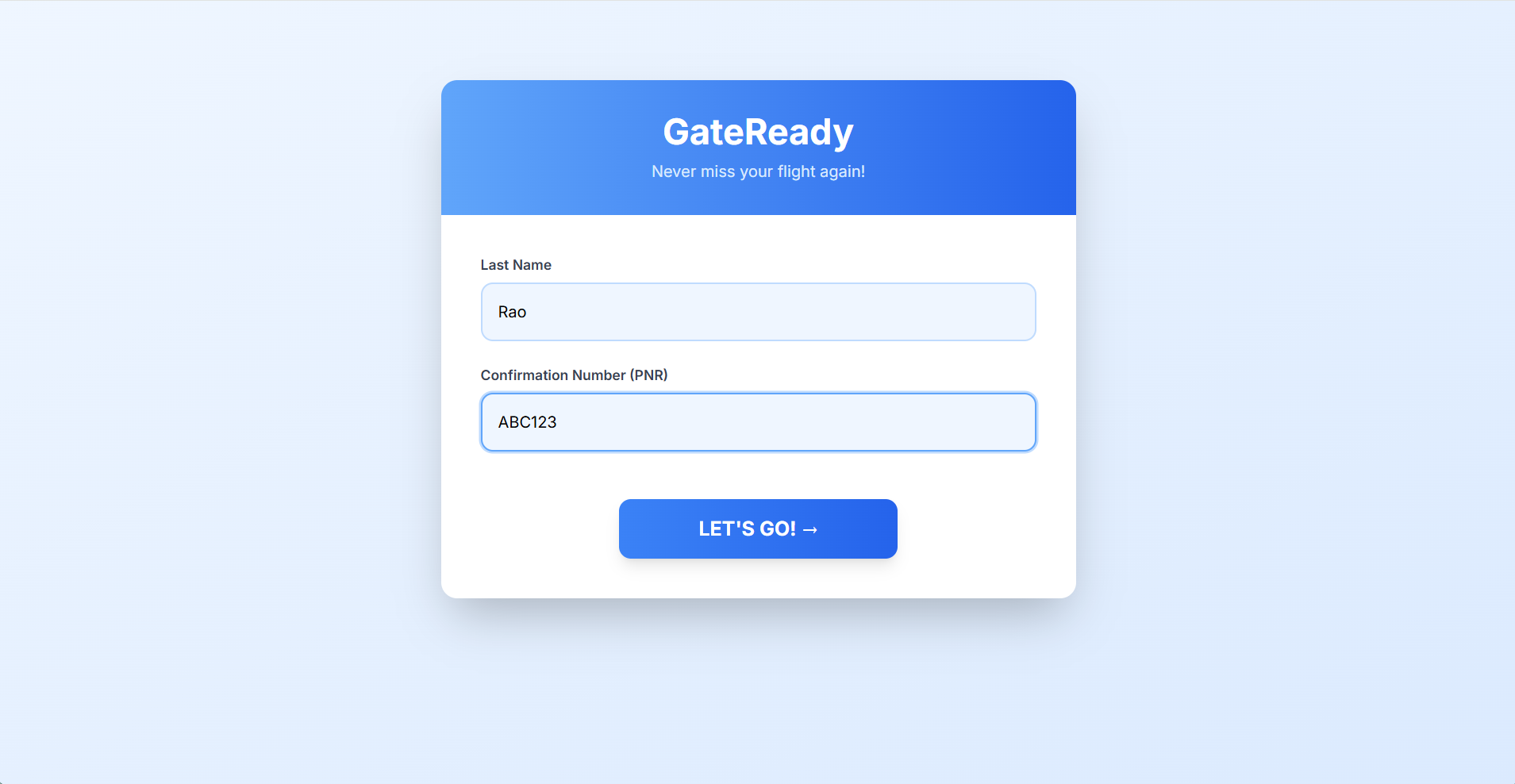
Home page
-
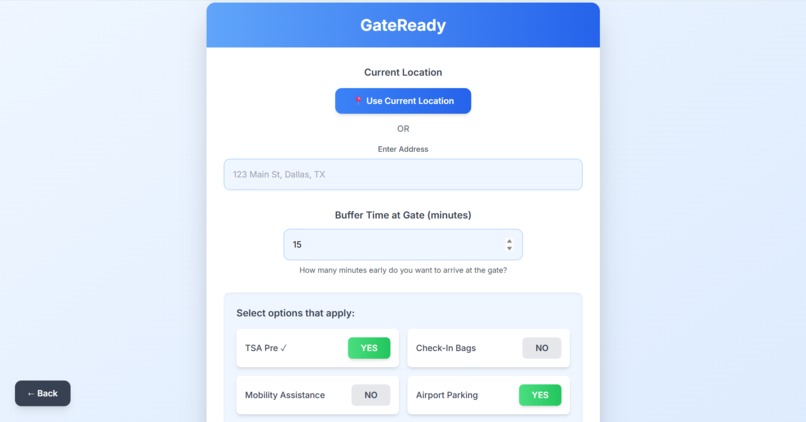
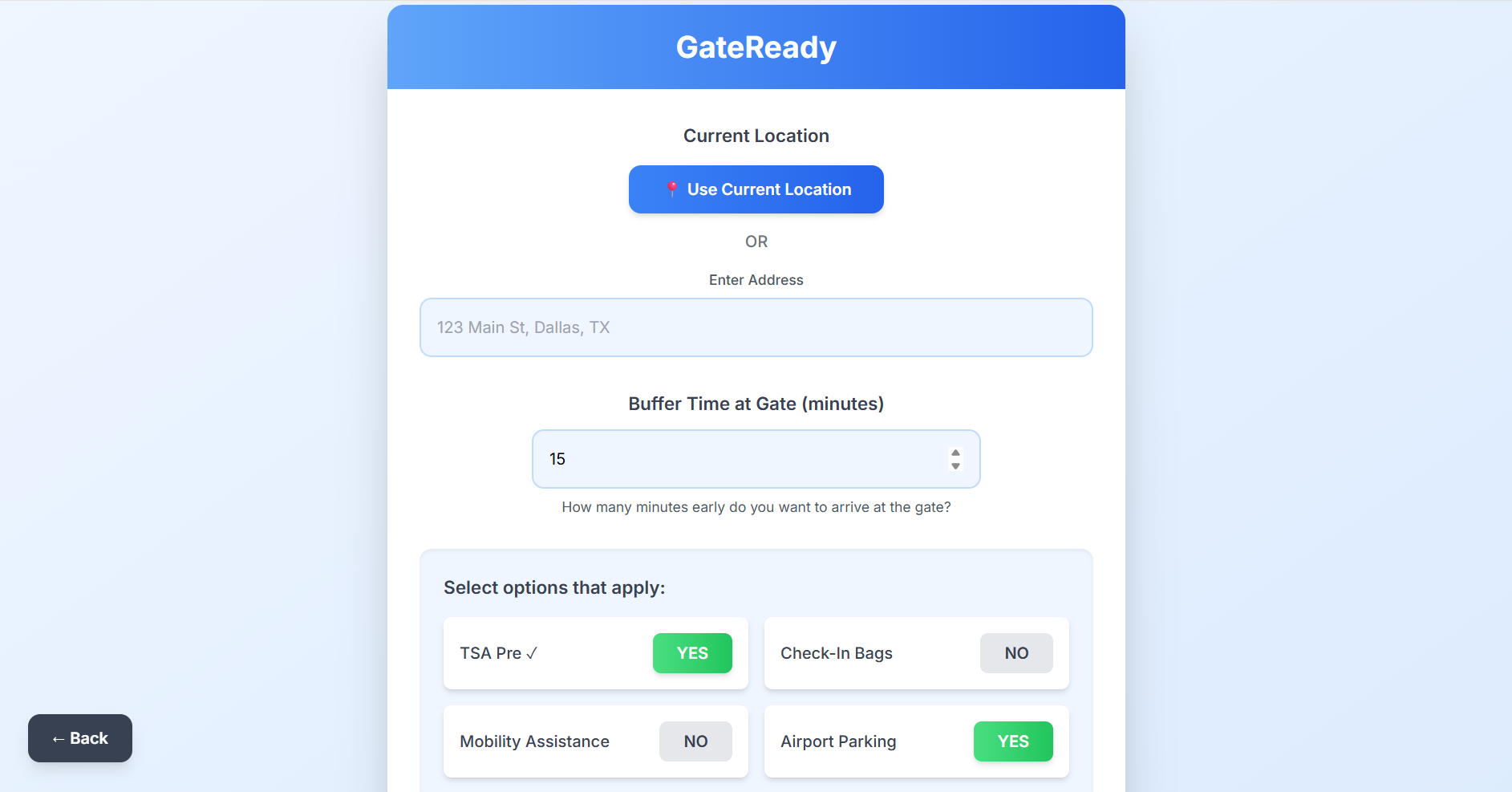
Customize journey (choose location, buffer time, factors that could affect ETA)
-
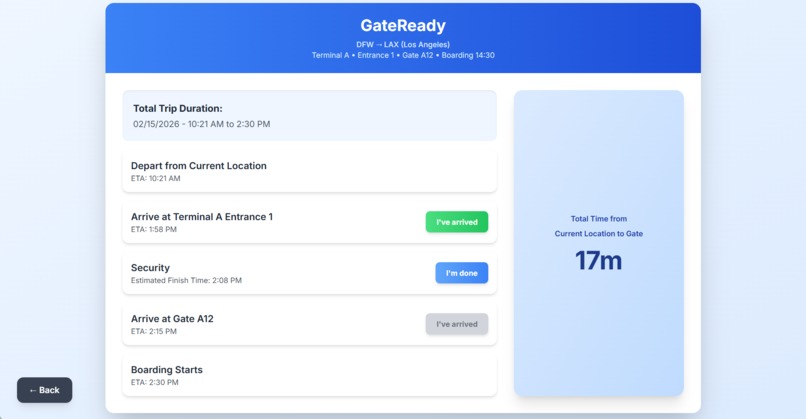
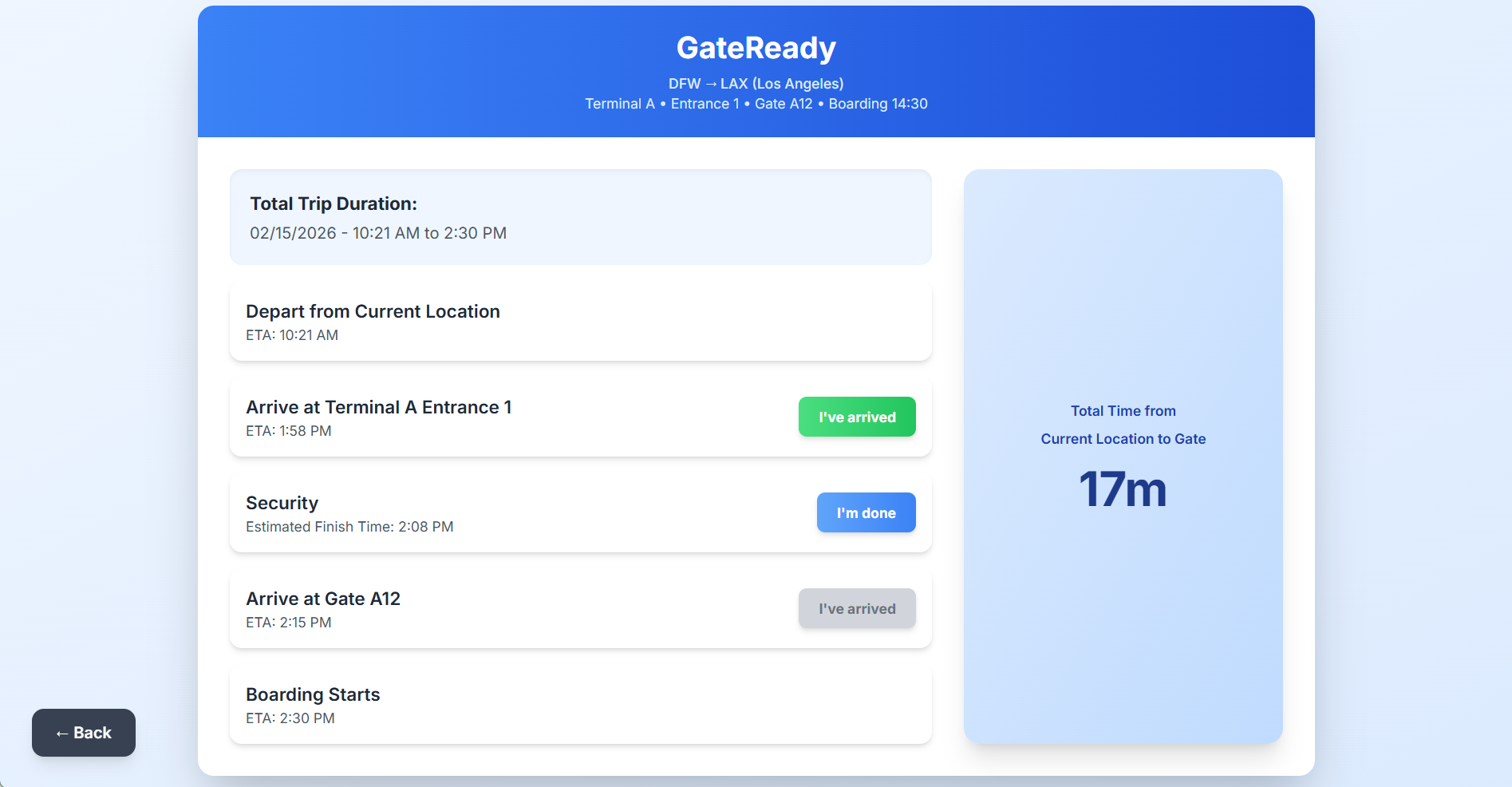
Results page
Inspiration
We started by brainstorming about issues we frequently run into at airports and came to the conclusion that airport anxiety was a big one that seemed to be a common issue. Once we decided on this topic, we thought a good overall solution was to create a web app that showed users when to depart from their house to get to the airport with plenty of time to do the necessary tasks.
What it does
This web app takes in a user's confirmation number, last name, and current location to determine when the user should depart from their house to make it to boarding on time. It also takes in extra factors like TSA Pre-Check, mobility assistance, if you have bags checked, and airport parking to determine when you should leave using typical airport waiting times.
How we built it
We started sketching a storyboard and wireframes for the initial design. We moved to Figma to create lo-fi prototypes of each screen. From here, we used Claude AI to create a basic working prototype for the web, and continued debugging and refining from there.
Challenges we ran into
We ran into a couple of challenges throughout this project in different areas of the process. During the Figma stage, we struggled to create a complete user flow as we imagined in our heads, so we had to compromise by simplifying a few of our ideas. As we began debugging our code, we ran into complications with user input validation for the web app to work as expected, as well as issues with the total time calculation at the bottom of the third screen.
Accomplishments that we're proud of
We used ClaudeAI in this project, and we are proud that we were able to use the tool for our exact purposes. We were able to utilize our Figma lo-fi prototypes to ask Claude to create an interface that looked the same. From there, we improved the interface to look better, so it felt like all of our work was connecting.
What we learned
We learned how to create toggle buttons in Figma and use AI to suit our needs in projects. Although we refined the code after, we got a basic skeleton of the code from Claude that provided a good starting point.
What's next for GateReady
Currently, we use typical wait times depending on the time of day to determine ETAs at each checkpoint. In the future, we would like to improve this feature to use real-time crowd data from airports to reflect live changes to ETAs. Right now the app only works for departing from DFW airport, but we hope to expand it so that it is functional for all kinds of airports globally. Lastly, we plan to use machine learning to better predict accurate ETAs for each checkpoint by taking into account time of day, weather conditions, and special events like holidays.

Log in or sign up for Devpost to join the conversation.