-
-
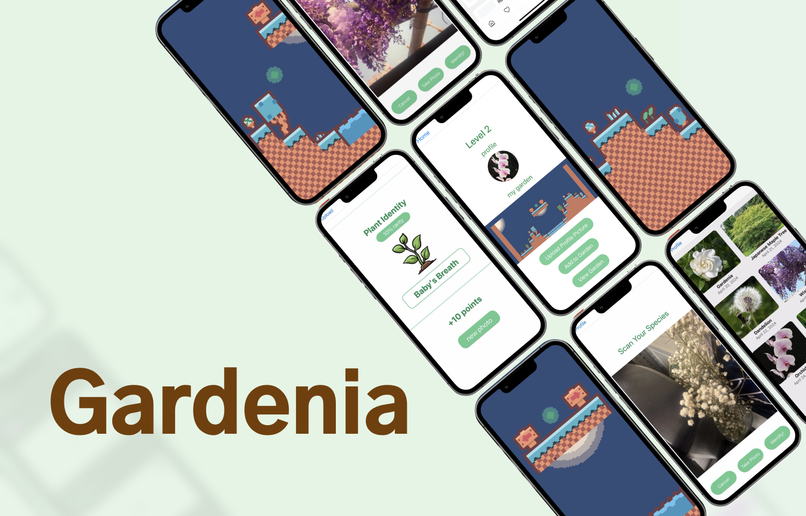
App Overview
-
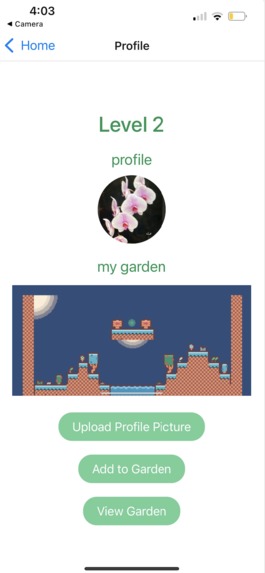
Profile Page & Garden
-
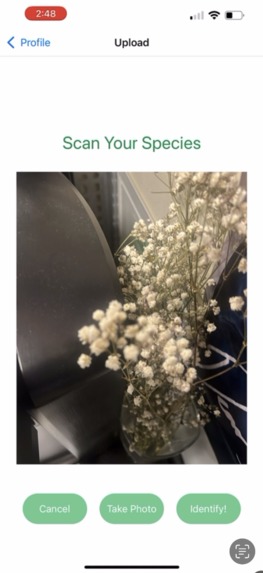
Upload Page - recognizing baby's breath
-
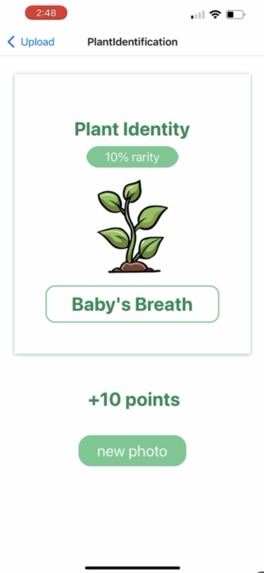
Plant Identification Page with Gemini API - recognizes name of plant in picture as well as the rarity of plant + points based on rarity
-
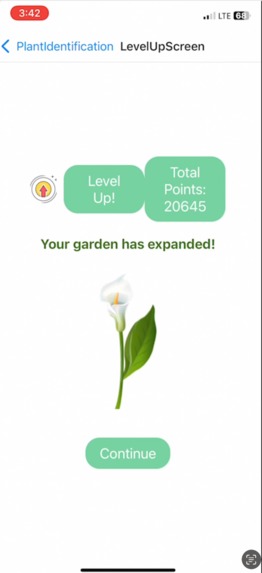
Level-up Page, expanding garden by getting new plants
-
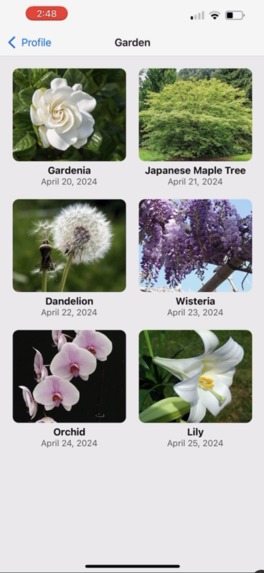
Past Plants Gallery Page
-

Interactive Game with Unity!
-
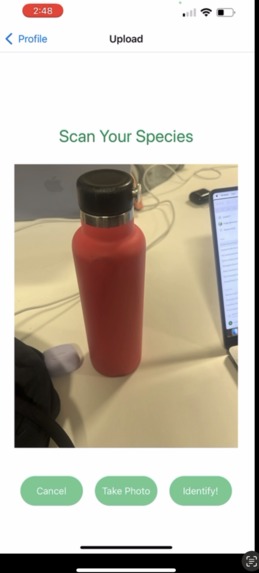
Algorithm correctly tells if an image is not of a plant
-
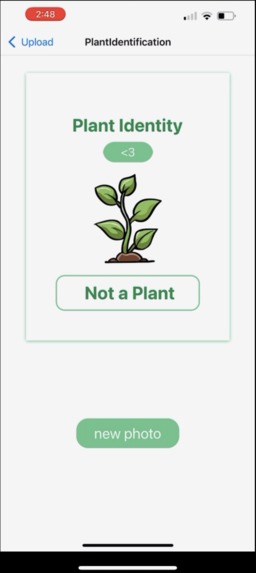
Algorithm correctly tells if an image is not of a plant


Inspiration
Spring superblooms are characteristic of sunny SoCal, and we wanted to highlight the diverse plant species in nearby parks and hiking trails. We've always been interested in knowing more about each distinct species, which is why we made a gamified species classifier.
What it does
Users can take a picture of a plant in the app, and it automatically saves to their camera roll and passes it into Gemini API to classify the plant species. The plant species is identified along with a rarity percentage that indicates how likely you are to find it, so a higher rarity percentage means it's harder to find, giving the user more points. The points allow you to level up and expand your garden, and to play a video game featuring all your collectibles.
How we built it
We used React Native and Node.js for the frontend and Firebase for the backend. We used Expo to display our mobile app on our phones and view the interface as we coded. We used Unity to create the video game aspect.
Challenges we ran into
We had trouble converting the image URI to base64 to feed it into the Gemini API at first since we didn't understand the format constraints, but after some experimentation we set a regular image URI to allow it to save to media library and set another base64URI to pass it into Gemini. We also didn't have much backend experience so storing our points and images in the database was a bit challenging for us.
Accomplishments that we're proud of
We're really proud of the Gemini API integration because it's our first time working with an AI API and were super excited when it worked for the first time. We're also excited that we got the backend database for the user auth and points working. In addition, we became familiar with Expo and made it consistently load on both hotspot and Wifi, which we faced some issues with at the beginning.
What we learned
We learned how to incorporate Google's Gemini API for image classification and how to implement user authentication for login, keeping track of points and images taken in our Firebase database in backend. We also learned how to use Expo for mobile app development, and its libraries including camera and storage to media library (phone camera). We got better at resolving merge conflicts and github version control as well.
What's next for Gardenia
Our next steps would include deeplinking or merging our Unity garden game design and our React Native application. Given the time constraint, this wasn't possible, however, looking forward we could use deeplinking to transition from one application to another, or eject our Expo app to React Native and link them together.

Log in or sign up for Devpost to join the conversation.