-
-
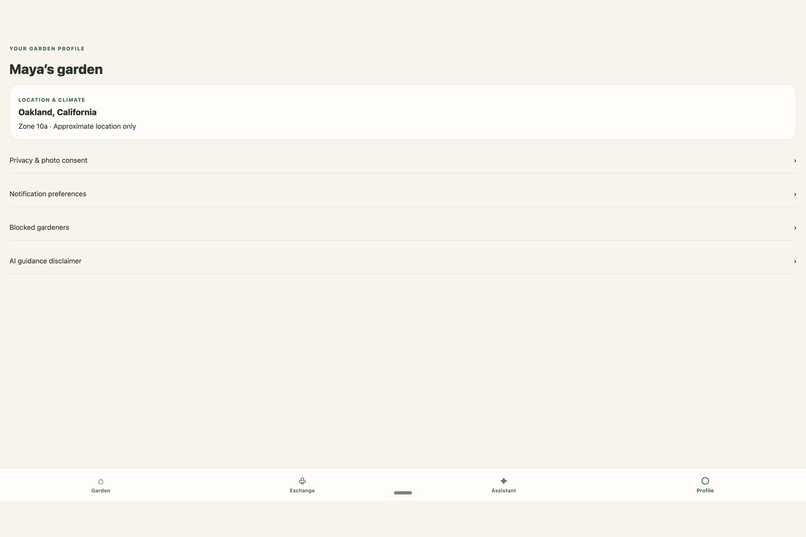
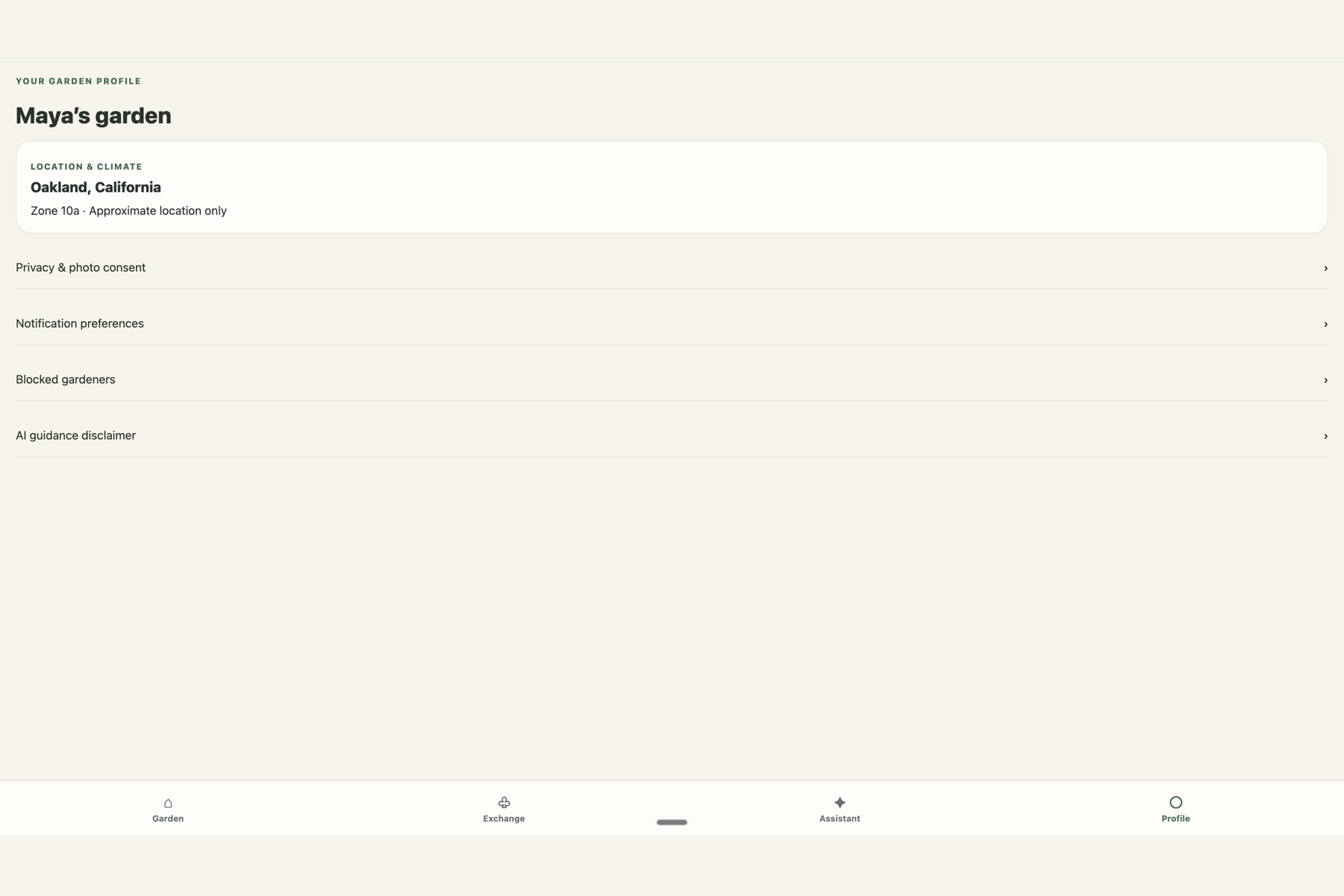
06-privacy-profile
-
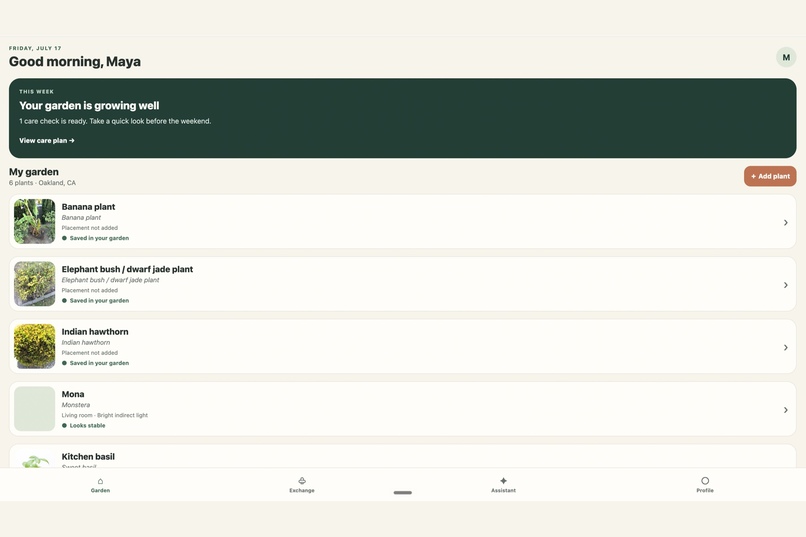
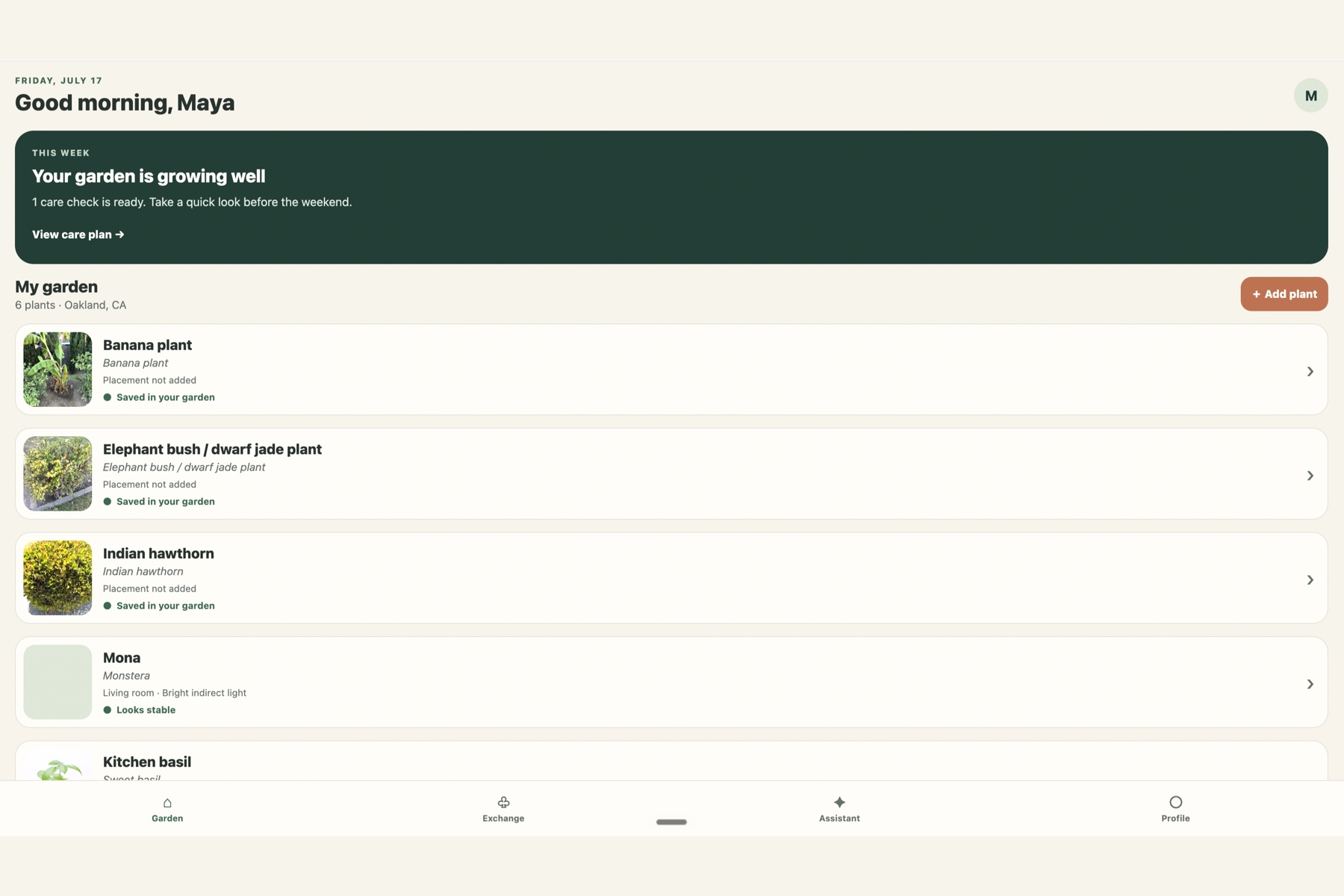
01-Mygarden-home-page
-
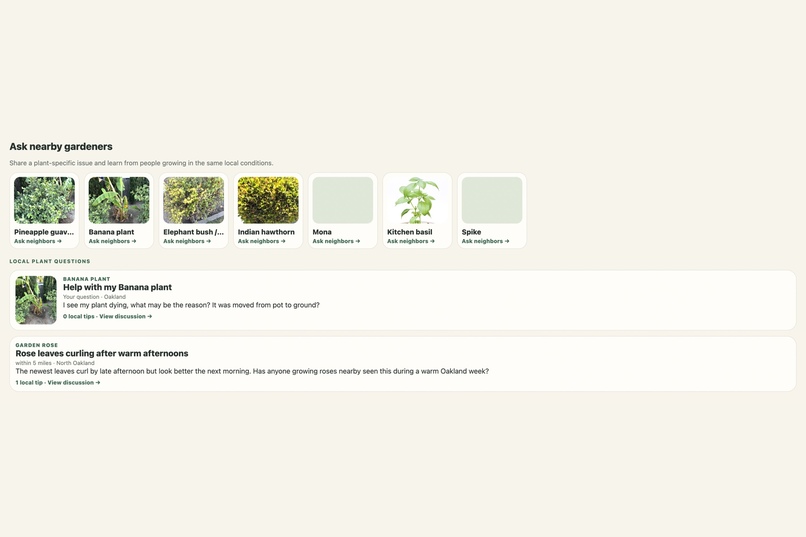
04-local-exchange
-
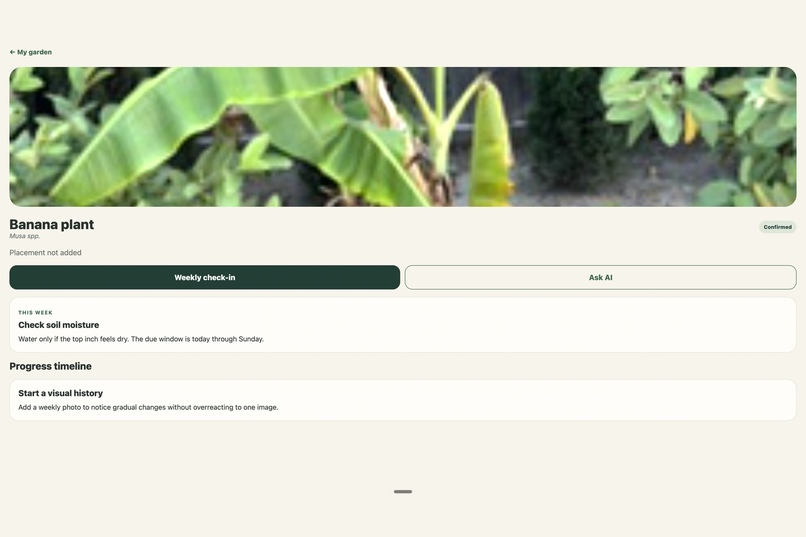
02-plant-detail-care-page
-
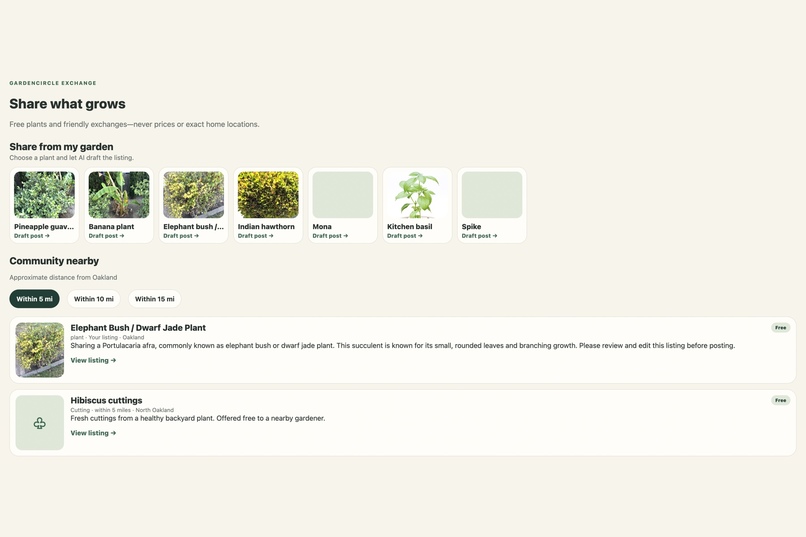
03-live-gpt56-identification
-
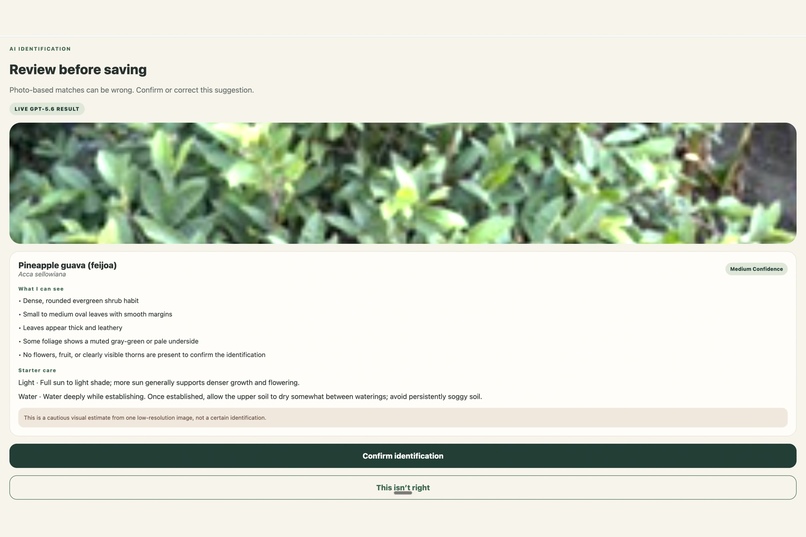
05-community-help
Inspiration
Plant-care apps often solve only one part of gardening: identifying a plant, setting generic reminders, or buying products. Home gardeners still struggle to understand what is changing, remember what they have tried, and find trusted local experience.
GardenCircle AI began with a simple idea: a plant should not become another anonymous photo in a camera roll. It should have a living profile that becomes more useful over time.
The project combines a personal garden record, cautious AI guidance, visual progress tracking, and neighborhood knowledge. AI can provide an immediate starting point, while nearby gardeners can contribute experience from growing the same plant under similar weather, light, and soil conditions.
What it does
GardenCircle AI helps a gardener:
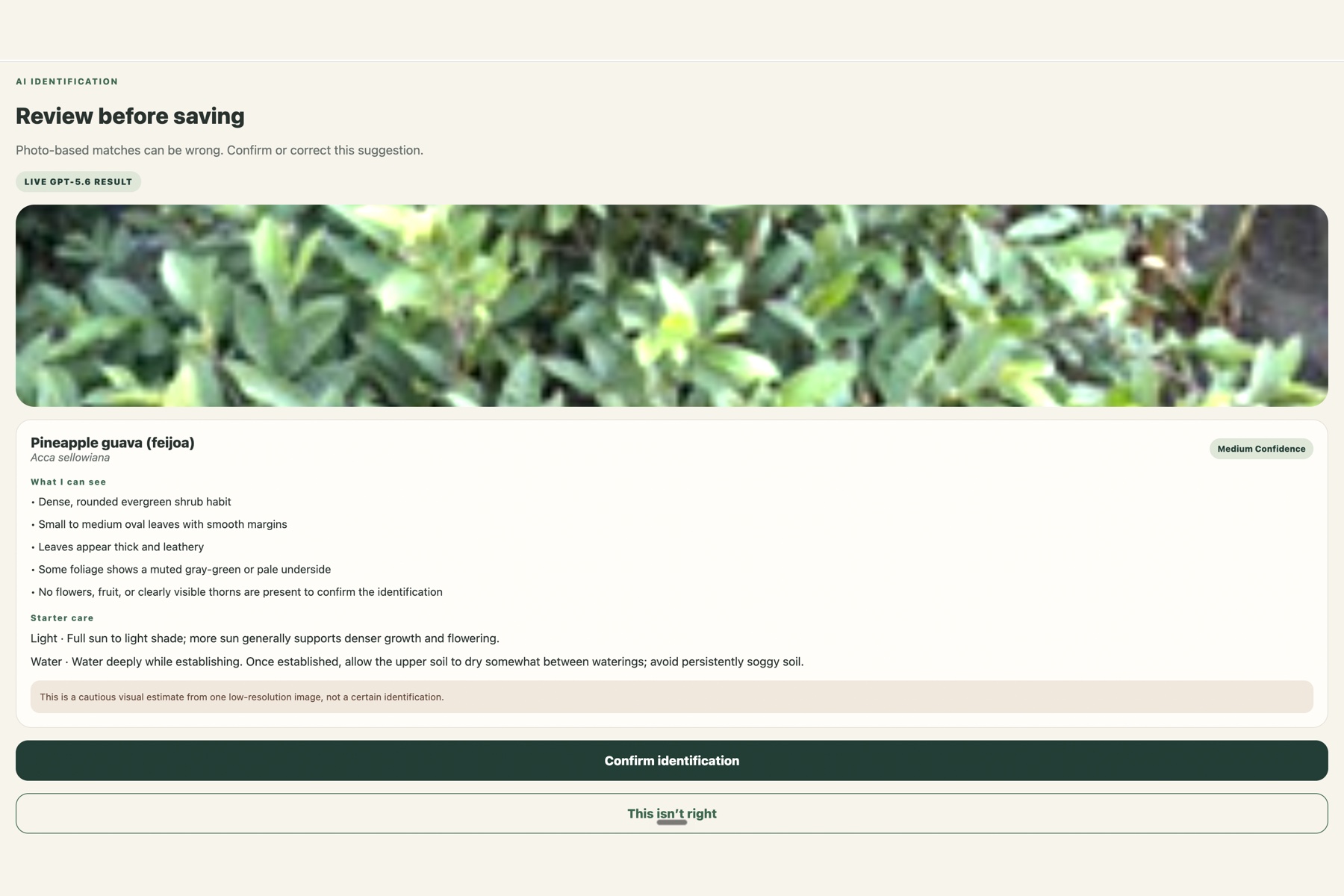
- Photograph and identify a plant with GPT-5.6 vision.
- Review the visible evidence, confidence level, and alternative matches before confirming an identification.
- Correct an AI identification instead of being forced to accept it.
- Save plants and images in a persistent personal garden.
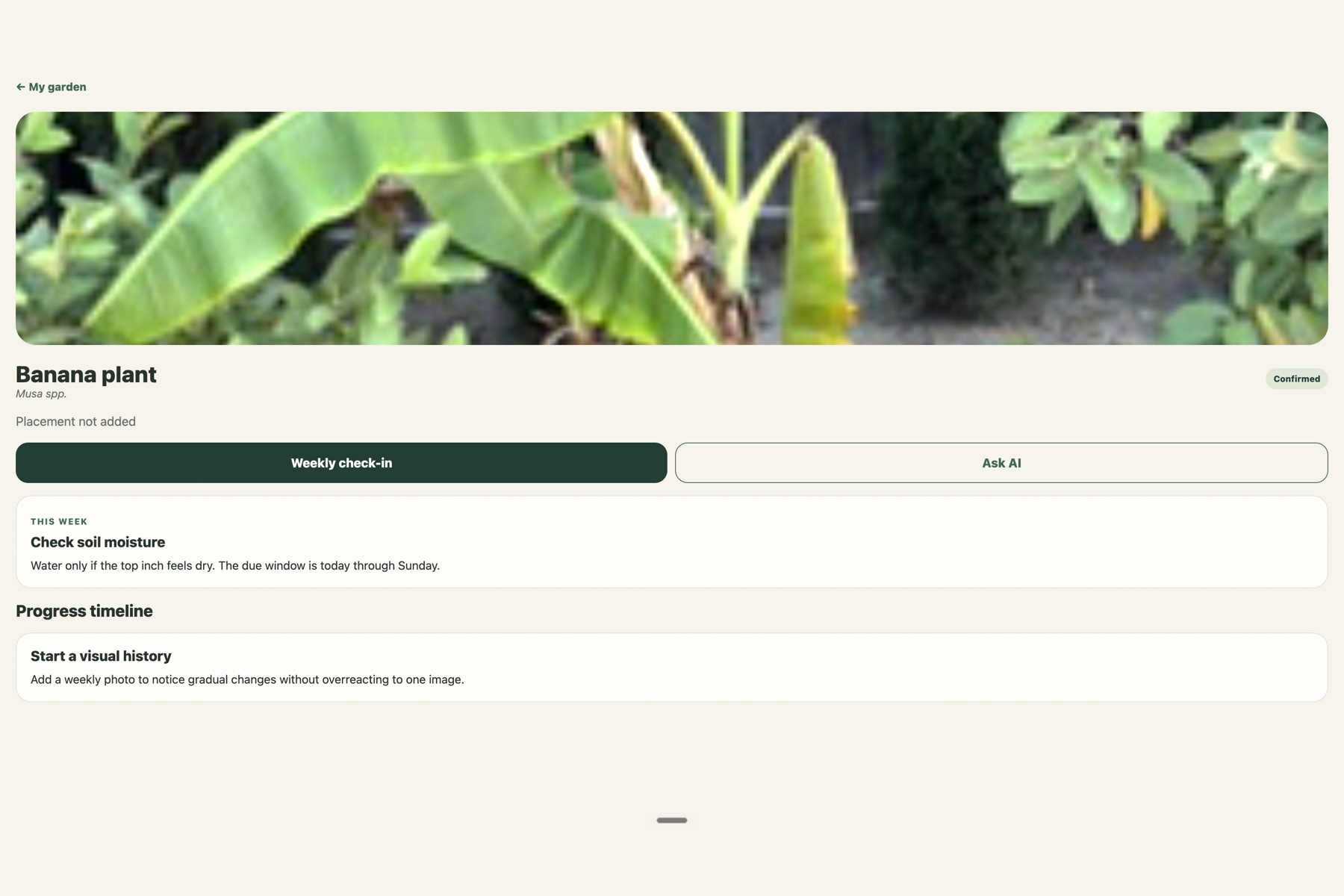
- Add weekly photo check-ins and build a visual progress timeline.
- Open a weekly care plan with plant-specific actions.
- Ask a GPT-5.6 assistant questions grounded in the selected plant, placement, status, season, and approximate location.
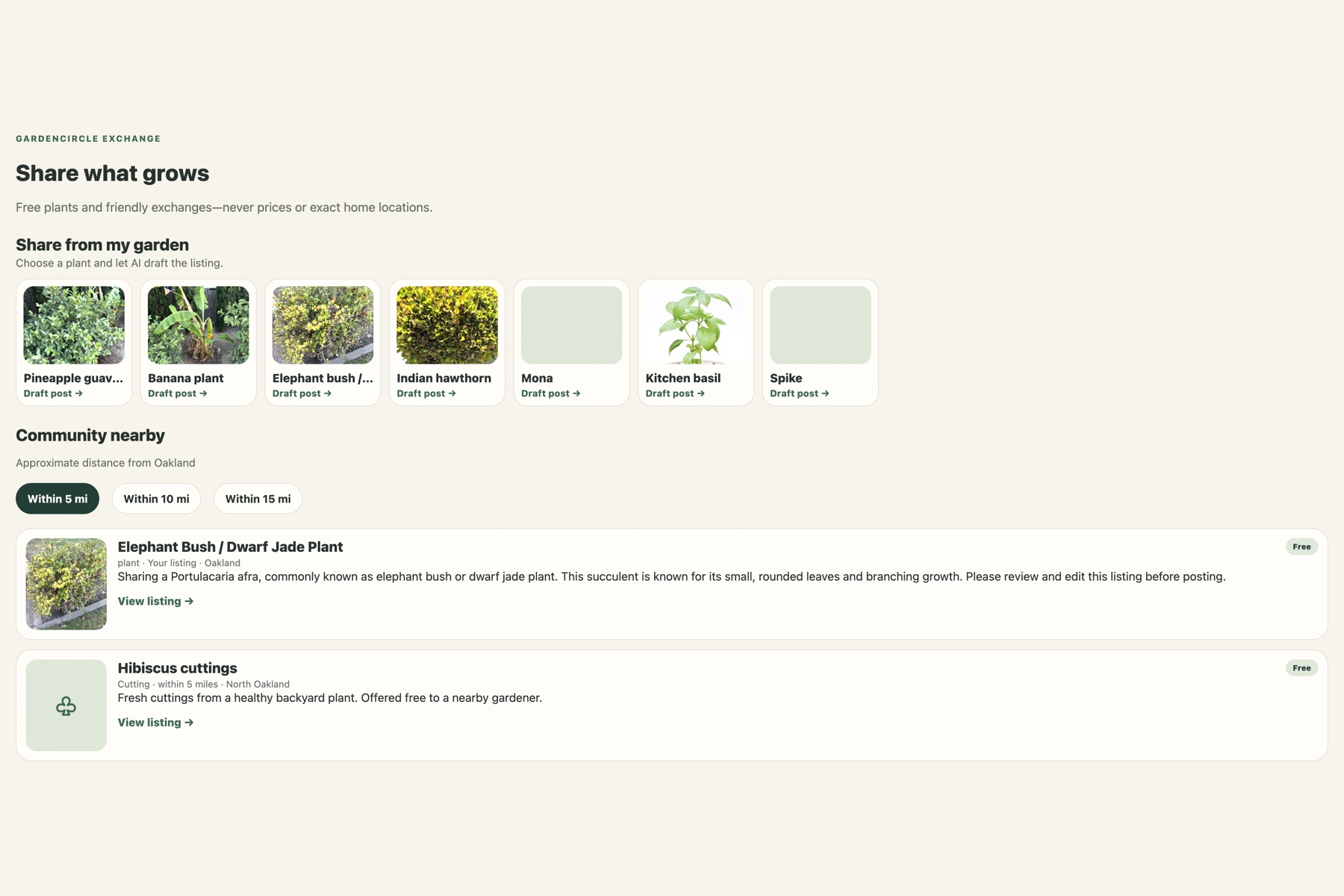
- Offer plants, seedlings, or cuttings for free or exchange in a local community.
- Generate an editable AI summary for an exchange post.
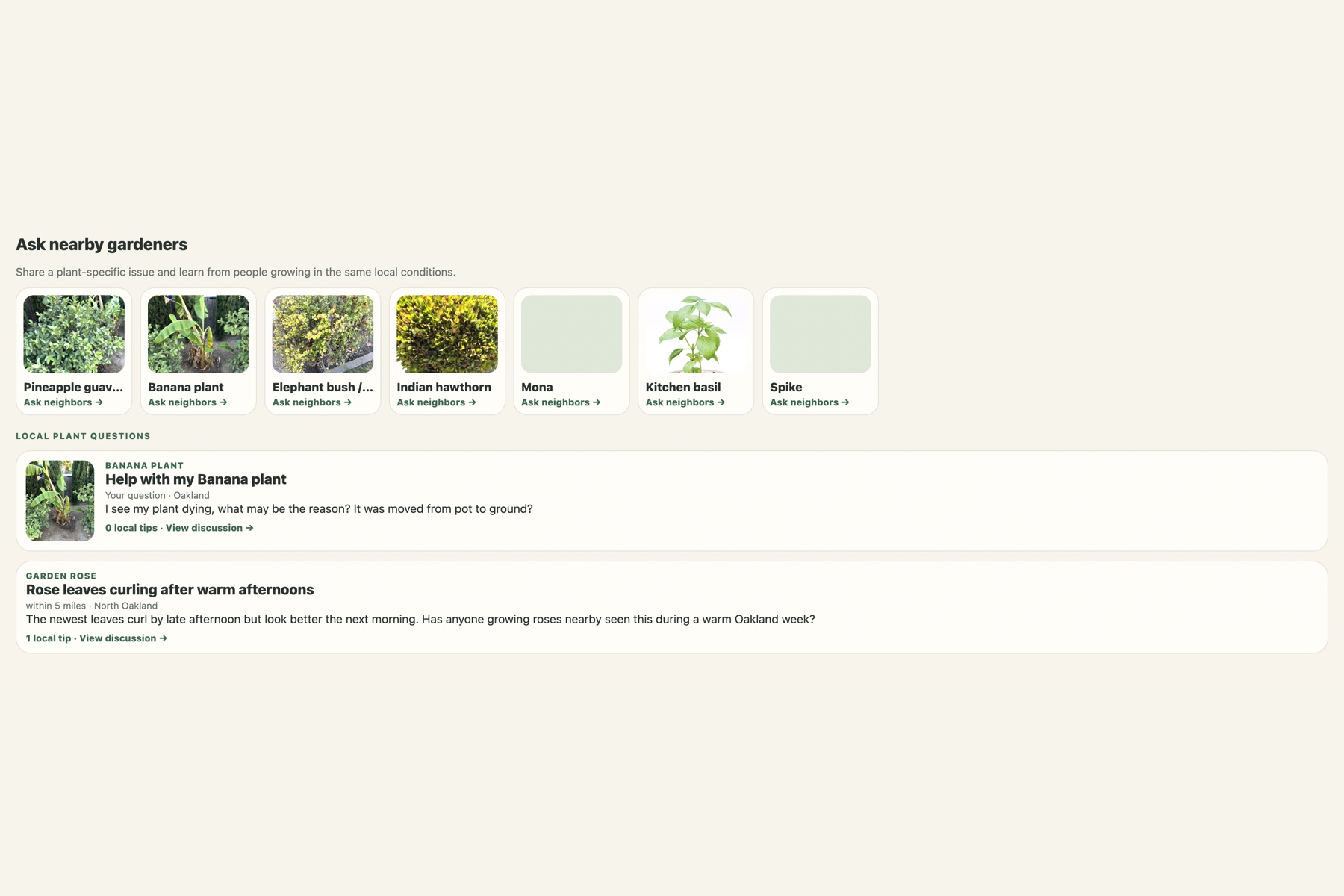
- Ask nearby gardeners a plant-specific question and receive human tips.
- Browse exchange listings and community questions using coarse 5-, 10-, or 15-mile distance filters without revealing an exact address.
GardenCircle treats AI as guidance rather than authority. Identifications can be uncertain, community tips reflect personal experience, and important toxicity, pesticide, ingestion, or severe plant-health concerns should be verified with a reliable expert.
How we built it
The application was built with Expo and React Native so the same product can run on the web, iOS, and Android. The interface is written in TypeScript.
A Node.js and Express server protects the OpenAI API key and provides three AI workflows through the OpenAI Responses API:
- Multimodal plant identification from an uploaded image.
- Contextual plant-care answers.
- Structured, editable exchange-listing drafts.
GPT-5.6 responses use controlled system instructions, low reasoning effort for better latency, and structured Zod validation where predictable fields are needed. Plant identification includes confidence, alternatives, visible evidence, starter care, and a safety disclaimer.
Supabase provides anonymous demo authentication, PostgreSQL persistence, row-level security, and image storage. It stores plants, check-ins, exchange listings, local plant questions, and community replies. Exact addresses are not part of the public community records.
The API also includes structured privacy-safe observability. Each request has a request ID, duration, result, model name, retry count, and OpenAI input/output token usage. Logs deliberately exclude images, prompts, plant notes, API keys, and exact locations.
Codex was used as the development collaborator to translate the product specification into the application, implement and debug workflows, create the Supabase migrations and security policies, and validate the project through type checking, automated tests, and production web builds.
Challenges we faced
Reliable plant identification
A single plant photo can be ambiguous. Early results showed that a confident label alone was not trustworthy enough. We changed the experience to expose confidence, visible evidence, and alternative matches, and added a clear correction workflow. This made uncertainty part of the product instead of hiding it.
Useful rather than generic AI answers
Initial assistant answers could be generic or incomplete. We grounded each question in the selected plant profile and added instructions to answer the exact question, provide practical actions, distinguish facts from possibilities, and avoid unnecessary repeated watering advice.
Moving from a prototype to persistent data
The first prototype kept plants and listings only in local state. We added Supabase authentication, database tables, storage buckets, and row-level security so plants, images, check-ins, exchange posts, community questions, and replies survive a refresh.
Combining AI with human knowledge
AI can respond immediately, but gardeners growing the same plant nearby may understand local microclimates better. We added Community Help as a focused plant-question workflow rather than building a broad social network. This keeps the community interaction useful and connected to a real plant.
Debugging across the full workflow
Errors can occur during photo selection, upload, model processing, response validation, or database storage. We added stage-specific user messages, request IDs, structured server logs, latency measurements, and token tracking so a failure can be traced without logging sensitive user content.
What we learned
- The best AI plant experience communicates uncertainty instead of pretending every photo has one certain answer.
- Persistent plant history creates more long-term value than identification by itself.
- AI and community expertise are complementary: AI offers immediate structure, while people offer local experience.
- Privacy needs to shape community features from the start. Approximate areas and distance buckets are usually enough for discovery.
- Structured outputs and validation make generative AI much easier to connect to a reliable product interface.
- Token and latency observability are important for multimodal features because large phone photos can consume significantly more input tokens.
What is next
Future iterations could include:
- Personalized “What should I grow?” recommendations based on climate, light, space, care capacity, household safety, and local availability.
- Real geospatial distance calculations instead of demonstration distance buckets.
- Trusted contributor profiles, moderation, reporting, and blocking.
- Weather-aware seasonal care plans.
- Optional sign-in and multi-device account recovery.
- Native development builds and a public web demo.
The long-term goal is simple: help people know their plants, grow with confidence, and share knowledge locally.
Built With
- ai
- codex
- computer
- expo.io
- express.js
- gpt-5.6
- jest
- multimodal
- native
- node.js
- postgresql
- react
- storage
- supabase
- typescript
- vision
- zod

Log in or sign up for Devpost to join the conversation.