Inspiration
I kept running into the same problem while using coding agents: work was happening, but it was difficult to see what was running, why it had stopped, or whether “done” was actually supported by evidence.
This became especially clear while I was preparing the demo. I clicked Start current Agent Loop, but the screen appeared unchanged. Even if the process was working in the background, it did not feel trustworthy from the user's point of view.
I started Gareji because I wanted a local tool where a person could see the agent's progress, inspect its evidence, and remain in control of the final decision.
What it does
Gareji has three deliberately separate parts:
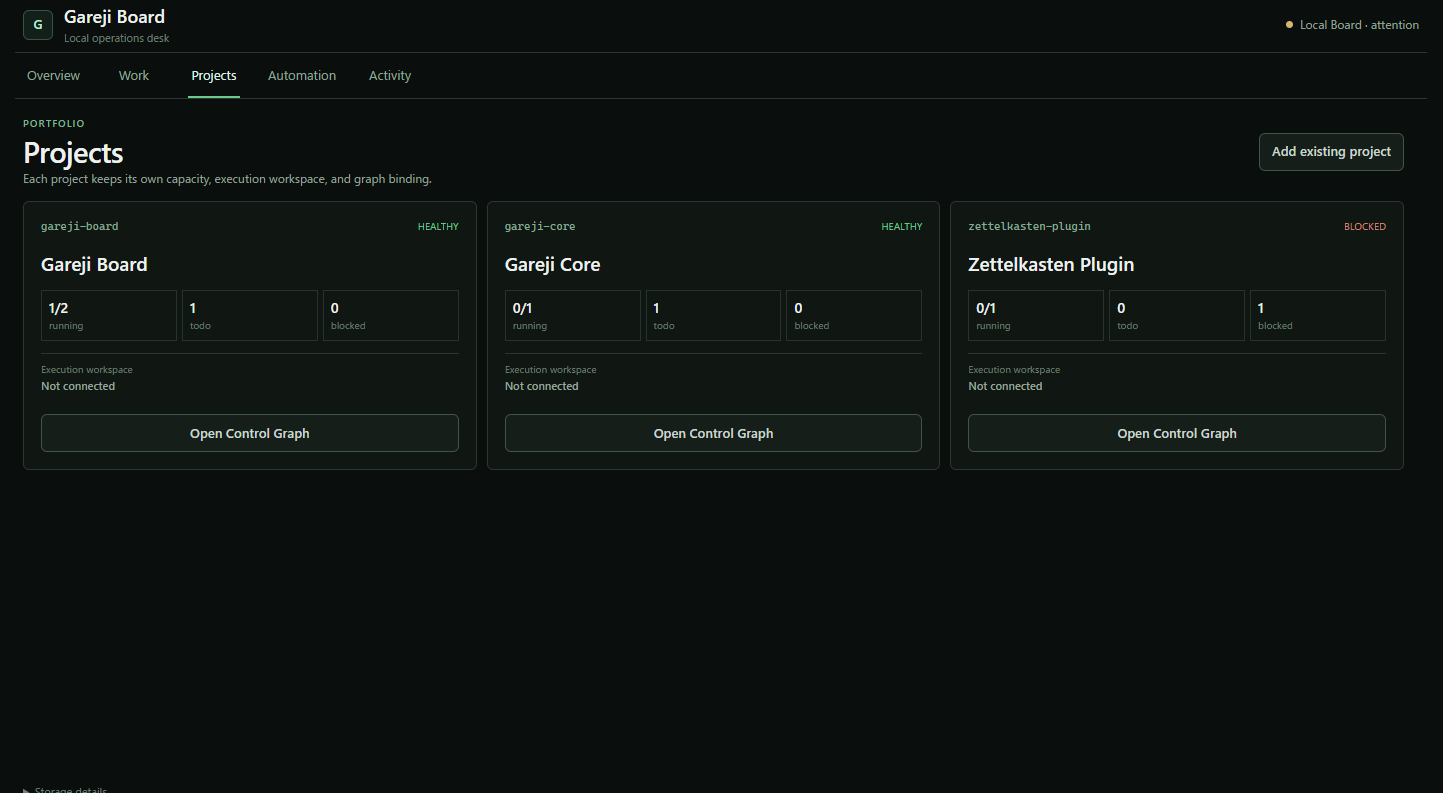
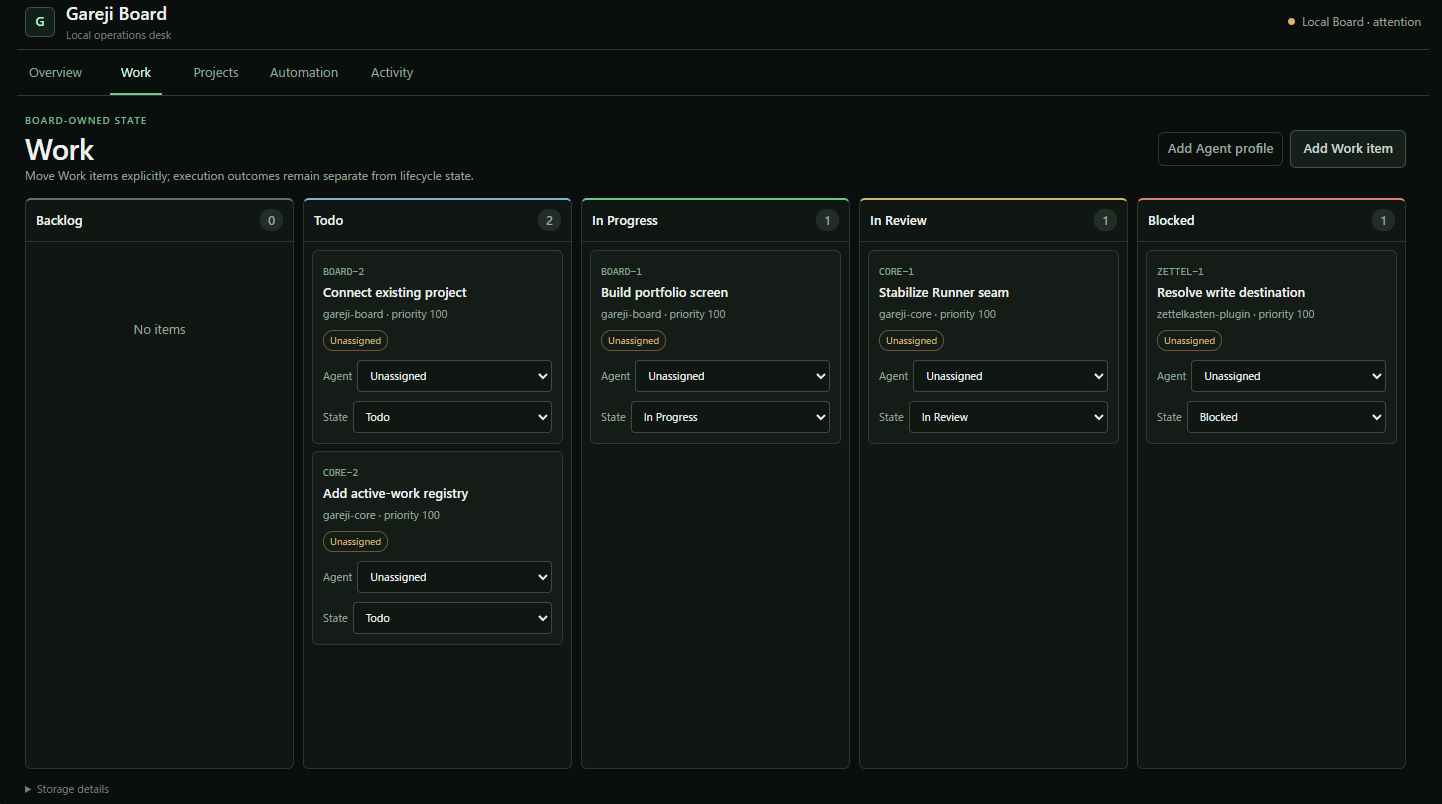
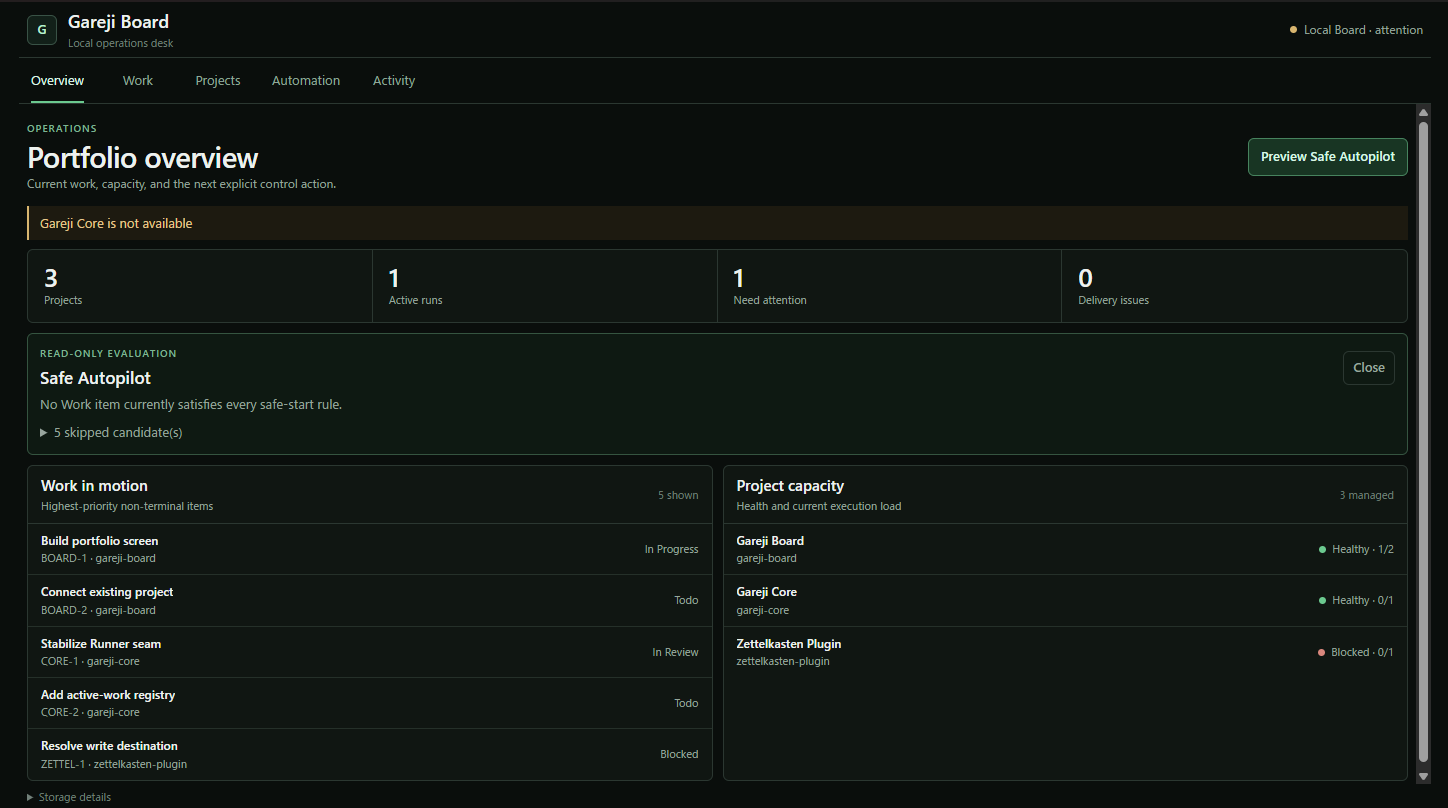
- Gareji Board is the interface people use. It shows projects, Work items, agent runs, approvals, evidence, and items that need attention.
- Gareji Core is a CLI-only local trust layer. It handles capability policy, project registration, execution, diagnostics, and progress records.
- Gareji MCP is a small local bridge that lets Codex access Gareji tools without moving Board logic or security decisions into the MCP server.
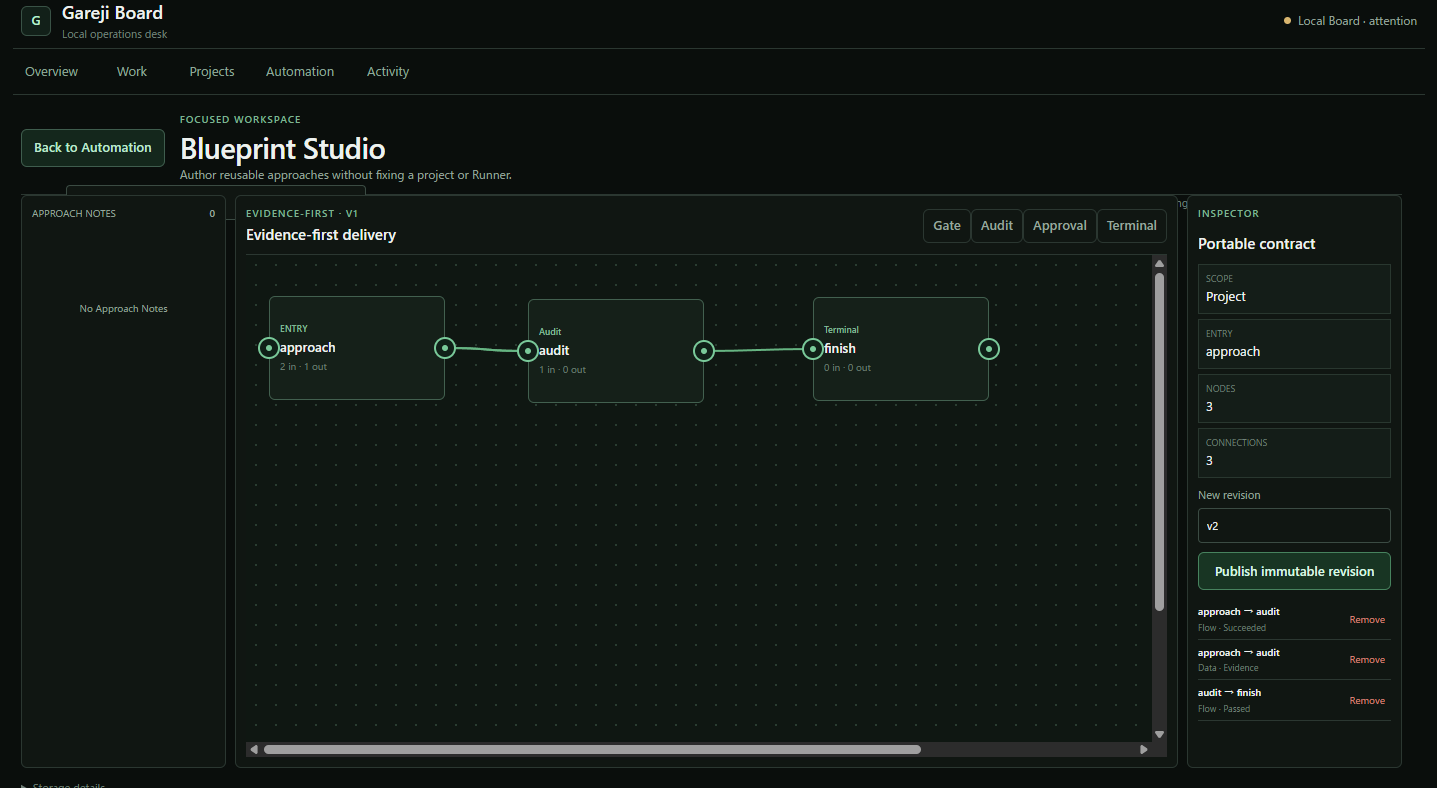
The Agent Loop does not treat a successful command as automatic completion. An approach can succeed, but its evidence still has to reach the audit stage. The work reaches finish only after the audit passes.
The demo runs in a copied, disposable workspace. I specifically did not want the recording to depend on my personal repositories, private notes, or a real installed plugin. Everything shown in the demo is labeled as sample data and can be reset.
How I built it
I split Gareji into three repositories because their responsibilities are different. Board owns the Work item model and the UI, Core owns local policy and execution records, and MCP remains a thin transport layer. Keeping those boundaries clear took more work, but it made the system easier to reason about and test.
Most of the implementation is written in Rust. Gareji Board uses Tauri with a lightweight JavaScript interface, while Core and MCP remain command-line and local-process components.
I used Codex throughout implementation, debugging, test writing, documentation, and repeated code reviews. GPT-5.6 was especially useful when I needed to reason across all three repositories—for example, deciding which component should own Agent Loop state, reviewing the Control Graph rules, and fixing the UI so progress appears immediately after a run starts.
I did not delegate the architectural decisions to the model. I used it to explore and review the implementation, while I kept the decisions that Core should have no UI, Board should own Work item state, and MCP should stay small.
Challenges
The hardest part was not simply starting an agent. It was showing its state honestly.
During early demo runs, the Agent Loop could look frozen while work was starting. I changed the Board so that progress and elapsed time appear immediately, duplicate starts are prevented, and the Activity view opens when execution finishes.
Another challenge was making the Control Graph understandable. In the demo, approach → audit carries both the successful flow and the produced evidence. audit → finish is allowed only after the evidence has been checked and the audit has passed. This prevents a successful process exit from silently marking work as complete.
I also changed the demo projects and plugin references to explicit sample names because I did not want judges to mistake them for real installed integrations.
Accomplishments
I am most satisfied that the demo now shows the complete path from selecting work to inspecting its result, without requiring access to personal data.
The current version includes:
- An isolated and resettable Board demo
- Immediate progress feedback for the Agent Loop
- Evidence-aware approach, audit, and finish transitions
- A CLI-only Core with setup and diagnostic commands
- A thin MCP server that preserves the repository boundaries
- Public Apache-2.0 repositories with tests and setup instructions
What's next
My next priority is to make installation easier by providing broader packaged releases, so users do not need to build every component from source.
I also want to improve the evidence view, add more local adapters, and create reusable demo workspaces for different development workflows. The main constraint will remain the same: automation should stay visible, local, and under human control.
Built With
- codex
- gpt-5.6
- javascript
- model-context-protocol
- rust
- tauri