-
-
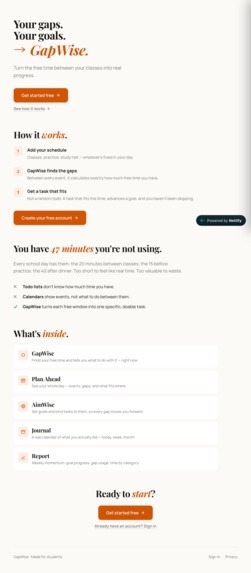
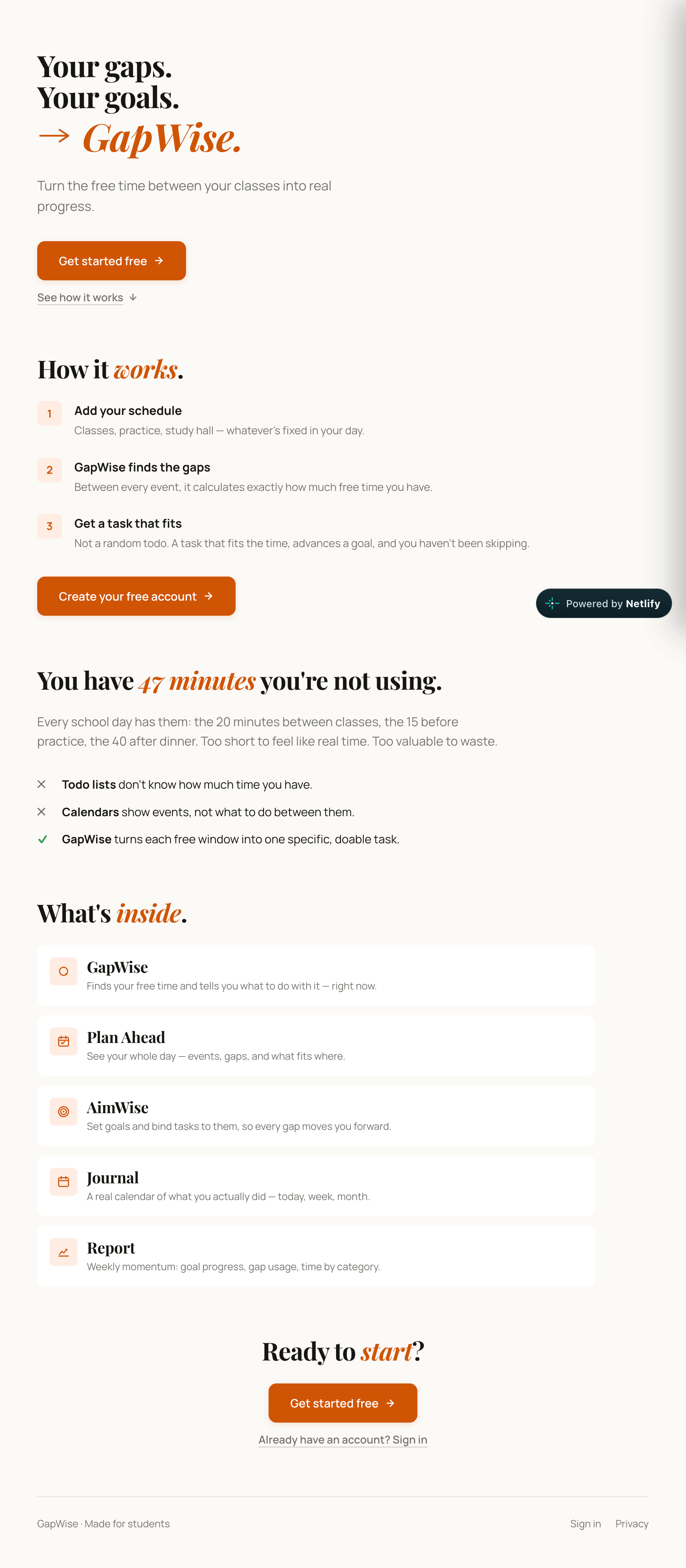
Welcoming page: identifying free time between events and suggesting tasks.
-
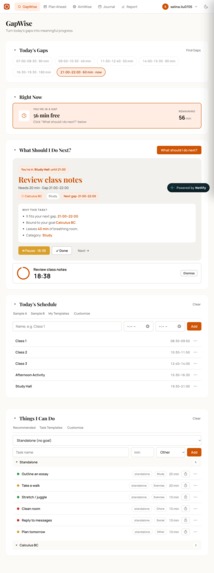
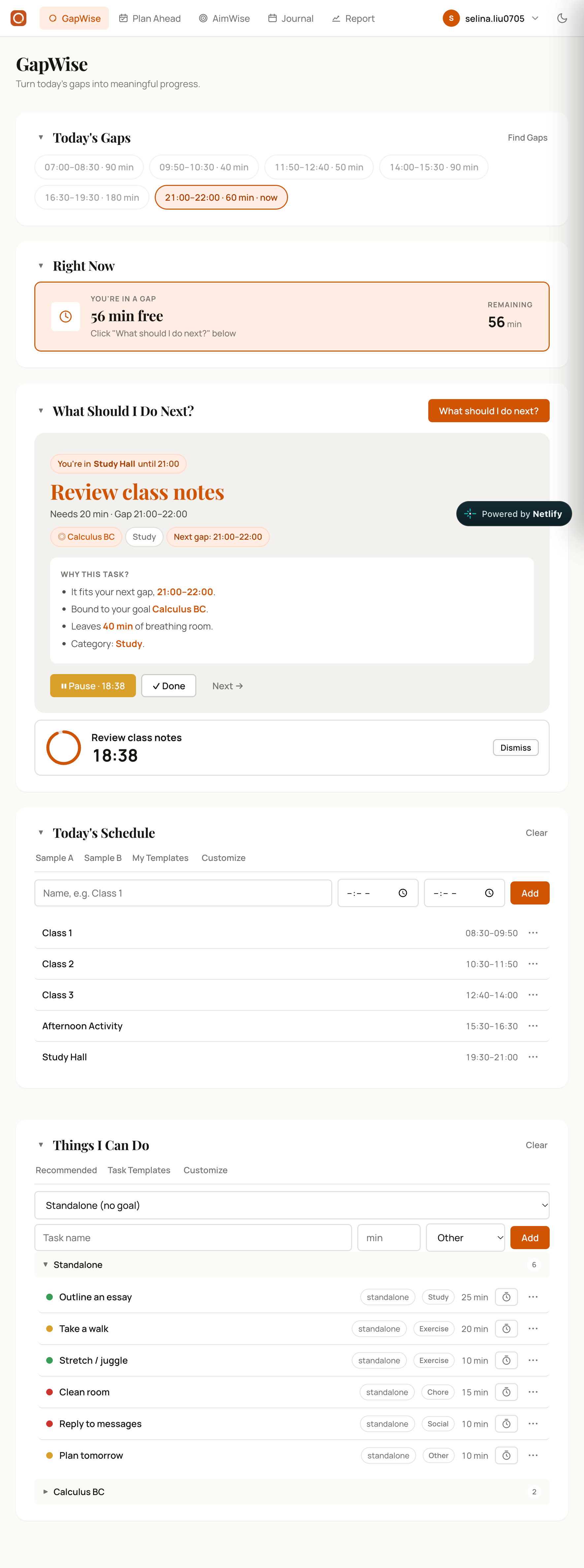
Main Dashboard: shows current gap duration, remaining time, and recommended task based on gap and goals.
-
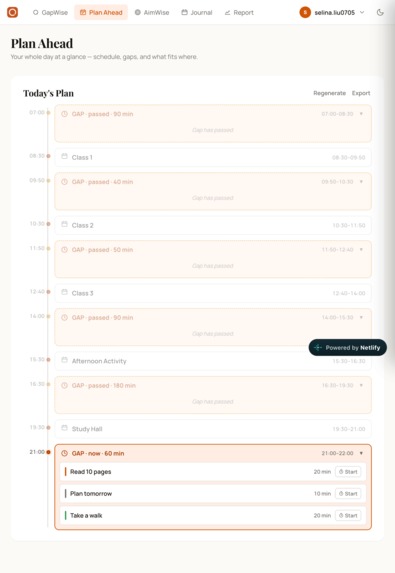
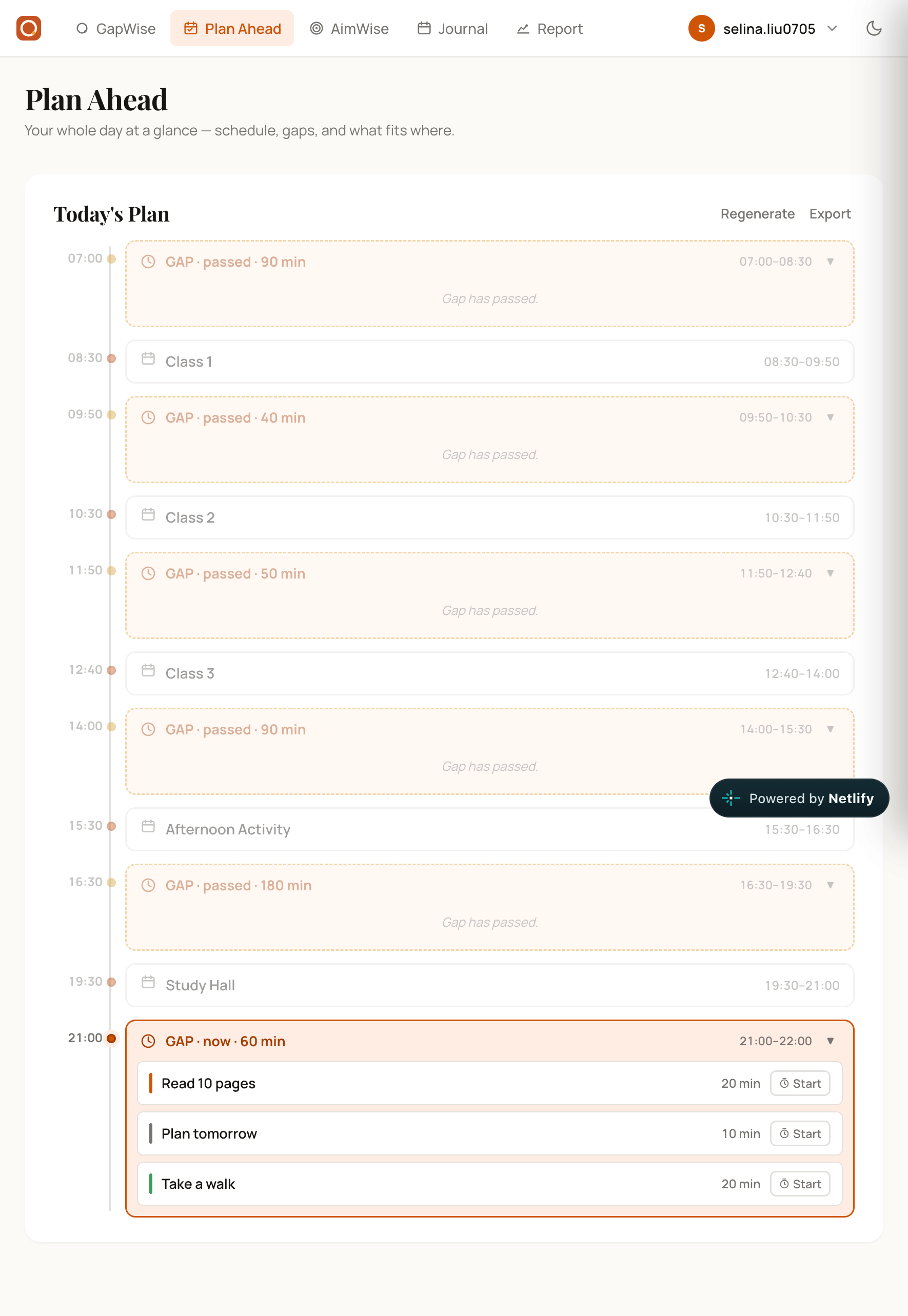
Daily timeline: dsplays fixed events, calculated gaps, and passed or unavailable gaps.
-
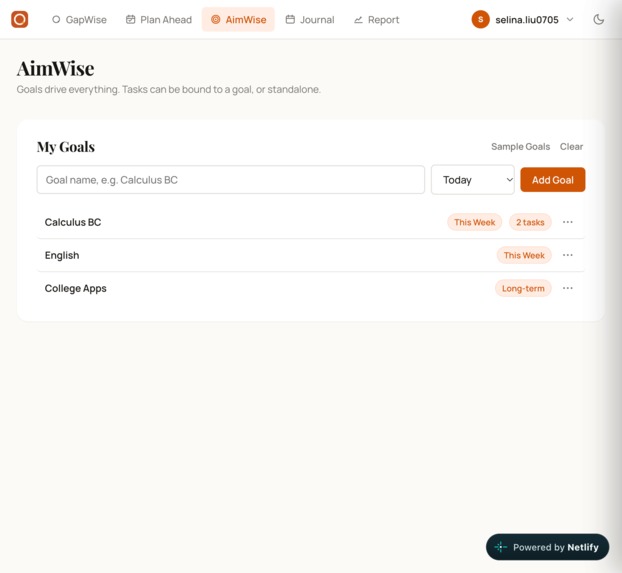
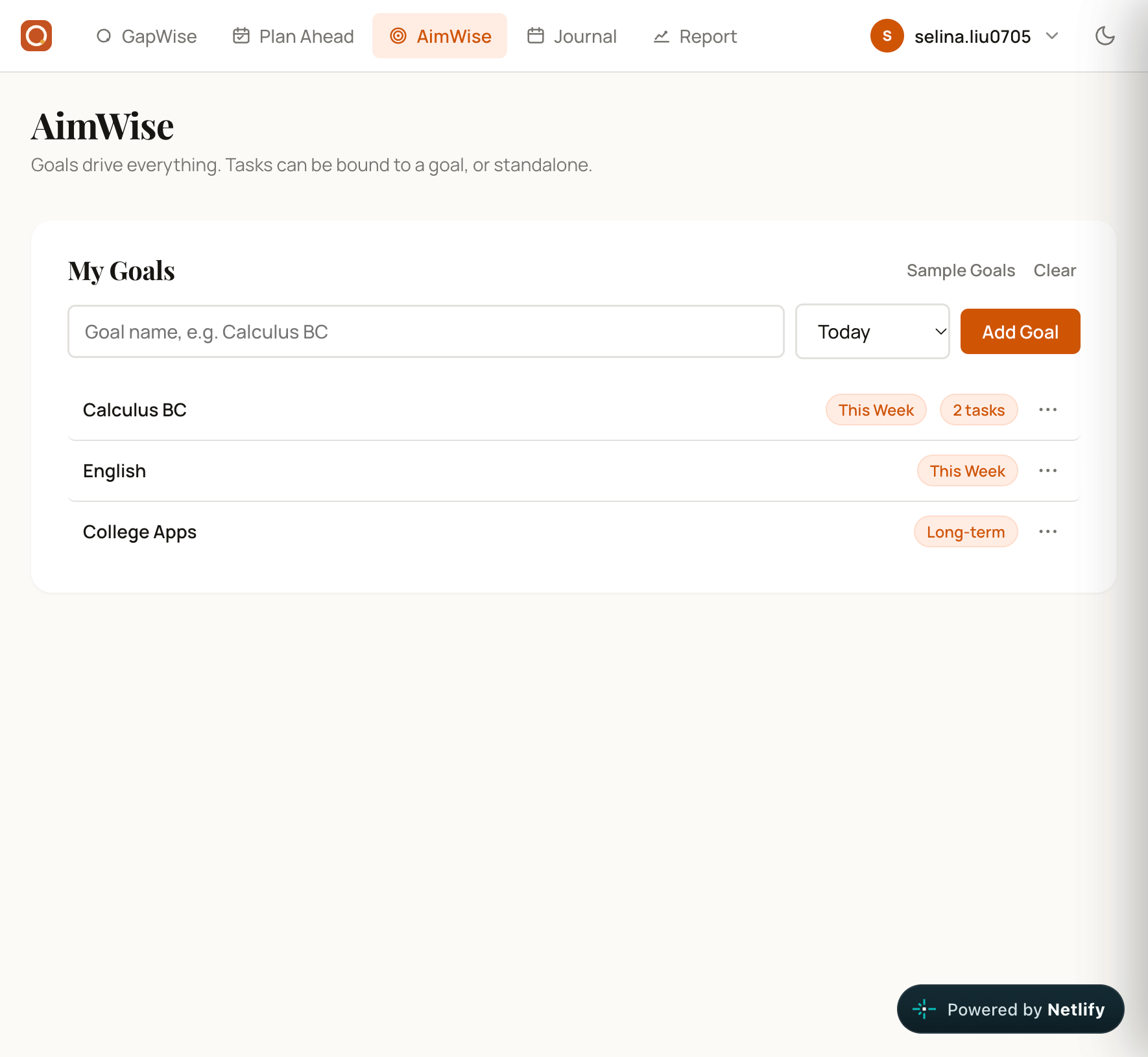
Goal management: short-term and long-term goals. Tasks bound to goals.
-
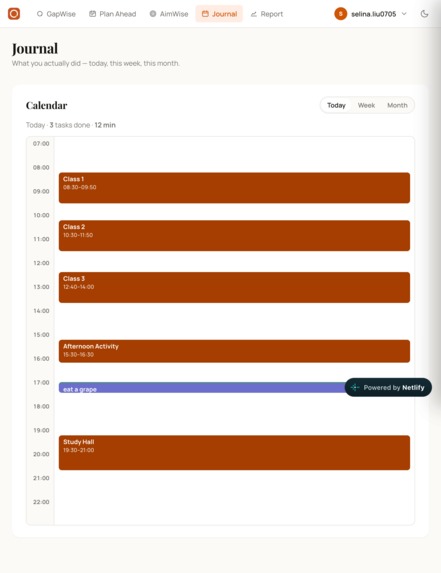
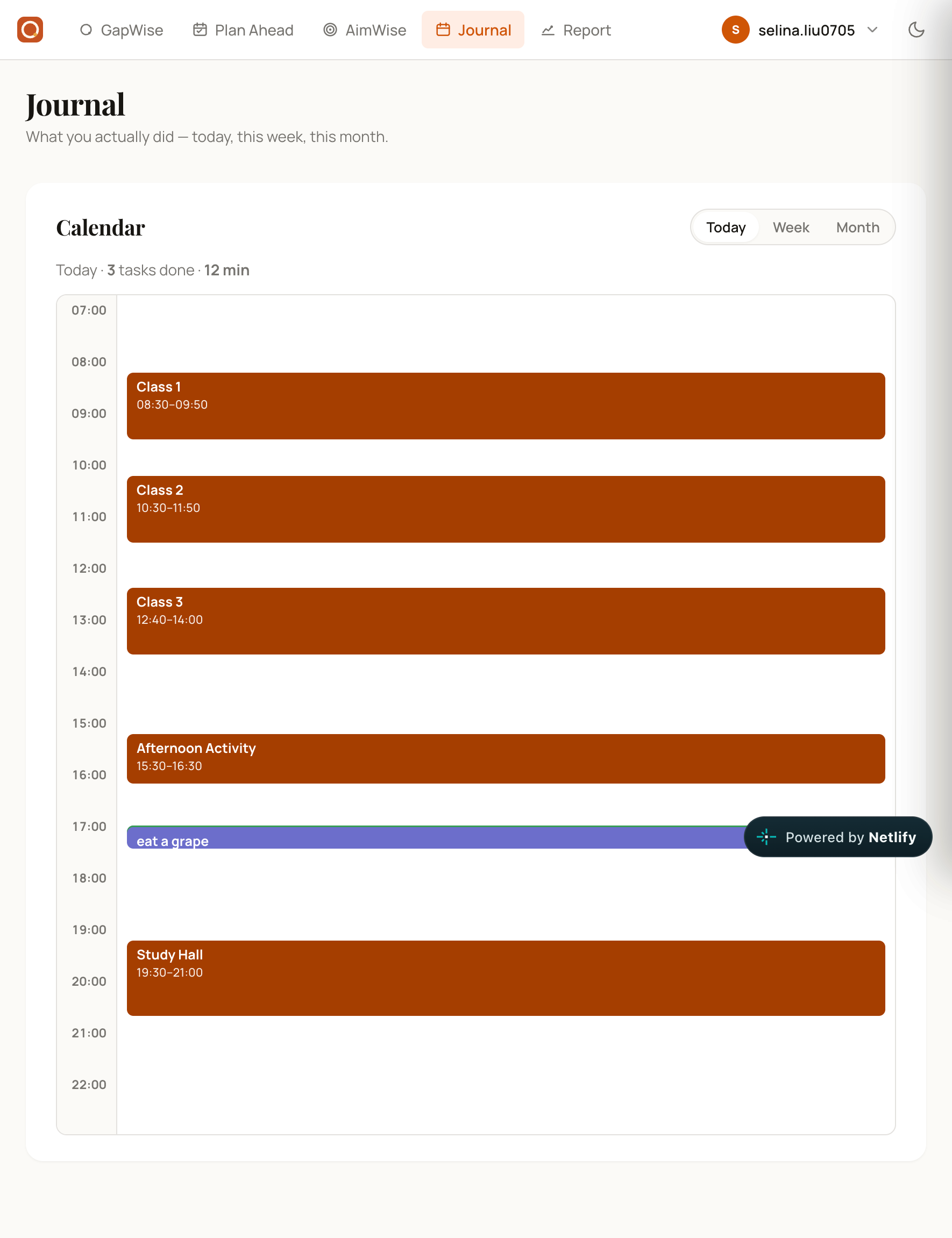
Daily journal: completed tasks with durations compared to scheduled events.
-
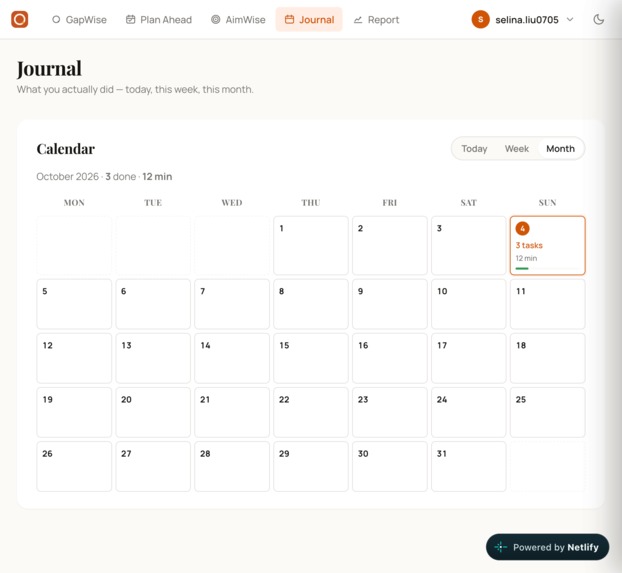
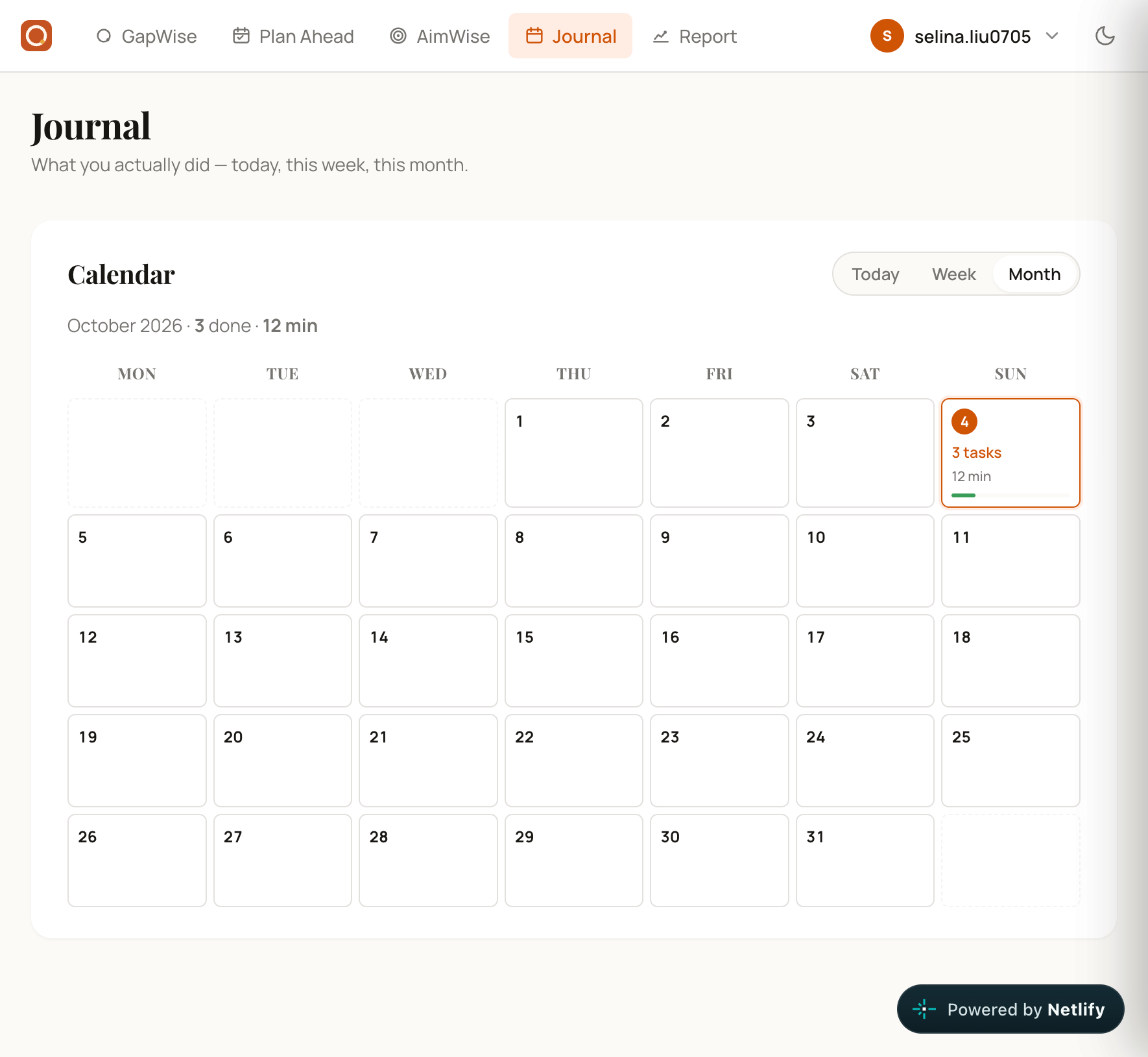
Monthly calendar: days with completed tasks and total focus time per day.
-
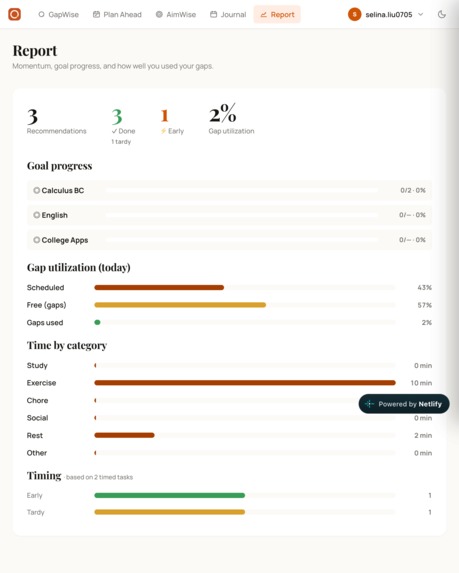
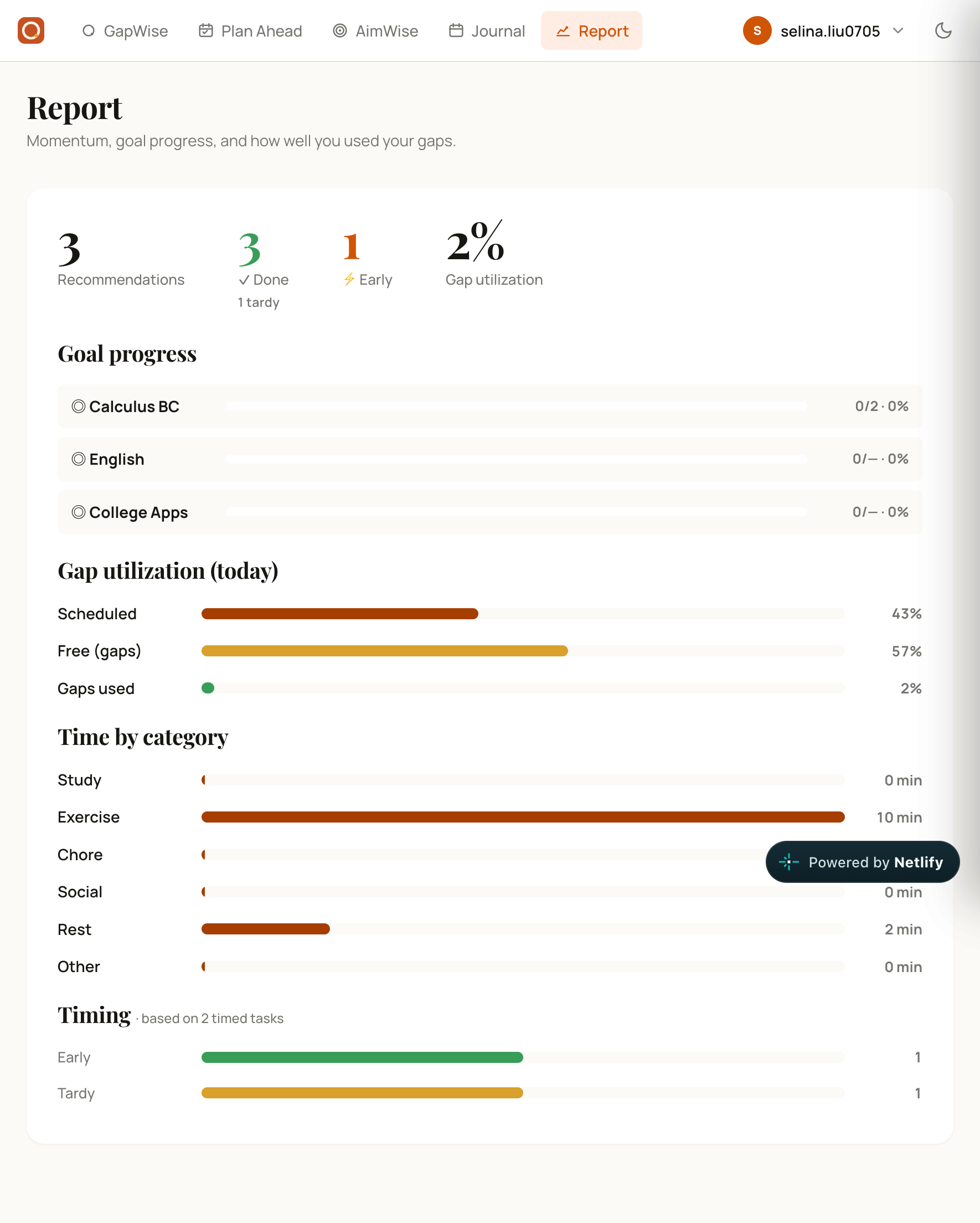
Analytics: gap utilization percentage, progress per goal, time by category, task timing (early or tardy).
-
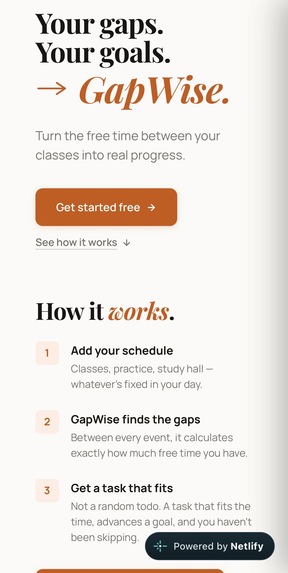
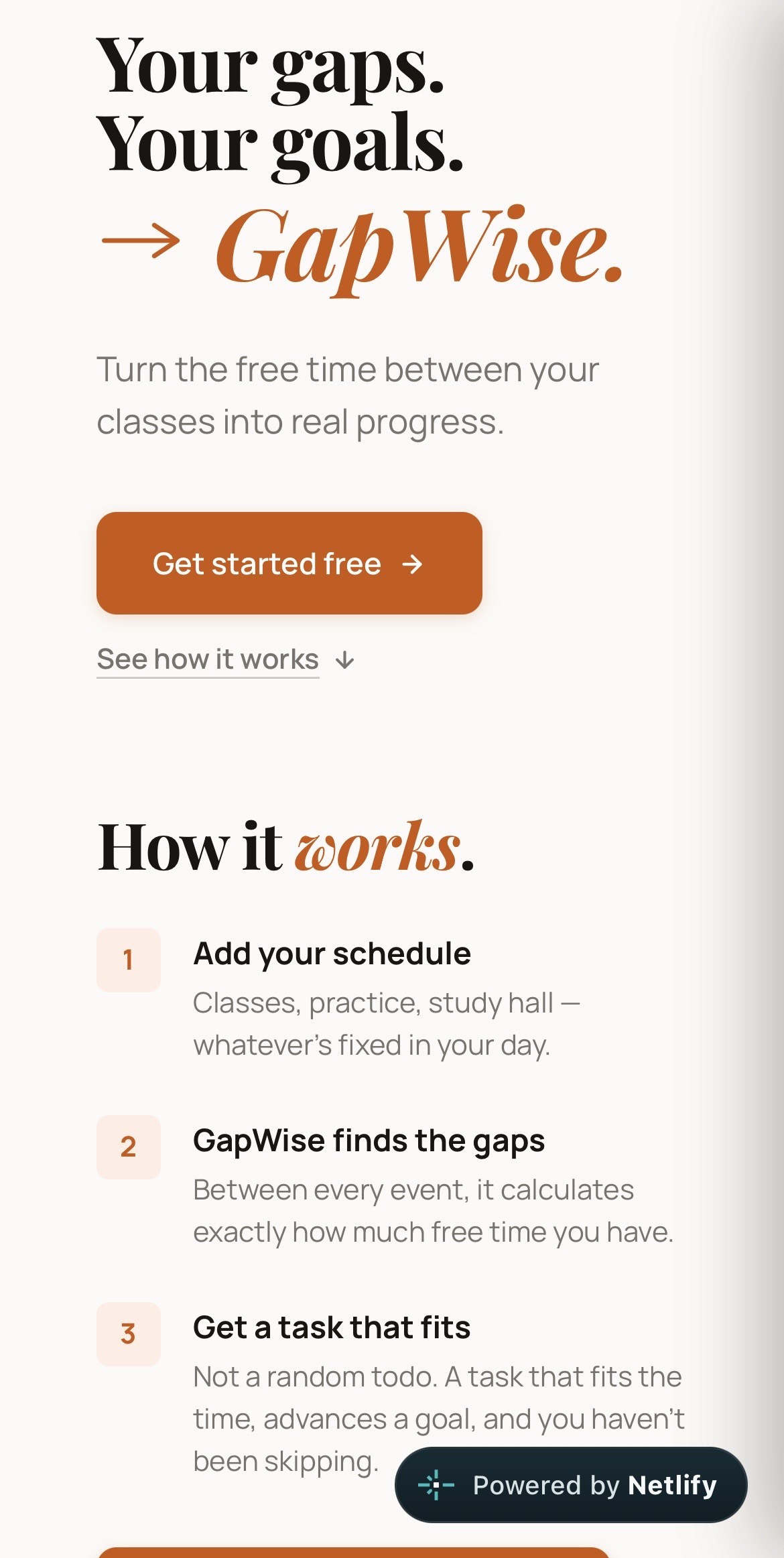
Mobile browser view: responsive landing page layout.
-
Mobile PWA launch screen
-
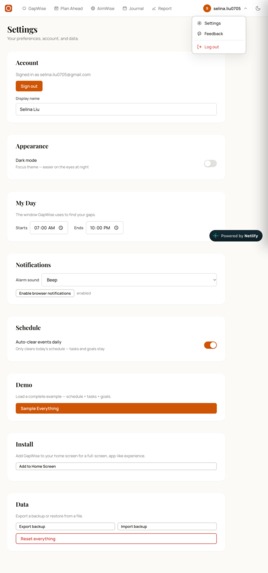
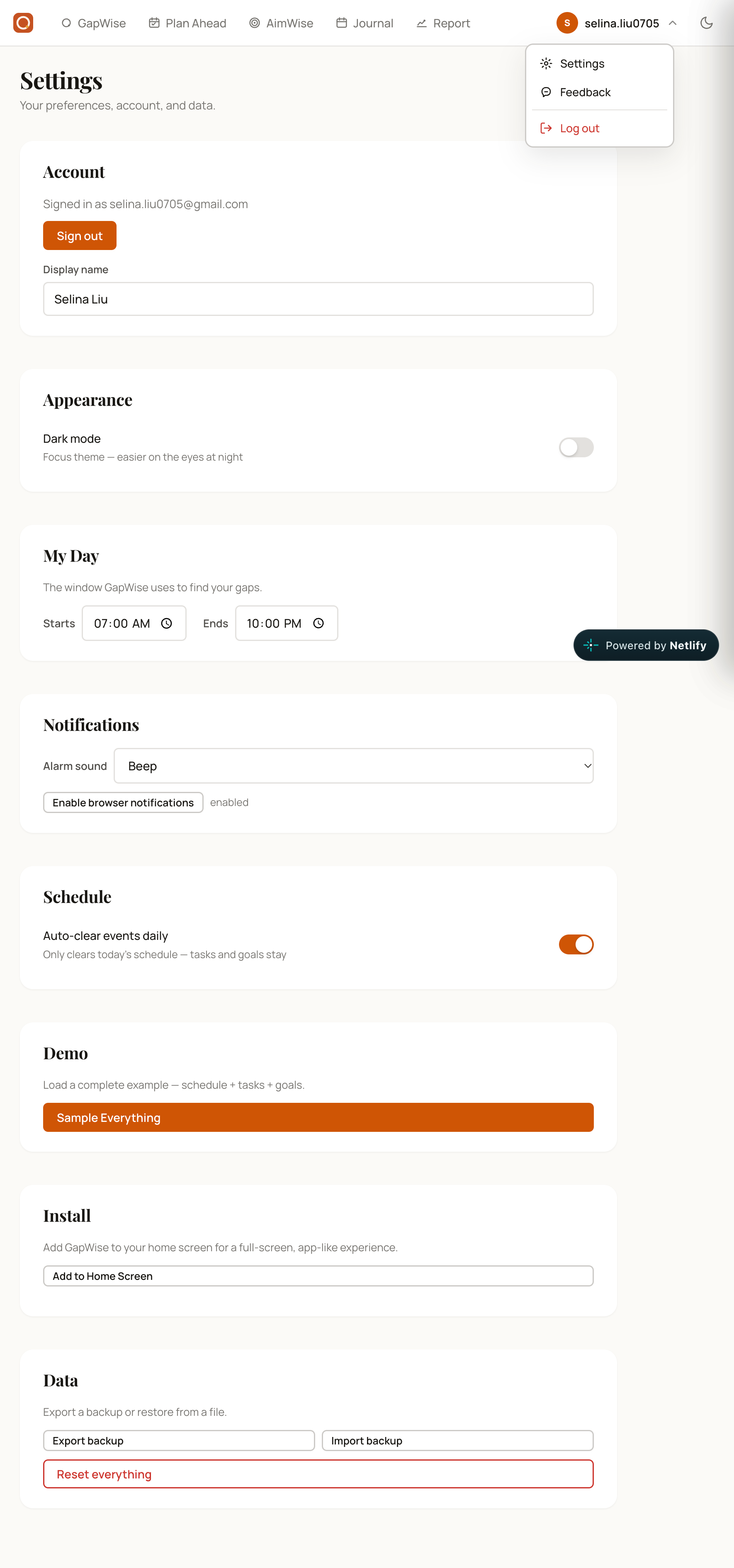
Settings: active hours, alarm sound, auto-clearing schedules, local data export/import.
Inspiration
GapWise started with a small annoyance: my mom kept asking me to make a to-do list every single day. Writing one out by hand was tedious. But the more I thought about it, the real problem wasn't the list - it was the time.
Every student has those strange little windows: 20 minutes between classes, 15 before practice, 40 after dinner. Too short to feel like real time, too valuable to waste. To-do lists assume you have a free afternoon. Calendars show you what's happening, not what you can do between what's happening. So a student stares at a 25-minute gap, opens Instagram, and it's gone. Not because they're lazy - because nothing told them what 25 minutes was enough for.
GapWise fills that gap. Literally.
What it does
GapWise is a single-file web app that reads your daily schedule, calculates exactly how much free time you have between events, and recommends one specific task that fits - based on your goals, your priorities, and your skip history.
Five pages, one workflow:
· GapWise - Your schedule, your gaps, and a What should I do next? button that gives you one concrete answer.
· Plan Ahead - Your whole day on a timeline: events, gaps, and which tasks fit where. Regenerate or export with one click. Past gaps grey out; the current gap is highlighted.
· AimWise - Set goals for Today / This Week / This Month / This Year / Long-term. Tasks can be bound to a goal or stay standalone.
· Journal - A real calendar of what you actually did. Day, week, and month views, with tasks and schedule events shown together.
· Report - Weekly momentum: goal progress, gap utilization, and time by category.
The recommendation engine is not random. For each gap, it scores every task on four questions:
Does it fit? A 45-minute task never shows up in a 20-minute gap.
Does it advance a goal? Tasks bound to a goal get priority.
Have you been avoiding it? Skip it too many times, and the engine de-prioritizes it.
Does the time of day make sense? No exercise recommendations after 9 PM.
How I built it
This is a single HTML file - no build step, no npm, no bundler. Users open it and it works. It's vanilla JavaScript, no React or Vue, roughly 4,000 lines of plain JS and CSS that grew from an initial 1,500.
The palette is warm and focused: orange as the primary color, teal for matched tasks, amber for gaps. Dark mode is a real design, not inverted colors. Typography pairs Playfair Display with Manrope - a serif-and-sans combination that makes a study tool feel like a study tool instead of a dashboard.
Authentication and storage run through Supabase, using email and password sign-in so users can create an account, log back in, and reach their data across devices. It's PWA-ready, installable to a home screen, and works offline. Alarm sounds are synthesized on the fly through the Web Audio API with zero audio files. Feedback submits for real via Web3Forms without needing a backend.
The scoring core is small enough to show. Each candidate task gets a priority number, and lower wins: 'const scored = usePool.map(t => { const m = resolveTaskGoal(t); let basePr = m ? m.priority : 50; if (m && m.source === 'bound') basePr -= 0.5; basePr += PRI_RANK[t.priority || 'medium']; basePr += taskPenalty(t.id); // skip history, decayed over 7 days return { task: t, match: m, score: basePr }; }); scored.sort((a, b) => a.score - b.score);'
Challenges I ran into
1. Scope creep vs. shipping I wanted real login, AI, weather, a countdown, cloud sync, and recurring tasks. I cut it down to one core loop - fragmented time → goal matching → recommendation → timer → journal - and kept offline rules, skipped weather, postponed the countdown, and added sample data for demos instead. Completion beats feature count.
2. Shipping without much of a coding background I built with AI-generated single-file HTML, CodePen, and Netlify. I hit .rtf issues, wrong folders, 404s, and a trail of dead URLs before it deployed cleanly. The fix was breaking problems into smaller pieces, leaning on DevTools, and testing on two hosts instead of one.
3. One file, no libraries The whole app had to live in a single HTML file with no build step - no imports, no modules, no separation of concerns. It grew from ~1,500 to over 4,000 lines. Even the PWA manifest and service worker had to be generated at runtime as blobs to keep the one-file promise.
4. Bugs that only showed up in use Task history was matched by name, so renaming a task silently wiped its record. I fixed it with a stable taskId plus a migration path for old data. The Report was computing gap utilization against the wrong denominator. The timer ring never animated because the SVG stroke values weren't recalculated on tick. Each one taught me to test the boring path, not the happy path.
5. Auth, PWA, and storage behaving differently everywhere I explored Supabase, row-level security, OAuth, and CORS. The PWA installed differently on Netlify than on CodePen. Web3Forms needed HTTPS. localStorage went through roughly twenty schema versions before settling.
6. Age-restricted tooling I wasn't old enough to request a Google OAuth secret key, which closed off the "Sign in with Google" button I'd planned. Rather than block on it, I shipped email and password through Supabase - which I'd already wired up - and kept the login flow simple. It's one fewer button, and one fewer thing to explain to a new user.
Accomplishments that I'm proud of
One file, zero dependencies. You can email it to a friend and it just works. No install, no setup, no build step.
A recommendation engine that explains itself. Every pick shows why: which goal it advances, how much slack it leaves, and how many times you've skipped it.
A real timeline. Plan Ahead distinguishes past events, the current gap, and future gaps - and exports the whole day as plain text.
A live calendar. Journal shows not just what you did, but where it sat in your day - tasks and schedule side by side.
Respect for the user's time. Auto-clear events on a new day, undo on every destructive action, no dark patterns, no notifications you didn't ask for.
Installable as an app. PWA with a manifest and service worker, all embedded in a single HTML file.
What I learned
A single HTML file can be a real product. It doesn't have to be a toy or a demo.
Undo is a feature, not a nicety. Users delete things by mistake. A three-second undo toast saves trust.
Local-first is a design philosophy. Data is stored in your browser, not on a server. No tracking, no ads, no third-party cookies. An account exists for one reason - to carry that data across devices.
Past time is different from free time. A gap that already ended isn't a gap, it's history. Plan Ahead had to reflect that.
What's next for GapWise
AI schedule recognition. Snap a photo of your school timetable, and GapWise extracts the events automatically.
Calendar import. Bring in Google Calendar or Apple Calendar as .ics files.
Sharing. Send a plan or a template to a friend.
Smarter recommendations. Learn which tasks you finish fastest and which you skip most, and adjust priority automatically.
Group plans. Find gaps that overlap with a friend's schedule.
AI usage disclosure
I used AI to help me build GapWise, and I want to be transparent about it.
No AI at runtime. GapWise does not call any AI API when you use it. The recommendation engine is a transparent, offline, rule-based scoring system. Nothing leaves your device.
Code generation. I used Claude Code to help write the HTML, CSS, and JavaScript. Every product decision - what pages exist, how the recommendation engine scores tasks, how the timer behaves, what to cut, what to keep - was mine.
Why I chose this. An AI that costs money per query, breaks when Wi-Fi drops, and leaks user data isn't good AI for a student tool. I built the smart parts myself so the app stays fast, free, and private.
The design, product vision, testing, iteration, and bug-hunting are 100% mine.
Built With
- css
- googlefonts
- html
- javascript
- localstorage
- notificationapi
- pwa
- serviceworker
- supabase
- vanillajavascript
- web3forms
- webaudioapi

