-
-
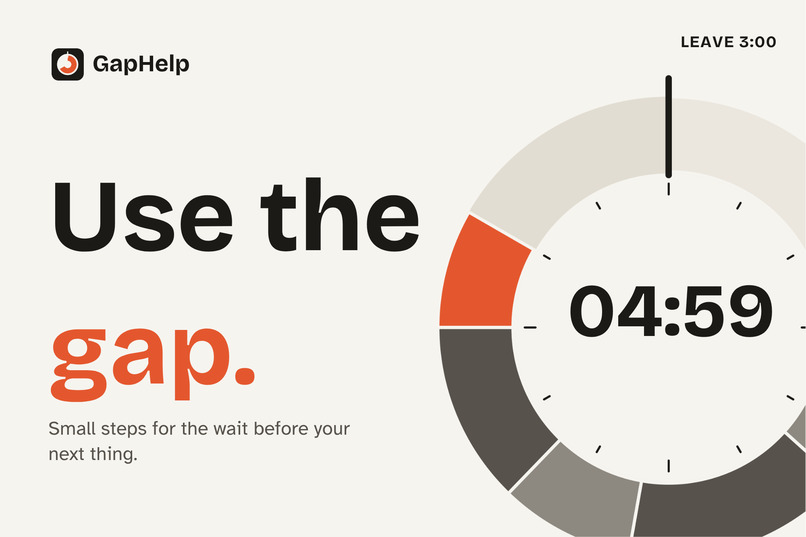
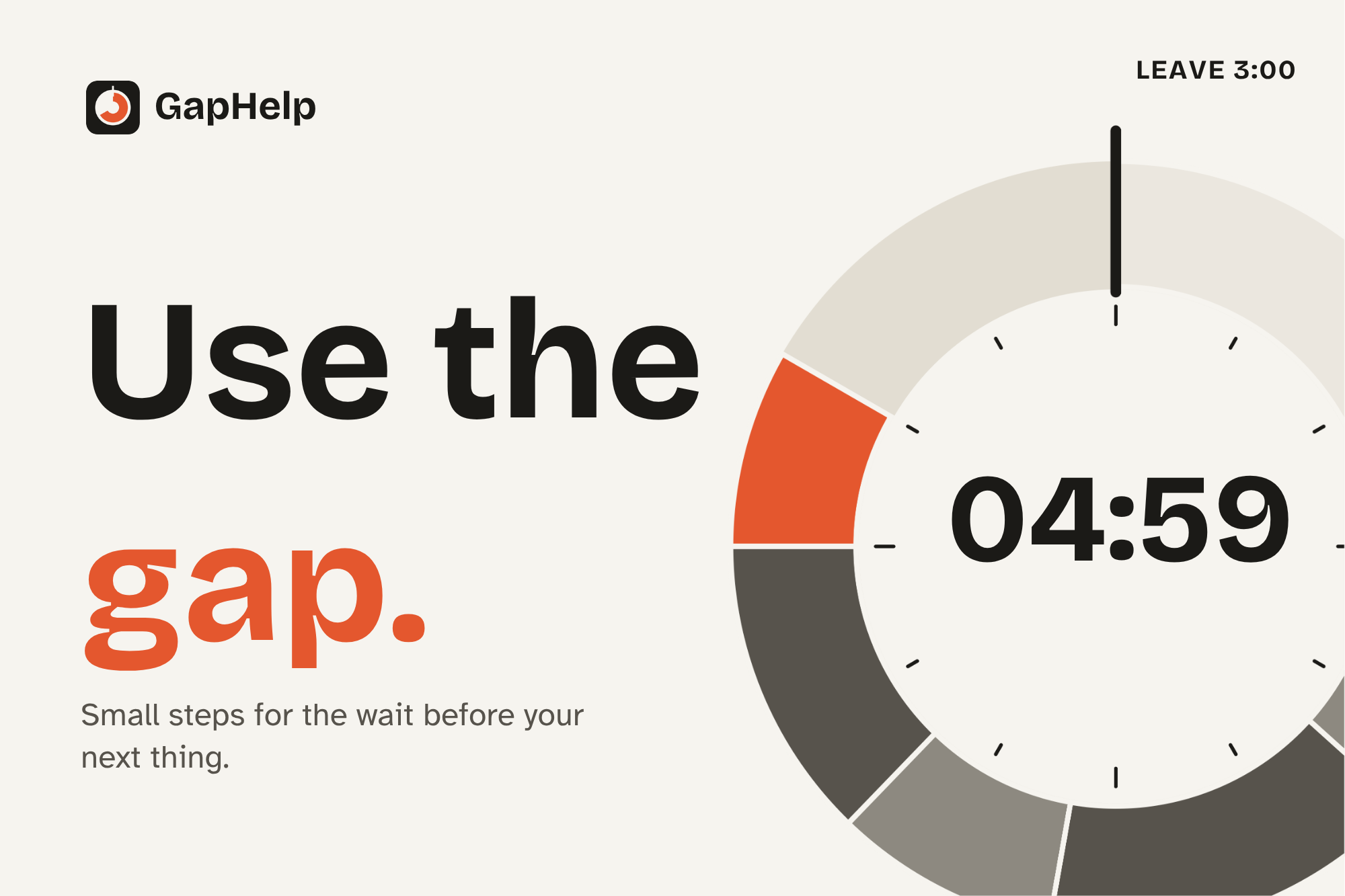
GapHelp helps you use the free time before your next event instead of wasting it.
-
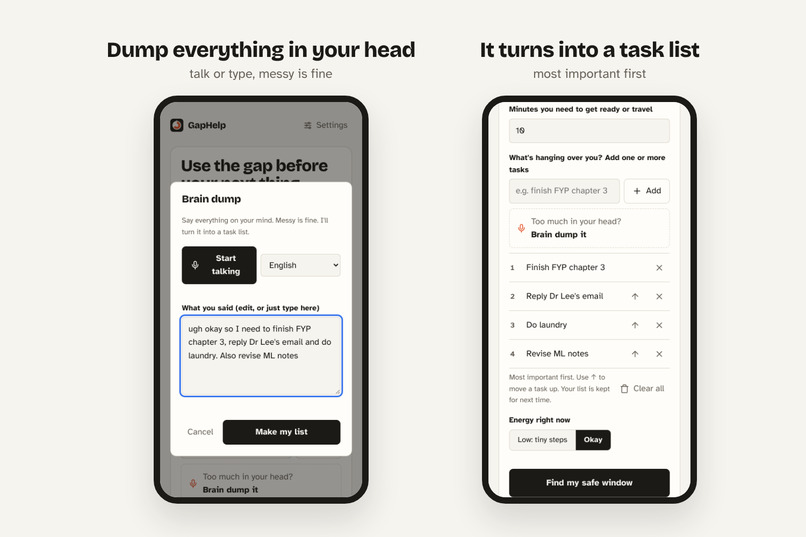
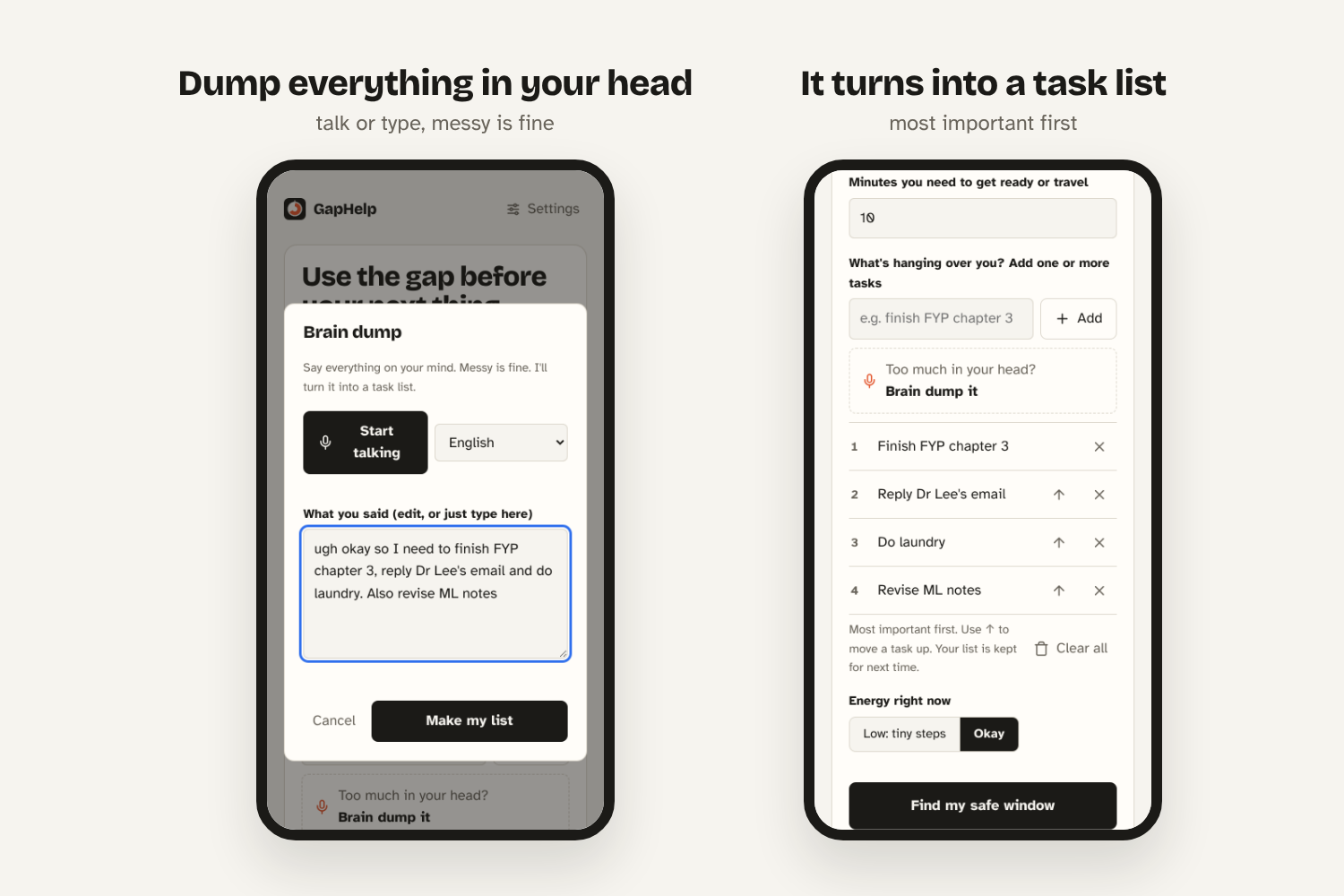
Too much in your head? Just say it or type it, and GapHelp turns it into a task list.
-
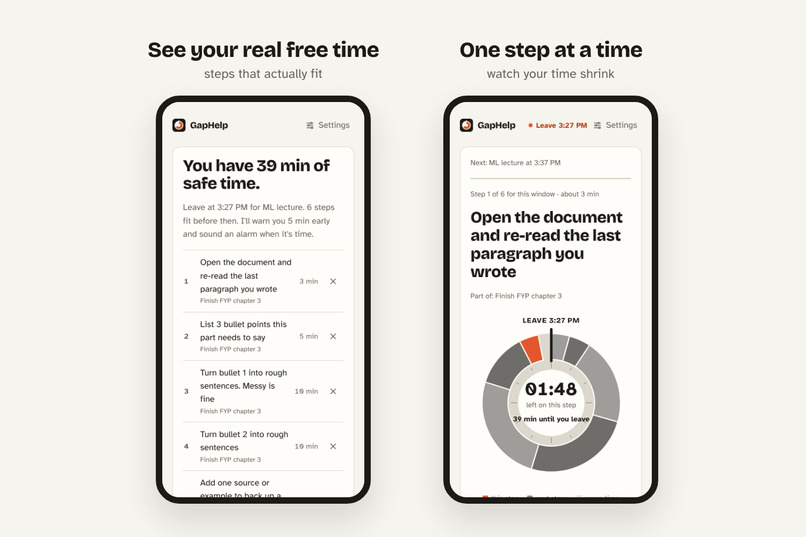
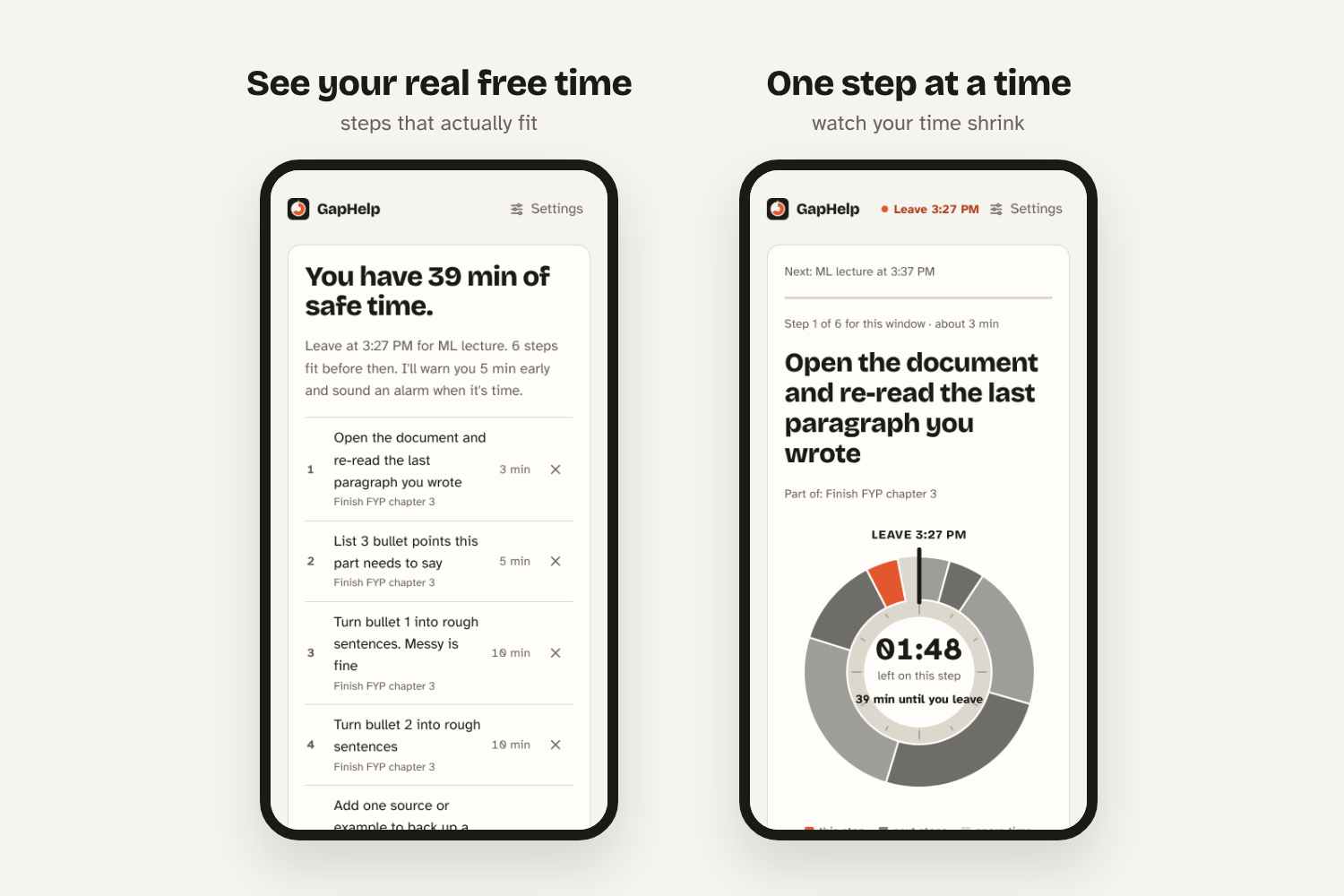
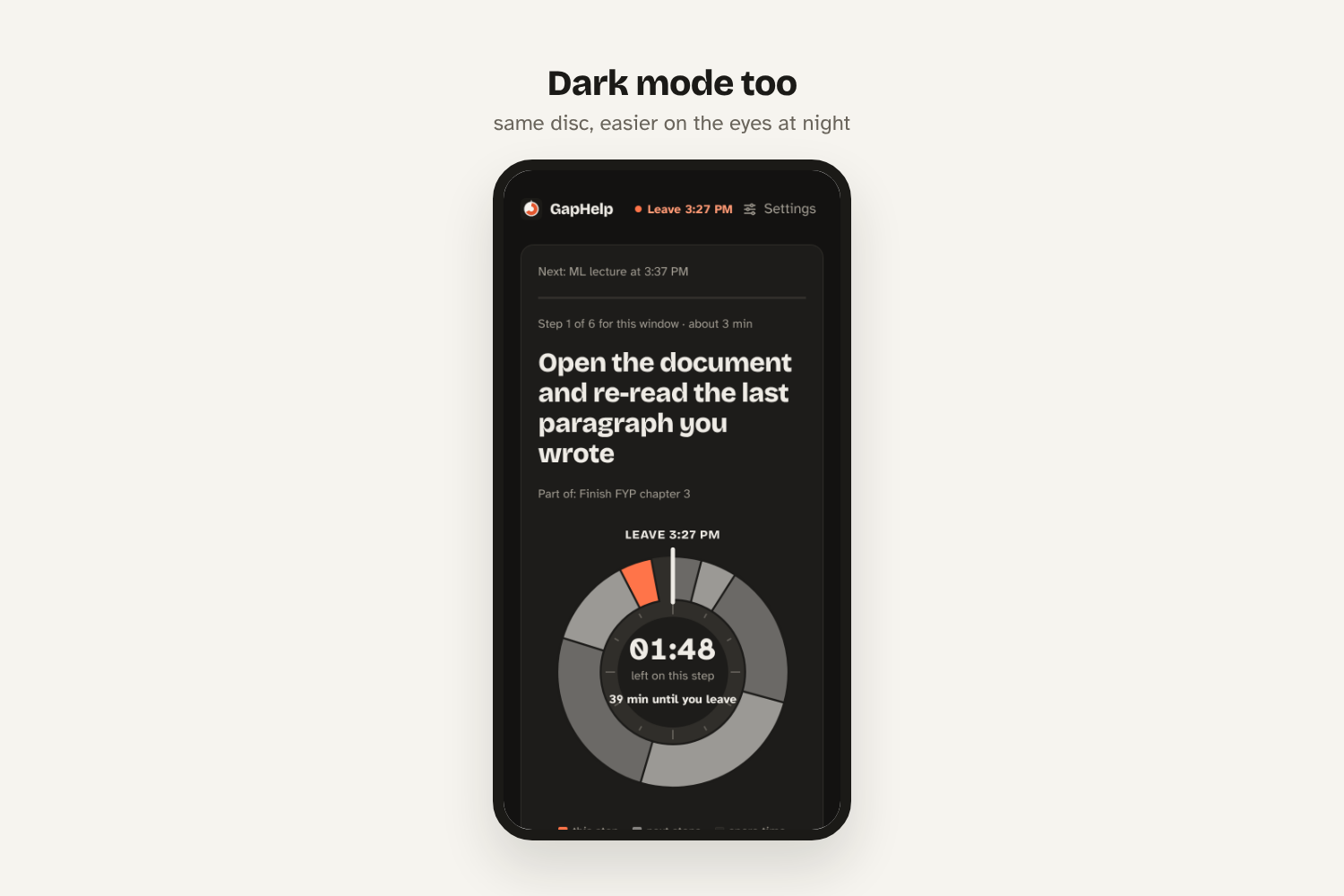
It shows how much free time you actually have and gives you small steps that fit. Then you focus on one step at a time while disc shrinks.
-
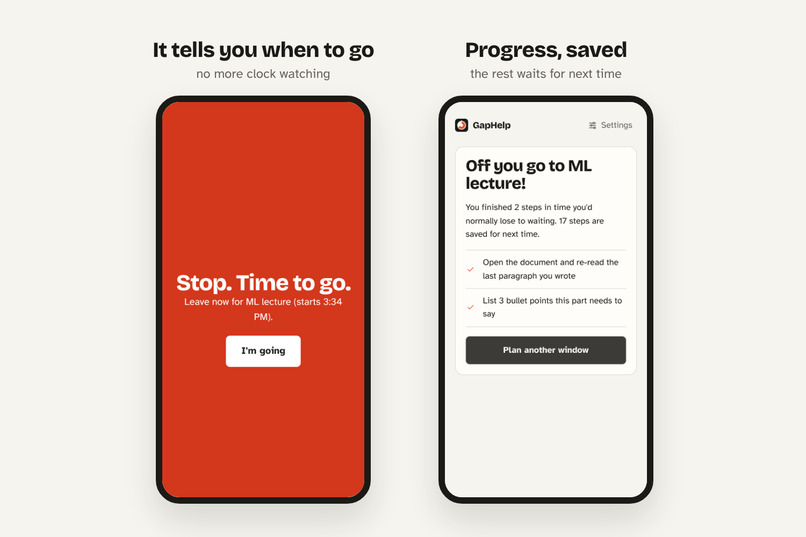
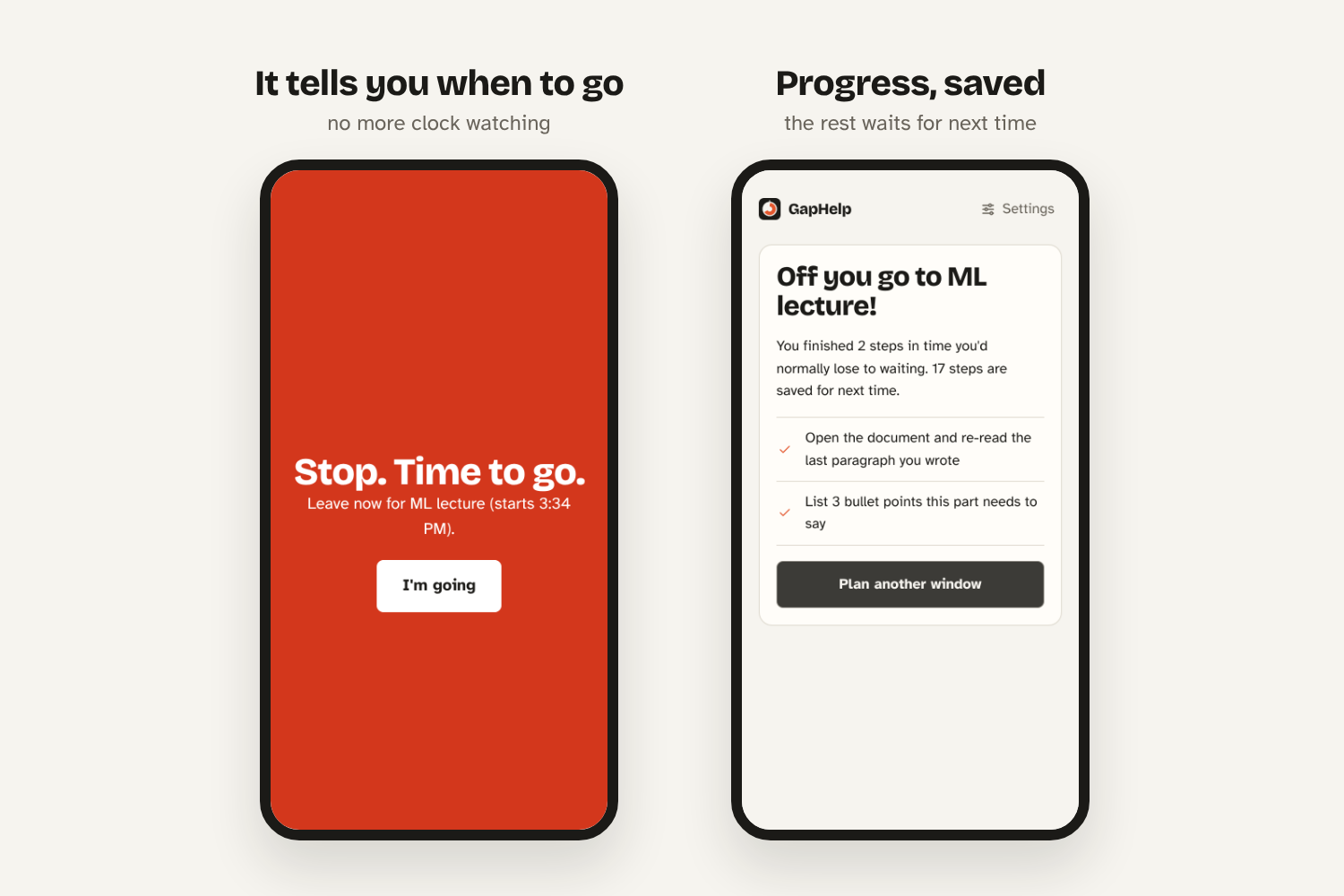
When it’s time to go, the alarm rings, so you don’t need to keep checking the clock. Whatever you didn’t finish is saved for next time.
-
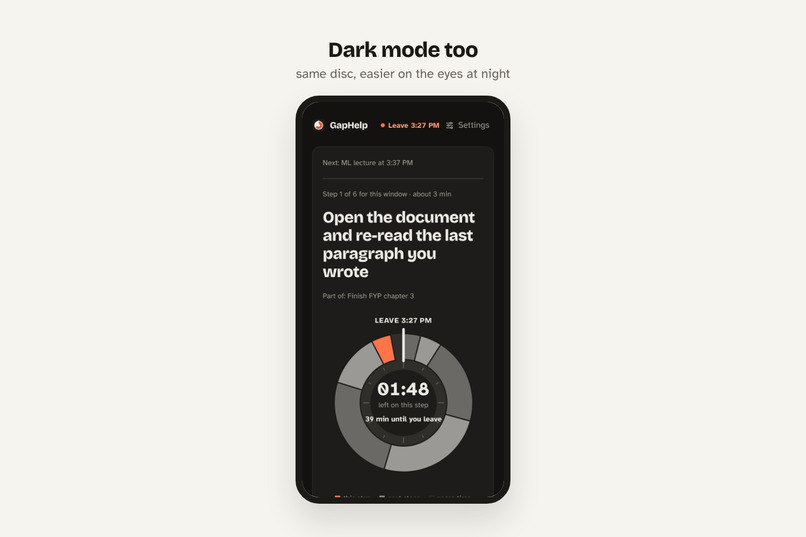
Dark mode for better comfort option
Inspiration
This happens to me almost 5 times a week. I have a few hours between classes, and I don't know what to do with them. So I scroll, procrastinate, and suddenly it's time to go, and I've done nothing, even though I had stuff I could've finished.
It's one of my biggest struggles as a student. And I found out it actually has a name: waiting mode. It's really common for people with ADHD. When you have something later, the time before it feels "not real", so you can't start anything.
Our first idea was a Chrome extension that saved your tabs before you got distracted. But when we tried it, it wasn't that useful. It just reopened tabs. It didn't help you actually start. So we scrapped it and built GapHelp.
What it does
GapHelp helps you use the gap before your next thing.
- Brain dump: just say everything on your mind (English or Bahasa Melayu) and it turns it into a task list.
- Find your gap: you put in when your next class or event starts and how long you need to get ready. GapHelp works out how much time you actually have.
- Small steps that fit: your tasks get broken into small steps (2 to 15 minutes) that fit into that time, starting with the most important one.
- Focus mode: you see one step at a time, with a time disc that shrinks as time goes by, so you can see how much time is left. If a step feels too big, you tap "too hard? split smaller".
- Leave alarm: it warns you a few minutes before, then rings when it's time to go. So you don't have to keep checking the clock.
How we built it
It's a simple web app made with HTML, CSS and JavaScript. No framework, no backend, no login.
- Planner: it fills your free time with steps in order of importance, as long as they fit: \( \sum m_i \le t_{\text{leave}} - t_{\text{now}} \). If the next step of a task is too long, it grabs a shorter step from another task to fill the leftover minutes.
- AI (optional): if you add an API key, Claude makes steps that fit your exact task and sorts your brain dump. Without a key, the built-in planner still works.
- Voice: Web Speech API for the brain dump.
- Time disc: drawn with SVG, inspired by the visual timers people with ADHD use.
- Alarms that actually ring: a Web Worker keeps the timer running even when the tab is in the background, and Web Audio makes the sounds.
- Works offline and installs on your phone: service worker + web app manifest.
- Privacy: everything stays in your browser. Nothing is sent anywhere unless you turn on AI.
Team: I came up with the idea and did the coding. Lester did the UI/UX design, the demo video and the rest.
Challenges we ran into
The hardest part was estimating how long tasks take. Everyone works at a different pace. What takes me 10 minutes might take someone else 30. A step that's too long makes you freeze again, which is the exact thing we're trying to fix.
Some smaller ones:
- Browsers slow down timers in background tabs, so the alarm could ring late. We fixed it by moving the clock into a Web Worker.
- Browsers block sound until you click something, so we had to "unlock" the sound on the first button press.
- AI replies sometimes came back broken, so we added a backup planner that works without AI.
Accomplishments that we're proud of
Honestly? It works. You can put in your tasks, get a plan, and actually start, in under a minute. It also works without AI, offline, and on your phone.
We're also proud that we stopped and changed direction when our first idea wasn't working, instead of just polishing something that didn't help.
And we tried to make it easy for everyone to use: readable font, bigger text option, dark mode, keyboard shortcuts, screen reader support and voice input.
What we learned
Everyone has a different pace. There's no "correct" time for a task. So instead of forcing one plan on everyone, GapHelp lets you adjust it: pick low energy for smaller steps, set how long you need to get ready, remove steps you don't want, or split a step when it feels too big.
What's next for GapHelp
- Learn your pace: track how long you actually take, so the time estimates fit you over time.
- Calendar import, so you don't have to type in your classes.
- A wrap-up step before you leave, like saving your work and noting where you stopped.
- Alarms in the background, because right now the tab has to stay open.
AI assistance
We used Claude (an AI assistant) to help plan the project and to generate and optimize the code. We came up with the idea, made the design decisions, tested it and edited it. The app can also use the Claude API (optional) to make the step plans. Fonts used: Atkinson Hyperlegible and Bricolage Grotesque (free, SIL Open Font License).
Built With
- claude
- css3
- html5
- javascript

Log in or sign up for Devpost to join the conversation.