Inspiration
Most of my workouts never happened, and most of my screen time did. The two problems have the same shape: a few free minutes at home, a phone in hand, and a reflex that opens Instagram instead of doing ten push-ups. Workout apps like Strong are built for the gym — sets, plates, an hour. I wanted the opposite: a logger light enough for a two-minute gap, and a way to point the scrolling reflex at the floor.
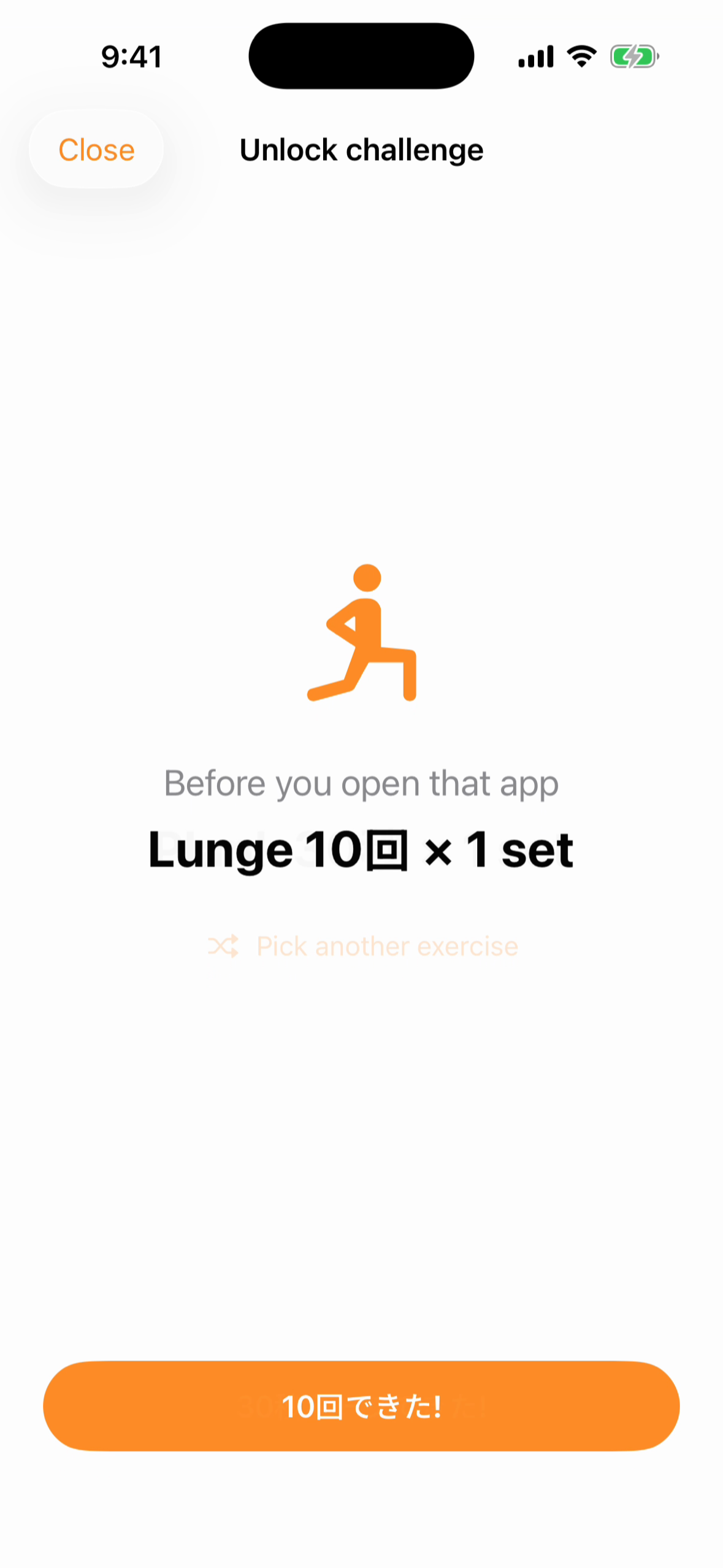
So GapFit does one odd thing: when you try to open a blocked app, Screen Time shows a shield, and the shield's only button is "one set to unlock."
What it does
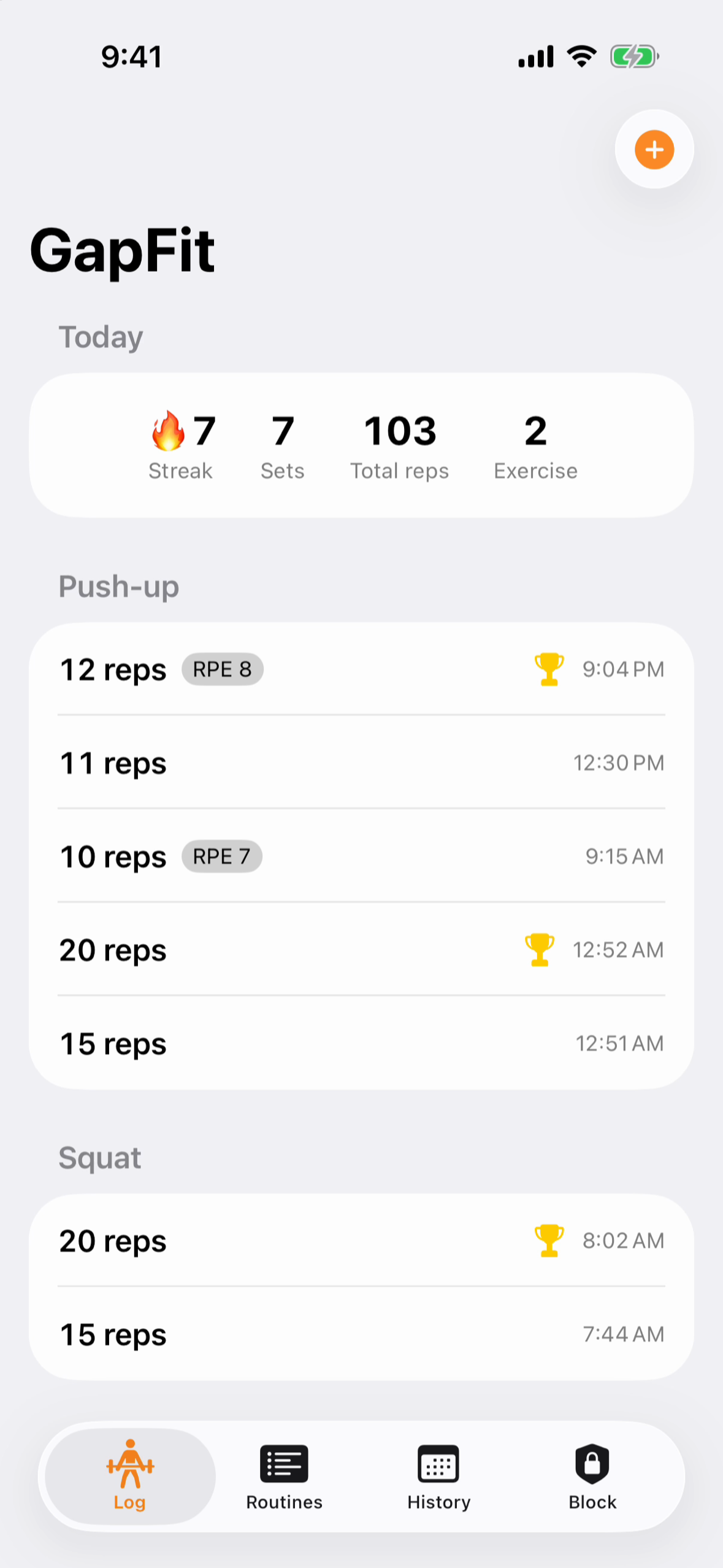
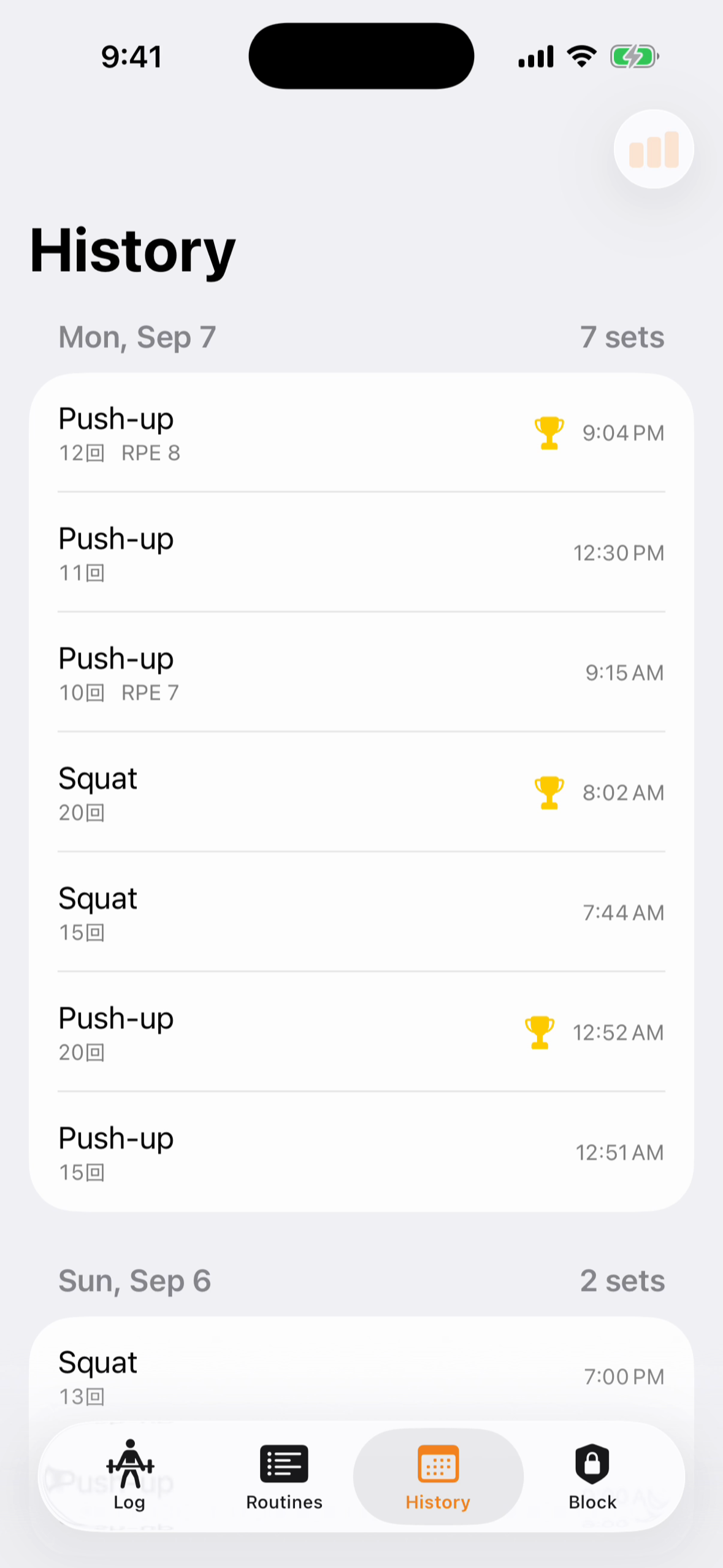
- Log in two taps. Your last reps carry over, so a set is one tap to confirm; 12 bodyweight presets (push-ups, squats, plank, pull-ups…), optional weight and RPE.
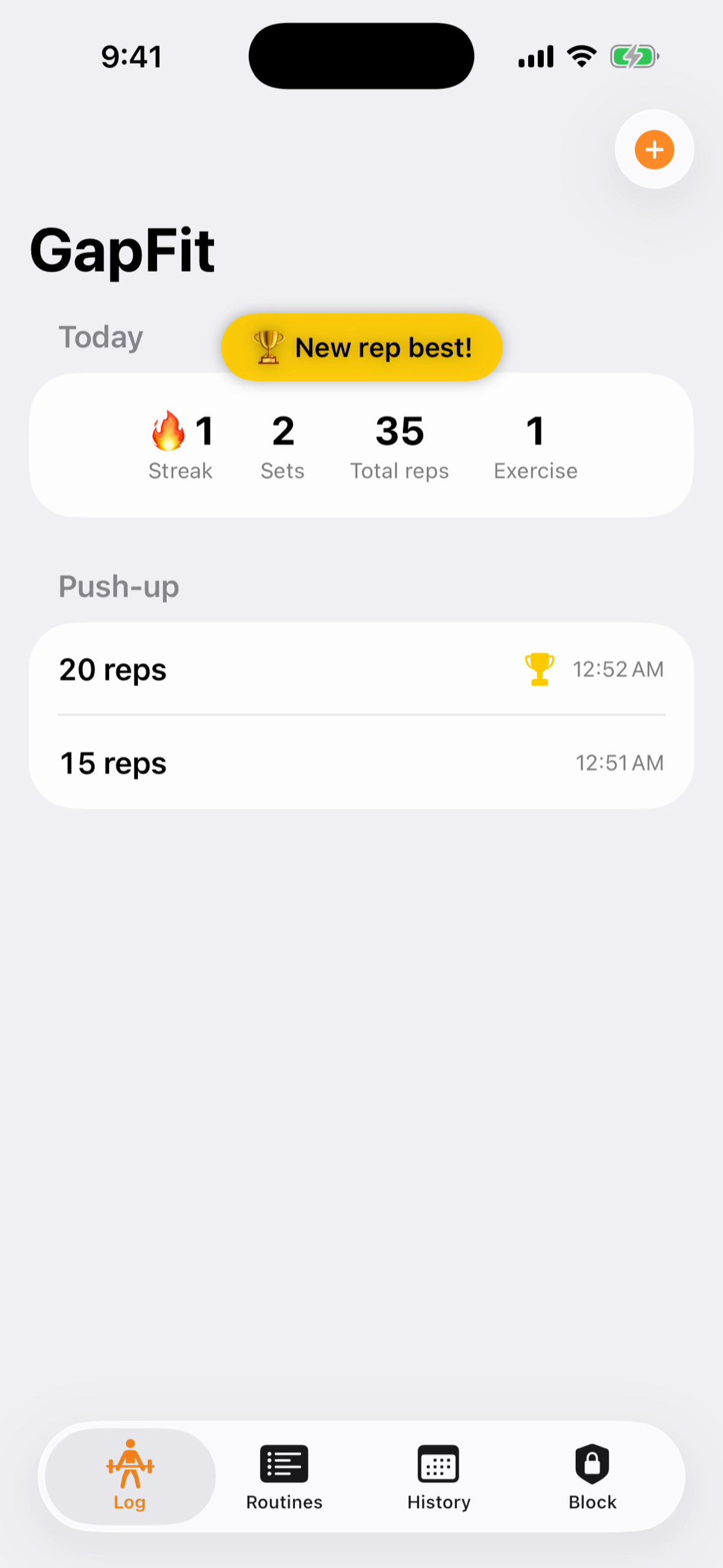
- Personal records, automatically. Max reps and max volume are detected per exercise and marked with a trophy.
- Sticks around: daily streaks, Home Screen and Lock Screen widgets, and a one-tap "log my last set" widget action that records without opening the app.
- Routines: templates so "what should I do today" never blocks you (one free, unlimited with Pro).
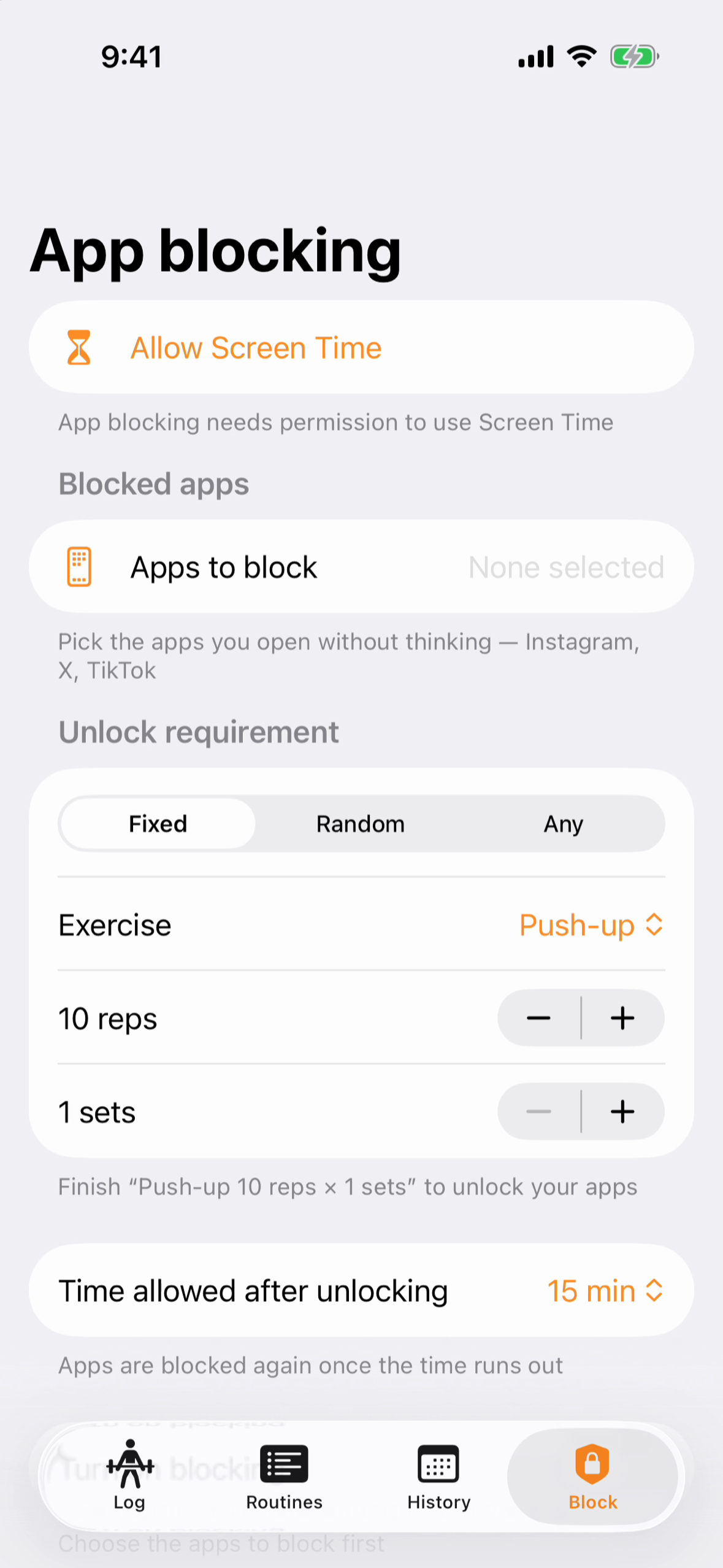
- App Block (GapFit Pro): pick the apps to block. Opening one shows the shield; clear the challenge — a fixed exercise, a random one, or any exercise you choose — and the app unlocks for a window you set. A Live Activity counts down on the Lock Screen, then the block returns by itself.
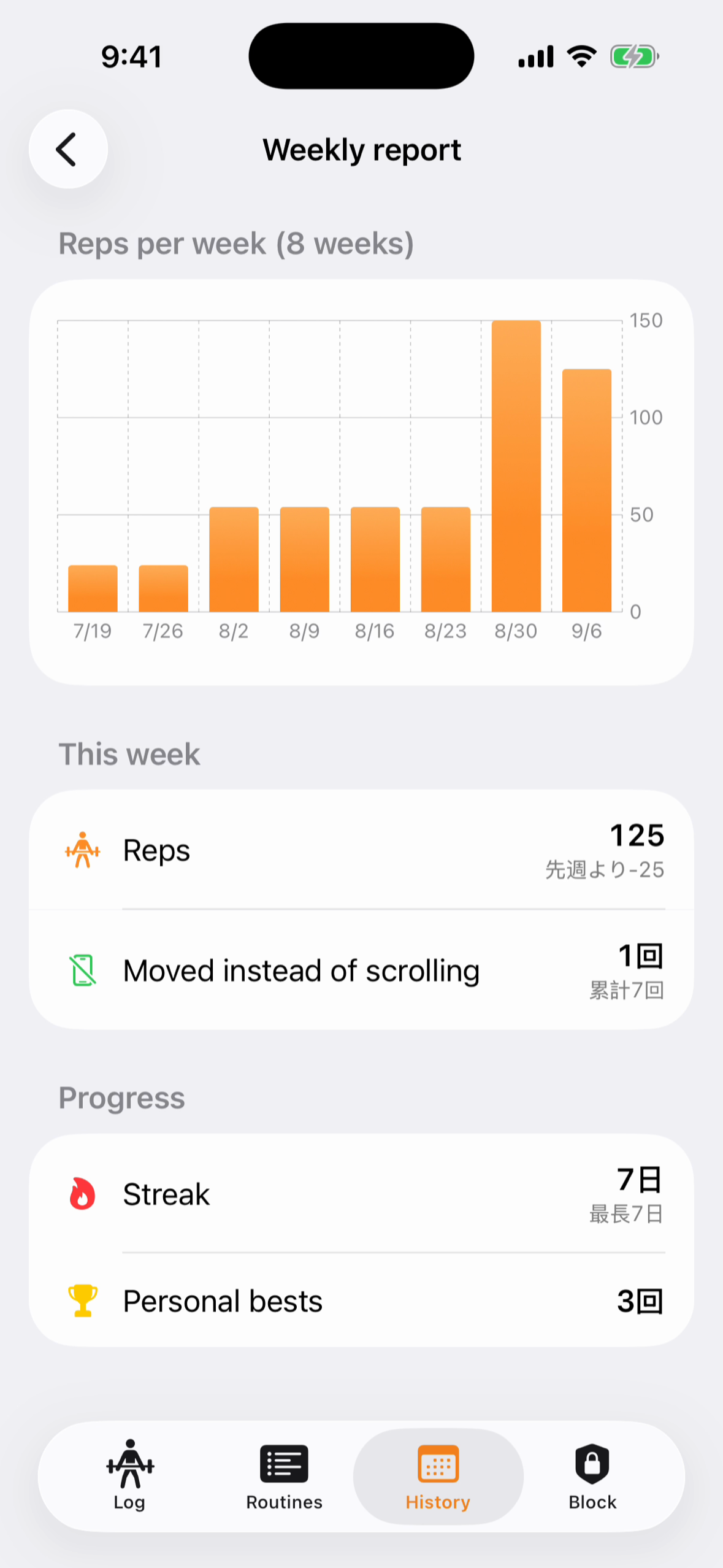
- Weekly report (Pro): an 8-week rep-trend chart and the number that matters — how many times you worked out instead of scrolling.
- Private by design: training data stays on the iPhone; the list of blocked apps never leaves the device.
- Japanese and English.
How we built it
- SwiftUI + SwiftData, with the store in an App Group container so the widgets and extensions read the same data (with a one-time migration from the original store).
- The Screen Time stack: the FamilyControls app picker in the app, a ManagedSettings shield, and three extensions — a
ShieldConfigurationextension that draws the challenge, aShieldActionextension that handles the button, and aDeviceActivityMonitorthat ends the unlock window and re-applies the block. - Shield → app hand-off. Shield extensions cannot open the host app, so the action posts a local notification that deep-links to
gapfit://unlock, where the challenge UI lives. - ActivityKit for the unlock countdown on the Lock Screen, WidgetKit + App Intents for the one-tap "log last set" (
LogLastSetIntent), Swift Charts for the weekly report. - Onboarding is a 12-screen questionnaire flow modeled on the highest-converting subscription apps (goal → pain → empathy → solution → body parts → notification priming → processing → exercise demo → generated menu → paywall), with the Screen Time permission deferred to the block-settings screen where it makes sense.
- Monetization with RevenueCat: one
proentitlement, RevenueCat's paywall UI, Test Store key in Debug and the production key in Release with a guard against shipping atest_key. - Tuist project, String Catalog (ja/en), iOS 17+.
Challenges we ran into
- One string blocked the whole upload. The shield-configuration extension's
NSExtensionPointIdentifiermust becom.apple.ManagedSettingsUI.shield-configuration-service— withManagedSettings(noUI) the binary passes locally and App Store Connect rejects it with validation error 90349. - The Simulator can't do Screen Time. Family Controls never authorizes there, so every shield change was a device build; the entitlement also needs Apple's distribution approval before a store build can be signed.
- DeviceActivity's floor is 15 minutes. Unlock windows shorter than that simply can't be scheduled, so the product defines "a short break" as 15+ minutes.
- Review rejection 3.1.2(c) for subscription disclosure. While fixing it we cancelled and recreated the review submission through the API — and discovered that an API-created submission silently drops the in-app purchases. The final submission had to be made from the web UI so the three products were bundled with the version.
- Extensions compile everything under
Shared/, so the widget and monitor extensions choked on FamilyControls imports until the code was split into aWidgetShared/module without them. - Archiving on a macOS 27 beta host: Xcode 26.6 for the archive,
BuildMachineOSBuildpatched before export.
What we learned
- The cheapest habit trigger is one the user already has. Nobody forgets to open Instagram.
- Screen Time is three processes pretending to be one app. Decide early which process owns the shield.
- Store plumbing is part of the product: a wrong extension identifier or an API-made submission can cost a week.
What's next
- Camera rep counting with Vision pose estimation so the shield can verify the set.
- A strict mode with no "skip" and random-exercise unlocks for people who game the fixed one.
- Routine sharing between friends.

Log in or sign up for Devpost to join the conversation.