-
-

GamesSync Icon
-
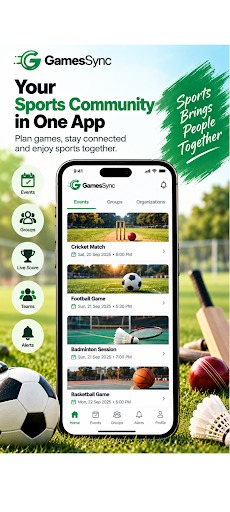
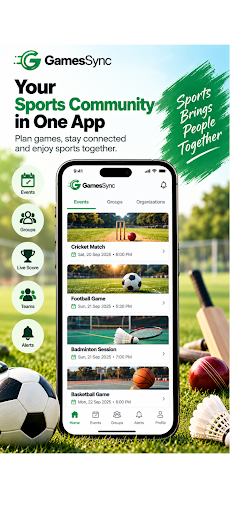
GamesSync — Sports Community in One App Plan games, create groups, manage teams, track live scores and stay connected with sports community.
-
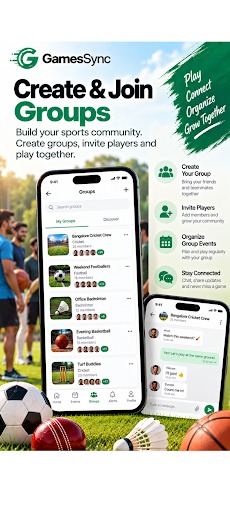
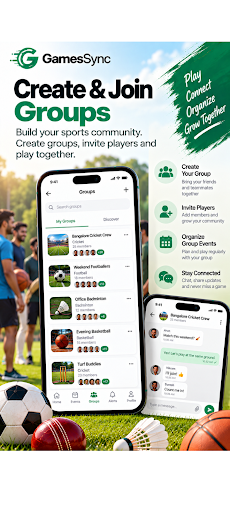
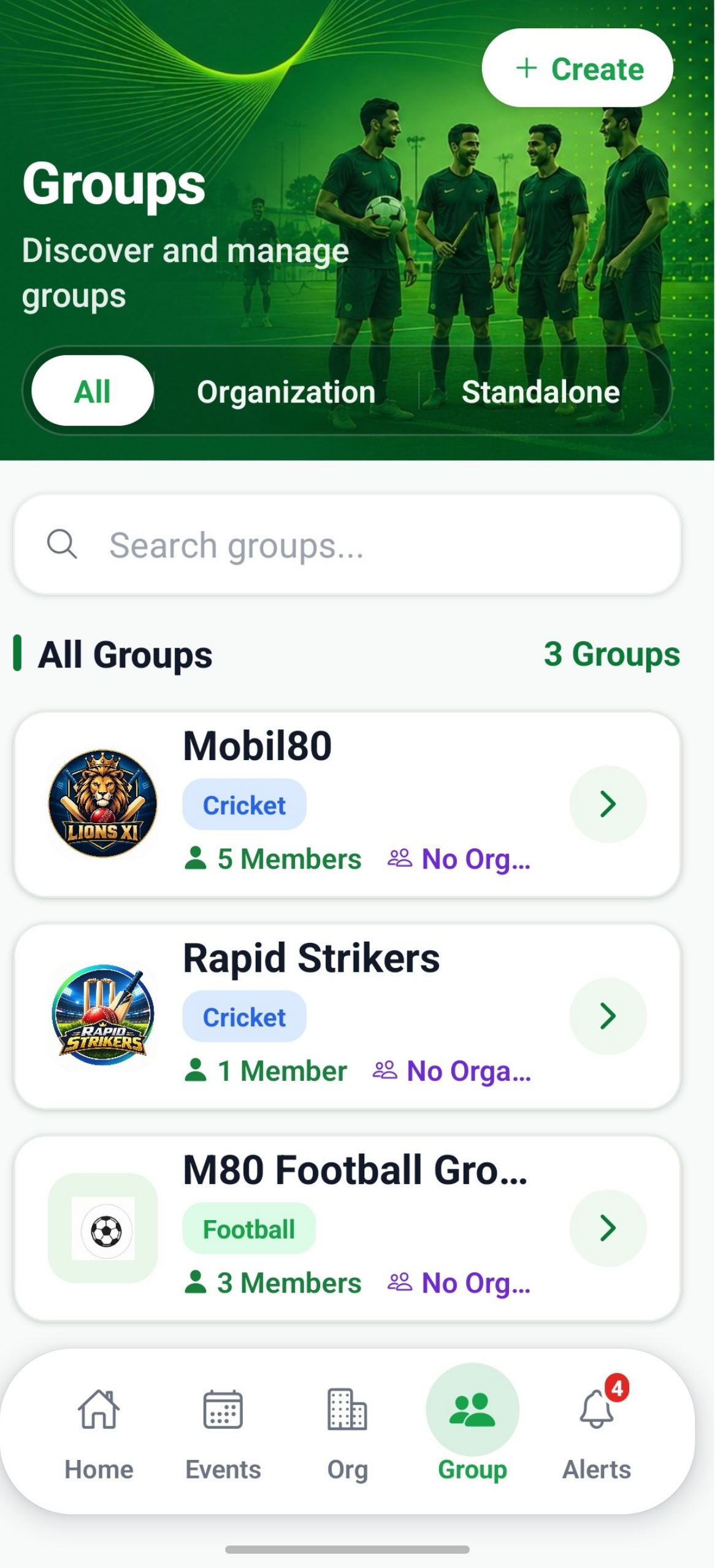
GamesSync — Create and Join Sports Groups Build your sports community, invite players, organize games, and stay connected with your team.
-
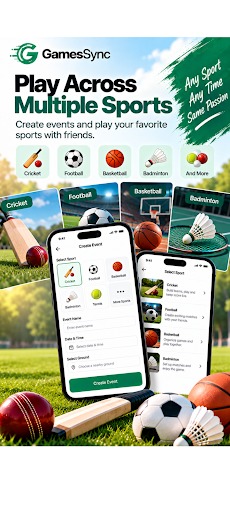
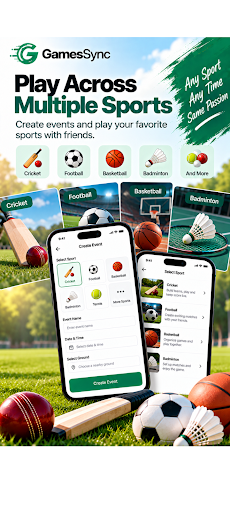
GamesSync — Play Across Multiple Sports Create events and play sports with friends, including Cricket, Football, Basketball and Badminton.
-
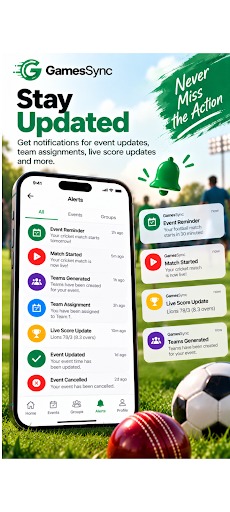
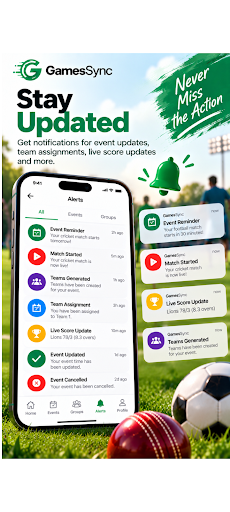
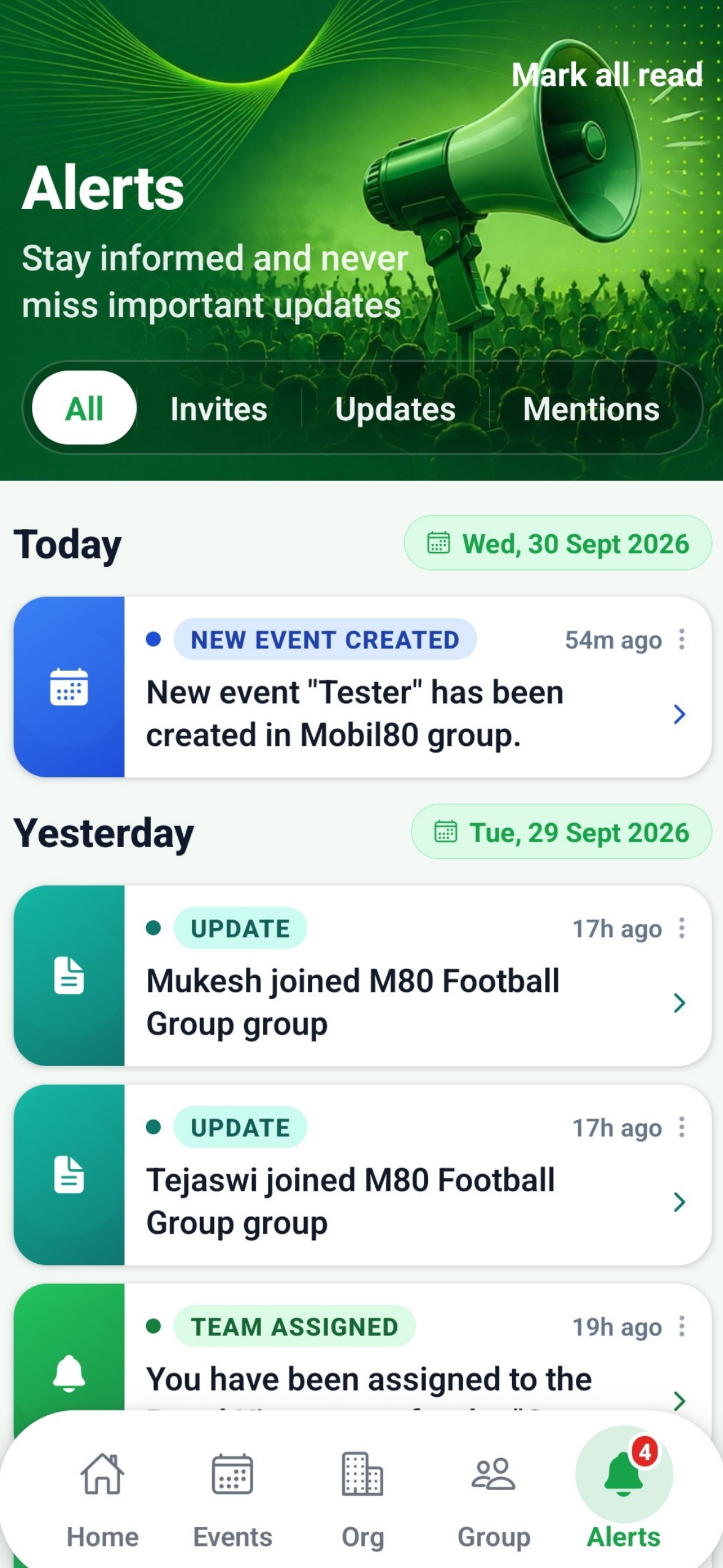
GamesSync — Stay Updated Get notices for event updates, team assignments, live scores, match alerts, and more so you never miss the action.
-
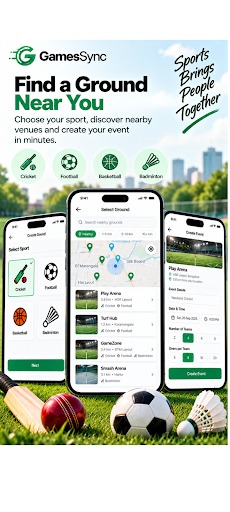
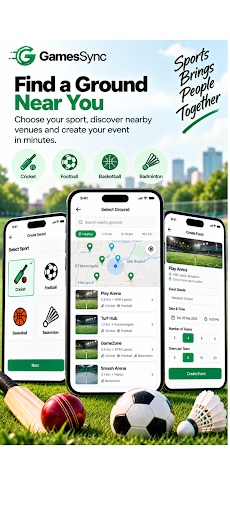
GamesSync — Find a Ground Near You Discover nearby sports venues, choose your preferred ground, and create your event in minutes.
-
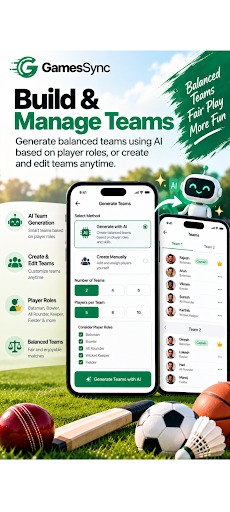
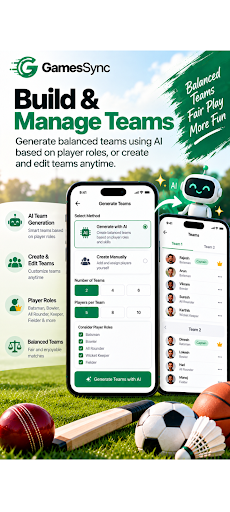
GamesSync — Build and Manage Teams Generate balanced teams using AI based on player roles, create teams instantly, and edit teams anytime.
-
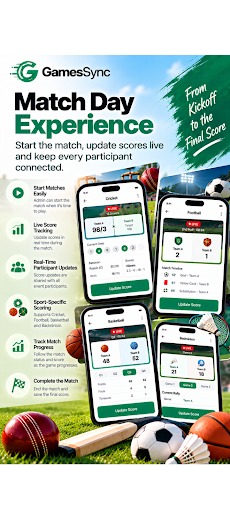
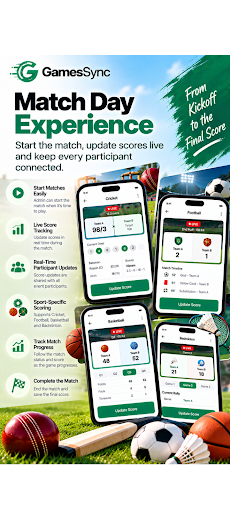
GamesSync — Match Day Experience Start the match, update live scores, track every play, and keep participants connected throughout the game.
-
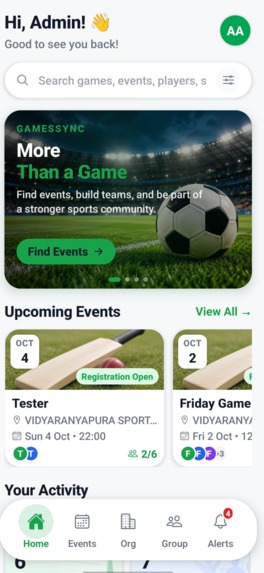
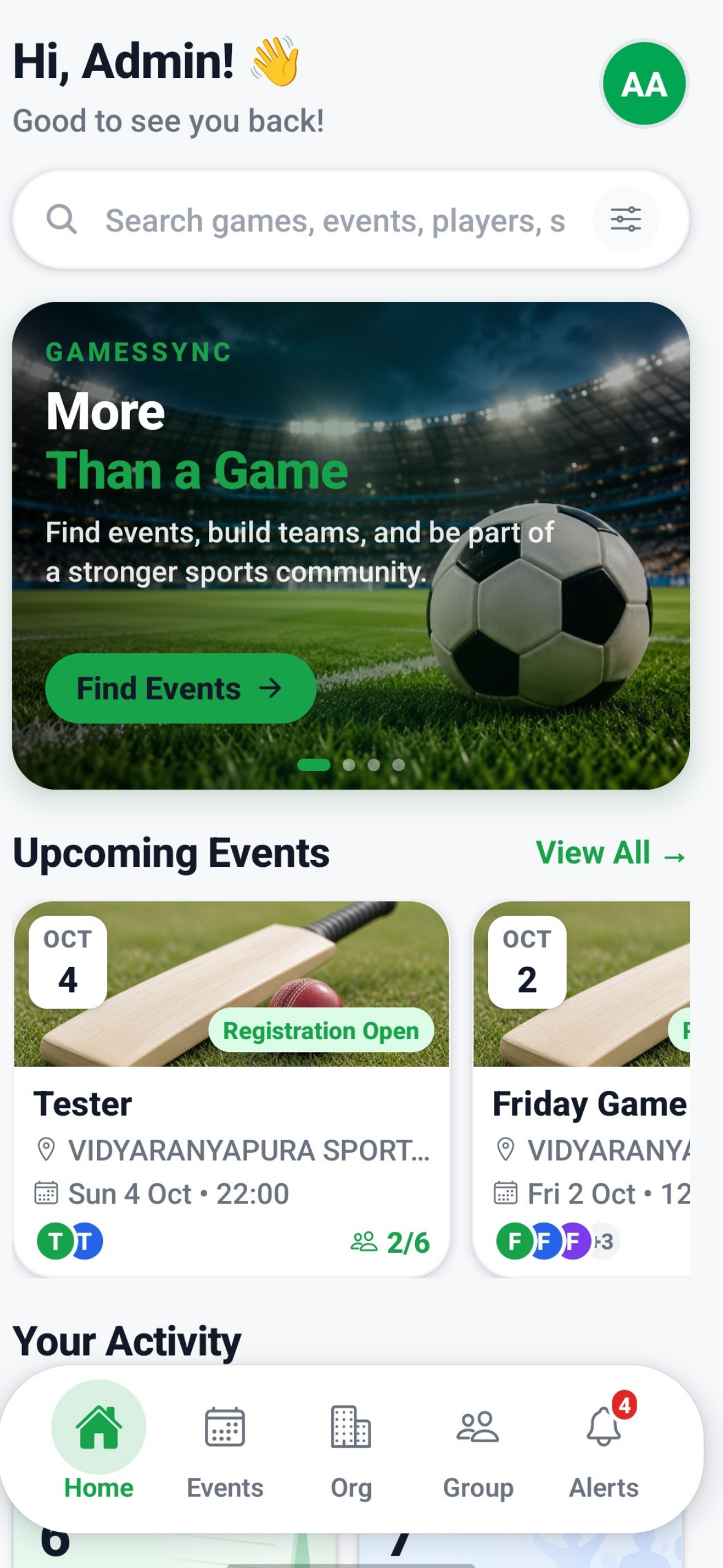
GamesSync — Everything for Your Game Discover events, build teams, manage groups, and stay connected with your sports community.
-
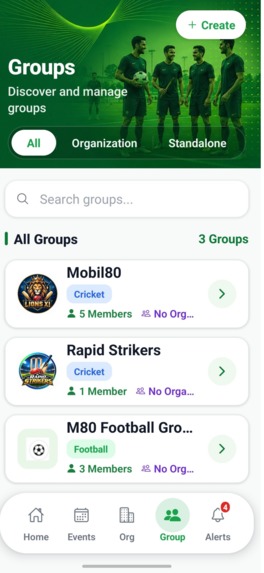
GamesSync — Build Your Sports Community Create and manage groups, invite players, organize games, and keep your sports community connected.
-
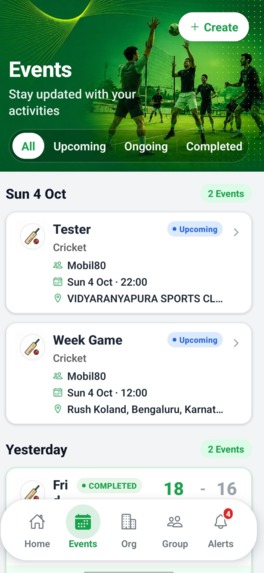
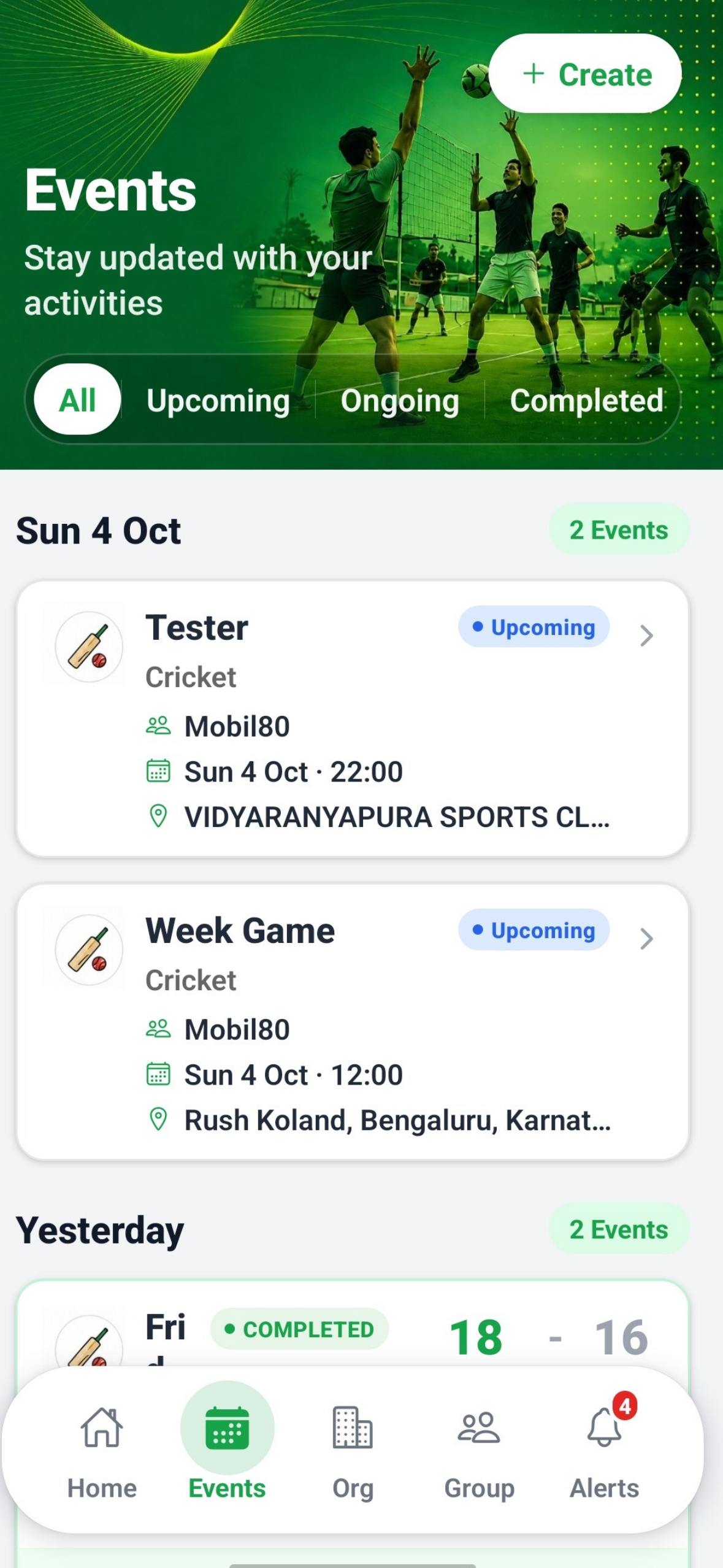
GamesSync — Manage All Your Events Create, track, and manage upcoming, ongoing, and completed games, with live scores and match results.
-
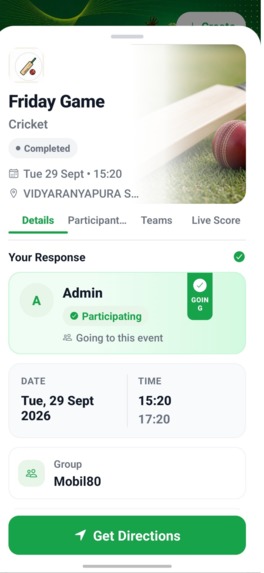
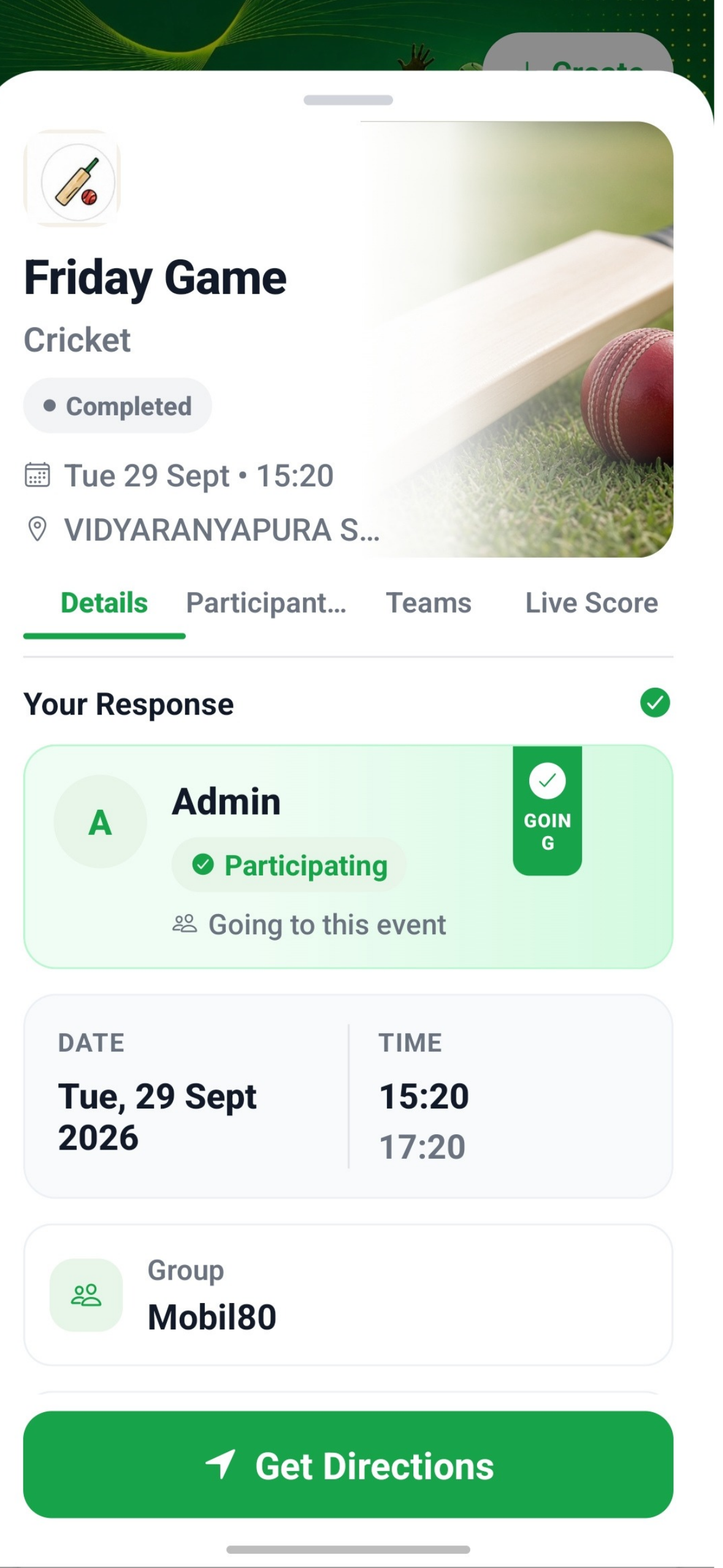
GamesSync — Your Complete Game Experience View event details, manage participation, follow teams & live scores, and get directions to venue.
-
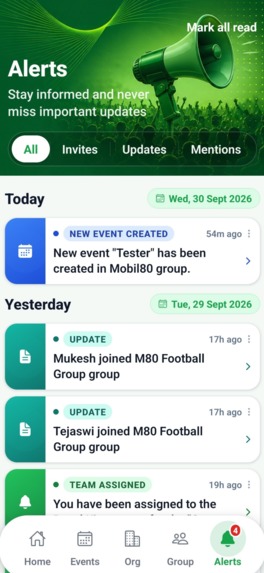
GamesSync — Stay Connected with Every Update Get event invites, group updates, team assignments, and important notifications in one place.

The Inspiration
Sports are often easy to organize when everyone is in the same place, but coordinating a game with friends, teammates, or a community can quickly become complicated.
People have to use different apps and chat groups to create teams, decide when and where to play, share updates, track scores, and remind everyone about upcoming matches. We wanted to bring all of these activities into one simple experience.
That idea led to GamesSync, an app designed to help groups organize play and stay connected.
The goal was simple:
Create a group → Schedule a game → Build teams → Play → Track the score → Keep everyone updated
OneSignal judges: see How OneSignal keeps players coming back below for our App ID, Journeys with real results, and our Android live-event notification.
What We Built
GamesSync is a sports community and event management app where users can:
- Create and manage sports groups
- Create and schedule sports events
- Invite and manage participants
- Generate teams using AI based on player roles
- Track live scores during matches
- Receive event reminders and live updates
- Add locations for scheduled games
- Support multiple sports including Cricket, Football, Basketball, and Badminton
- Manage premium access through subscriptions
The app is designed around the complete journey of a sports event, from creating a group to finishing the match.
How We Built It
GamesSync was built using React Native with Expo for the mobile application.
The backend follows a serverless architecture using AWS, with AWS Lambda, AppSync GraphQL, DynamoDB, S3, and Cognito handling different parts of the application.
Core Technology Stack
- OneSignal — External ID identity, custom events, Journeys, REST API pushes and Android live-event notifications
- React Native + Expo — Mobile application
- Node.js — Backend services and business logic
- AWS Lambda — Serverless backend functions
- AWS AppSync + GraphQL — APIs and real-time data operations
- Amazon DynamoDB — Event, group, user, and live score data
- Amazon Cognito — Authentication
- Amazon S3 — Storage
- RevenueCat — Subscription management
- AI — Intelligent team generation based on player roles
The application is structured around groups and events. A group can create multiple events, participants can join those events, and authorized users can manage match activities such as starting the game and updating live scores.
AI-Powered Team Generation
One of the features we wanted to make more useful than a traditional event management app was AI-assisted team generation.
Instead of manually deciding teams every time, organizers can use player information and roles to generate teams automatically.
The idea is to make team creation faster while considering the available player roles and maintaining a more balanced distribution.
This turns GamesSync from simply being an event scheduling application into a tool that can actively help organize the game.
Live Scoring
Live scoring was another major part of the project.
We implemented sport-specific scoring flows so that participants can follow a match while it is happening.
For example, Cricket supports concepts such as:
- Innings
- Overs
- Strikers
- Batters
- Runs and wickets
- Over-by-over updates
We also implemented live score flows for Football, Basketball, and Badminton.
Score updates are synchronized through the backend so participants can follow the match without needing to be physically near the scorer.
How OneSignal keeps players coming back
A game only happens if people show up. In GamesSync, OneSignal turns "someone created an event" into "ten people are on the field at 7 AM", and keeps nudging new players until they join their first game.
OneSignal App ID: ca675cf7-e451-47b5-ac1e-ec15cd0db017
Live numbers from our OneSignal dashboard (last 30 days): 43 subscribed devices (up from 5), about 1,400 pushes delivered, 706 confirmed receipts, 42 clicks (2.96% CTR) and 302 sessions (+117% vs the previous 30 days).
1. Identity and behaviour data, done properly
- Every sign-in path (phone OTP, Google, sign-up, session restore) calls
OneSignal.login(userId), and it runs again whenever the app returns to the foreground. Sign-out callslogout(). The backend never handles push tokens; it targets people byexternal_id. - The app sends custom events that drive Journeys:
user_registered(new users only, de-duplicated on the device), plusevent_joinedandevent_not_participating, both carrying sport and venue properties. - The backend sends
game_completedfor every participant through OneSignal's Custom Events API, with an idempotency key so retries never double-count. - A
has_joined_eventtag marks players who have joined at least one game.
2. Journeys that react to what players actually do
New-player activation (with results). Entry: the user_registered event.
Welcome push → Wait Until event_joined (expires after 1 day) → activation nudge → Wait Until event_joined again → second nudge → exit. A player who joins a game leaves the nudge path straight away.
It ran from 11 September to 1 October: 17 new players entered, all 17 welcome pushes were delivered (16 confirmed), and 3 of the 17 joined a game within their first day without needing a nudge.
Player Lifecycle, onboarding v2 (live since 1 October). The same entry event (user_registered), rebuilt into one welcome → nudge → win-back flow:
Welcome push → in-app message on the next app open ("Find your first game"; its button records a lifecycle_lets_play outcome) → Wait Until event_joined (1 day) → Time Window 6 to 8 PM in the player's own timezone → nudge push → Wait Until event_joined (5 more days) → 6 to 8 PM → win-back push. Joining a game at any point exits the Journey and tags the player activated=true.
Post-game rematch (live). Entry: the game_completed event, which our backend sends for every participant when a match is completed.
Wait 2 days → Time Window 6 to 8 PM in the player's own timezone → one push: "Ready for the rematch? Good game with your group! Set up the next one in GamesSync." The group name is filled in with Liquid from the event's own properties ({{ journey.first_event.properties.group_name }}, falling back to "your crew"). Exit rule: event_joined, so anyone who has already booked their next game never gets it.
Weekend game planning. Pushes on Thursday, Friday and Saturday between 10 and 11 AM in each user's own timezone, with re-entry after 5 days. 126 users entered and 115 pushes were delivered, but they earned 0 clicks and 12 unsubscribes. Our lesson: generic "plan a game" pings don't earn clicks. Messages about a real game the player is part of are the ones that matter.
Match countdown Journeys (2 days and 1 day before a game, delivered 6:30 to 7:30 AM in the user's timezone) are live and triggered by server events. So far they have only seen test traffic.
3. The notification that becomes the match (Android)
A custom Notification Service Extension intercepts OneSignal pushes that carry a live_notification payload and replaces the default banner with one notification per event that updates in place:
- Before kick-off: a live countdown timer ("Starts soon"), sent shortly before the start when teams are generated. Amazon EventBridge schedules this and reschedules it if the organiser changes the time.
- At Start Match: it turns into "Match in progress".
- On completion or cancellation: it removes itself.
It has its own silent channel (no badge, no sound), expires after 8 hours, and remembers if you swiped it away. It's our Android answer to Live Activities.
4. Transactional pushes that open the right screen
The backend sends 15 types of notification through the OneSignal REST API (include_aliases.external_id): group and organisation invites, join requests for admins, new events in your group, RSVP changes, time changes, cancellations, match start and results. Any push carrying an event_id opens that event's details screen; invites and requests open the Alerts tab.
What's next for messaging
- Server-side notification preferences, so the settings screen controls every message type.
What We Learned
Building GamesSync taught us much more than just building screens and APIs.
We learned how to design a serverless, event-driven mobile backend, manage real-time application data, and connect multiple third-party services into one product.
Some of the most important things we learned were:
- Designing scalable serverless APIs with AWS Lambda and AppSync
- Modeling event and participant data efficiently in DynamoDB
- Building real-time sports scoring workflows
- Integrating push notifications with scheduled backend events
- Implementing subscription flows using RevenueCat
- Building AI-assisted functionality into a real-world application
- Managing authentication and permissions with Cognito
- Handling production mobile builds with Expo and EAS
- Designing a mobile experience around an actual end-to-end user workflow
Challenges We Faced
The biggest challenge was not building any single feature, but making all the features work reliably together.
We encountered several real-world problems while developing GamesSync.
Subscription State
One of the more difficult issues involved RevenueCat subscriptions.
A successful purchase did not automatically mean our application was reading the entitlement correctly. We had to make RevenueCat's customer information and entitlement state the source of truth instead of relying only on the immediate purchase result.
This helped us understand the difference between a purchase happening and the user currently having an active entitlement.
Event Scheduling
Dynamic event reminders introduced another challenge.
When an organizer changed an event's scheduled time, a previously scheduled notification and countdown state could still reference the old event time.
We had to carefully synchronize event updates, scheduled jobs, notifications, and client-side state so that changing an event actually changed everything associated with it.
Real-Time Sports Logic
Sports scoring looks simple from the outside, but each sport has different rules and states.
For Cricket alone, we had to handle:
- Innings
- Overs
- Striker changes
- Wickets
- Score progression
Football required different match phases such as:
- First Half
- Half Time
- Second Half
- Extra Time
- Penalty Shootout
Designing these as reusable backend and frontend flows was an important engineering challenge.
Mobile Build and Production Issues
We also faced several Android and Expo build issues while moving from development to production.
Resolving native module problems, Gradle configuration issues, environment configuration, and production build behavior taught us that shipping a mobile application requires much more than writing application code.
What Makes GamesSync Different
GamesSync brings several parts of the sports experience together instead of treating them as separate problems.
Groups → Events → Teams → Match → Live Score → Notifications
The same people who create the group can organize the event, build teams, play the match, follow the live score, and receive updates.
That connected workflow is the core idea behind GamesSync.
What's Next
We want to continue expanding GamesSync with:
- More sports
- Smarter team balancing
- Richer statistics
- Improved AI assistance
- Better location-based event discovery
- More powerful community features
Our long-term goal is to make GamesSync a place where people can find their community, organize their games, and stay connected throughout the entire sporting experience.
GamesSync
Play Together. Stay Connected.
Built With
- aiteamgeneration
- amazons3
- awsappsync
- awslambda
- cloudcomputing
- cognito
- dynamodb
- eventmanagement
- expo.io
- graphql
- javascript
- liveactivities
- microservices
- mobileapp
- node.js
- onesignal
- onesignaljourney
- pushnotifications
- reactnative
- restapi
- revenuecat
- serverless


Log in or sign up for Devpost to join the conversation.