-
-

Our logo
-
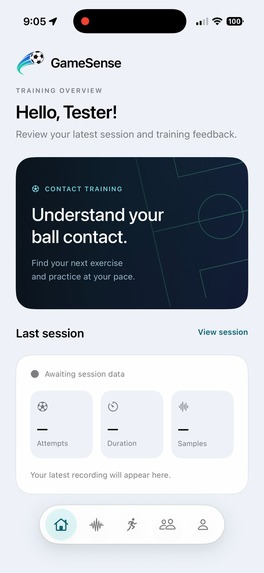
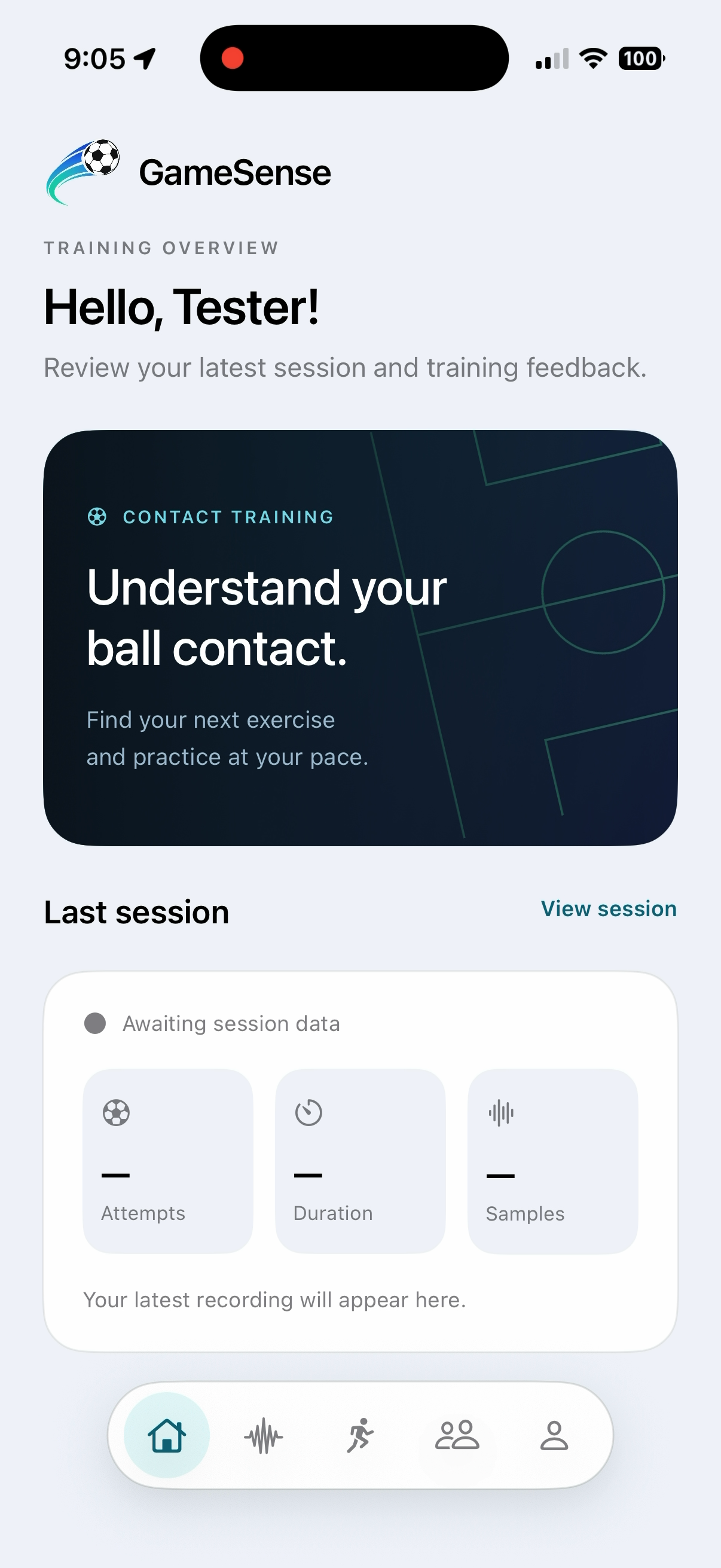
Our app interface
-
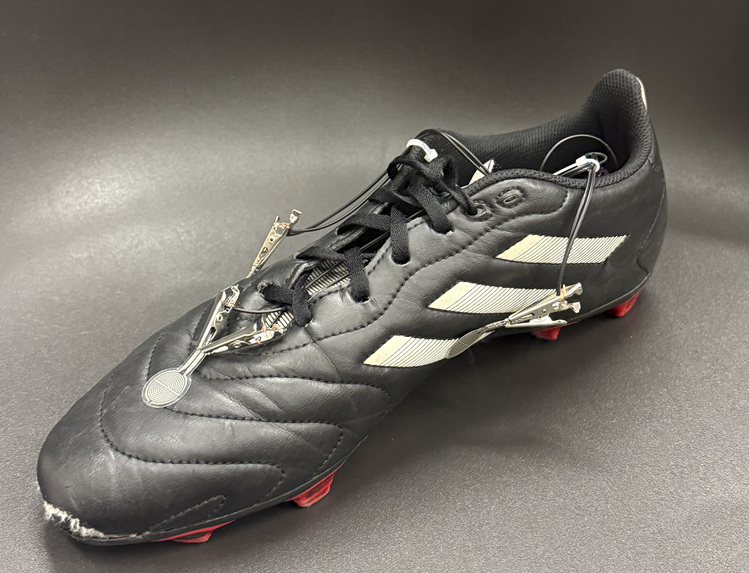
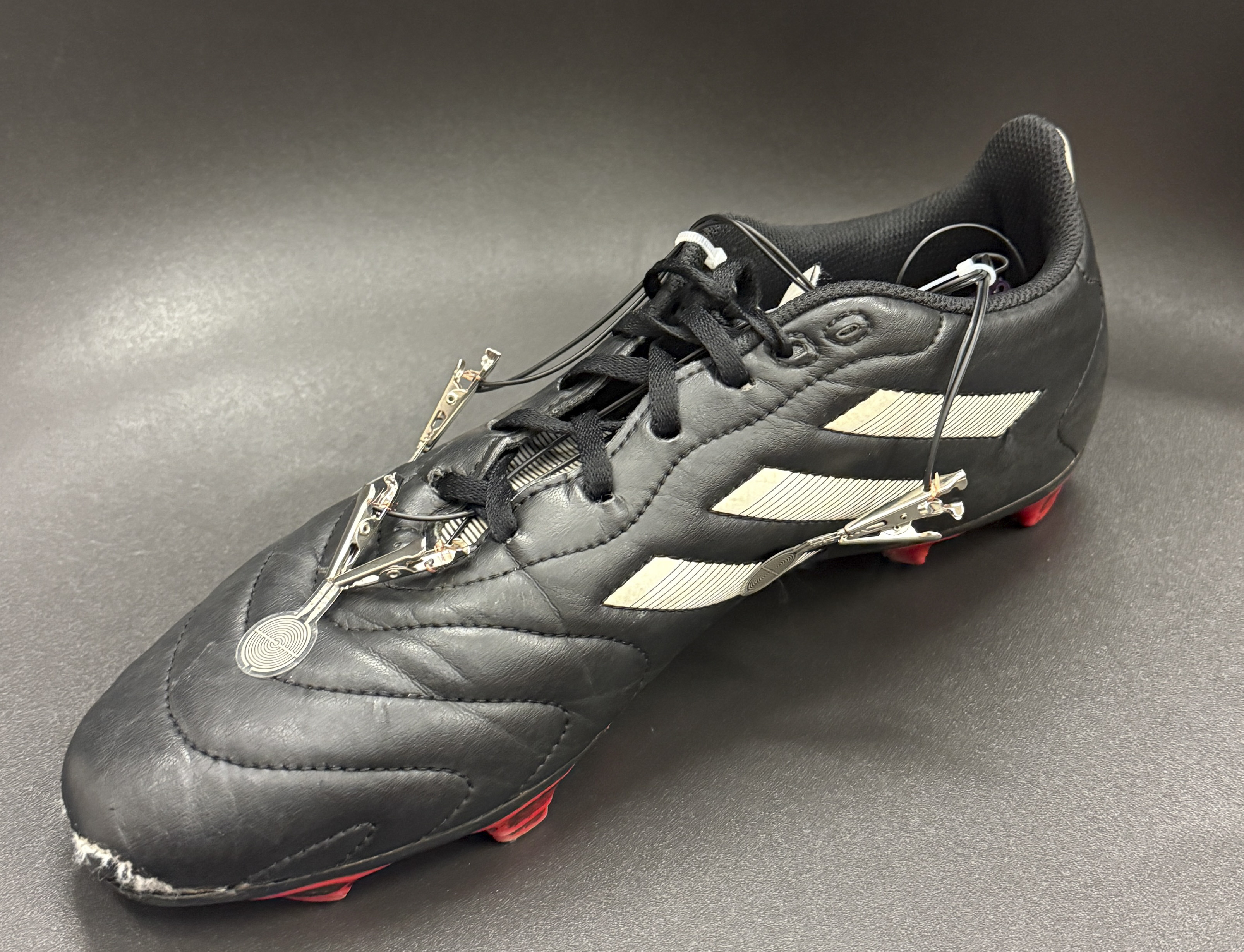
Prototype Cleat
-
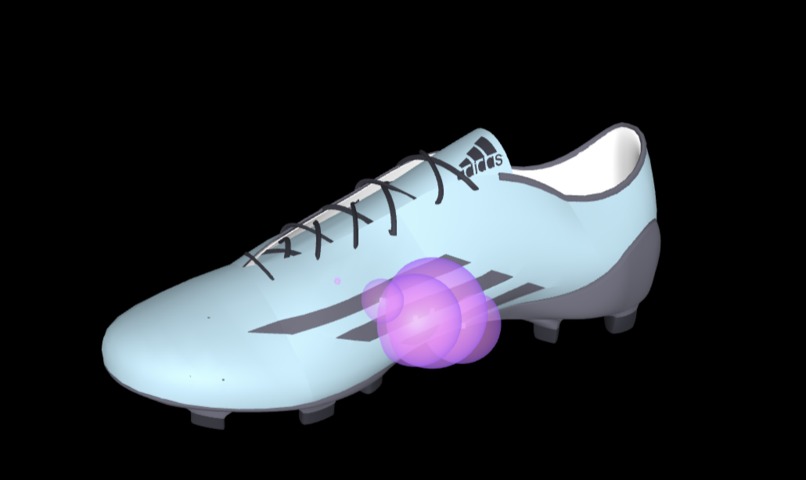
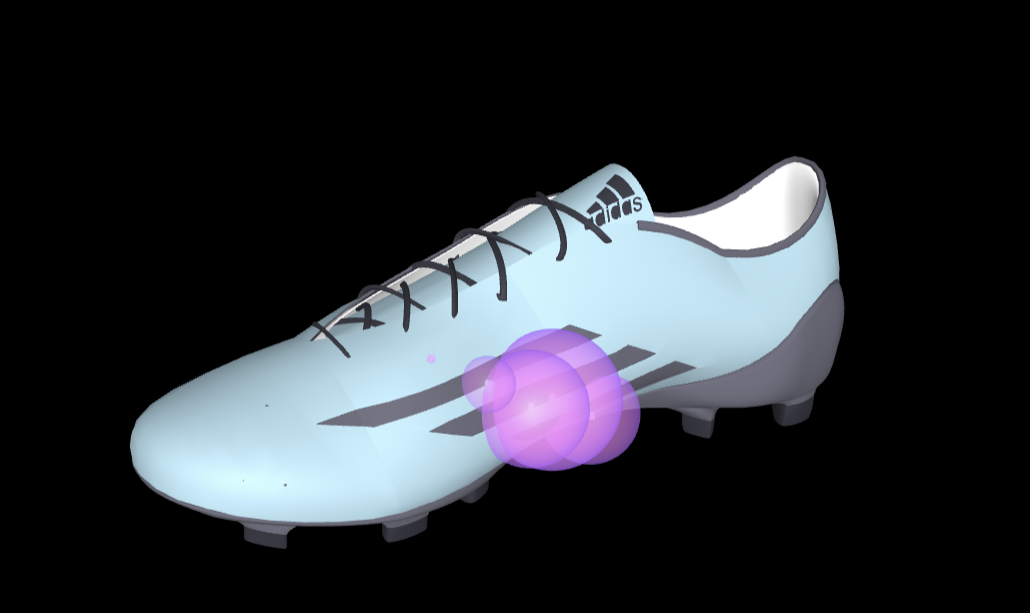
Snippit of our HTML generated animation
-
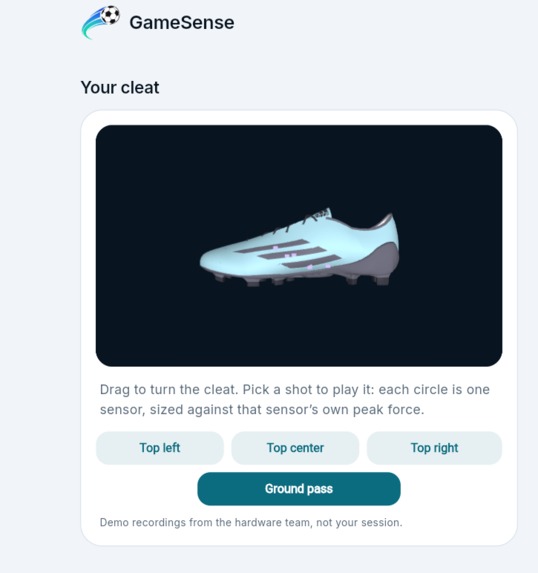
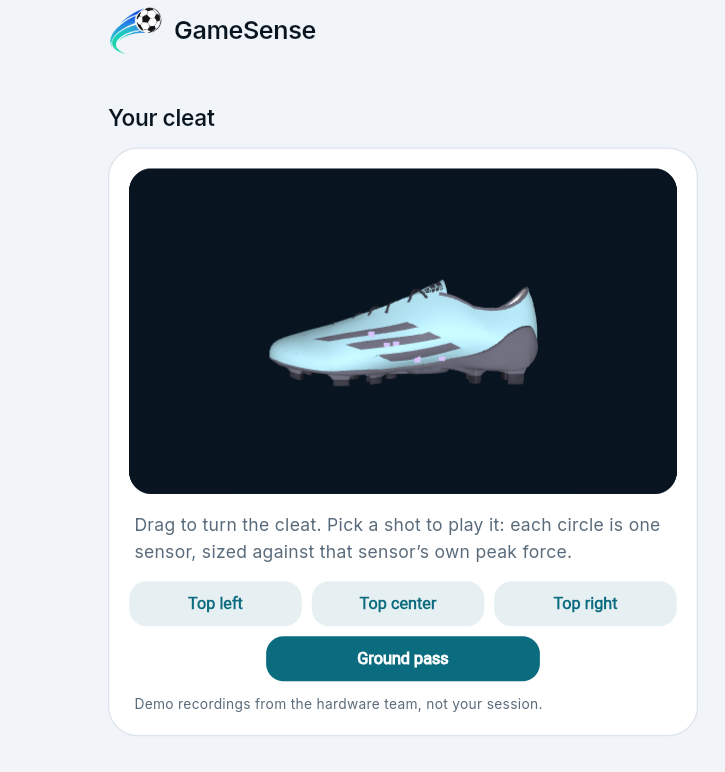
3D animation integrated in UI
-
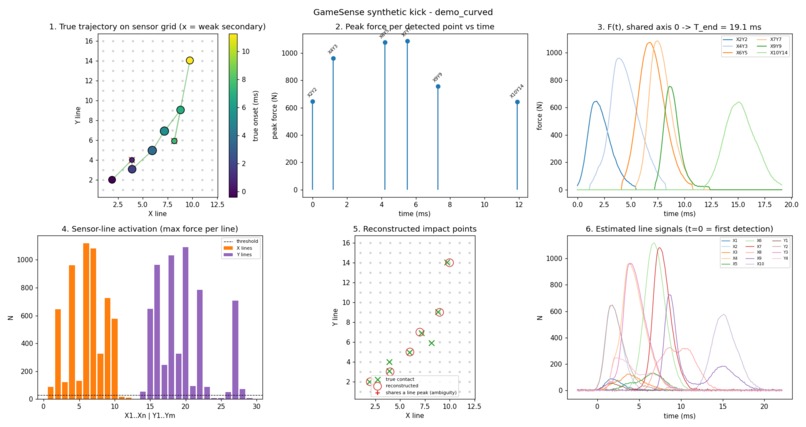
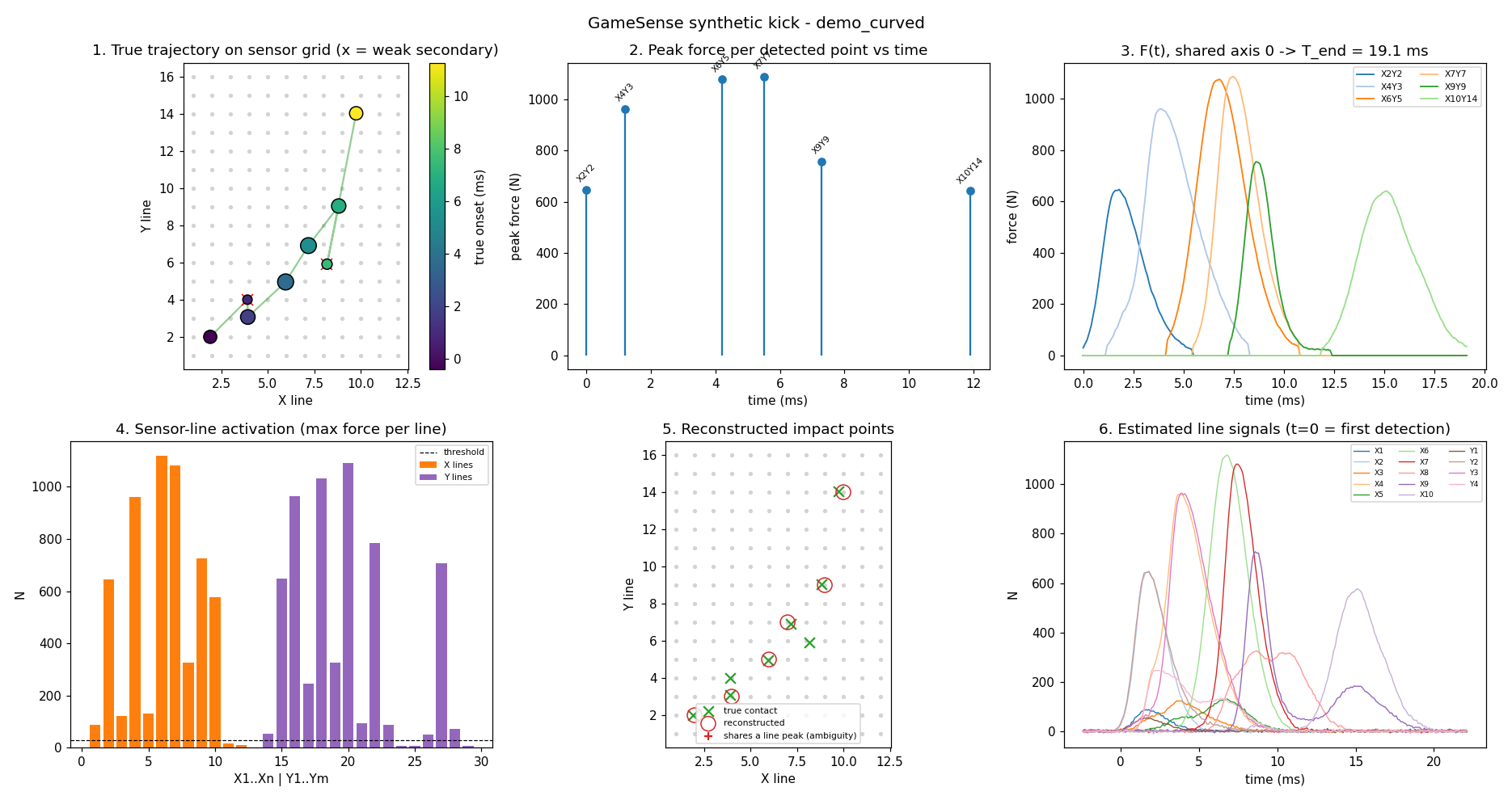
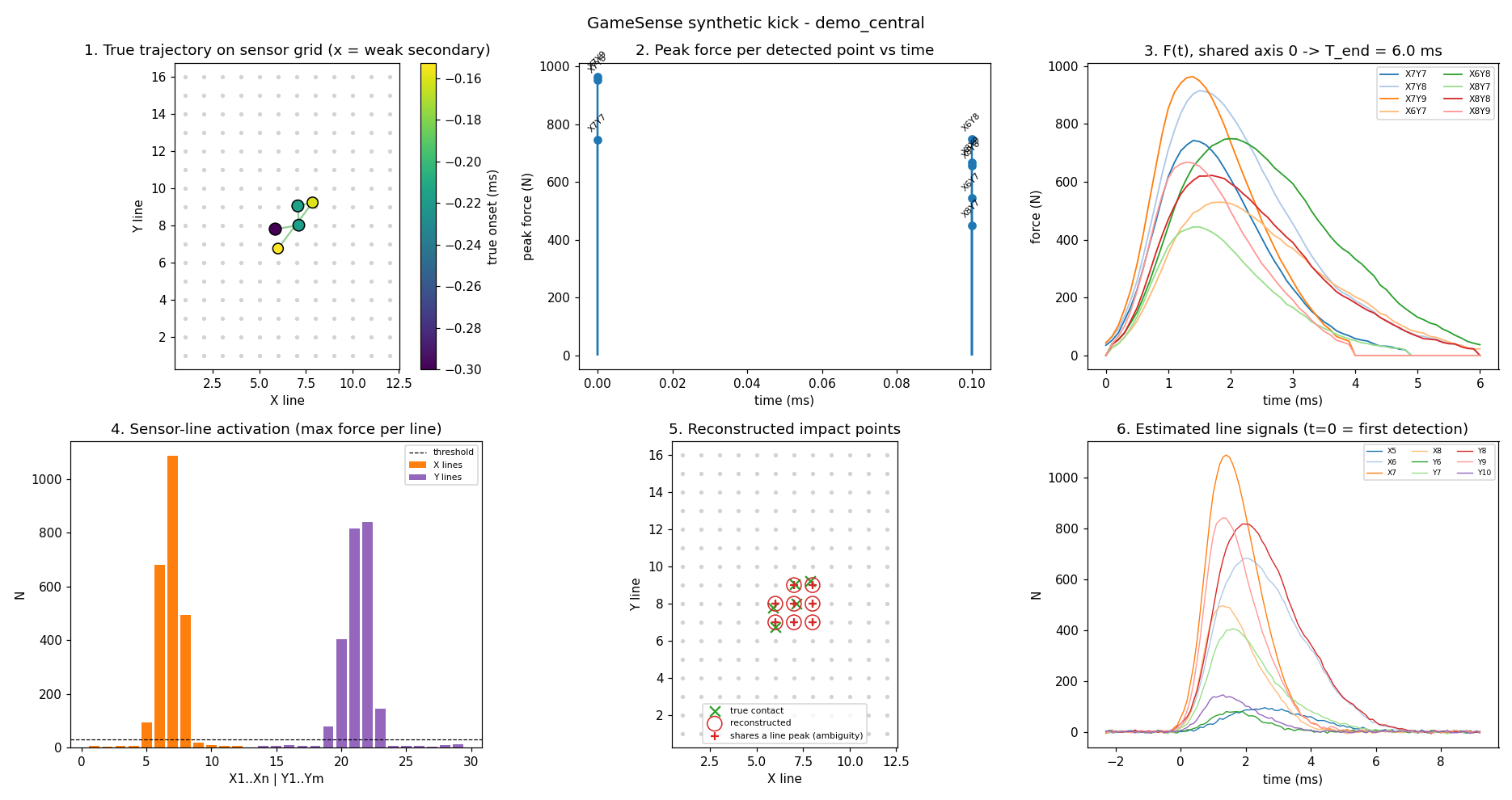
Simulated Kick Data Summary
-
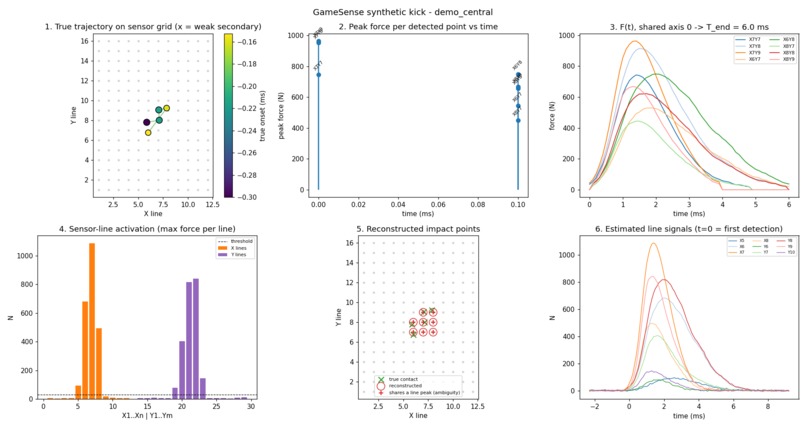
Simulated Kick Data Summary
-
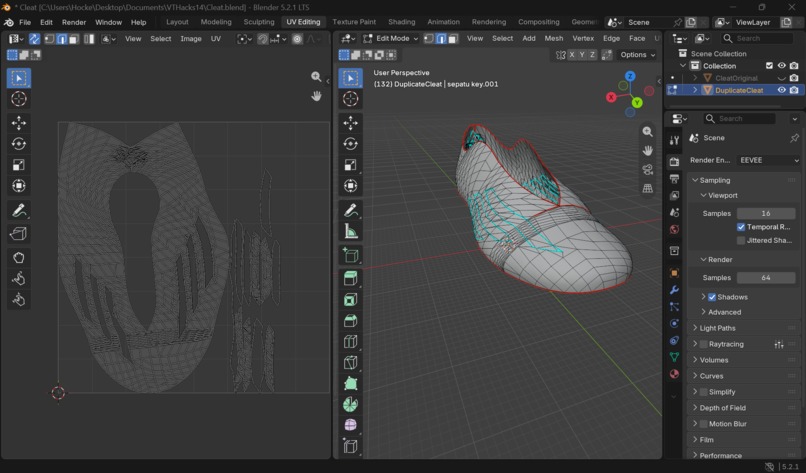
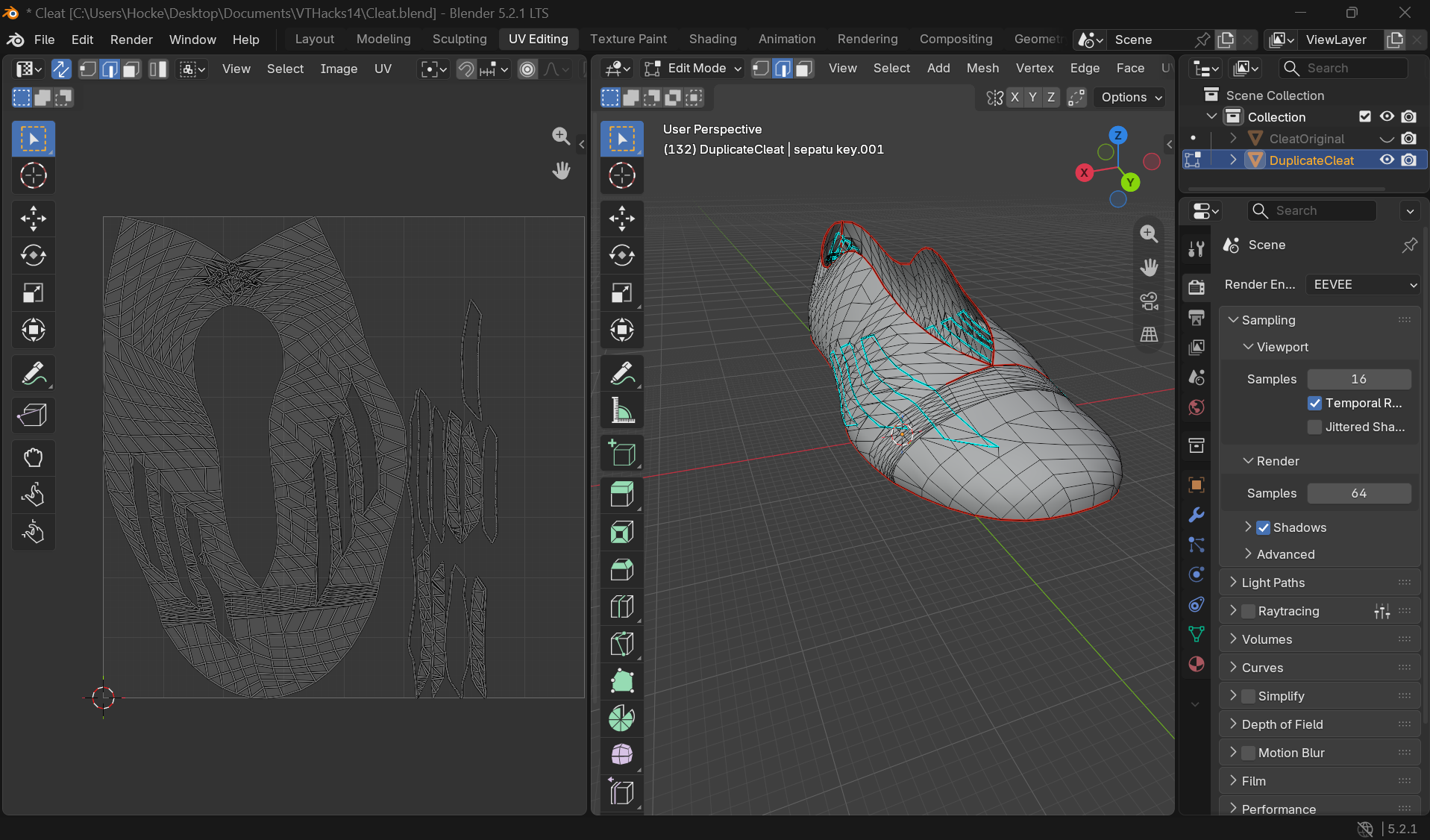
Blender unwrapping
-
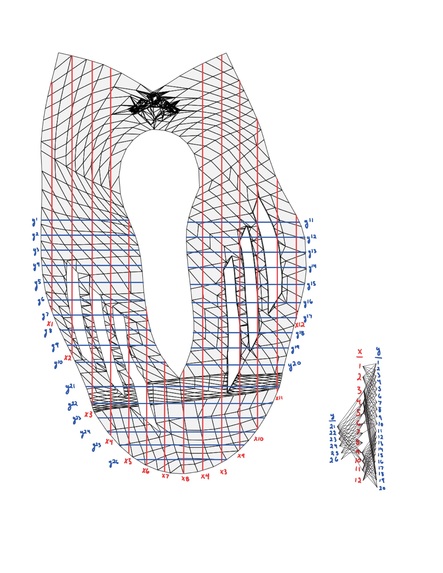
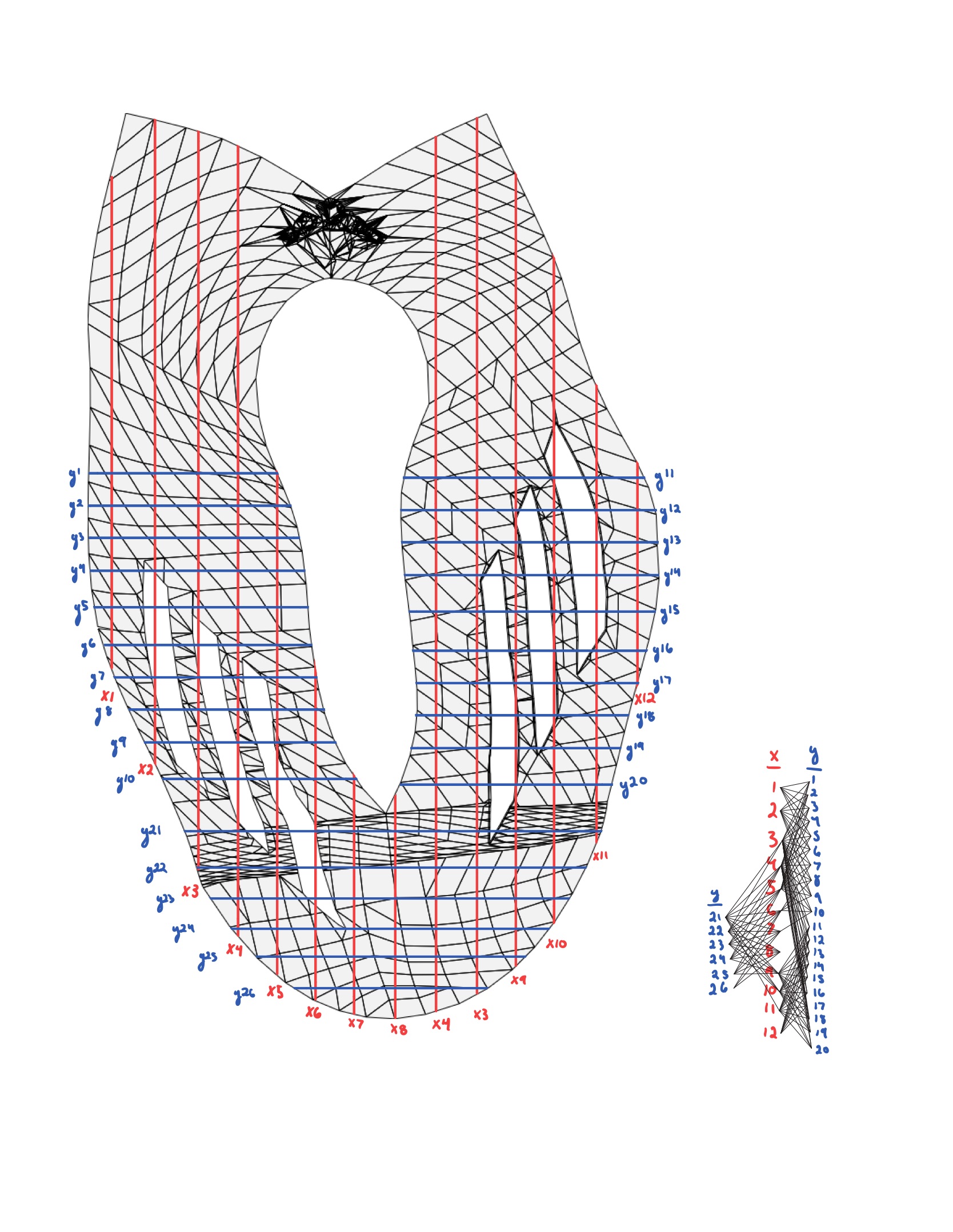
Wireframe Schematic of our piezo elements

Inspiration
Soccer is something that has been a monumental part of our whole lives. It has been something that has brought us closer with our friends, loved ones, and has given us some incredibly unique experiences. With the theme for this hackathon being the World Cup, it just felt right that our product should revolve around making the sport more accessible. We designed a product that allows the average soccer enjoyer to do just that.
What it does
A piezoelectric grid woven into the cleats activates a signal when struck. From the strength of the signal, you can interpret the force in newtons of the impact (from material properties and structure). This data is time tagged as the kick event happens and is able to generate a 3D point cloud of impact stress along the surface of the cleat. By interpreting this data we get information about how hard the user kicked the ball, where the ball was hit, any spin put on the ball, and the type of shot attempted. From there, we compare that data to professionals and score their attempt out of 100. Professional data was aquired from simulated "perfect" hits. Depending on how bad the user's attempt is, our app gives the user advice that it pulls from sports articles. We also built in some user engagement to keep our app feeling fun and competitive.
How we built it
Using open source models for the cleat geometry, we unwrapped the mesh part of the cleat into a flat surface, then we overlayed our piezo grid. By working in a square UV space for the piezo calculations, it simplifies the input signal drastically, while still being able to translate impact to physical geometry through a complex nonlinear mapping. This allows our piezo element placement to be optimized by compute in order to have a long lasting battery. We first created a python script that generated realistic simulated data for the perfect kick (with added noise and tunable parameters for contact force and curve characteristics). For the graphical interface we used Flutter, so a single Dart codebase runs on Android and iOS and still compiles to web, letting us iterate on the phone layout in Chrome without a Mac. One theme file generates both the light and dark themes. Turquoise for anything interactive, blue for secondary accents, and pitch green reserved for the football itself. Navigation is a custom floating pill holding Home, Activity, Training, Club and Profile, with a tinted circle that slides to the tapped icon, and swipes to move between tabs. We drew the pitch artwork and the opening animation on Flutter's own canvas rather than shipping image or video assets. The app also includes a 3D view of the cleat that maps where each sensor sits on the sole and plays back the force it registered during a selected shot, turning a recording into a visible impact pattern.
Challenges we ran into
Using Blender for the first time turned out to be way harder than we anticipated. We had hoped to use it to create a commercial and several animations for our app in high definition, but we ran out of time because the nonlinear mapping and meshing had many hiccups. So, instead we used HTML to pivot our animations to be mathematically driven and easier to control (at the sacrifice of realistic material finishes). Also, because the grid meshing would not cooperate, we had to draw visuals of the internal piezo structure by hand. Perhaps the most frustrating challenge of them all, however, was the prototype. We had thought it would take an hour or two at most to complete, but we ran into problems with our ESP32 not having bluetooth (we used UDP packets over Wifi instead), our ESP32 not having connections soldered on (we had to solder them ourselves), our piezoelectric readers not turning out to be piezoelectric but actually thin film variable resistance pressure sensors (changing up our wiring entirely), not having the proper cables, and many other things. But, despite all of those setbacks we were able to present a working prototype.
Accomplishments that we're proud of
We are all extremely proud of getting a full prototype and app working in its entirely while also having appealing UI especially because many of us have never built an app before or worked with physical hardware. Even with the limited supply of physical components and many setbacks in time, we still were able to deliver an appealing product.
What we learned
We learned that hardware rarely goes as planned, no matter how you feel walking in. What we assumed were piezoelectric sensors turned out to be a completely different technology, forcing a full redesign of our circuit, new soldering, and last minute part sourcing. Between an ESP32 missing bluetooth entirely and headers we had to solder on ourselves, it taught us to verify every assumption firsthand rather than trust a first impression and to treat a pivot as just another step rather than a problem. This was the same instinct that carried us through swapping Blender for mathematically driven HTML animations when the mesh work stalled.
What's next for GameSense
Since our prototype just relied on over the counter Force Sensor Resistors and circuitry, we can drastically shrink it down by making our own. We hope to standardize a cleat made entirely by us for full control of materials. The sensors can be made smaller (2mm diameter) and woven into the polyester/nylon mesh of a soccer cleat. Additionally, the circuitry can be placed inside the sole of the cleat using advanced 3D printing and conductive resin printing. This would allow our formfactor to be much more compact and mass manufacturable. We also hope to expand our predictive behavior by including a machine learning model or artificial intelligence to give the user direct tips on biomechanical position and impact location.


Log in or sign up for Devpost to join the conversation.