-
-
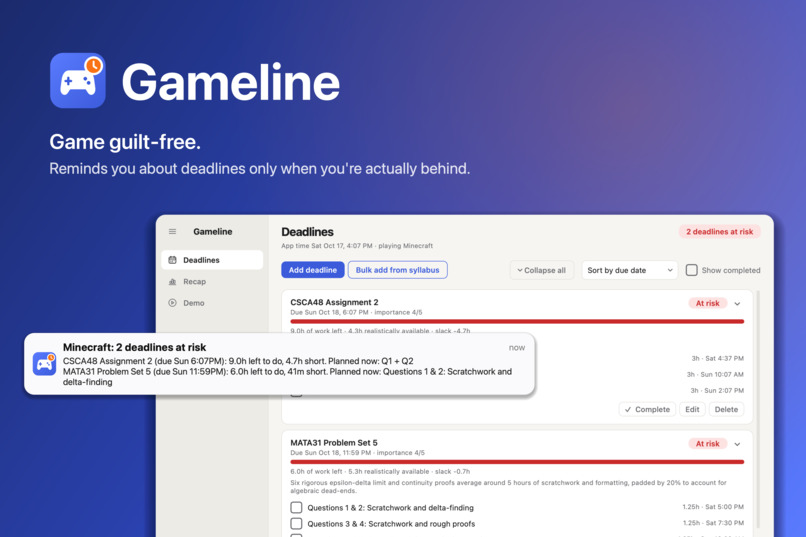
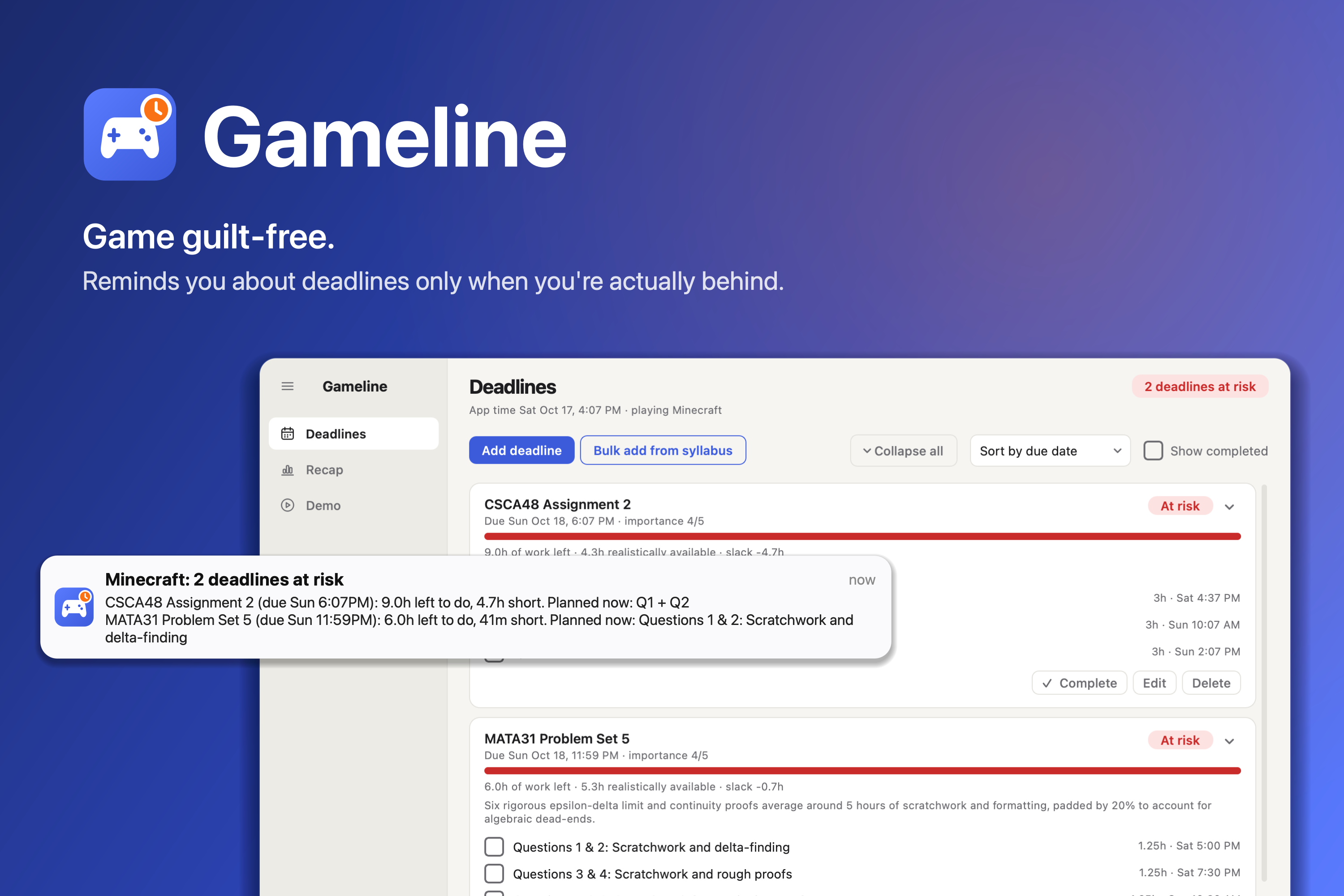
Gameline: game responsibly and guilt-free.
-
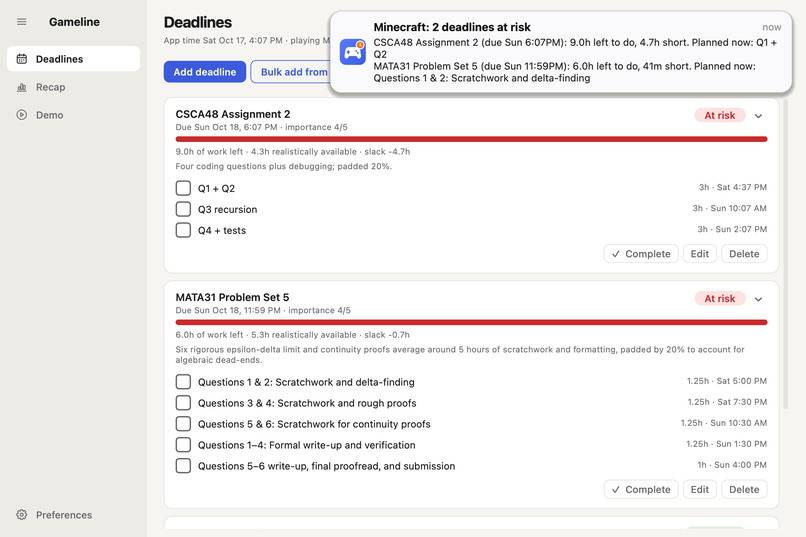
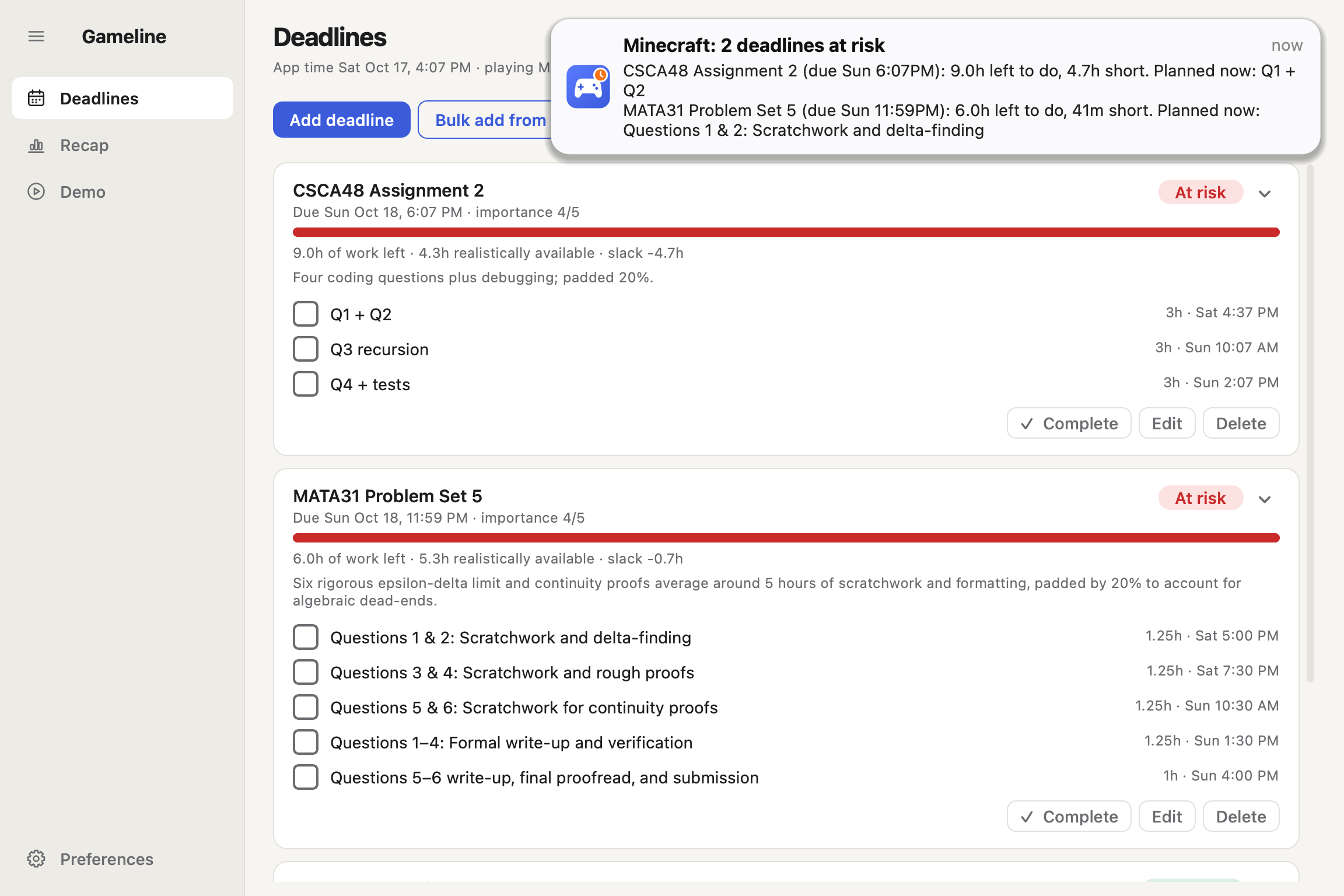
Reminders: Gameline will remind you if you're falling behind schedule and you boot up a game.
-
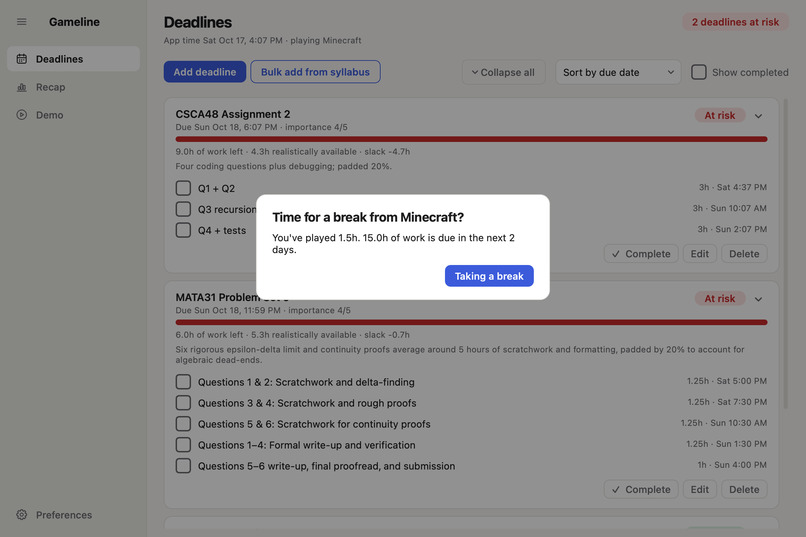
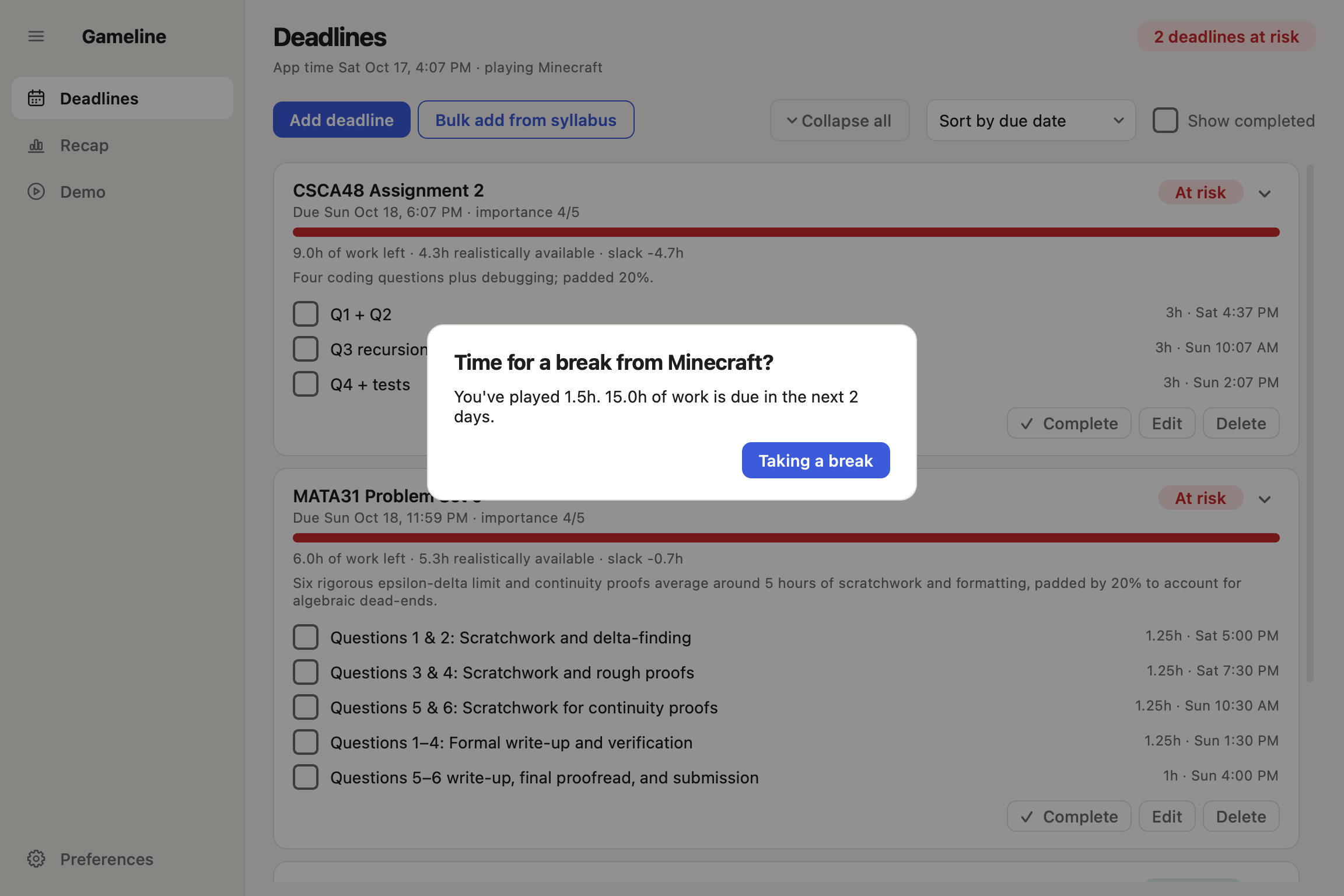
Notifications: go over your playtime and Gameline will prompt you for a break.
-
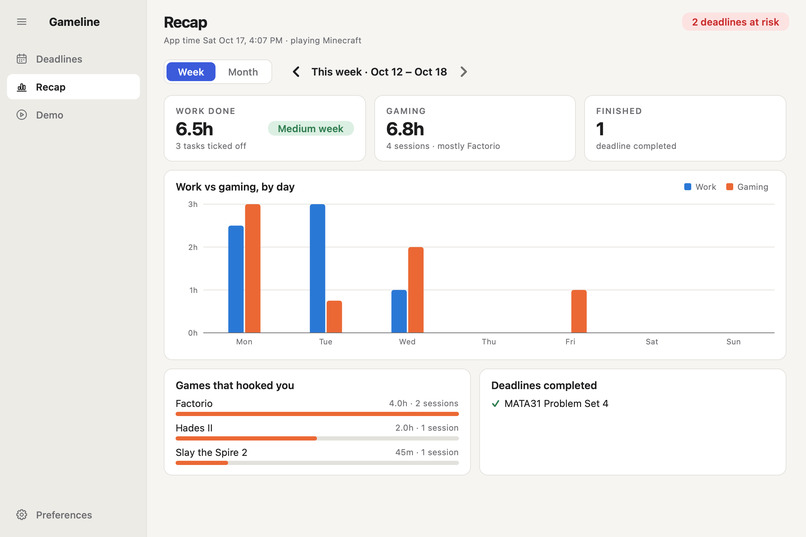
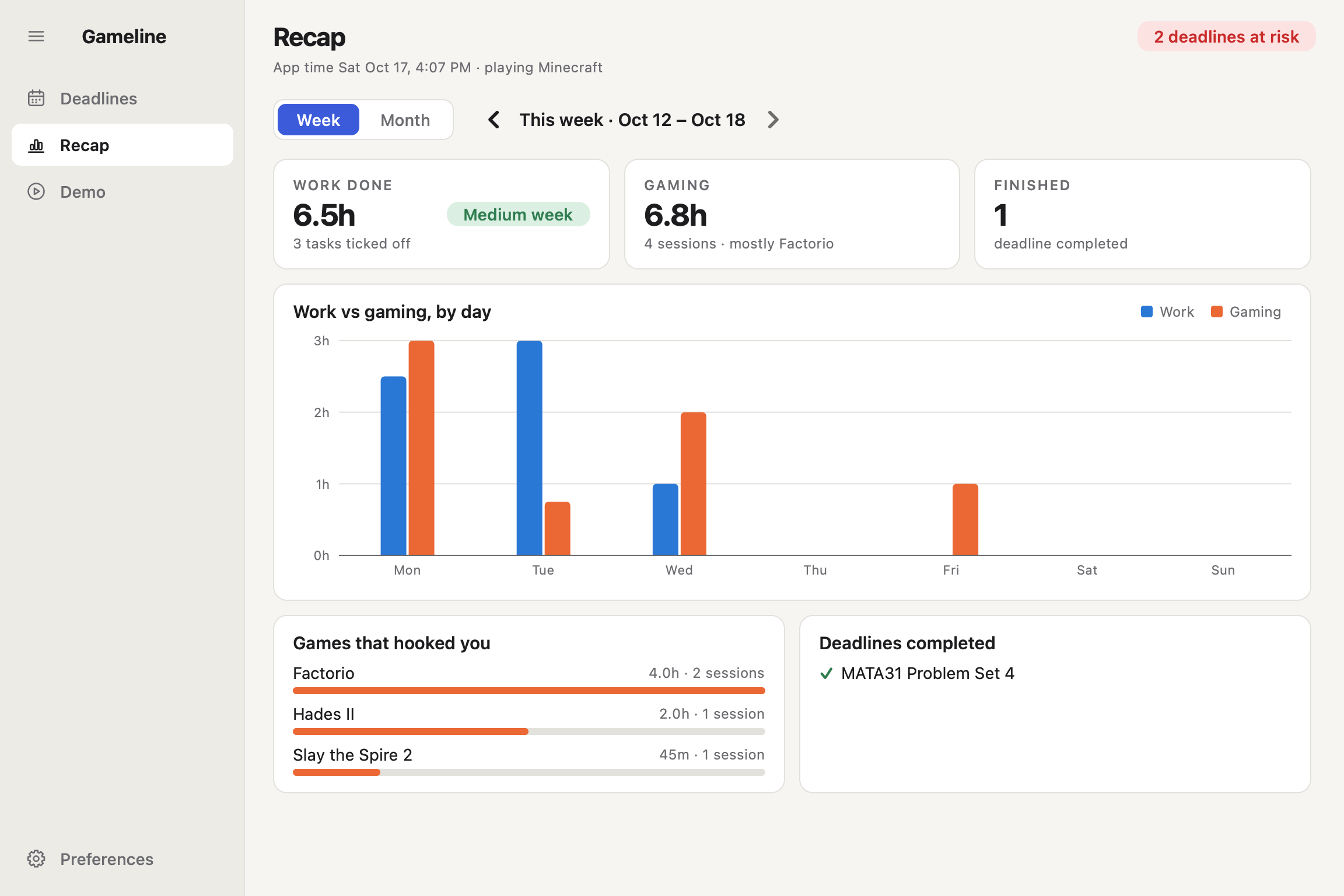
Recap: see what you got finished and how long you played!
-
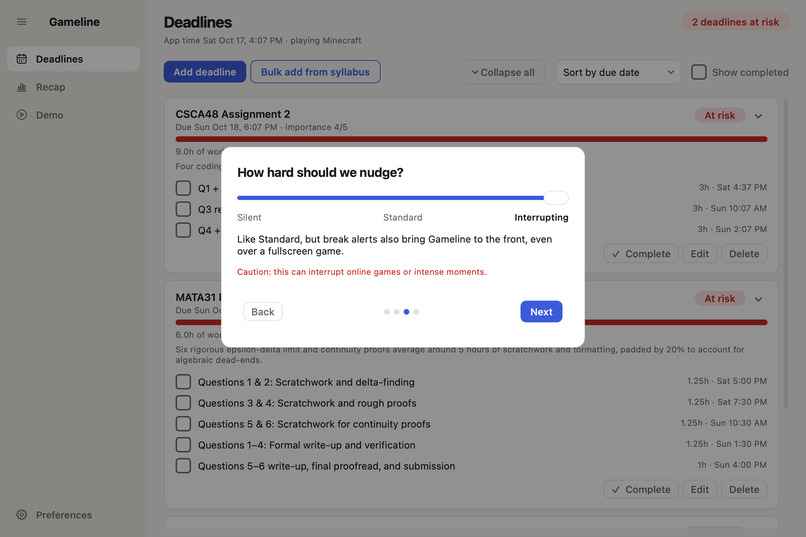
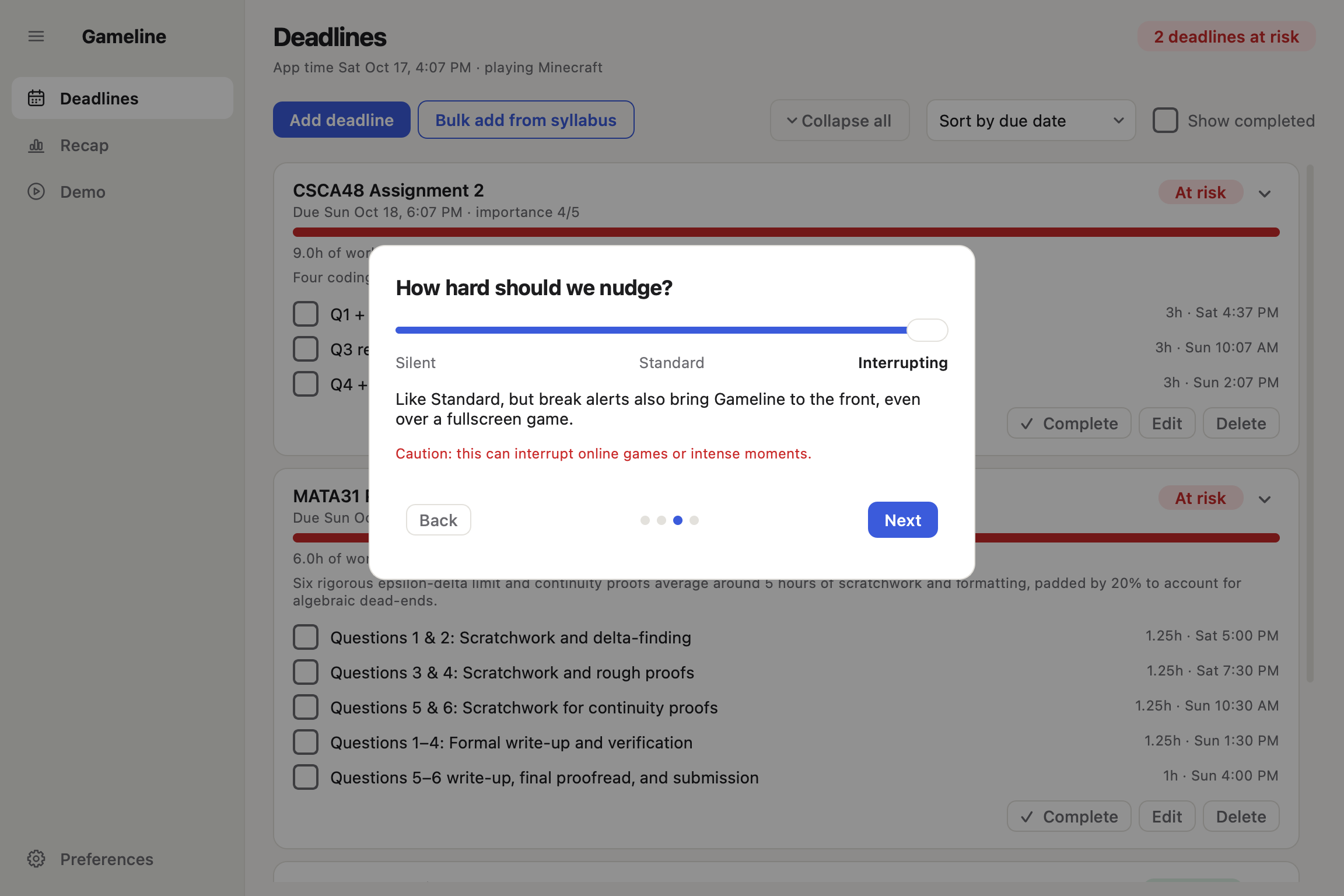
Settings: you know yourself best; control how you want to be notified.
Gameline
Gameline is an AI-powered deadline tracker that focuses on students who have a little too much fun playing games. Built at Hack the Valley 11; check it out on GitHub!
Inspiration/Motivation
Time flies when you're having fun. Gameline addresses a problem that I, a student who loves video games, grapple with throughout the school season. Having missed a deadline before because I simply forgot about it (Deadlock just gets too fun), I sometimes dread that I'm forgetting a deadline or that my game time is eating into my schedule.
Gameline aims to give users a peace of mind: enjoy your games without having to worry that you're falling behind, while nudging you if you do forget.
What it does
Deadlines
Gameline operates off of deadlines: feed it a title, details about the assignment/project (more detail, the better!), and it'll use AI to plan out tasks, allocating time so that it can get finished in a timely manner.
This can also be done in bulk! You can upload a syllabus, given it contains deadlines. Gameline excels at translating it into plans with great details and schedules.
Notifications
Gameline will track if you're behind schedule and mark a deadline as "at risk" if so. Launching a game or playing beyond a set limit will push a notification or (if set by the user) interrupt the game to remind you of your playtime.
Tracking & Recaps
Data and metrics of your game time v. work time can be viewed in the recap menu on a monthly or weekly basis. This also tracks what games you played, so you can see what's sucking you in during those periods.
How I built it
This utilized Python to run the application, with Gemini and Claude serving as the AI implementations. Developers can use a Claude subscription for an AI estimation, rather than using API credits from either organization (Claude Code must be installed; see GitHub for more details).
A background thread is used to check for any processes that run from either Steam or Epic's game libraries or for any tagged games that don't run in either (user-defined). This runs every 3 seconds.
- If a game appears, a notification will be pushed if 1+ deadlines are flagged as behind schedule
- If a game disappears, the session time will be saved for Recap if playtime > 1min.
AI Disclaimer
A significant portion of this application was developed using Claude Opus 5.5. A majority of my input consisted of UI/UX and debugging, while also sketching out (mentally) how the application should function/interact with the user; Claude handled most of the coding and implementations.
Challenges we ran into
- macOS kept hiding my notifications. Banners vanished when Gameline's own window was in front, because macOS silences the frontmost app unless it opts in. Getting reminders through Gaming Focus took a custom notification delegate and testing on a real game.
- Telling a game apart from everything else. I wanted Steam's
registry.vdfto say which game is running, but on macOS it never does (I checked with Slay the Spire 2 open). Gameline recognises Steam and Epic games by where they're installed instead. Even the demo needed a workaround: macOS names every Python script "Python", so the stand-in game is a tiny compiled program. - Making a Qt app feel native. Every task tick or view change redrew the whole list, so the screen flashed. Fixing that meant updating cards in place, pausing painting while things move, and working around macOS quirks, like a timer that waited for the next mouse click and made pages need a double-click.
- Time is harder than it looks. The app clock used a counter that stops while the laptop sleeps, so closing the lid left Gameline minutes behind. Demo mode also speeds time up, so the clock had to handle both.
- Packaging. The first
Gameline.appwas 1.3 GB because the Qt library ships every module it has; trimming the unused ones brought it to about 300 MB. macOS 26 also put my icon in "icon jail" until I built it with Apple's own icon tools, and keeping the app in Documents triggered privacy prompts, so it now installs to Applications. - Doing AI responsibly. Using my Claude subscription was handy for development, but apps handed to other people shouldn't offer a subscription login. That option is now developer-only, and everyone else pastes their own Gemini or Claude API key.
Accomplishments that we're proud of
- AI only where it helps: The AI only estimates effort and plans work blocks, once per deadline. Whether you're actually behind is simple, predictable math, so Gameline stays quiet when you're on track and never feels like a chatbot.
- If AI was hidden and omitted from all traces of the front end, it would seem like magic math 8 years ago.
- The syllabus reader: Drop in a course outline PDF and Gameline proposes every graded deadline, flags ones you already have or that have passed, and lets you tick what to add. It worked on my real syllabi, even with very little detail.
- However, I wouldn't let this be a sole set & forget. Always read your syllabi so you know IF something is missing!
- A real desktop app: A native window and menu bar icon, onboarding, Recap charts, notification levels from silent to interrupting, and a one-click
.dmganyone can install, with no Python or setup needed. - Built to grow: Game detection and AI are both plug-ins: one interface for detectors and one for AI providers. Swapping in Gemini was a single new file, and Windows support means adding detectors without touching the rest.
What we learned
- How desktop apps really work underneath: Qt's event loop, keeping slow work (AI calls, game polling) off the UI thread, and why a list "flashes."
- OS Considerations: notification rules in Focus modes, privacy prompts for protected folders, sleep, and how app icons are drawn. I expect new challenges to arise when I focus on Windows development at home.
- That the best use of AI here was narrow. Estimating a messy assignment is a great AI job; deciding whether to interrupt someone's game should be explainable rules.
- More insights in how to work with an AI programmer: I dictate product decisions, handle UX, and test on my own machine, while it handles implementation.
What's next for Gameline
- Windows and Linux detectors: Steam's
RunningAppIDregistry key and Epic's install manifests on Windows, then Linux (maybe once I get it running on my spare laptop). - Signed and notarized builds, so macOS opens Gameline without the "Open Anyway" step, plus Intel Mac support.
- Calendar and LMS sync (Google Calendar, Quercus/Canvas), so deadlines arrive automatically and populate beyond Gameline.
- Smarter nudges: suggesting a work block right when a session ends, and learning how long your tasks really take compared with the AI's estimates.
- Perhaps a feedback and adjustment survey, where the AI estimates can get adjusted depending on how accurate its times are.

Log in or sign up for Devpost to join the conversation.