-
-
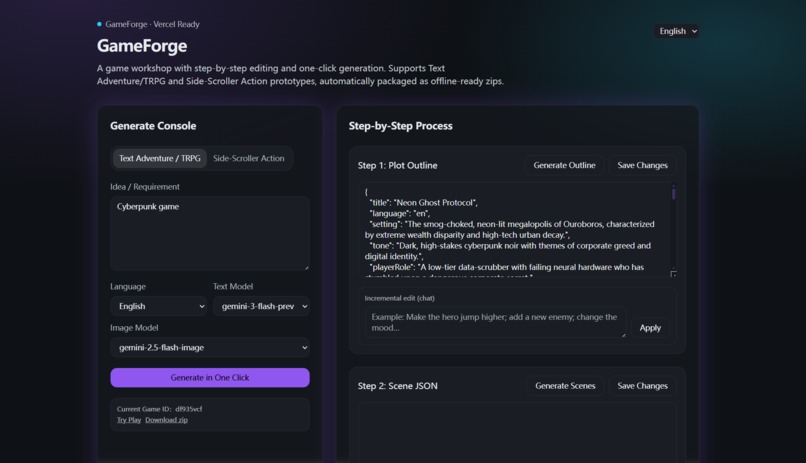
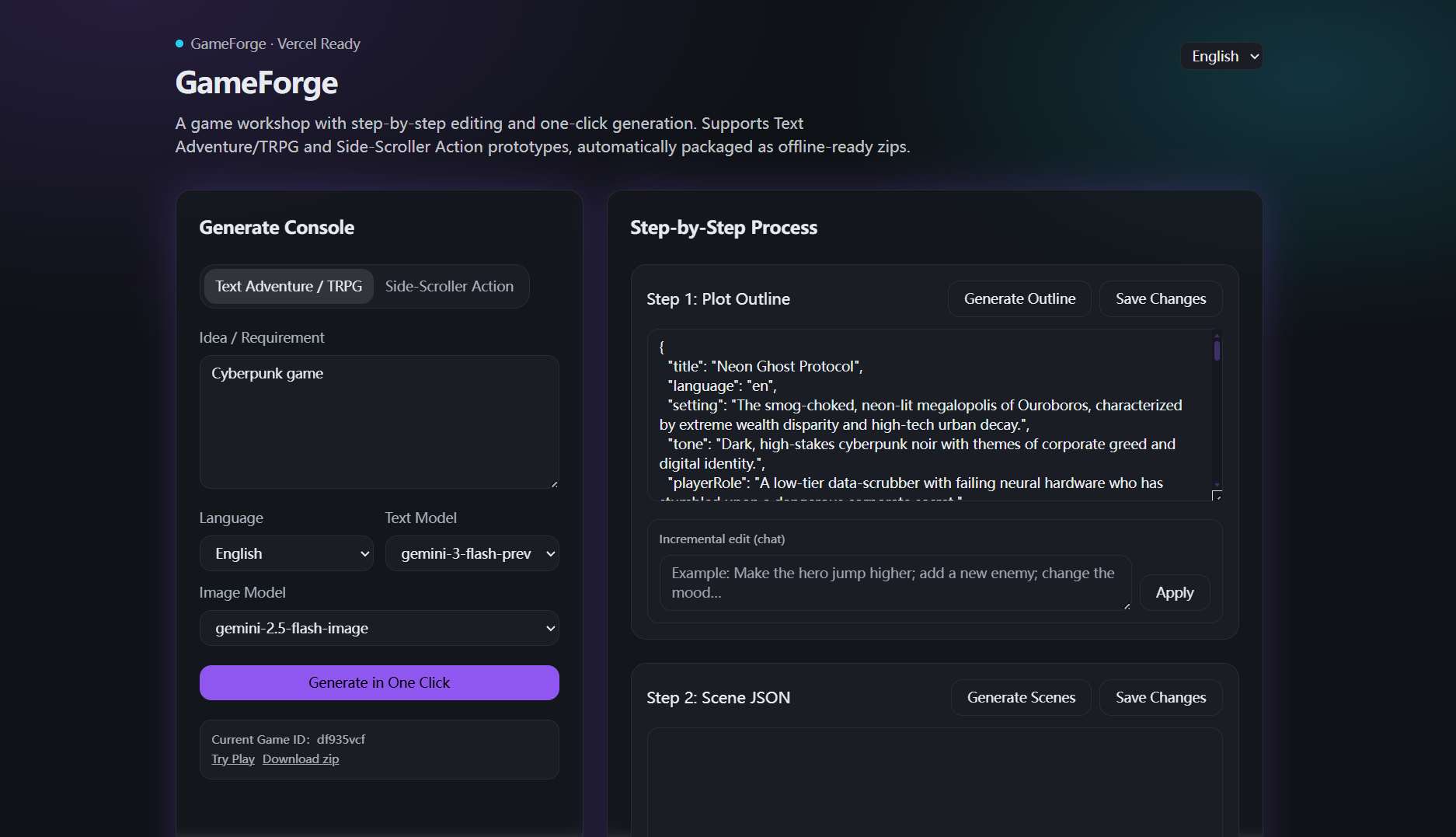
Step 1: Plot Outline (Text Adventure / TRPG Game)
-
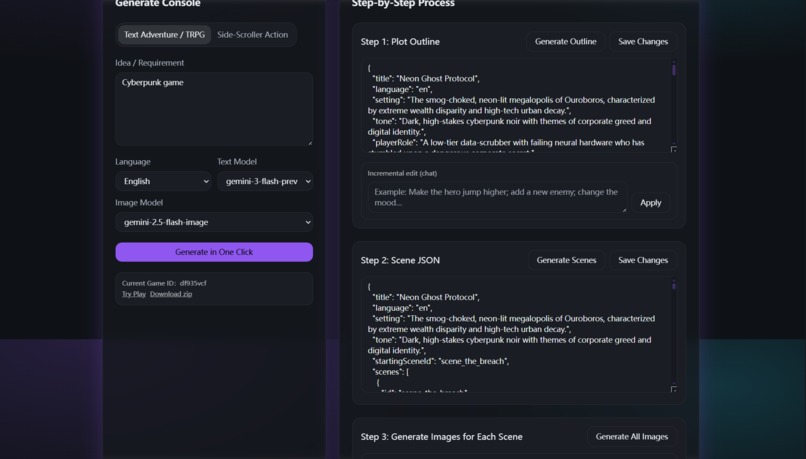
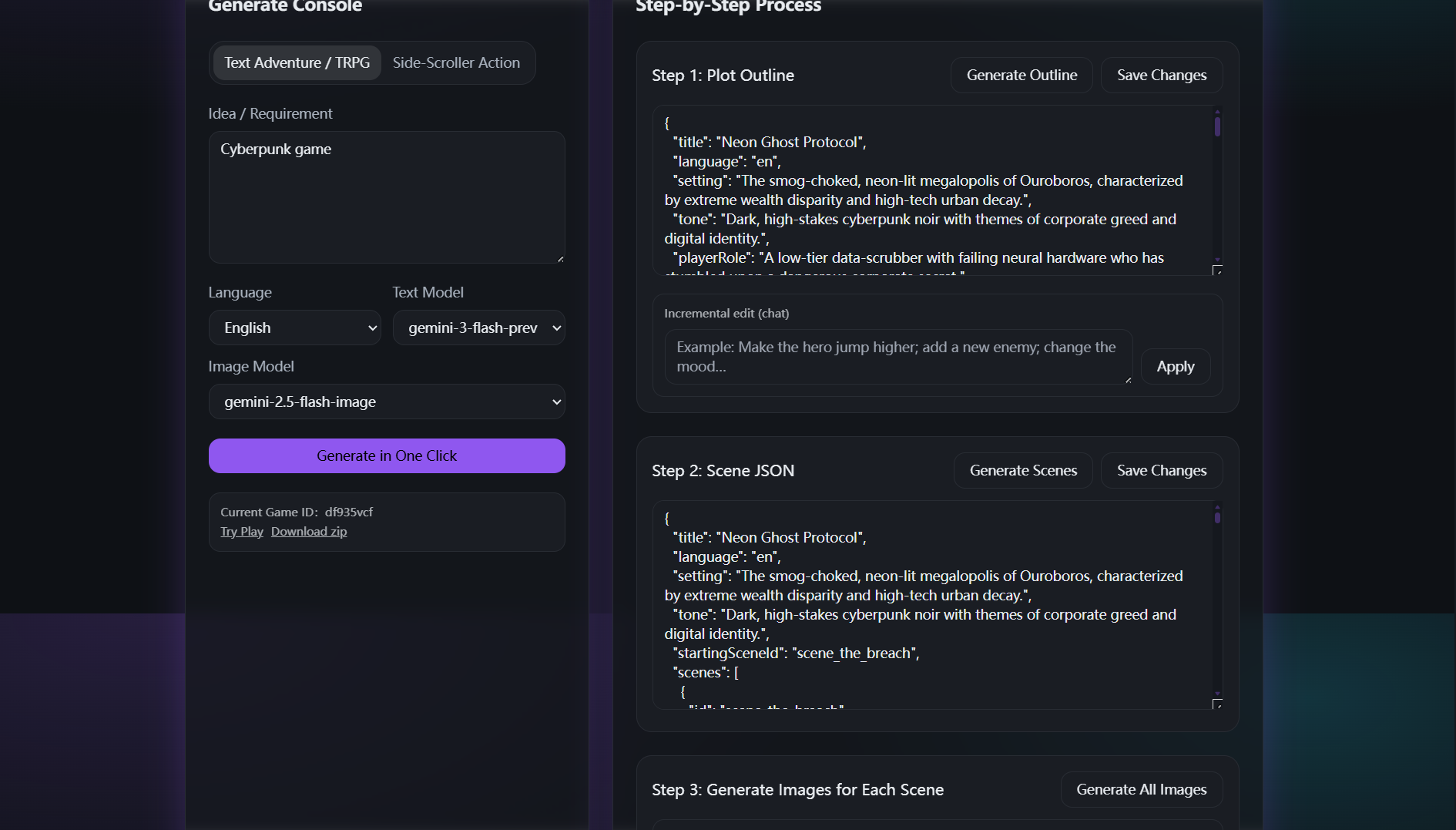
Step 2: Scene JSON (Text Adventure / TRPG Game)
-
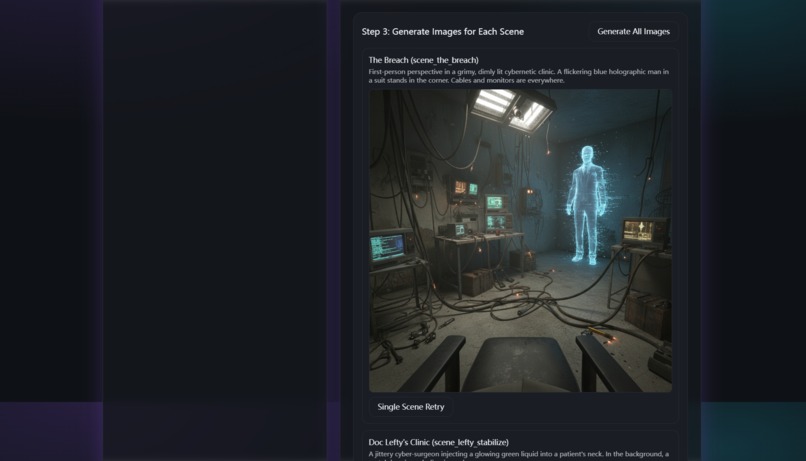
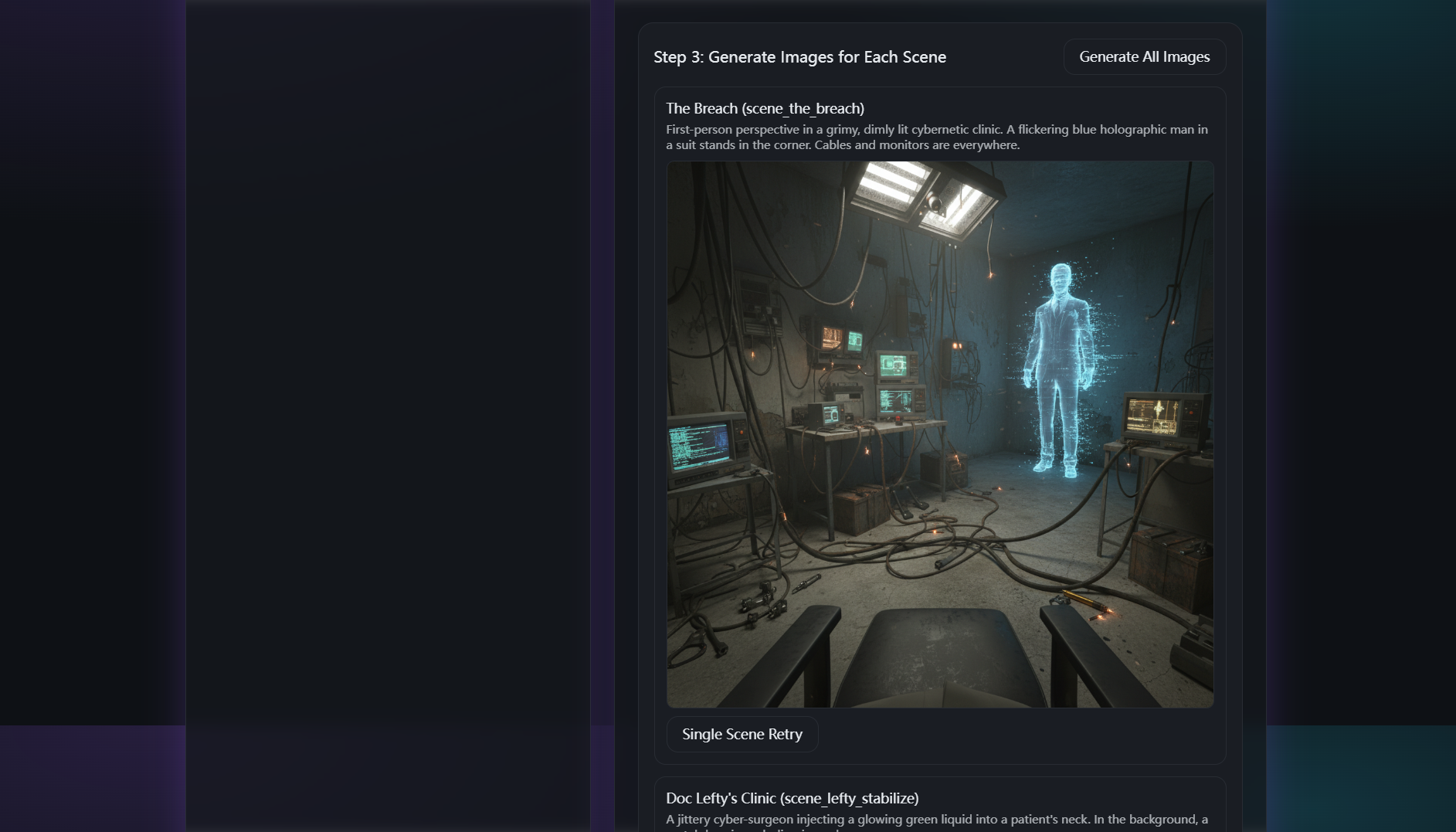
Step 3: Generate Images for Each Scene (Text Adventure / TRPG Game)
-
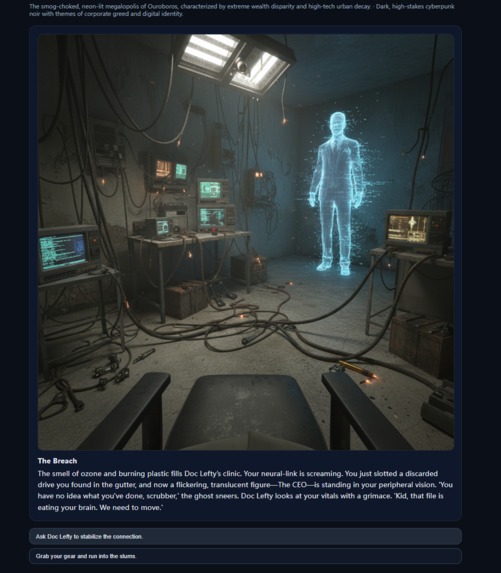
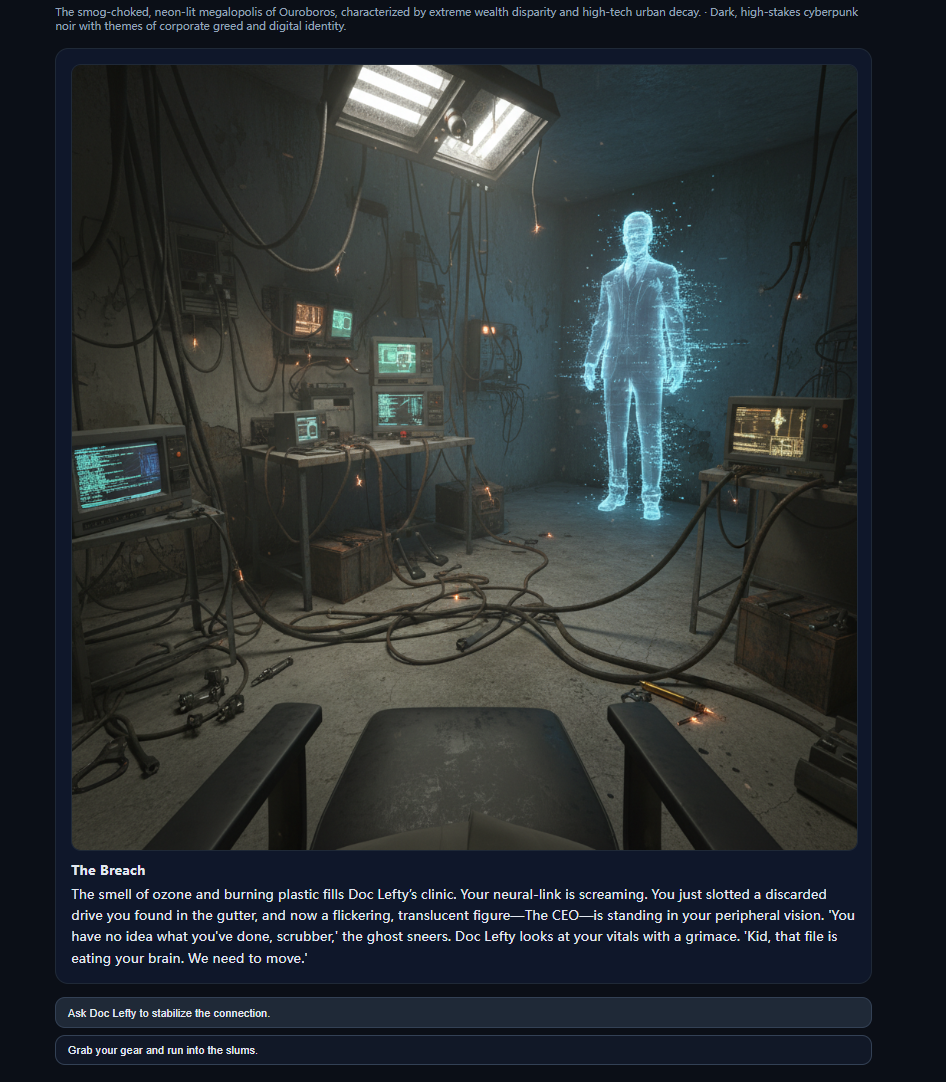
Step 4: Play!
-
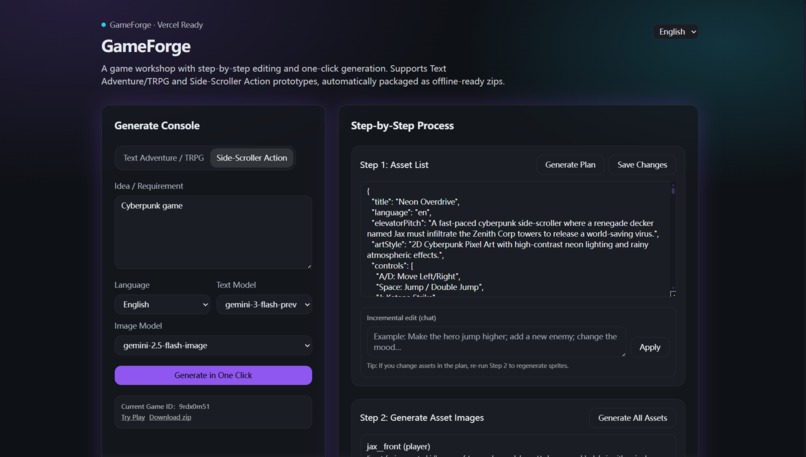
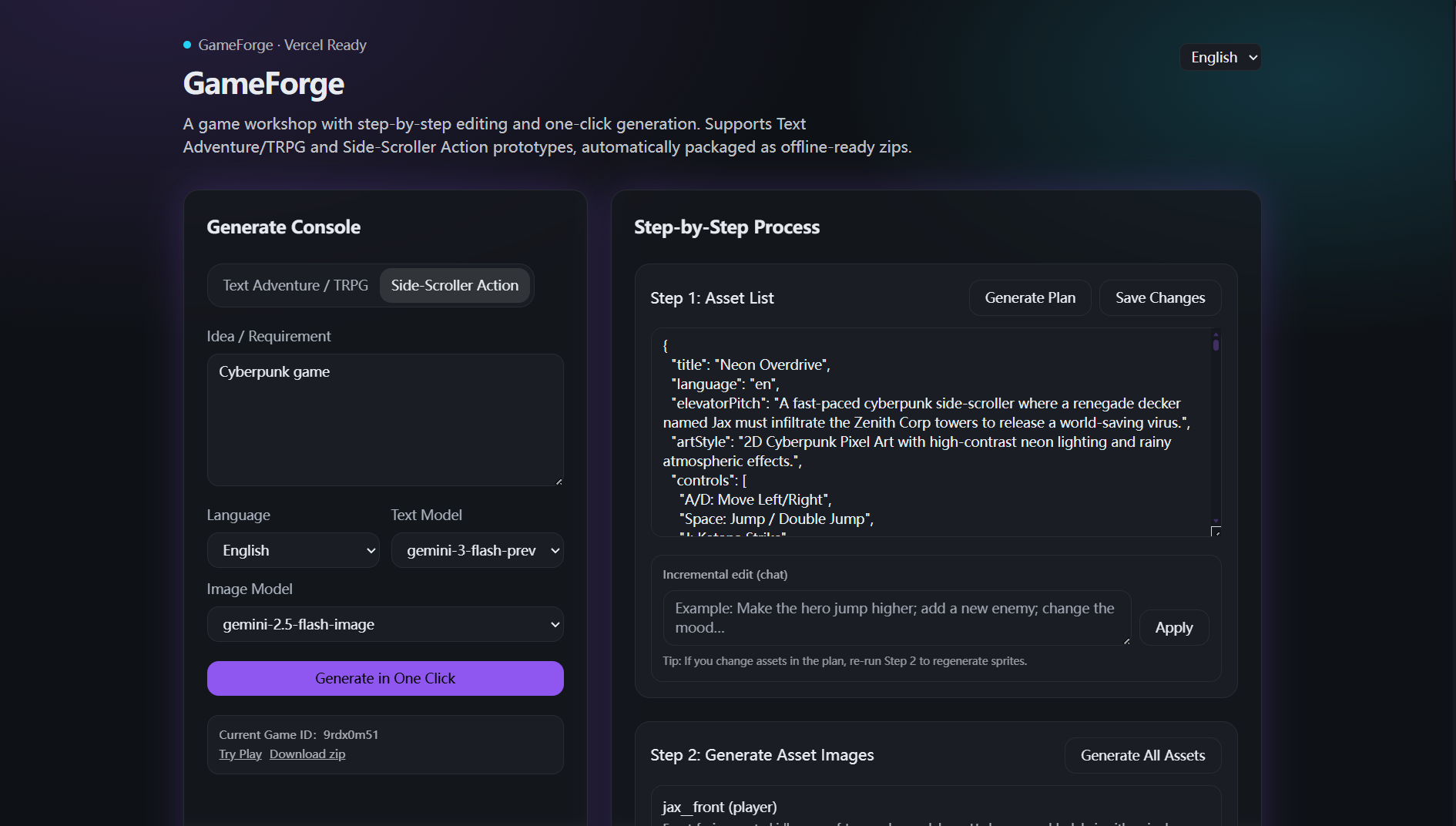
Step 1: Asset List (Side-Scroller Action Game)
-
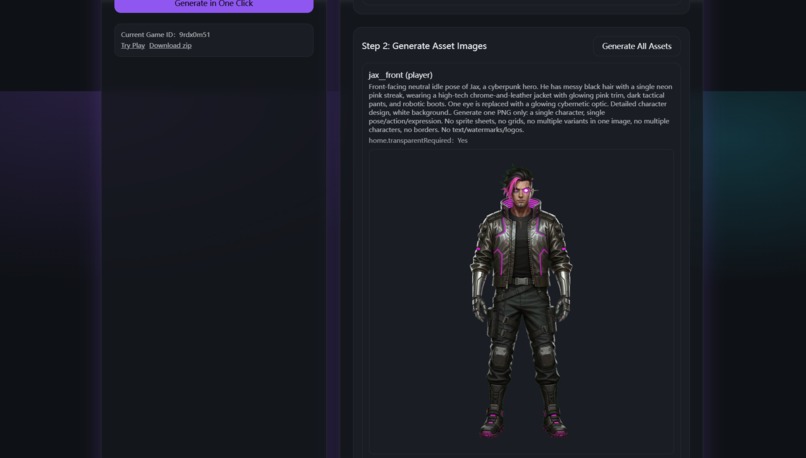
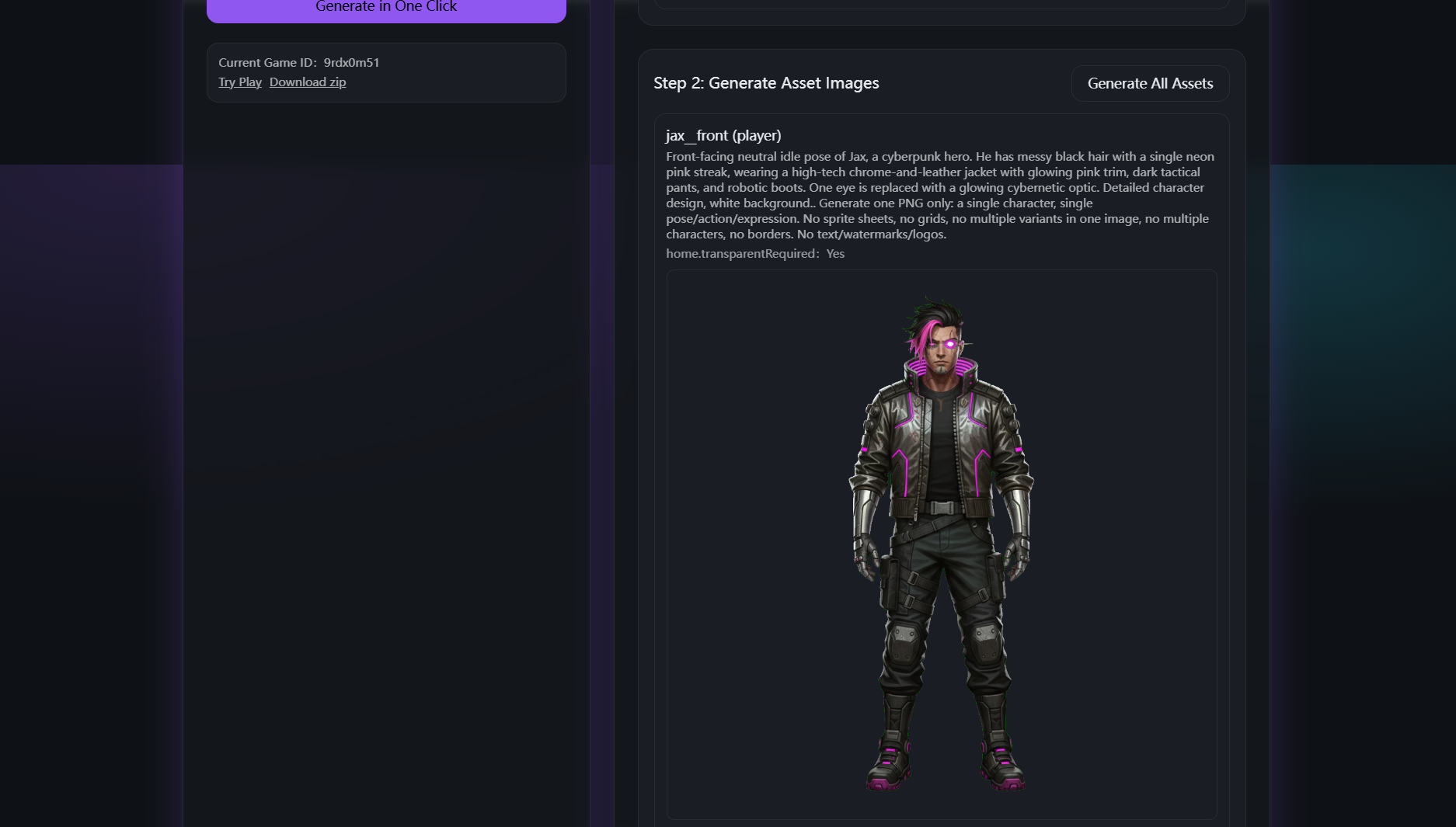
Step 2: Generate Asset Images (Side-Scroller Action Game)
-
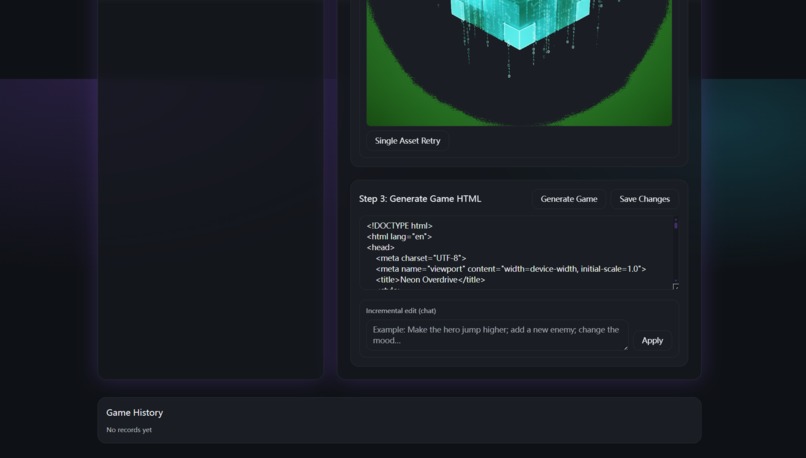
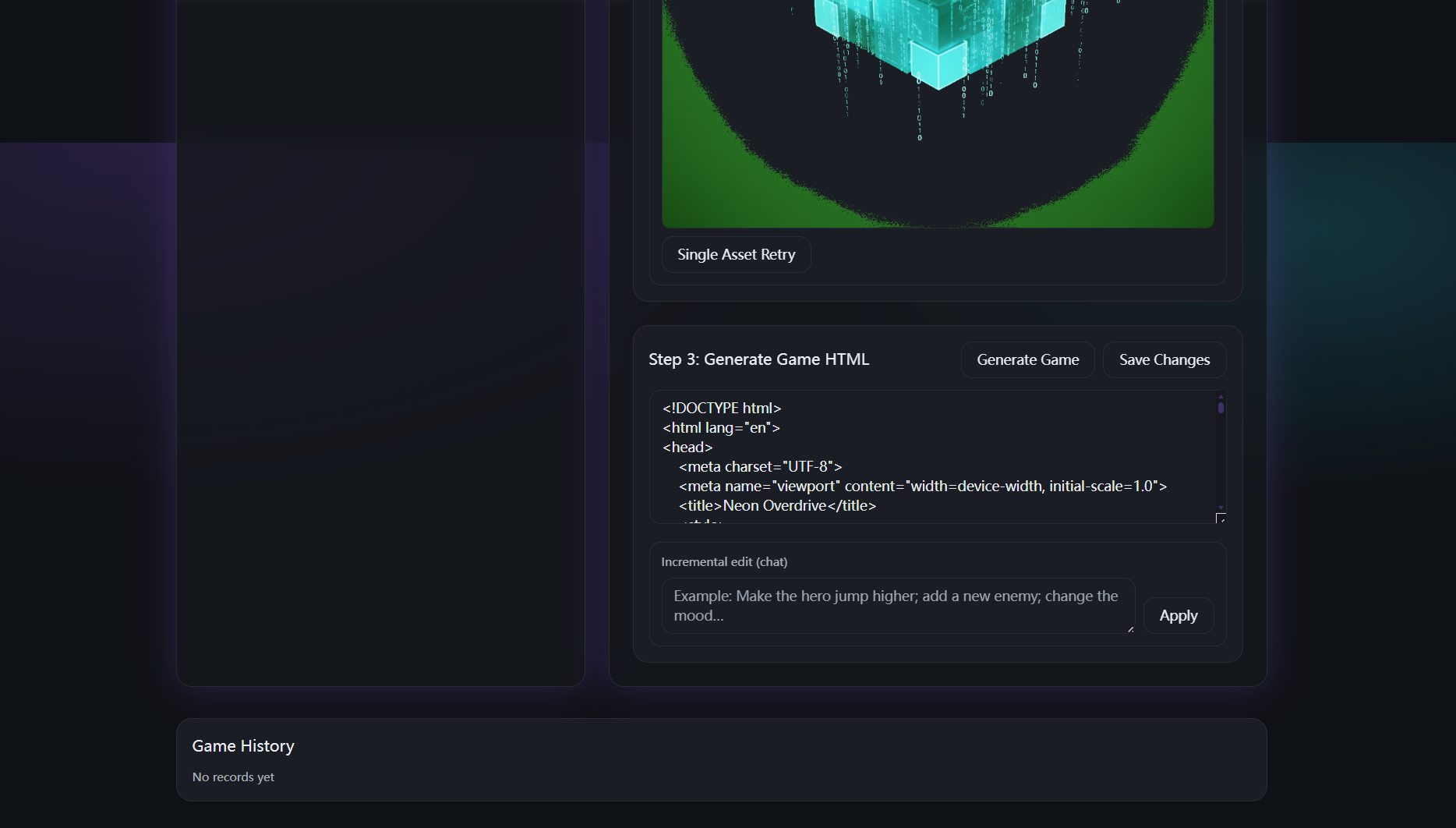
Step 3: Generate Game HTML (Side-Scroller Action Game)
-
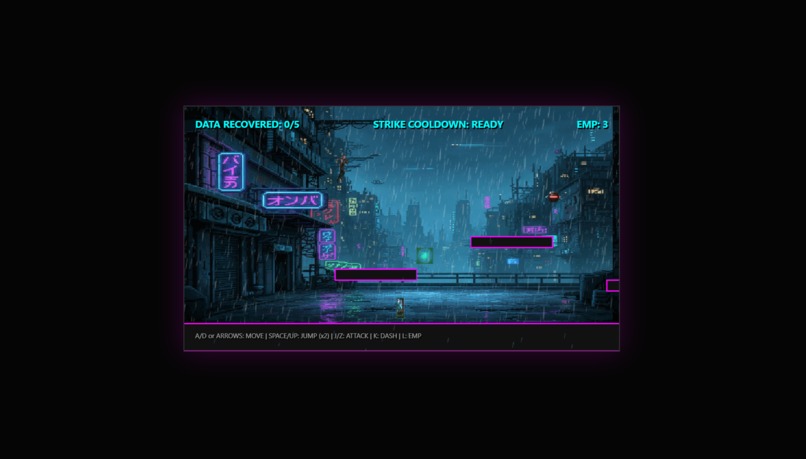
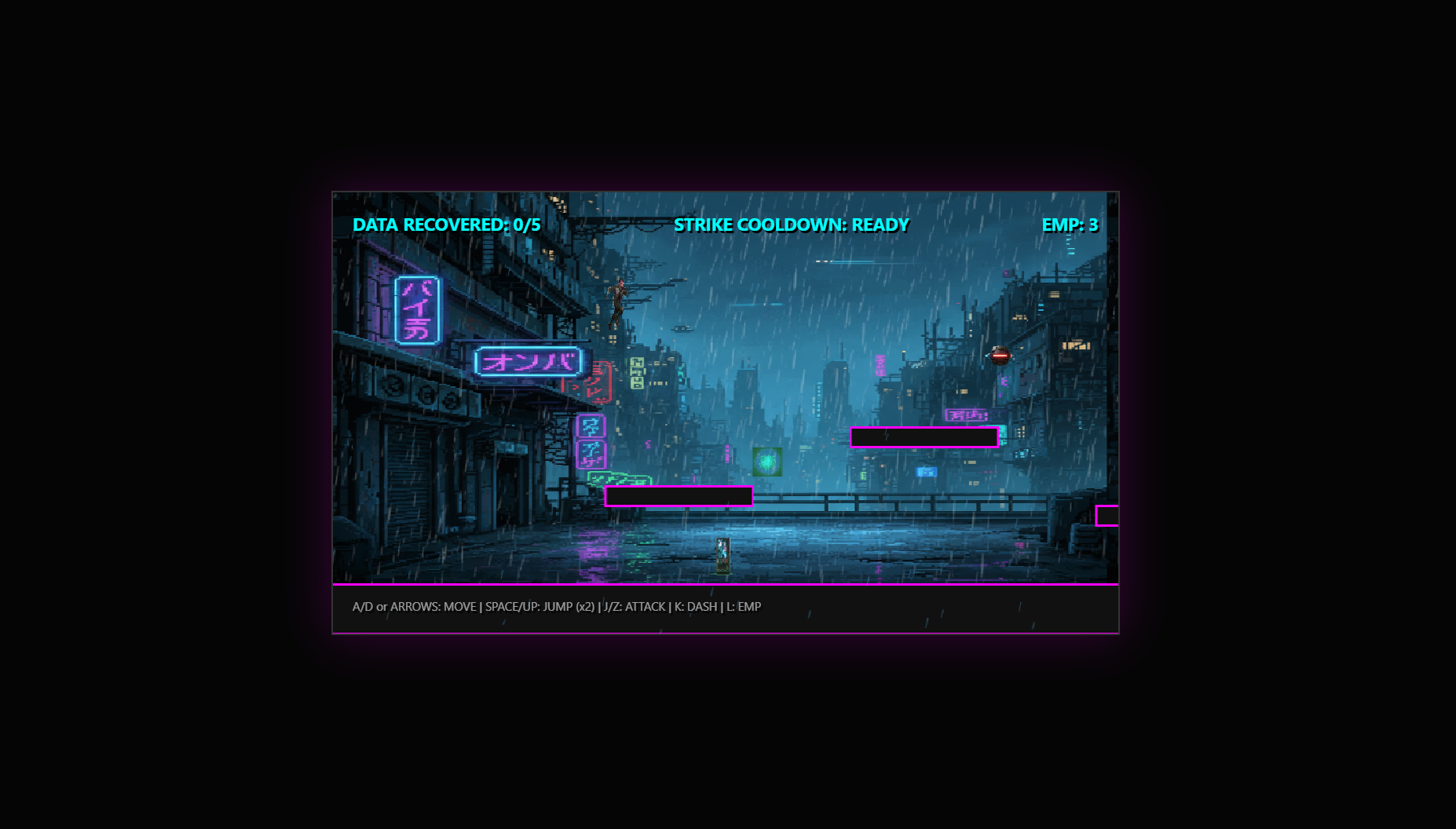
Step 4: Play!
GameForge
Anyone can generate their own game in five minutes.
A generative game workshop built with the Google Gemini 3 API.
Live demo: https://game-forge-qyijkafnq-karl-xzs-projects.vercel.app/en
3-minute video: https://www.youtube.com/watch?v=aeXrNsM2Txk
Inspiration
Making a tiny game should feel like sketching an idea on a napkin.
But even “small” games come with a surprising amount of overhead: outlining a story, splitting it into scenes, writing branching choices, deciding what assets you need, generating sprites, cleaning backgrounds, wiring everything into code, packaging a build, and then doing it all again after one tweak.
That’s the gap GameForge tries to close.
GameForge is built for creators who want to move fast: students doing class projects, writers prototyping interactive fiction, designers validating concepts, or anyone who just wants to play something they imagined without spending a weekend fighting tools. The goal is simple: type an idea, and five minutes later you’re clicking “Play.”
What it does
GameForge turns a short prompt into a playable game you can run in the browser and export as a zip (offline, no login required).
It supports two game types:
1) Text Adventure / TRPG
- Generates a Plot Outline (JSON) you can edit
- Expands it into Scene JSON with branching choices
- Generates one image per scene
- Produces a playable build + zip download
2) Side-Scroller Action
- Generates an Asset List (JSON) (characters, enemies, tiles, UI, props)
- Generates asset images (sprites + backgrounds)
- Automatically removes green-screen backgrounds for transparent PNGs
- Generates runnable game code + playable build + zip download
In both modes, you can run one-click end-to-end, or go step-by-step and edit the JSON at each stage.
How to use
Online (recommended for judges)
- Open the live demo link
- Pick a mode: Text Adventure / TRPG or Side-Scroller Action
- Enter an idea, choose language + models
- Click One-Click Generate (or run step-by-step)
- Play in the browser or Export zip
Local development
Prerequisites
- Node.js 18+
Install
npm install
Configure environment variables
Create .env.local:
GEMINI_API_KEY=YOUR_KEY_HERE

# Optional defaults
GEMINI_TEXT_MODEL=gemini-3-flash-preview
GEMINI_IMAGE_MODEL=gemini-3-pro-image-preview
Run
npm run dev
Gemini 3 Integration
GameForge uses Gemini 3 as more than a “prompt in, text out” layer. It’s the coordinator that keeps the pipeline coherent from idea → assets → code.
Structured generation (JSON-first)
Gemini 3 generates structured JSON for:
- plot outlines (TRPG)
- scene graphs and branching choices
- asset manifests (side-scroller)
We validate and reuse these structures across steps, so users can edit outputs directly without breaking the pipeline.
Multimodal asset creation (text-to-image + image-to-image)
Sprites aren’t useful if a character looks different in every pose.
To keep characters consistent, GameForge first generates a single front reference sprite (a “base identity” image). Then it uses image-to-image to create action/direction variants (idle/run/attack, left/right) while enforcing identity constraints (same face, outfit, palette, style).
Implementation detail: we treat the reference sprite as a dependency (named like character__front), and generate all variants from it.
Code generation that actually runs
Gemini 3 generates runnable HTML5 game code (and updates it after edits), then we wire it to the generated assets so “Play” is immediate.
Reliability: retry means retry
Regeneration is treated as a first-class feature. When you click Single Asset Retry or re-run Generate All, requests are forced fresh and asset URLs are cache-busted so you don’t get stuck on the same image.
How we built it
GameForge is a Next.js app with server routes that orchestrate the generation pipeline.
Stack
- Next.js (App Router) for UI + API routes
- Gemini 3 API for planning, generation, and code synthesis
- Schema validation for JSON outputs
- Image post-processing for green-screen cutout
- Phaser for the side-scroller runtime
- Zip export so games run offline
Pipeline (conceptually)
Idea
 → (Gemini 3) Plan JSON
 → (Gemini 3) Scenes / Assets JSON
 → (Gemini 3) Images
      - character: generate a front reference first
      - variants: image-to-image from the reference
 → (Local) Green-screen cutout → transparent PNG
 → (Gemini 3) Runnable game code
 → Export zip (offline playable)
Challenges we ran into
Character “variants” turning into sprite collages
If prompts mention “variants / differences / sheets,” image models often produce a single image containing multiple poses. That looks fine as an illustration, but it breaks a game pipeline.
Fix: treat variants as a dependency graph. Generate one reference sprite, then image-to-image every variant from that reference. Prompts also forbid sprite sheets, collages, or multi-panel outputs.
Green screens aren’t one green
Real outputs vary: neon green, yellow-green, darker green, uneven lighting, gradients. A single hard-coded chroma key fails in surprising ways.
Fix: detect the dominant green from the image border, then do a two-pass key (strict → relaxed). If results look wrong, fall back to a safer legacy keying path.
Retry wasn’t really retrying
Browsers and providers love caching. Users click “retry” expecting a new result, and sometimes get the same image back.
Fix: force each image request to be unique, and cache-bust every rendered asset URL so the UI always reloads.
Serverless file systems on Vercel
In serverless deployments, the project directory at runtime is read-only. Attempts to cache or write files there will fail.
Fix: store runtime artifacts in a writable temp directory (like /tmp) or move storage to a hosted store for persistence.
Accomplishments that we're proud of
- Playability as the output: you don’t end with a document; you end with a game you can run.
- Editable JSON workflow: creators can steer the result without re-prompting everything.
- Consistent character sprites via reference-first image-to-image generation.
- Robust automatic cutout that turns green-screen sprites into usable transparent PNGs.
- Offline export that judges can run instantly without accounts or setup.
What we learned
We expected “generation quality” to be the hard part. It wasn’t.
The bigger challenge was building a pipeline people can iterate on without losing trust. If retry doesn’t retry, if assets drift, if backgrounds break, the whole tool feels unreliable even when the model is good.
We also learned that small constraints matter. One decision—generate a reference sprite first—did more for consistency than a dozen prompt tweaks. And for post-processing, layered strategies with fallbacks beat fragile “perfect” heuristics.
If the goal is five minutes, the workflow has to feel forgiving. Fast iteration is the product.
What’s next for GameForge
- Project persistence & sharing (Blob/KV or GCS): save and share games with a link
- Style kits (pixel / watercolor / vector) with tighter cross-asset consistency
- More genres: top-down RPG, visual novel, tower defense
- Better animation tooling: hitbox helpers, frame tools, optional sprite packing
- A playtest loop: play → feedback → patch plan/assets/code automatically
Troubleshooting
- 401 / missing key: set
GEMINI_API_KEYin.env.local(local) or Vercel env vars (deploy) - File write errors on Vercel: use
/tmpfor runtime storage, or configure external persistence for long-lived projects - Timeouts on deploy: generate in smaller batches or increase function limits
- Sharp issues locally: use Node 18+ and reinstall deps (
rm -rf node_modules && npm i)


Log in or sign up for Devpost to join the conversation.