-
-
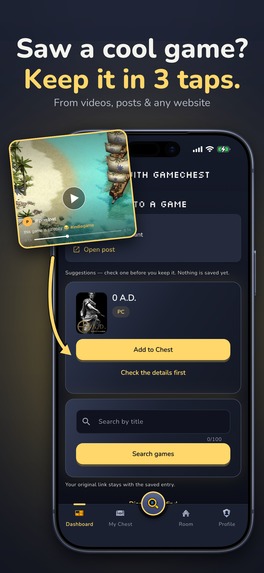
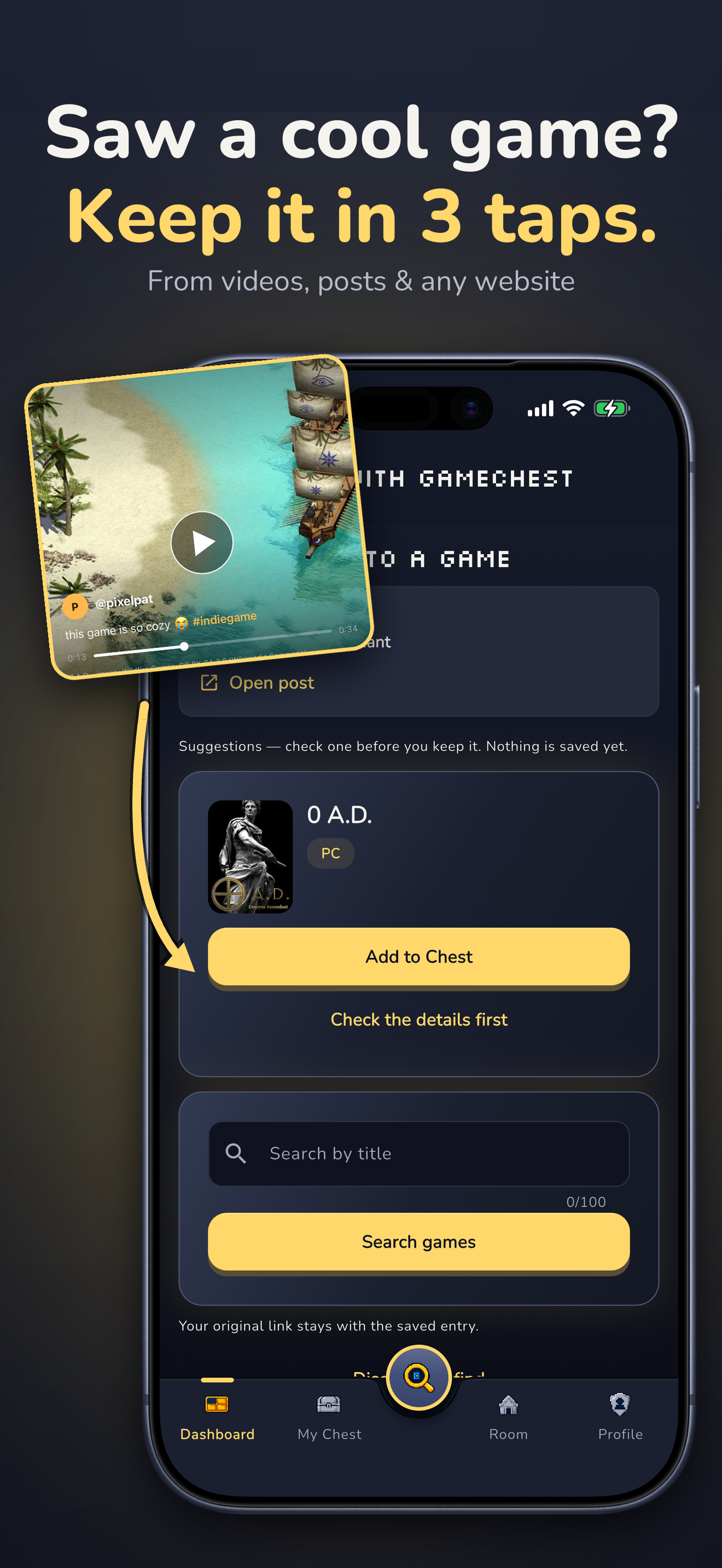
Saw a game in a clip? Share it to GameChest. It finds the game and keeps the link.
-
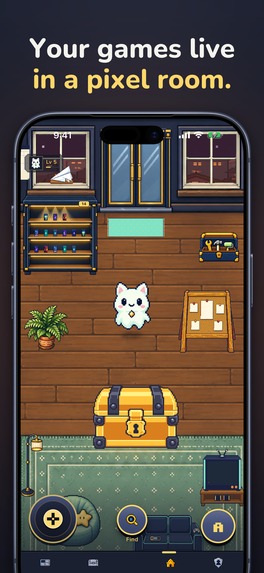
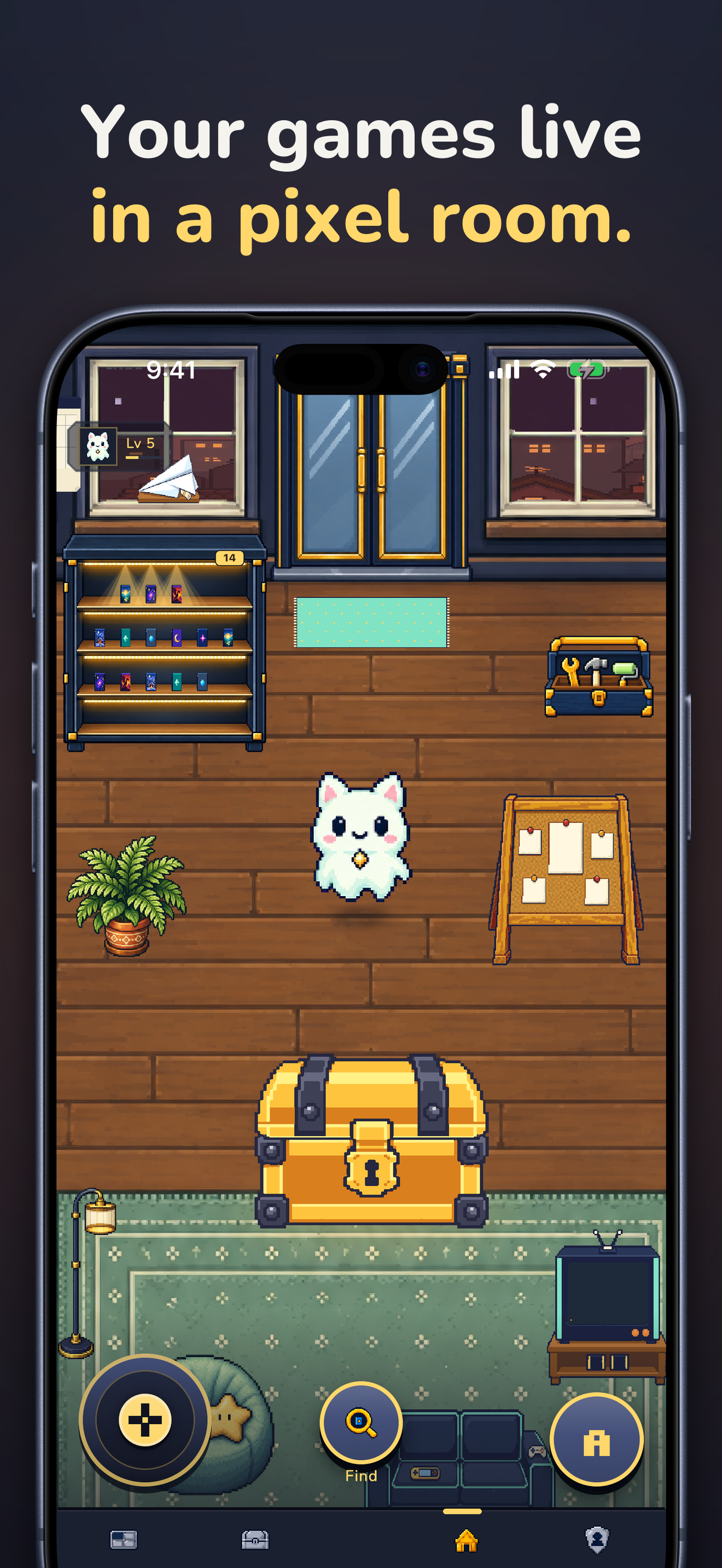
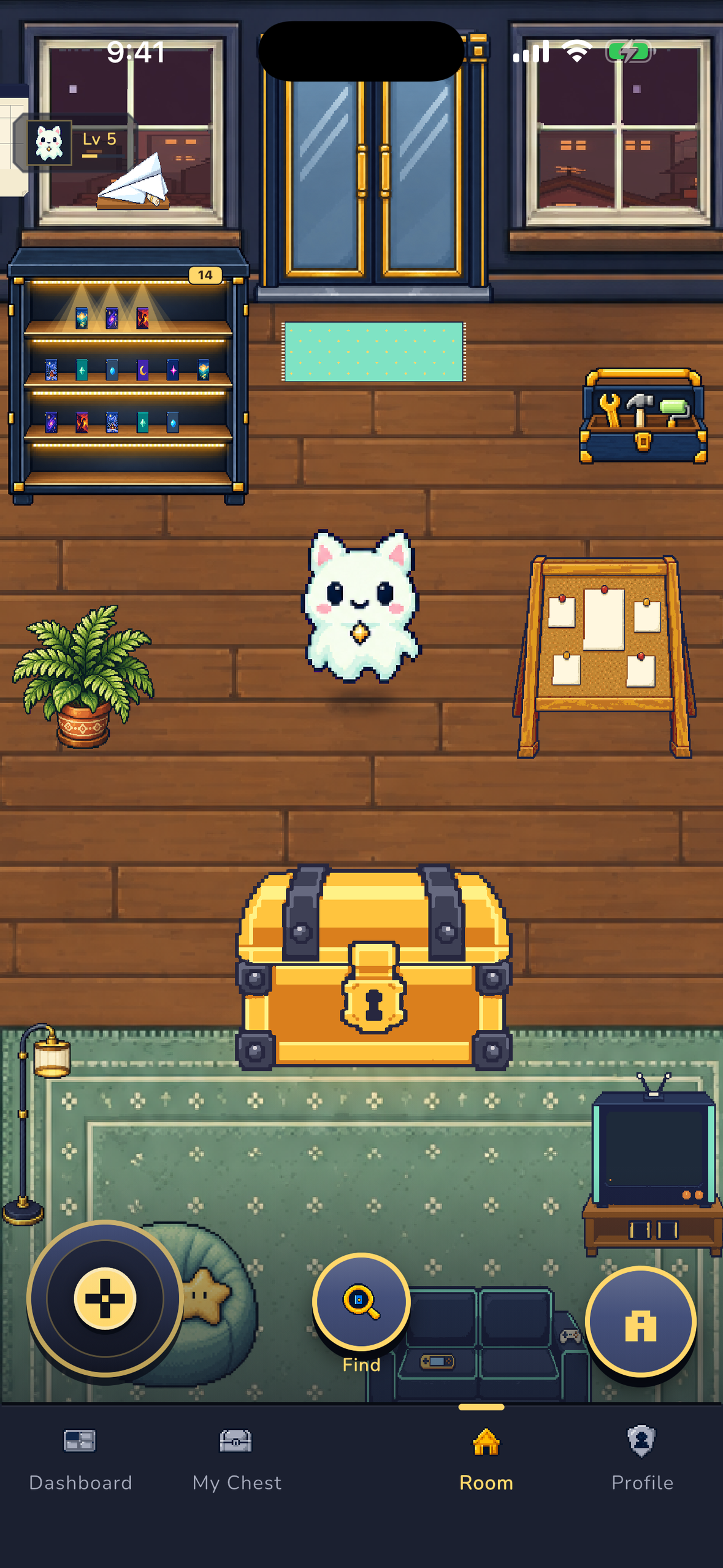
Your games live in your own pixel room, with your chest and a cat companion.
-
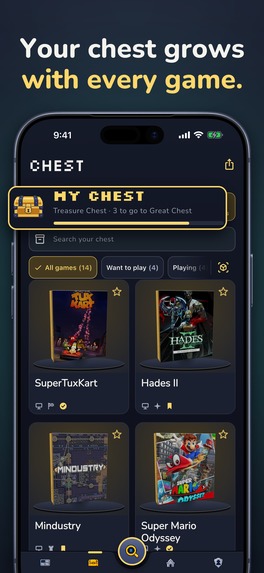
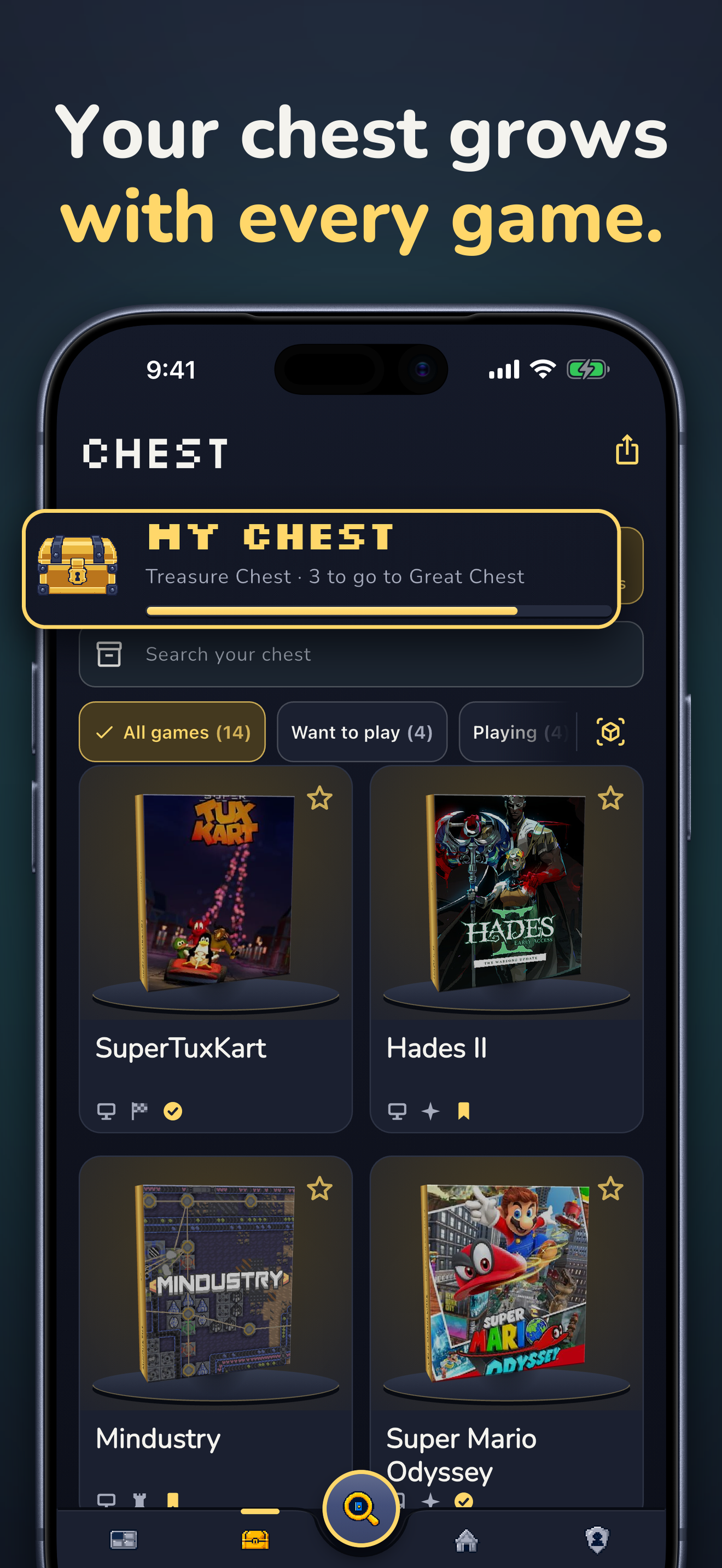
Inside the chest: covers, status filters and a chest that grows with every game.
-
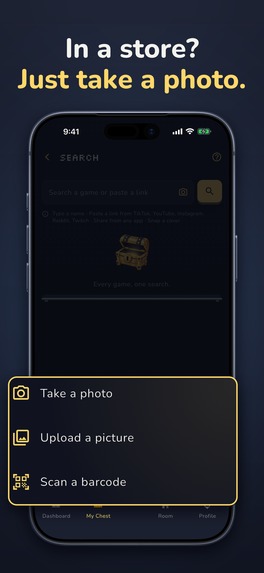
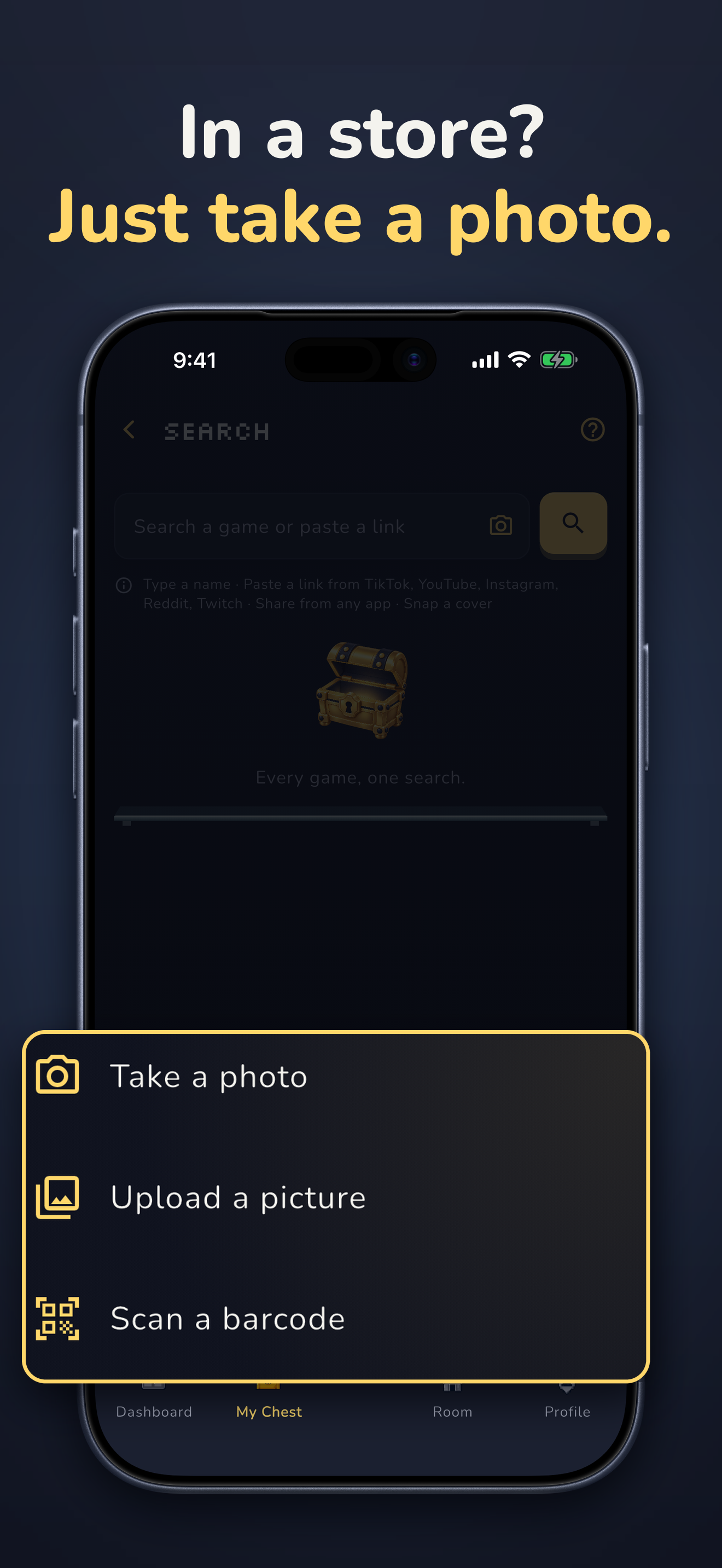
In a store? Take a photo of the box, upload a picture or scan the barcode.
-
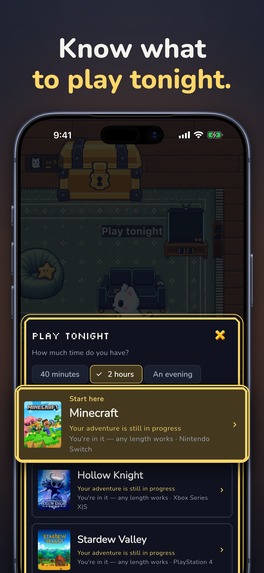
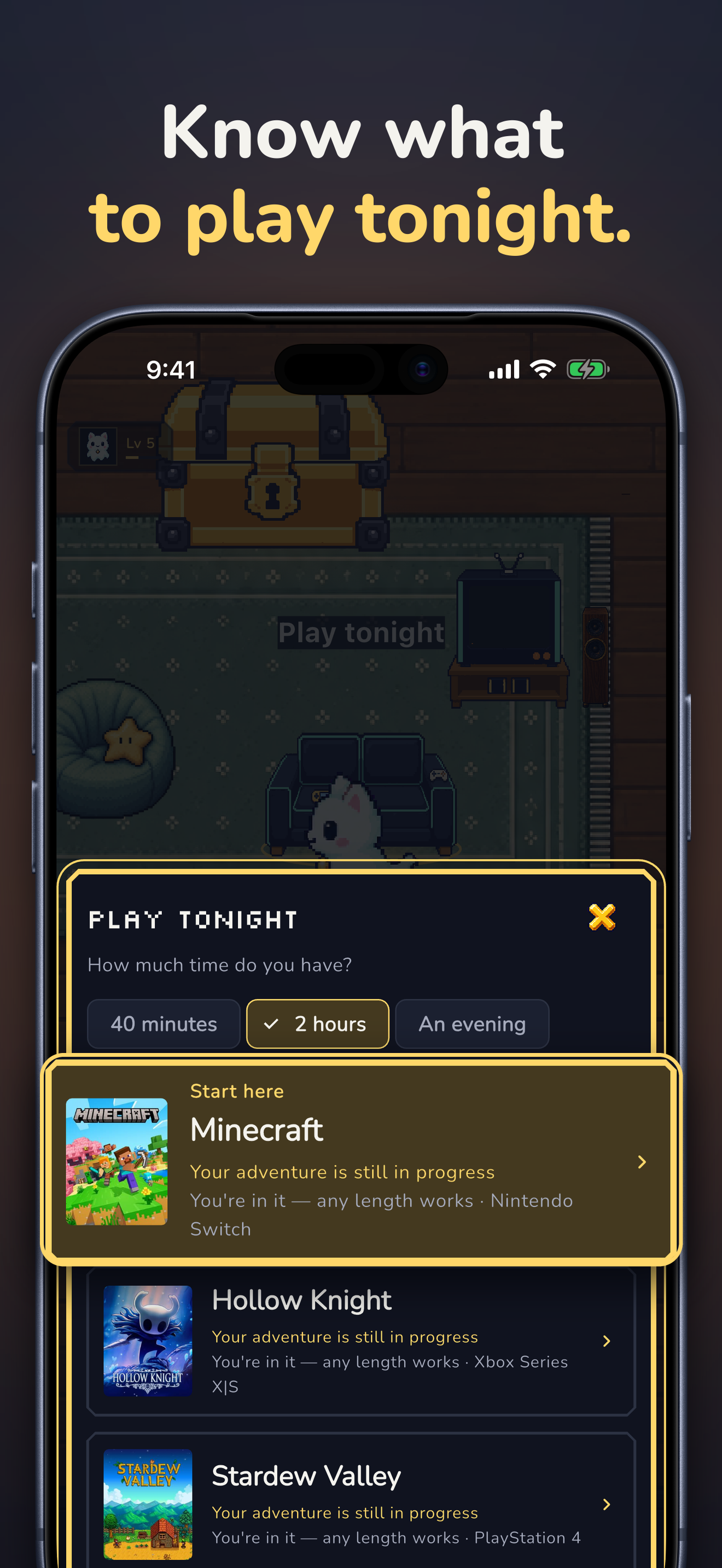
Too much to play? Play tonight picks games from your own chest.
-
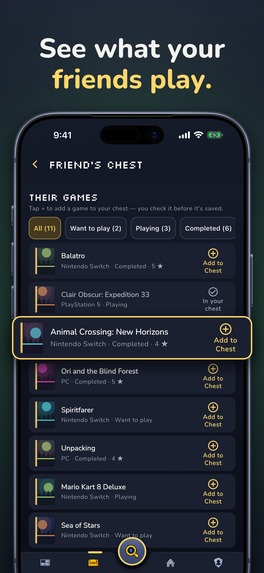
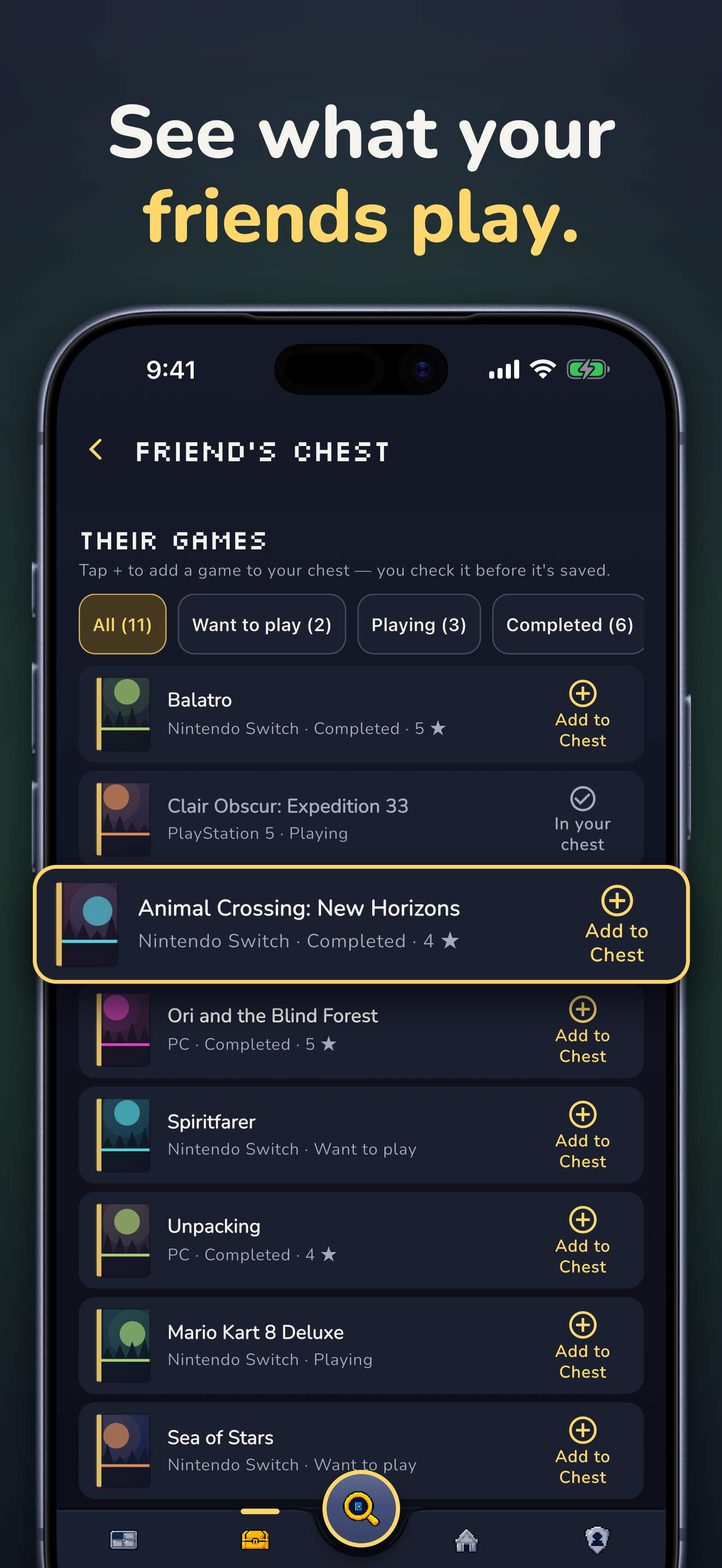
Open a friend's chest, see what they play and add their games to yours.
-
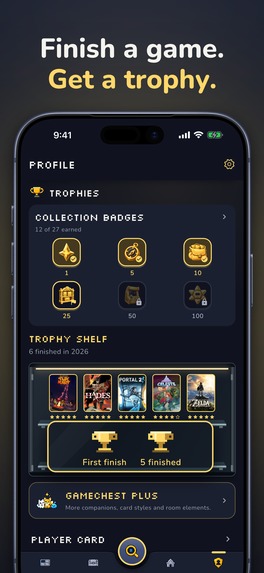
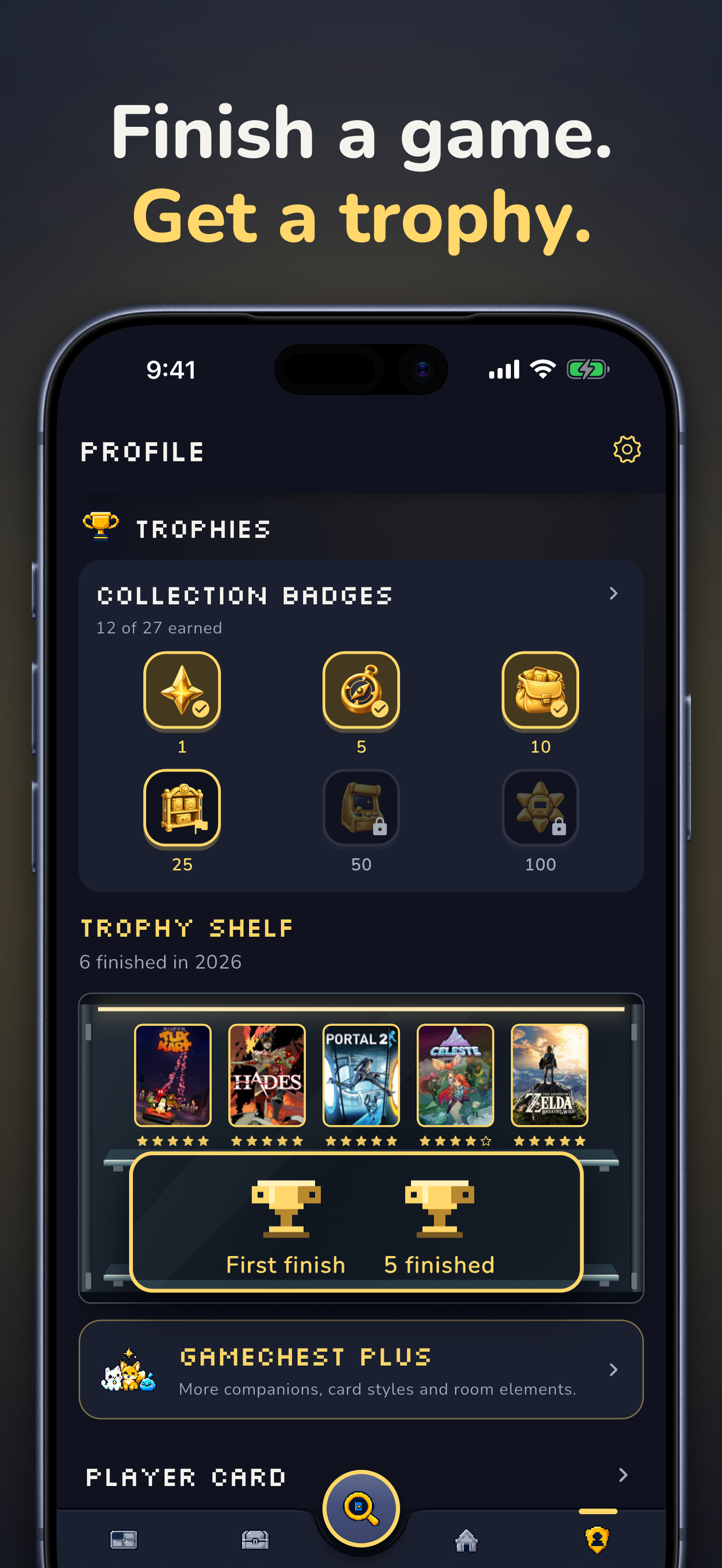
Finish games to earn trophies and collection badges for your trophy shelf.
-
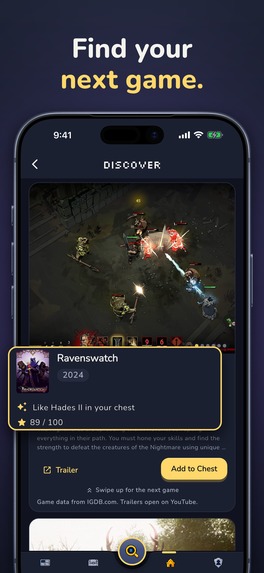
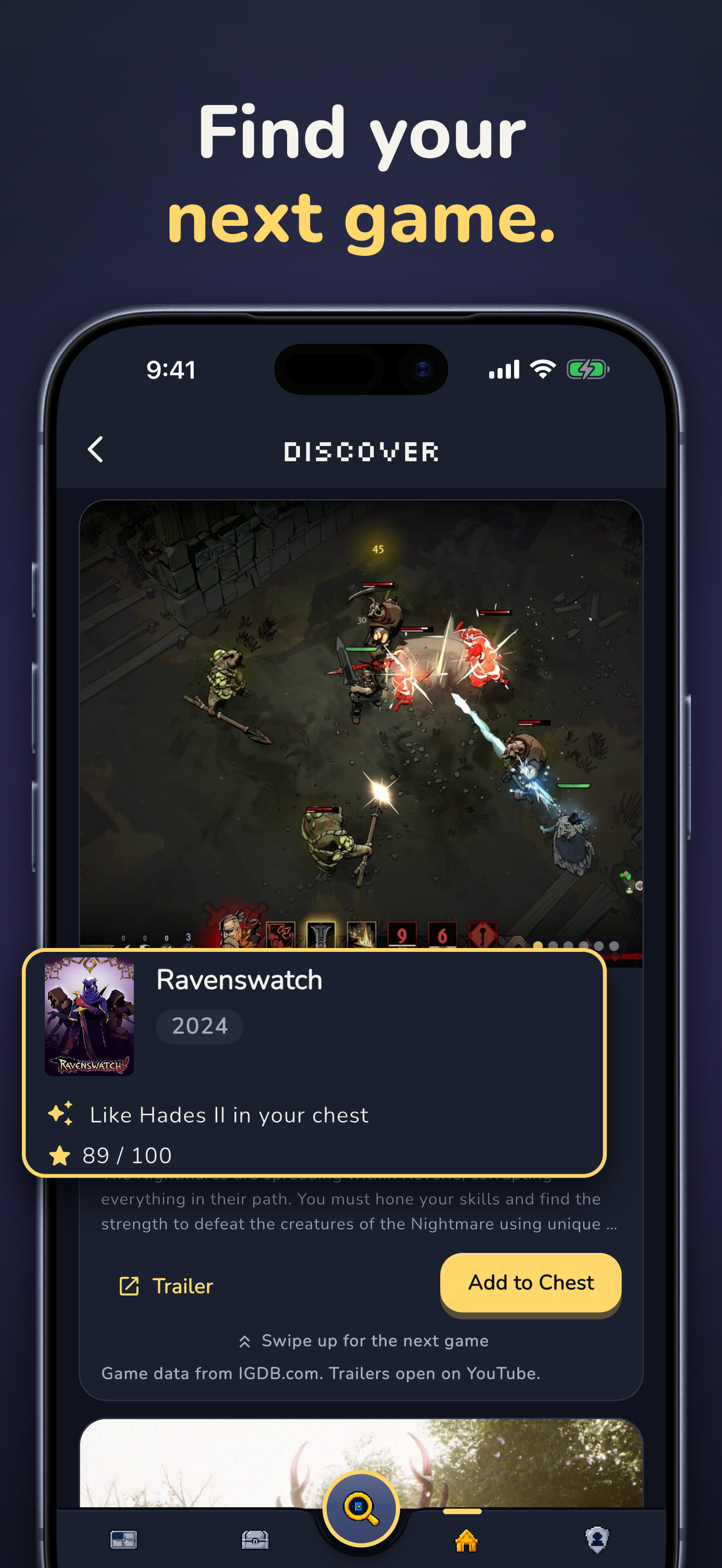
The computer in your room shows a Discover feed with covers and trailers.
-
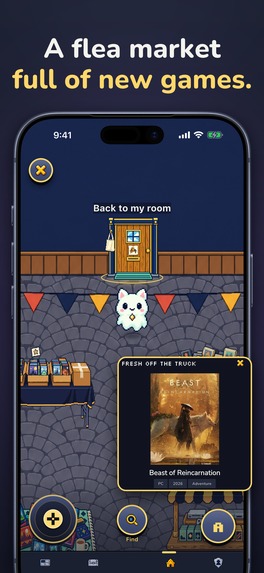
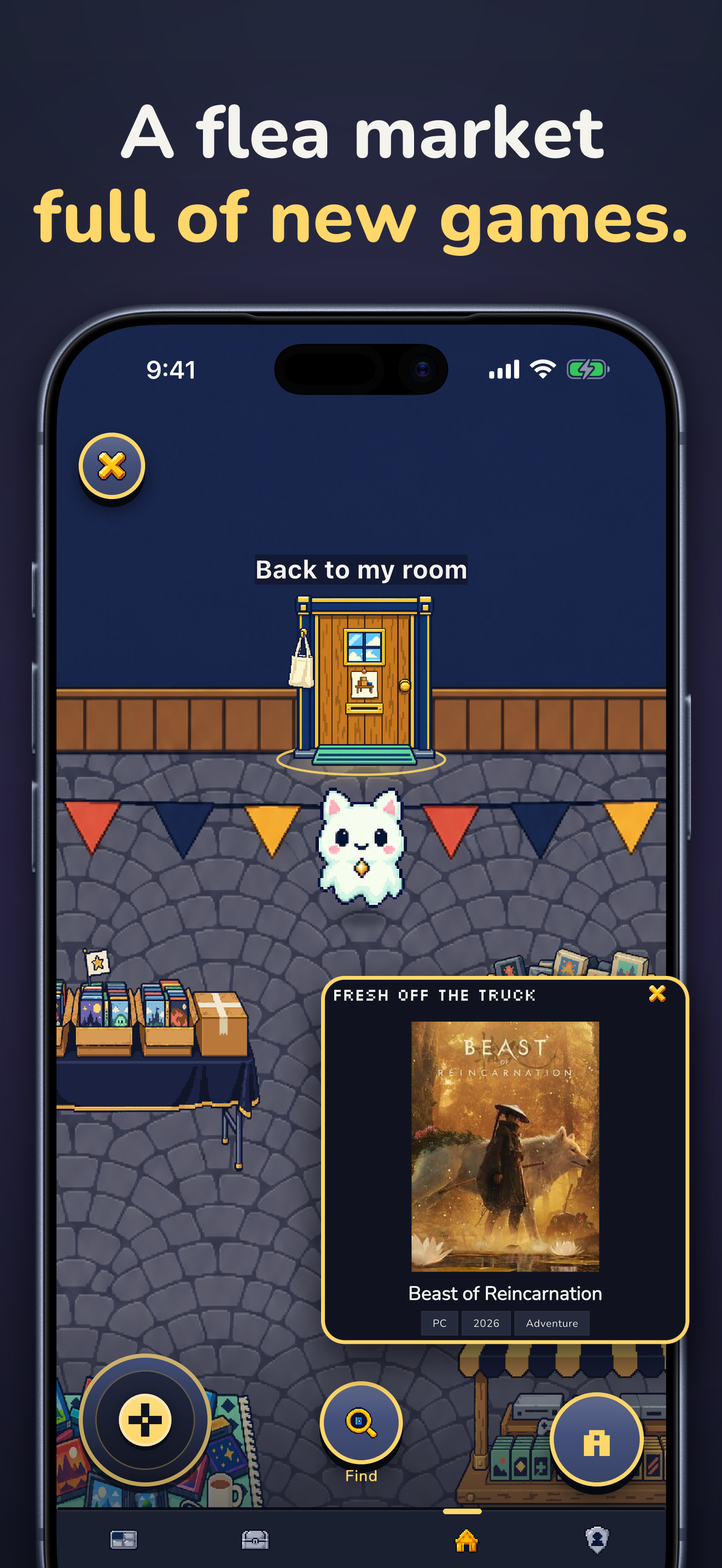
Outside, the flea market has fresh crates of games. Take one or leave it.
-
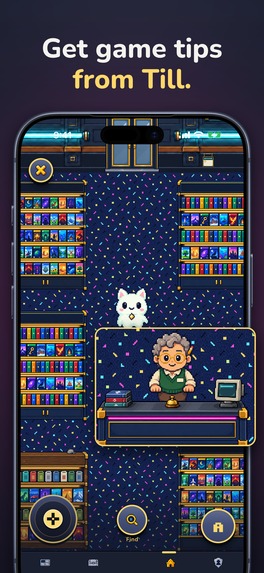
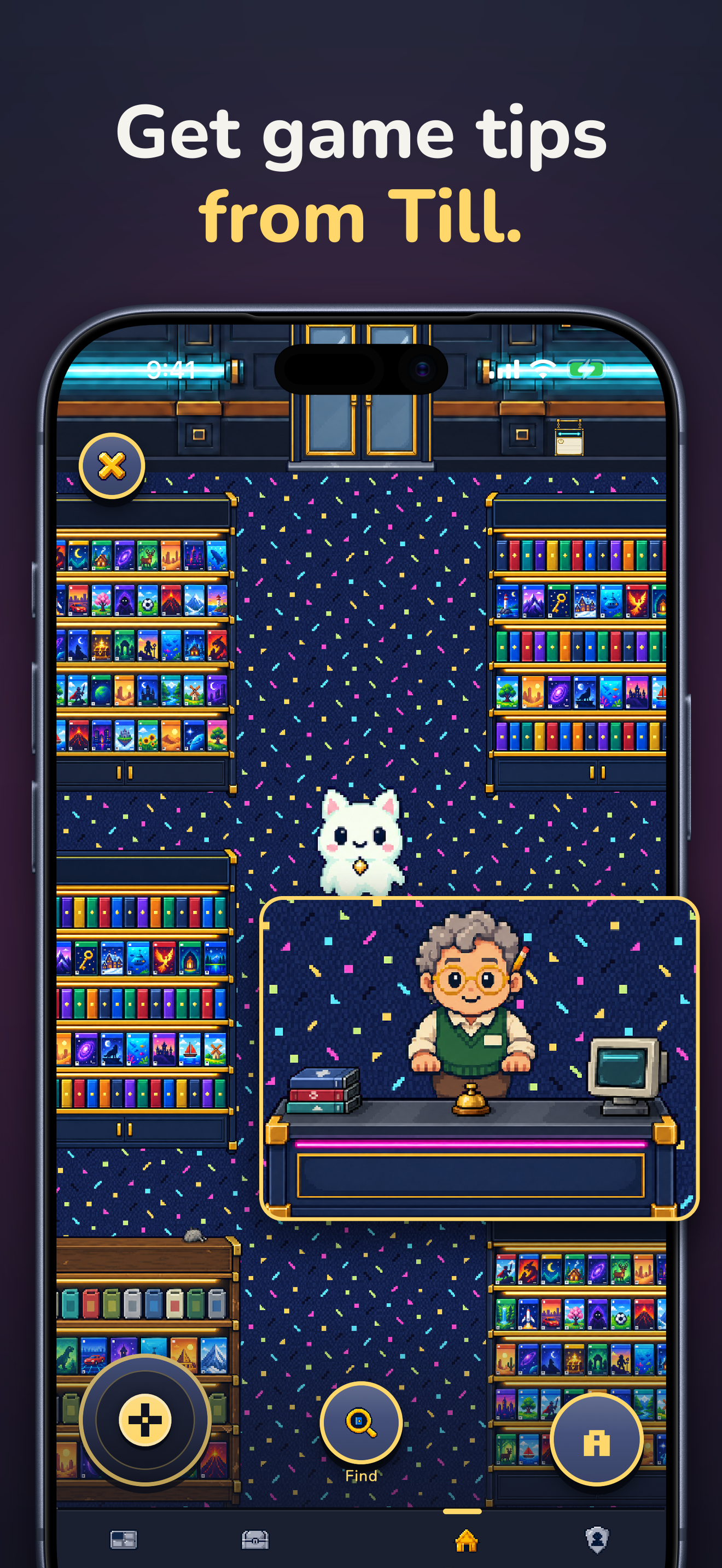
Behind the door: the video store with genre shelves and Till, the AI game advisor.
-
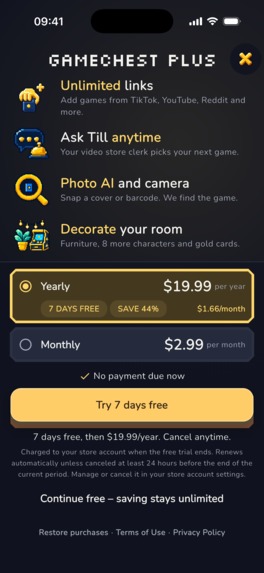
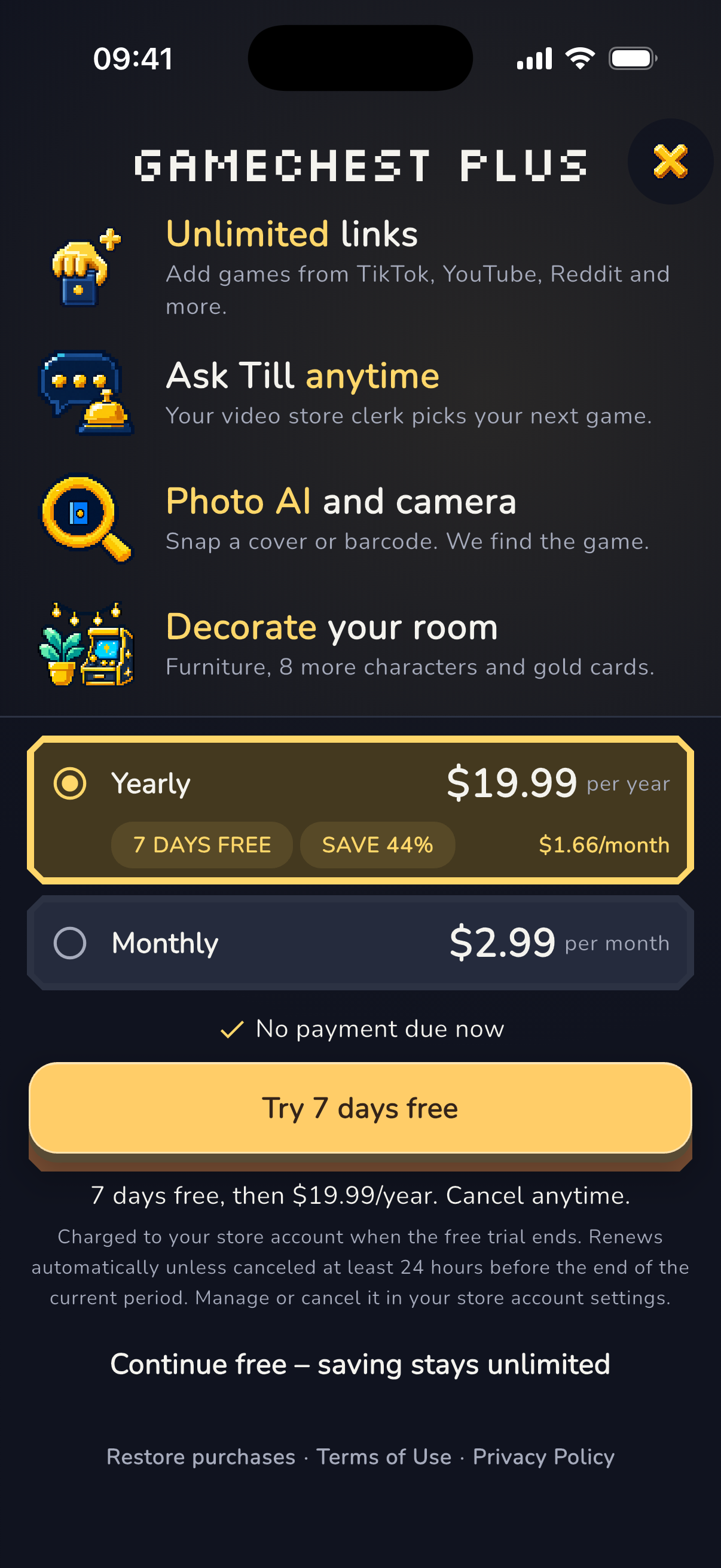
GameChest Plus: 7 days free, then yearly or monthly. Saving stays free. Purchases run through RevenueCat.
-
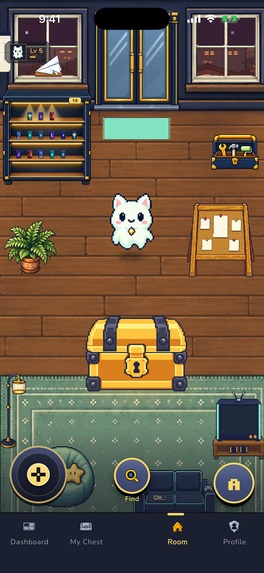
The pixel room in full screen, without the phone frame.
-
The GameChest icon: a chest for the games you find.
Inspiration
The problem every gamer knows
I watch a lot of Twitch, and for years I watched trailers and game compilations on YouTube. Today TikTok, Instagram and YouTube Shorts show me new games every day, and friends tell me about games all the time. So much comes out that you forget a good game fast. I see it, I think I will remember it, and a week later the name is gone. This was my own problem first. But most gamers know it. We find games in clips, streams, trailers, at a friend's place and in stores every day, and most of them get lost.
Finding games before the feed
Collecting games started early for me. As a kid in Germany, playing on PlayStation and PC, I spent a lot of time at Media Markt and GameStop, discovering new games and looking at the big collector's boxes on the shelves. We also had PC magazines with demo CDs, so you could try a few games before you bought one. And I loved those Game Boy cartridges with many games on one, everything in one place. I still go back to Command & Conquer, Rise of Nations and Gothic, and I grew up with Ratchet & Clank on PlayStation. Back then, finding a game meant walking along a shelf and taking a box home. Today I find games in a feed, and there is no box to take home.
Finding the right fit
During Shipaton I first worked on Studyventure, a learning game. The feedback was clear: the idea is good, but it needs the right people. That made me think. Game mechanics only work when they fit. It is easy to over-gamify an app, and then it is just a chore with points on top. For me, game mechanics are more than points and badges. They are a world, a character and a room you want to come back to. Then I read the Gaming brief, and it clicked. I knew this problem from my own life. And gamers already love game mechanics, so they are the perfect people for this new kind of app design. The brief was my Twitch problem, written by someone else, for people like me.
A chest, not a list
So I sat down and thought about the games I loved. What made collecting fun there? Then Minecraft came to mind. You go out, you find things, and when you come home, you put everything into your chest. Diablo and many other games work the same way. That was the moment. Why give gamers one more to-do list, when they already know a better way to keep things? I kept going from there. If there is a chest, it can stand in your own pixel room. If there is a room, it can grow with every game. And if there is a door, there can be a video store behind it, with shelves like the ones I stood in front of as a kid. My idea became simple: collecting games should feel like a game, and saving a game should be easy, wherever you find it. I showed it to friends who play games, and they liked it. Before building more, I wanted to know where gamers really discover their games. So I asked them. The answers were everywhere: a streamer plays something cool, a random Twitch stream, a YouTube trailer, a TikTok clip, a gaming forum, a store or a friend's shelf. Every place has its own format, and every format needs its own way to understand it. So GameChest had to work in all of these places, and that is what I keep working on. It's not a list. It's your chest. Every game you find is loot.
The bigger goal
My big goal is an app studio for apps with game mechanics in their design: everyday apps, like to-do lists and trackers, that feel like a real game. GameChest is the first one, and it was the perfect app to try this vision, because gamers are exactly the right audience for it. They already love game mechanics, so they notice right away when they feel good and when they feel forced. Building it was a lot of fun.
I am entering the Influencer Award for Gaming.
What it does
GameChest follows the brief step by step. The idea behind all of it: collecting should feel like a game.
- Save it. Three taps from the clip to your chest. Share a post from TikTok, YouTube, Instagram, Reddit, a Twitch clip, a gaming forum or any website, share a screenshot, or paste the link. GameChest finds the game and shows it to you. Tap "Add to Chest", and the link stays with the game, so you always know where you saw it. In a game store or at a flea market? Scan the barcode or take a photo of the cover. You can also search by name.
- Organize it. Your backlog is not a list you tick off. It is loot that fills a chest you can see grow. Every game gets a status: Want to Play, Playing, Completed or Dropped. Your chest grows in seven stages as you fill it, and chest stats show what you play.
- Finish and rate it. When you finish a game, tap Finish & rate, give it stars and get a Memory Card, a memory of that game to keep or to share with friends. Finished games earn trophies for your trophy shelf.
- Share and compare. Share your whole chest as a collector card or as a link. Friends open the link in any browser, look through your games and add the ones they like to their own chest. Open a friend's chest to compare: you see how much you have in common, how many games are in both chests, and which of their games you should play next.
- Play in it. This is the part no list can do. Your chest stands in your own pixel room, and you walk through it with your own character. You decorate the room and level up as you collect, and your chest grows with every game. And just like in real life, you can go out and discover games in places. Walk through the door into the video store, stroll along the genre shelves, take a game off the shelf to see what it is, or ask Till at the counter what to play next. Step outside to the flea market and dig through crates of games, keep the ones you like and leave the rest. Finding a game feels like a little adventure again, the way it did in a real store, not like scrolling a list.
- Discover your next game. "Your next game is waiting" shows you where to start. The computer in your room has a Discover feed with covers and trailers. Play tonight suggests games from your chest for the time you have. And Till, the AI game advisor behind the video store counter, answers your questions.
Free and Plus
Free, forever: search, save and collect as many games as you want. Statuses, ratings, Memory Cards, sharing your chest and comparing with friends are all free. Link imports, camera finds and Till, the AI game advisor, come with 3 free tries each, so you can feel the magic first.
GameChest Plus ($2.99 a month or $19.99 a year, with 7 days free on the yearly plan) is for collectors who want more:
- Unlimited link imports: save every game you see in a clip, a stream or a post.
- Unlimited camera finds and photo AI: snap a barcode or a cover in a store and the game is in your chest.
- Ask Till anytime: your AI game advisor helps you pick what to play next.
- Make the room yours: 8 more companions, more room decoration and golden Memory Cards.
Purchases run through RevenueCat.
Versions
All these features are in version 1.0.1. It is live on Google Play. On iOS, the App Store still has version 1.0, and the 1.0.1 update is in review at Apple.
How I built it
I built GameChest alone, as one Flutter app for iOS and Android. The room, the video store and the flea market run on Flame, so they are real game scenes, not menus with pictures. The backend runs on Supabase, game data comes from IGDB, and RevenueCat handles GameChest Plus. Barcodes are looked up in UPCitemdb and EAN-Search, and the name is then matched against the IGDB catalog. Claude, ChatGPT, Gemini and Codex were my coding and design partners, and many of the pixel art assets were made with Codex image generation.
Challenges I ran into
Recognizing games in videos
Social media videos are hard. Not every game is recognized right away, for many reasons: the name is not in the video text, the caption is just hashtags and jokes, or the game is spelled in a different way. Some signals worked, some did not. So I ran many test rounds and built my own optimization loop: test real links, look at why a game was missed, improve the signals, test again. I am still improving it. When the app is not sure, it shows nothing instead of a wrong game. One more thing I am working on: a trailer compilation can show many games in one video. Today GameChest shows suggestions and you pick the one you want. Saving several games from one video at once comes with the next update.
Real boxes in a real store
Then I took the app to an electronics store, the kind of place where I found games as a kid, and tried it on real game boxes. Sometimes the barcode worked, sometimes not. Store names are not game titles, so I changed how the app reads them and tested again.
From tracker to game
The biggest challenge was the journey from a tracker to something that feels like a game. How do you make a backlog fun without turning it into a toy? I tried many ideas. Some fit: a chest that grows, a room you decorate, your own character, a video store you walk into, a flea market full of crates. Some were just noise, like points for every tap, so I cut them. Every feature had to answer one question: does this make collecting more fun, or just busier? Finding that balance took the longest, and I am still learning.
What I learned
Game mechanics and apps
Game mechanics and everyday apps work really well together, if you do it right. But you have to be careful not to do too much at once. Talk to the people you build for: my gamer friends showed me where they really find new games.
Game design and game development
I learned a lot about game design and about building a real game scene inside an app. The room, the video store and the flea market run on Flame inside Flutter: pixel sprites with front, side and back views, a character that walks to the chest, and furniture you place by hand. Making that feel smooth on a phone was new for me, and it was the most fun part.
Backend and recognition
At first I wanted my own server, but to ship my MVP fast I built the backend on Supabase Edge Functions, and that was the right call. Recognizing games took many rounds of tuning, and it still gets better. An empty answer is better than the wrong game.
Test in the real world
One hour in a store taught me more than a day at my desk. And a chest is more fun to fill than a list is to tick off.
What's next for GameChest: Game Tracker
- Marketing: bring GameChest to the gamers it is made for.
- Several games from one video: save every game from a compilation at once, coming with the next update.
- A smarter engine: recognition that learns from every game people confirm.
- Visit your friends: walk into a friend's room and look into their chest.
- A room that shows what you play: your room changes with the games in your chest.
- More for your room: more decoration, more elements to interact with and more characters. You will even be able to turn yourself into a pixel character.
- Dungeons: try a playstyle and find a real game for your chest. The first dungeon rooms are a prototype and not in the app yet.
Built With
- anthropic
- chatgpt
- claude
- codex
- dart
- deno
- ean-search
- flame
- flutter
- gemini
- google-ml-kit
- igdb
- mobile-scanner
- netlify
- ocr
- pixel-art
- postgresql
- revenuecat
- riverpod
- supabase
- supabase-edge-functions
- upcitemdb

Log in or sign up for Devpost to join the conversation.