-
-
App Icon
-
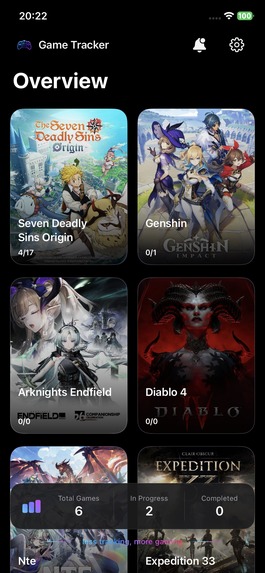
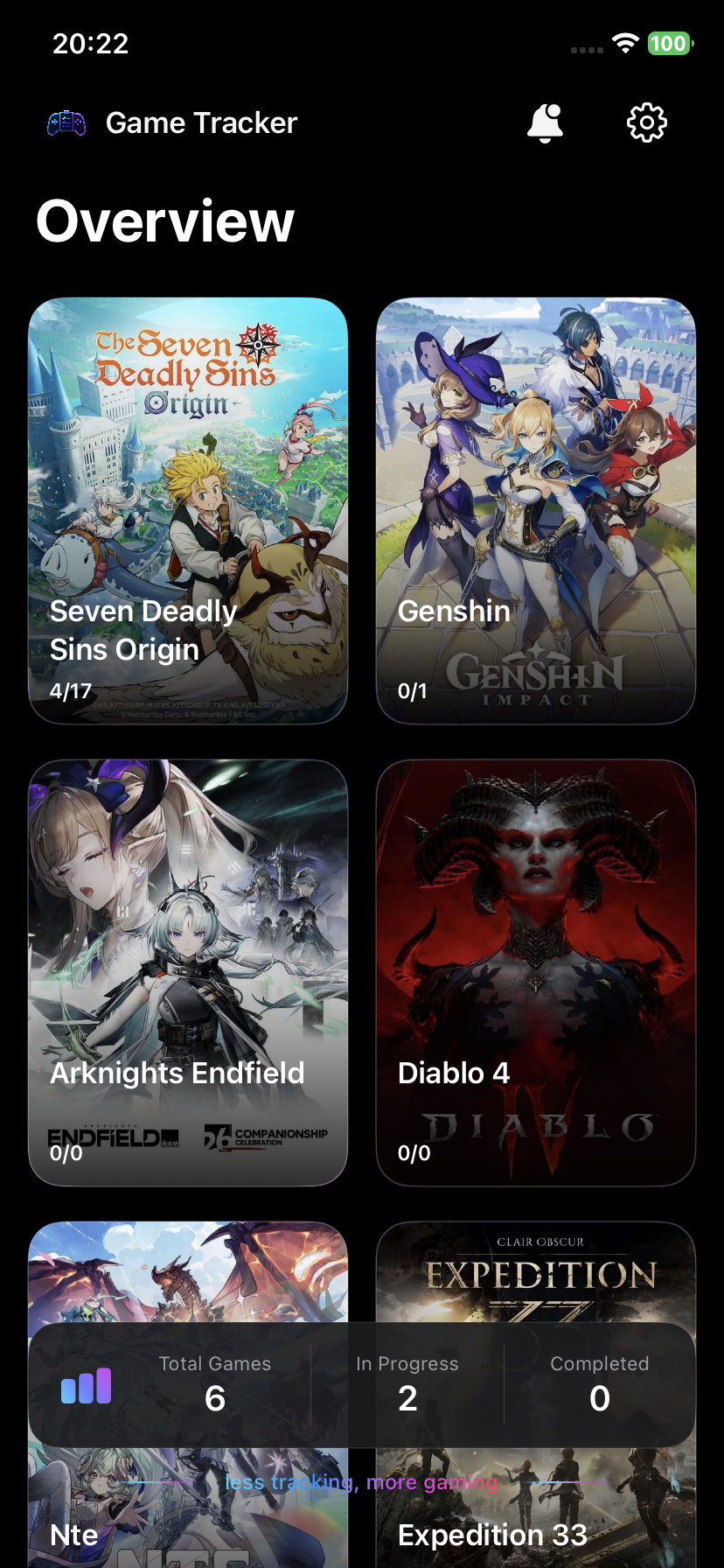
Overview
-
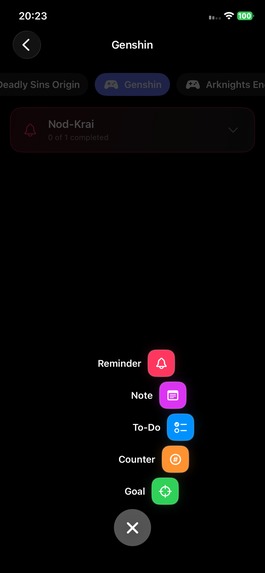
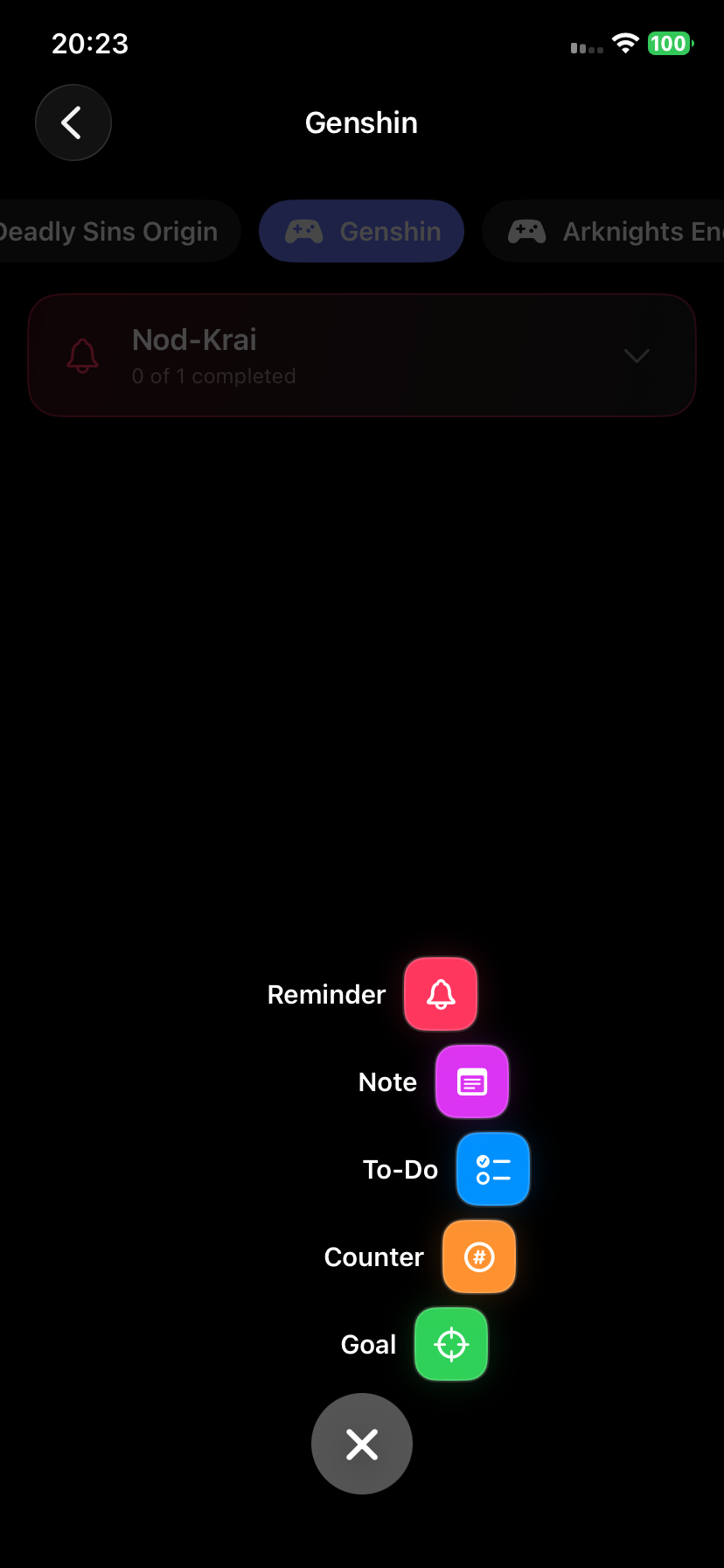
Adding Tracker
-
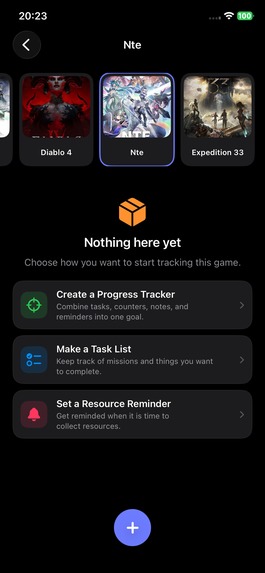
Start with quick actions
-
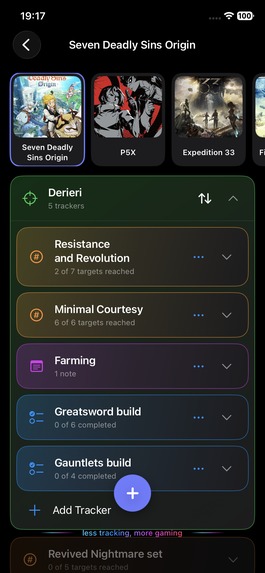
Keep Organized
Inspiration
Game Tracker started from a very simple problem: modern games give players a lot to remember.
In RPGs, gacha games, MMOs, and other long-form games, I often found myself tracking character builds, farming materials, upgrade goals, collectibles, daily tasks, and things I wanted to come back to later.
The usual solutions were scattered between notes, screenshots, browser tabs, Discord messages, and spreadsheets. Spreadsheets are powerful, but opening one just to remember which material I still need for a character build feels like turning gaming into office work.
I wanted something in between: more useful than memory, but lighter than a spreadsheet.
That idea became Game Tracker.
What it does
Game Tracker is a mobile companion app for organizing gaming goals across multiple games in one place.
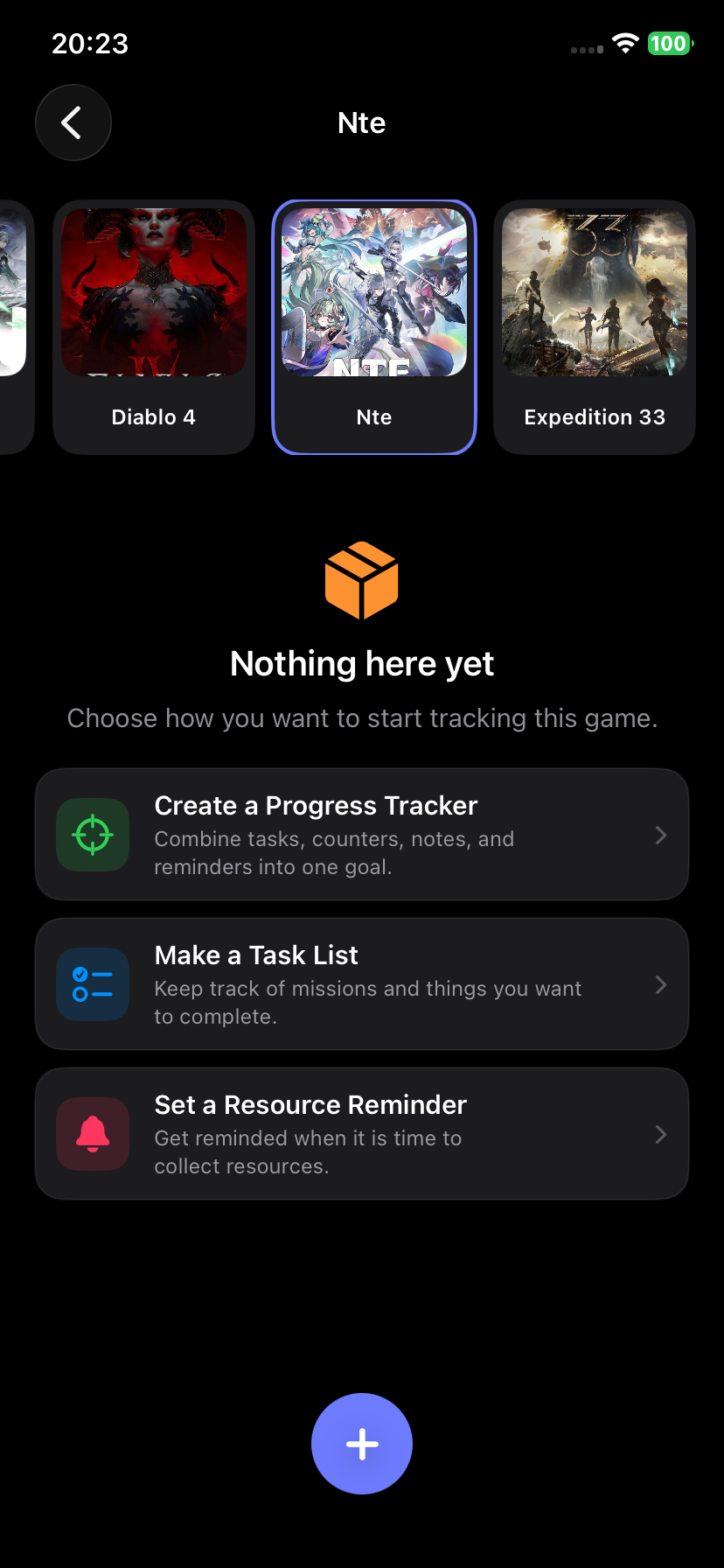
Users can create different types of trackers depending on what they need:
- To-do lists for quests and tasks
- Goals for larger objectives
- Counters for resources, collectibles, equipment pieces, or upgrade materials
- Notes for builds, locations, links, screenshots, and useful information
- Reminders for time-sensitive activities such as resource respawns
- Templates for quickly creating reusable tracker setups
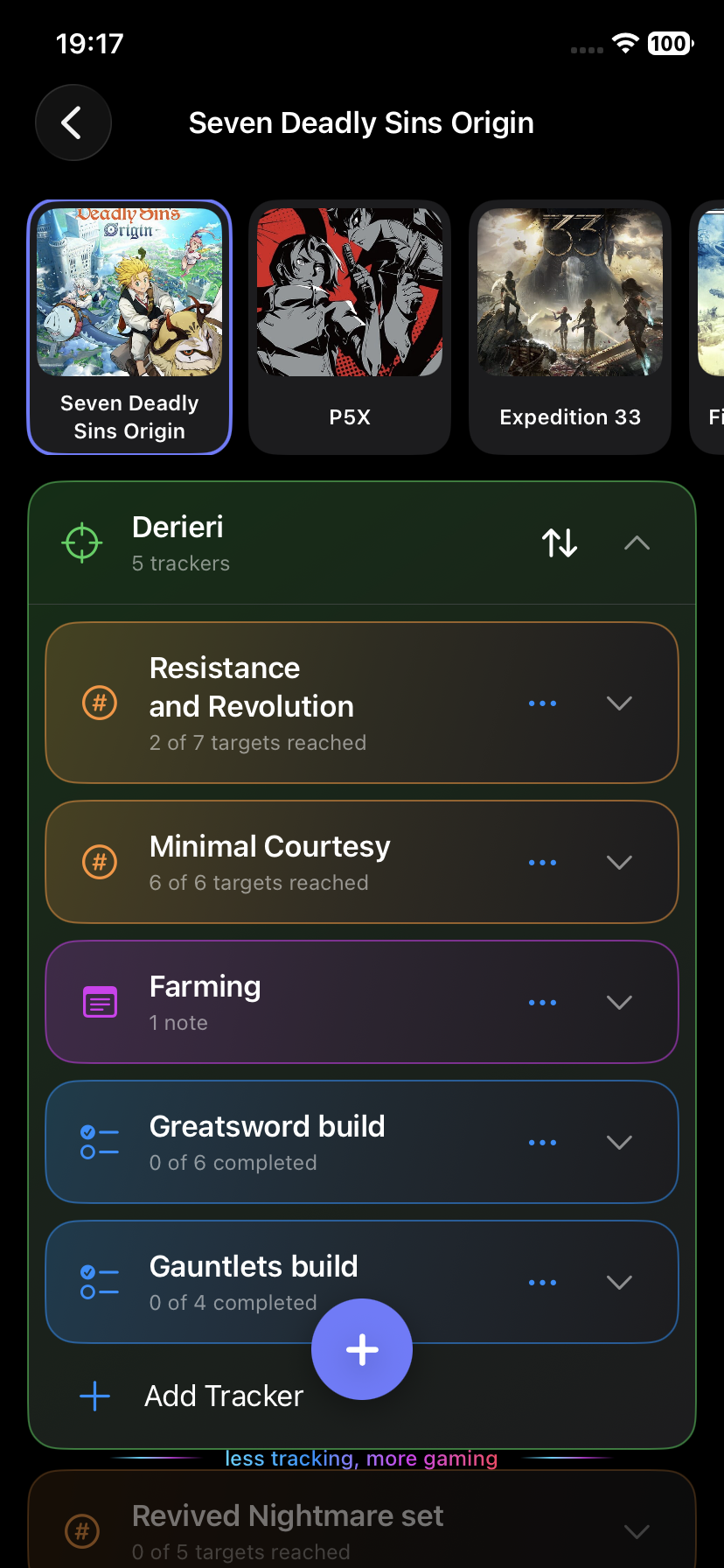
Each game becomes its own workspace, while trackers inside it can be reorganized and updated as the player progresses.
For example, instead of writing down everything needed to upgrade a character, a player can create one goal with counters for every required material, add notes about where those materials drop, and set a reminder for when resources respawn.
The goal is simple: less tracking, more gaming.
How we built it
I designed Game Tracker as a mobile-first application for iOS.
The interface is built around quick interactions because the app should be useful while someone is actively playing. Players should be able to open the app, update a counter or complete a task in a few seconds, and immediately return to the game.
The core structure is based on games and reusable tracker types rather than forcing every activity into the same kind of task.
I also focused heavily on touch interactions:
- Tap to complete tasks or increment counters
- Swipe for contextual actions such as edit, duplicate, reset, or delete
- Long press and drag to reorganize items
- Expand trackers only when their contents are needed
This helped keep the interface compact even when a game contains many different objectives.
Challenges we ran into
One of the biggest challenges was finding the right balance between flexibility and simplicity.
Gaming progress can take many forms. A player might need a basic checklist for one game, resource counters for another, detailed notes for a third, and several interconnected goals for a live-service RPG.
Making the system completely flexible risks creating another complicated productivity tool. Making it too simple means it cannot handle the games that actually need a tracker.
Another challenge was designing the app around very short usage sessions. Game Tracker is not supposed to become another application users spend time managing. Most interactions need to take only a few seconds.
That influenced everything from the tracker structure to navigation and gesture controls.
Accomplishments that we're proud of
The biggest accomplishment is turning a personal gaming frustration into a working product rather than just a concept.
I'm especially proud that Game Tracker already has a flexible tracking system that can handle very different gaming needs without requiring a separate feature for every game. The same core building blocks can be used for a simple quest checklist, a character build, resource farming, collectibles, or a complex long-term progression goal.
I'm also proud of keeping the experience intentionally lightweight. Updating a counter or completing a task takes seconds, which is important for an app designed to be used alongside a game rather than instead of it.
Finally, getting Game Tracker running on both iOS and Android and into real-device testing was an important milestone. It transformed the project from an idea I wanted for myself into something other gamers can actually use, test, and help shape.
What we learned
Building Game Tracker taught me that the hardest part of productivity software is often not adding features, but deciding how little interaction each feature should require.
I also learned how important it is to design around the real context in which an application will be used. Game Tracker is frequently opened while another game is already running, so speed and clarity matter more than complex screens or deep navigation.
The project also pushed me to think beyond individual features and toward a system that can grow without changing its core interaction model.
What's next for Game Tracker
The current version focuses on the fundamental tracking experience.
The next steps are cloud sync, reusable and community-created templates, and curated templates for popular games. After the core experience is established, I plan to introduce an optional Game Tracker Plus subscription for advanced convenience features while keeping the essential tracking experience free.
Longer term, I want Game Tracker to become smarter. Instead of manually creating every counter, a player could select a game and character and automatically generate the relevant upgrade materials, farming goals, reminders, and instructions.
The vision is not to create another database players have to manage.
It is to build a gaming companion that remembers the boring parts so players can focus on the fun ones.

Log in or sign up for Devpost to join the conversation.