-
-
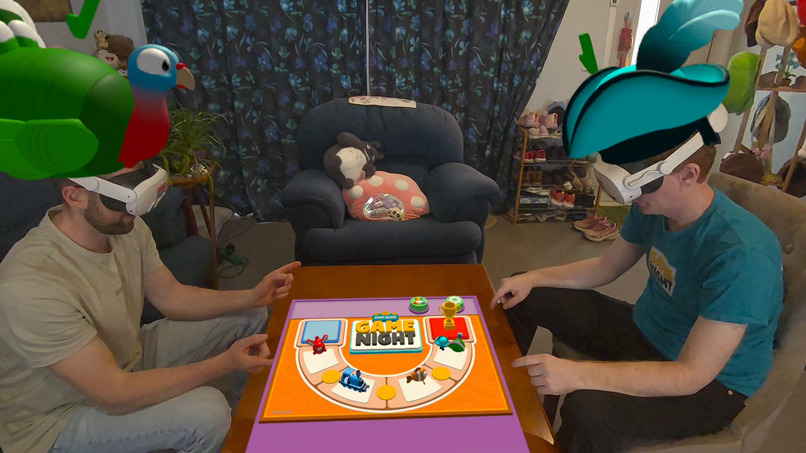
Tournament Starts
-
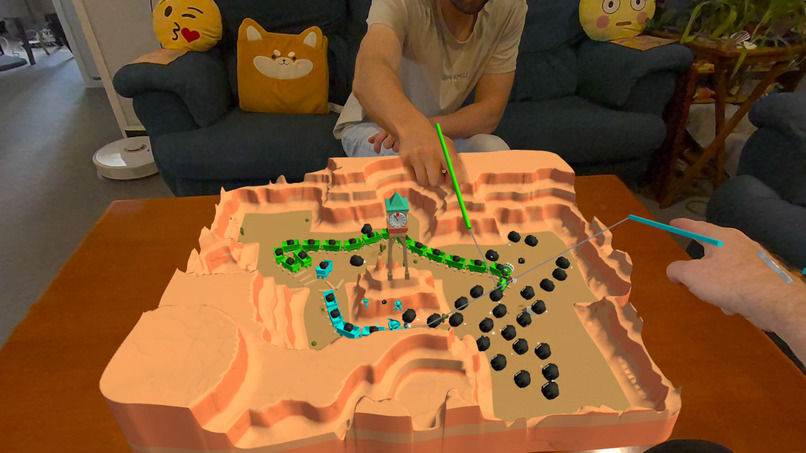
Rattlesnake Railroad
-
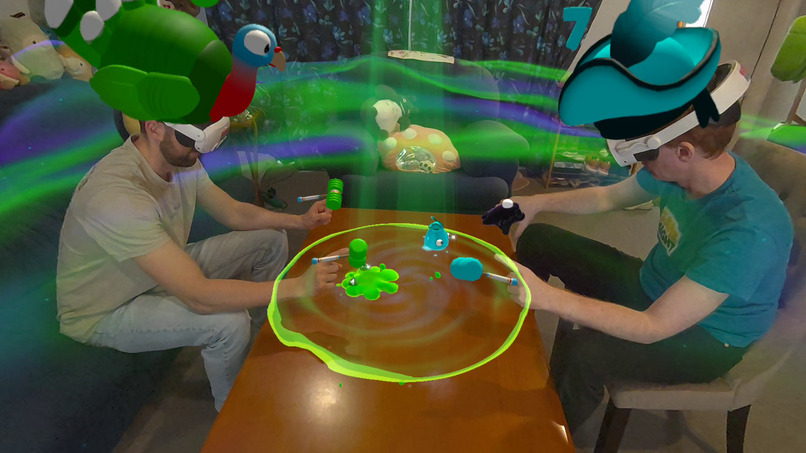
Slap'a'Martian
-
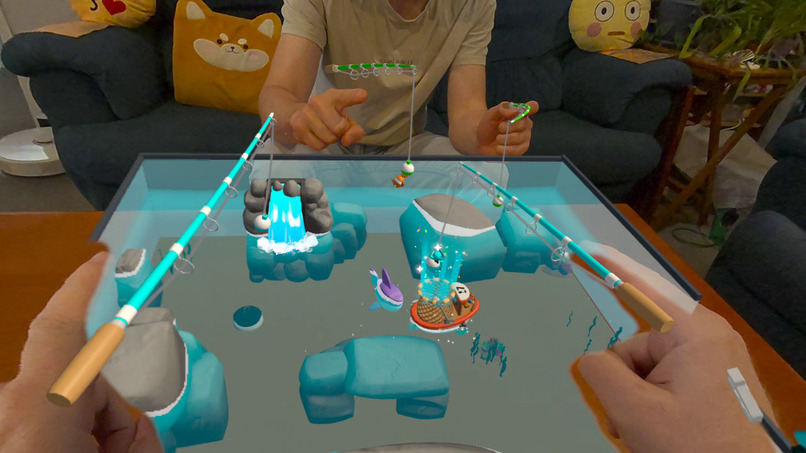
Fishing Frenzy
-
Hungry Bunny Uppy
-
Final Throwdown
-
Penguin Pucks
-
Final Scores
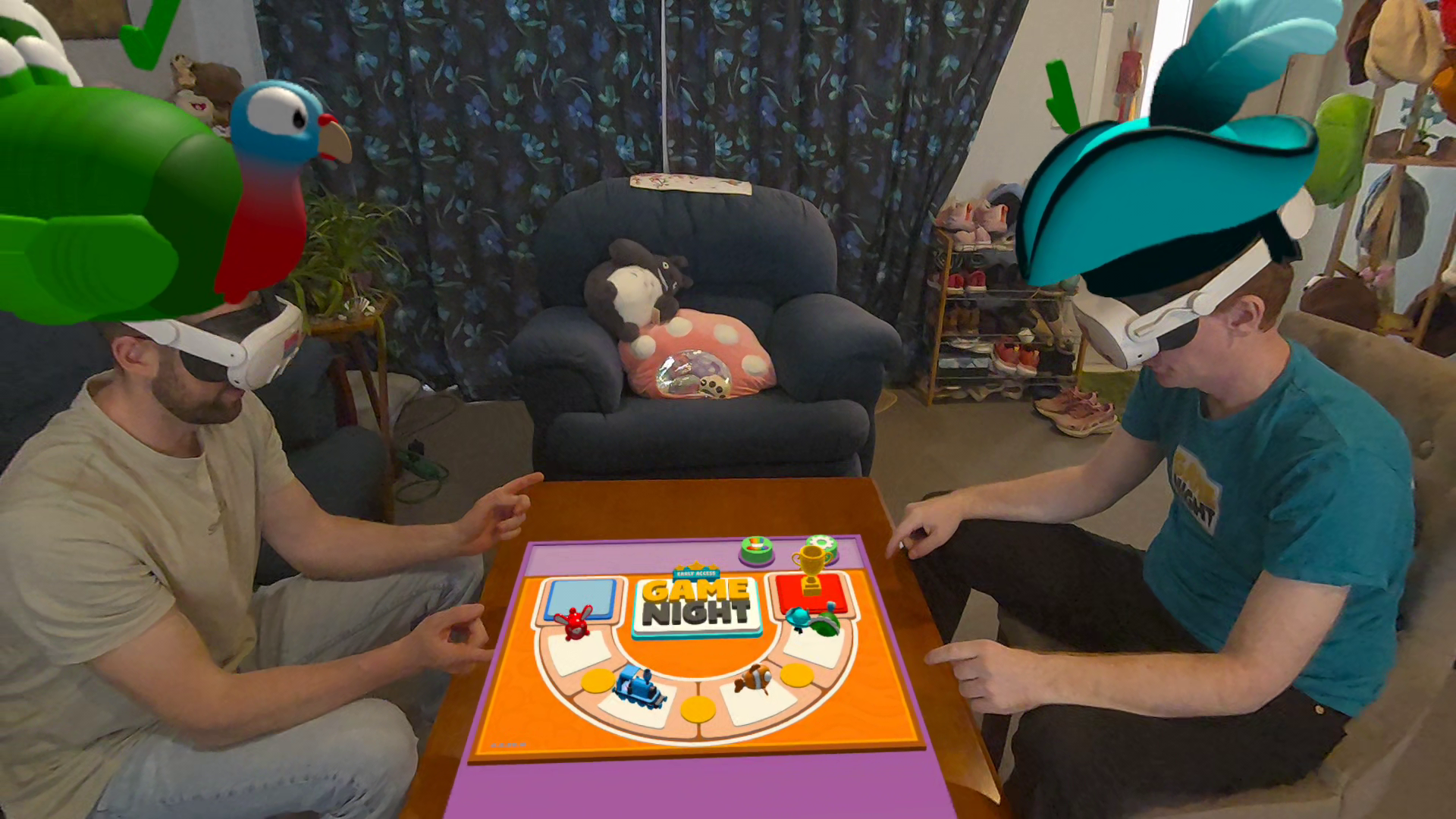
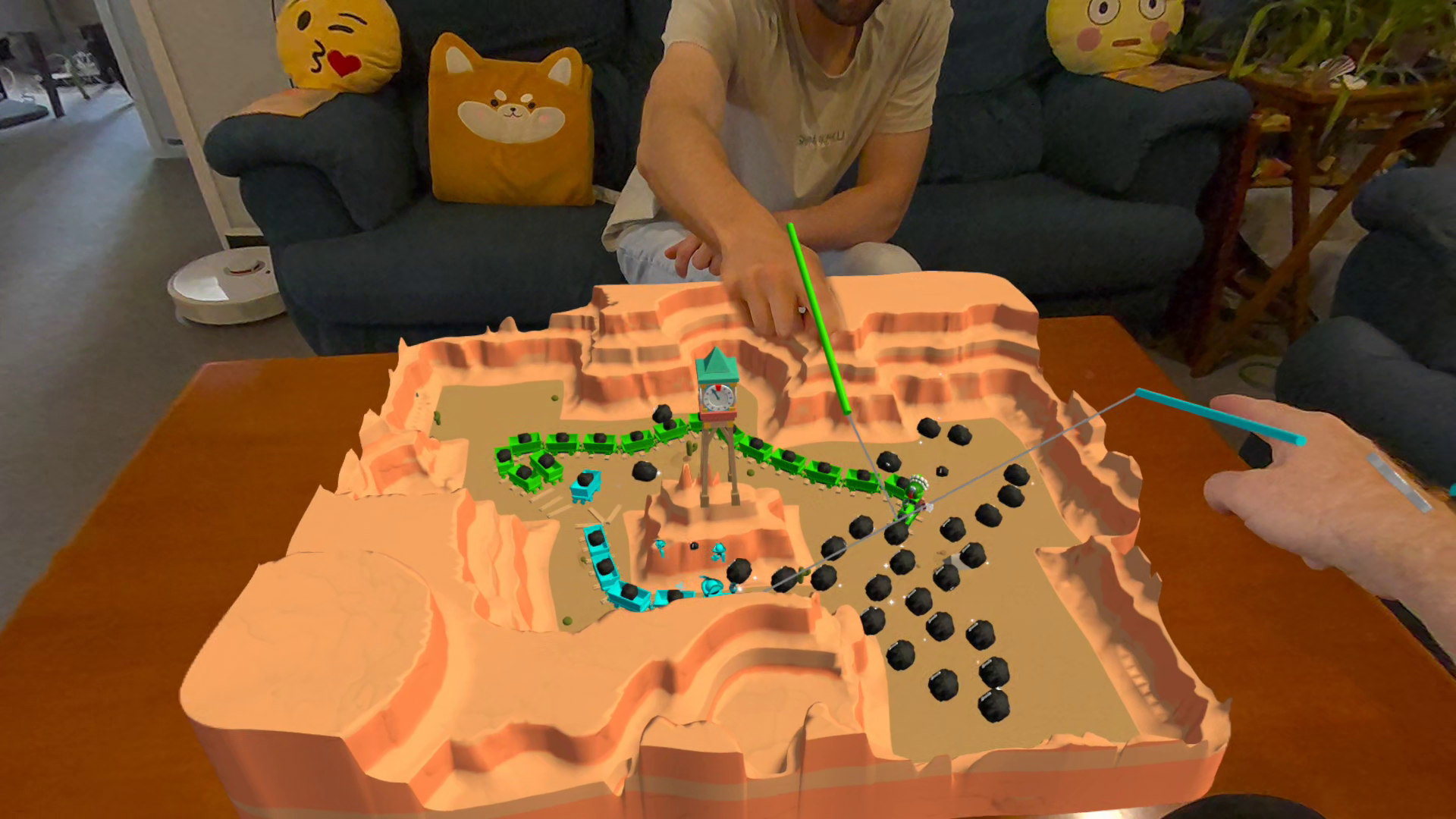
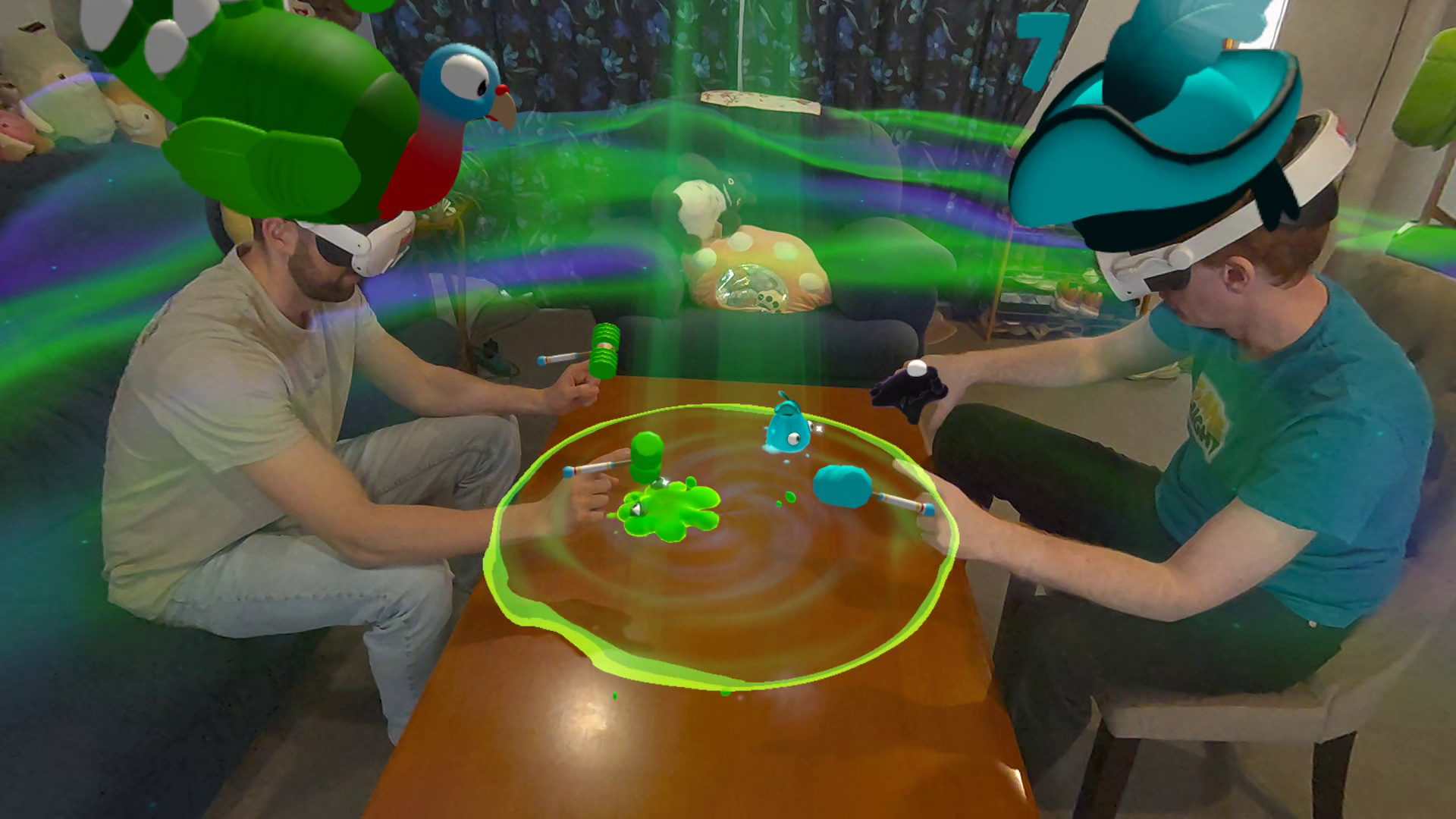
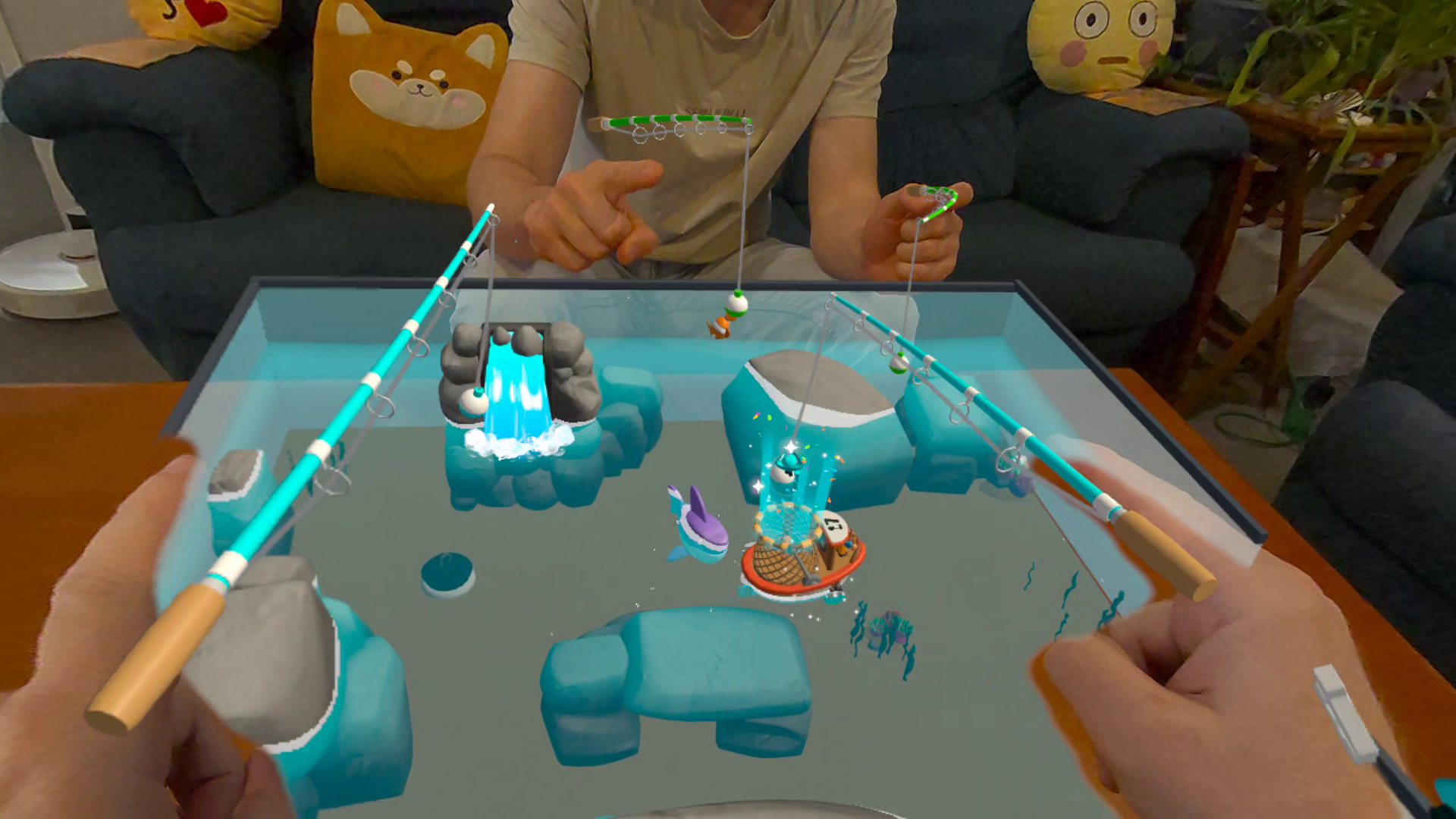
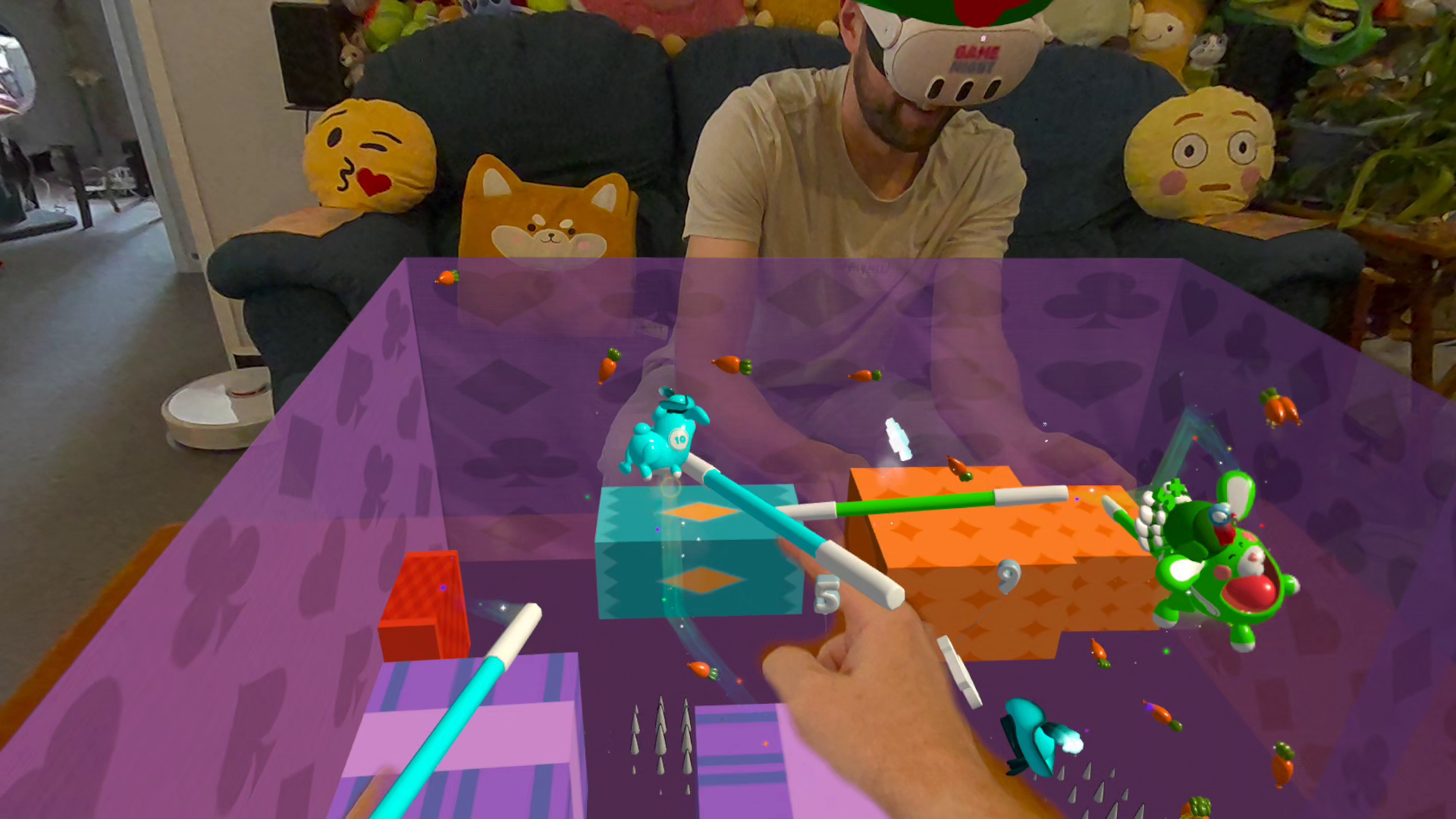
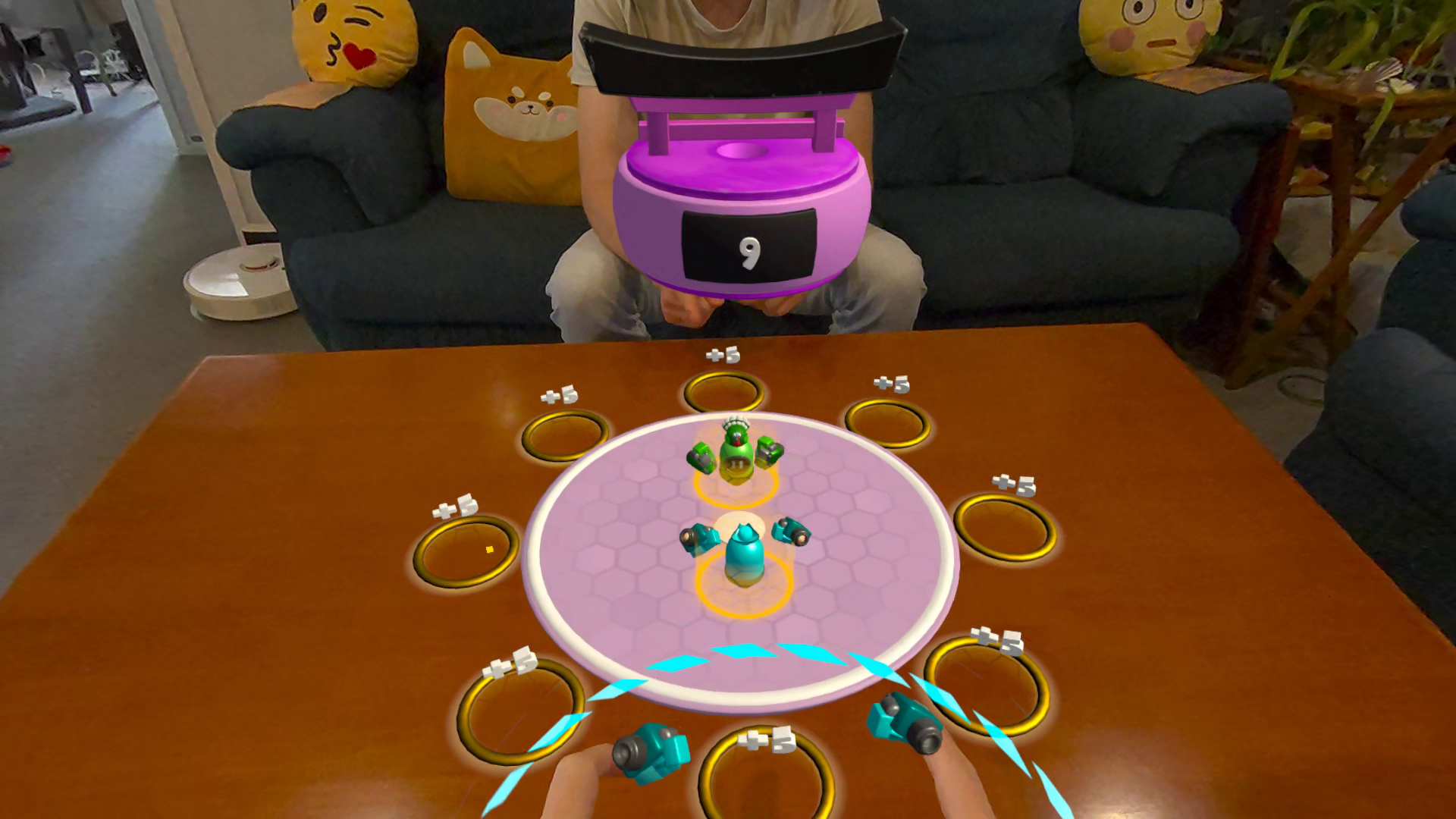
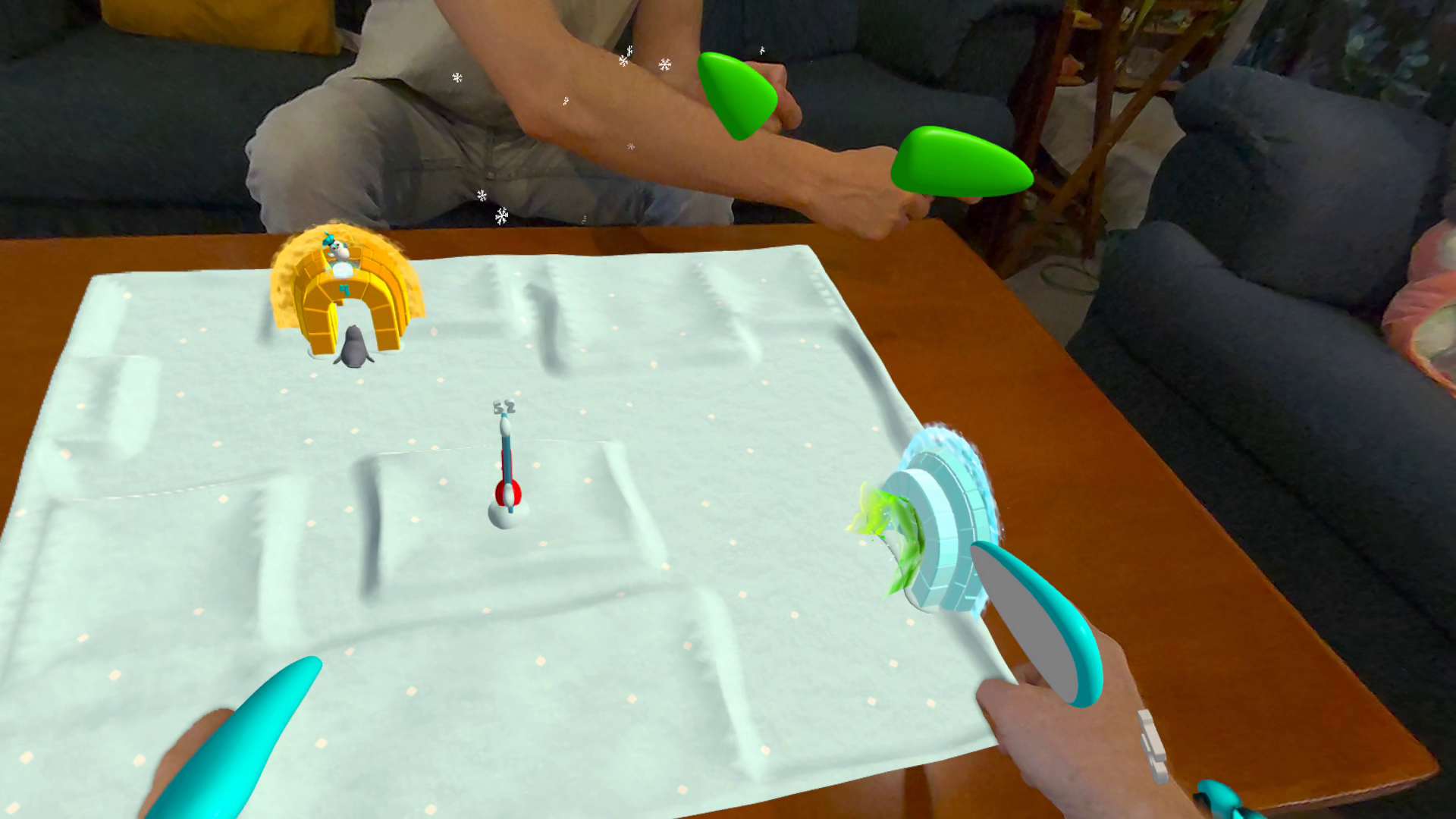
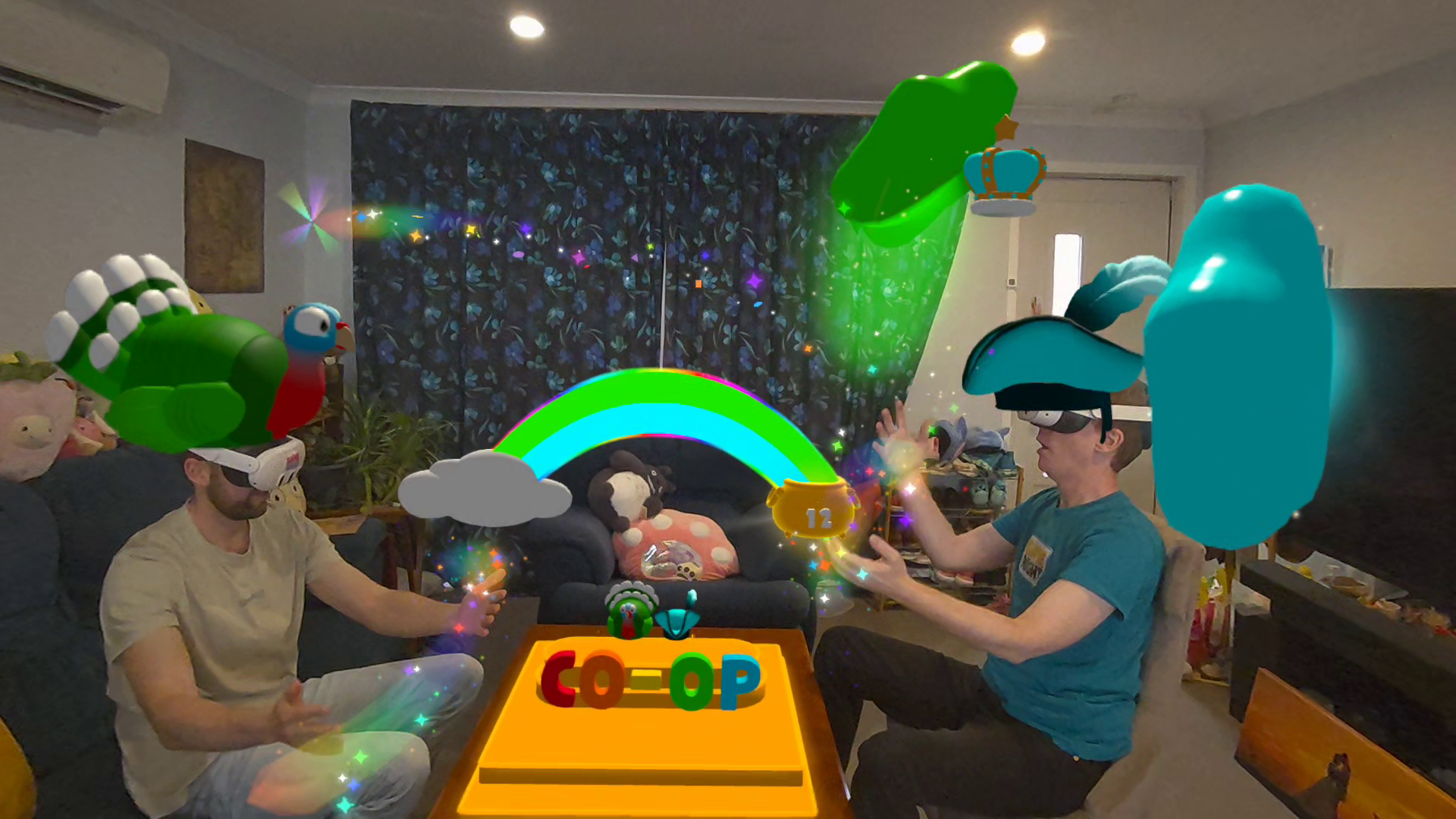
Game Night turns your room into a mixed reality board game you can play with your fingertips. For this competition, we built a seated tabletop mode for our existing room-scale party game, adapting all seven minigames for up to four people around one table.
Inspiration
Game Night launched in Early Access on Meta Quest in November 2024 as a room-scale mixed reality party game. You are the controller. You run, slap and catch in minigames built around the layout of your actual room. Players loved it, but it asked a lot. You needed a cleared space, a room scan and the energy to sprint around.
Meta VR Glasses got us thinking about where else people might play, from the couch to the kitchen table to a café. What if we shrank the whole room into a living board game and gave players everything they needed to play on their fingertips?
What it does
The game suggests a tabletop for the board. Players can move and resize it with handles, and everyone sees it in the same place. Once everyone is ready, the board locks into place and each minigame grows out of it like a living diorama.
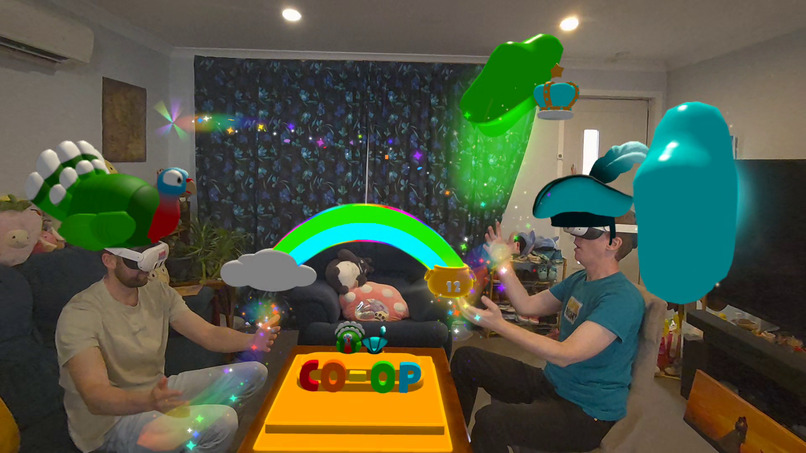
Up to four players can sit face to face and play cooperatively or competitively. Tools attach directly to your index fingers, and your hat moves to your hand so friends can tell whose fingers they’re seeing. Both modes share the same rules, scoring and high scores.
Seven minigames at the table
- Slap-A-Martian. A UFO beams alien jellies into the room. Splat them with fingertip squeaky hammers that can bump into each other, including your opponents’ hammers.
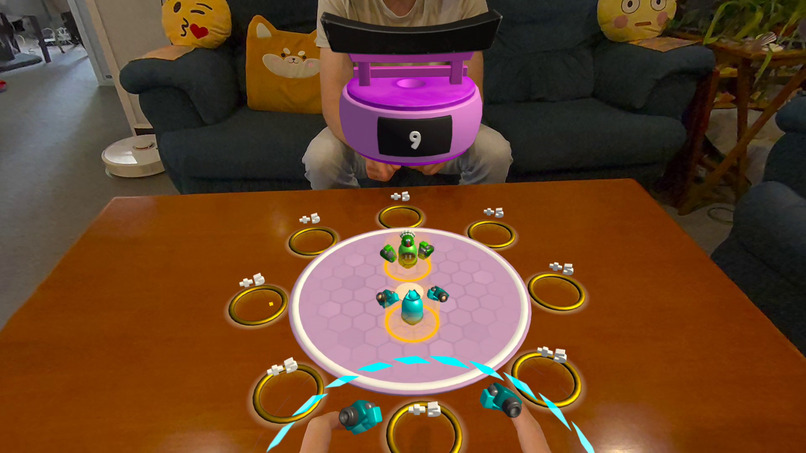
- Final Throwdown. Slip your fingers into tiny boxing gloves to control a robot boxer. Jab opponents out of the ring and into score multiplier rings for bonus points.
- Fishing Frenzy. Bend and flick your finger to cast a line. Pick up fish with your magnetic line, drop them into your boat or steal them off an opponent’s line. Try fishing with both hands at once.
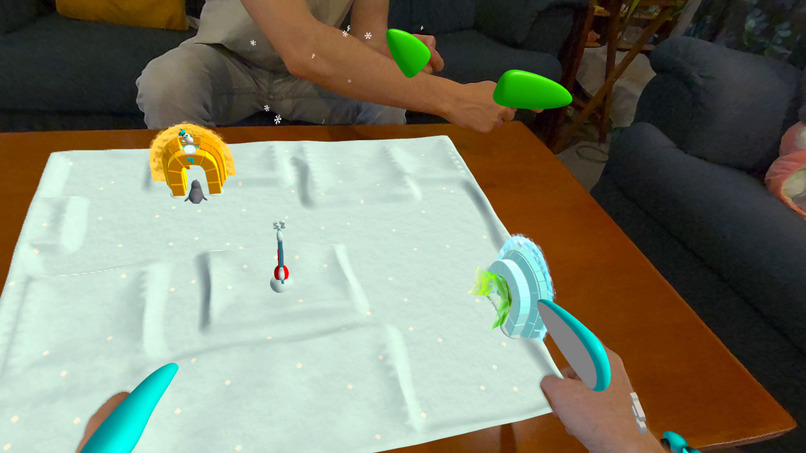
- Penguin Pucks. Turn your fingers into penguin wings and bat pucks into igloos. Your wings can clack against other players’ wings as you go for the puck.
- Conga Combo. Drop plushies from your fingertips into a moving conga line to match three and build combos.
- Rattlesnake Rail. Use a fingertip tool to steer a train around the miniature room, collecting cargo and growing your train.
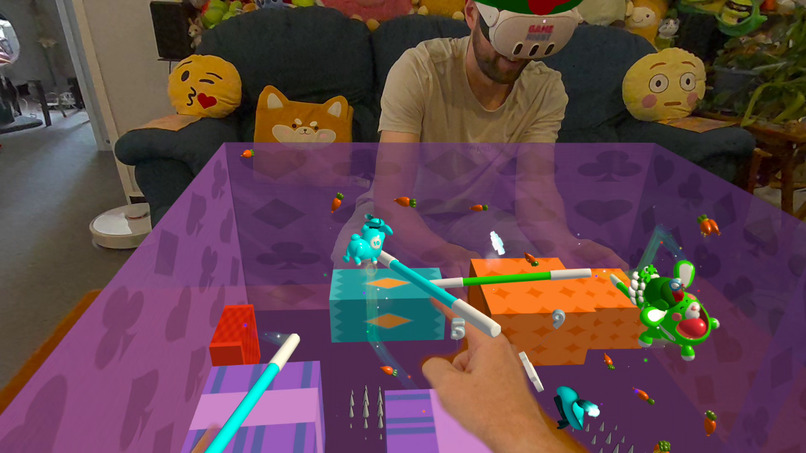
- Hungry Bunny Uppy. Use fingertip magic wands to bounce your bunny toward carrots. Let it touch a flat surface and it pops, taking your combo with it.
On a fresh install without a room scan, Game Night opens in tabletop mode without asking for room-scan permission. With a scan on file, the game opens in room-scale mode, and you can also use a miniature version of your own room in tabletop mode. You can switch modes whenever you like.
How we built it
We built Game Night in Unity with the Meta XR SDK.
- A room that fits on the board. Room-scale games read the physical room through Meta’s Mixed Reality Utility Kit (MRUK). Without a scan, tabletop mode feeds MRUK a hand-authored 4 × 4 m room as scene JSON and scales it to the board.
- A shared board without a room scan. We reuse our multiplayer alignment anchor so every headset has the same reference point. The board’s position, orientation and scale replicate across headsets, and each headset rebuilds the model room locally.
- One spatial scale. A shared scale factor adjusts dimensions, movement and physics settings, including gravity, bounce, sleep thresholds and contact offsets. We reset it after each minigame.
- Fingertip tools. Tools follow each finger’s size, position and bend. They can collide with your own tools or another player’s. When tracking drops out, tools return to a safe pose and ignore untracked frames to avoid false hits.
- Readable at any scale. Instructions and dialogs stay full size. Timers and score pop-ups scale with the game world.
- A board you can walk through. We also reworked room-scale tournament setup. Players pick hats from stands, dip their hands into paint buckets to choose colours and walk along a tournament track on the floor.
- Performance across both modes. We tuned network traffic and CPU and GPU workload across all seven minigames, including for up to eight players in the location-based entertainment (LBE) edition.
Challenges we ran into
- Scaling. Basically all assets in the game needed to be touched as the were all designed for a specific scale. Particles, wave heights, timers, score popups and bone colliders to name a few. The dynamically generated terrain mesh started getting hairline cracks in it due to sub-pixel floating point errors. The networking needed to be adjusted to support the tiny objects so their movement didn't appear jagged.
- Physics at tabletop scale. Shrinking a room of 4 m or more onto a 30–80 cm board broke navigation meshes, changed how far fish travelled, tipped bunnies over and distorted animations and particles. We adjusted the underlying physics and retuned each game.
- Speculative collision detection. Became less reliable at centimetre scale. Physics scaling was applied to all objects. In the bunny game, when you waved the wand really fast next to the bunny it would trigger a collision even though you were several centimetres away from it. This required some deep Unity investigation to fix.
- Tracking hands across a table. The hardware could mix up whose hand it was tracking when players reached close together. We extended the tools well past the fingertips so players could reach the same targets while keeping their hands farther apart. In Final Throwdown, we also limited jabs to a small zone behind each boxer.
- Loading virtual rooms. When no room scan is provided we use a virtual room for the play arena. This is a predefined room we load into MRUK on the fly. This created challenges with world locking when the player triggers a recenter. We also enabled the player to be able to scale their room to any size. The size and position are saved against each room they're playing in so when they return the arena will be where they left it.
- Showing just enough of the room. Penguin Pucks and Rattlesnake Rail generate snowy and desert terrain. This is dynamically generated on the fly as it needs to be modelled on the real world room, and the accessible play space within it. We need to make sure that pucks don't get hits into areas of the room that the player can't get too easily. There's nothing worse than spending most of the game attempting to retrieve your puck from behind a couch. Hungry Bunny Uppy plays inside a magic box with the player-facing walls hidden. Conga Combo, Final Throwdown and Slap-A-Martian sit directly on the table. As we use the players real room as the arena, in the Fishing game if there was a large wall cabinet when we converted this to stones it would block the players vision into the room when looking into it from the outside. You still need to be able to see it as game objects respond to it. We tried a range of options, including wireframes, proximity-based textures but, in the end, found the best solution was to give them a maximum height. Better gameplay trumps more faithful visuals.
- Hand tools. All of the games needed their core interaction changing as you could no longer play with your real hand. For instance, in the bunny game the fish were too small to scoop, so we added a fishing rod as your finger. It bends with your finger to feel you're a part of the game. We had to make the fishing rod and all hand tools extra long as when you have 4 people all crowded around a small arena their hands get too close together and the hardware wouldn't know which hand belonged to each player. This causes your hand tool to jump to another player. The extra length meant that players hands stayed more outside the arena, only reaching across occasionally. Hand tools were a great success and we added them to all of the games. We made the tools interact with each other. You can hit your squeaky hammers together and they respond like they would in real life. Networking this was a challenge but you can hit each others hammers together and they don't pass through each other, or you can high five each other using your penguin wings.
- Gameplay improvements. - In the bunny game balloons move relatively quickly traverse the room to get players running around. When the room is tiny though it was completely chaotic. We slowed the bunny for more precise hits. Conga Combo surprised us most. At the table, players could build combos and interfere with each other faster, and we found ourselves enjoying it more.
Accomplishments that we're proud of
- All seven minigames are playable seated, with shared rules, scoring and high scores across both modes.
- New players can start tabletop mode without a room scan or controllers.
- One codebase supports room-scale and tabletop play across the home and LBE editions. With both modes, venues can run Game Night in spaces ranging from a small tabletop setup to a basketball court.
What we learned
Shrinking the game changed what was fun. Room-scale Game Night gets people running and reaching. At the table, you can immediately reach right across the room. It becomes more about dexterity and quick wits rather than fitness. It becomes more competitive as you can more easily respond to what your friends are up to while you're taking your actions.
What's next
- Officially release this update in Game Night retail and Game Night for LBE
- Gaze-based assistance. Explore using gaze on Meta VR Glasses to infer where a player wants to hit a balloon, place a plushie or toss a fish.
- Remote multiplayer across both modes. We want someone playing room-scale to share a session with friends playing tabletop from elsewhere. The tabletop players would see the room-scale player’s hat moving through the miniature room. The room-scale player would see their friends’ hands and tools reaching in through the walls and ceiling.
- Meta Quest release. We aim to bring tabletop mode to the Meta Quest Store alongside the launch of Meta VR Glasses.
Built With
- depthapi
- fmod
- foveatedrendering
- handtracking
- metapresenceplatform
- microphone
- mruk
- spatialanchors
- spatialaudio
- unity


