Inspiration
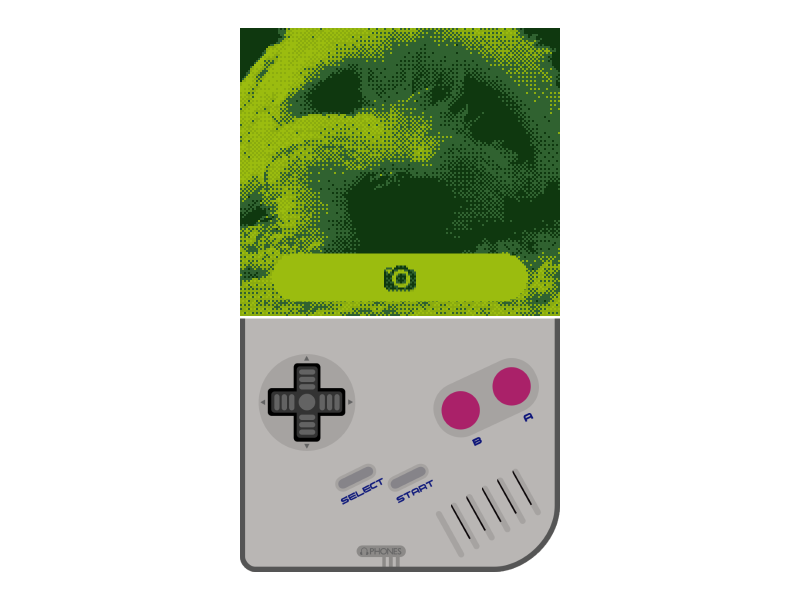
I wanted to make a retro style selfie filter. At first I made an LCD type filter, using red, green, and blue 1x3 pixel strips to create the image. I eventually scrapped that idea. Then I had the idea of a LEGO version of a selfie, but dumped that idea as well. I finally settled upon a Game Boy filter, and I haven't turned back since.
How it works
It captures each frame from the webcam and crops a centered 10:9 image from it, resizes to 160x144 (native Game Boy resolution), then draws each pixel as one of four different shades of green on the canvas as a 4x4 square
Challenges I ran into
I had trouble finalizing the style. At first, I had a section at the bottom containing all the selfies you take, where you can select which ones you wanted to throw away or download. I removed that feature simply because it made the experience too complicated.
Accomplishments that I'm proud of
I'm especially proud of the fact that I got the chance to learn more about JavaScript to create this project. Learning how to enable the webcam and creating a JavaScript worker surely made the experience more valuable to me. The JavaScript worker did not make it to the final version, since it lost it's use when I changed ideas.
What I learned
I learned that some good ideas may not be good enough in the end for a specific project. The ideas by themselves may be creative, but it has to have a good enough purpose to work well. Also, I mentioned before the different features of JavaScript I got to work with.
What's next for Game Boy Selfie
What's next? Well I would like to integrate it with social media so that the user can instantly share their selfie without having to download it then upload it. Something like that could make the experience much more enriching.




Log in or sign up for Devpost to join the conversation.