-
-
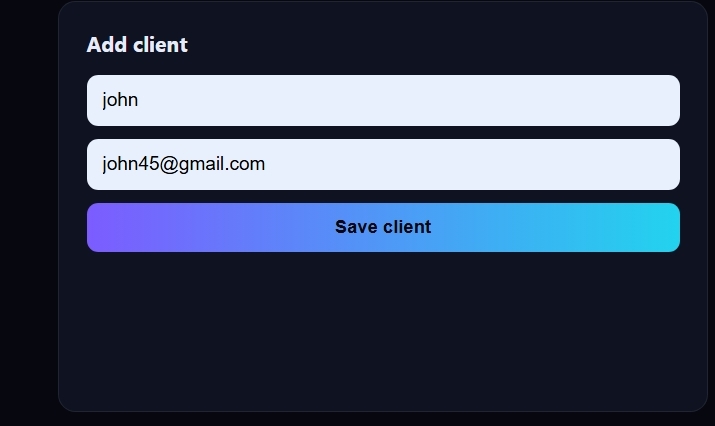
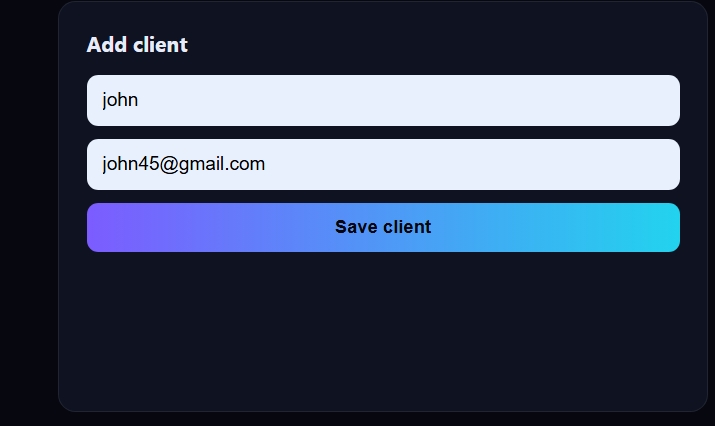
first we will put the names of the client who will pay us money.
-
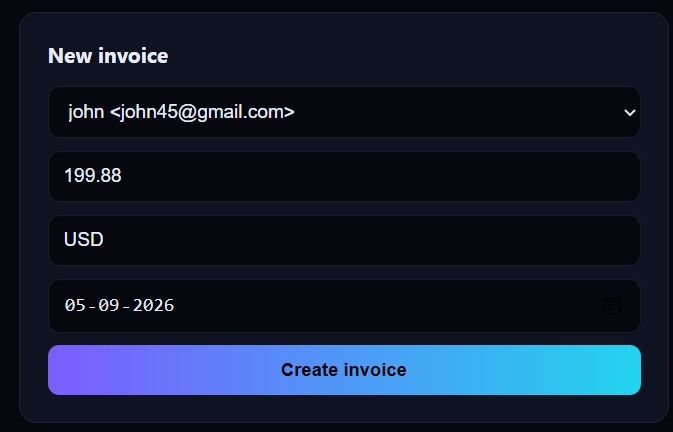
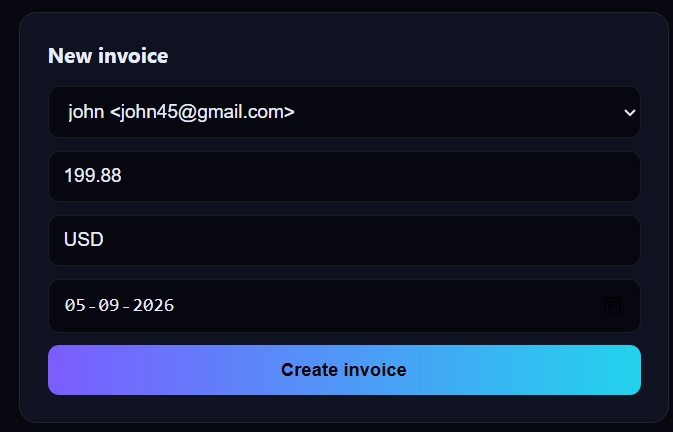
we will add the money information like how much the client will pay
-
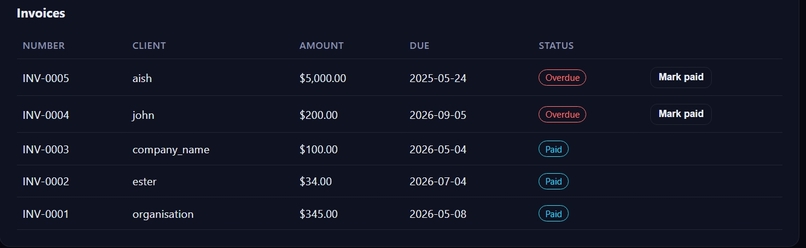
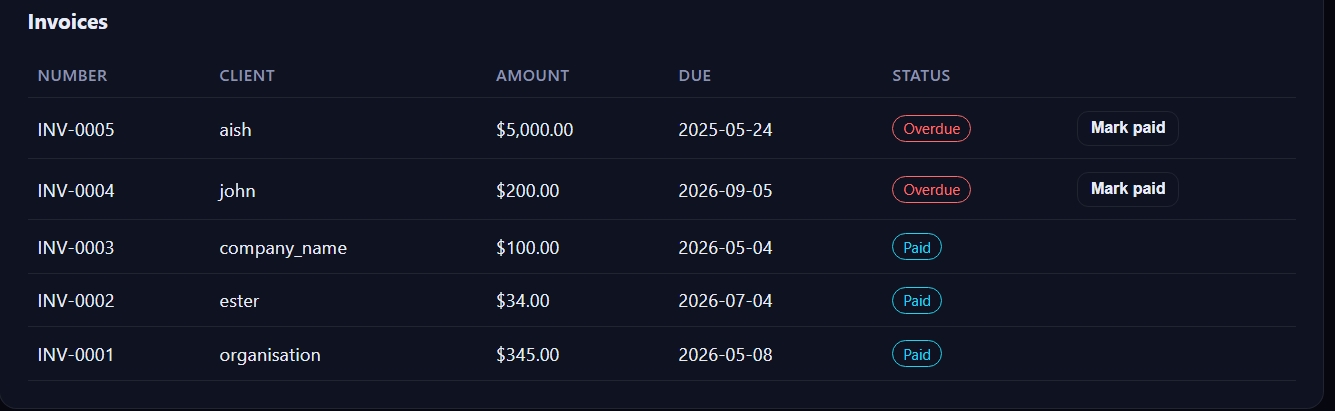
if the client has paid we will simply click paid and if not paid we will simply click overdue
-
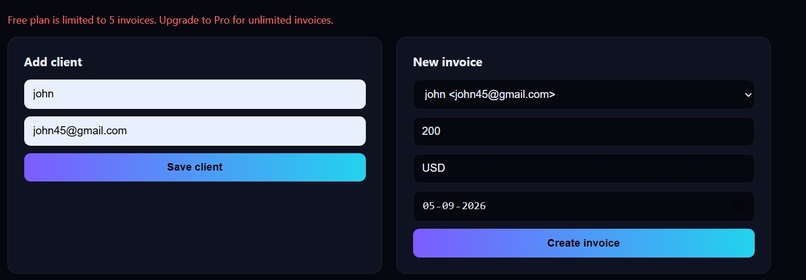
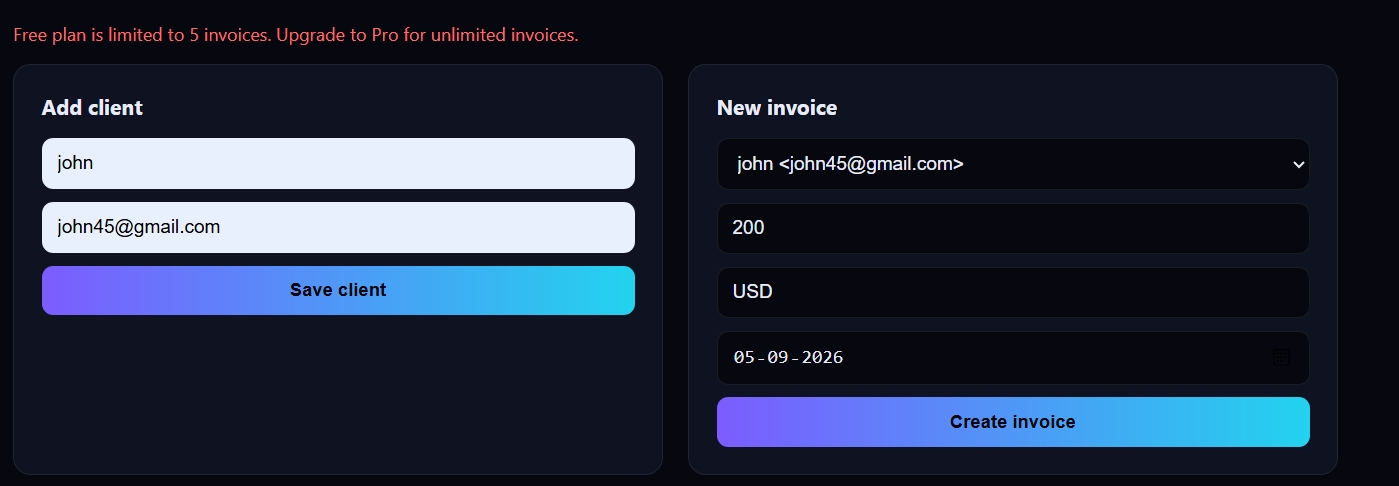
after the free version will be over premium version will be asked to t
-

it will also send email as a remainder to pay the money.

Inspiration
The Galuxium Nexus V2 challenge asked for production-ready SaaS, not prototypes: software with a live deployment, a real workflow, and a plan to make money. Late payments seemed like a good place to start. Freelancers and small businesses often wait weeks to get paid, and chasing invoices by hand takes time away from the work that earns the money. We wanted a product small enough to finish well, with a problem clear enough to explain in one sentence.
What it does
Galuxium Nexus Invoices helps freelancers and small businesses get paid on time. Users can:
Sign up and log in with email and password. Add clients with a billing email. Create invoices with an amount, currency, and due date. Each invoice gets a number like INV-0001. See which invoices are open, paid, or overdue. Queue a reminder email for every overdue invoice with one click. Each invoice is reminded at most once every three days. Upgrade to Pro for unlimited invoices. Free accounts are limited to five. How we built it
The app is a single Node.js process with no external runtime dependencies. It uses Node’s built-in HTTP server, the built-in SQLite module (node:sqlite), and the built-in crypto module. The front end is plain HTML, CSS, and JavaScript, with no build step.
Key design choices:
Security: Passwords are hashed with scrypt. Session tokens are random, sent in HttpOnly cookies, and stored only as hashes. Request bodies must be JSON, which blocks cross-site form attacks. Data isolation: Every database query is filtered by the logged-in user’s ID. Money: Amounts are stored as whole cents to avoid rounding errors. Billing: Stripe Checkout handles subscriptions. Plan changes come from webhooks whose signatures are verified, so the browser can’t upgrade its own account. Testing: Eighteen automated tests cover auth, data isolation, the free limit, reminders, the waitlist, and webhook signature checks. Challenges we ran into
The hardest part was not the product logic. It was getting the project to run on a typical Windows machine. Node.js wasn’t on the PATH, so npm wasn’t recognized. The project sat one folder deeper than expected, and an earlier version of the code was still in use. Port 3000 was held by a server left running from a previous attempt. And the login screen showed “Email or password is incorrect” for a new user, because the account hadn’t been created yet.
On the technical side, the sandbox had no access to the package registry, so we couldn’t use a common framework like Express. That turned out to be a benefit: the app has no dependencies to install, but it meant writing the routing, cookies, and body parsing by hand.
Accomplishments that we’re proud of A complete working product, with auth, data isolation, billing hooks, and reminders, built with zero runtime dependencies. Eighteen passing automated tests. A security model that covers password hashing, hashed session tokens, CSRF protection, and verified webhook signatures. Documentation that covers architecture, database schema, API endpoints, setup, deployment, an executive briefing, and a monetization plan. What we learned
A working product needs more than good code. The setup experience matters as much as the features, because a user who can’t start the app never sees them. We also learned to test against the real server, not just unit tests. Several of the problems we hit were in how the files were packaged and delivered, not in the code itself.
On the business side, a narrow product with one clear problem is easier to explain, build, and test than a broad platform. Five free invoices gives users enough time to see value before they’re asked to pay.
What’s next for galuxium-nexus-v2 Deploy to a host with persistent disk, such as Fly.io, and publish a live demo link. Publish the repository on GitHub with the README and commit history. Send real emails through an email provider, with SPF, DKIM, and DMARC set up for deliverability. Connect live Stripe payments and test the full upgrade and cancellation flow. Harden the app: add login rate limiting, password reset, and email verification. Test with real users: run a small pilot with freelancers and measure days-to-payment before and after. Add payment links to invoices so clients can pay with one click.

Log in or sign up for Devpost to join the conversation.