-
-
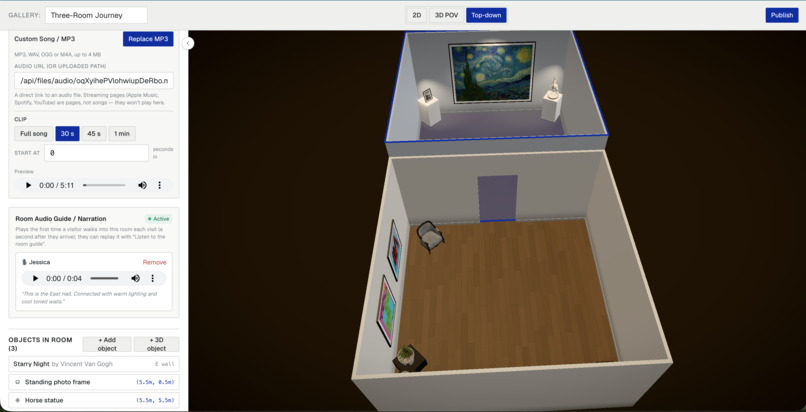
Owner View
-
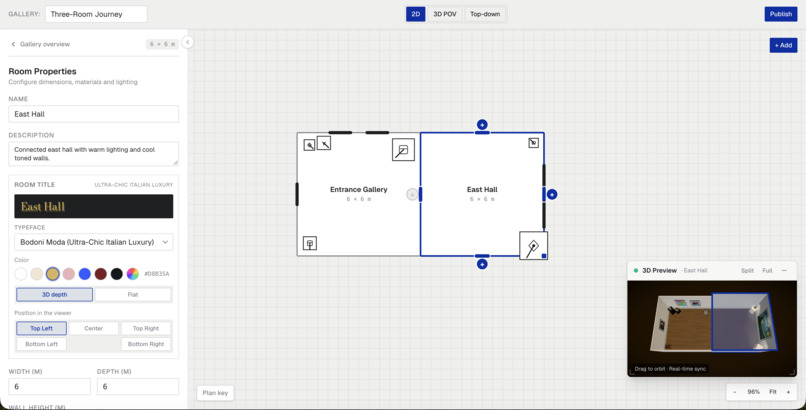
Tool Settings for Owners
-
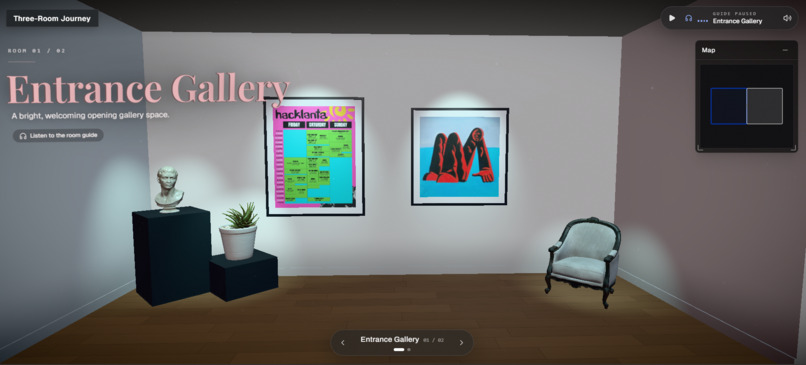
Visitor View
-
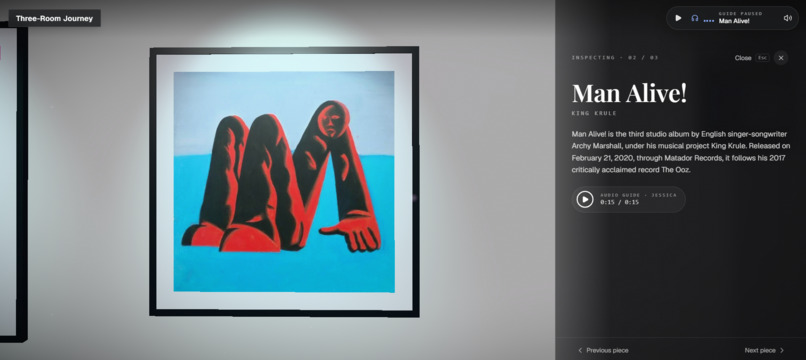
Immersive Actions
-
Audio Adjustment System
Inspiration
Most artists show their work online in a feed. Every piece gets cropped to the same square, sits between ads and memes, and is scrolled past in about a second. A real exhibition does something a feed can't: it sets a pace. You walk into a room, the light changes, there's a title on the wall, and each piece has a label that tells you its story.
Physical shows need a venue, a budget and connections that most emerging artists don't have. 3D virtual galleries exist, but building one means learning Blender, Unity or three.js. We wanted to remove that barrier:
If you can sketch a floor plan on a napkin, you can open a gallery.
The visual ambition came from basement.studio's website, a moody, cinematic 3D space you can wander through. We used it only as inspiration (no code, shaders, models or fonts were copied). We wanted any creator to be able to author that feeling, not just a studio that can afford it.
What it does
Galleriverse is a no-code 3D gallery builder. The editor is the product; the walkable 3D gallery is what it produces.
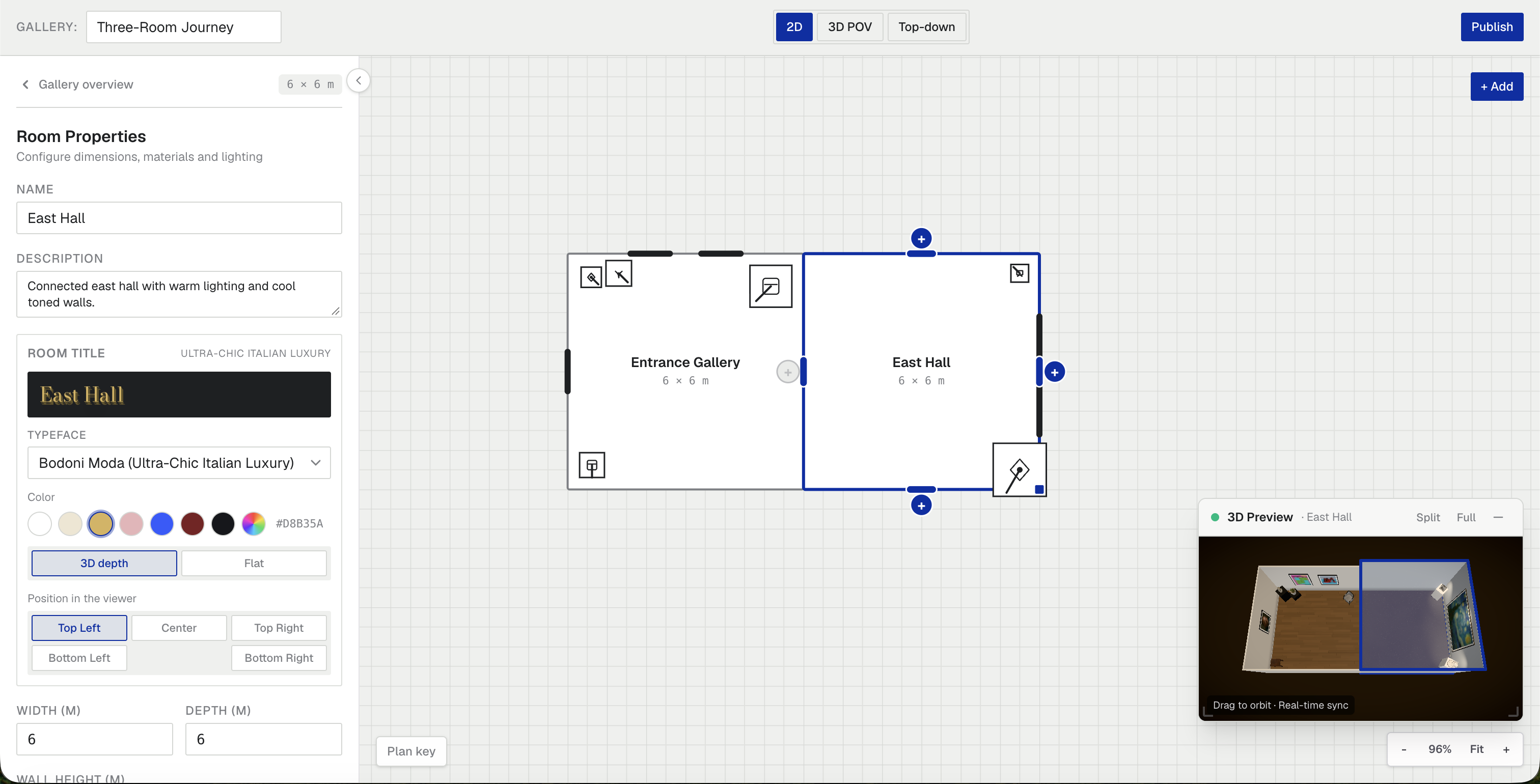
- Draw rooms on a 2D floor plan. Rooms are rectangles on a 1 m grid. You add neighbours with directional + buttons, then drag, resize and snap them, with full undo/redo.
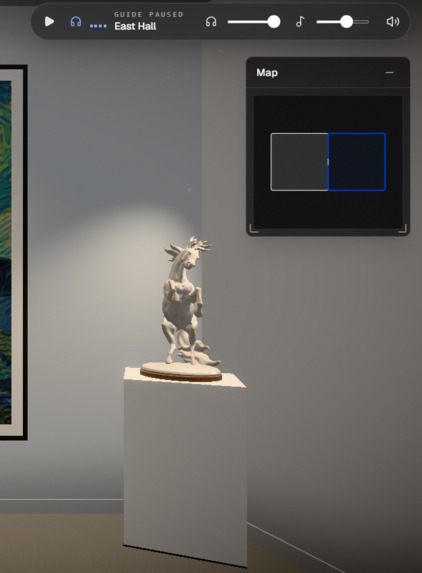
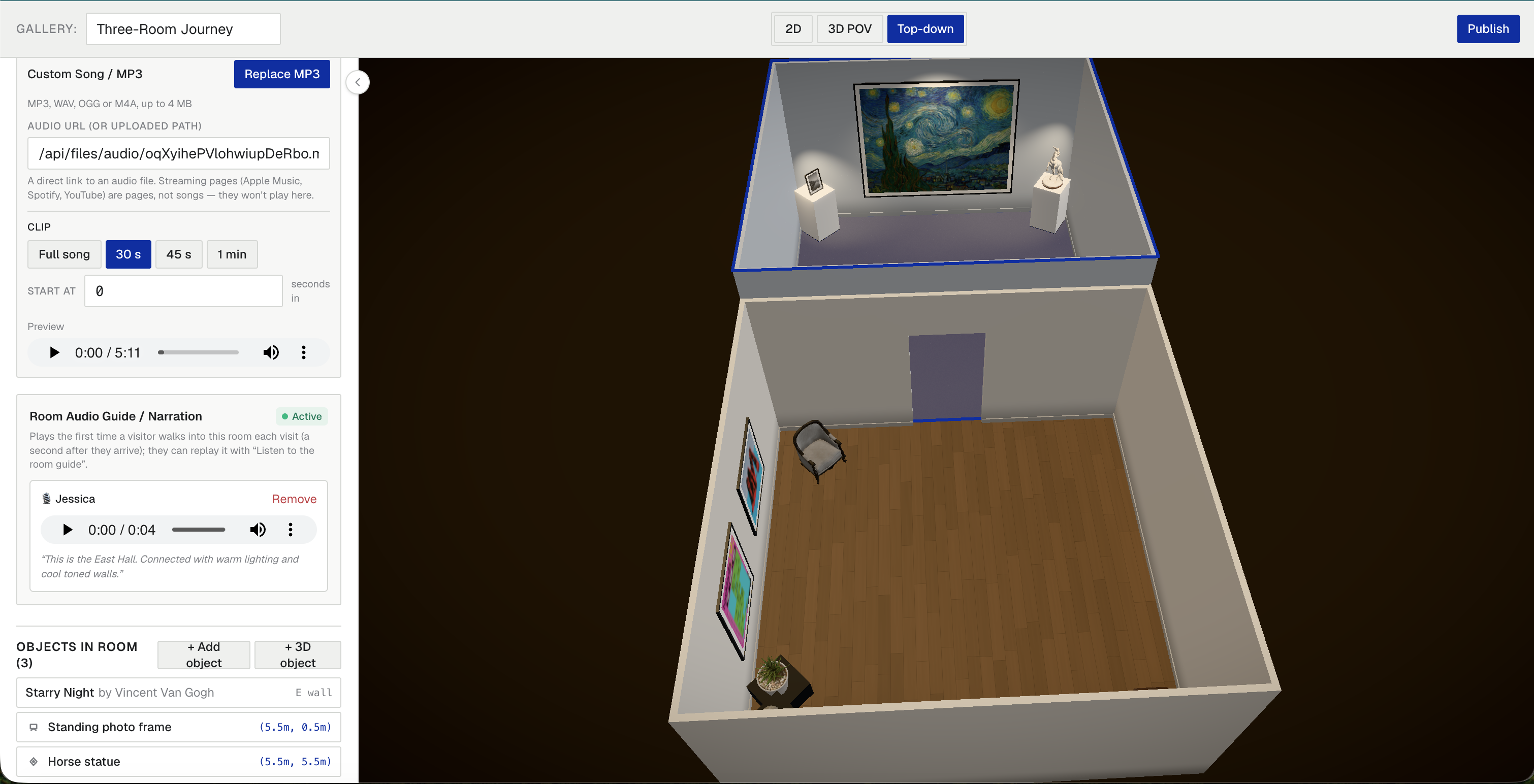
- Give each room character. Choose the wall colour, a floor finish (wood, concrete, marble), lighting, and an atmosphere preset (Gallery White, Golden Hour, Neon Bunker, Moonlit, or Custom). Set a room font and a soundtrack, either built in or your own MP3/WAV/OGG/M4A.
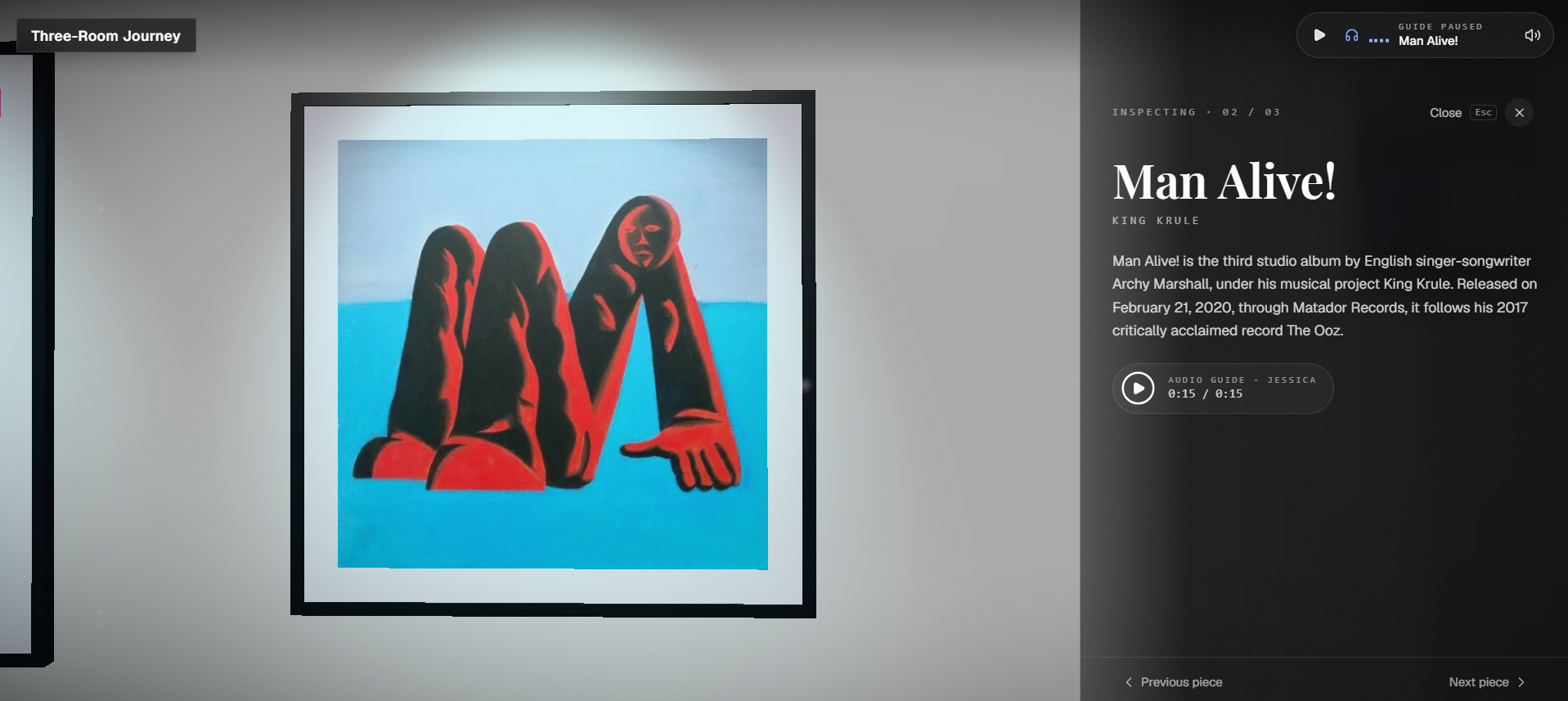
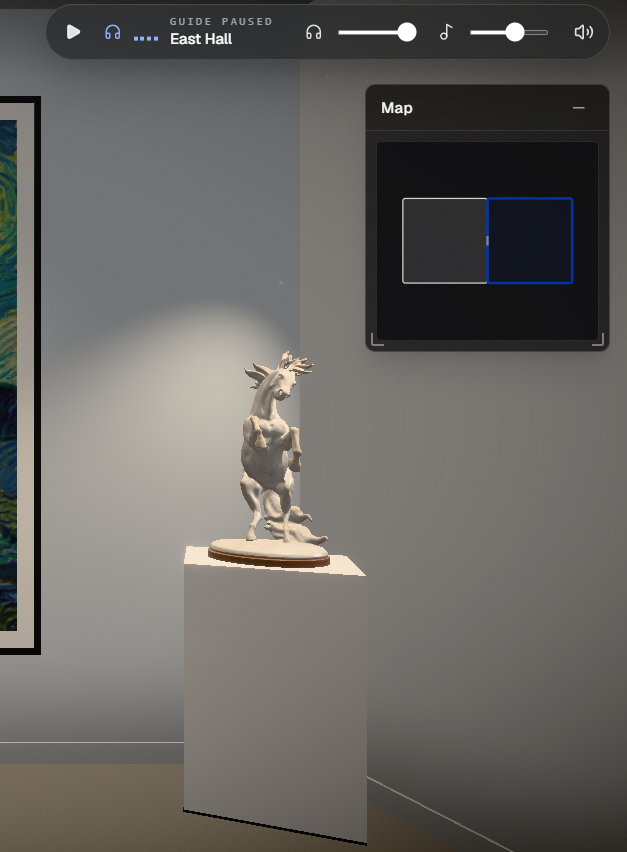
- Hang your work. Upload images, GIFs or MP4s, place them along any wall, and add a title, artist and story. You can also place free-standing objects on plinths: 12 CC0 models, cutout sculptures, or your own
.glb. - Preview it as a visitor. Switch between 2D, 3D POV (the real visitor tour, rendered live from your unsaved gallery) and Top-down.
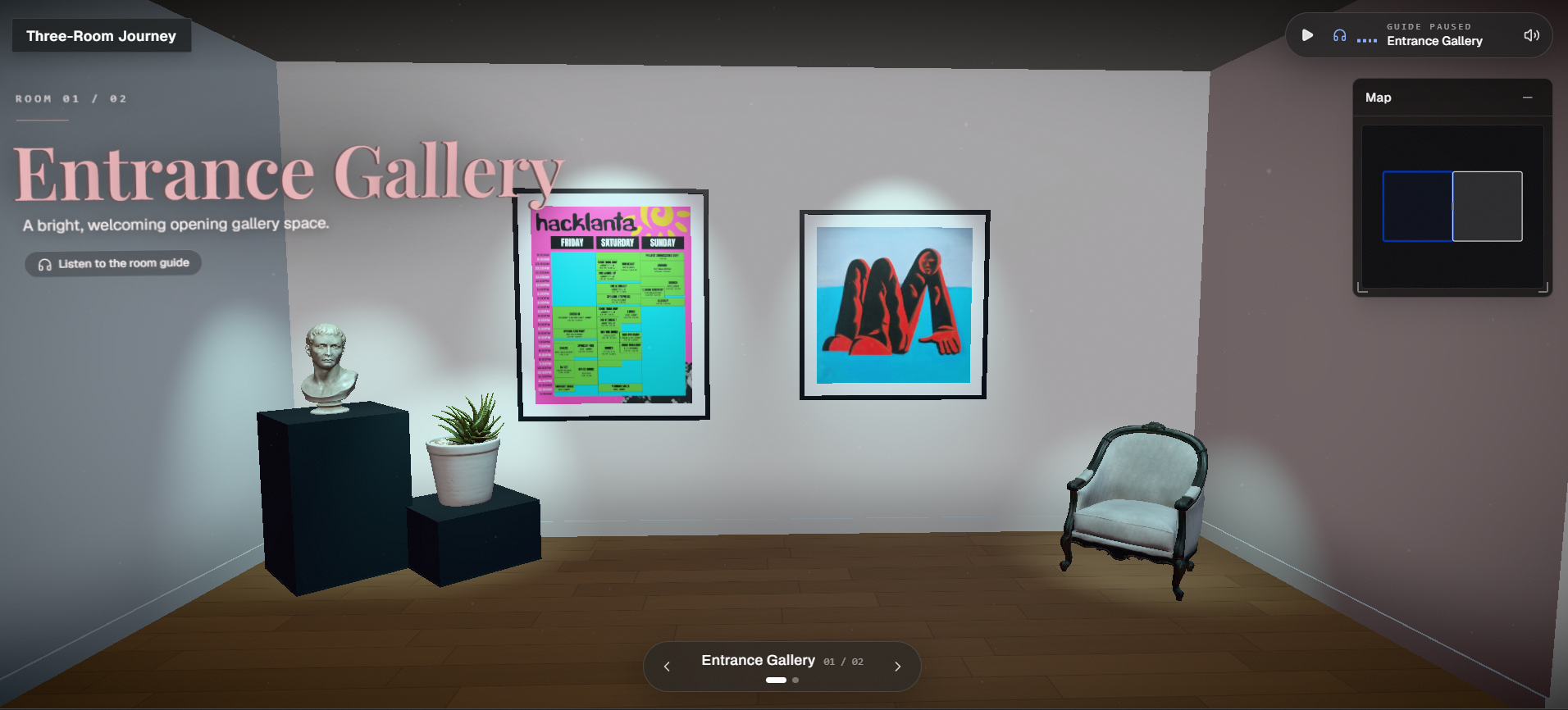
- Publish. You get a public view link and a secret edit link. Visitors need no account. They click to travel, drag to look around 360°, walk through doorways as the atmosphere and music cross-fade between rooms, and click any frame to read its plaque. It works on laptops and phones.
Accounts are optional. Logging in just lists Your galleries on the start page.
How we built it
We kept asking one question: does this feel like walking through a gallery, or like using a 3D app? Most of our decisions came from that question.
Designing the visit
- Click to travel instead of game controls. Many artists' audiences have never used WASD keys. So you click where you want to go and the camera glides there, and you drag to look around. Anyone who can use a map app can use it.
- Movement that feels physical. The camera eases into turns and coasts to a stop when you let go, the way a real head turn settles. We tuned it to feel identical on a 30 Hz phone and a 144 Hz gaming monitor, so nobody gets a twitchy or sluggish version.
- Doorways are moments. When you step into a new room, the fog, colour tone, glow and vignette blend over about a second, and the music cross-fades. Crossing a threshold feels like entering a different space, not loading a new level. If you come back to a room, its song picks up where it left off.
- Light that makes art the hero. Every artwork gets its own picture light pooling on the wall. Ceilings, baseboards, soft corner shading, drifting dust motes and a little film grain do quiet work, making the scene read as a room rather than a render.
- Plaques, not pop-ups. Clicking a frame opens its title, artist and story, like reading a wall label up close. Then you step back and keep walking.
- Phones get a real view. A naive 3D camera on a portrait phone shows only a thin sliver of wall. We widen the view so you always see at least 70° across, and we added a tap-to-open minimap and a tap-to-start screen so the music starts without fighting autoplay rules.
Designing the editor
- A napkin, not a modelling tool. Creators only ever draw a flat floor plan. Rooms snap to a grid, neighbours attach with + buttons, and undo/redo covers everything.
- Doors appear on their own. Wherever two rooms touch along enough wall, a doorway is cut automatically, centred on the shared edge. Nobody ever has to draw a door.
- Shared walls just work. Each room builds its own face of a shared wall, so neighbouring rooms can have different colours and heights without flickering or conflicts.
- See it as a visitor before you publish. The 3D POV preview runs the actual visitor tour on your unsaved gallery. What you see is what visitors will get.
- Nothing to lose, nothing to sign up for. Uploads start the moment you drop a file (resized in your browser first), autosave runs continuously, and you can publish without an account.
Under the hood
To make all of this reliable, we separated the two halves completely. The editor produces a plain 2D document, and a single pure function, compile(), turns it into a 3D scene description: floors, walls, doorways, frames and camera stops. That function knows nothing about three.js or React. We could test doorway and wall geometry like ordinary code, and the editor and renderer teams could build in parallel against a shared sample gallery.
- Next.js (App Router) + TypeScript + Tailwind on Vercel
- three.js + React Three Fiber + drei for the gallery, with image-based lighting and per-artwork picture lights
- zustand (editor state and undo), @use-gesture/react (2D interactions), zod (validation), howler (room audio)
- Vultr Object Storage for galleries, artwork, audio and models, with a local fallback so anyone can develop without credentials
- Edit keys are stored only as hashes. Accounts use salted scrypt, and uploads are checked by their actual file contents, not their extension.
How we worked: 4 humans, a team of AI agents
We built Galleriverse as four people running a structured team of AI coding agents: a senior engineer/PM, three builders, three reviewers, two designers, and DevOps. The agents ran on Claude Code, Codex and Antigravity/Gemini. The process is what held it together:
- 16 Architecture Decision Records (inset walls, pure compile, click-to-travel and more), so every agent built on the same decisions.
- 100+ task cards with lanes, statuses and assigned reviewers, kept on a separate
Docsbranch that never touched the code. - A hard rule: no agent reviews work built by its own operator's agents.
- A merge gate: green CI, a reviewer verdict label and an
approvedcard status.
That got us 110+ merged PRs and 100+ unit and end-to-end test files in about a day and a half, including a Playwright cross-browser and phone matrix. We also built a one-command npm run predemo that runs the full publish → tour → plaque → edit-key flow against the live deployment.
Challenges we ran into
- Production crashed the night before submission. An "inertial camera" PR caused
Minified React error #185(maximum update depth) and took down the editor in production. The cause was a state-update loop between the live 3D preview and the editor store. We reverted it immediately, then re-landed only the camera part, isolated to the viewer. We also added an e2e test that mounts the editor, drags the camera, cycles through the view modes and fails on any page error, so the crash can't come back. - Blank frames in 3D. Vultr Object Storage sends no CORS headers, so WebGL refused the cross-origin textures and every frame rendered empty. We fixed it by serving all public objects same-origin through
/api/files/<key>, with immutable cache headers and path-traversal protection. - Safari can't encode WebP from a canvas. Uploads silently failed on iPhones and iPads. We added a JPEG fallback to the browser resizer and taught the server to accept WebP, JPEG and PNG, checked by magic bytes.
localStorageholds only about 5 MB. Storing three image sizes as data URLs would fill it after a handful of artworks. So images upload the moment they're added, and the document stores only URLs.- Audio is harder than it looks. Autoplay policies, a tap-to-start screen, resuming a song when you return to a room, and M4A files whose container brand turned out to be video all needed explicit handling.
- Coordinating agents that share GitHub accounts. GitHub won't let an account approve its own PR, and some builder and reviewer agents shared one human's account. We replaced GitHub approvals with a label-based merge gate. When one teammate's Claude usage ran out mid-hackathon, their agents switched to Gemini without the process breaking.
Accomplishments that we're proud of
- A gallery that feels like a place: picture lights pooling on the walls, room atmospheres that change as you move, and music that cross-fades as you walk through a doorway.
- A non-technical person can go from a blank page to a shareable 3D gallery in minutes, with no account, plugin or install.
compile()is pure and snapshot-tested, so doorway and wall geometry stayed stable across many PRs.- It runs on phones, with a wide minimum view and a tap-to-open minimap.
- The process scaled: 16 ADRs, 100+ tickets and 110+ reviewed PRs. When production broke, we diagnosed it, reverted it and guarded it with a regression test within the hour.
What we learned
- Put a pure data layer between the editor and the renderer. The 2D →
SceneModel→ 3D split was the best decision we made. It turned "3D bugs" into ordinary unit tests and let us work in parallel without collisions. - Feel is engineered, not decorated. Easing, a one-second blend at doorways, a picture light per frame: each is small, but together they decide whether people linger or leave. Making motion feel the same on every device mattered as much as any feature.
- Browsers are the real platform. CORS on textures, canvas encoders in Safari, autoplay rules and portrait screens were all invisible until we tested on real devices. The cross-browser matrix earned its time.
- AI agents need structure, not just prompts. Written decisions, clear lanes, independent review and a strict merge gate are what let many agents ship fast without breaking each other's work. When something did break, the same discipline (revert first, then re-land in small pieces with a test) got us back quickly.
- Revert first, debug second. A one-line revert restored the demo while we calmly found the real cause.
What's next for Galleriverse
- Pieces and space kits: one mental model for everything you can add to a room, plus one-click room presets.
- "Describe the mood": type "a quiet blue room at midnight" and an AI model picks the atmosphere, lighting, colours and music for the room.
- Heavier graphics on Vultr GPUs: compressing textures at upload, baking room lighting when a gallery is published, and AI-assisted alt text, colour palettes and curator notes for accessibility.
- First-person walking as a second camera mode alongside click-to-travel.
- More kinds of pieces: photo albums, records, books, links and visitor guestbooks.
- Email-verified accounts, collaborative editing and visitor analytics, so artists can see which pieces people actually stop at.


Log in or sign up for Devpost to join the conversation.