-
-
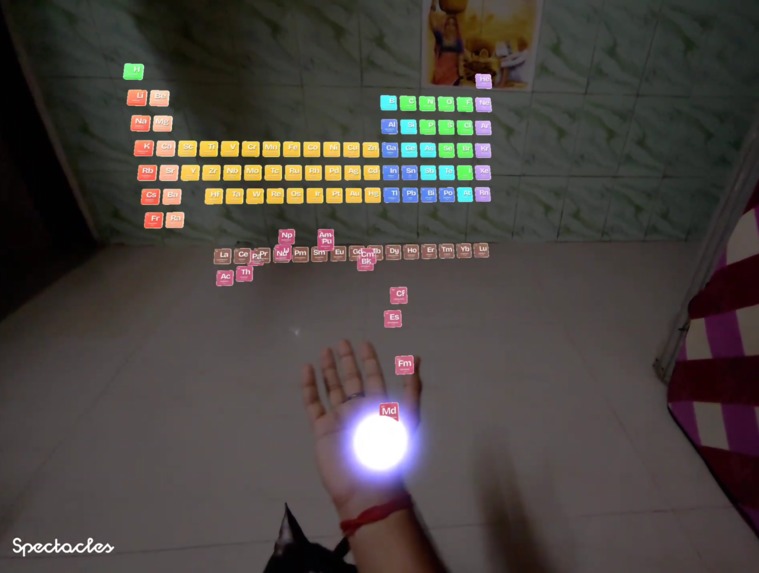
Periodic Table in your space
-
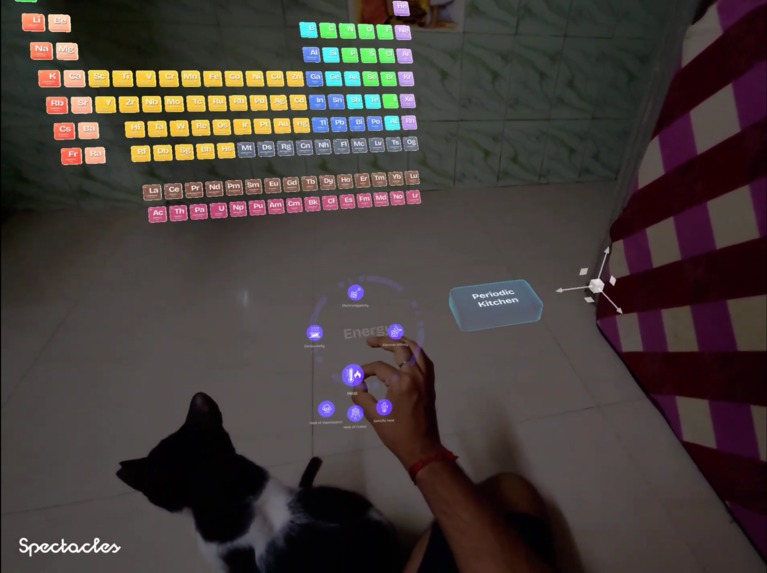
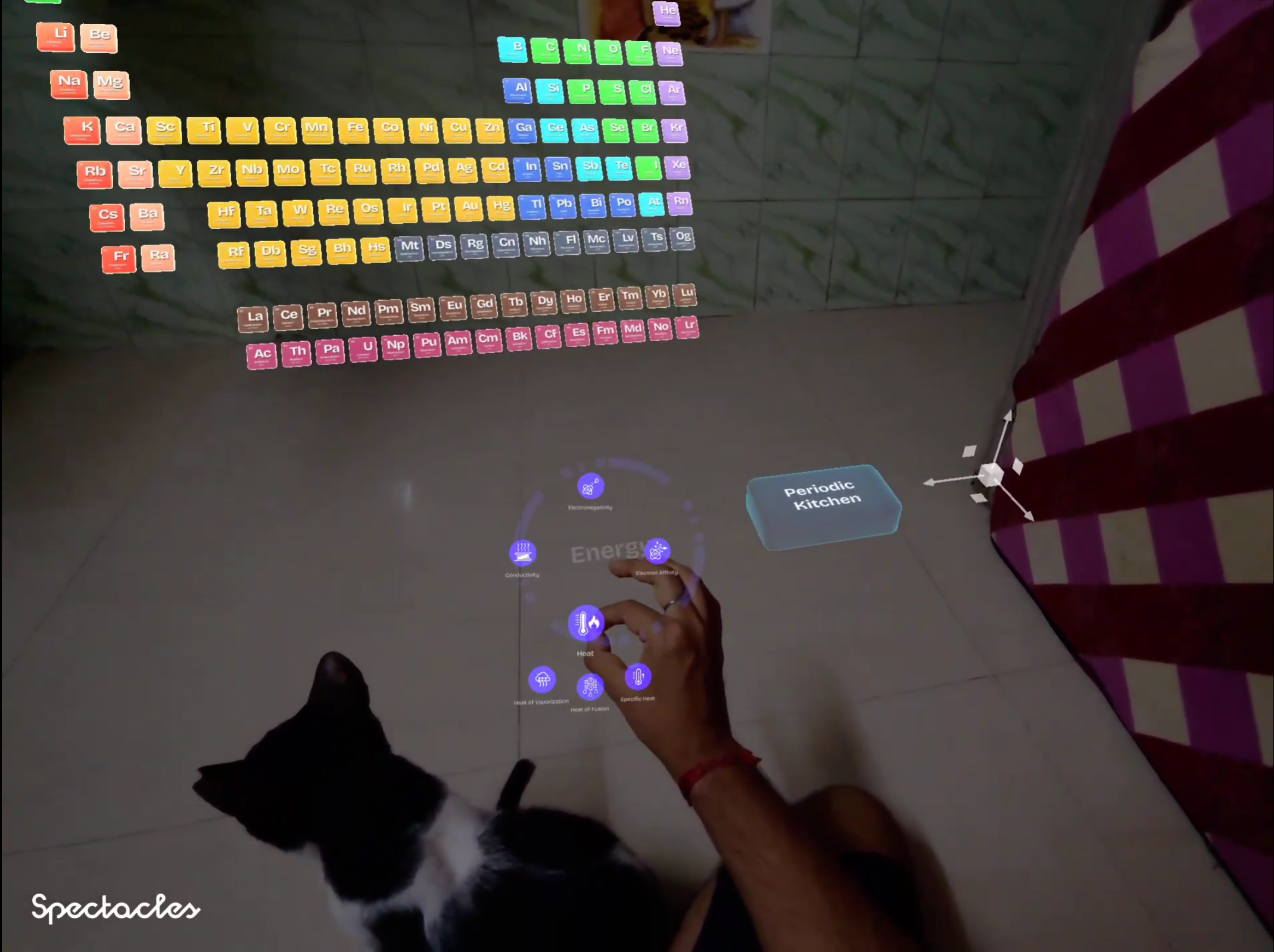
Periodic Properties Radial Menu
-
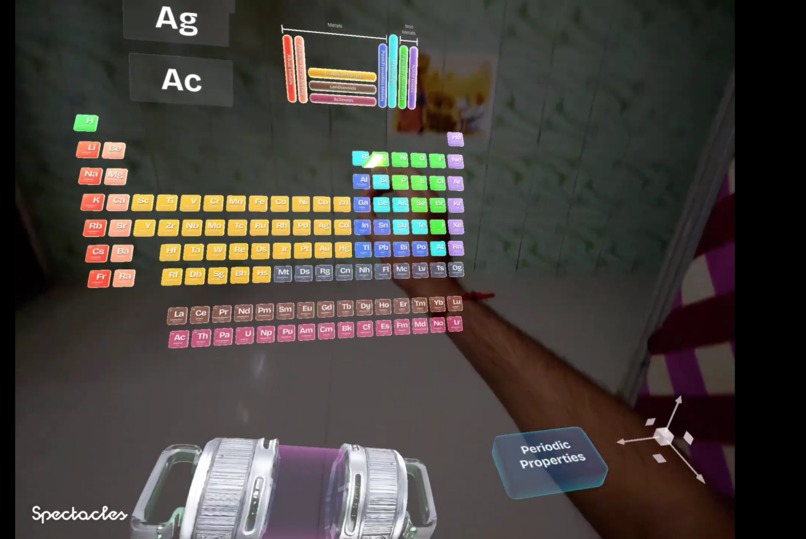
Explore Compounds
-
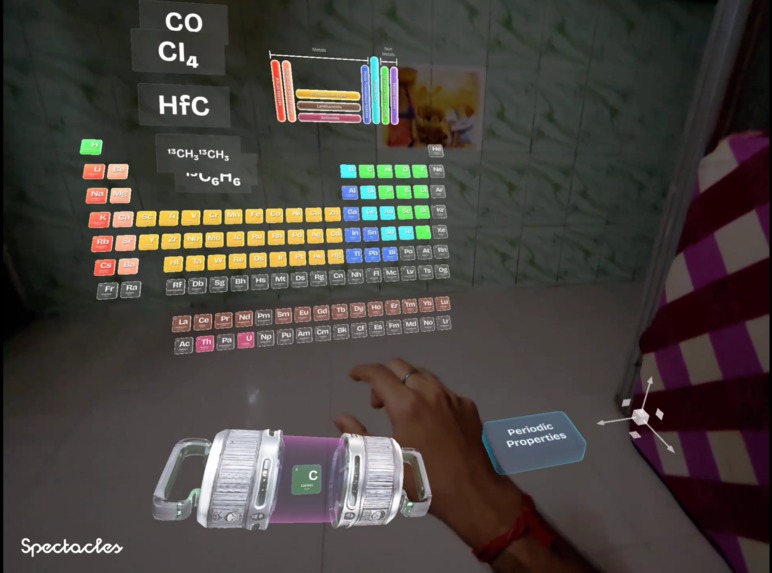
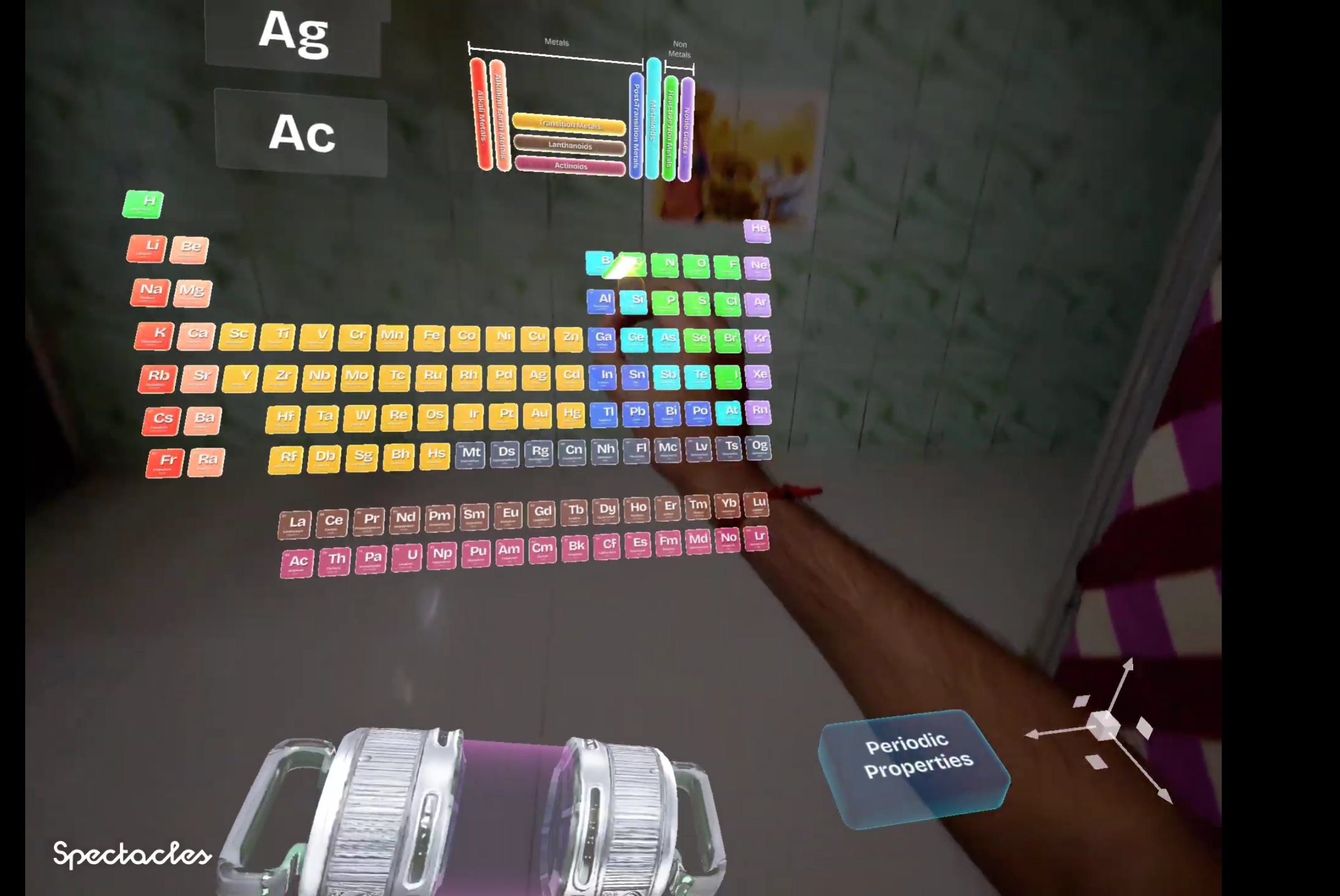
Periodic Kitchen
-
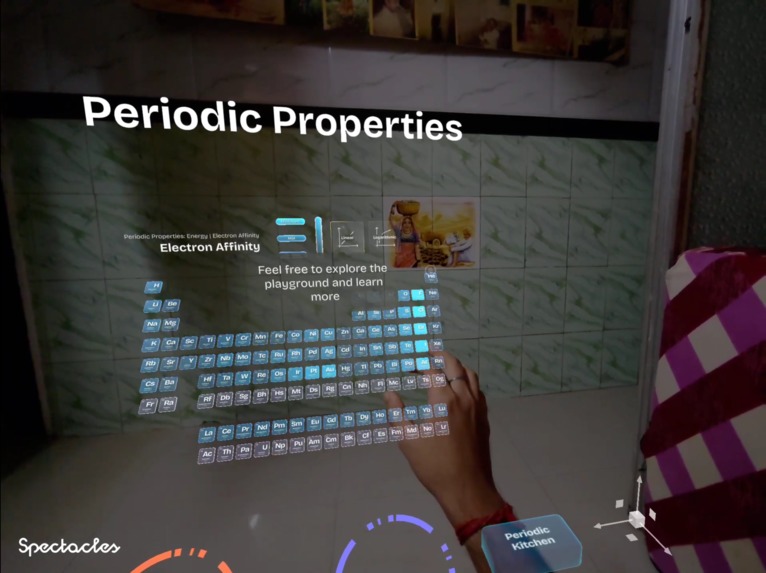
Periodic Properties Mapped in Realtime
Inspiration
What if the periodic table was not something you looked at, but something you can experience?
ptable.com showed me how much joy and clarity a thoughtful periodic-table tool can bring to the web. I wanted to carry that feeling into the real world with Spectacles: a genuinely hands-free way for students to learn chemistry with their own hands, rather than only scrolling through it.
The goal was to make chemistry feel less like a wall of facts and more like a place for small, memorable “what happens if…” moments. Instead of memorising isolated information, learners can try combinations, see what remains possible, and follow visible patterns across the table.
What it does
Periodic Playground turns the periodic table into a spatial learning experience with two ways to explore.
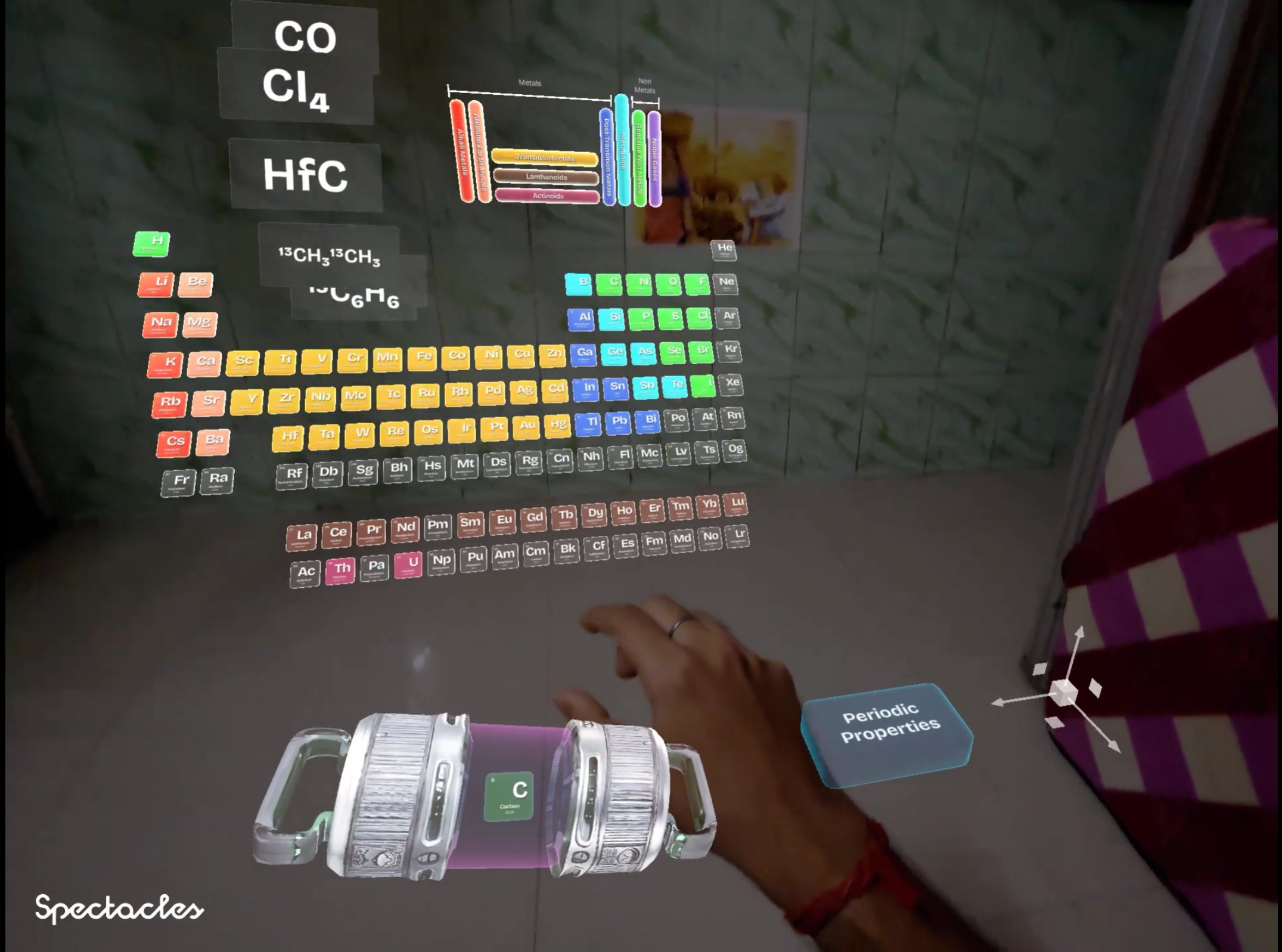
In Periodic Kitchen, users pinch an element from the table and place it in a mixer. A spatial carousel reveals relevant compounds, while the table responds by keeping compatible next elements vivid and dimming unavailable choices. It turns compound discovery into a simple chain of cause and effect.
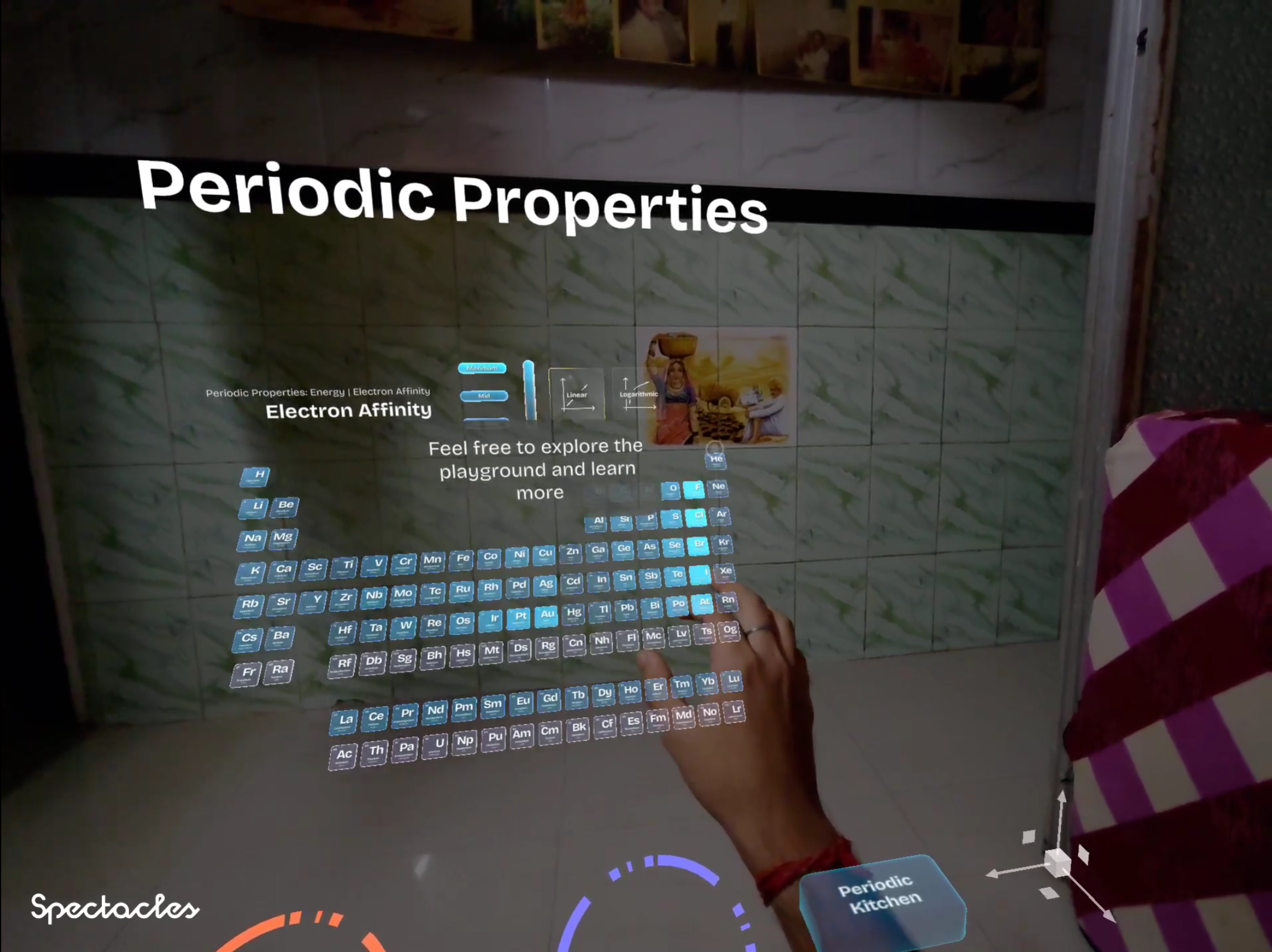
In Periodic Properties, the same table becomes a living map. Radial menus open views of physical properties, electronic and thermal behaviour, and elemental abundance, helping learners notice families, periods, and trends rather than treating the table as a list to memorise.
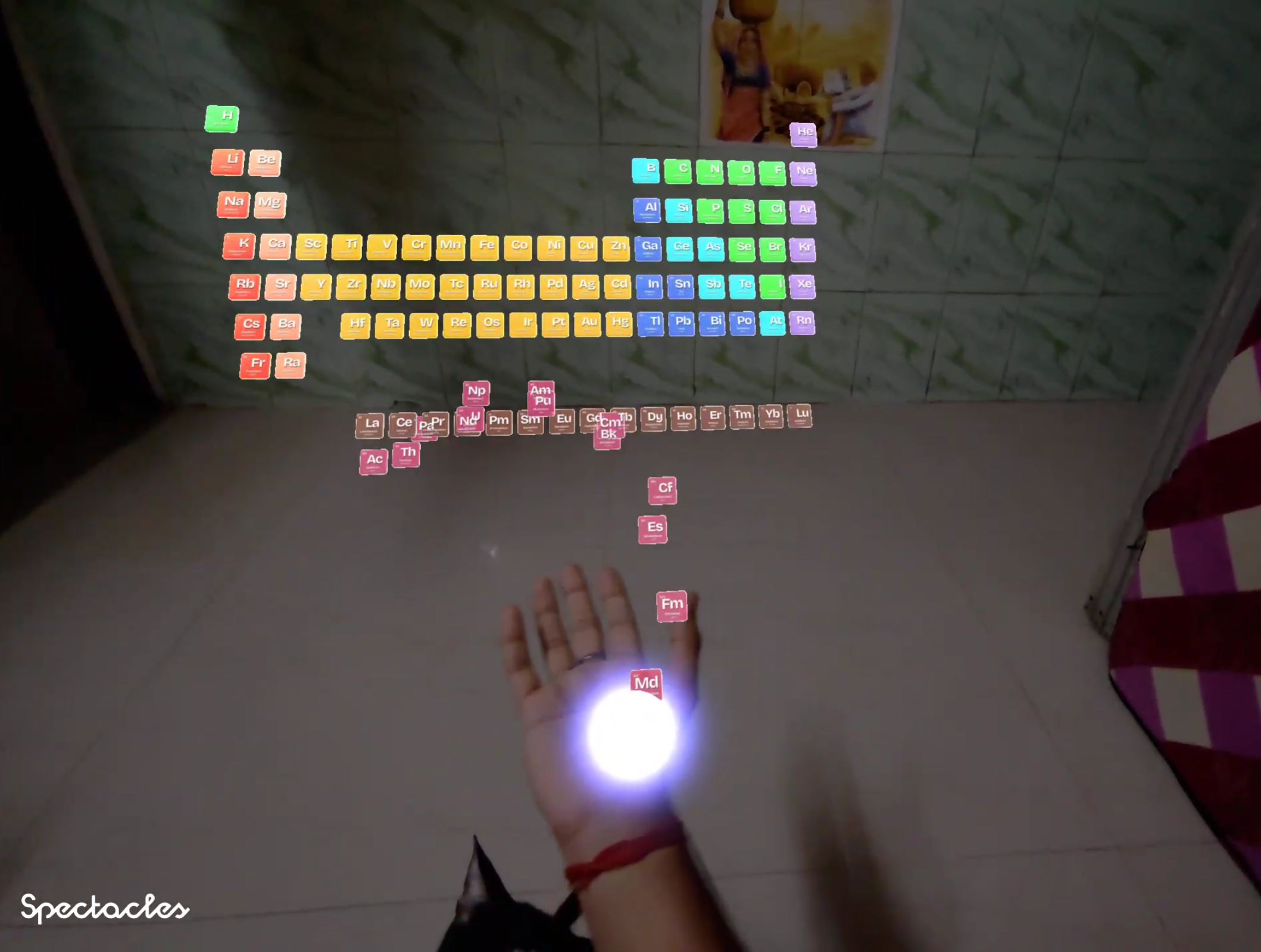
The experience begins with a hand gesture: make a fist, open your palm, and the table rises into place one element at a time. Users can then reposition the playground in a comfortable part of their space and follow lightweight tutorial prompts as they explore.
How we built it
We (Me and Codex) built G2: Periodic Playground in Lens Studio for Spectacles 2024. The table is designed as a curved, stepped field of typewriter-key-like tiles rather than a conventional rectangle. Each tile carries the atomic number, symbol, name, and the information most useful to the active mode.
Hand tracking drives the main interactions: placing the table, pinching tiles, adding and removing mixer elements, selecting modes, and moving the experience. Animated entrances, mixer feedback, spatial cards, legends, radial menus, and progressive hints make the interaction feel like one connected playground.
The project uses periodic-property data for the live maps and cloud-hosted compound data for the kitchen. The data is stored in Snap Cloud, powered by Supabase, so the experience can fetch and grow its shared chemistry data without bundling every file into the Lens. The table can colour itself from configurable property ranges, including logarithmic scaling where a property spans a very wide range.
This was my first time using Codex and GPT-5.6, built during OpenAI Build Week. Codex carried much of the engineering workload through Lens Studio MCP: building and refining the table layout, TypeScript logic, hand interactions, compound flow, property modes, animation passes, and runtime debugging. Whereas I directed the entire research, creative vision, learning goals, visual decisions, hands-on testing, and final calls throughout.
Challenges we ran into
- Making all 118 elements feel readable, reachable, and inviting in a 3D scene.
- Making hand interaction feel physical without making the chemistry feel complicated.
- Showing which elements can still join a compound without breaking the flow of experimentation.
- Coordinating the table, mixer, carousel, property maps, menus, legends, and tutorial hints so they feel like parts of one experience.
- Designing motion that feels pleasant in AR: tile entrances, grabbing, placement, mixing feedback, and mode transitions all need to communicate something.
Accomplishments that we're proud of
- A periodic table that arrives into the user’s real space instead of appearing as another flat screen.
- A compound-mixing flow where the next possible move is visible through the table itself.
- Two distinct learning modes—compound discovery and periodic-property exploration—in one coherent experience.
- Property maps that let users see trends through colour and spatial grouping.
- A deliberately playful physical language for chemistry: pinch, grab, stir, compare, and discover.
What we learned
Spatial learning has a very honest feedback loop: if an interaction is confusing, it feels confusing immediately. We learned to treat animation and feedback as part of the explanation, not decoration. A tile needs to feel reachable; a compatible choice needs to be clear; a transition needs to make the next action obvious.
We also learned that the periodic table becomes much easier to approach when users can follow relationships instead of being asked to absorb everything at once. Chemistry becomes more inviting when learners can touch the next question.
What's next for G2: Periodic Playground
Next, Periodic Playground will get bigger and better as more chemistry data flows into it, currently it's limited to a static dataset but more streamlined data fetching will make it ready for students creative use. Students will be able to inspect individual elements more closely, step into interactive 3D compound structures and bonds, and explore an even wider range of properties and trends.
Last but not least, I want to add an AI assistant through Spectacles’ OpenAI integrations: a curious lab companion that can answer the questions a learner has in the moment, including questions about compounds that are not yet available locally.
The larger goal is to keep growing Periodic Playground into a hands-on chemistry space where curiosity leads the lesson.
Built With
- 3d-ui
- ar
- chemistry
- codex
- educational-ar
- gpt
- hand-tracking
- lens-studio
- periodic-table
- periodic-trends
- pinch-interaction
- snap-cloud
- spatial-learning
- spectacles-2024
- spectacles-interaction-kit
- spectacles-ui-kit
- supabase
- typescript

Log in or sign up for Devpost to join the conversation.