-
-
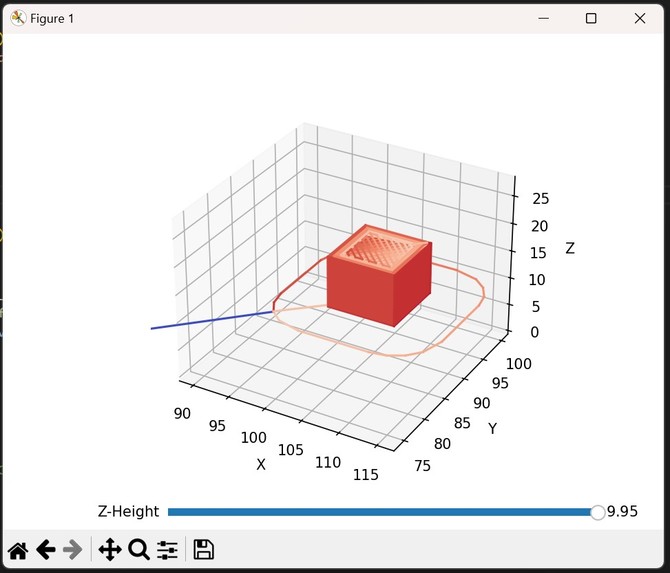
Cube 3D Model
-
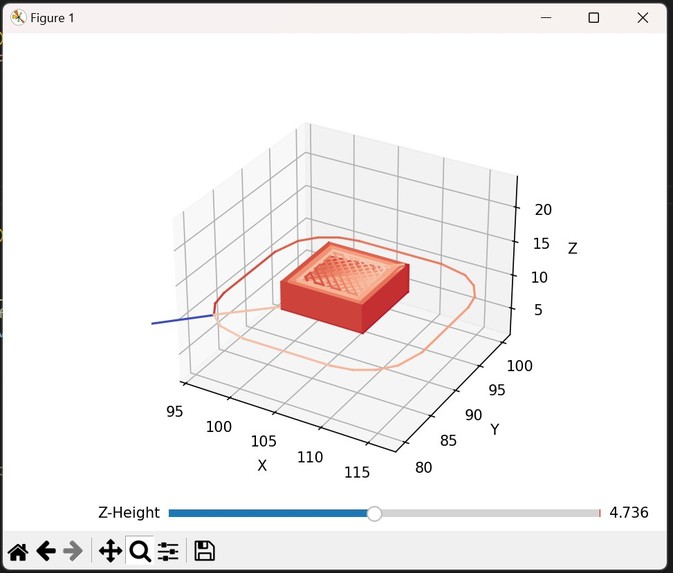
Cube 3D Cross Section
-
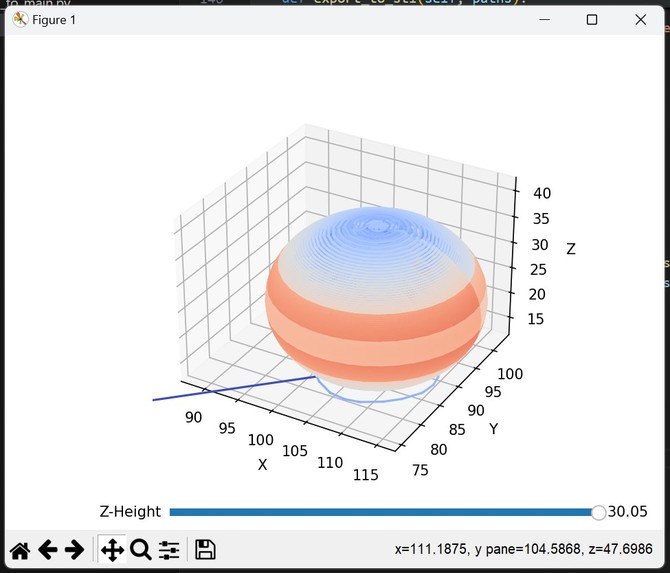
Sphere 3D Model
-
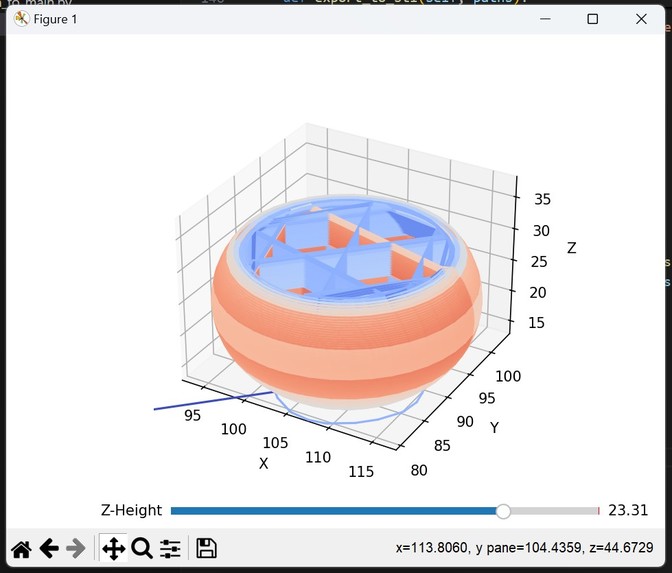
Sphere 3D Cross Section
-
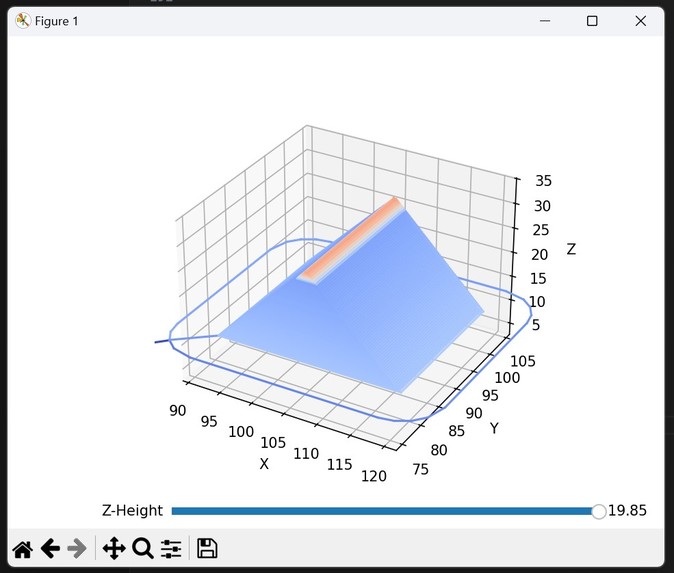
Rectangular Prism
-
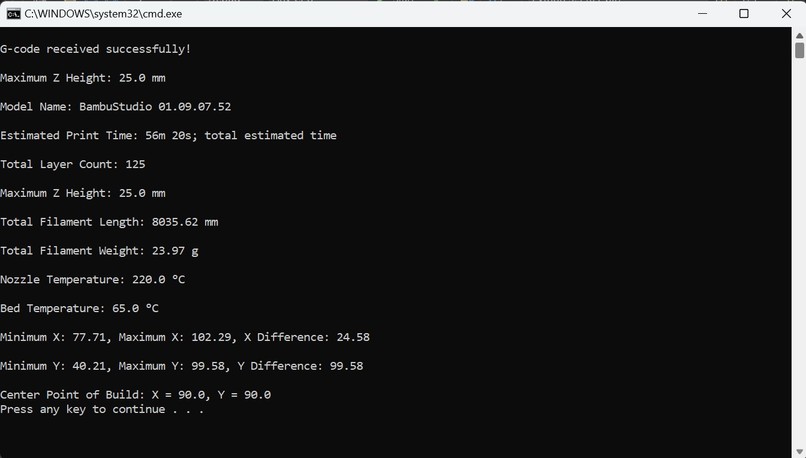
Important Printer Information Output
-
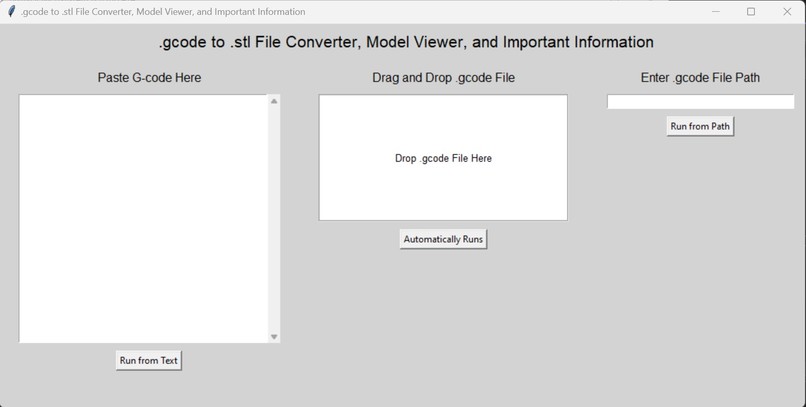
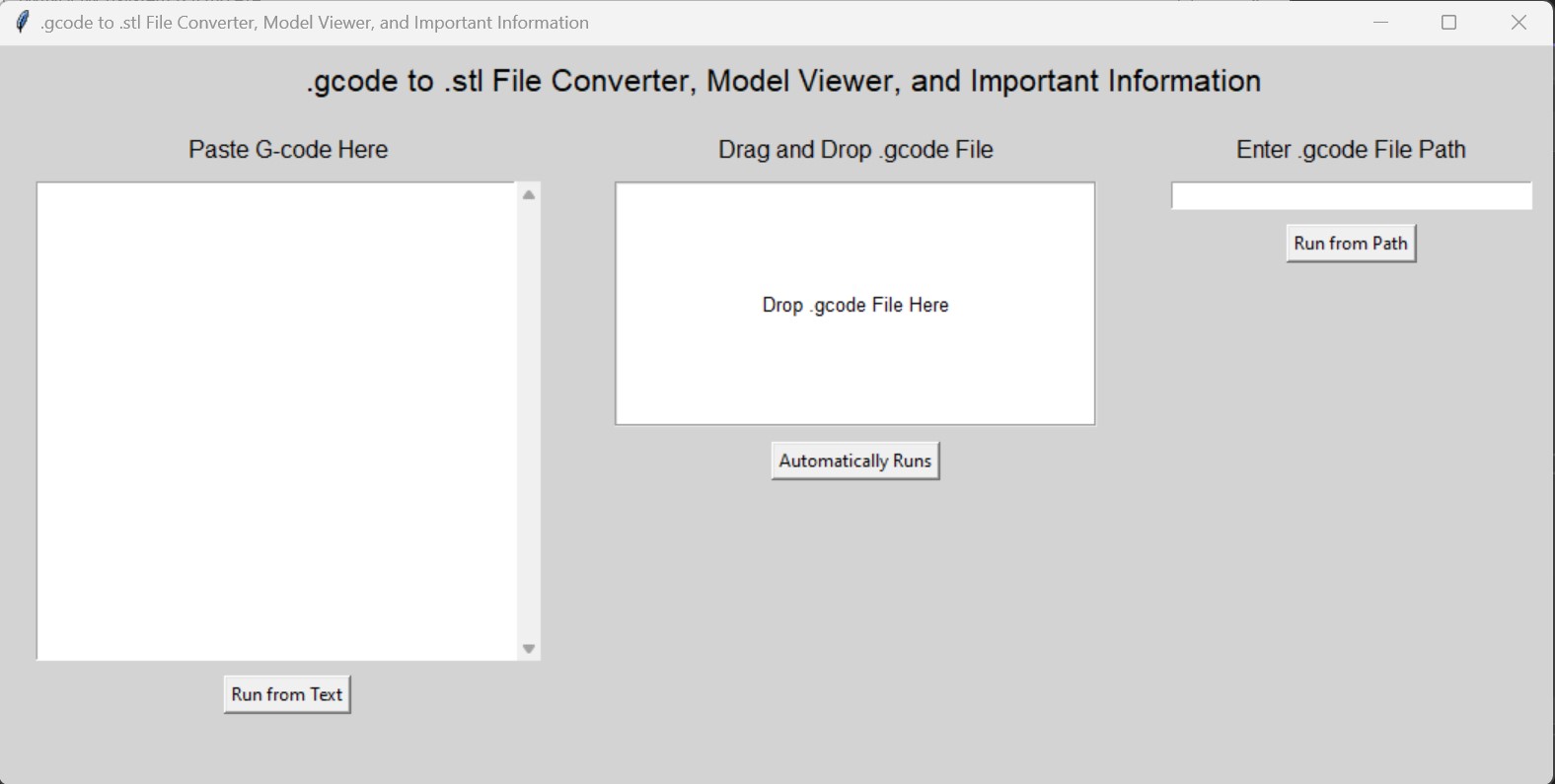
UI for the program
-
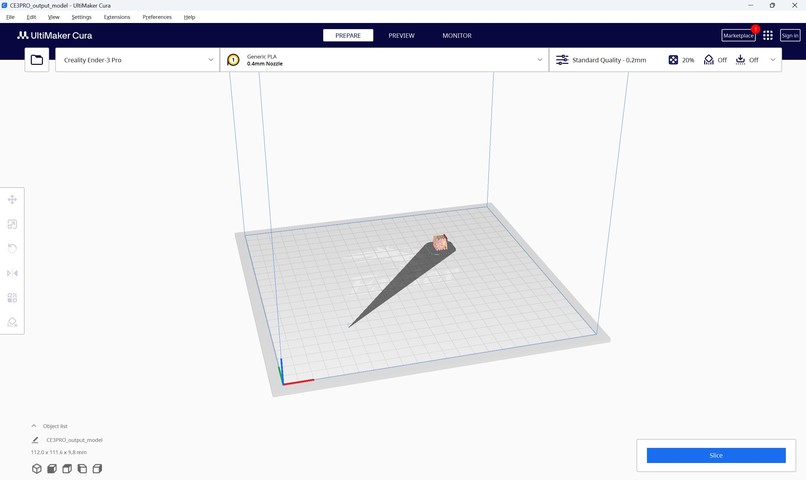
Cura STL Screenshot



Inspiration
The idea was born from the Kinetic Vision challenge of working with .gcode files in 3D printing environments where .stl files have been lost or corrupted. This can be a common issue, particularly in rapid prototyping and iterative design processes, where the original design files might not be available, and users need a quick, effective solution to recreate models. By developing a reverse-slicer, we aimed to provide a tool to directly visualize, convert, and manage .gcode files, saving time and streamlining workflows.
What it does
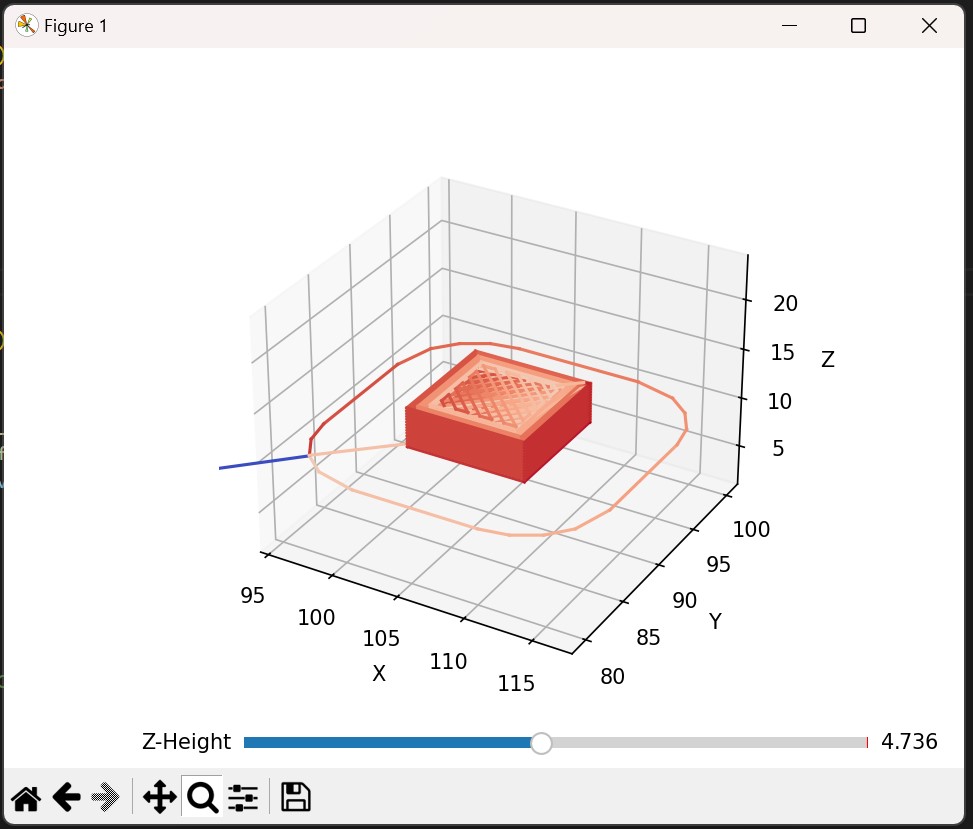
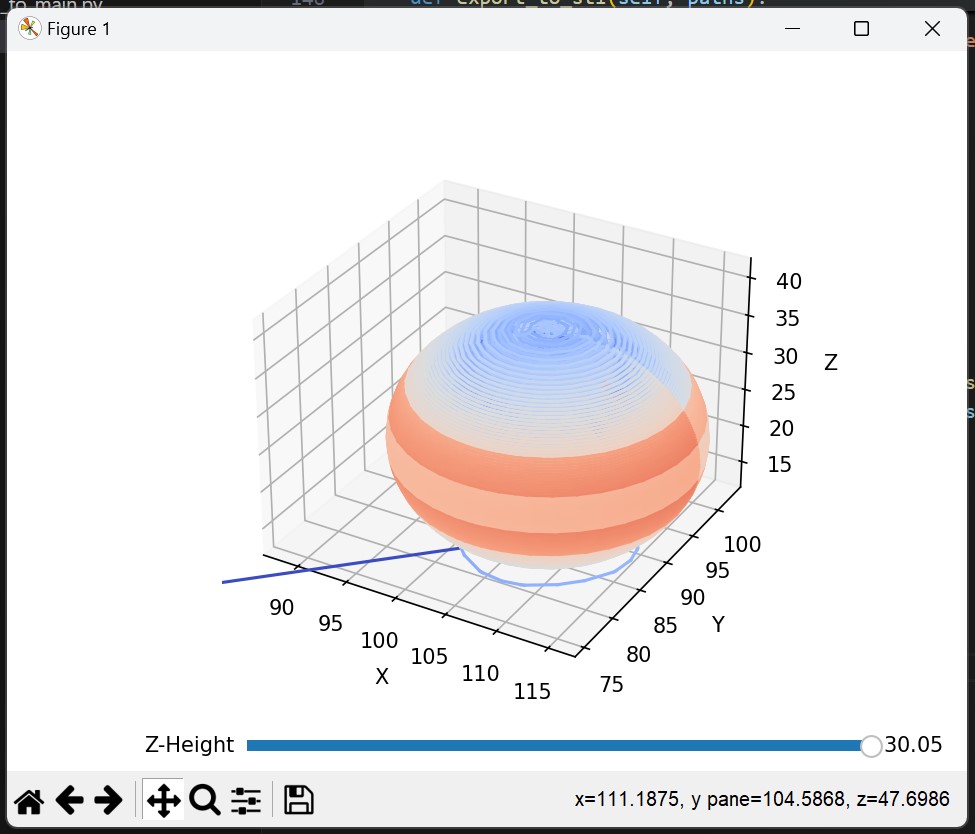
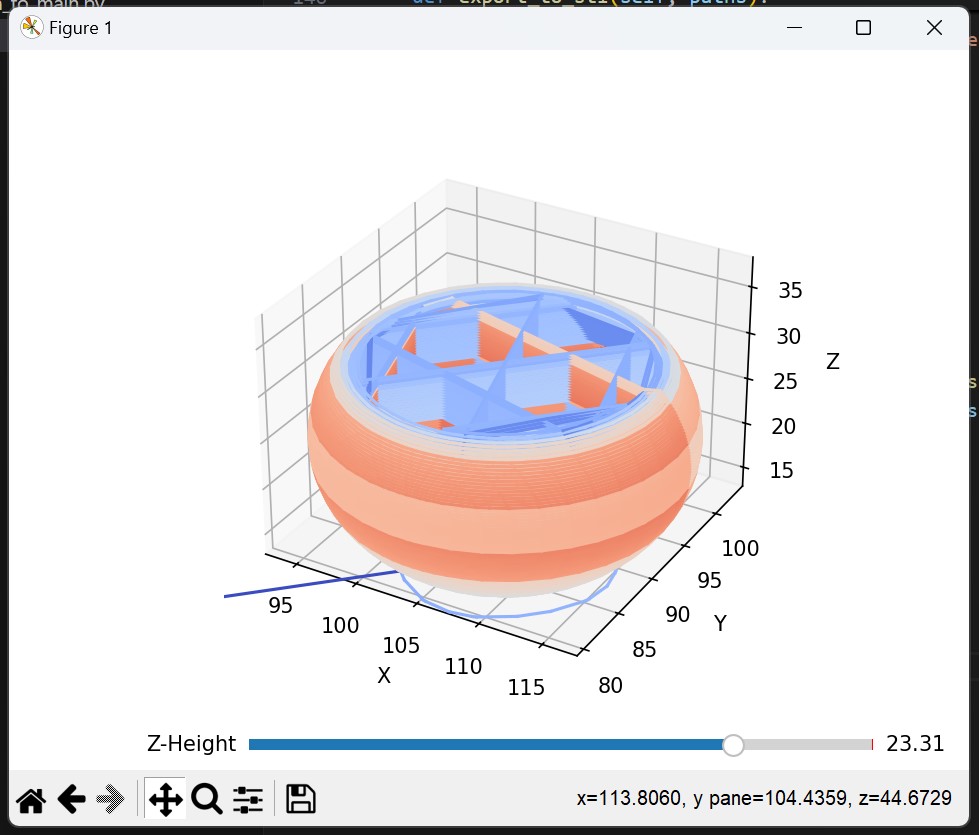
This project is a .gcode to .stl converter with a comprehensive 3D model viewer and essential printing information display. With a user-friendly UI, users can input .gcode files by either pasting code, or providing file paths. The parsing is a process of reading and interpreting data for the computer to understand, which in this case is the .gcode. On top of this, the parsing helps with the string searching which pulls important information from the .gcode. After that, everything starts to come together during the process phase. This is where the advanced algorithms and MATLAB graphing are able to construct a 3D Mesh of the shape. We also included a Z-Axis slider that can allow the user to see the cross section and internal support of the shape. The shape that is created is color labeled to show the different filament density.
How we built it
The project uses a combination of Python and Tkinter for the user interface, along with custom parsing functions to extract and interpret .gcode data. Hand-written parsers analyze the .gcode lines to retrieve crucial printing parameters, and a 3D model generator builds the mesh according to the .gcode’s instructions. For the graphing portion of the program, we used MATLAB libraries. Finally, the output can be saved as an .stl file, making the model accessible for future modifications or printing.
Challenges we ran into
One of the major challenges was accurately parsing the .gcode format, as variations in syntax across different 3D printers can complicate interpretation. Building a robust hand-written parser that handles these inconsistencies was time-intensive but necessary to support a broad range of .gcode files. Additionally, visualizing the 3D model in a way that remains true to the original design was challenging due to the complex calculations involved in mapping nozzle paths to a coherent 3D structure.
Accomplishments that we're proud of
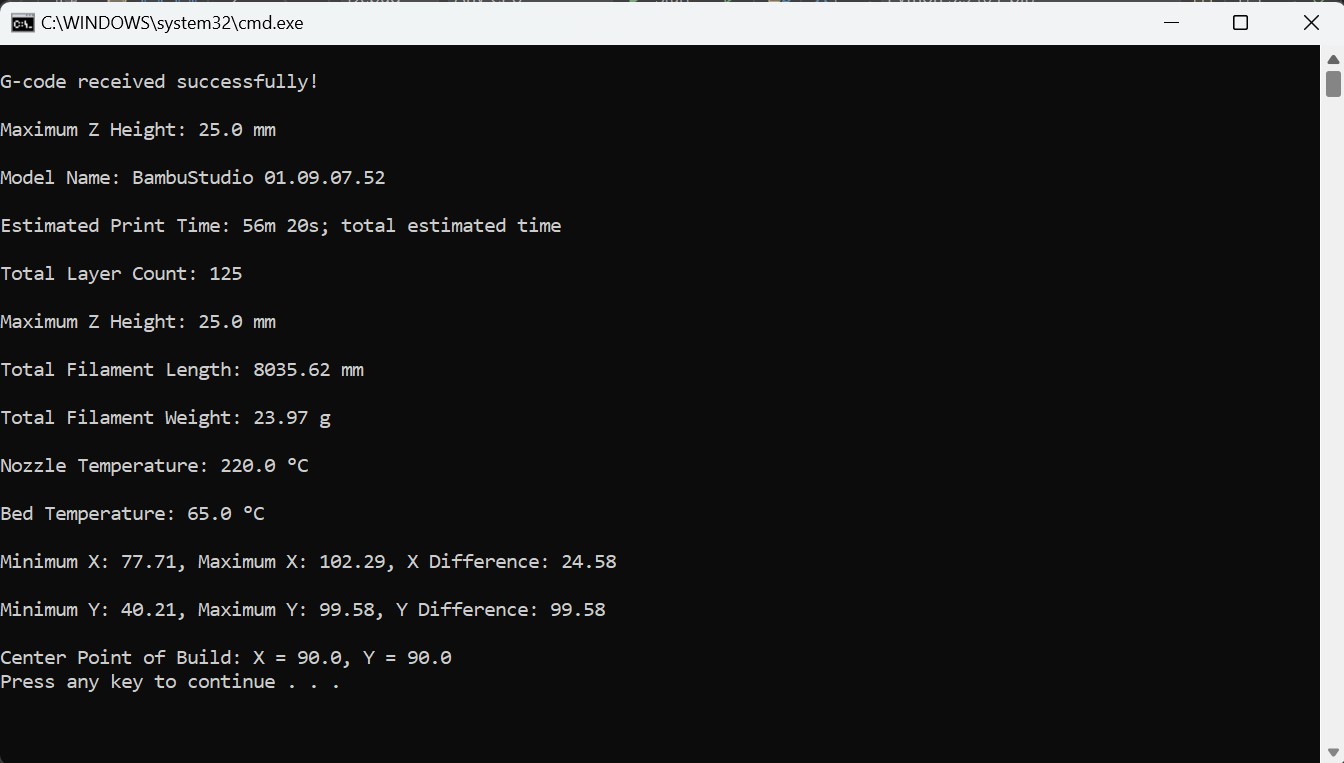
We’re proud of developing an accessible tool that doesn’t just convert .gcode files to .stl but also provides valuable insights into print settings, model dimensions, and flow rates—all without needing to open a complex slicer application. The intuitive UI and the accurate layer-by-layer model preview enable users to analyze print data and visualize the end product quickly, making this tool efficient, user-friendly, and versatile.
What we learned
Through this project, we gained valuable experience in file parsing, data visualization, and 3D mesh generation. We also learned about the intricacies of .gcode syntax and the various parameters needed for accurate 3D printing. Additionally, we learned how critical it is to design interfaces that are not only functional but also simplify complex tasks for end users.
What's next for G-Code to STL converter + 3D Model + Key Information
We plan to extend the tool’s capabilities by adding support for additional 3D printing formats, enabling multi-file processing, and incorporating an option to modify key parameters within the program. Additional features like cross-sectional views and infill inspection would allow users to scrutinize the internal structure more thoroughly. We have plans to improve the UI to be more visually appealing and easier to use. We also envision expanding the color gradient feature to show detailed print speeds and extrusion rates, helping users refine their printing parameters before starting a print job.
Built With
- 3d
- 3dprinting
- g-code
- matlab
- mesh
- modeling
- parsing
- python
- stl
- tkinter


Log in or sign up for Devpost to join the conversation.