-
-

Fwrd app icon
-
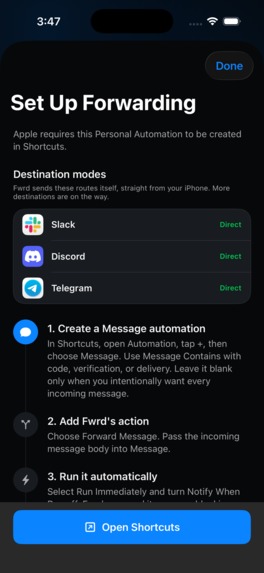
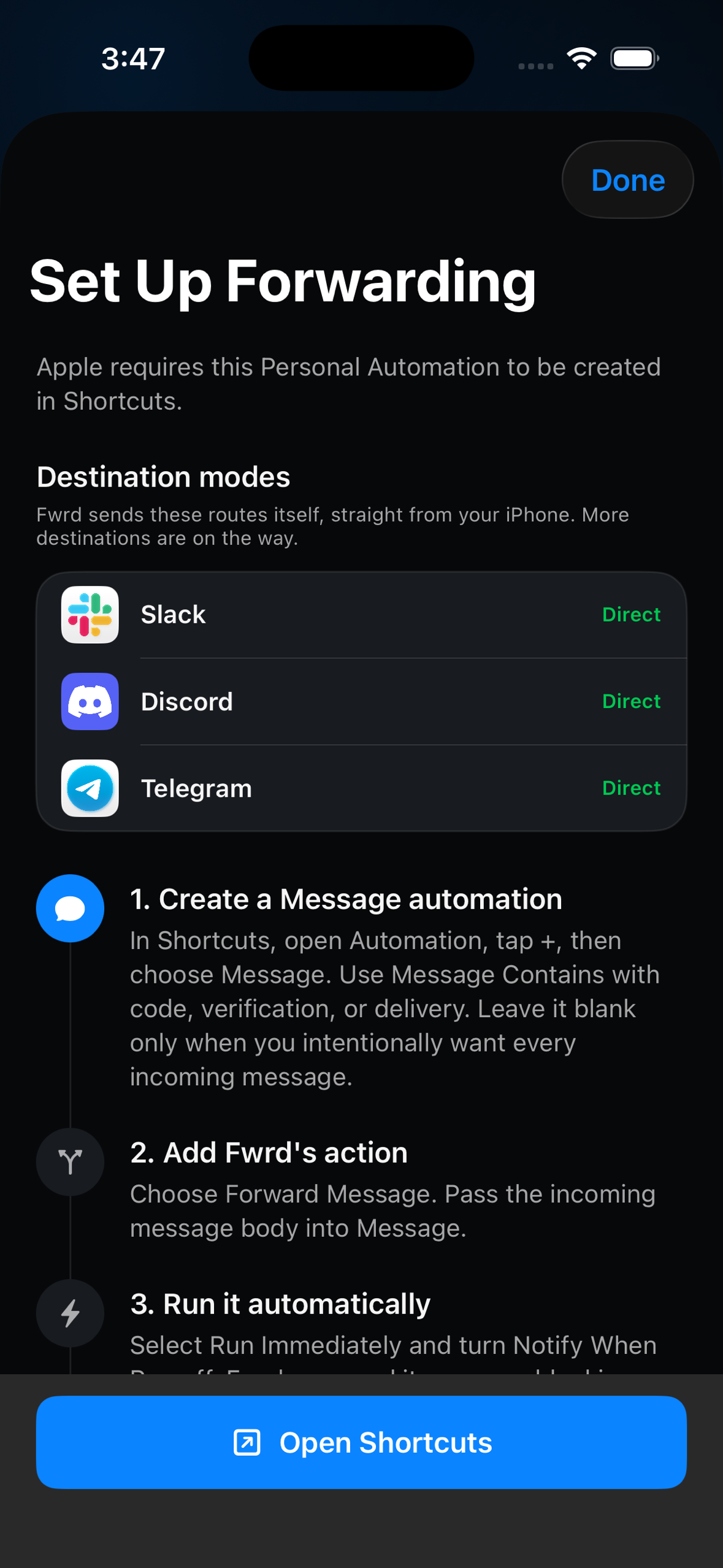
Guided setup for an Apple Messages automation
-
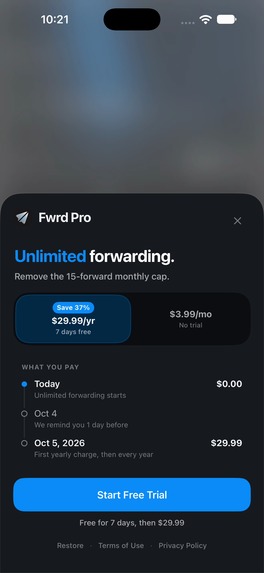
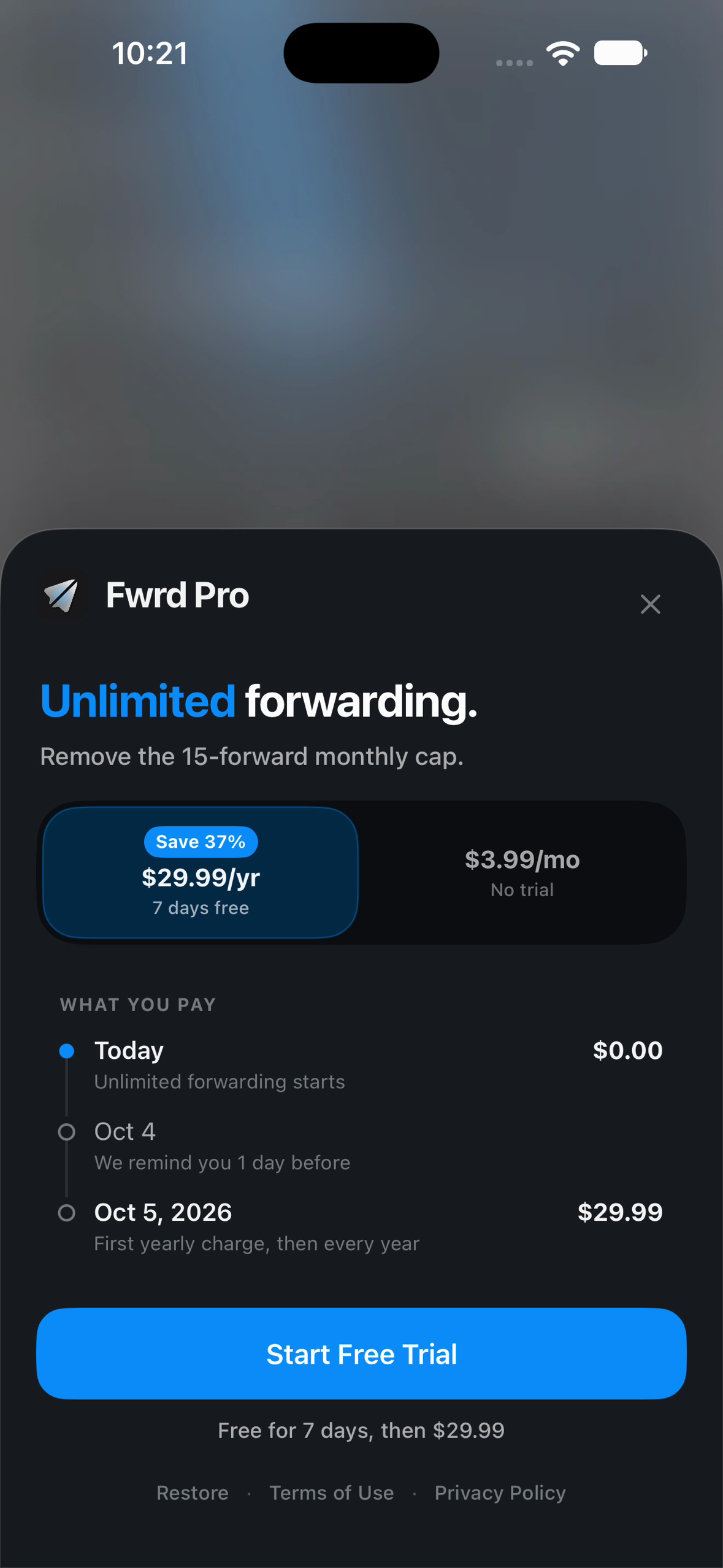
Pro pricing, trial, and renewal terms

Inspiration
Messages is where time-sensitive alerts arrive; the next step often happens in another app. Fwrd gives iPhone owners a direct way to forward only the messages they choose, to services they control.
What it does
Fwrd v1 forwards messages matched by a customer-created Apple Messages automation to the customer’s own Discord, Slack, or Telegram destination. It forwards the original message text.
Fwrd cannot create Apple’s Personal Automation. Its setup guide walks customers through creating a Message automation, adding Fwrd’s Forward Message action, and setting it to run automatically.
How we built it
Fwrd is a native SwiftUI iPhone app. Apple Shortcuts passes the matching message to a Fwrd App Intent. The app sends it over HTTPS to the configured destination. RevenueCat powers Pro access through App Store purchases.
Fwrd has no account or shared forwarding relay. Destination secrets stay in Keychain, and forwarding history stays on the iPhone.
Challenges and design
The main challenge was the handoff to Apple Shortcuts, because customers must create their own Personal Automation. We made the guide part of destination setup and made the iOS version-specific steps clear.
We also treated subscription clarity as part of the product. The paywall shows the free allowance, both plan prices, the 7-day annual trial, and renewal terms before purchase.
Pricing
The free plan includes 15 forwards per calendar month. Pro is $3.99 per month or $29.99 per year. The annual plan includes a 7-day free trial; the monthly plan has no trial.
What we learned
A forwarding app depends on the setup handoff as much as the sending code. The guide must explain which steps are owned by Apple, which are handled by Fwrd, and what the customer controls. We will keep improving it as customers show us where they need help.
Built With
- ios
- revenuecat
- shortcuts
- swiftui

Log in or sign up for Devpost to join the conversation.