-
-
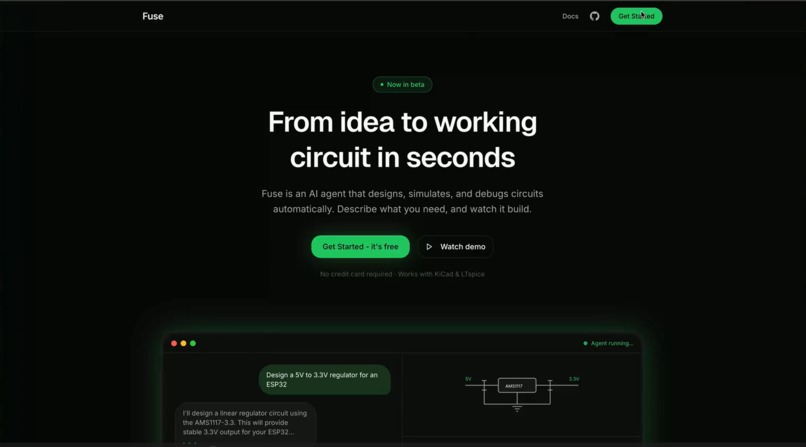
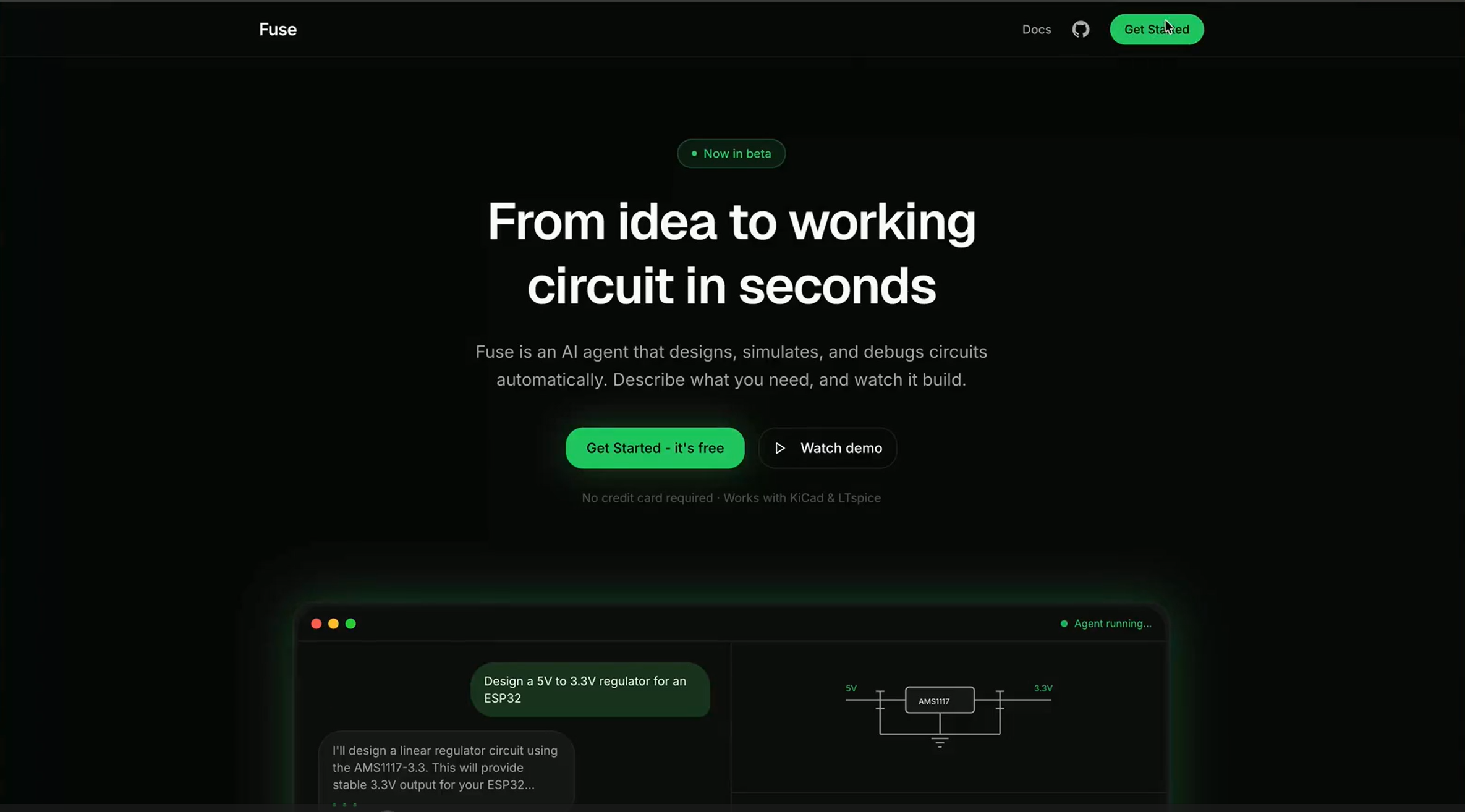
Homepage
-
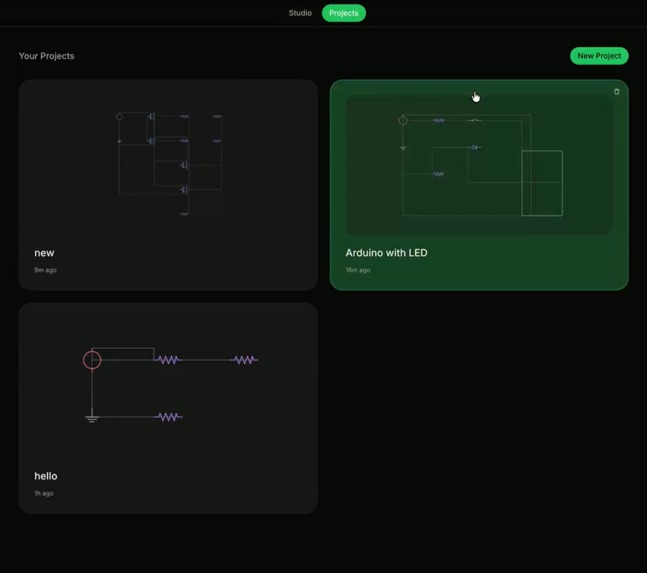
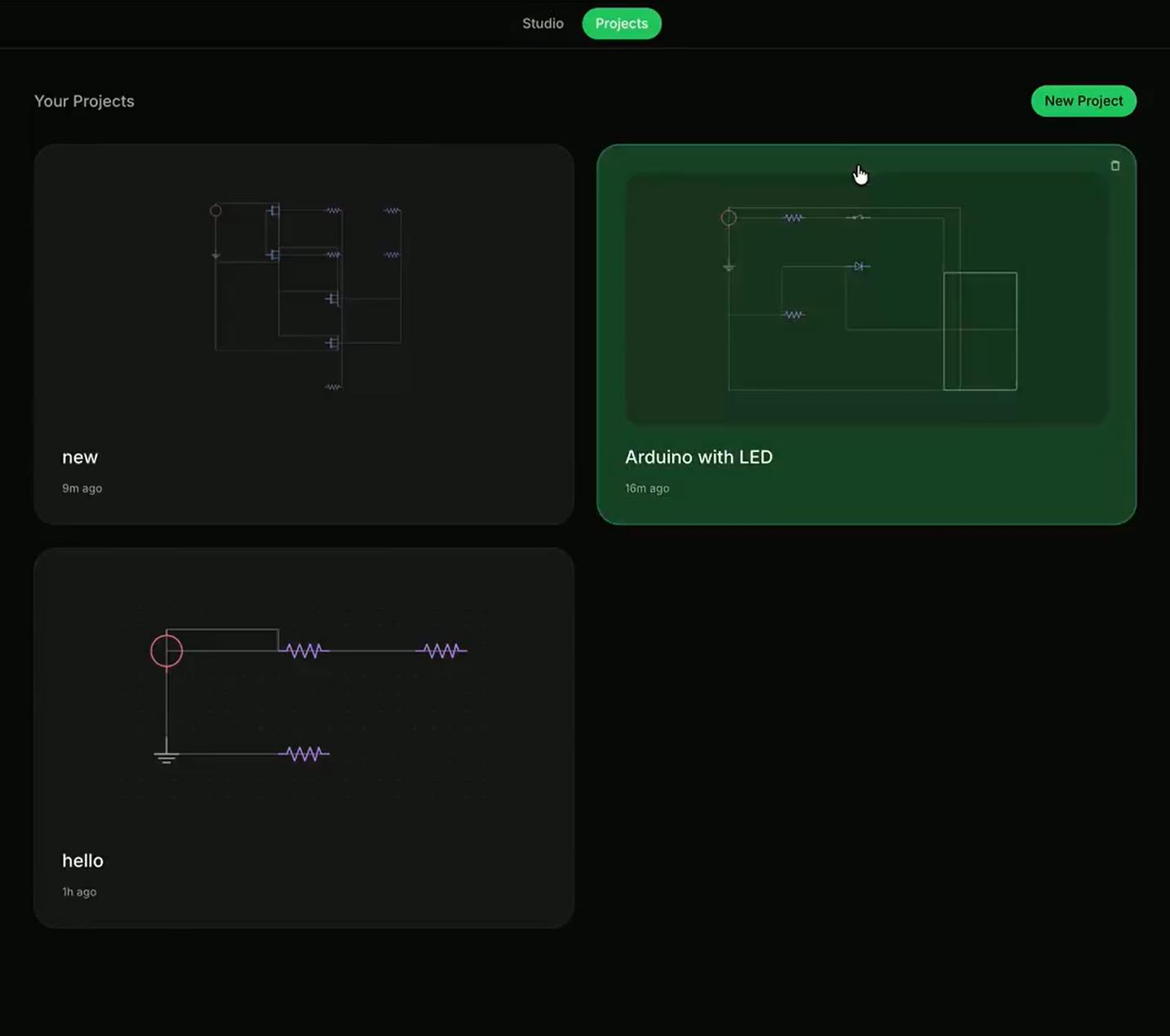
User projects viewing page
-
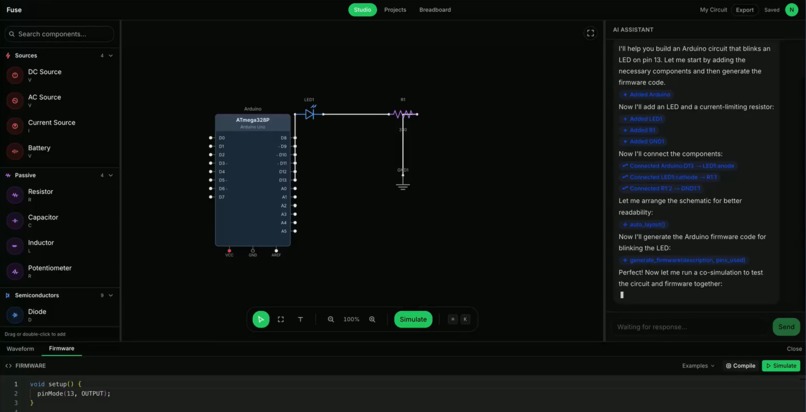
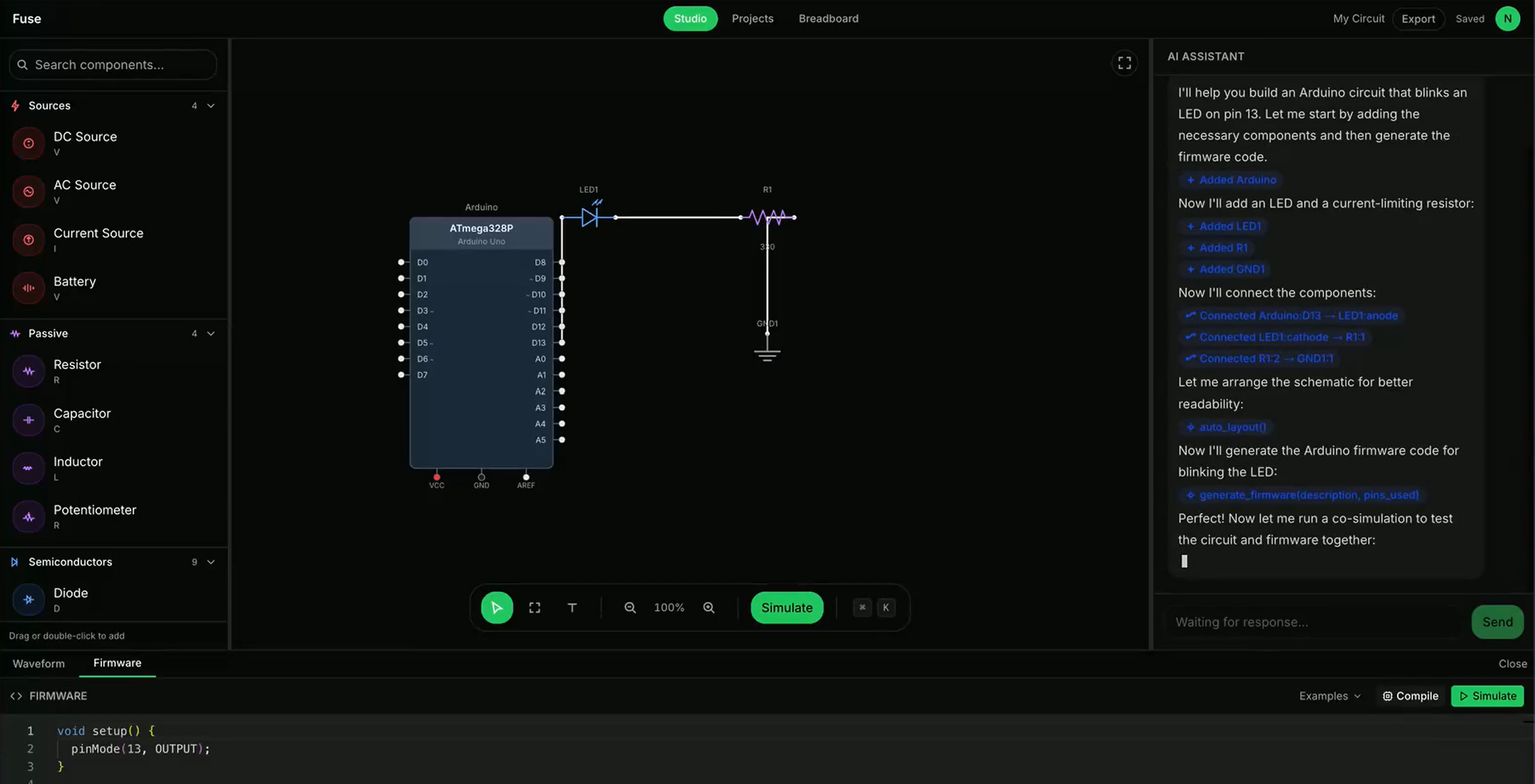
A full screen view of an opened user project with an AI-generated schematic
-
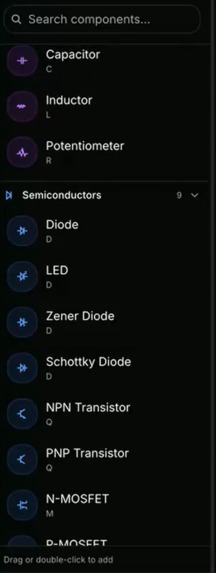
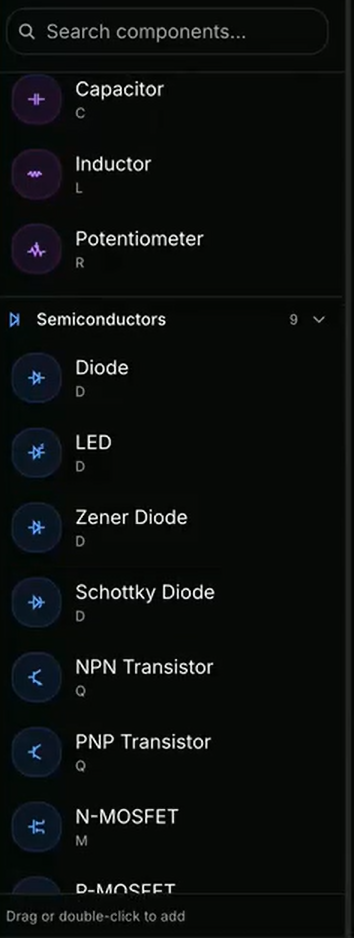
An example of few of the components users can drag to add to the schematic
-
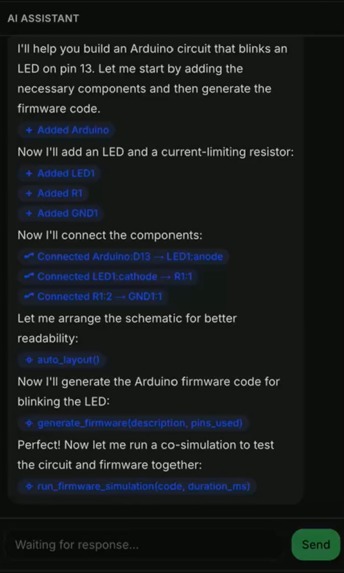
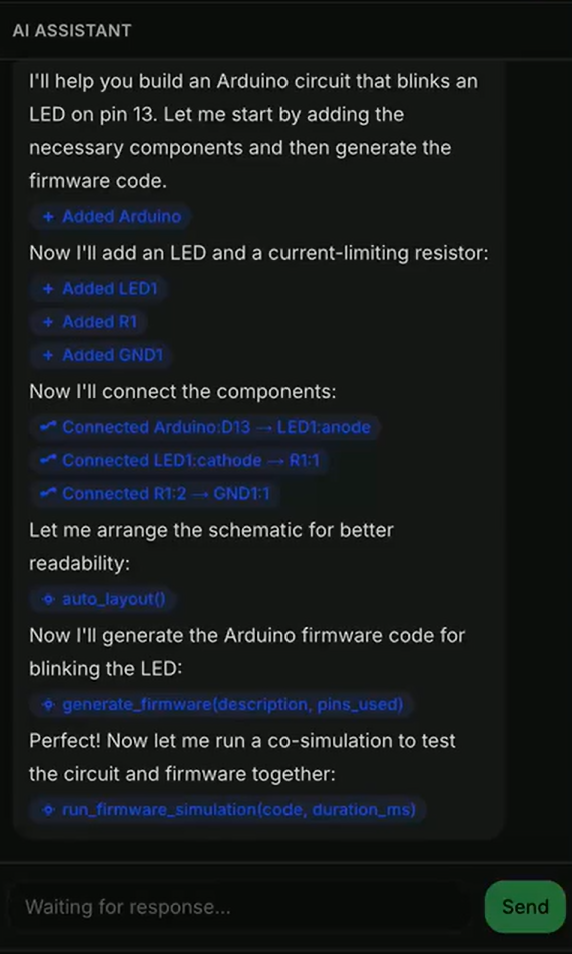
AI response demonstrating its steps to creating the schematic based on user prompt
-
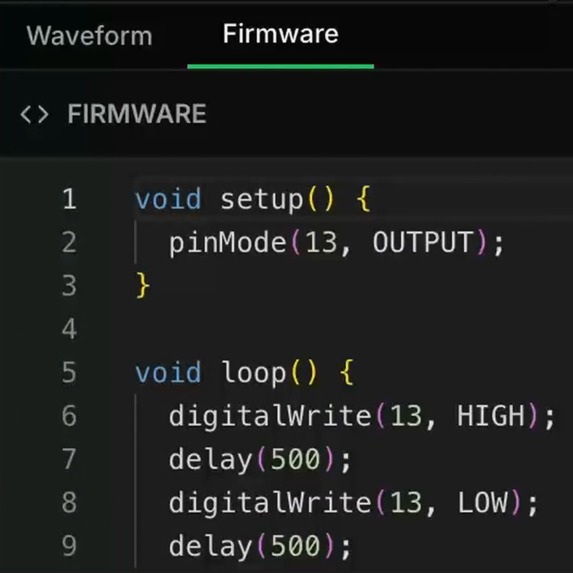
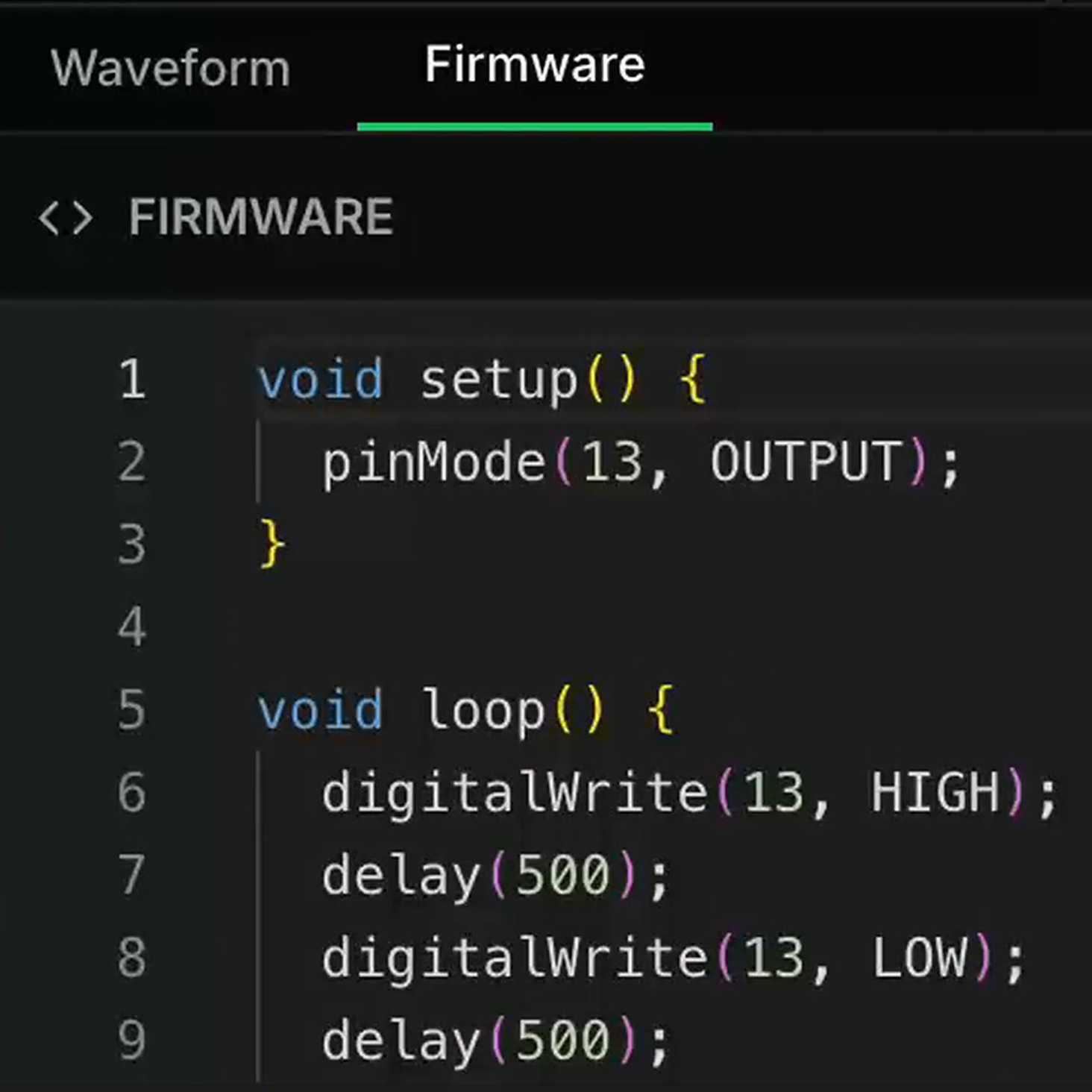
Generated Arduino C code to accompany the Arduino Board
-
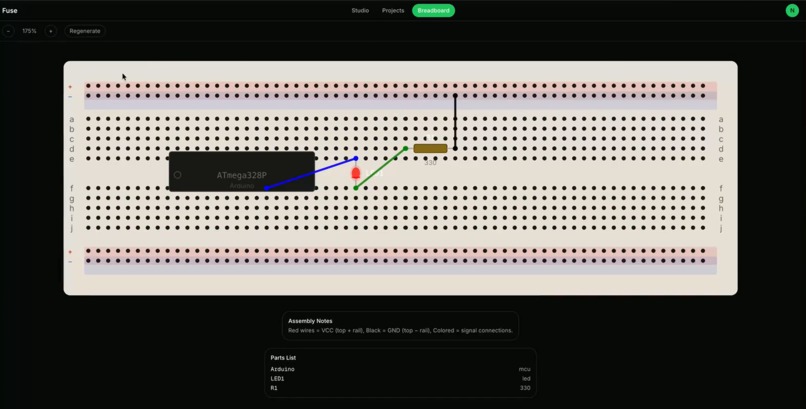
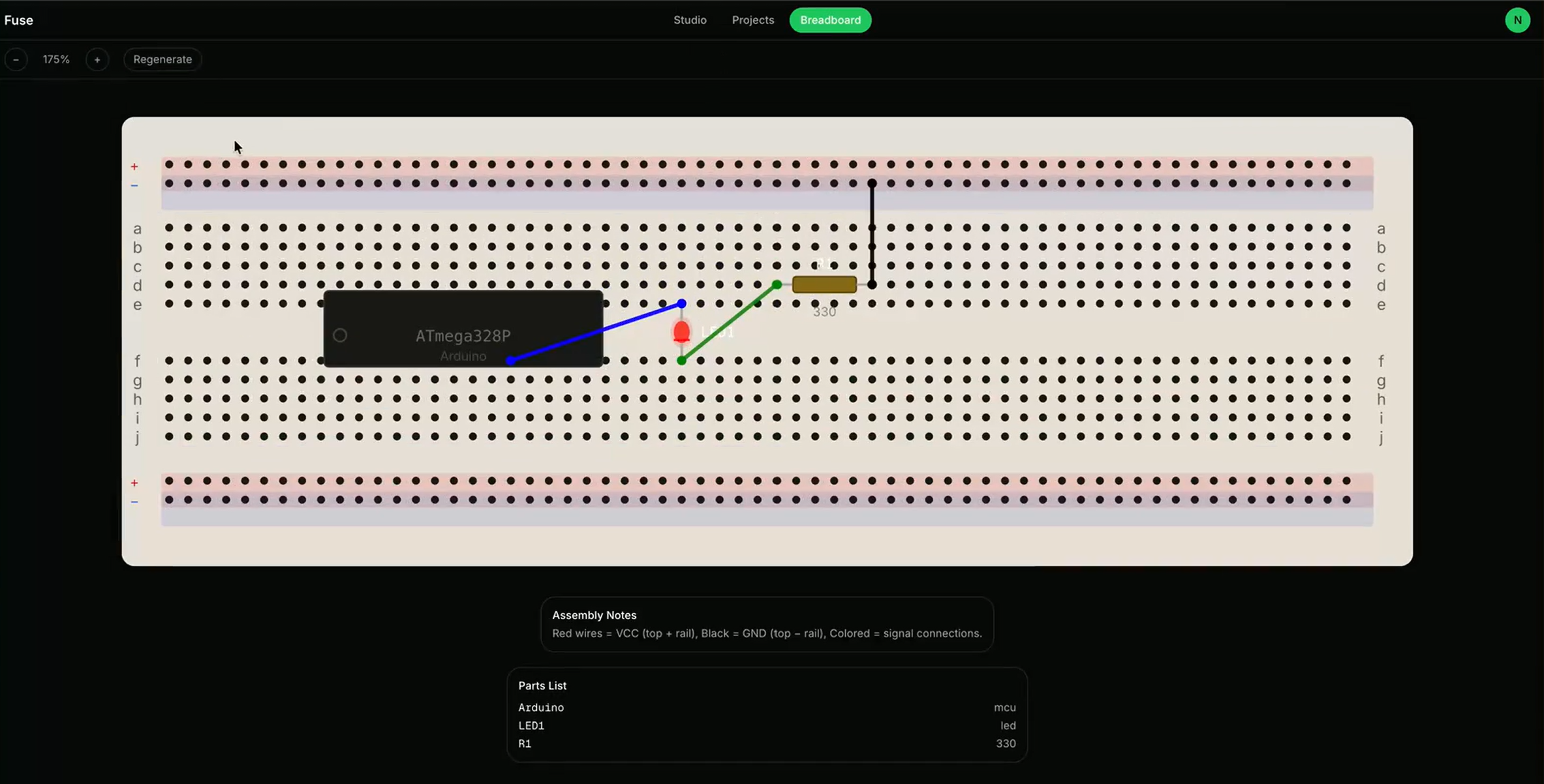
Breadboard Visualization for the Arduino Board used
-
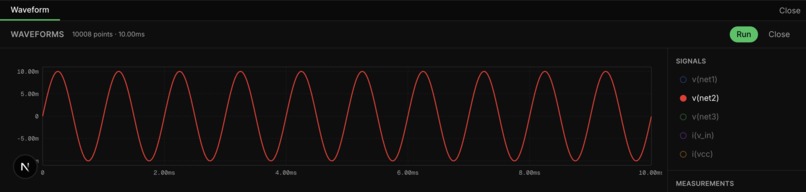
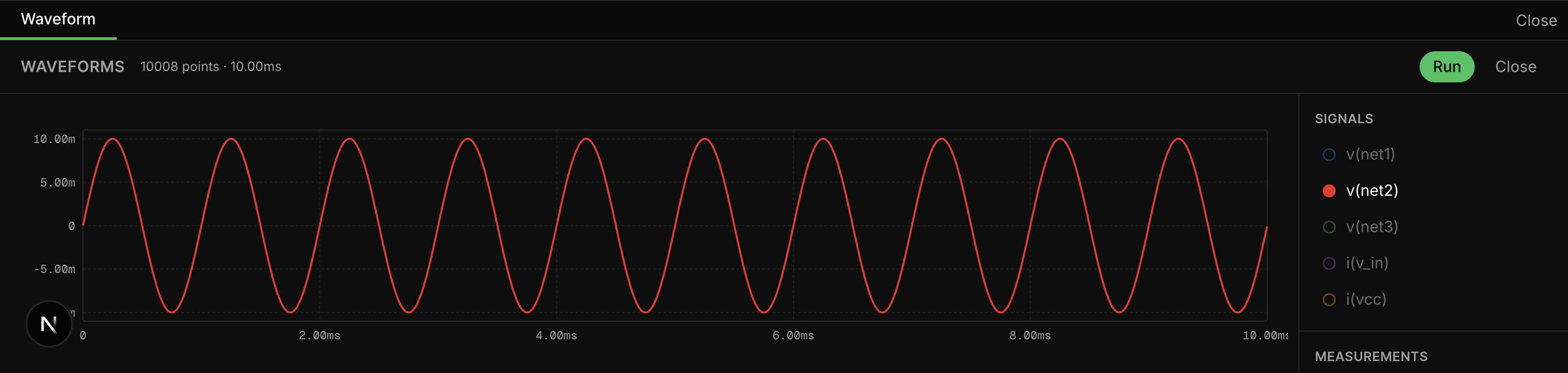
Real-time SPICE simulation with interactive waveform visualization
Fuse - Software Track
Inspiration
One of our teammates (Hrishi), an electrical engineering student, was tired of juggling five different tools just to build and test a circuit. Want to design a schematic? Open KiCad. Write Arduino code? Switch to the Arduino IDE. Simulate the circuit? Fire up LTSpice (which looks like it was built in 1998). Test if your firmware actually works with the hardware? Buy the physical components and pray.
There was no single tool that let you design a circuit, write the firmware, and simulate them running together in one place. Existing tools were cluttered and had steep learning curves that got in the way of actually learning electronics. Even when you finally got a simulation running, understanding the waveforms and data required yet another skill set.
That's why we built AI into every step of the process. You're always in the driver's seat. The AI helps you design, helps you write code, helps you understand what the simulation results mean. It lowers the barrier without taking away control. We saw a gap and decided to fill it.
What it does
Fuse is a circuit design platform that lets you:
- Design circuits in plain English. Describe what you want ("Build an Arduino circuit that blinks an LED on pin 13") and our AI agent places components and wires them up for you.
- Write or generate firmware. Code your Arduino sketch manually or let the AI write it.
- Simulate hardware and firmware together. Compile your code and watch it run on a virtual ATmega328P, driving the actual circuit simulation in real-time.
- Visualize as a breadboard. See exactly how to build your circuit in real life.
- Export everything. PNG screenshots, SPICE netlists, and bill of materials.
No more switching between five apps. No more fighting the software instead of learning circuits.
How we built it
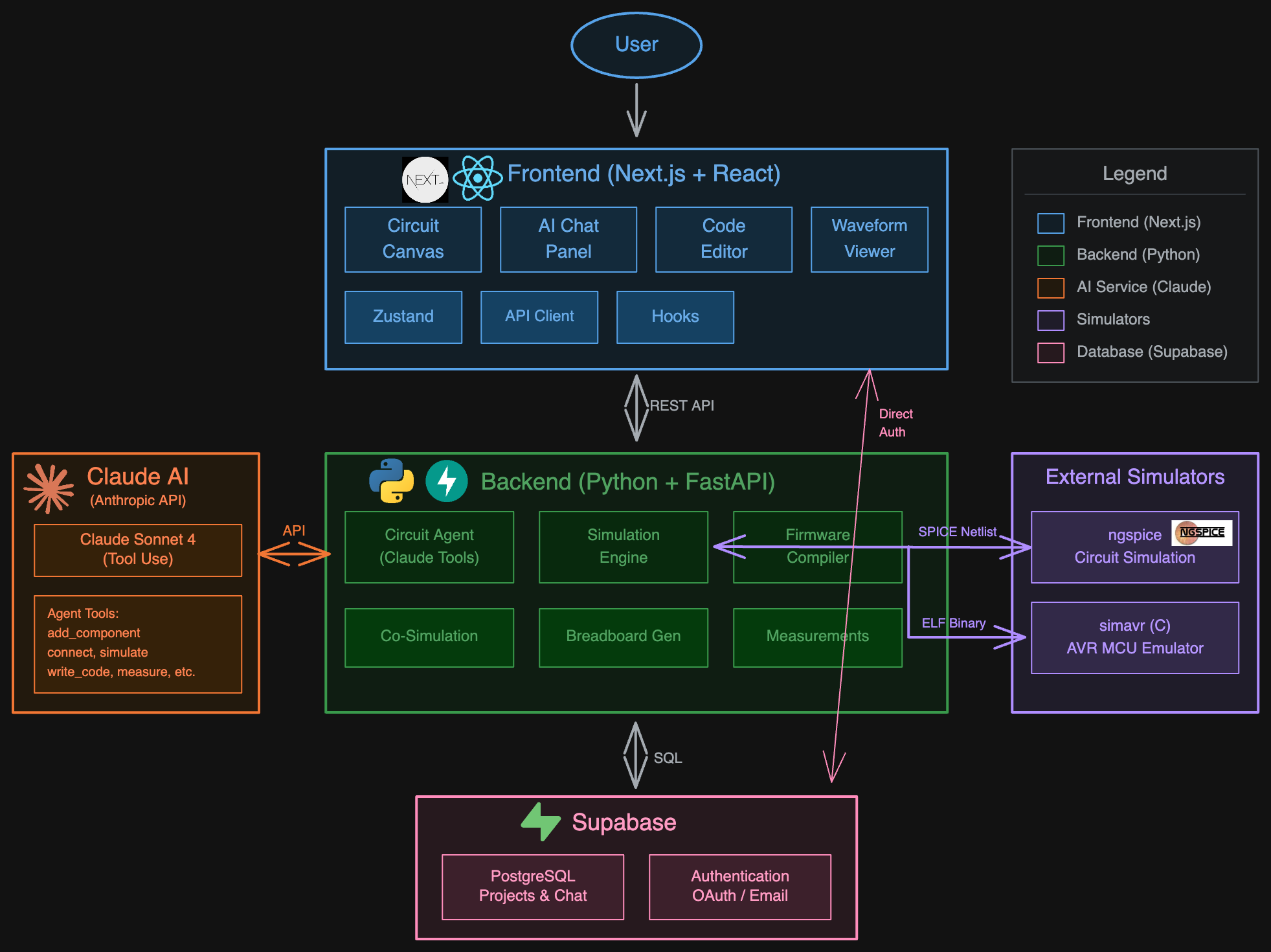
- Frontend: Next.js, React, Tailwind CSS, Zustand for state management
- Backend: Python, FastAPI
- AI: Claude API powering an agent with tool calls that place components, wire connections, write code, and run simulations
- Circuit Simulation: ngspice for analog/digital simulation
- Firmware Co-simulation: Custom C bridge using simavr to emulate the ATmega328P microcontroller, communicating with the Python backend via stdin/stdout
- Database and Auth: Supabase, stores projects and chats
Challenges we ran into
The firmware co-simulation was the hardest part. We needed to:
- Compile Arduino code to an ELF binary using avr-gcc
- Load it into simavr (a C-based AVR emulator)
- Step the emulator cycle-by-cycle while capturing GPIO pin state changes via IRQ callbacks
- Pipe those pin transitions back to Python and convert them into piecewise-linear voltage sources for ngspice
- Keep everything synchronized so the analog simulation reflects what the firmware is actually doing
Getting the C bridge to communicate reliably with the Python backend, and handling all the edge cases around timing and pin state changes, took up a lot of our time.
Accomplishments that we're proud of
- You can write Arduino code, hit simulate, and watch the LED blink in the waveform output. The firmware runs on an emulated MCU driving a real circuit simulation.
- The AI builds properly wired, simulatable schematics from natural language.
- Breadboard visualization shows exactly how to build your circuit physically.
What we learned
- How circuit simulators like SPICE actually work under the hood
- Building AI agents that can reliably manipulate structured data (schematics) without hallucinating connections
- Low-level MCU emulation and how AVR microcontrollers handle GPIO
- The importance of good wire routing algorithms (it's harder than it looks)
What's next for Fuse
We want to launch it, because this is solving a real problem that many engineers face.
Immediate roadmap:
- User validation and feedback from the EE community
- Expand our component catalog (more ICs, sensors, displays)
- Support for additional microcontrollers beyond the ATmega328P
Future vision:
- Shopping integration so you can buy the exact parts for your circuit directly in the app
- Sharing feature so teams can collaborate (A la Google Docs)
- Classroom tools that let professors create assignments and review student circuits
Built With
- anthropic-claude-api
- avr-gcc
- c
- fastapi
- next.js
- ngspice
- python
- react
- simavr
- supabase
- tailwind-css
- typescript
- zustand


Log in or sign up for Devpost to join the conversation.