-
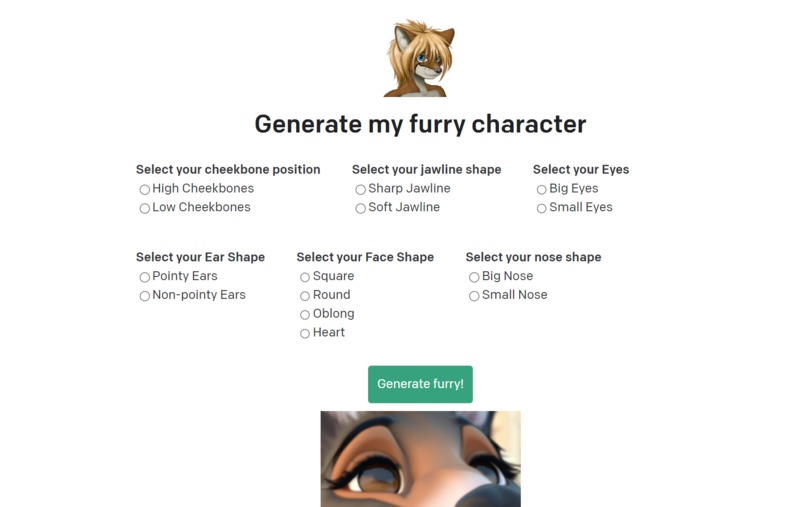
First draft of the website
-
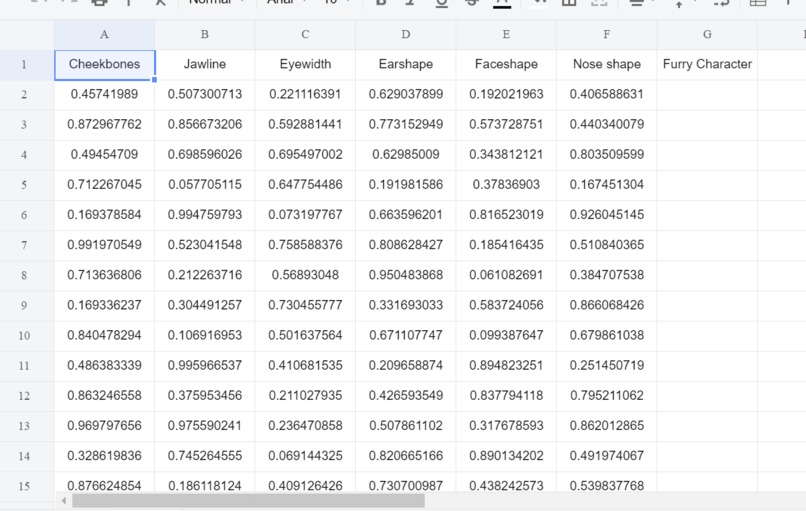
trial dataset
-
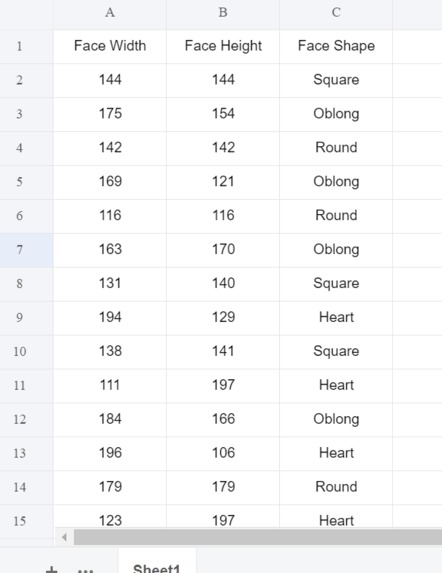
faceshape dataset


Process log -
- 1:00 - Started working on the project
- 2:00 - Built a flask application with basic end points connected with openai
- 2:50 - Researched on topics on how we can implement a furry animal image generator
- 3:10 - Implemented an image from text generator using Dall-e
- 3:30 - Researched about different paid/free APIs we can use to generate images from scratch
- 4:30 - Created a hard coded website with inputs and radio buttons regarding cheekbones, jawline, eyeshape, noseshape, earshape, and faceshape. \n
- 6:00 - Tested out the website thoroughly and decided to change the inputs based on real-time facial feature recognition
- 6:30 - Handled obstacles while importing modules and downloading manual modules which were not available through pip
- 7:30 - Researched this website which talked about how to generate images based on facial features
- 8:30 - Since google collab did not support tensorflow 1.x, I could not run the model and make any progress
- 9:00 - Decided to use opencv to detect the face in real time
- 9:10 - Implemented a real-time video recorder on the website
- 9:20 - Cropped the video to only the face and tried to make it dynamic
- 9:45 - Implemented jQuery functions to take prevent page from reloading and calling the post end point which did not work since flask end points tend to change the html of the page instead of returning the value to the jQuery caller.
- 10:30 - Looked into how I can get the facial features from the opencv video
- 11:00 - Implemented a snapshot feature which saves an image for further analysis and decision making
- 12:00 - Researched on facial landmarks and how they can help to decide the facial features
- 1:00 - Resolved errors and make sure that everything runs without errors
- 1:30 - Implemented the snapshot features which gave a resulting image of a person with dots on his face
- 2:30 - Researched on how to get the facial features using those dots
- 3:00 - Got the values and implemented a KNN model to determine the face-shape and a deterministic model to classify the facial features
- 5:00 - Created a dummy dataset for the faceshape which had features such as facewidth and faceheight.
- 6:00 - Transferred flask app to a virtual environment
- 7:00 - Linked openai generator to the outputs of the facial recognition
- 8:00 - Final checks
Inspiration
I have been a fan of Zootopia and always thought that if we could predict how people would look like in Zootopia just by looking at their facial features. It would give us interesting results which I would like to see and try out on different people.
What it does
In short, it uses opencv to get the photo of the user on the fly and then predicts the facial feature points by using a shape predictor. Using the points that we got, we use KNN to classify the points as a label such as are the cheekbones high or low, etc. Using the labels, it outputs the data to Dall-e which would then generate a furry character for the person.
How we built it
I used a simple flask app to create the end points and opencv to get the photo of the user. After using opencv, I used css to style the jinja template and Dall-e generator to get the generated images.
Challenges we ran into
When going over the website where the author had created a general adversarial networks for fursonas, I couldn't run the google collab book since most of the module used were outdated and google collab didn't support tensorflow 1.x after an update. Hence, I couldn't get the gist of the model which lead me to making my own image generating model using a mix of things. Moreover, since I am working on windows, I had troubles installing dlib module which is used for getting the facial landmarks. Hence, to resolve that error I had to go down a rabbit-hole which was resolved at the end.
Accomplishments that we're proud of
Going back, I think I am proud of building something different and unique which is questionable but at the same time gives some interesting results. Accomplishing this task of plugging different APIs and modules to make a furry generating in whole has been a great experience.
What we learned
I learned how to use the opencv module for the first time and get image snapshots using the module. I also learned how to get the facial landmarks, look at data and decide which ml algorithm I should implement, and use the openai API.
What's next for Furry Characters Generator ~u~
We need to add a lot of stuff in this generator.
- The ability to detect different facial features like eyebrow size, etc. will help the model generate an accurate image. Moreover, trying to condition the data before feeding it in like using PCA whitening might help us improve our results. Since we cannot test out everything in a span of 24 hours, I feel that there is a lot to be done and improved upon.


Log in or sign up for Devpost to join the conversation.