



How can you build a future, if you can’t build an end table?
- Build Buddy
What it does
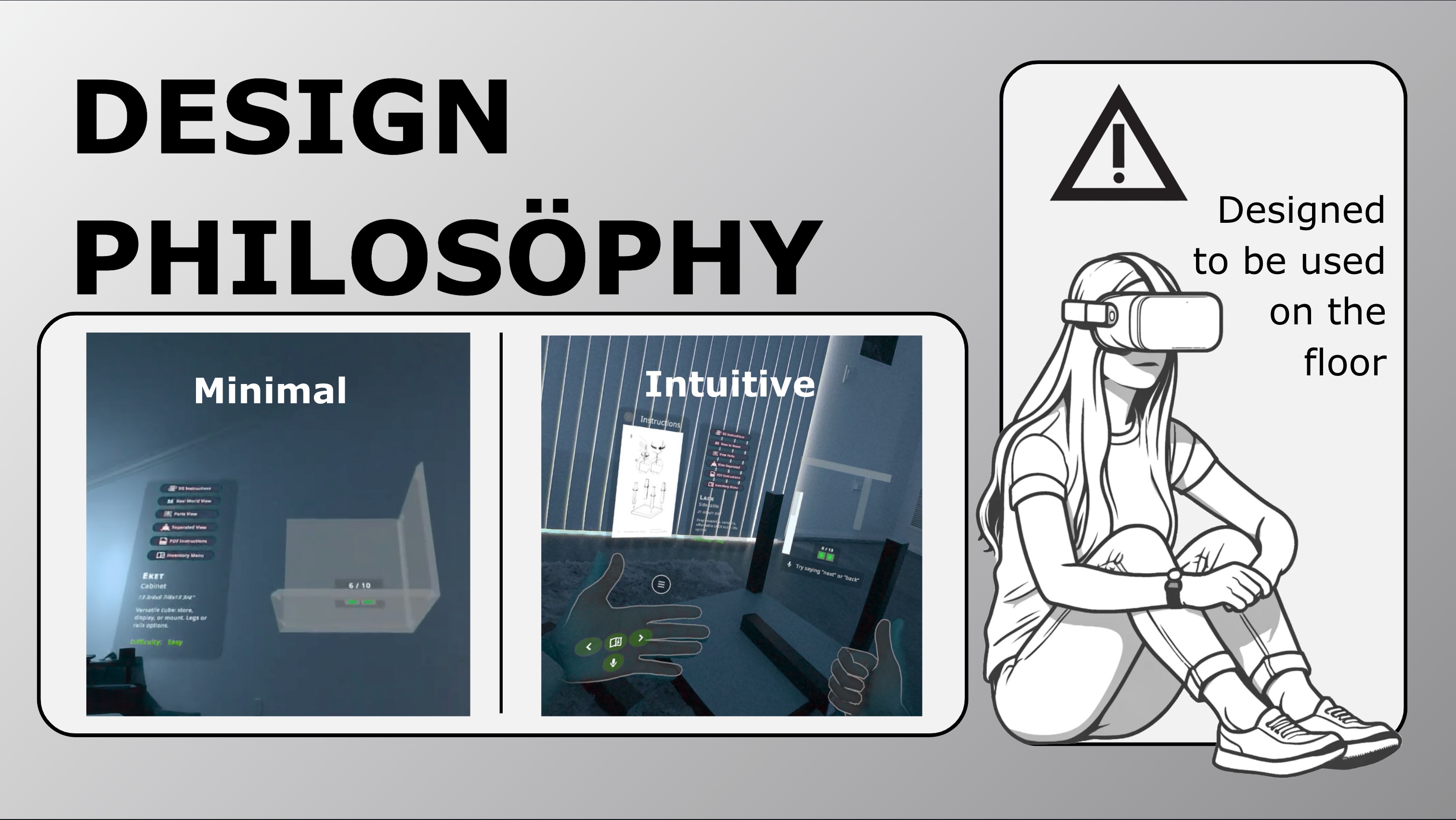
Follow step-by-step 3D furniture instructions directly in your real-world environment using Build Buddy, transforming the headache-inducing task of furniture assembly into a walk in the virtual park. Say goodby to squinting at cryptic paper instructions as you breeze through each step using your voice, hand swipe gestures, or finger pokes.
Inspiration
Who hasn’t battled with a furniture manual that seemed more like an IQ test than a guide? We decided it was time to kick frustrating furniture manuals to the curb and make assembly intuitive with the magic of mixed reality.
How we built it
Armed with our Meta Quest 3 headsets, a healthy dose of caffeine, and an ambition to banish assembly woes, we set out to create Build Buddy with Unity and the Meta SDK Framework.
Mixed Reality (MR) capabilities:
👀 Passthrough for awareness of the real-world chaos around you
🛋️ Scene model to realistically plonk furniture on the floor of your room
Presence Platform SDKs:
👌 Meta XR Interaction SDK for hand swiping, grabbing, poking and snapping (at furniture, not at your significant other)
🗣️ Meta XR Voice SDK for screaming “next” or “back” while your hands are occupied assembling furniture
🙏 Meta XR Haptics SDK to provide a real-life quality to pressing buttons
Challenges we ran into
- Creating instructions for items. While we automated a lot of the process with code and editor tools, some of the advanced actions (translate, rotate) required manual work. This is why we created the Seller-side of the app, released in Alpha mode.
- We ran out of time to complete all that we envisioned for the Seller module.
- The Voice SDK could be slow, so you would yell “next! neXT! NEXT!” for a few seconds to no avail.
- Interaction SDK often struggled to identify hands in anything other than ideal lighting. This made switching from controllers to hands slow and awkward, like our teenage years.
- It was hard to get Meta-specific UI assets online. Please, give us things like a scroll bar, hand gesture images, window resizing corners on Figma or ShapesXR so we can develop apps faster!
Accomplishments that we're proud of
- We built everything using data-oriented design patterns. Items, instructions, etc. are all data objects. Everything can be serialized to JSON for saving and loading from the device or internet.
- We managed to create a friendly user-interface to solve a frustrating real-world problem.
- Our team is dispersed across three continents (and 4 time zones) which made finding meeting times difficult. Plus, we had never worked together before.
What we learned
- Creating rapid XR workflow designs and prototypes is tough. Even if you are an expert in Unity the process is much more involved than designing 2D user interfaces- the Meta Interaction SDK is a step in the right direction!
- This hackathon was a crash course in the highs and lows of mixed reality development. It taught us that great user experience design was critical, and constant communication and iteration was key to a well assembled (pun intended) final project.
What's next for Build Buddy
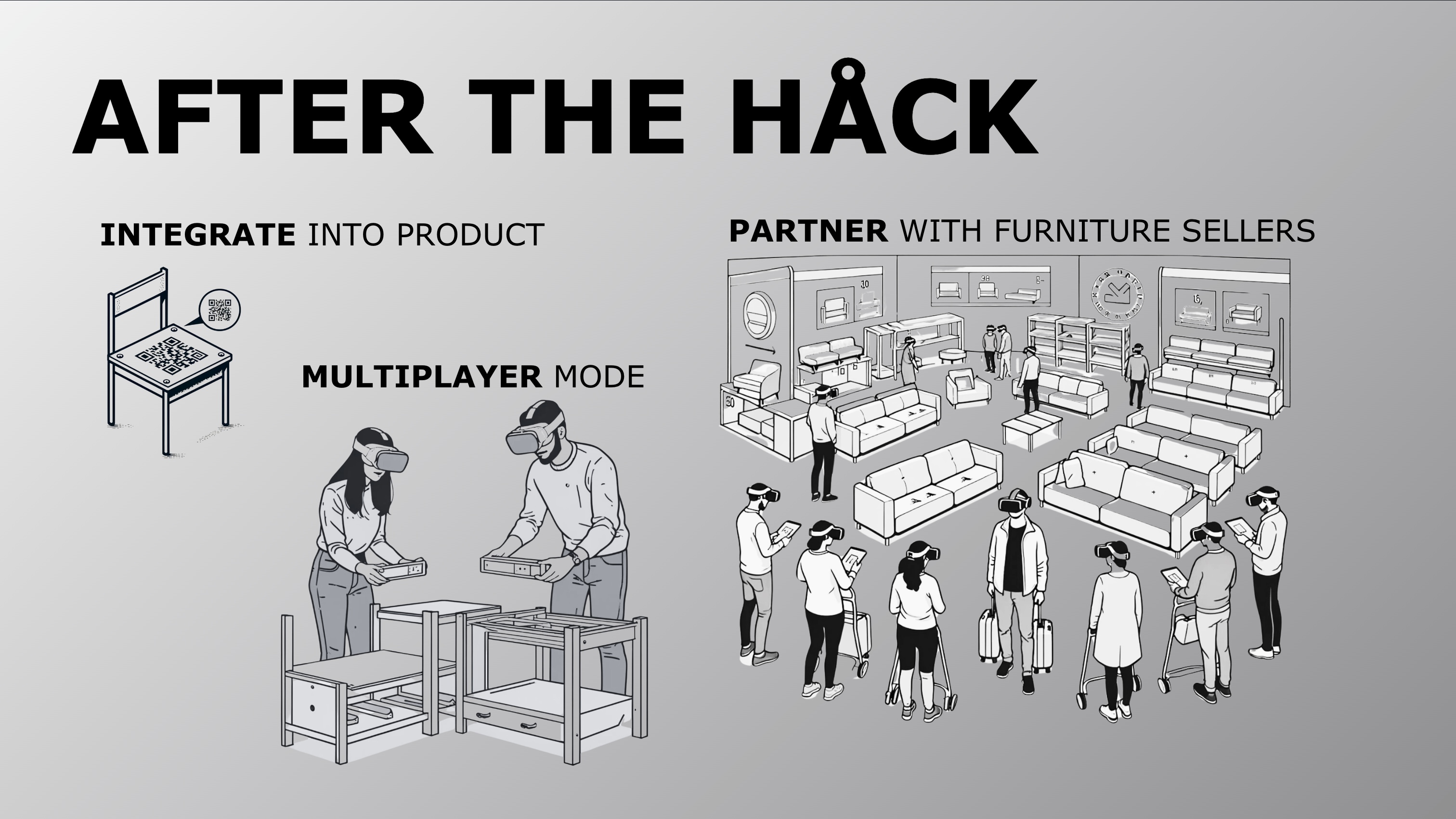
The future looks bright for Build Buddy. We plan to beef up our furniture library, and dream of partnering with furniture sellers so they can use Build Buddy as a platform to make furniture instructions for new furniture they develop. We have key functionality for the seller-side of the app well thought-out and partially built. Finally, what fun is building furniture alone? We want to build a multi-user mode using shared spatial anchors so you can invite a special friend to join you in the chaos joy of assembling furniture.


Log in or sign up for Devpost to join the conversation.