-
-
Home
-
Labs
-
Progress
-
Lab Catalogue
-
Math Lab
-
Math Assessments
-
WebMCP Tools
Inspiration
My kid comes home with homework that doesn't match how I'd explain the same thing. I'd try to help and we'd both get frustrated. The method in the textbook, the method I know, and whatever the AI suggested were all different. That disconnect is what started this.
I wanted an AI that doesn't just talk at a kid through a chat window. One that actually works on the same board the child sees. WebMCP made that possible. With it, the agent can move pieces, run checks, and suggest next steps right alongside the child, on the same board, using the same NC Grade 2 materials their teacher assigned.
What it does
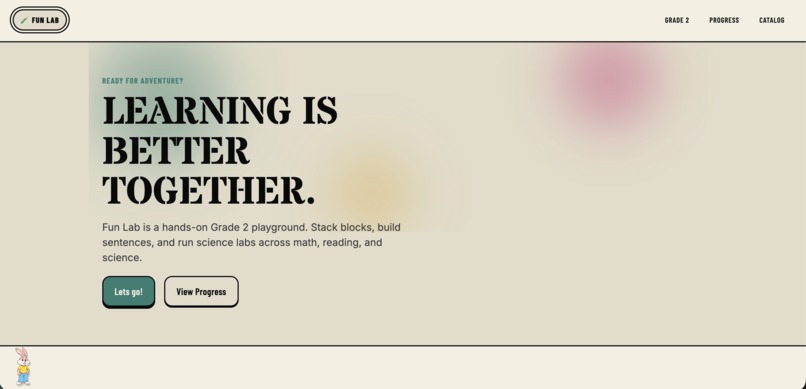
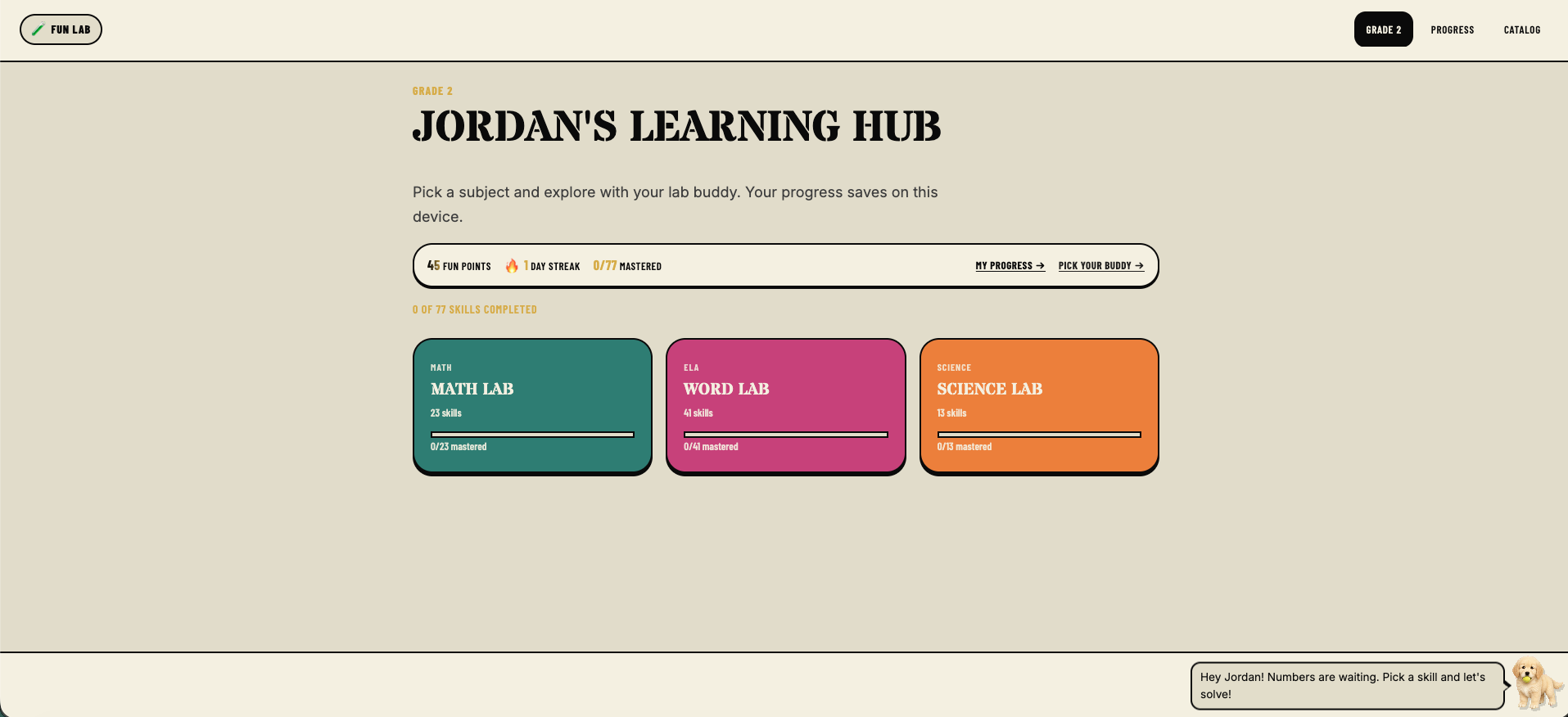
I built Fun Lab Kids to give my kid a shared board where an AI tutor works alongside them, not in a separate chat window, not as a voice in the corner, but right there moving pieces and checking answers. The child stays in control the whole time. The agent helps, but the kid drives.
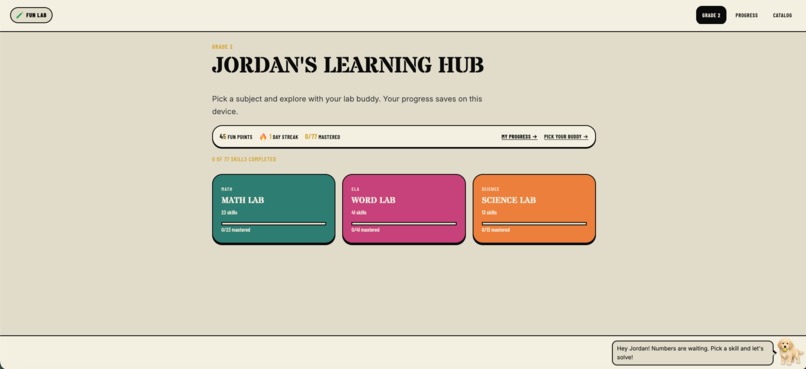
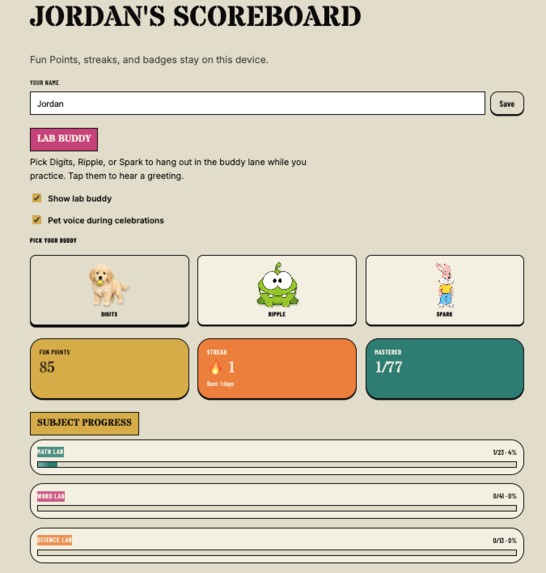
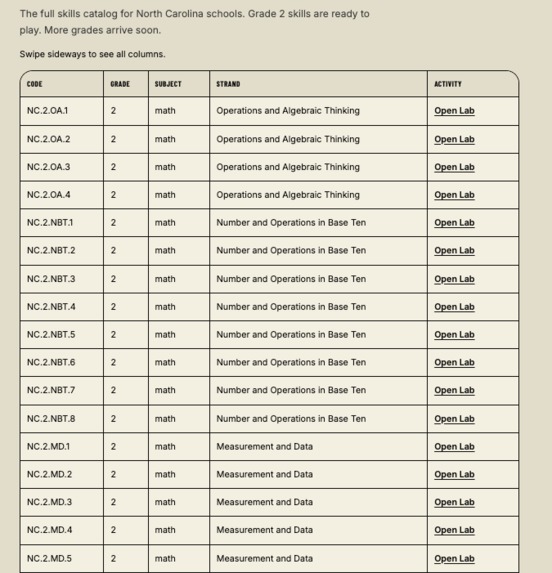
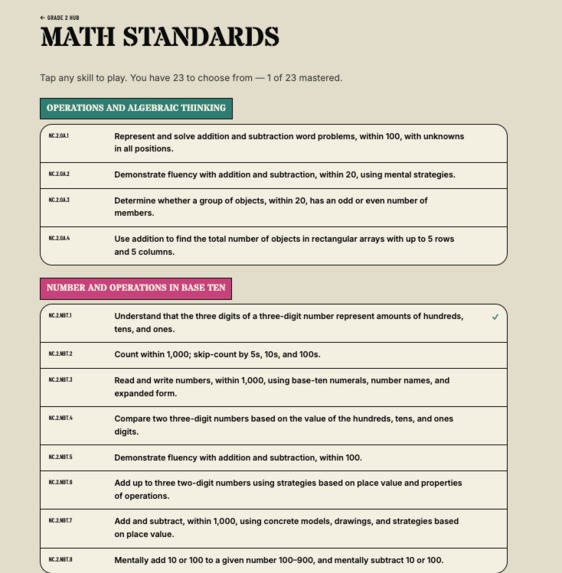
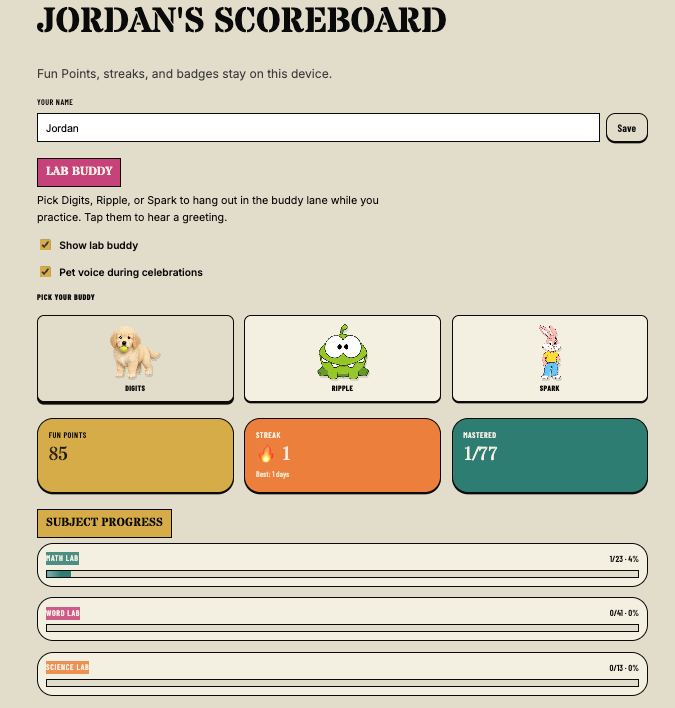
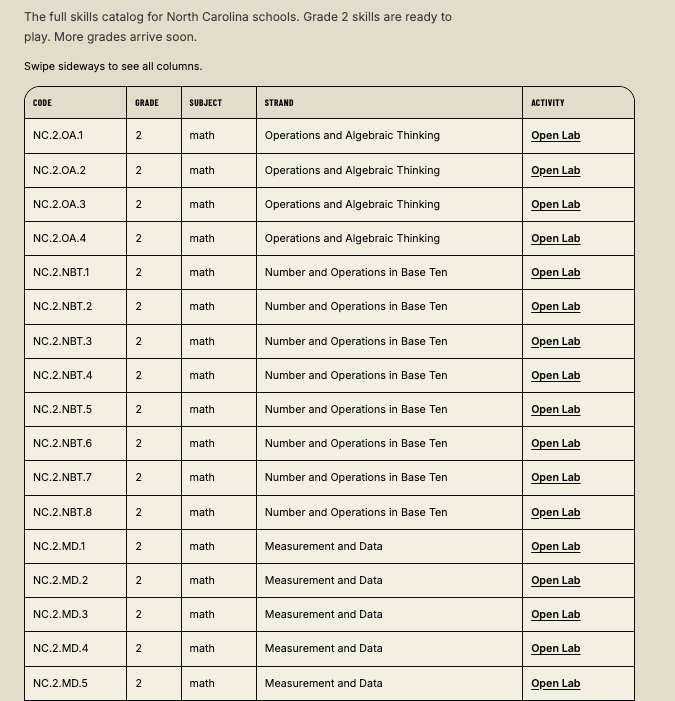
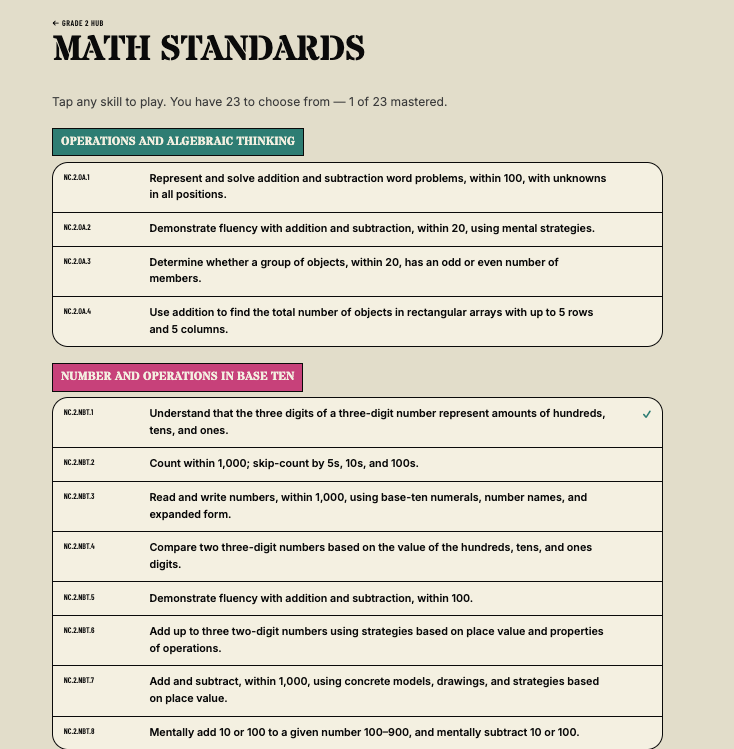
I mapped all 77 NC Grade 2 standards across Math, ELA, and Science, the same ones their teacher is working from, so my kid isn't learning from some random content library. They open labs, earn Fun Points, build streaks, and unlock badges. Progress saves on the device. No account needed, no data leaving the house.
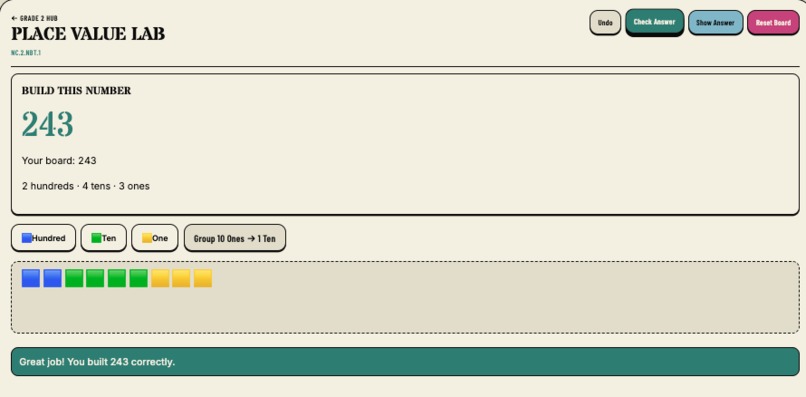
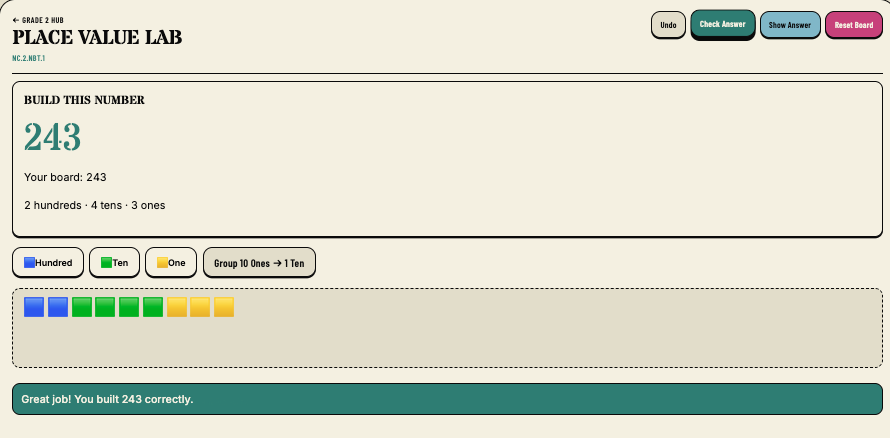
The three main labs, Place Value Lab, Opinion Builder, and Matter Lab, show what working together with the agent actually looks like. The agent can open a lab, place pieces, run checks, ask for hints, and suggest changes. Big moves still need my kid to confirm them on screen. That boundary was non-negotiable for me.
How we built it
I built it with Vite, React, and TypeScript, deployed on Vercel. The stack was familiar from my day job. The harder parts were the curriculum and the agent layer, not the frontend.
I pulled all 77 NC Grade 2 standards directly from NCDPI and mapped them so a parent can see exactly what each lab covers. Everything runs on the same shared board state. The kid's UI and the WebMCP tools use the same logic underneath, so the agent never sees a different version of the board than my kid does.
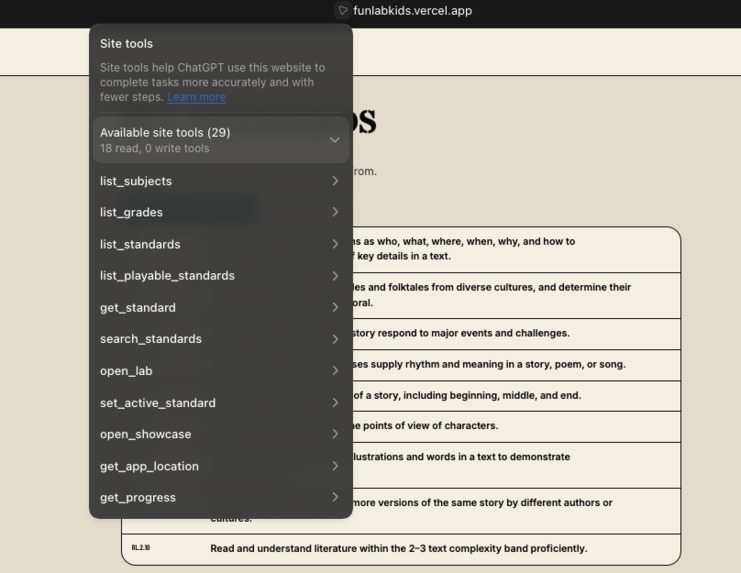
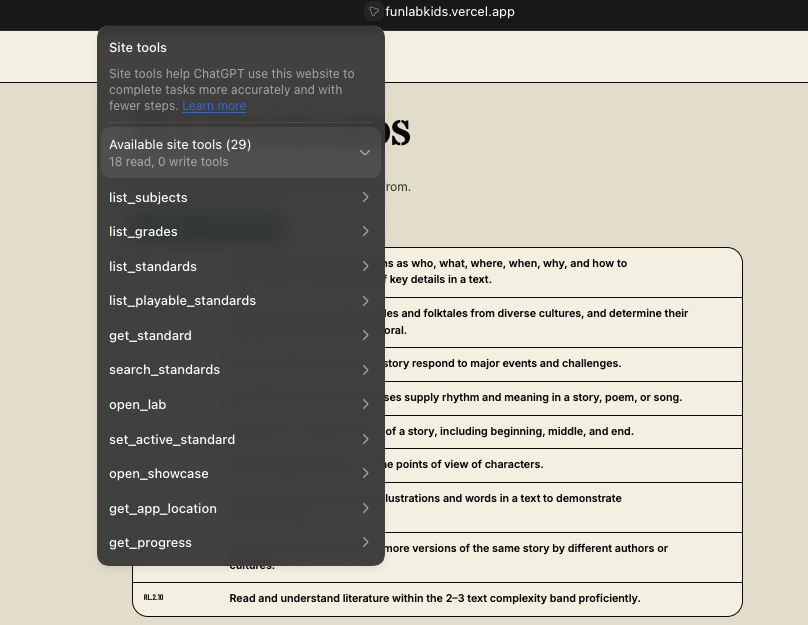
WebMCP tools register with document.modelContext.registerTool. I split them into two groups: curriculum tools (list standards, open activities, read progress) and board tools (get state, apply actions, undo, check, hint, reset). The app works fine without an agent. WebMCP is purely additive, so the experience never depends on whether a model is connected.
Challenges we ran into
The hardest part wasn't the code. It was the screen design. Ed-tech UIs are built for clicks, not agents. I had to think carefully about which board actions an agent could trigger on its own and which ones still needed my kid's hand on the button. Getting that line wrong in either direction breaks the experience.
Shared board state sounds simple until the agent does something unexpected and your kid is staring at a screen that doesn't make sense. I made reveal, reset, and revision all require confirmation from my kid, not because I didn't trust the model, but because my kid needs to stay on track at every step.
Covering all of Grade 2 in a weekend-scale build meant making a hard call: go deep on three showcase labs and build reusable templates for the rest, rather than shipping 77 shallow activities that don't actually teach anything.
Accomplishments we're proud of
I'm most proud that it's a real product, not a thin demo. My kid can sit down, open any lab, and work through it on their own. The agent is there if needed, but the app works either way.
The agent works on the same board my kid sees, not in a separate chat window next to it. It moves pieces, runs checks, and responds to what's on screen. That's the thing I set out to build, and it works.
The curriculum and board tools use the same checks as the on-screen controls. I didn't want a separate agent-only code path that could drift out of sync, so there isn't one.
No account, no data leaving the device, no personal info stored anywhere. I wasn't willing to trade my kid's privacy for a leaderboard feature.
The characters are genuinely fun. Codex sprites with custom voices from Fish Audio. My kid noticed immediately, which told me that part was worth the effort.
What we learned
WebMCP works best when the UI is already a shared board. I didn't have to build a new way for the agent to interact. The board was already there, and the agent just needed tools to use it the same way my kid does.
Using the same checks for both the agent and the kid is what keeps the agent honest. The moment you give the agent its own code path, it starts seeing a different board than the child. I learned that early and built around it from the start.
Kid safety isn't something you add at the end. I had to think about it at the design level: which moves are safe to automate, which ones need my kid in the loop, and how to make that feel natural rather than annoying.
What's next for Fun Lab Kids
I want more question sets for every standard, not just the three main labs. The templates are already there. Filling them out is the next big push.
The agent coaching needs to get smarter. Better hints, guiding questions that actually adapt to where my kid is stuck, and revision suggestions that feel like a tutor rather than a spell-checker.
Grade 2 was the starting point. The goal is the full K-5 range, same shared board model, same focus on real curriculum, just a lot more labs.
I want to add progress views for teachers and parents so the adults can see what's clicking and what isn't, without changing the privacy defaults I built in from day one.
Built With
- chatgpt
- cusror
- frontend
- github
- grok
- netlify
- react
- typescript
- vercel
- vite
- webmcp

Log in or sign up for Devpost to join the conversation.