
Mission
Help every household keep a ledger it can trust, without handing a bank password to anyone.
Goal
Ship a ledger that fills itself from what already arrives (card statements, card alerts, receipts, e-invoices and Apple Pay taps), computes every number on the iPhone, and pays for itself through a fair subscription instead of bank-aggregator fees or selling data. For Shipaton, the goal was the first public release of 1.0 on the App Store, with RevenueCat powering every purchase.
Inspiration
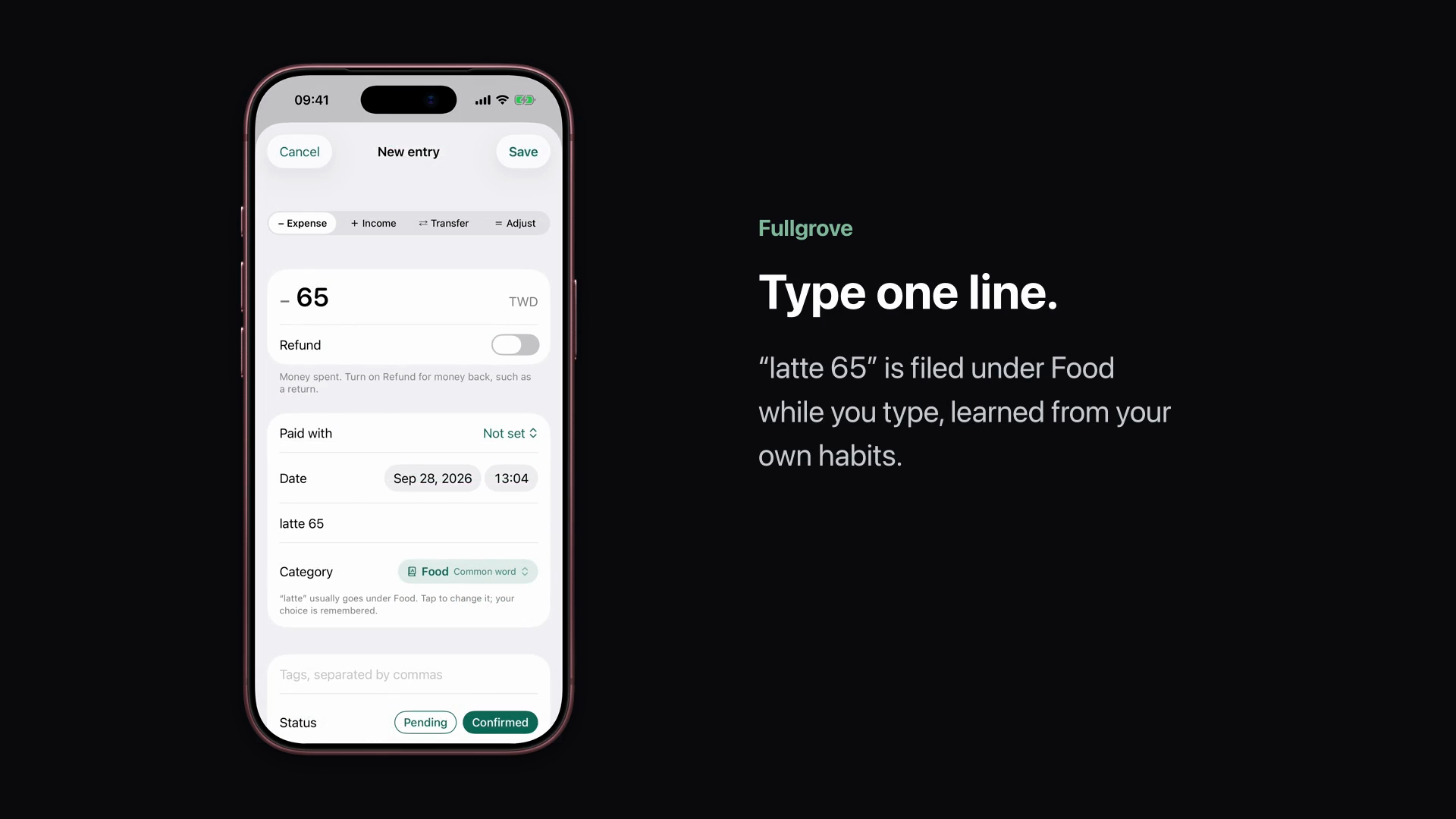
Most budgeting apps that "do the typing" do it by logging in to your bank. Many people will not hand over bank passwords, and in Taiwan, Japan and much of Europe that kind of bank connection barely exists. So people type every coffee by hand, and after a few weeks they stop. Meanwhile the records already arrive on their own: a card statement PDF every month, an alert for every swipe, a receipt or an e-invoice for every purchase. I built Fullgrove to turn those into a ledger on the phone, with no bank login.
What it does
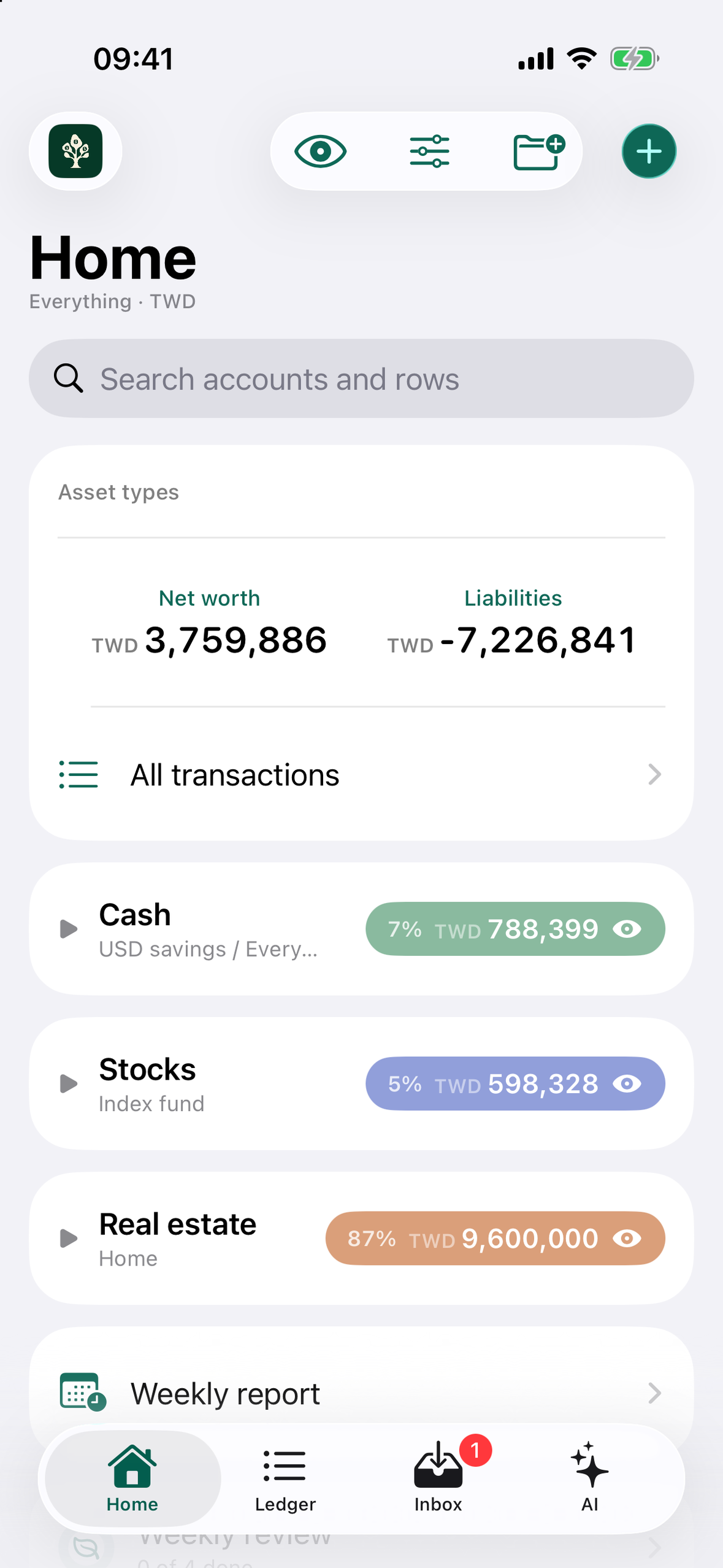
- Balance sheet first. Home opens on what you own and what you owe, grouped by account type or asset class, in the currency you pick. Tap a group to see its register.
- Evidence in, rows out. Share a locked card statement PDF (the password stays in the Keychain behind Face ID), snap a receipt, scan a Taiwan e-invoice QR, record Apple Pay taps and bank alerts through a Shortcut, or import CSV, Excel, QIF, OFX, CAMT.053 or MT940. Each row keeps the evidence it came from.
- AI reads, Swift counts. For a statement layout it has never seen, the model only picks which lines are transactions. Swift reads every date and amount from those lines and keeps the reading only if the statement totals balance.
- Merge by confidence. The alert that arrives today and the statement line three weeks later become one row when the matcher is confident, including foreign purchases (a USD 18.00 alert and an NT$574 statement line). The merged row shows both sources and can be split back.
- Multi-currency, multi-ledger. Personal and business ledgers, accounts in folders with totals in a display currency, allocation targets against your own plan.
- Privacy you can check. Parsing, OCR, categorisation and matching run on the iPhone. There is no account. Settings lists every network connection the app makes.
How we built it
- SwiftUI app on iOS 26 (iOS 27 APIs gated), Swift 6 with strict concurrency,
@Observablemodels. FullgroveKit, a Foundation-only Swift package with all business logic and 400+ tests:FullgroveCore(Decimal money, evidence, lifecycle, agent policy),FullgroveImport(statement, receipt, e-invoice and bank-file parsers),FullgroveMatch(the matcher that scores and merges rows).- GRDB for the on-device store; Vision for OCR; Foundation Models on the device and Apple Private Cloud Compute for statement reading and assistant answers (PCC can be turned off in Settings).
- The assistant never invents a number: Swift computes every figure as a tool result, and
AgentPolicyrejects any answer containing a number that did not come from a tool. - Share extension, widgets, App Intents and the Apple Watch app only enqueue files; the foreground app does all parsing.
How RevenueCat powers purchases
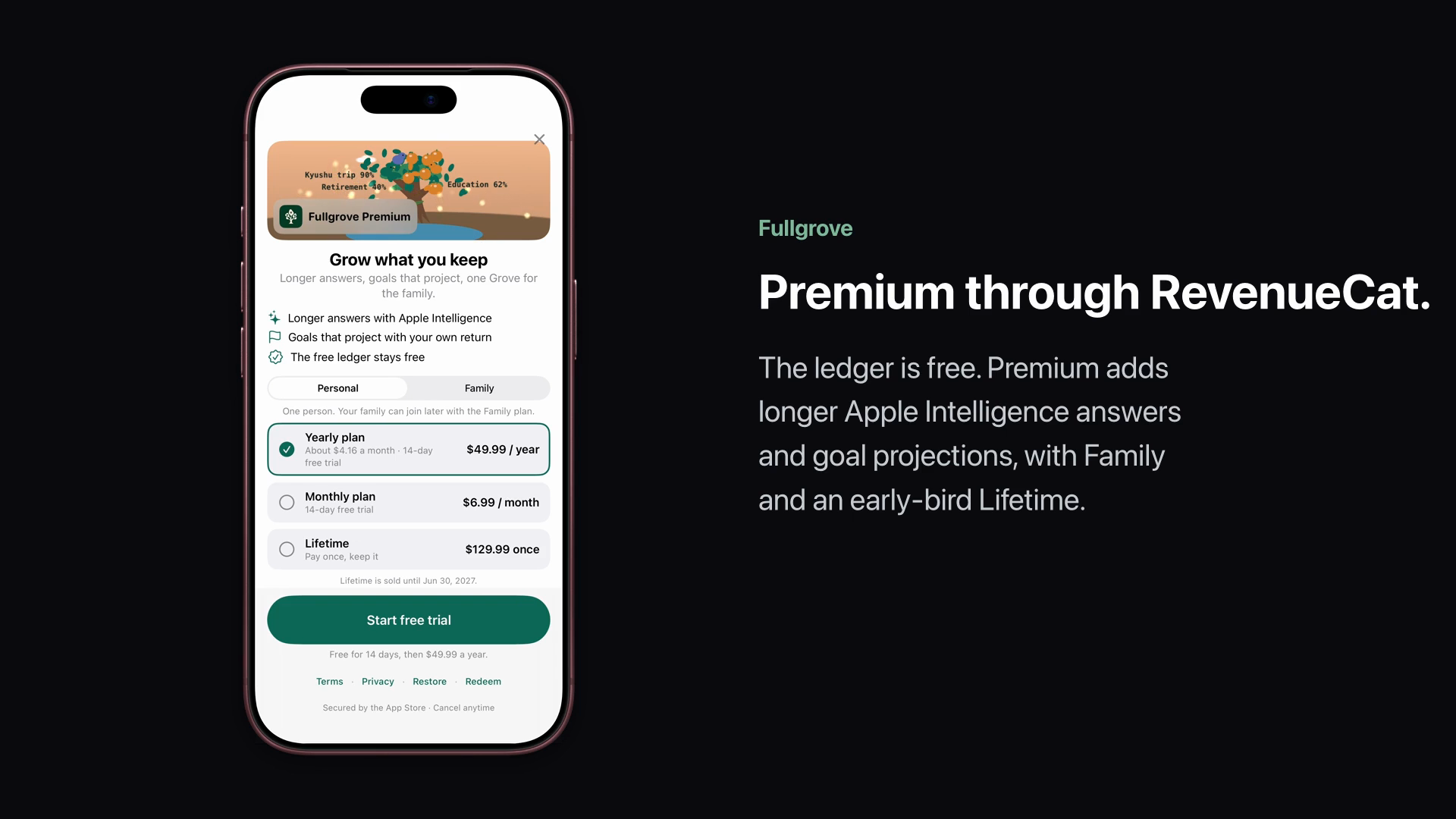
- One RevenueCat project holds every product: Individual yearly (two trial-length arms) and monthly, Family yearly, Student yearly (offer codes after verification on fullgrove.com) and an early-bird Lifetime purchase sold until 30 June 2027.
- Two entitlements:
premium(every product) andfamily(Family yearly and Lifetime, with Family Sharing). The app checks entitlements, never product ids, so Family Sharing covers up to six people without special cases. - Offerings
default,familyandstudentchange what the paywall shows without an app update. The yearly arms are separate products, so RevenueCat charts compare trial-to-paid per arm without extra analytics. - Free trials on subscriptions; restore and offer-code redemption on the paywall. RevenueCat runs under an anonymous app user id, and nothing from the ledger is sent to it.
- Because there is no bank-aggregator fee per user, a Lifetime option is affordable to run.
Challenges and how we overcame them
- Reading statements from any bank without writing a parser per bank. Rule parsers broke on every new layout, and a model alone makes up amounts. We split the work: the model picks line numbers and a kind for each line, Swift reads the date and amount from that exact line, and the reading is kept only when it matches the printed statement totals. On a real Taishin statement it read 21 of 21 lines with both totals balanced.
- One purchase, several records. A card alert, a receipt and the statement line are the same purchase in different words and sometimes different currencies. The matcher scores amount (including the foreign amount), date, merchant and card identity (issuer plus last four digits, with former card numbers), merges only when confident and asks otherwise. Every merge can be split.
- Statement passwords. Most Taiwan card statements are encrypted PDFs. Passwords live only in the Keychain (passcode-protected, current biometrics), are never logged or sent to a model, and unlock only after Face ID.
- A small privacy label for a finance app. We removed the account and analytics from 1.0, so the App Store label lists four data types, none linked to the person. RevenueCat uses an anonymous id.
- Shipping solo in weeks. All logic lives in a tested Swift package so the app target stays thin. Screens were reviewed on the simulator after each pass, and fixes shipped in short builds.
What we learned
Letting the model choose and making Swift count gives AI features you can audit. People trust a number more when they can tap it and see the statement line it came from.
What's next
Family sync across phones through iCloud sharing, scanned statements through OCR, a tax pack for Taiwan filings, a Mac app, and Japanese and Korean localisations.
Built With
- app-intents
- apple-private-cloud-compute
- cloudflare-pages
- firebase-crashlytics
- foundation-models
- grdb
- pdfkit
- revenuecat
- storekit
- swift
- swift-concurrency
- swiftui
- vision
- watchos
- widgetkit
- xcodegen

Log in or sign up for Devpost to join the conversation.