-
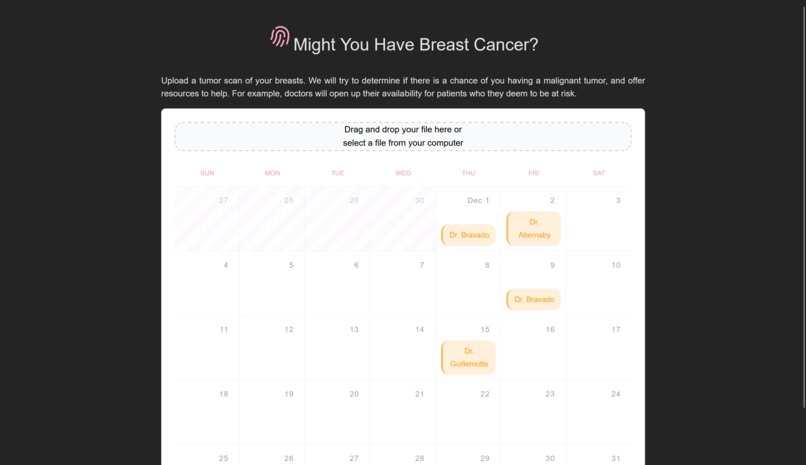
Initial
-
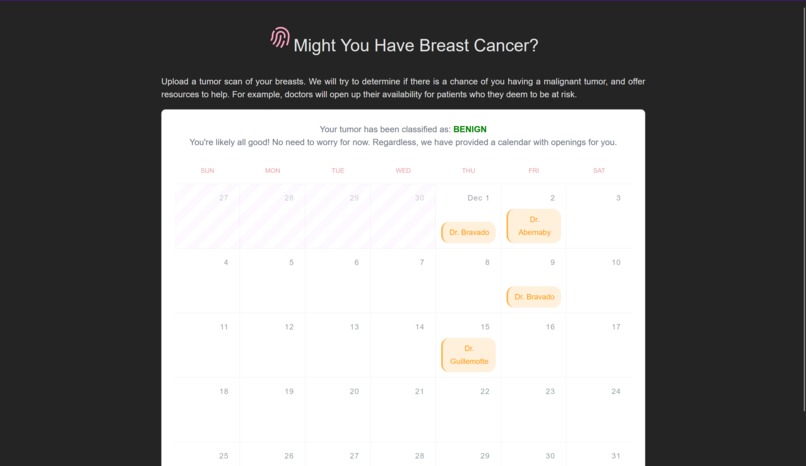
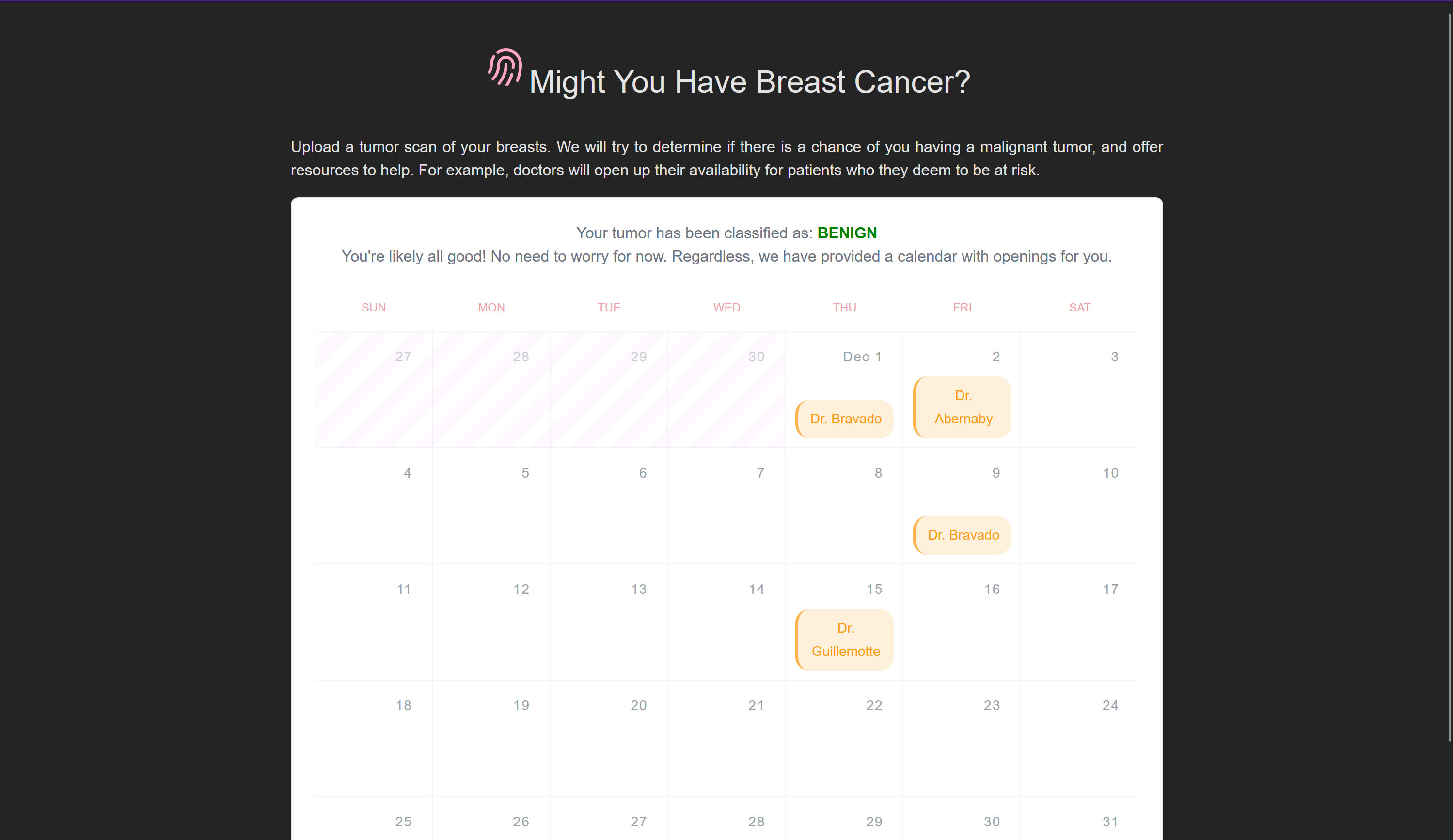
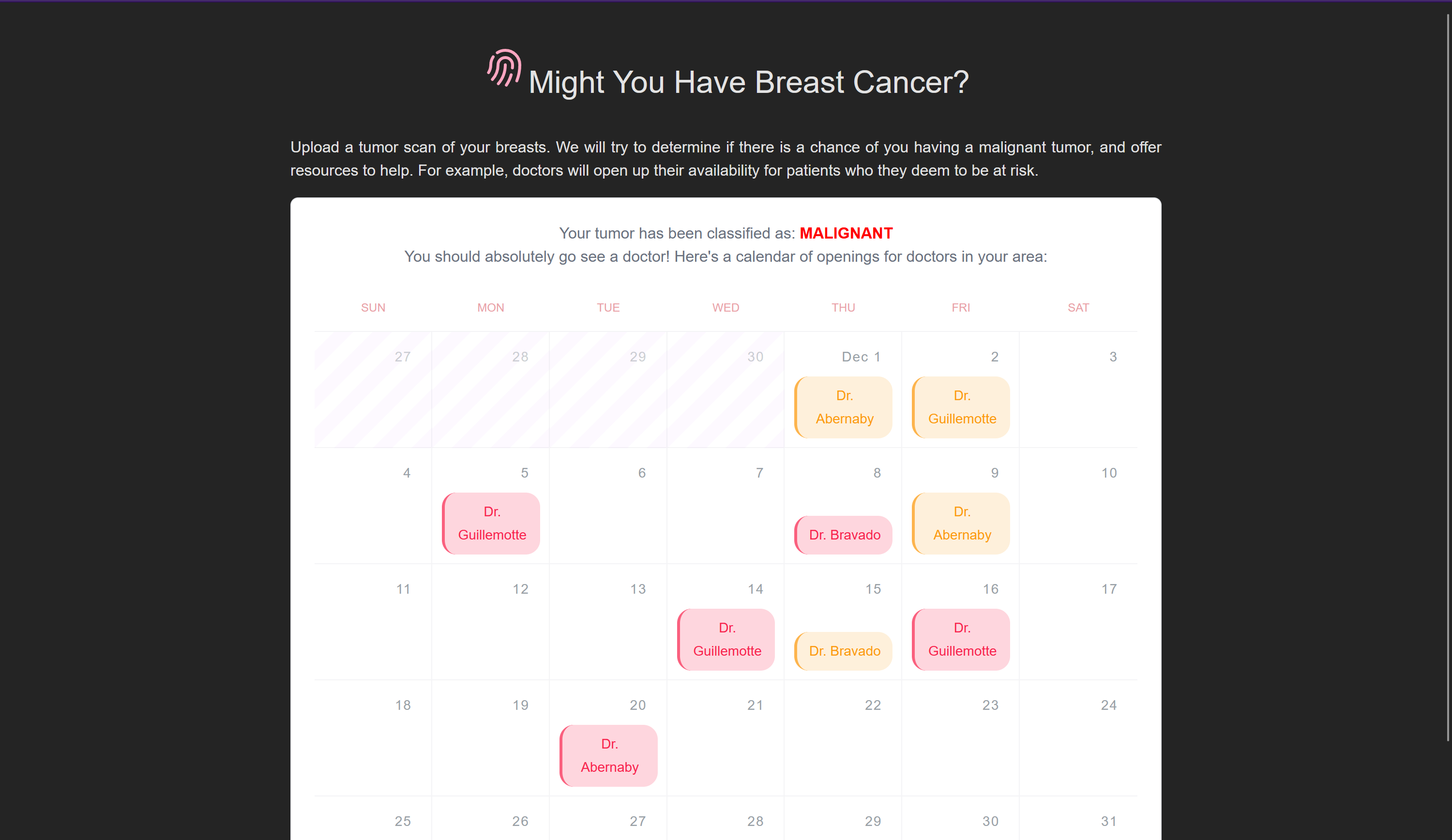
in case prediction is begin
-
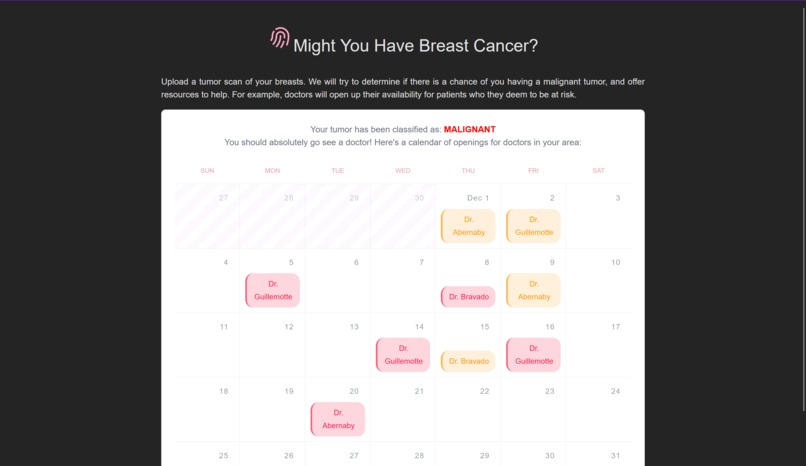
in case it is malignant
-

Tumor detection
-
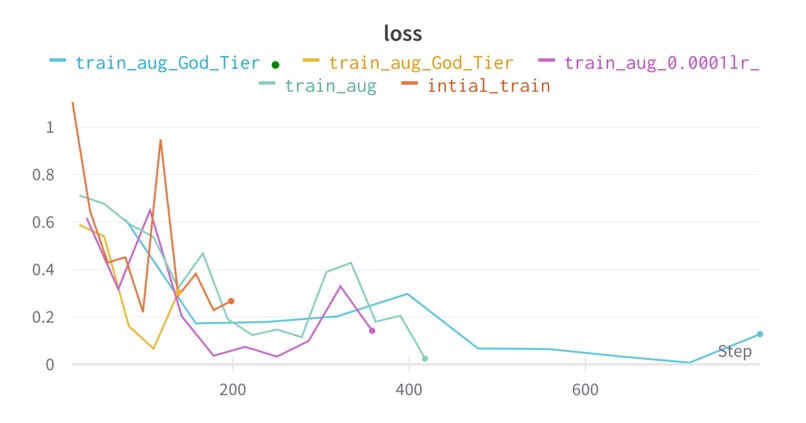
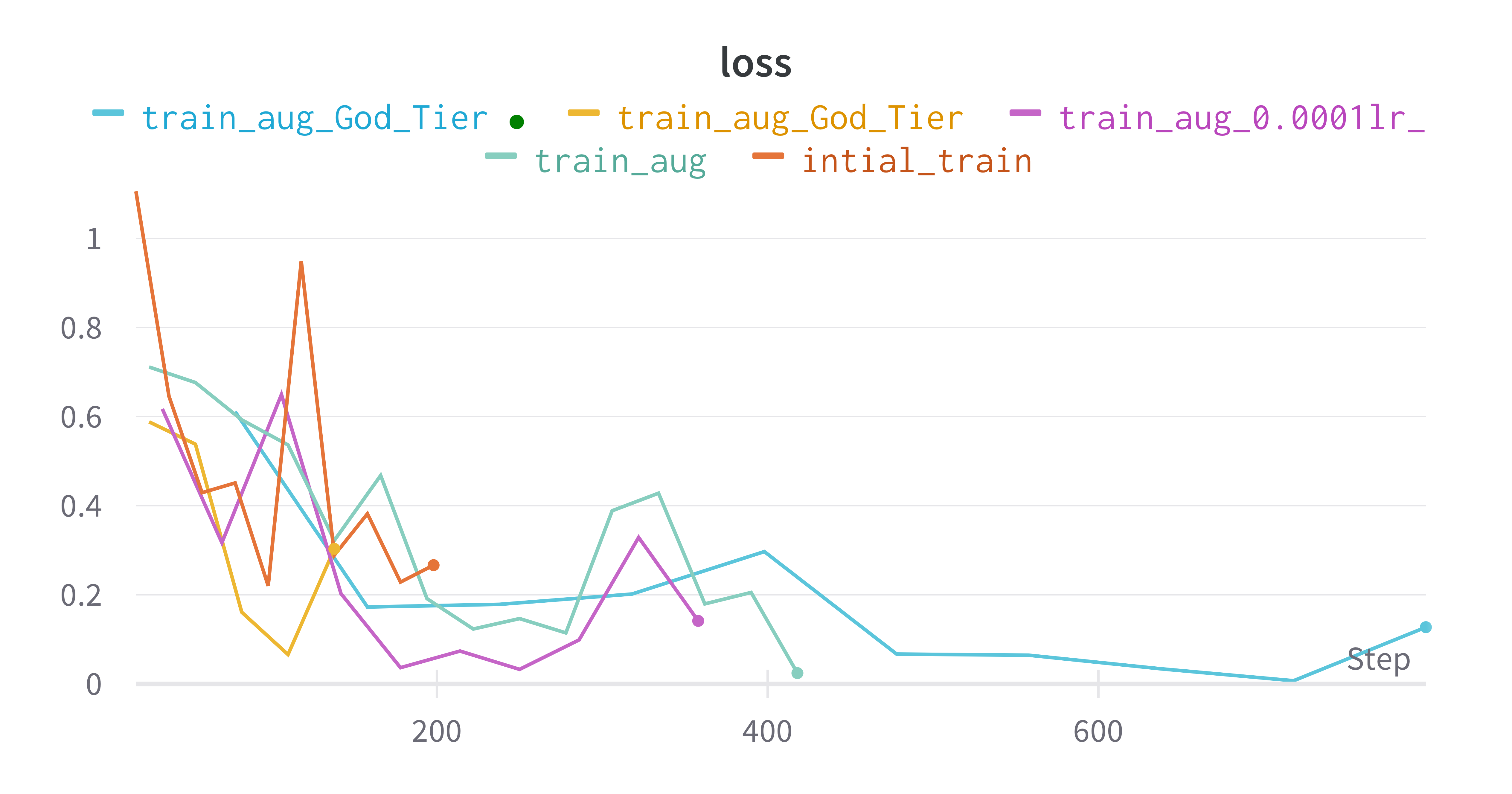
Val loss
-
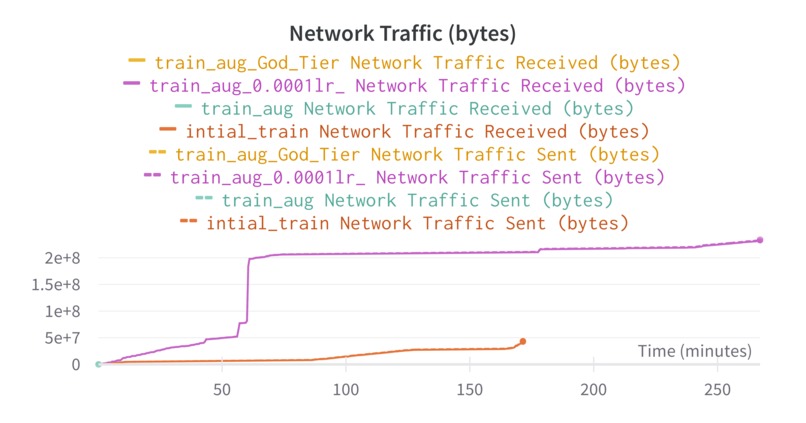
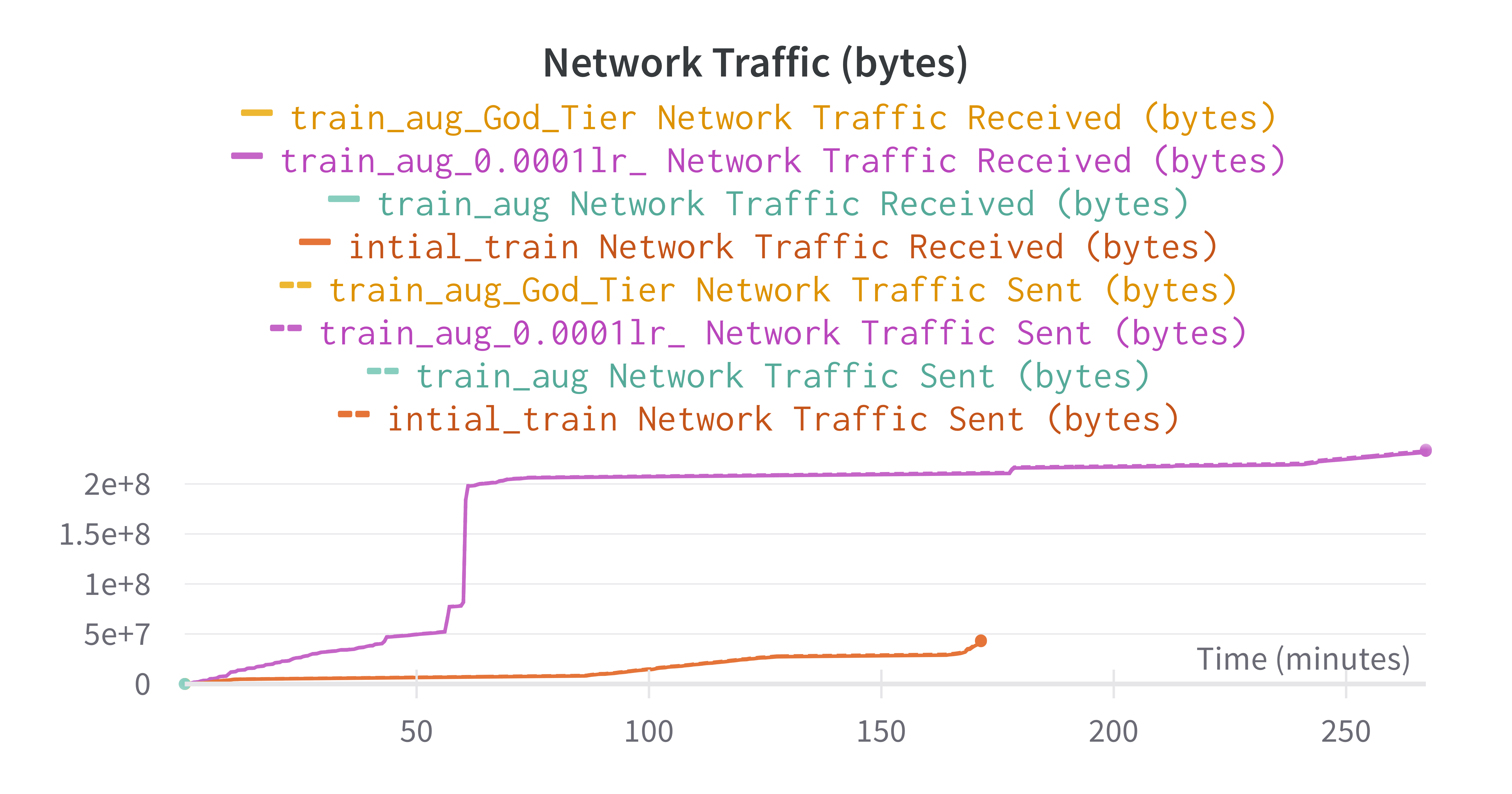
Ressource consumption during training vs Inference
-
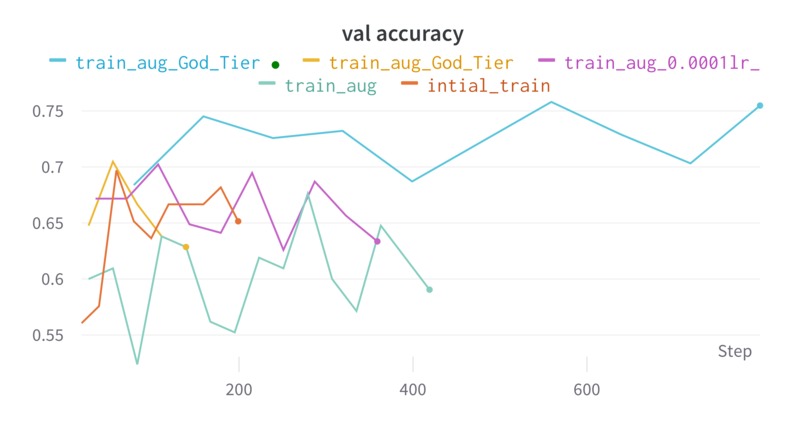
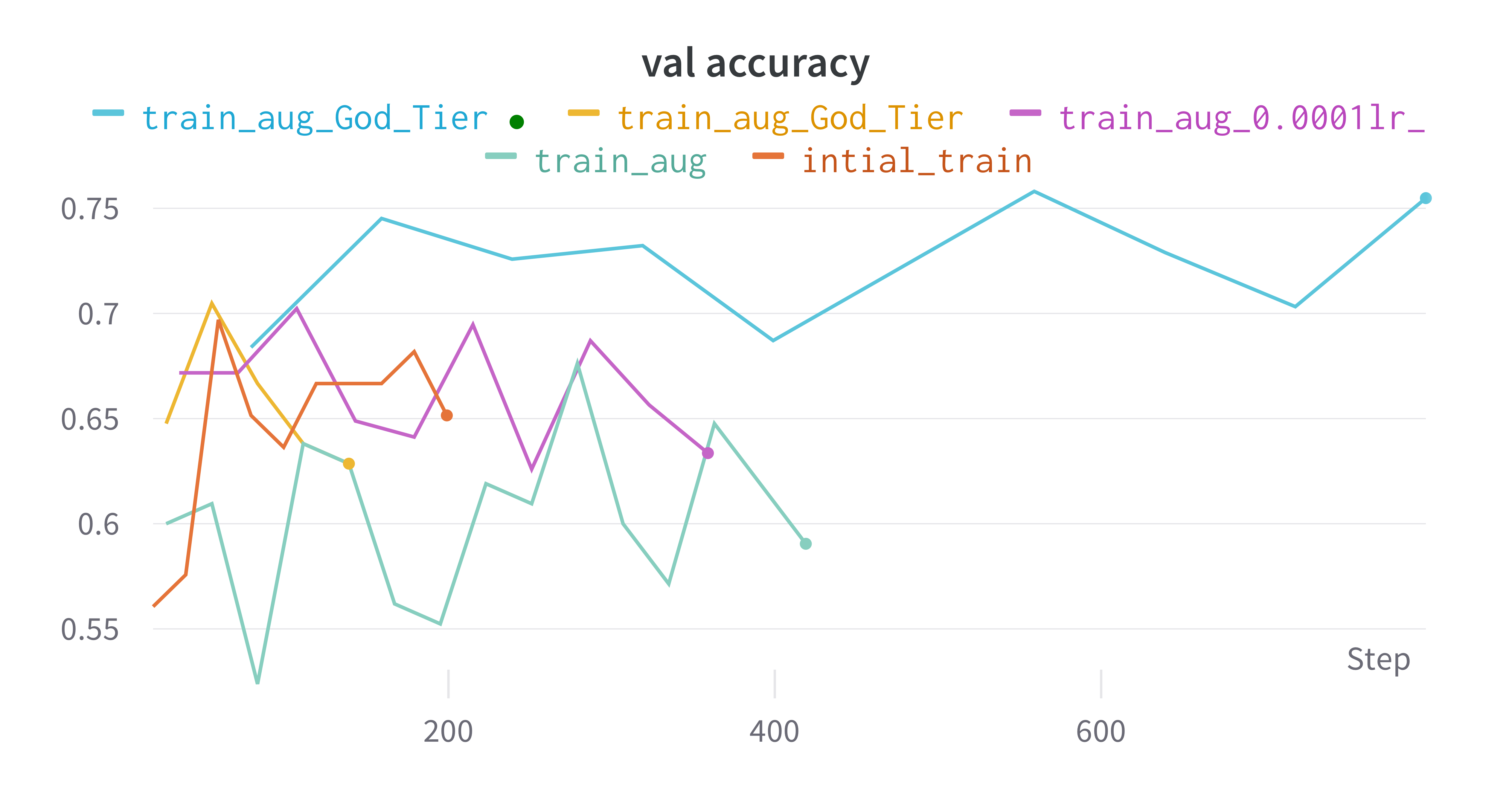
Val accuracy

Project structure and goals
In our project, we combine different aspects of privacy, advanced computer vision, augmentation technique, deployment of self trained model on server and providing a frontend to interact with all components. keywords: edge computing, AI for healthcare, Computer Vision, Annomaly detection
Motivation
The emergence of different dataset in the domain of computer vision allowed the training of deep neural networks. When it comes for the application in Healthcare, maintaining the privacy of the data used is crucial. In addition, most deep learning models are training overly parametrized making them slow, big in size and not efficient to deploy on edge/ cloud solution. Therefore emerges our research questions that we covered in the scope of this project:
- How to train deep learning models efficiently either by not using sensitive data as features or annonymize them
- What is the impact of data augmentation, when it comes to a hard task such like annomaly/ decease detection.
- How can we keep all the training pipeline under control.
- Does reducing the float precision impact the accuracy heavily in the case of detecting the presence of a tumor and its type ?
- What is the thought of application field and how AI can revolutionize the healthcare sector. ### Walkthrough the files #### Computer Vision and efficient edge training run_experiments: run_experiments.py: The run_experiments script itterate over the config files, get the model parameters to train on, launch the training and log the metrics it on wandb as well as quantize and sparse the model
To our src folder. For exact implementation details refer to:
- dataloader.py = dataloader class
- model.py = model architecture
- train_cfgs.py = Top g, contains all the implementation of the training and quantization loop
For a quick recap and visualization you can refer to our notebook
A small look into one sample of a config settings stored as a json, we find below, where we use the keys and values to set our model parameters
json
{
"epochs": 20,
"batch_size": 32,
"learning_rate": 0.001,
"num_workers": 4,
"optimizer": "adam",
"loss": "cross_entropy",
"metrics": ["accuracy"],
"encoder": "resnet50",
"validation_split": 0.2,
"shuffle": true,
"verbose": 1,
"augmentation": true,
"callbacks": [
    {
        "class_name": "ModelCheckpoint",
        "config": {
            "filepath": "model.h5",
            "monitor": "val_loss",
            "save_best_only": true,
            "save_weights_only": false,
            "mode": "auto",
            "save_freq": "epoch"
        }
    }
],
"model_save_dir": "export_model"
}
#### Dataset The dataset we are using is dervived from the DDSM database of 2,620 scanned film mammography studies. It contains normal, benign, and malignant cases with verified pathology information. To Download the dataset we used for our models, request testing and inference, Follow the link and locate the data in the data folder. ### Architecture
We use and support several autoencoder models that we built on them through transfer learning due to the lack of the data to train from scratch. Note that the training is very optimized and that we do minimize the resources consumption/ the memory footprint and the ram used.See pdf
Backend
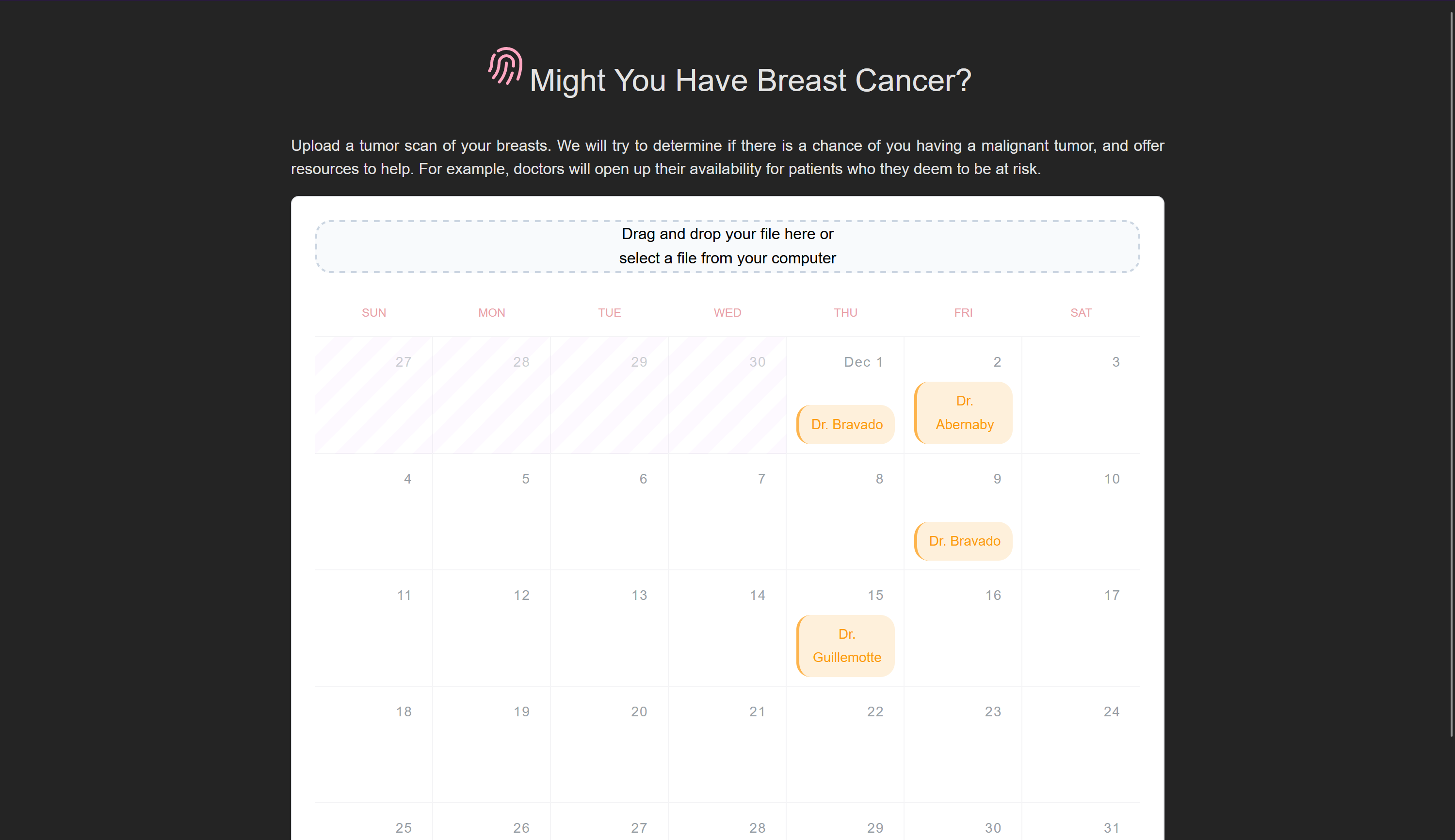
Our application is based on a REST API server developed in Python, which can provide the following functionalities: store the MRI pictures into the database and can make the inference with the model presented above. Once the server will receive a request with a picture attached that means that the server will store it into Cassandra database. The inference is made on the server after the image is retrieved from the database.
Frontend
To build the frontend that users can upload their pictures of MRI scans to, we used the Svelte JavaScript frontend framework. Configuration for the app is located in the frontend directory, and the actual app source code is located in frontend/src. The app is subdivided into useful single-file components in the lib subfolder, whereas the App.svelte is the top-level component that sticks everything together. This component is then mounted to the DOM in main.ts.
Built With
- cassandra
- docker
- frontend
- javascript
- python
- pytorch
- sparse
- typescript

Log in or sign up for Devpost to join the conversation.