-
-
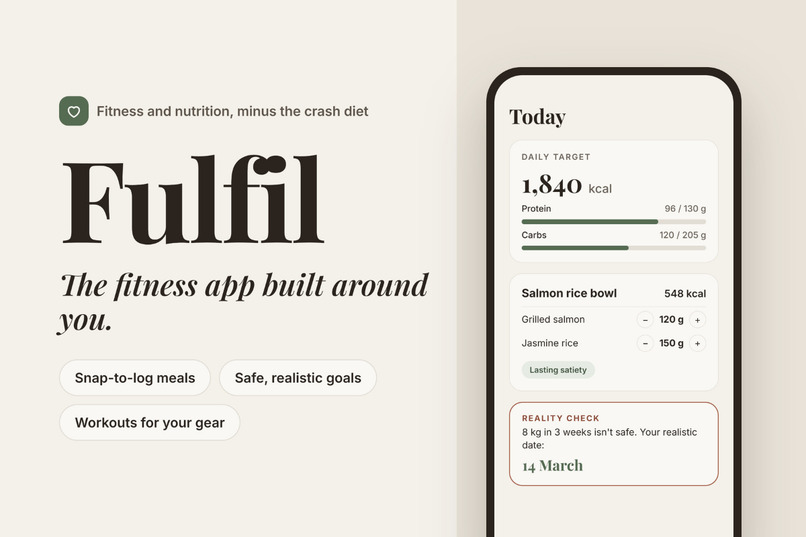
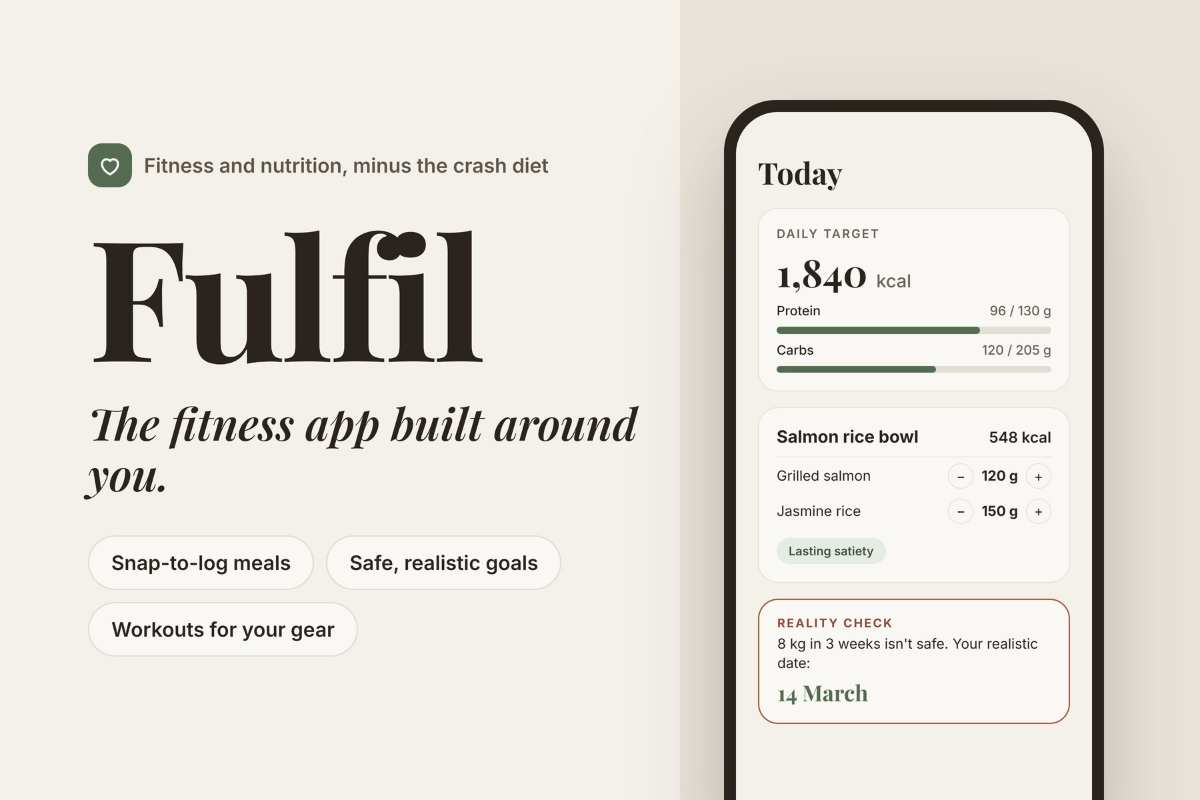
Fulfil, the fitness app built around you.
-
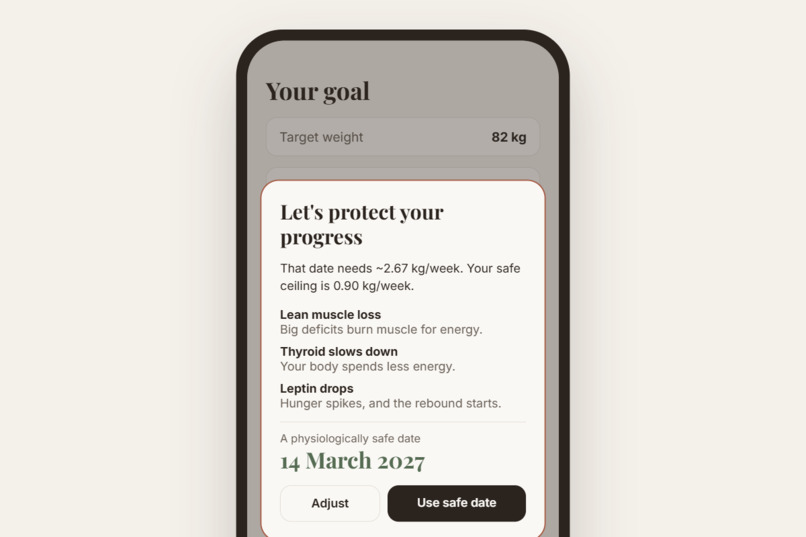
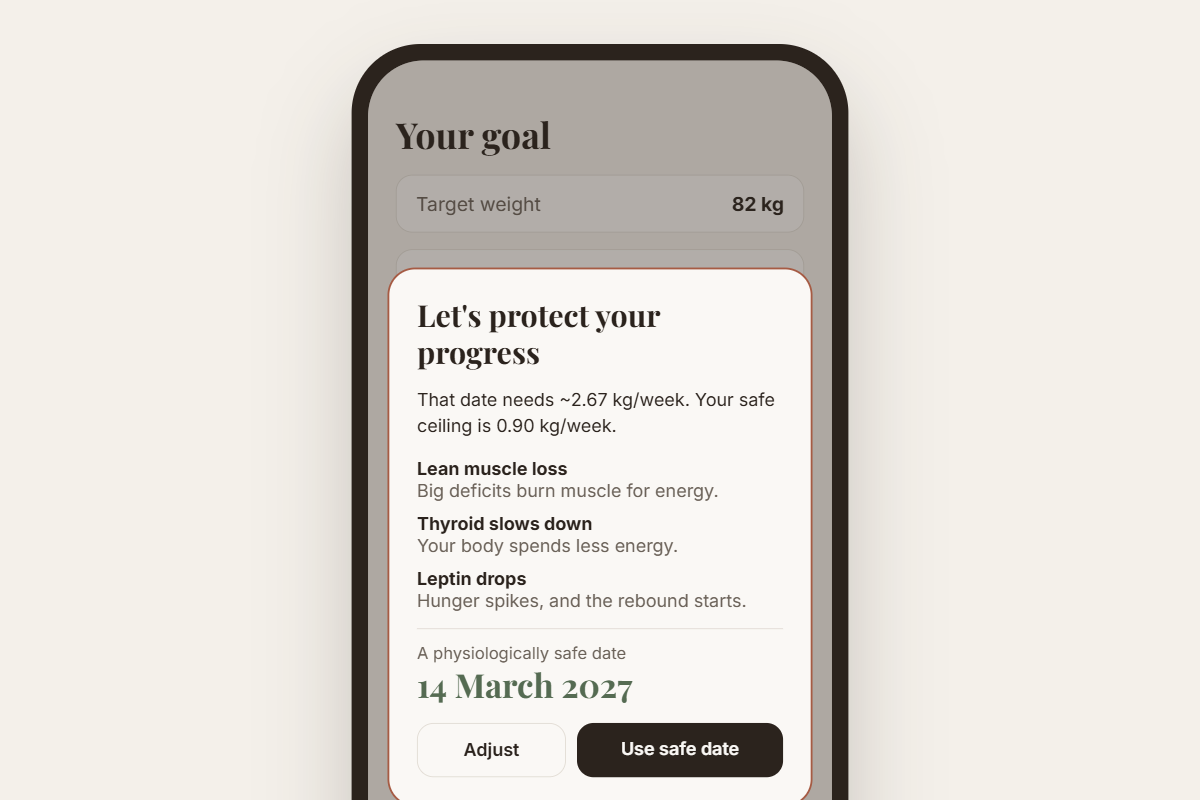
Set an unsafe goal and Fulfil locks it, explains why, and gives you a safe date instead.
-
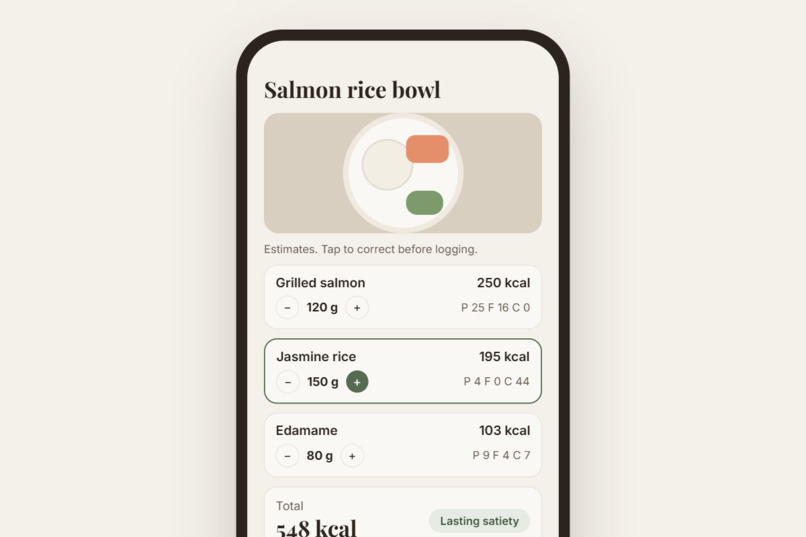
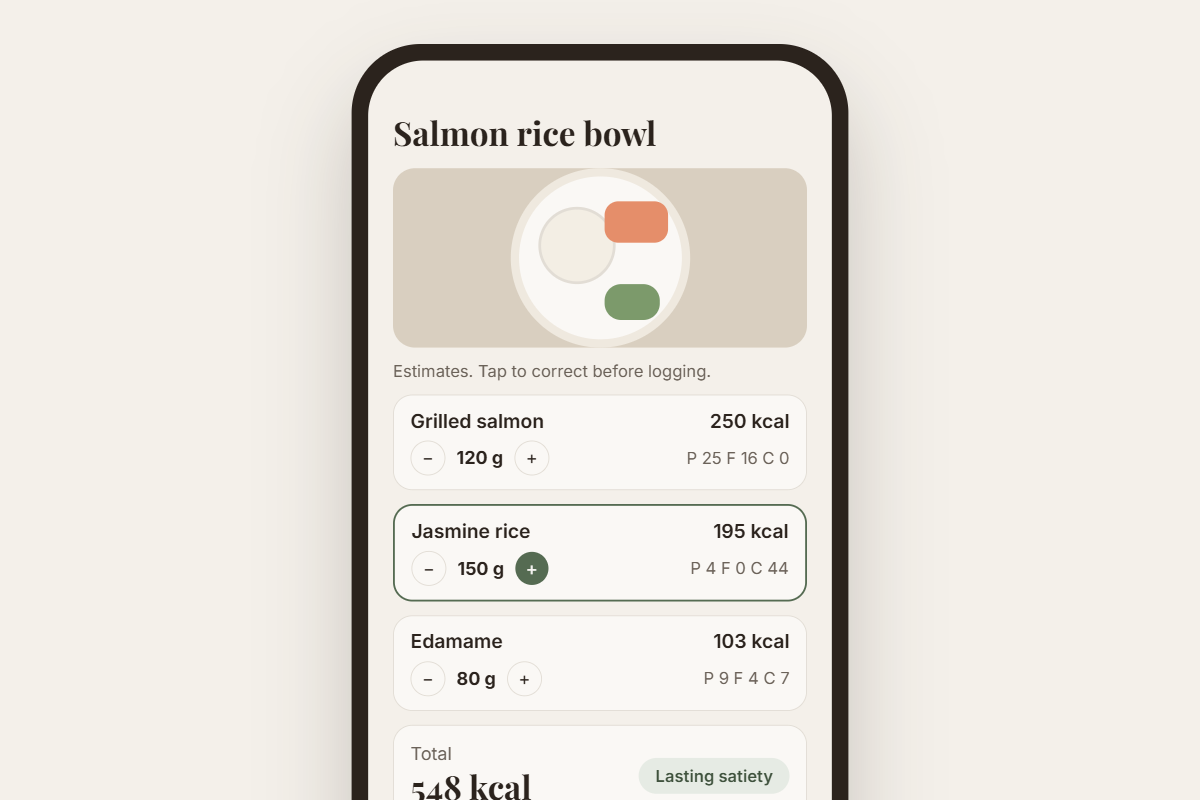
Take a photo of your meal and get each ingredient with grams. Tap + or − to fix anything.
-
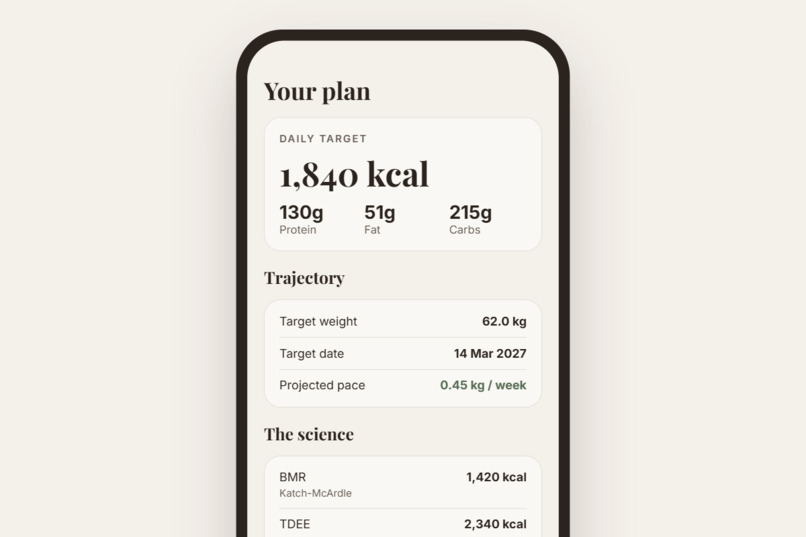
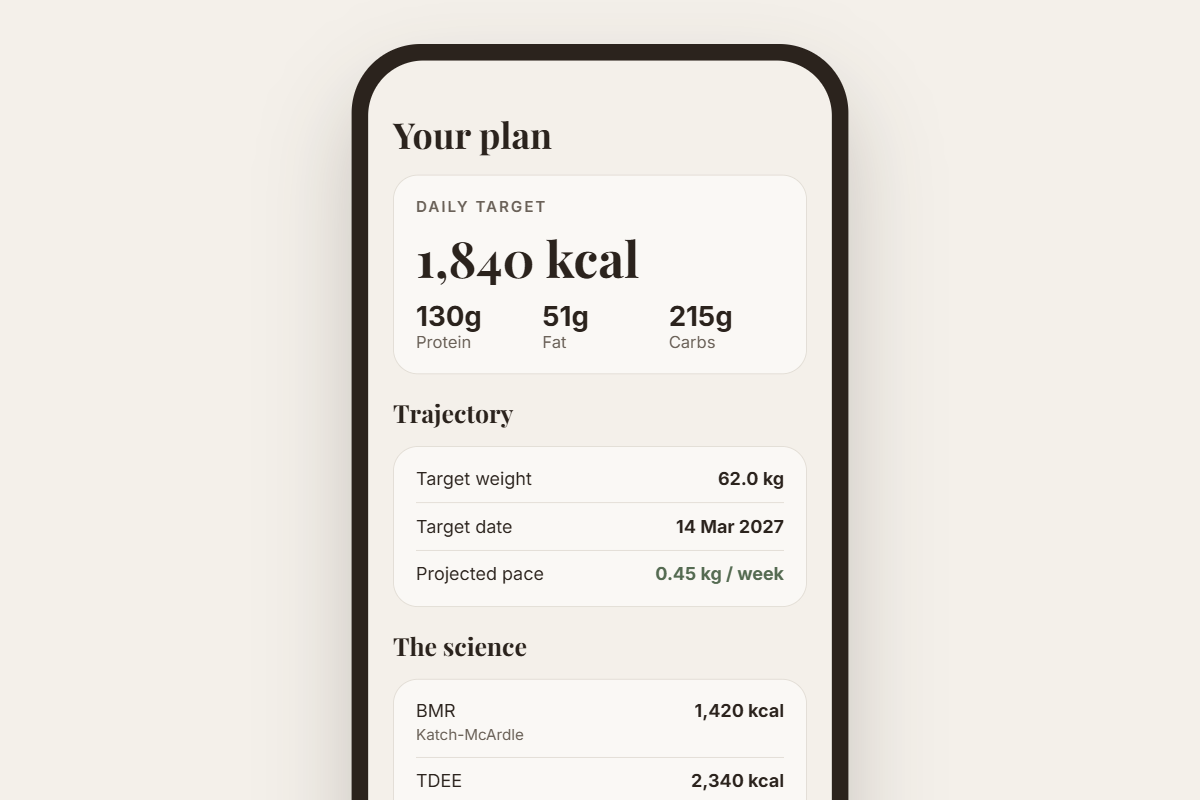
Your daily calories and macros, calculated from your body. The AI never does the maths.
-
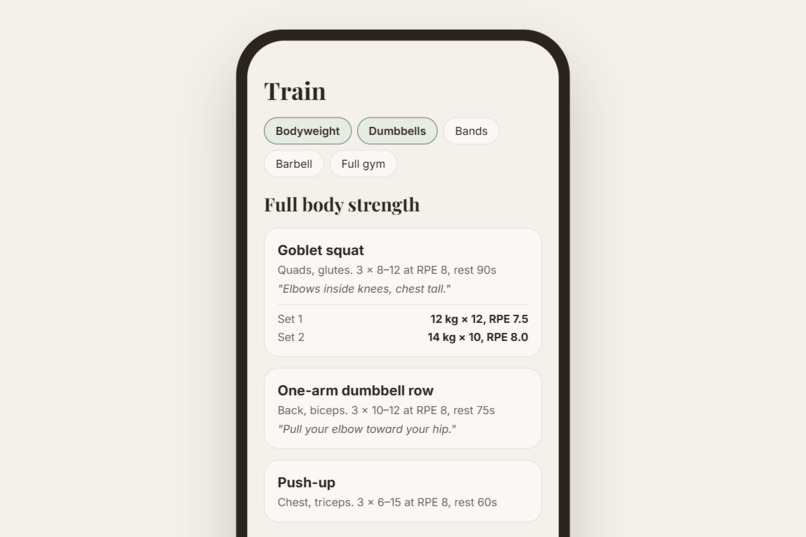
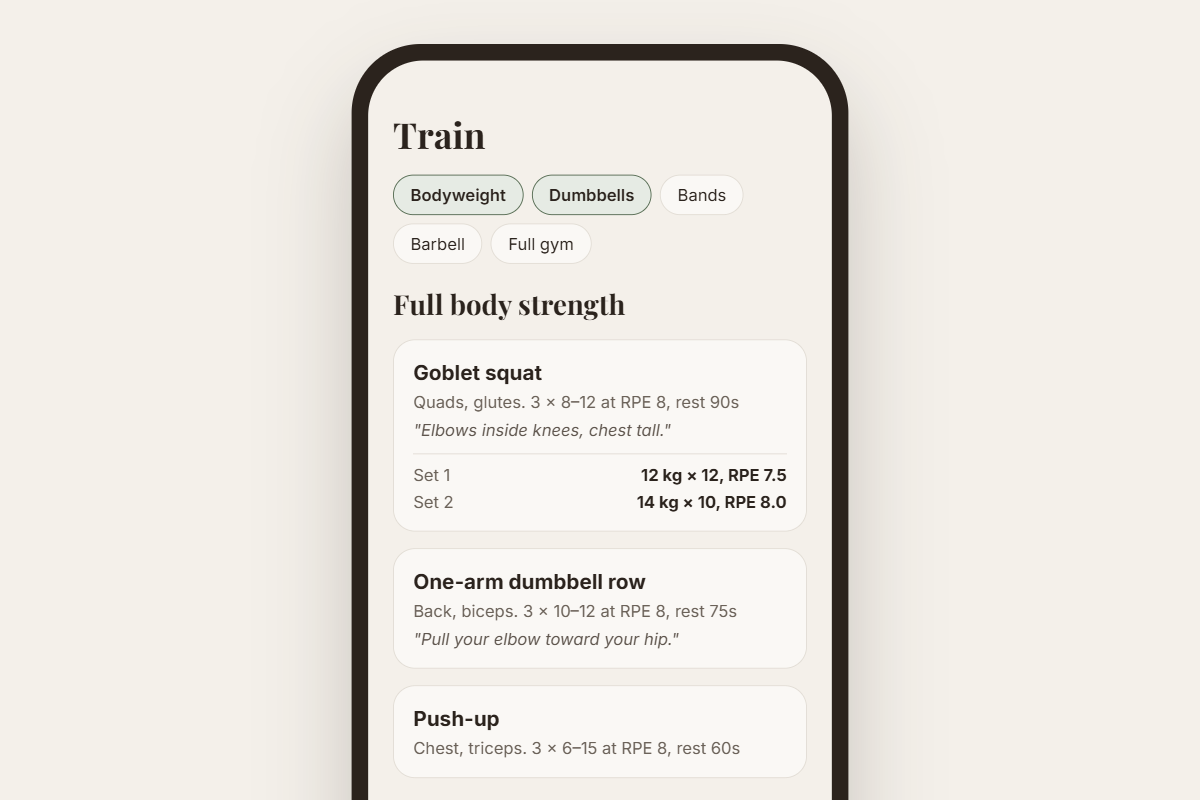
Pick the gear you have and get a muscle-focused workout. No calories burned to eat back.
-
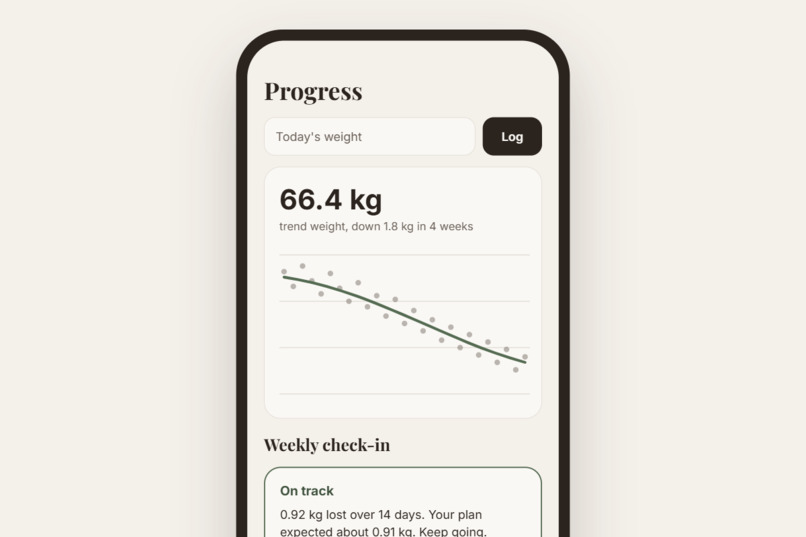
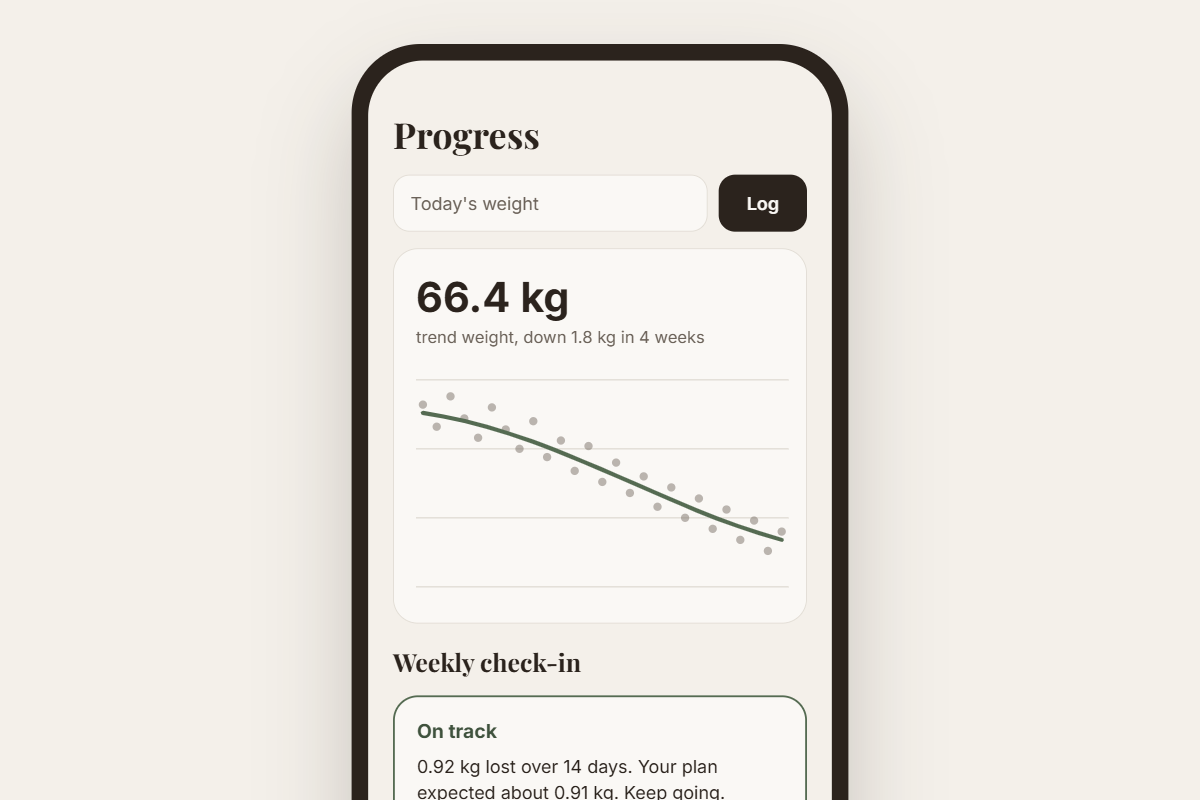
A smoothed trend that ignores daily water weight. Stall for 2 weeks and your plan adjusts.
Inspiration
I had a goal to lose weight. But honestly, I didn't really know how weight loss works. I just thought "eat less, lose more", so the faster the better, right?
Turns out that's not how it works. Eating too little backfires. Your body starts burning muscle, your metabolism slows down, and your hunger hormones go crazy. That's why most crash diets end in a rebound.
When I looked at health apps, most of them didn't help with this at all. You type in "lose 8kg in 3 weeks" and they just say okay and give you a tiny calorie number. Nobody stops you, and nobody explains why it's a bad idea.
So I built the app I wished I had. One that checks if your goal is actually safe, explains what's going on in your body, and helps you get there without crashing. That's Fulfil.
Who it helps: students and young adults who want to lose weight but don't know what's realistic, and anyone who's tired of crash diets that don't last.
What it does
Fulfil helps you lose fat without crashing.
- Set your goal: you put in your age, height, weight and how active you are. You can also add your body fat using a tape measure, a scan result, or a photo.
- Reality Check: if your target date is too fast, Fulfil locks it and explains why. Then it gives you a date that's actually safe.
- Snap to log: take a photo of your meal and it breaks it into ingredients with estimated grams. If it guesses wrong, just tap + or − to fix it before saving.
- Workouts for your gear: pick what you have (bodyweight, bands, dumbbells, gym) and get a session focused on keeping your muscle.
- Progress that makes sense: your weight goes up and down every day because of water and salt, so Fulfil shows a smoothed trend instead. If you stop losing for 2 weeks, it adjusts your plan.
We also don't count calories burned from workouts, on purpose. Those numbers are usually way off, and people end up eating them back.
Try it
- Live demo: https://youtube.com/shorts/azcULe7j5ik?feature=share
- Source code: https://github.com/barzj04/fulfil (setup steps in the README)
On desktop, snap to log opens a file picker, so just upload a photo of a meal.
How we built it
It's a Flutter app made with Flutter, Riverpod for state, Firebase for login and storage, and Gemini through Firebase AI Logic for the photo features. The demo runs as a Flutter web build.
Our main rule: the AI never does the maths. Gemini only looks at photos and suggests exercises. Every number you see is calculated in our own code.
- Calories: uses Katch-McArdle if you know your body fat, or Mifflin-St Jeor if you don't.
- Reality Check: your daily deficit can't go over 1% of your body weight per week or 25% of your TDEE, whichever is smaller: \( \text{deficit} = \min(\text{requested},\ \frac{0.01 \times w \times 7700}{7},\ 0.25 \times \text{TDEE}) \). It also never goes below 1200 kcal (women) or 1500 kcal (men).
- Meal calories: worked out from the protein, carbs and fat (4/4/9 kcal per gram), so changing the grams updates everything instantly without asking the AI again.
- Weight trend: an exponential moving average that still works if you skip a few days.
Team: I came up with the idea and did the coding. Lester did the UI/UX design, the demo video and the rest.
Challenges we ran into
The hardest part was getting the maths right. Our first version had a sneaky bug. When someone's calories hit the minimum (like 1200), their real deficit was smaller than what we used to work out the safe date. So the "safe" date was actually too early. We fixed it by using the real deficit instead.
Some smaller ones:
- The Gemini package we planned to use (
google_generative_ai) turned out to be deprecated, so we switched tofirebase_ai. A good thing came out of it: the API key doesn't have to be inside the app anymore. - Small edge cases kept popping up, like what happens if your target weight is higher than now, or if protein takes up so many calories that carbs go negative.
Accomplishments that we're proud of
Honestly? The photo meal logging. You take one picture and get a list of what's on your plate with grams and macros. And if the AI gets something wrong, you can fix it in a tap, so you're never stuck with a bad guess.
We're also proud that the app says no to unsafe goals, but still helps you get there safely.
What we learned
I went into this not knowing how weight loss works, and came out understanding it way better. Losing weight isn't just "eat less". If you go too hard, your body fights back. So the safest plan is usually slower than people expect, and that's okay.
What's next for Fulfil
These are planned, not built yet:
- Food database: match ingredients to real nutrition data so meal calories are more accurate.
- Diet breaks: suggest a week at maintenance when progress stalls for too long.
- Strength tracking: show if you're getting stronger week to week.
- More testing: we wrote unit tests for the maths engine and want to run them properly and add more.
Tools, credits and AI assistance
- Built with: Flutter, Dart, Riverpod, Firebase (Auth, Firestore, AI Logic), Google Gemini, image_picker, google_fonts.
- Formulas: Mifflin-St Jeor, Katch-McArdle, and the U.S. Navy body fat method (public formulas).
- Fonts: Playfair Display and Inter (free, SIL Open Font License).
- AI assistance: we used Claude (an AI assistant) to help plan the project and to generate and optimize the code. We came up with the idea, made the design decisions, tested it and edited it. The app itself uses Gemini to read meal and body photos and suggest workouts.

Log in or sign up for Devpost to join the conversation.