

Inspiration
As Jira and Confluence users, we use the built-in tables as a convenient and visually appealing layout tool to organize information and have it integrated into our workflow to support our daily tasks.
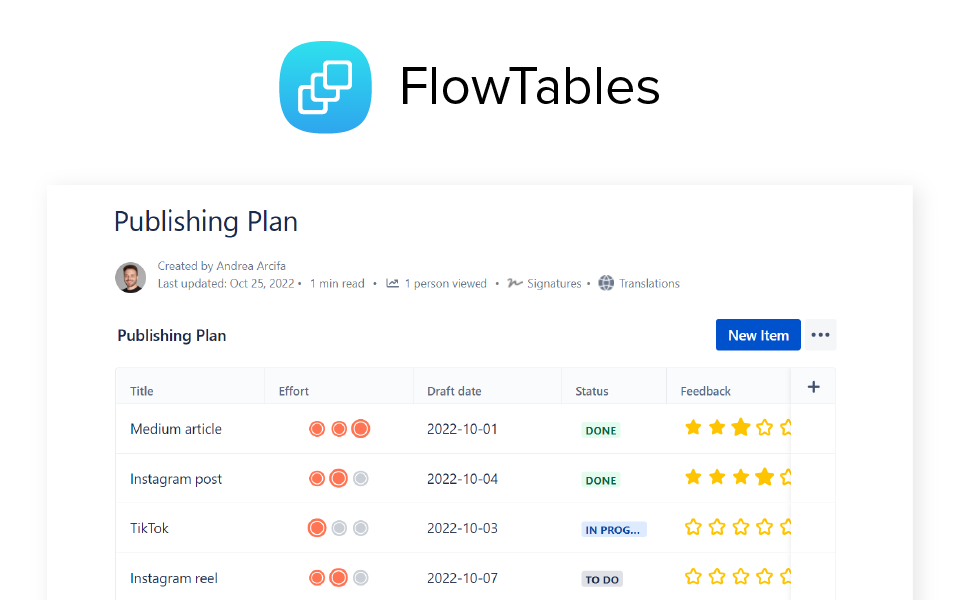
For example, we might want to add a table to our "Publish the Halloween content" Jira issue to track when and where content is being posted.
Or else, we might go for a table in our "Expense tracking" Confluence page to have all the expense details nicely organized.
We absolutely love tables as they are a powerful layout tool. Yet, they are not as handy when used to support operations. Building even the simplest of data structures requires a number of repetitive actions that can slow down daily routines and is often limited.
For instance, when you draw an empty table you have to manually create its scheme from scratch or copy-paste it from old tables. This is inconvenient. Also, operating layout changes, like moving rows and columns, can be tricky.
From a management perspective, you're limited by Jira/Confluence permission system: to fill the table content, you must be allowed to edit the whole issue or page, which brings security concerns.
We felt that Atlassian products could be enhanced with a user-friendly way to manage and visualize data for operation purposes, without the hassle and faffe of spreadsheets.
That's why we created FlowTables.
What it does
FlowTables are versatile, smart and fully customizable data tables.
You can add them to your Jira issues, Jira Service Management tickets, Jira dashboards and Confluence pages.
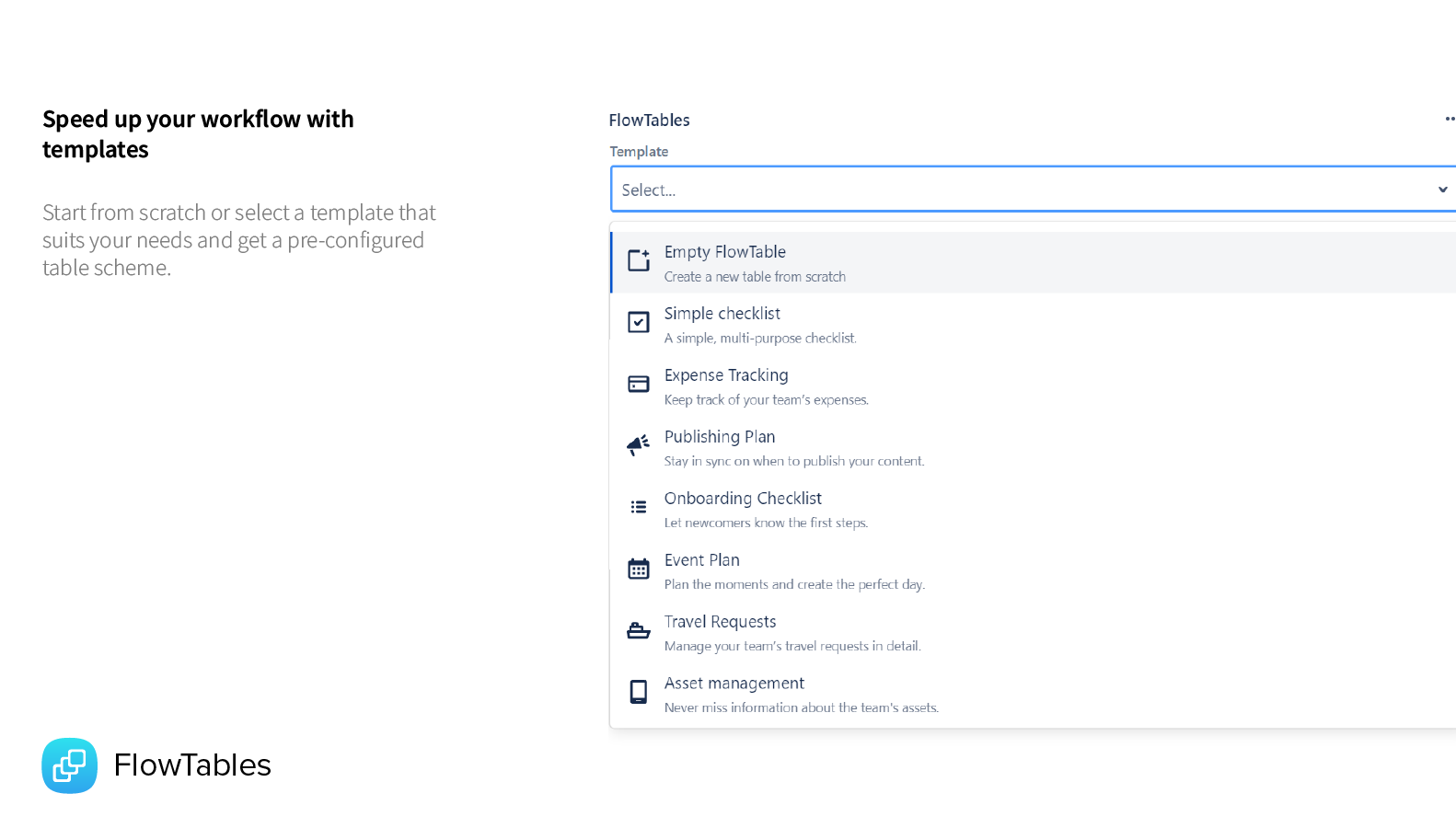
You can either start from a pre-built template to speed things up or create the data scheme from scratch.
You can add columns regardless of the container's width, since horizontal scrolling is supported.
FlowTables lets you add typed columns, so that all cells will only accept values of that type and will be automatically populated with default values if they're available for that data type.
Let's say you create a "Status" column. All the column's cells will be automatically filled with a "To-Do" status label. You'll be able to quickly change the label value with other pre-set standard values (E.g. In Progress, Done, etc.)
FlowTables help you preserve data consistency across your tables and comes with a variety of data types, such as number, date, checkbox, rating, priority and so on.
How we built it
During the first phase, we spent quite some time designing the app interface.
Our goal was to create a product that would be:
- super flexible and could cover any type of data. Finding the most appropriate technical solution required considerable effort;
- easy to use for non-technical teams and focused on personal productivity;
- installable on any Atlassian apps supported by Forge (Jira, Confluence, and Compass) to allow users to quickly create data tables wherever they need them.
As to development, we intensively used Forge modules and Atlaskit components with a Custom UI based on ReactJS.
Data is periodically saved in the background within Forge storage. This allows the user to focus on their task without worrying about saving.
We made custom hooks as support to manage data synchronization between the backend and the frontend, and to handle the response to events that are needed to trigger a save or data updates.
Challenges we ran into
Creating complex applications like FlowTables in the tight time frame of a hackathon is challenging in and of itself.
An extra challenge we encountered concerns the Forge platform and its restrictions that require quite a bit of creative effort to achieve the desired results.
- Generating editable tables with many different data types was a complex task. To ensure a smooth and effective user experience, we had to work extensively on optimization, data virtualization and caching.
We refactored the code several times, even tried different libraries and lost a few nights of sleep (tons of tables have populated for the past few weeks). - Forge storage is limited to 128KB per key. To avoid restricting the size of the tables, we designed a system that splits the data into chunks when saving and rebuilds them when loading.
- To allow users to attach tables in each Forge module, we developed a system that standardizes configuration saving. This approach was particularly advantageous in Confluence since it is not yet possible to create a custom macro editor.
- Atlassian's Marketplace does not yet support multi-product Forge apps. To maintain a single codebase, we developed a script that allows us to build separate apps for different products, dynamically modifying the manifest during the CI.
Accomplishments that we're proud of
Although we only had 30 days to develop the app, we are definitely pleased with the result.
One of the main goals for us was to provide users with the best possible user experience. We think we did it and we are rather proud.
FlowTables feels like a very smooth and intuitive experience. We are also satisfied with the overall performance of the app, on which we have put a very large portion of the development efforts. We're also glad we were able to create an experience that fits perfectly inside of Atlassian's Design System. We think FlowTables adds a very useful set of features to the eco-system and we can't wait to see Atlassian users enjoy it.
What we learned
The experience gained in table optimization will be useful to improve the performance of our apps.
We have increased familiarity with the Forge platform, especially with newly added modules.
In general, we feel the Codegeist adventure is vital in developing our future apps.
What's next for FlowTables
- More templates and column types to cover more use cases
- Improving the layout settings for better customization of the tables' appearances
- Advanced permissions with granular authorization management
- Calculate features on columns
- Import/Export features
- An API endpoint to let users generate and populate their tables automatically
Built With
- atlaskit
- react
- typescript


Log in or sign up for Devpost to join the conversation.