-
-
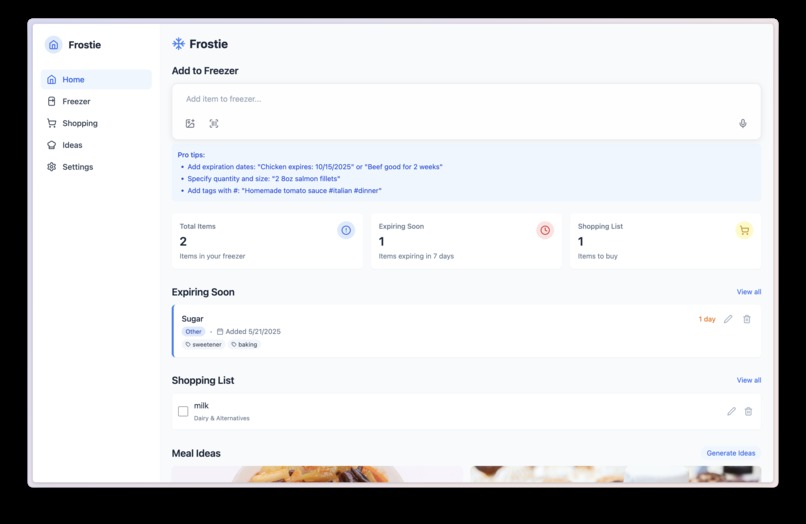
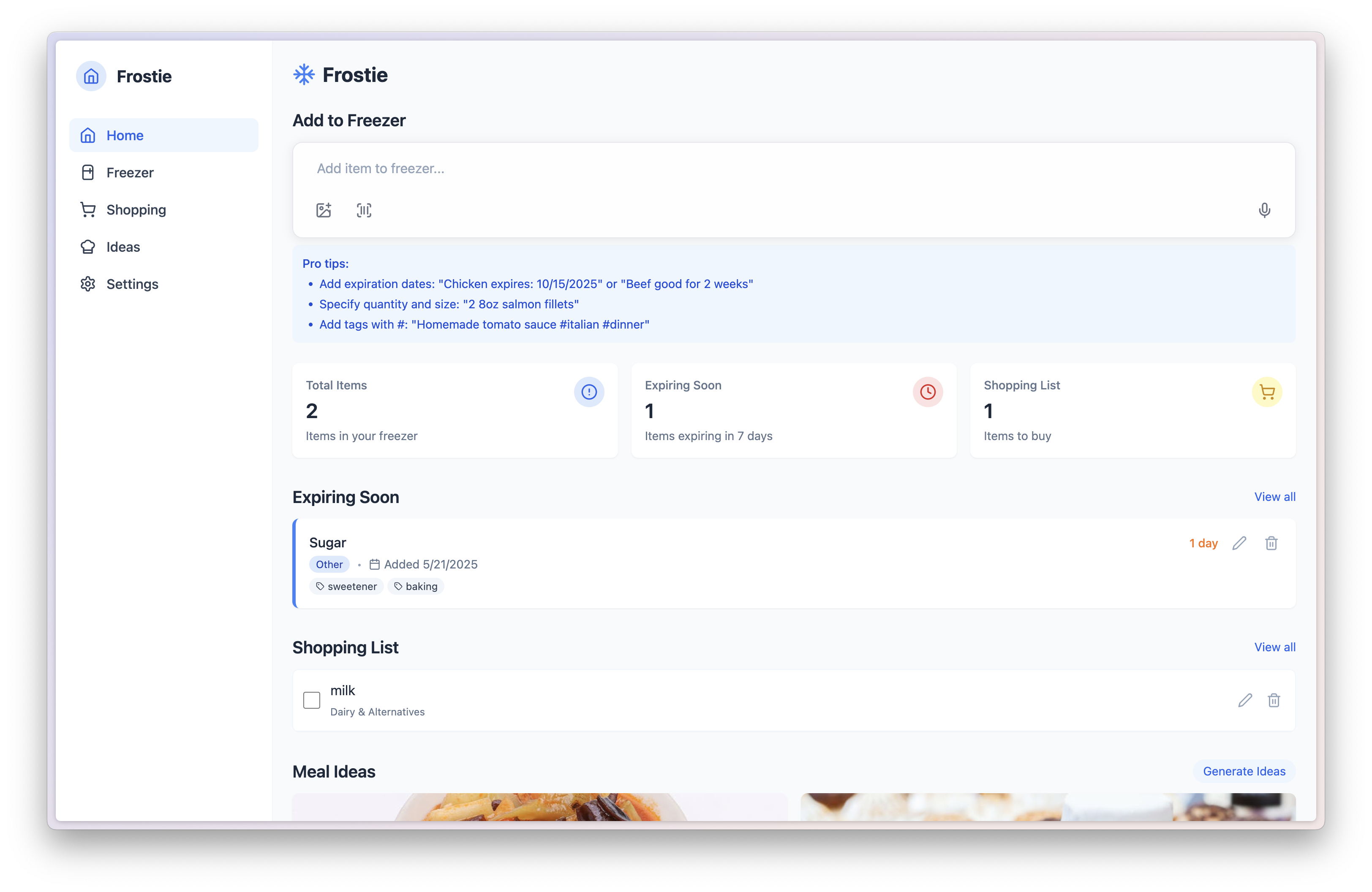
Frostie Home
Inspiration
The idea for Frostie was born out of a common household frustration: a perpetually full freezer with no clear idea of what's inside, when it needs to be used, or how to turn its contents into a meal. We realized that tracking frozen items, especially their expiration dates, was a constant struggle, leading to forgotten food and unnecessary waste. Furthermore, the daily challenge of deciding "what to cook" often felt overwhelming, especially when trying to utilize existing ingredients. We envisioned a solution that would simplify inventory management and inspire meal creation, all while making the process of adding items as effortless as possible.
What it does
Frostie is a smart freezer assistant designed to help users track their freezer inventory, reduce food waste, and discover meal ideas. It features a universal input bar that allows users to add items via text, image upload, barcode scan, or even voice. The app provides quick summaries of expiring items and shopping list previews, along with AI-generated meal suggestions based on available freezer contents. Users can filter and sort their inventory, manage a shopping list, and customize dietary preferences for meal ideas.
How we built it
We built Frostie using React and TypeScript for a robust and scalable frontend, styled with Tailwind CSS for a clean and responsive user interface. Lucide React was chosen for its comprehensive set of icons, maintaining a consistent visual language.
Our development followed a two-phase approach. In Phase 1, we focused on creating a fully functional UI prototype, implementing core CRUD operations using browser's local storage for temporary data persistence. This allowed us to build out the user flows and test the core features with mock AI responses. Key components like the universal input bar, item cards, and responsive navigation were developed during this stage.
Phase 2, which is ongoing, involves integrating a robust backend. We chose Supabase for its PostgreSQL database, authentication, and serverless functions (Edge Functions). This allows us to handle user authentication (Google and email sign-in), persist user data, and power the AI features. We're integrating the Gemini API for advanced text parsing, image recognition, and meal idea generation, and leveraging Pexels/Unsplash APIs for dynamic food and recipe images.
Challenges we ran into
One of the primary challenges was managing data persistence and the transition from local storage to a cloud-based solution like Supabase. Ensuring seamless data migration for users moving from guest mode to authenticated accounts required careful planning.
Integrating AI capabilities presented its own set of complexities. While Gemini offers powerful features, accurately parsing natural language input for item details (name, quantity, expiration, tags) and generating relevant meal ideas required iterative refinement of prompts and handling of edge cases. Similarly, image recognition and barcode scanning, though powerful, needed robust error handling and fallback mechanisms.
Ensuring full accessibility was another significant focus. Implementing proper ARIA labels, keyboard navigation, and focus management across all interactive elements, especially within modals and dynamic content, required meticulous attention to detail. We also encountered challenges in consistently parsing and calculating expiration dates from varied user inputs and integrating with external food data sources like FoodKeeper.
Accomplishments that we're proud of
We are particularly proud of developing the universal input bar, which offers multiple intuitive ways for users to add items to their freezer. The responsive design, ensuring a seamless experience across desktop and mobile devices, is another key accomplishment. We're also proud of laying a solid foundation for AI integration, demonstrating how intelligent features can significantly enhance user experience in a practical application like freezer management. The comprehensive accessibility features built into the UI from the start ensure Frostie is usable by a wide range of users.
What we learned
This project reinforced the value of a phased development strategy, allowing us to iterate quickly on the frontend UI and user experience before diving into complex backend integrations. We gained deeper insights into state management and data synchronization patterns in React, especially when dealing with both local and remote data sources. The process also highlighted the power and potential of AI APIs like Gemini for enhancing user interaction and automating tedious tasks, while also teaching us the importance of robust error handling and fallback mechanisms for external services. Finally, the continuous focus on accessibility from design to implementation proved crucial for building a truly user-friendly application.
What's next for Frostie Smart Freezer Assistant
The immediate next steps for Frostie involve completing Phase 2 of development. This includes:
- Full Backend Integration: Fully connecting all data operations to Supabase, ensuring real-time synchronization and robust data persistence.
- Enhanced AI Features: Refining the Gemini API integrations for more accurate text parsing, more creative and relevant meal idea generation, and improved image/barcode recognition.
- Notifications: Implementing push notifications or in-app alerts for expiring freezer items, leveraging user-defined notification timings.
- User Feedback & Iteration: Continuously gathering user feedback to refine existing features and introduce new ones, ensuring Frostie remains a truly smart and helpful assistant.
Built With
- google-gemini-api
- image-recognition
- pexels-api
- react
- supabase
- tailwind-css
- typescript
- unsplash-api
- vite

Log in or sign up for Devpost to join the conversation.