-
-
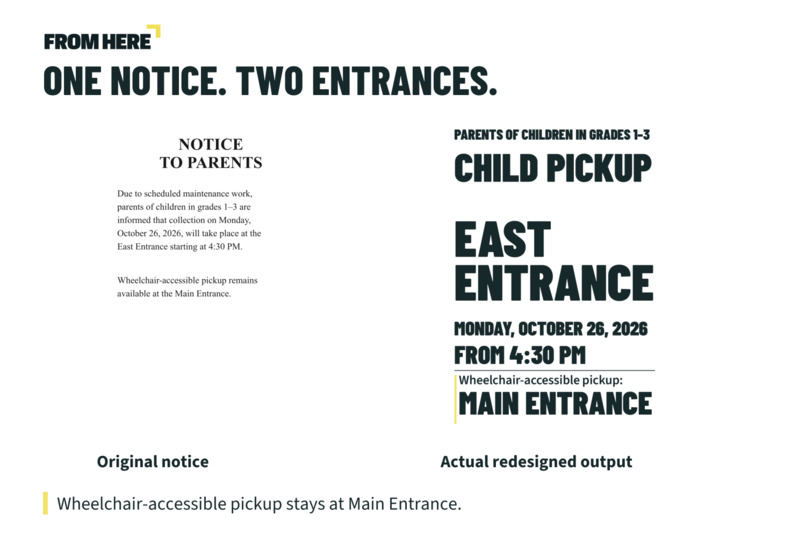
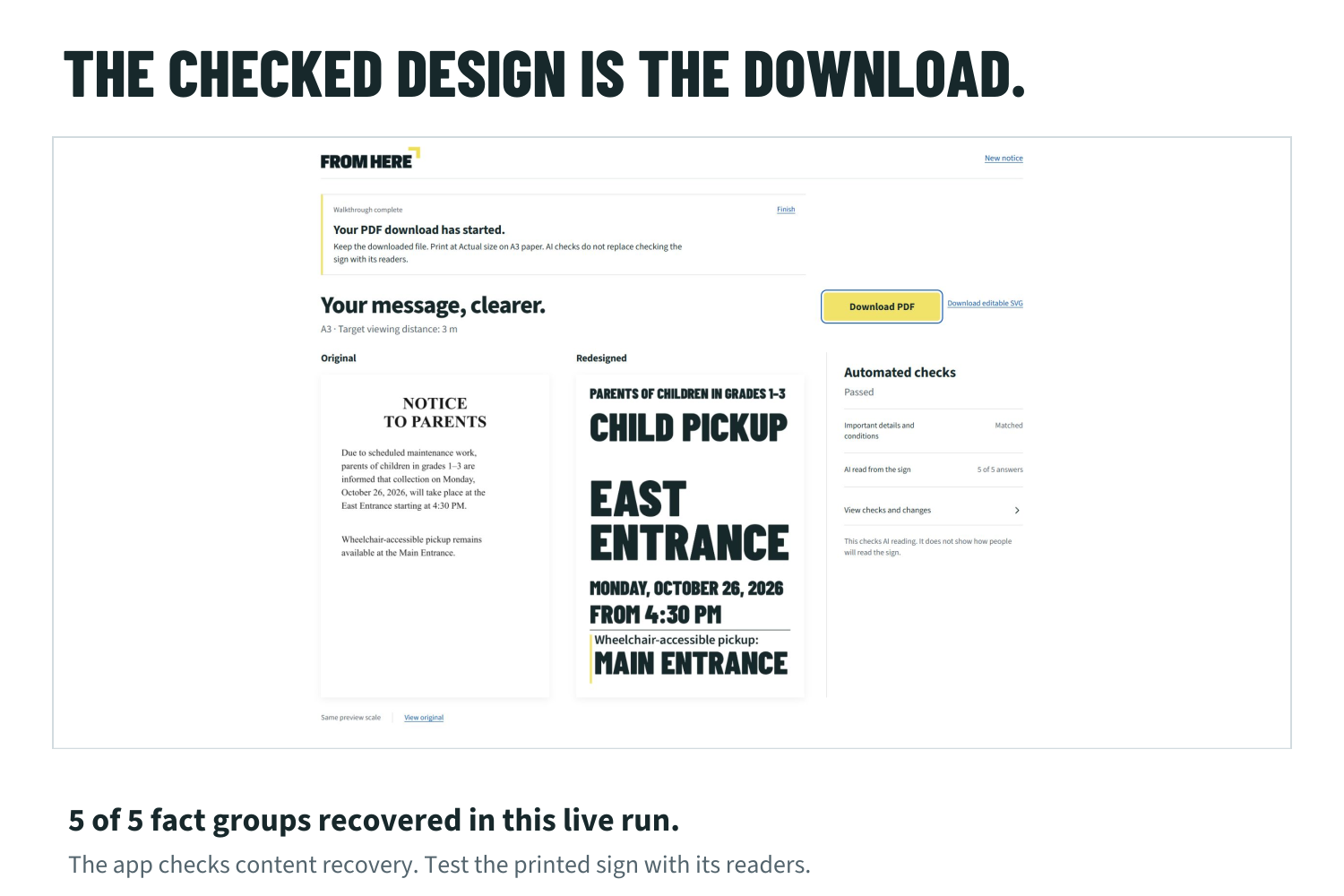
One synthetic notice, two entrances. Actual A3 output preserves the Main Entrance exception.
-
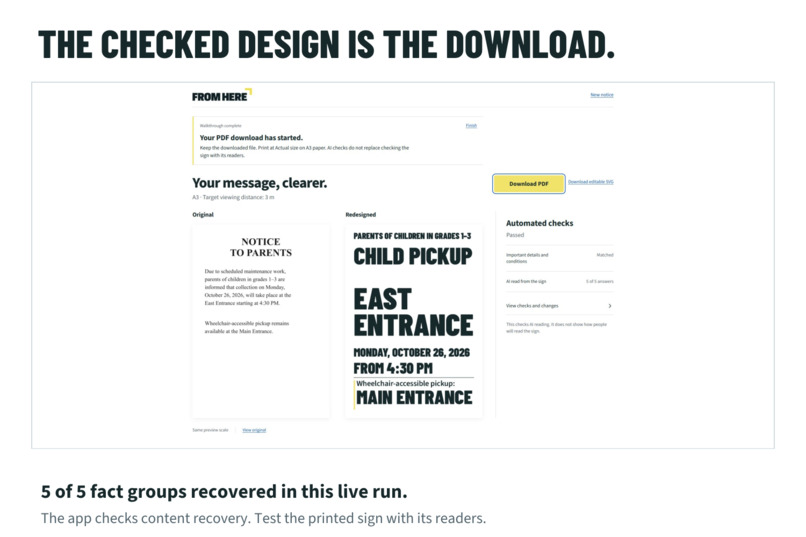
Live desktop workflow: author edits, 5/5 AI readback checks and a downloaded A3 PDF.
-
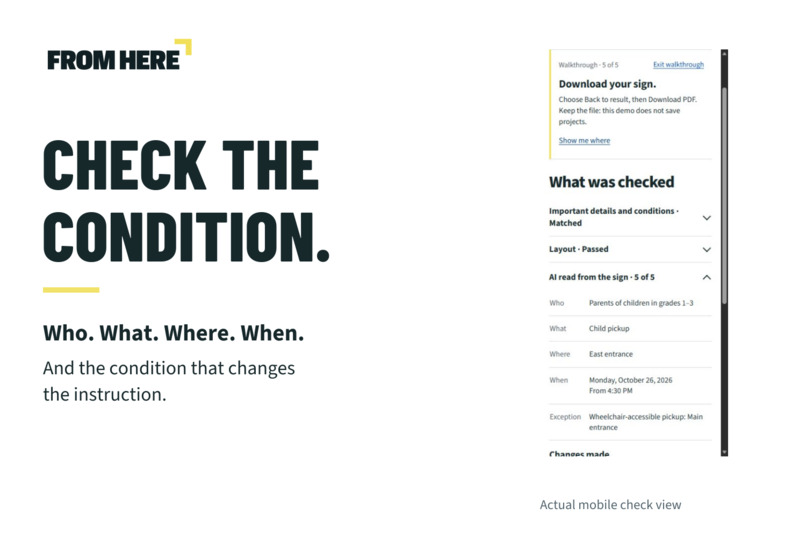
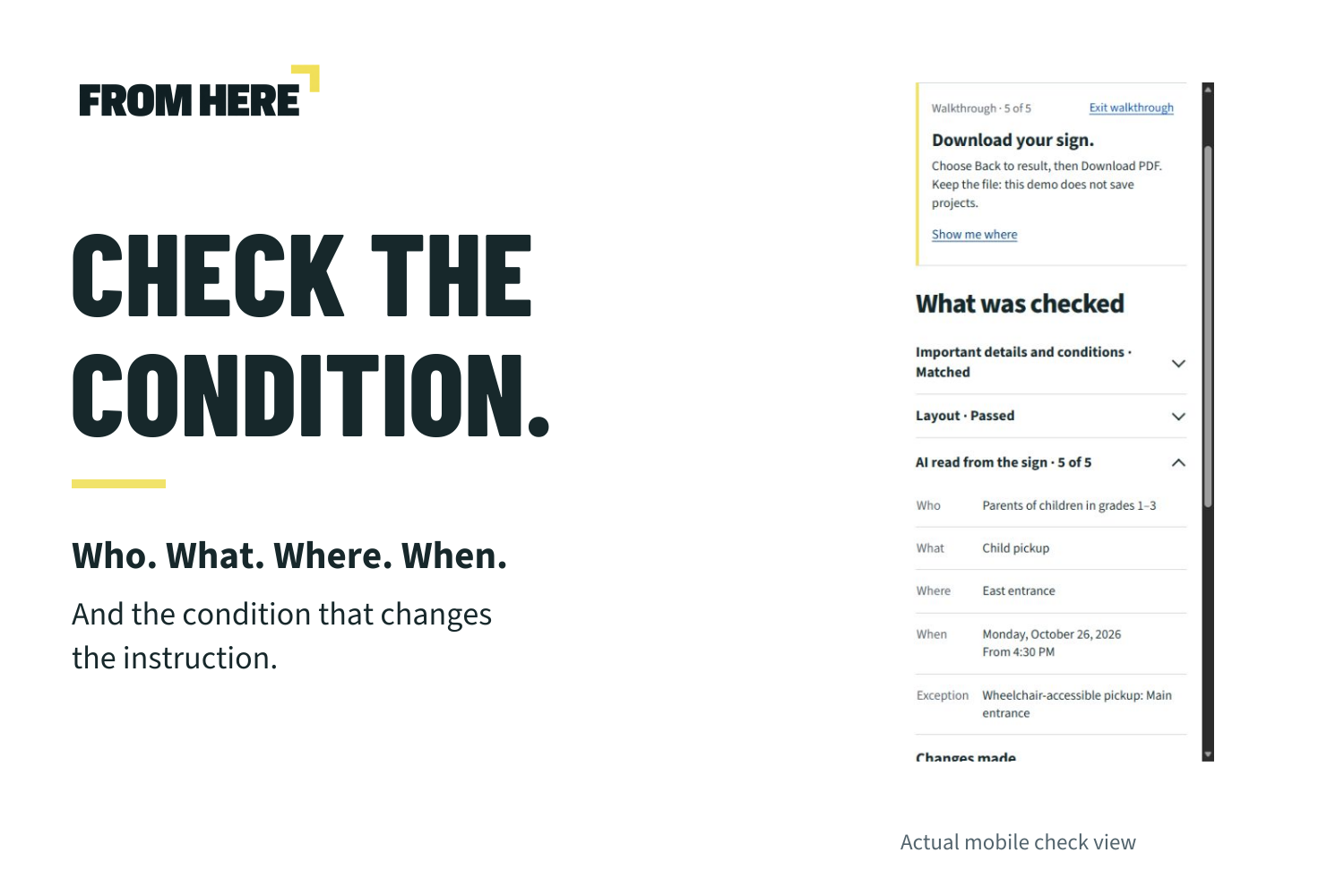
Actual mobile check view: the accessibility condition stays linked to its Main Entrance instruction.
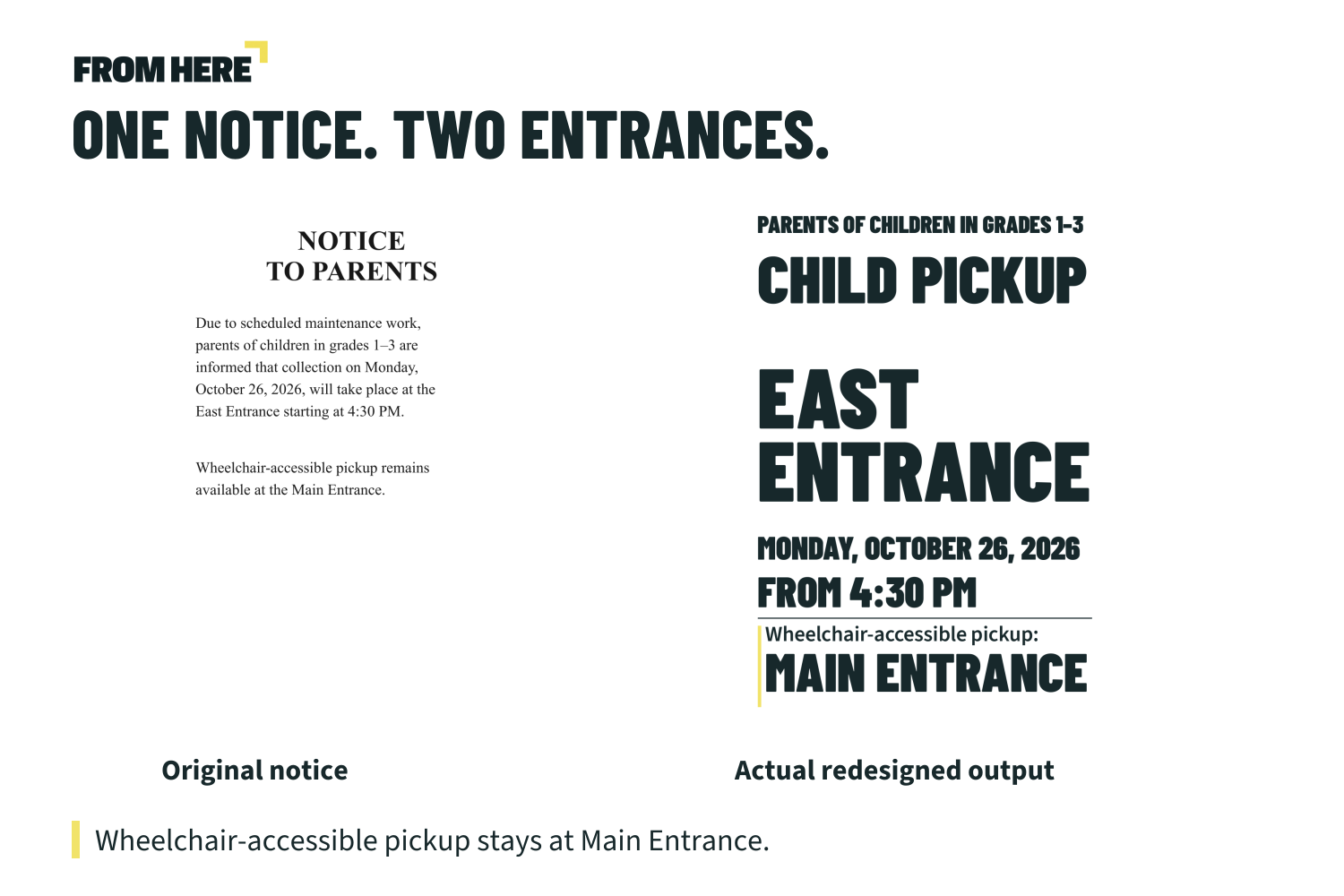
One notice. Two entrances.
Most parents use the East Entrance. Wheelchair-accessible pickup uses the Main Entrance.
One short exception changes where someone needs to go. FROM HERE turns a dense English notice into a clearer A3 sign, then uses AI to check that the important facts and linked conditions survived the redesign.
The demonstration uses a synthetic school notice and a real working application. The exception remains visible in the finished sign and in the exported PDF.
Who it helps
School offices, reception desks and public-facing teams regularly turn paragraphs into instructions that people must act on quickly. FROM HERE gives the person publishing the notice a focused photo-to-print workflow: review the facts, inspect the result, and download an A3 PDF or editable SVG. It works in mobile and desktop browsers without an account or a visitor API key.
The practical value to test is preparation time and fewer repeated requests for directions. No measured commercial saving or human-readability improvement is claimed.
How AI checks the finished design
- AI reads the uploaded photo and extracts the audience, action, place, date/time and any conditional instruction.
- The author confirms or edits these details before the layout changes.
- The agent plans a bounded layout and renders the actual artwork.
- A fresh AI reading receives only that rendered image. It does not receive the source notice or the expected answers. Code compares the recovered information with the confirmed facts and checks text fit.
- A mismatch can trigger up to two layout repairs, each followed by a new check. If the checks still fail, the checked PDF stays blocked. A passed design supplies both the preview and the export.
In the filmed run, the first layout recovered all five fact groups, including the condition linked to Main Entrance. The film shows author edits and an actual A3 PDF download.
Built and checked
The project was created from an empty folder during the hackathon, using the Devpost Learn Skill Pack. The approved scope, PRD and specification are in the public repository's devpost/ folder. TypeScript, React and Express run the workflow; Claude Sonnet handles vision and reasoning. The provider key stays on the server.
An early local-model run exposed a useful failure: readable source text could still become an incorrectly structured exception. Separating transcription from structured interpretation made that distinction explicit. The finished-image readback adds a further check after rendering.
All 38 automated tests pass. Independent agent QA also repeated the public workflow, recovered 5/5 groups, and inspected a real one-page 297 x 420 mm PDF. The optional guide advances only after actual actions and keeps the finished result when closed.
Automated checks concern content recovery and layout. Printed readability, viewing distance and accessibility still require testing with people.
What I learned under the deadline
I had polished earlier projects for weeks. This project had to come together in roughly 48 hours. Finishing within that window was a substantial learning experience: the scope had to stay focused on a complete user journey and a result that could actually be checked. Coding-agent usage limits affected tool choices too, but time was the main constraint.
Try the complete workflow
Open the jury guide, choose the sample, review the facts, redesign it, inspect the five readings, and download the PDF. The first app launch may take about a minute because the free Render server sleeps after inactivity. The product site and saved example remain available while it wakes.
Built With
- anthropic
- claude
- express.js
- node.js
- pdf-lib
- react
- sharp
- typescript
- vite

Log in or sign up for Devpost to join the conversation.