Inspiration
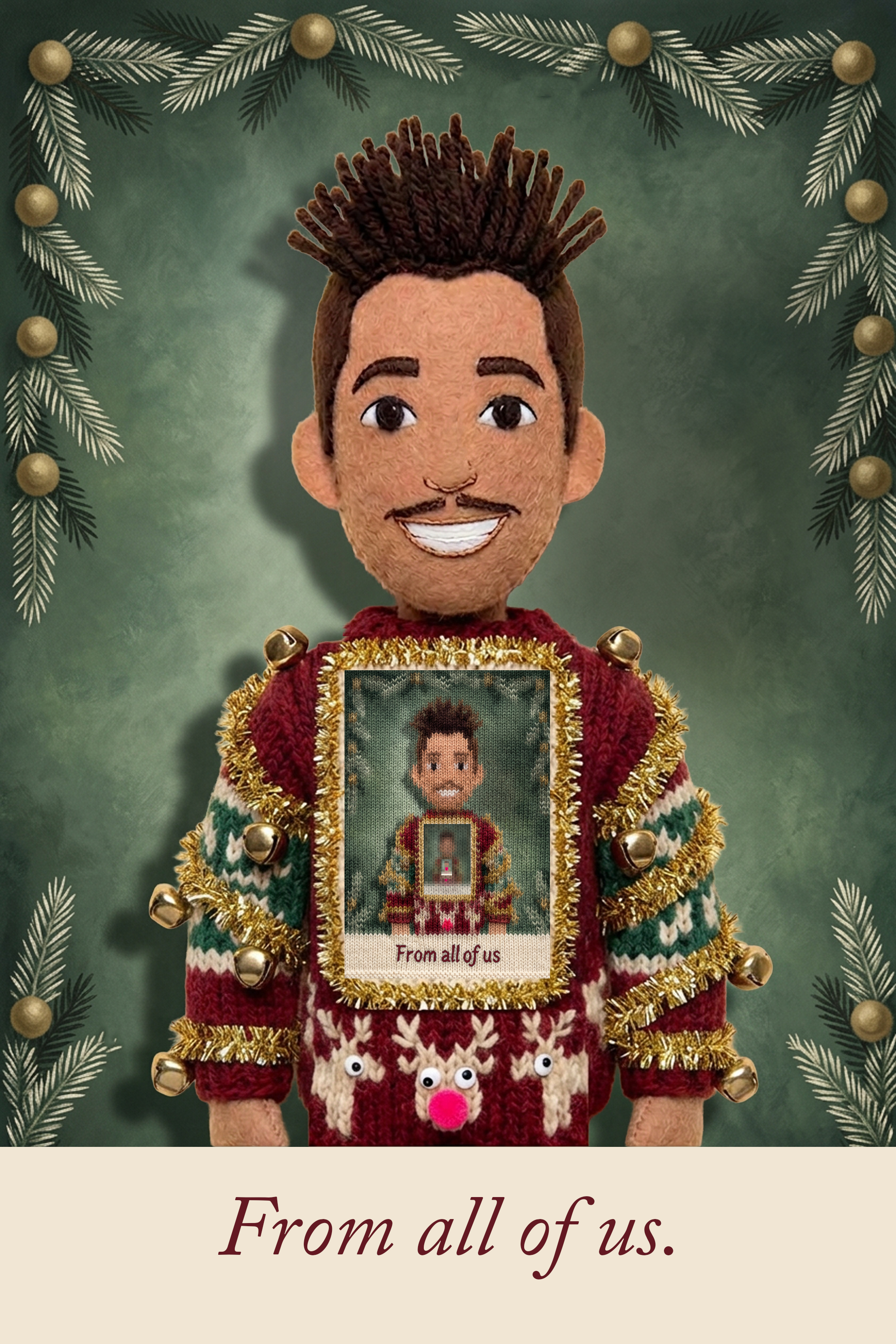
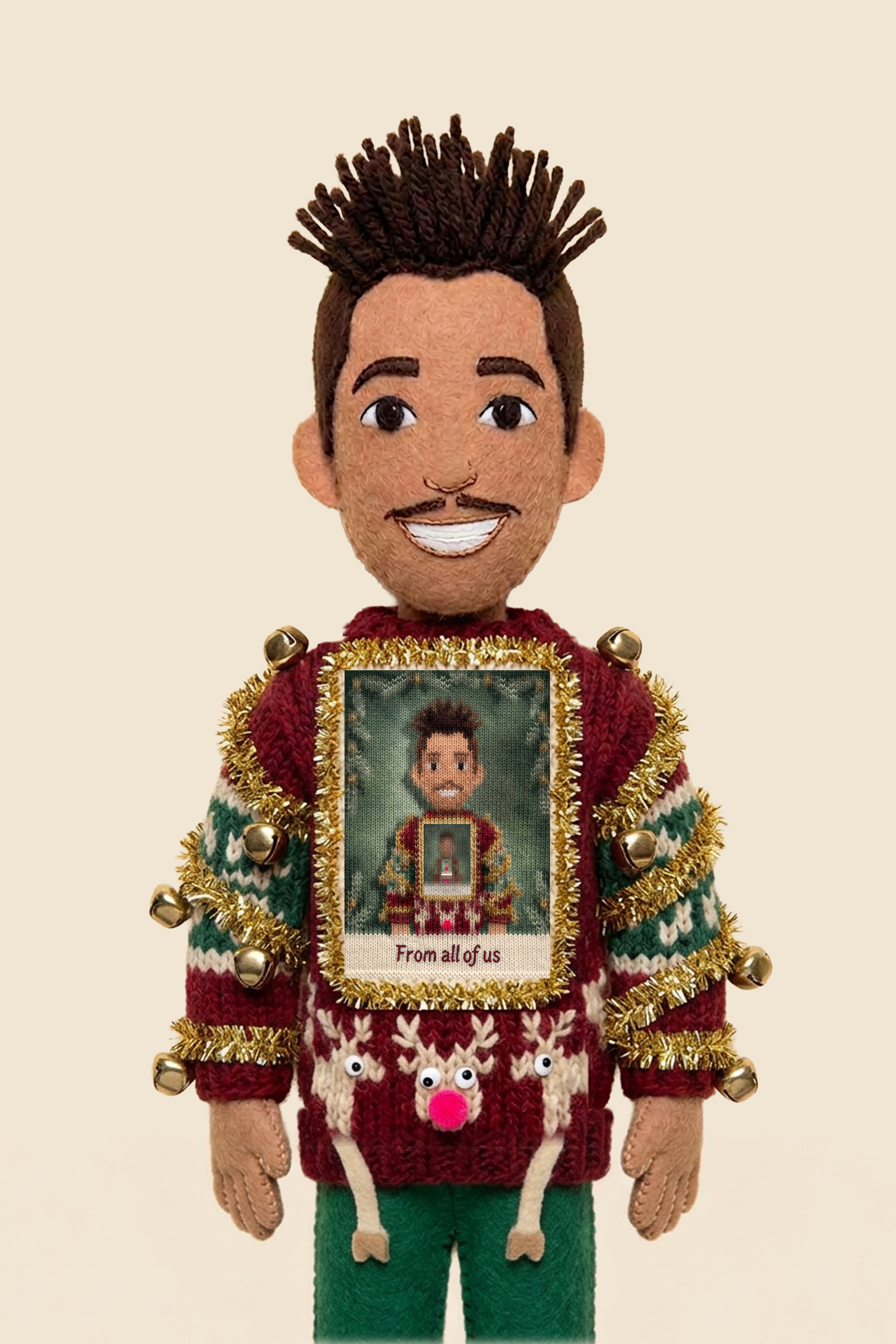
Family holiday cards always say "from all of us," and I'm just one person, so everyone on my card is me. It's a felt doll of me in an ugly sweater, with a knitted copy of the whole card on its chest and a smaller copy inside that one. There's no photo in it: Nano Banana built the doll from a description of my own face, and I kept the version that looked like me.
What it does
The sweater image shows the full sweater on flat cream. The card shows the same doll, the same pixels from the head down to the waist, on a painted pine backdrop with a fir garland and the greeting "From all of us." Each level of the card is knit with fewer stitches than the one before: about 90 across, then 19, then 5, then 1. The last level is a single pink stitch, the same pink as the reindeer's pom-pom nose. I kept that pink on the same centre line at every level so you can follow it all the way in. Most picture-in-picture images repeat forever. This one runs out of stitches.
How I built it
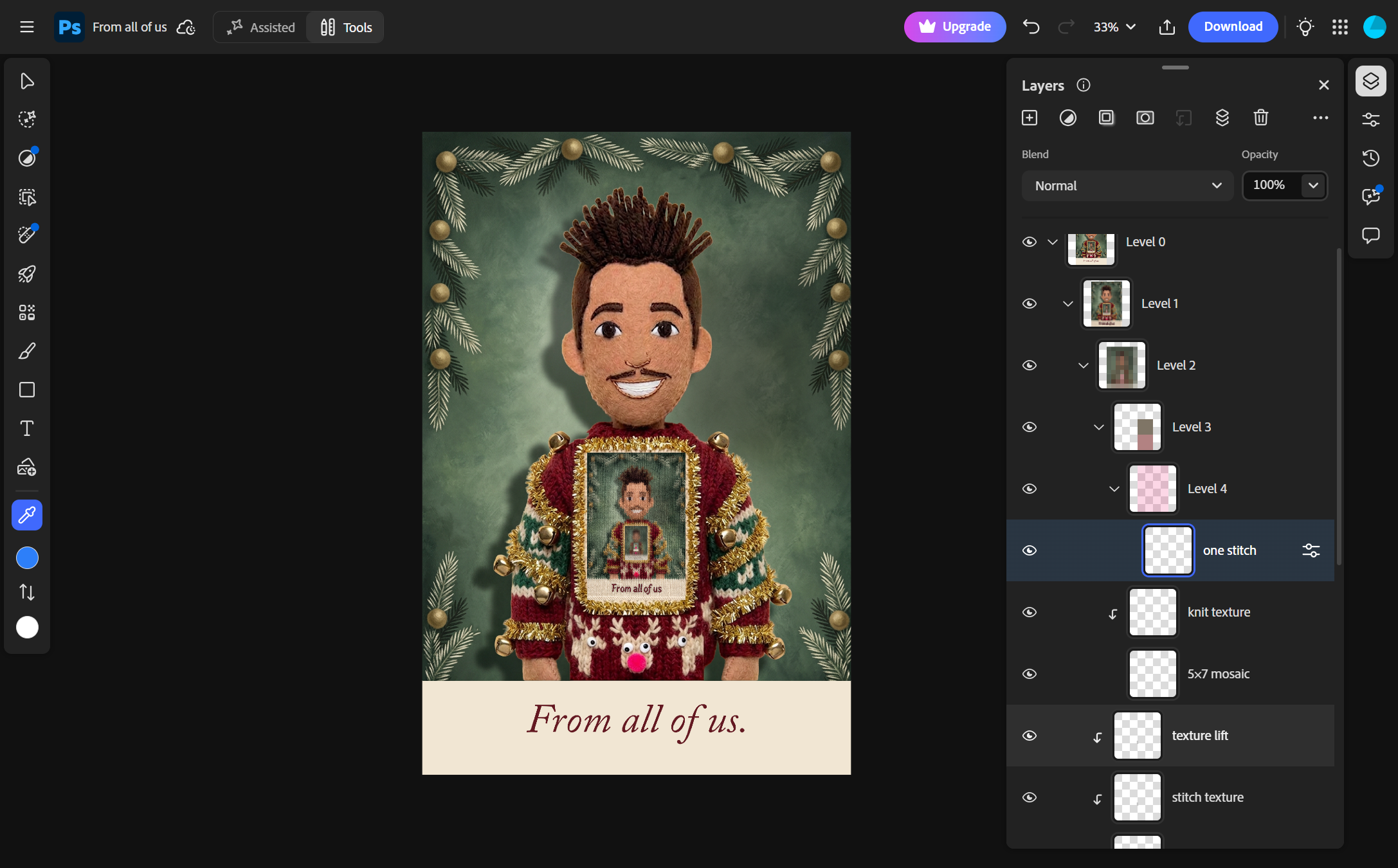
I made everything in Photoshop on the web on the free plan. The first character sheet was in one document, and everything after it is in a single file. All the generation is Nano Banana 2 (Gemini 3.1) through AI Markup, where the panel reads "Generating with Gemini 3.1 (with Nano Banana 2)". I used AI Markup because it let me draw exactly where each change should land. Ten generations went into the piece (plus one earlier test to check that Nano Banana worked on the free plan). Before most of them I painted simple guides in Photoshop (boxes, dots, a garland line) so Nano Banana had something on the canvas to follow instead of only my adjectives. Everything else was plain Photoshop: Mosaic for the knitting charts, Remove background, Transform, masks and clipping masks, Levels, Hue/Saturation, Spot Healing Brush, type, and a lot of nested groups.
Challenges I ran into
Nano Banana re-renders the whole frame on every edit. So I treated every result as a source layer. I masked in the parts that were new and kept my original pixels on top. You also can't set a stitch count in a prompt. I asked for 19 stitches across at Level 2 and got roughly 30 to 40, so I rebuilt that level myself from stitches I cut out of its Level 1 knit.
Accomplishments that I'm proud of
The face I picked early stayed recognisably the same, even though every edit redrew the whole frame. Both images come from one file: a single group toggles between the sweater image and the card. I also like that the recursion has a natural end. Level 3's chest panel is only one stitch wide, so the last level can't be anything but a single pink stitch, and that stitch is cut from Nano Banana's knitting.
What I learned
Naming materials worked far better than describing a mood. Asking for "crinkled gold tinsel," "brass jingle bells," and "felt eyes looking different ways" is what actually got me an ugly sweater. For placement, a painted dot beat anything I could type, and the pom-pom landed on my pink dot. And when Nano Banana did something I didn't ask for, I had to decide each time whether to keep it (the dangling reindeer legs) or fix it in Photoshop (the squared chest panel).
What's next
Printing it and sending it to my family.