-
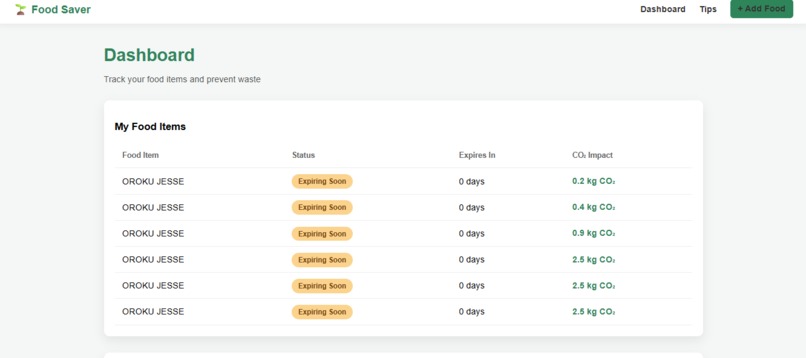
A quick screenshot of the dashboard of our web app
Inspiration
According to Greenpeace (2020), 58% of the food produced in Canada - about 35.5 million tones - is lost or wasted every year. A large portion of this waste happens at the household level, often because people forget what they have or let food expire before using it. As students, we found this problem especially relatable. With busy schedules filled with classes, assignments, and work, it’s easy to postpone cooking or forget about food we’ve already bought. We wanted to build a simple tool that helps people remember what’s in their fridge, use it on time, and reduce everyday food waste in a practical way.
What it does
FridgeWise allows users to log the food they buy and track it in one place. Users can add food items with a name and category. The expiry date is optional. If the user doesn’t know it or skips it, the app automatically estimates an expiry date based on the food category (e.g., meat, dairy, vegetables).
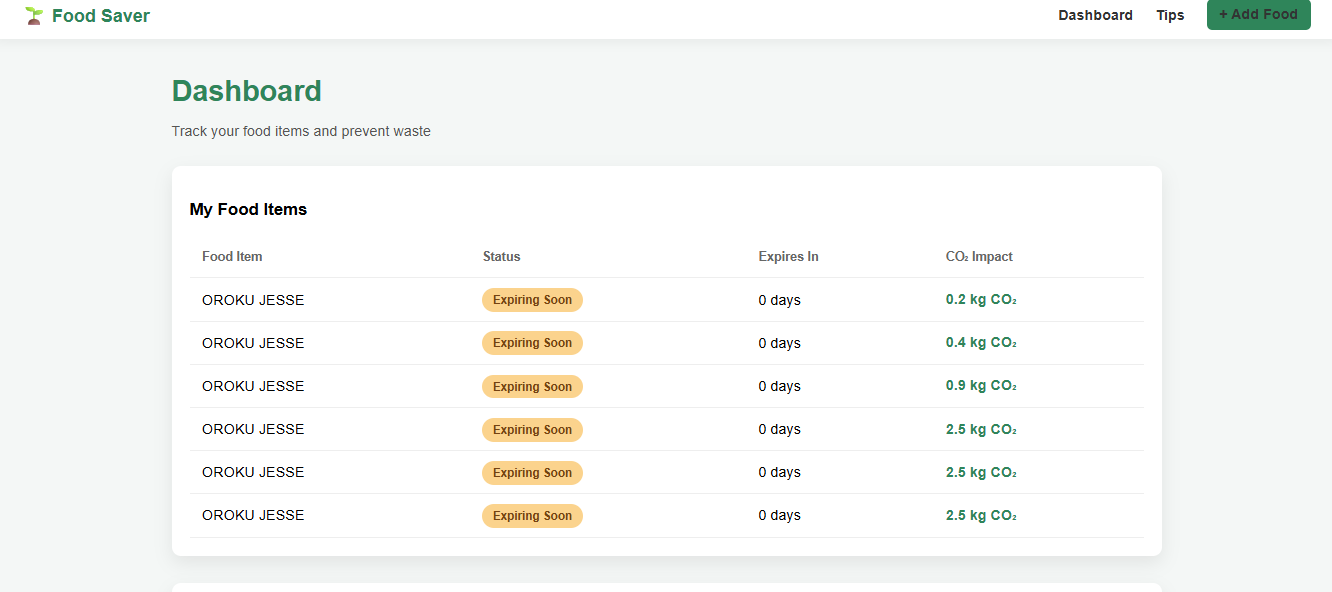
The dashboard clearly shows: Status (Fresh, Expiring Soon, or Expired) using color-coded labels Time left before expiry Estimated CO₂ impact based on food category
Users can quickly access simple recipe suggestions for each food item. Items can be easily deleted once consumed or discarded. The goal is to make tracking food low-effort, so users are more likely to actually use the app.
How we built it
We built FridgeWise using a combination of tools, each serving a specific purpose: Laravel (PHP) Used as the main backend framework to handle routing, data validation, and communication with the database. HTML & Blade Templates Used to structure and render the user interface, including the dashboard, add-food form, and recipe pages. JavaScript Used for small interactive elements and confirmations to improve user experience. Python Used during early planning and logic prototyping for data handling and estimation rules. The application follows a simple CRUD structure and was designed to be easy to run locally using php artisan serve.
Challenges we ran into
One major challenge was designing an experience that users would actually stick with. Many food-tracking apps fail because they require too much manual input. Deciding how to handle missing expiry dates without making the data unreliable required careful thought. We also had to balance simplicity and usefulness, especially under time constraints, while making sure the app stayed stable and easy to demo.
Accomplishments that we're proud of
Designing a low-friction UX by making expiry dates optional Automatically estimating expiry dates in a transparent and reasonable way Clear visual indicators that make it easy to see which food needs attention Building a complete, functional app that solves a real, relatable problem Keeping the app lightweight, offline-friendly, and easy to demonstrate
What we learned
How important user behavior is when designing software, not just technical correctness How to design smart defaults that reduce effort without misleading users How to structure a Laravel application efficiently under time pressure How small UX decisions can have a big impact on usability
What's next for FridgeWise
For future improvements, we plan to expand FridgeWise with features that make tracking even easier and more powerful: Image-based food input: Users could upload a picture of their groceries, and the app would recognize and log items automatically. Weekly meal planning: The app would generate meal plans based on available food and the user’s eating habits, helping reduce waste further. Smart grocery list: Users manually add items they plan to buy. The app checks their current inventory and alerts them if an item is already at home or expiring soon. Consumption tracking: If a user follows a meal plan, the app could automatically update food quantities and ask for quick confirmations.

Log in or sign up for Devpost to join the conversation.