-
-
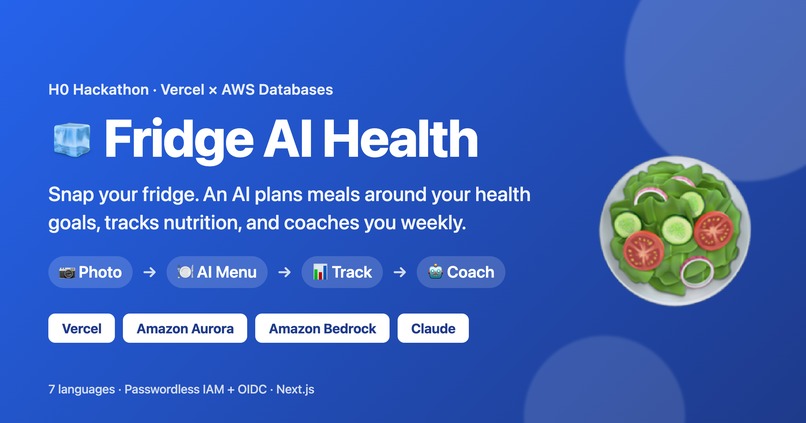
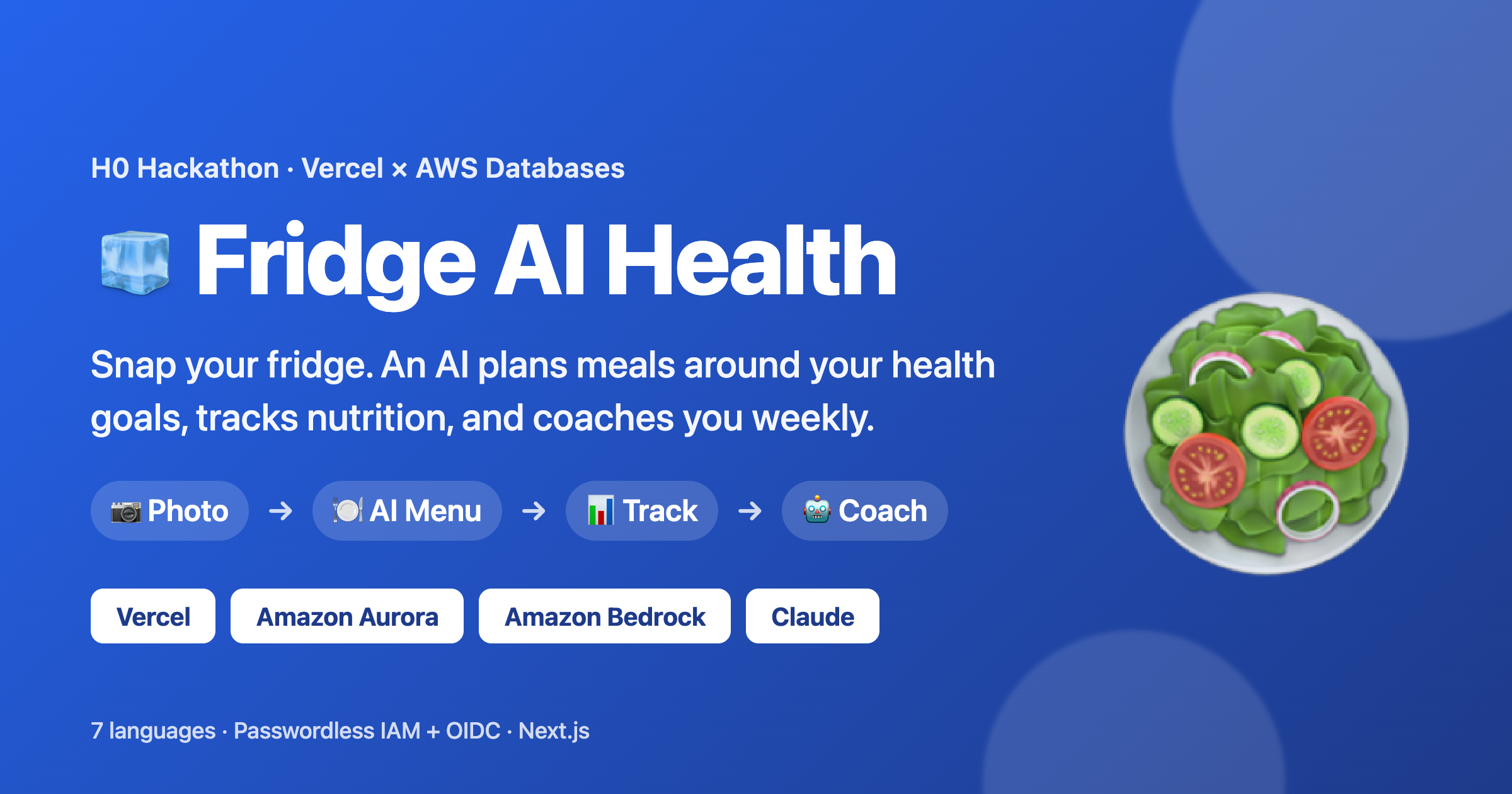
Fridge AI Health — snap your fridge, get AI meal plans, nutrition tracking, and weekly coaching.
-
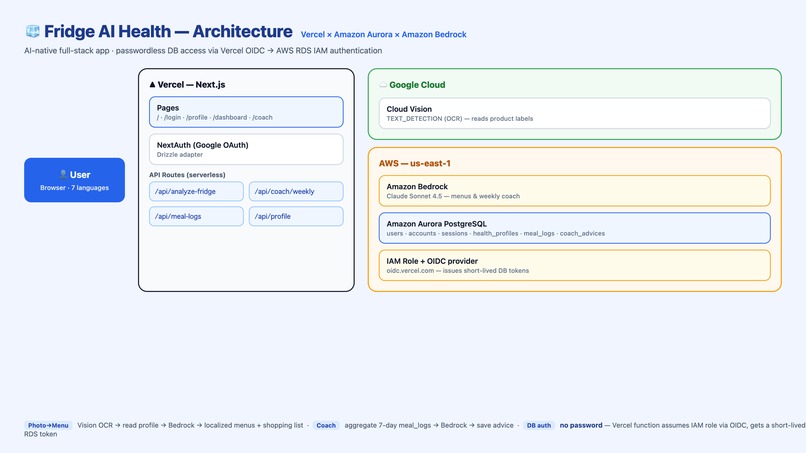
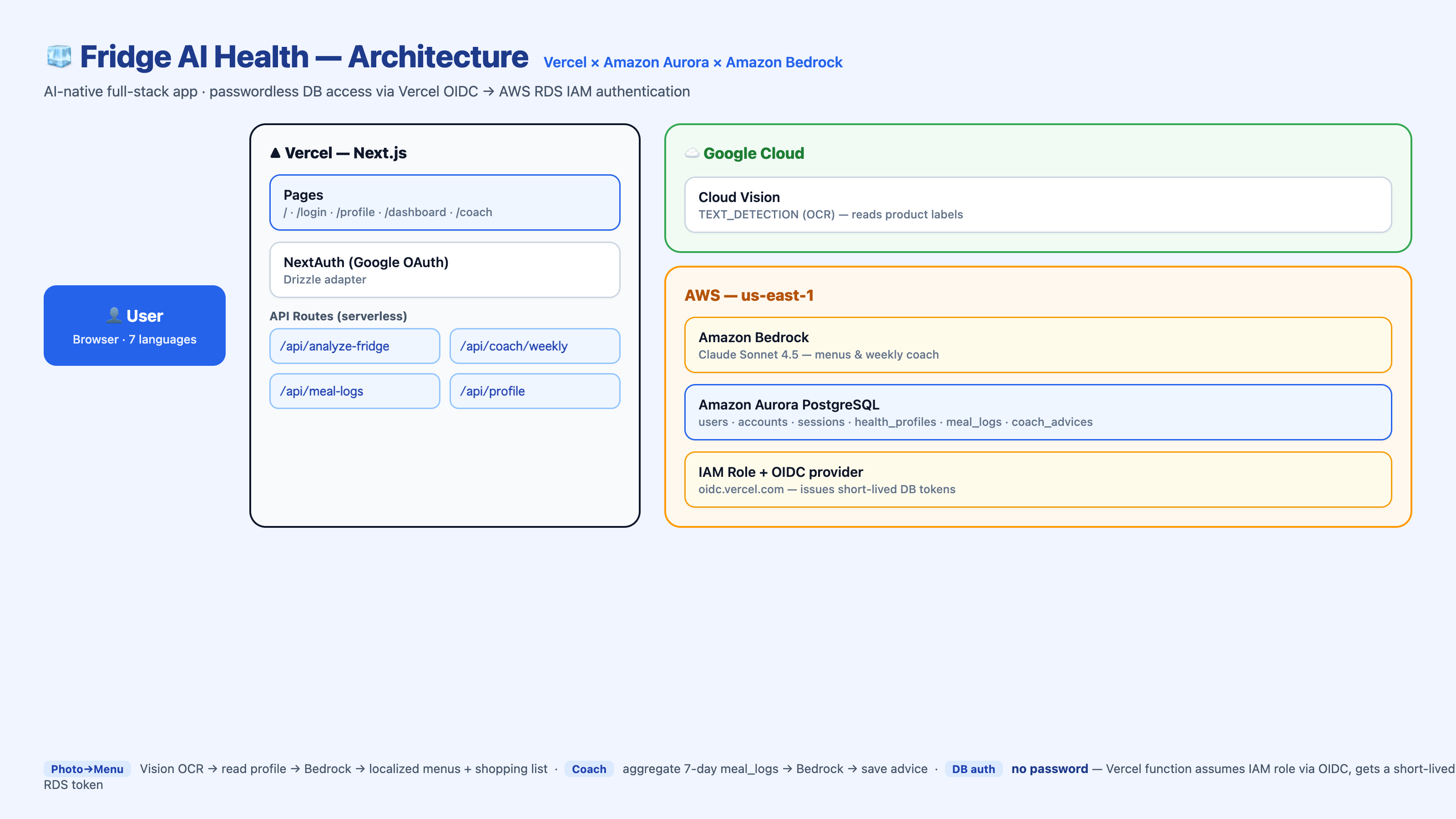
Architecture: Next.js on Vercel, Amazon Aurora PostgreSQL, and Amazon Bedrock.
-
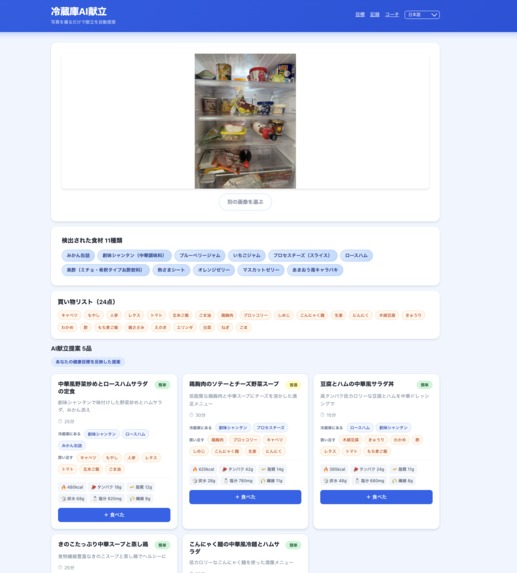
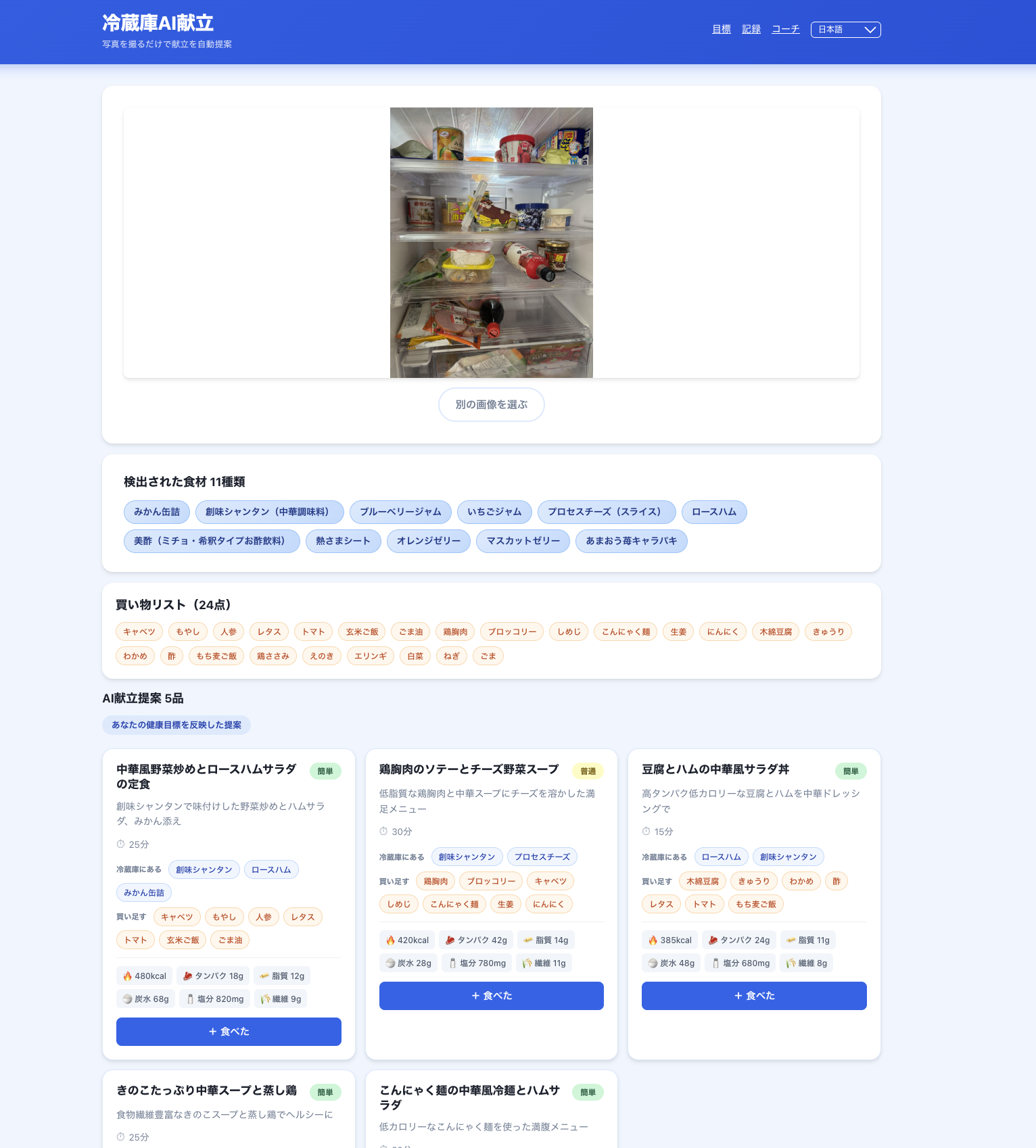
From one fridge photo: AI suggests health-goal-tailored menus with nutrition, plus a shopping list split into "in your fridge" vs "to buy".
-
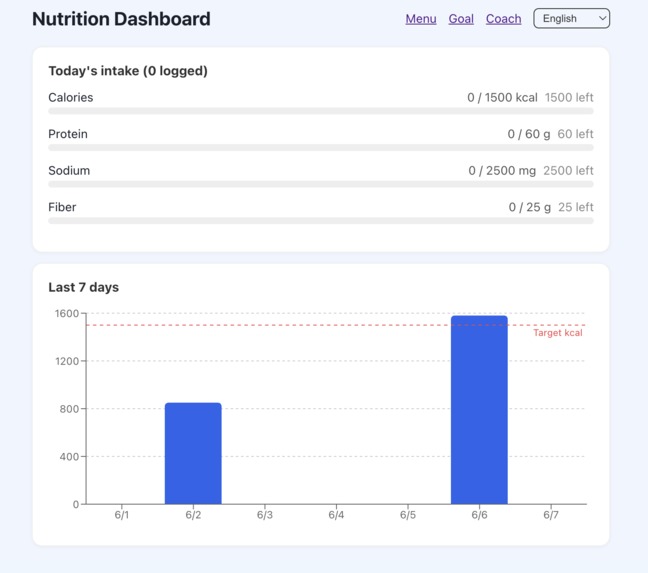
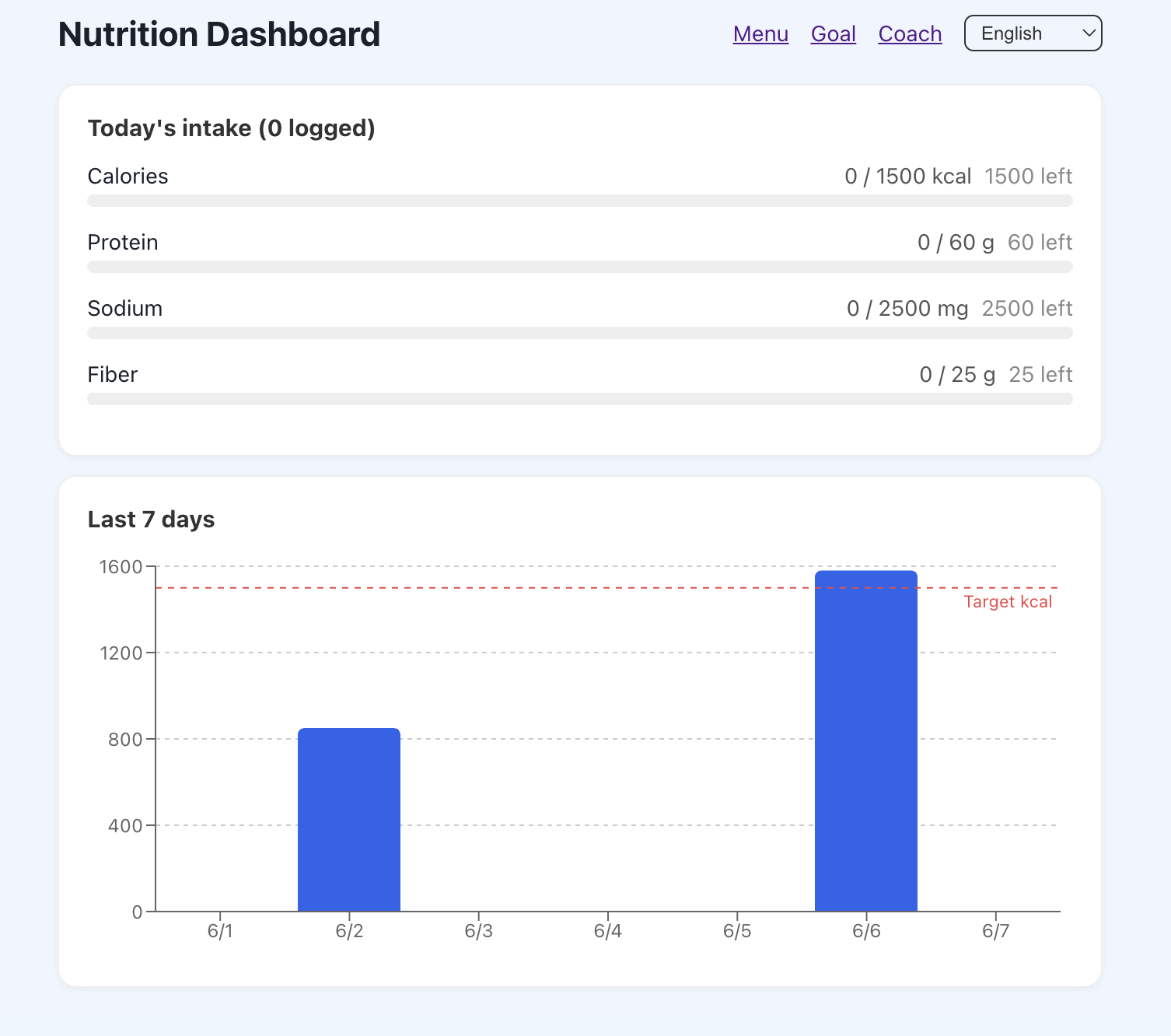
Nutrition dashboard: today's intake vs your targets (sodium turns red when over) and a 7-day calorie chart.
-
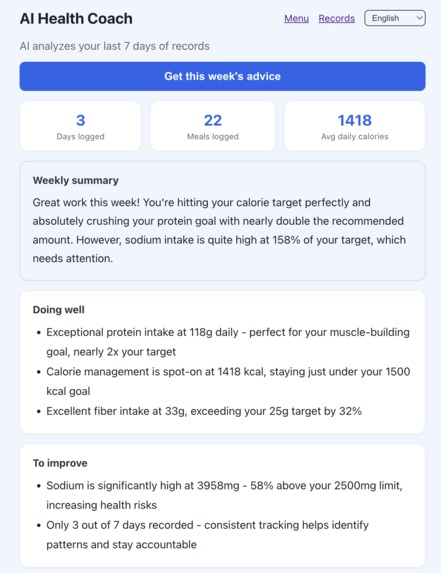
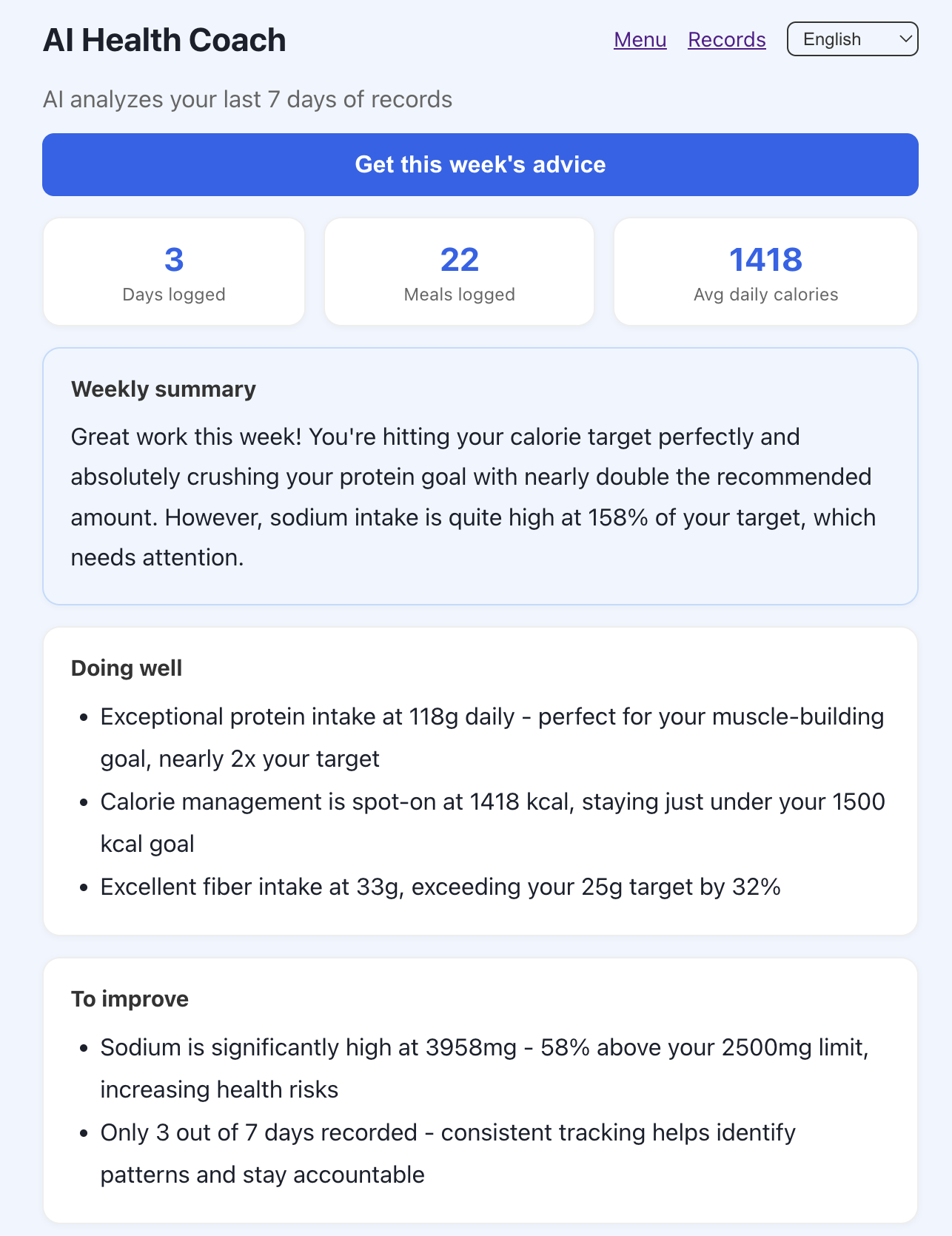
AI Health Coach analyzes your last 7 days from Aurora and Bedrock returns a weekly review: what's going well, what's lacking, etc...
Inspiration
Eating healthy starts with one hard question: what do I cook with what I have? I wanted an app that answers it from a single fridge photo — and goes further, turning everyday meals into continuous, personalized health coaching. That "coach over time" angle is exactly where a real database earns its place.
What it does
- Snap your fridge → OCR (Google Cloud Vision) + Amazon Bedrock (Claude) detect the ingredients.
- Personalized menus: suggestions tailored to your health goals (calories, protein, sodium limit, fiber), each with a full nutrition breakdown.
- Shopping list: every recipe's ingredients are split into in your fridge vs to buy, then aggregated into one list.
- Dashboard: log meals with "Ate this", track today's intake vs targets (sodium turns red when you go over), and see a 7-day chart.
- AI Health Coach: aggregates your last 7 days from the database and Bedrock returns a weekly review — what's going well, what's lacking, and concrete actions for tomorrow.
- 7 languages: both the UI and the AI-generated menu text.
How I built it
- Next.js on Vercel for the frontend and serverless API routes.
- Amazon Aurora PostgreSQL, provisioned through the Vercel Marketplace AWS integration, as the relational core (users, health profiles, meal logs, coach advice).
- Amazon Bedrock — Claude Sonnet 4.5 for both menu generation and the weekly coach.
- Google Cloud Vision for label OCR; Drizzle ORM + NextAuth (Google OAuth).
- Passwordless DB access: Vercel's OIDC federation lets the serverless function assume an AWS IAM role and generate a short-lived RDS IAM token used as the DB password — no static secrets.
Challenges I ran into
- Aurora DSQL looked perfect until foreign keys: it doesn't support FK constraints, and my schema relies on them, so I switched to Aurora PostgreSQL and kept my schema intact.
- "No OpenIDConnect provider found": the IAM role existed but the Vercel OIDC provider wasn't registered in my AWS account. Creating it (
aws iam create-open-id-connect-provider) completed the passwordless connection. - Private Aurora: the instance isn't publicly accessible, so I ran migrations through a temporary, secret-protected endpoint inside a Vercel function (then deleted it).
- Bigger model ≠ better product: an Opus model over-engineered recipes with ingredients not in the fridge, breaking the "cook with what you have" premise. Claude Sonnet 4.5 fit the intent better, so I reverted.
What I learned
Check a database's unsupported features before designing your schema; passwordless IAM + OIDC is worth the setup; and let the product — not the benchmark — pick the model. Most of all: a database becomes interesting when an AI reads it back.
What's next
Real nutrition-API accuracy, a persisted coach-advice trend, and shared household fridges.
Built With
- amazon-aurora
- amazon-bedrock
- claude
- drizzle-orm
- google-cloud-vision
- iam
- next-auth
- next.js
- oidc
- postgresql
- react
- recharts
- typescript
- vercel


Log in or sign up for Devpost to join the conversation.