-
-
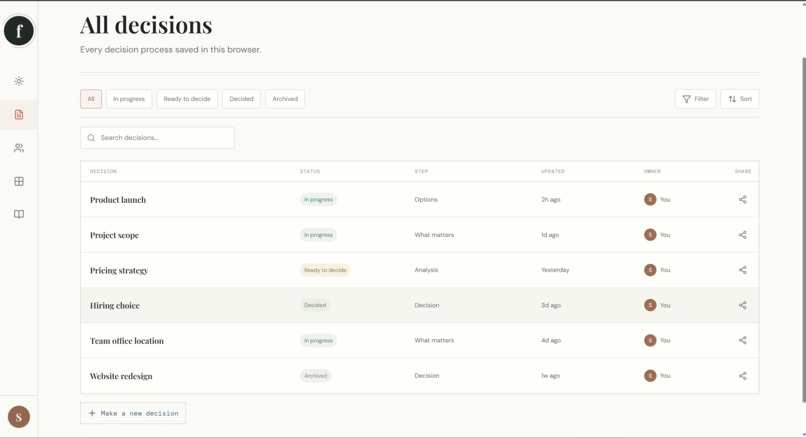
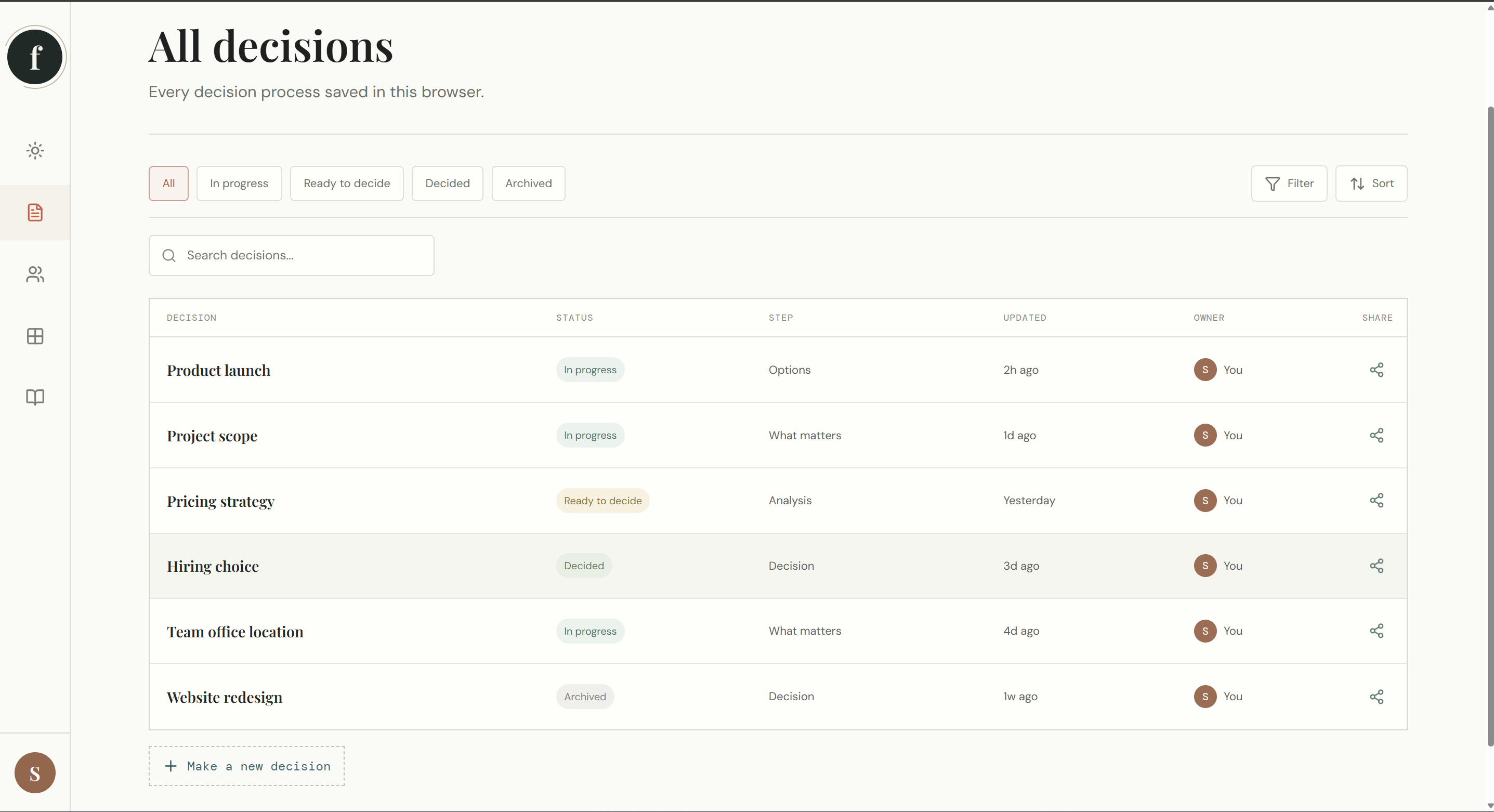
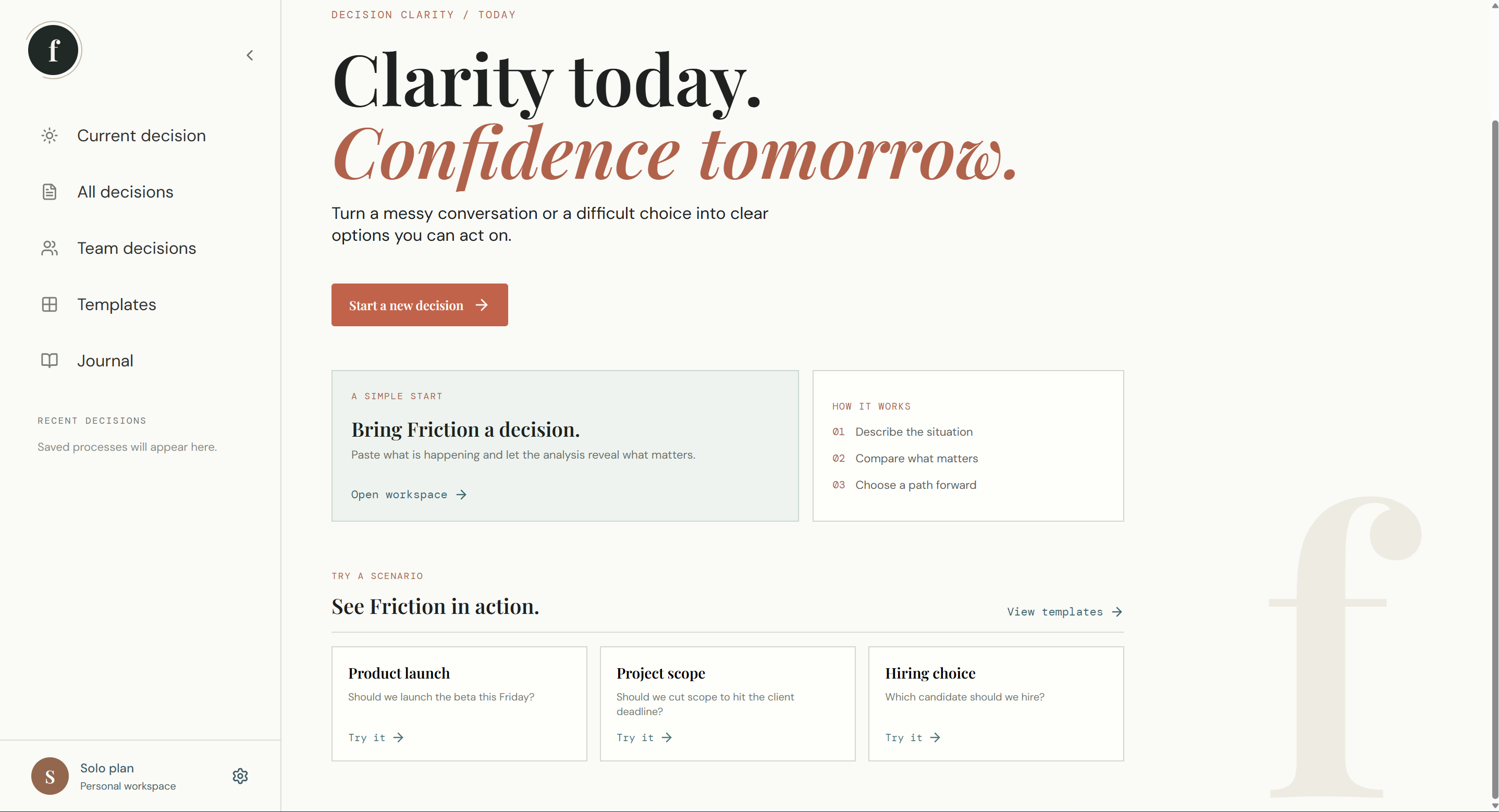
All decisions. Review, search, and revisit every decision saved in your workspace.
-
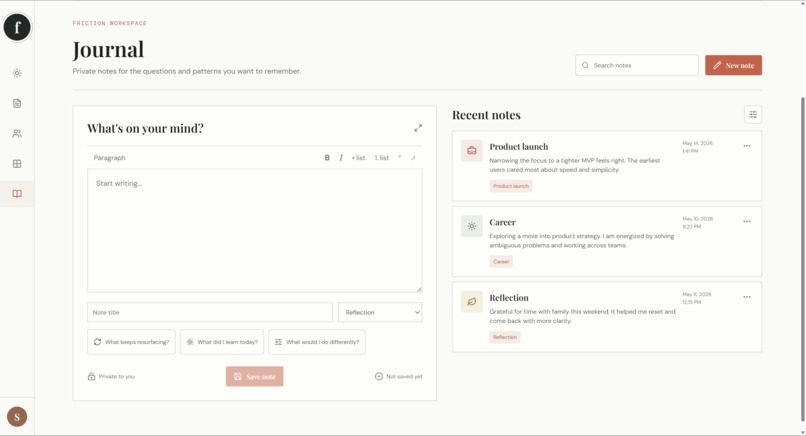
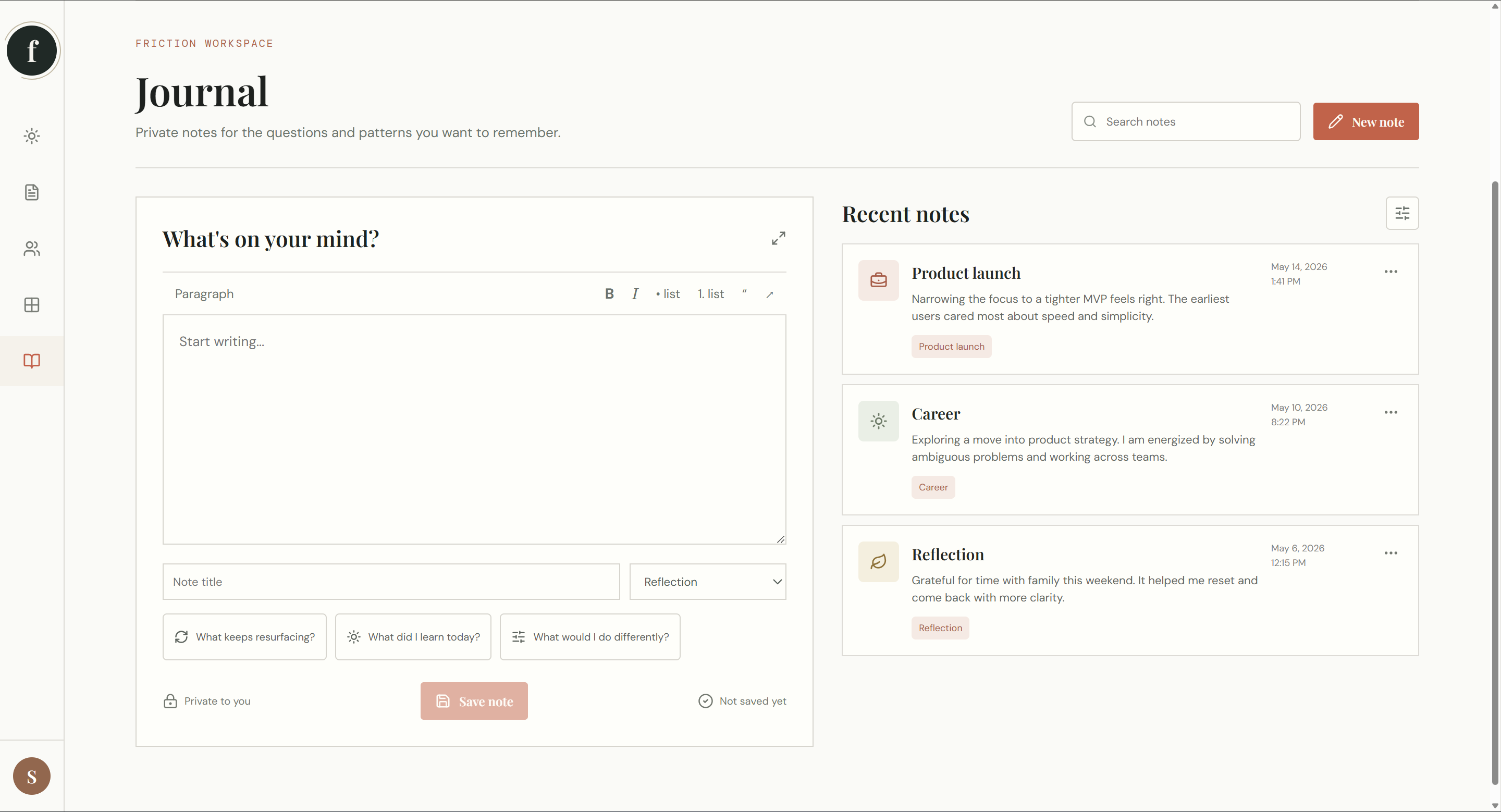
Journal. Capture reflections, lessons, and patterns to remember for later.
-
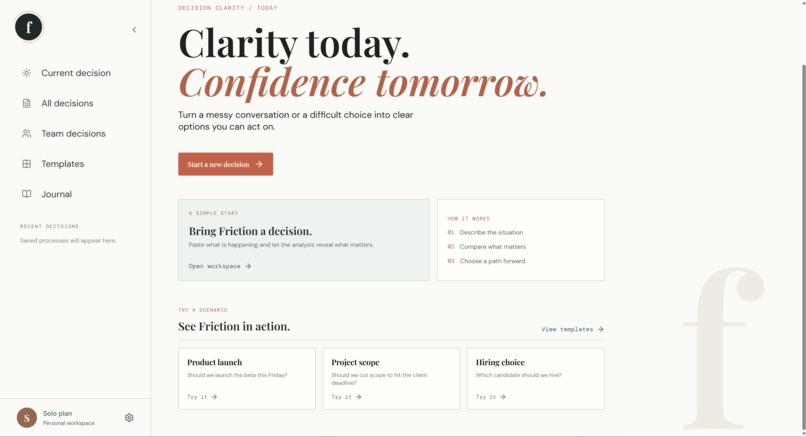
Home dashboard. Friction turns a messy choice into a clear, guided decision process.
-
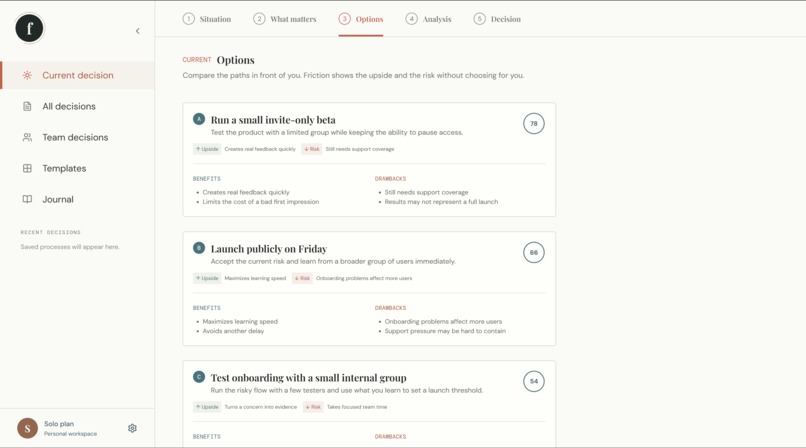
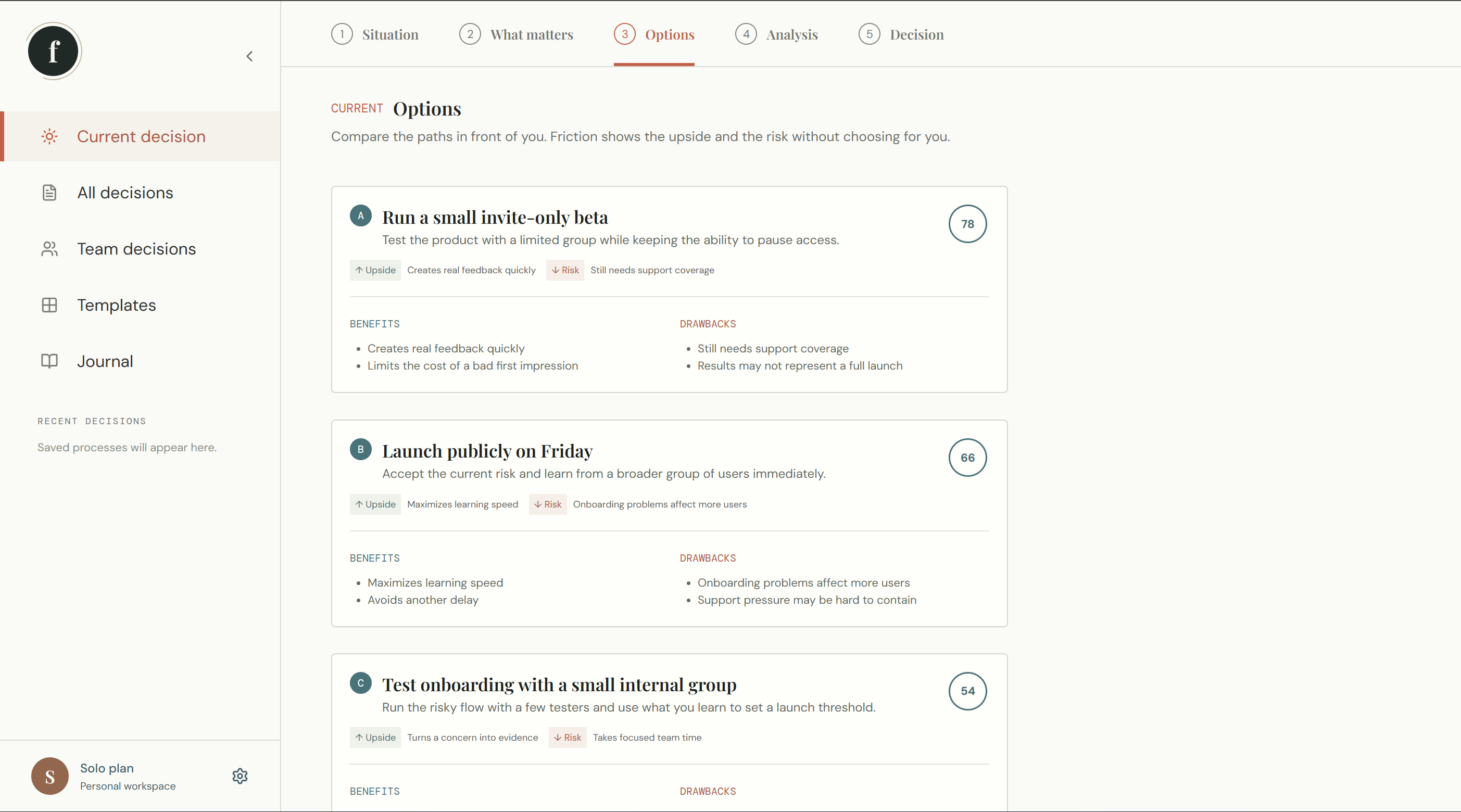
Options. Compare each path through its benefits, drawbacks, risks, and fit score.
-
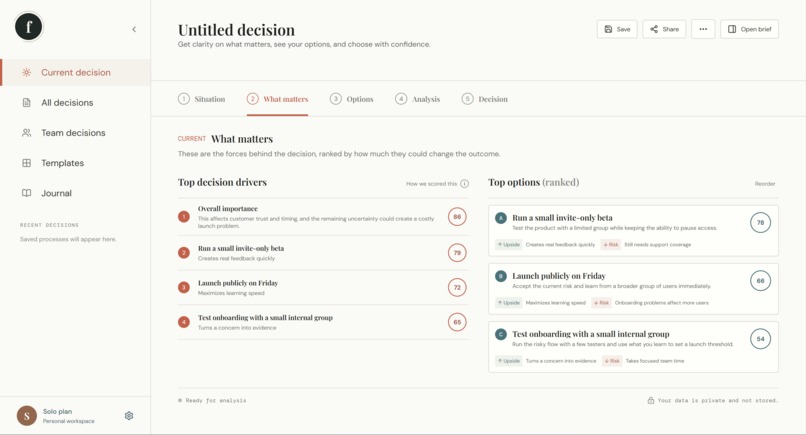
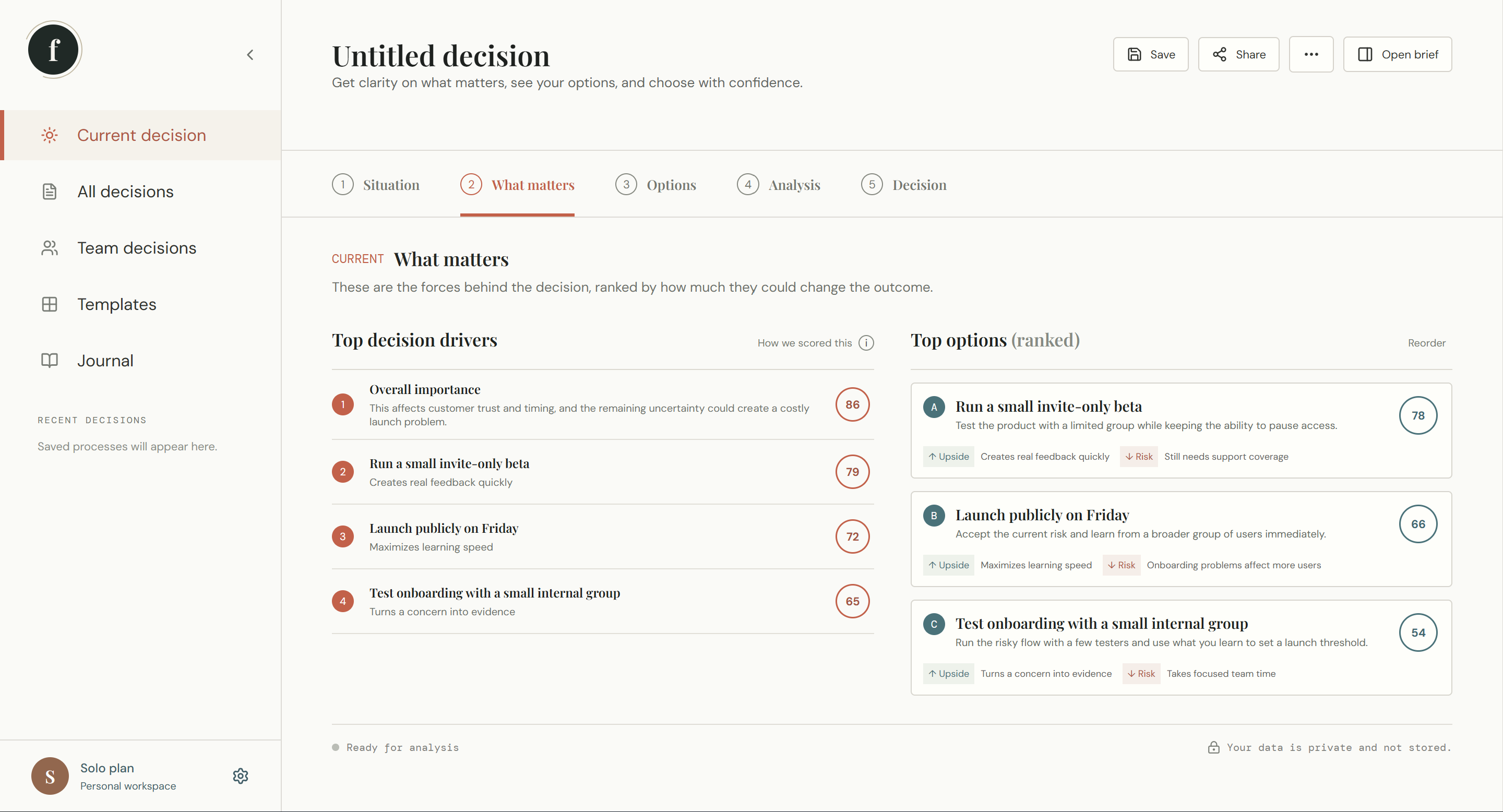
What matters. Rank the forces influencing the decision and compare their importance.
-
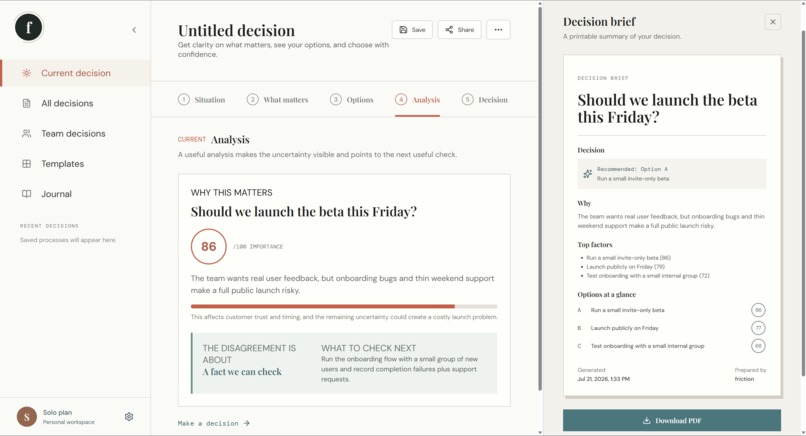
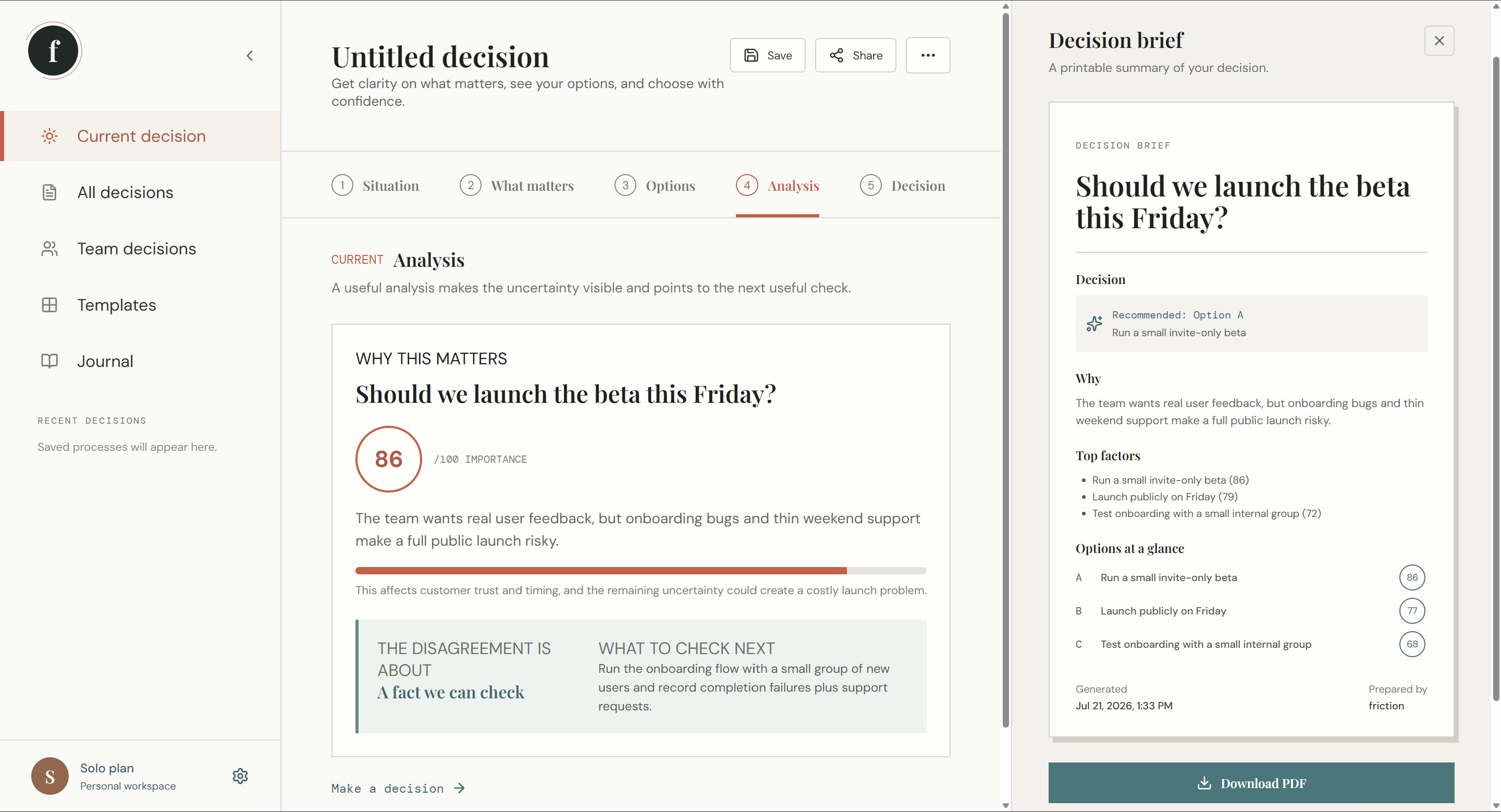
Analysis and decision brief. Understand why a decision matters, identify what to check next, turn the analysis into a shareable PDF.
Inspiration
I grew up arguing with my siblings about almost everything. We could disagree about what to do, who was responsible, or what had actually happened, and somehow the argument would become more about defending ourselves than solving the original problem.
I experienced something similar during my internship at ADNOC. My group members and I often had different ideas about where to take our project next. We were all trying to contribute, but it was difficult to separate the facts from our personal preferences. Sometimes we were not even disagreeing about the same thing.
I kept thinking that there should be a way to make the disagreement easier to understand without choosing a side.
That was the starting point for Friction.
My first idea was simply to build a conflict analyser. But as I tested it, I realised that people do not just need to know where they disagree. They need help understanding the decision underneath the disagreement and figuring out what to do next.
Friction is my attempt to make difficult decisions feel clearer without pretending that an AI can decide who is right.
What it does
Friction lets users paste a conversation, describe a situation, or enter two different perspectives.
It then:
- Finds the decisions hidden inside the situation
- Ranks them by importance
- Explains what is driving each decision
- Compares different options and their benefits and drawbacks
- Identifies whether the disagreement is about a fact, value, definition, or missing information
- Suggests a specific next question or piece of evidence
- Lets users save, share, print, and revisit decisions
I also built templates, demo scenarios, saved decision processes, a private journal, native sharing, and a printable decision brief.
Friction does not decide who is right. It helps people understand the decision clearly enough to move forward.
How I built it
I built the frontend with React, Vite, and TypeScript. The frontend communicates with an Express server through /api/analyze.
The server sends the submitted situation to GPT-5.6 Luna using structured output. Zod validates the response before it reaches the interface, so incomplete or malformed model responses are not presented as reliable analysis.
The basic flow is:
User input
→ React frontend
→ Express API
→ GPT-5.6 Luna
→ Zod validation
→ Decision workspace
The API key stays on the server and is never exposed to the browser. Conversations are not stored in a database. Saved decisions, templates, and journal notes are stored locally in the user's browser.
I used Codex throughout the build to help me think through the architecture, implement features, redesign the interface, debug issues, improve responsive behaviour, validate model output, and test the application.
Challenges I ran into
The biggest challenge was realising that a technically interesting product can still be confusing.
My early version had too many sections and categories. It could analyse a disagreement, but I found myself looking at the screen and thinking: “What am I actually supposed to do with this?”
That experience changed the direction of the project. I simplified Friction around five steps:
- Situation
- What matters
- Options
- Analysis
- Decision
Another challenge was making the AI useful without making it sound too certain. It is easy for an AI model to turn an assumption into something that sounds like a fact. Friction tries to avoid that by labelling uncertainty and asking for specific evidence instead of giving vague advice such as “communicate better.”
I also built a local fallback mode so the application remains usable when live analysis is unavailable.
Accomplishments that I'm proud of
I am proud that Friction became more than a text-analysis demo.
It became a complete decision workspace with:
- A guided decision workflow
- Live GPT-5.6 analysis
- Local fallback analysis
- Strict response validation
- Demo scenarios
- Editable templates
- A searchable decision library
- Saved decision processes
- Private journal notes
- Native sharing
- PDF and print briefs
- Responsive mobile layouts
- Server-side API key protection
The feature I am most proud of is the decision brief. It turns the analysis into something that can actually be shared with another person after the conversation ends.
What I learned
I learned that building with AI is not just about getting an intelligent response from a model.
The more difficult questions are:
- What does the user need to see first?
- Which information is actually useful?
- How do we show uncertainty honestly?
- What should happen when the model fails?
- How can the output become an action instead of another piece of text?
I also learned that the first version of an idea is not always the strongest. Friction became better when I paid attention to my own confusion and redesigned the product around the user's next action.
The arguments I had with my siblings and the disagreements I experienced during my internship were both reminders that people are often closer to agreement than they realise. Sometimes they simply need help identifying what they are actually deciding.
What's next for Friction
The next step is to help people follow decisions after they are made.
I would like to add:
- Evidence checklists
- Better attribution of different speakers
- Read-only shareable decision briefs
- Decision outcome tracking
- A way to compare the original recommendation with what actually happened
- Optional team workspaces
For now, I wanted to keep the product focused. The core idea is simple:
Take a messy decision, make the uncertainty visible, and help someone choose the next useful step.
Built With
- api
- codex
- express.js
- localstorage
- lucidereact
- node.js
- openai
- react
- restapi
- typescript
- vite
- zod

Log in or sign up for Devpost to join the conversation.