-
-
Friction: to struggle is to think. AI help that teaches instead of tells.
-
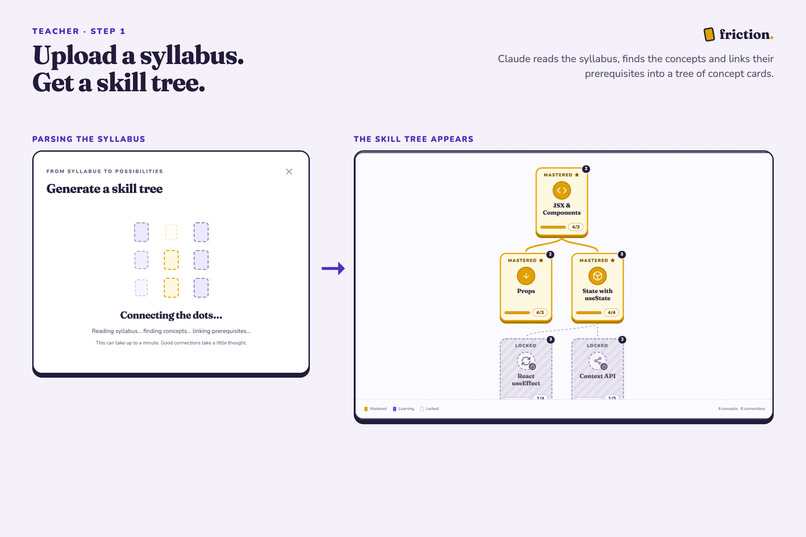
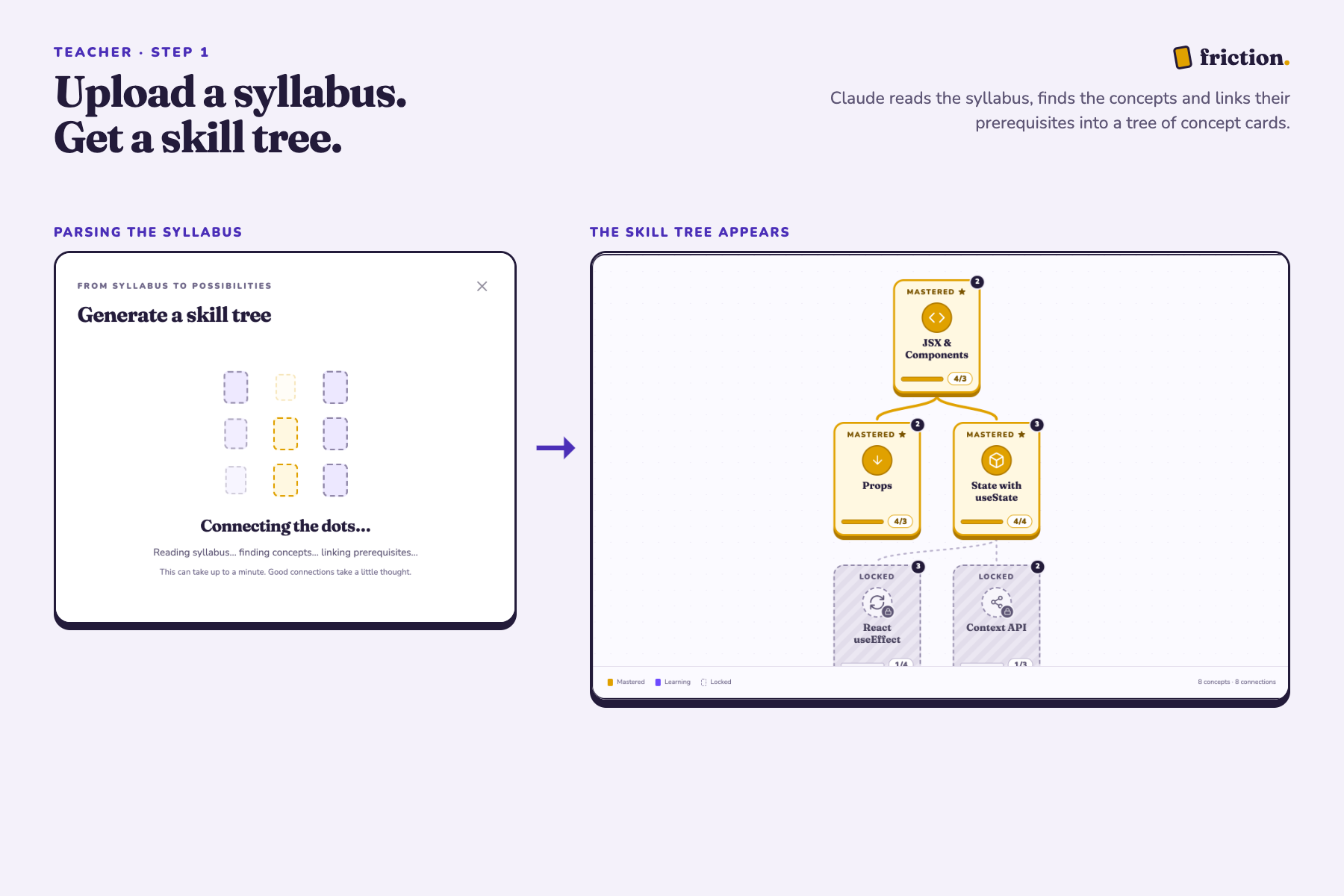
A teacher uploads a syllabus, and Claude turns it into a skill tree of concepts linked by their prerequisites.
-
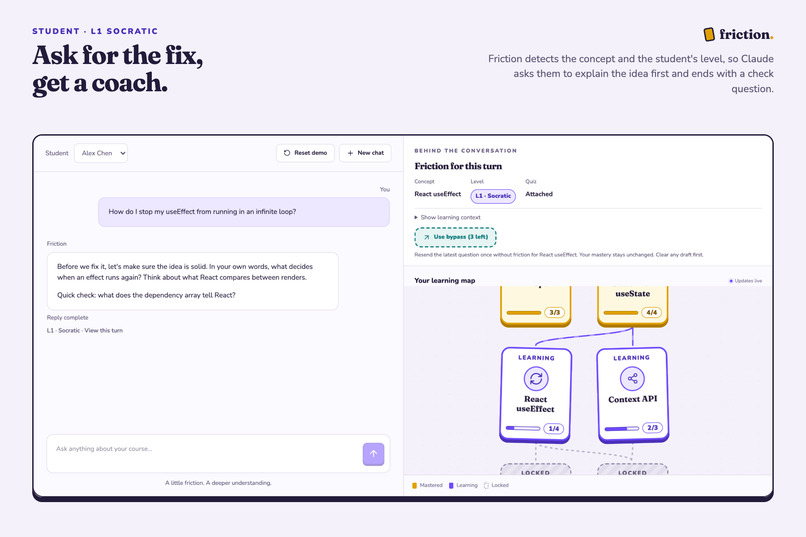
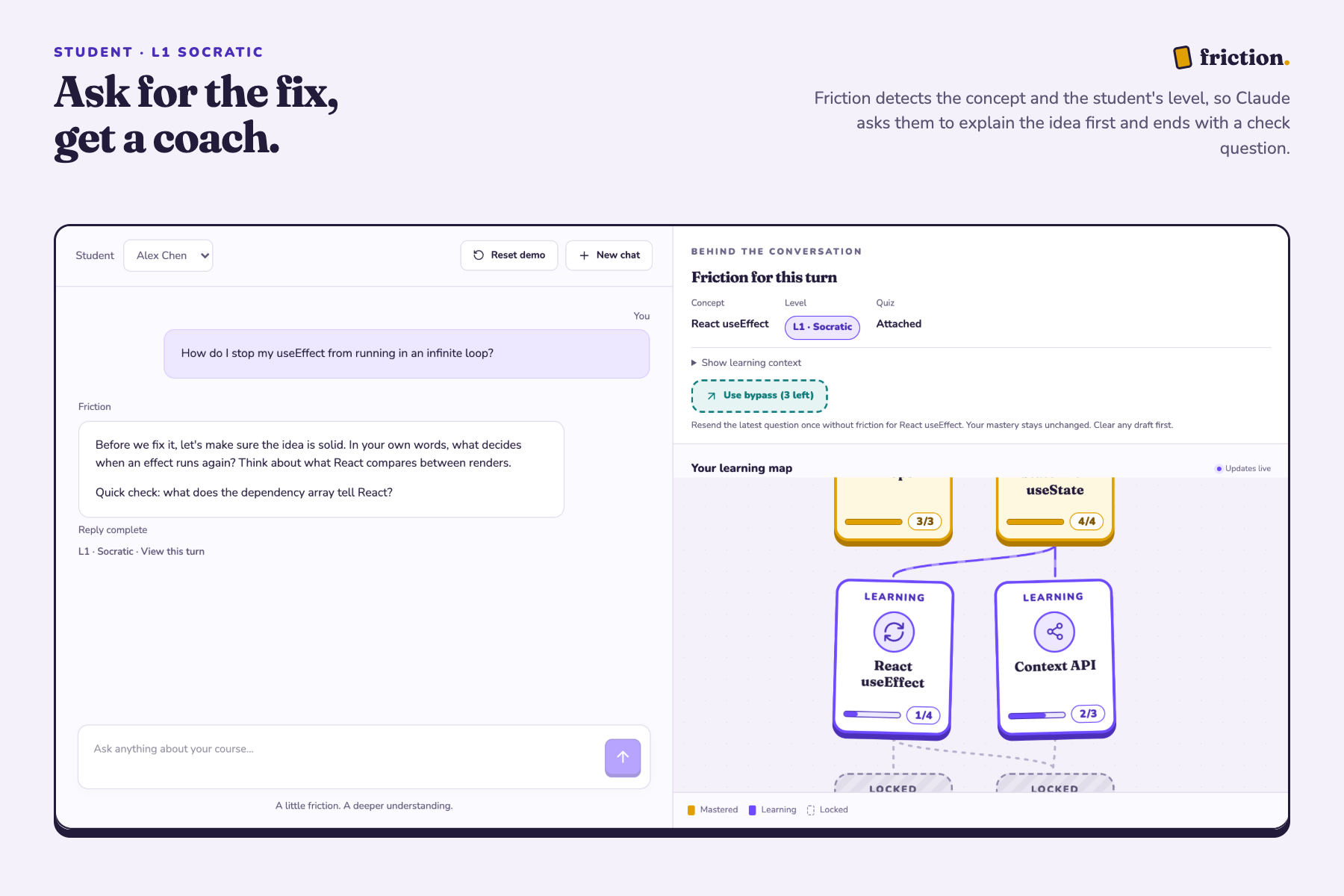
At level 1, Friction holds back the answer. Claude coaches the student with questions and ends with a quick check question.
-
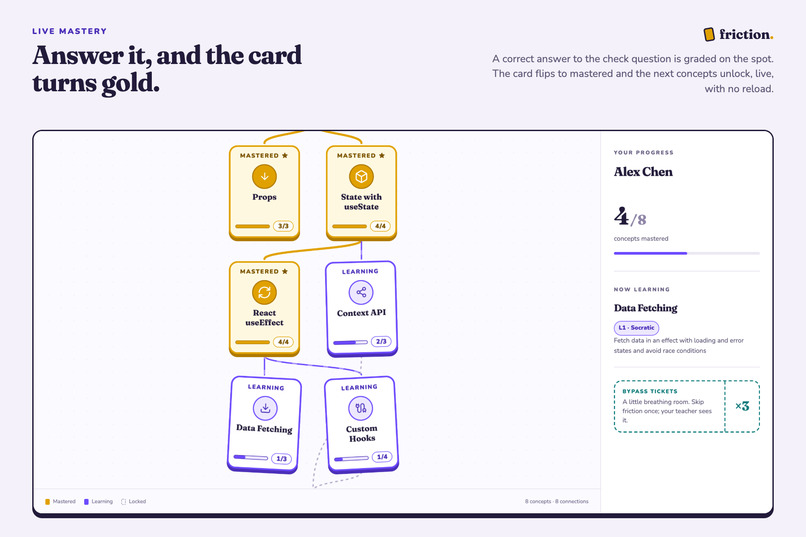
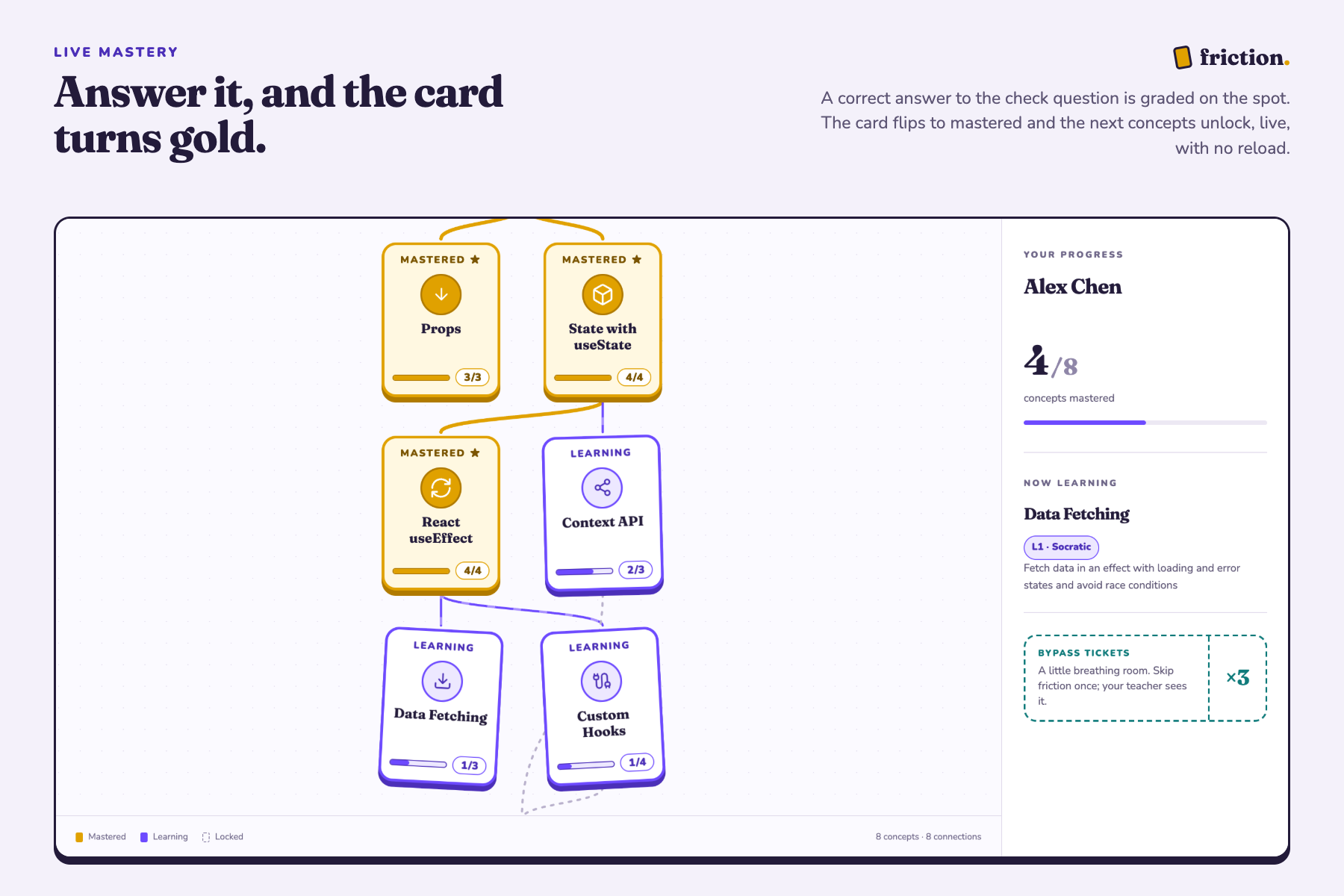
A correct answer is graded right away. The concept card turns gold on everyone's view without a reload, and the next concepts unlock.
-
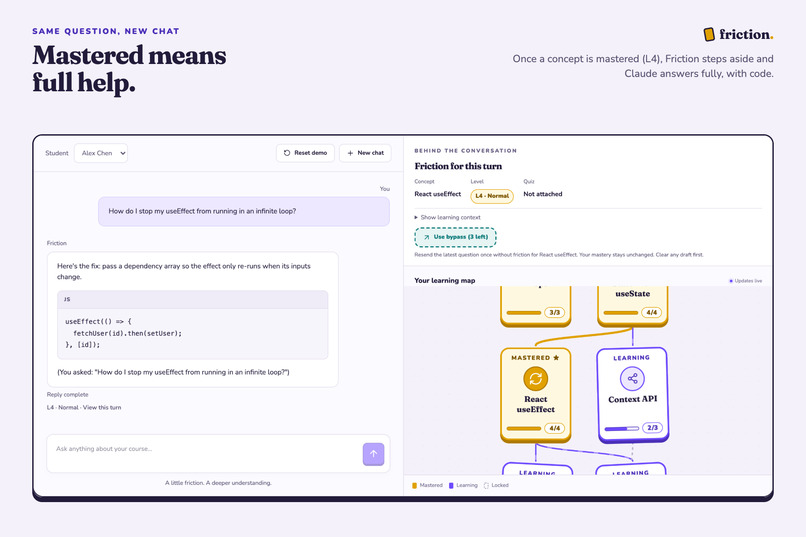
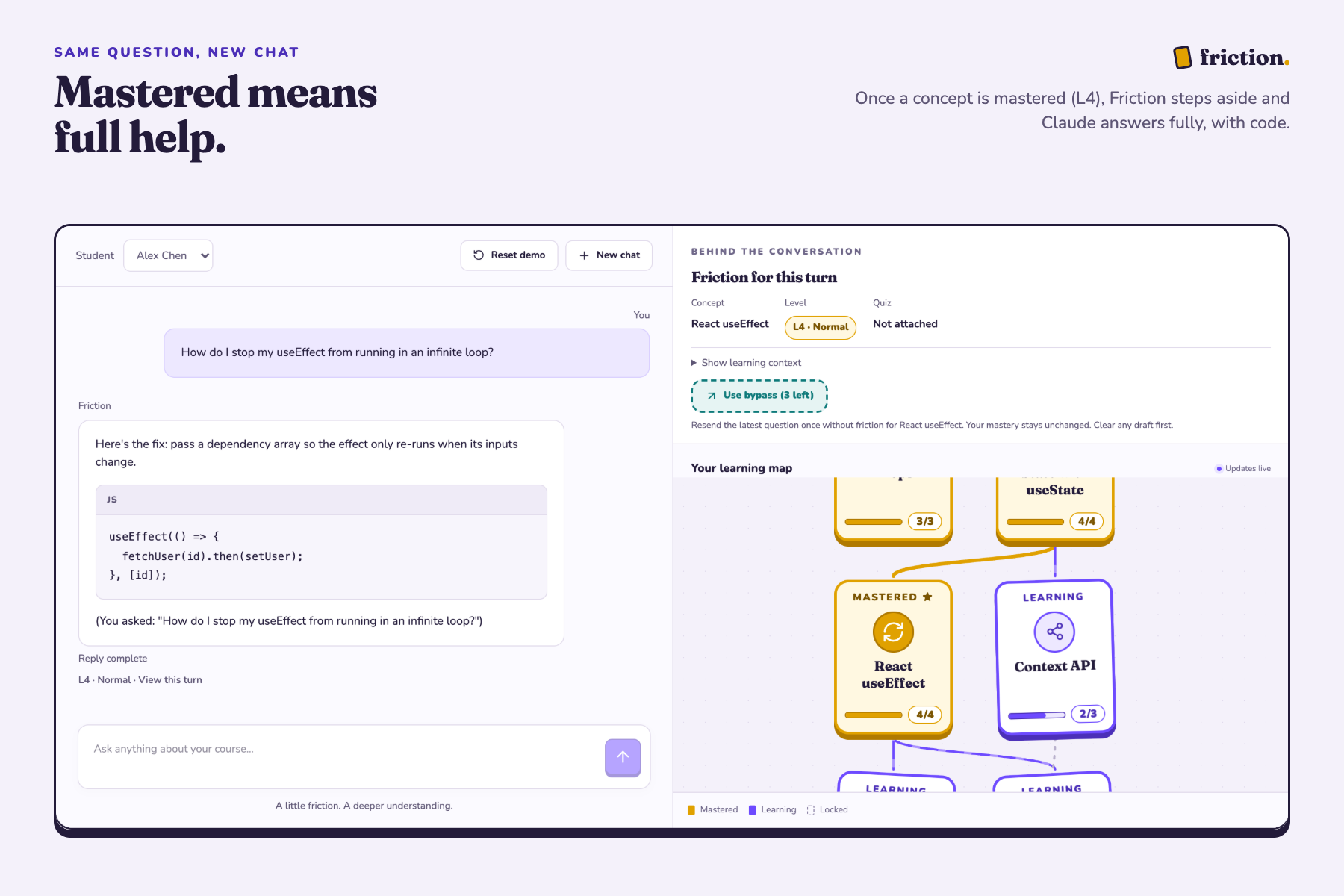
Once a concept is mastered, Friction steps aside and the student gets full help.
-
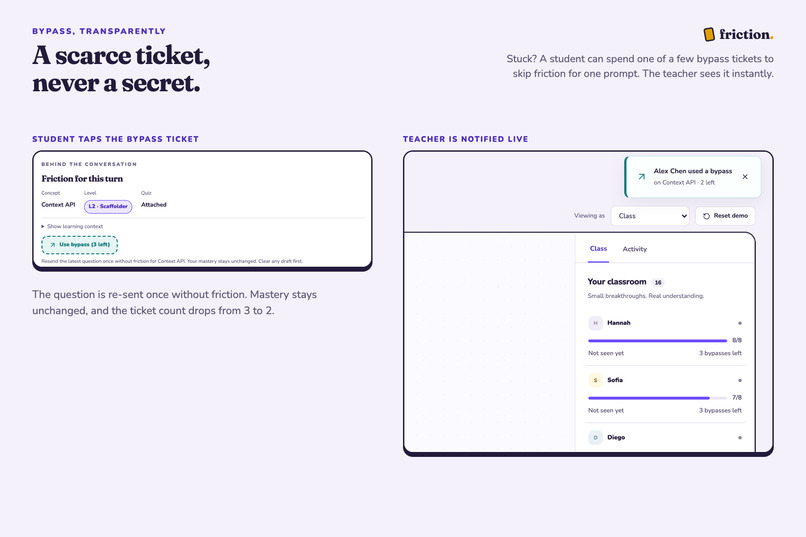
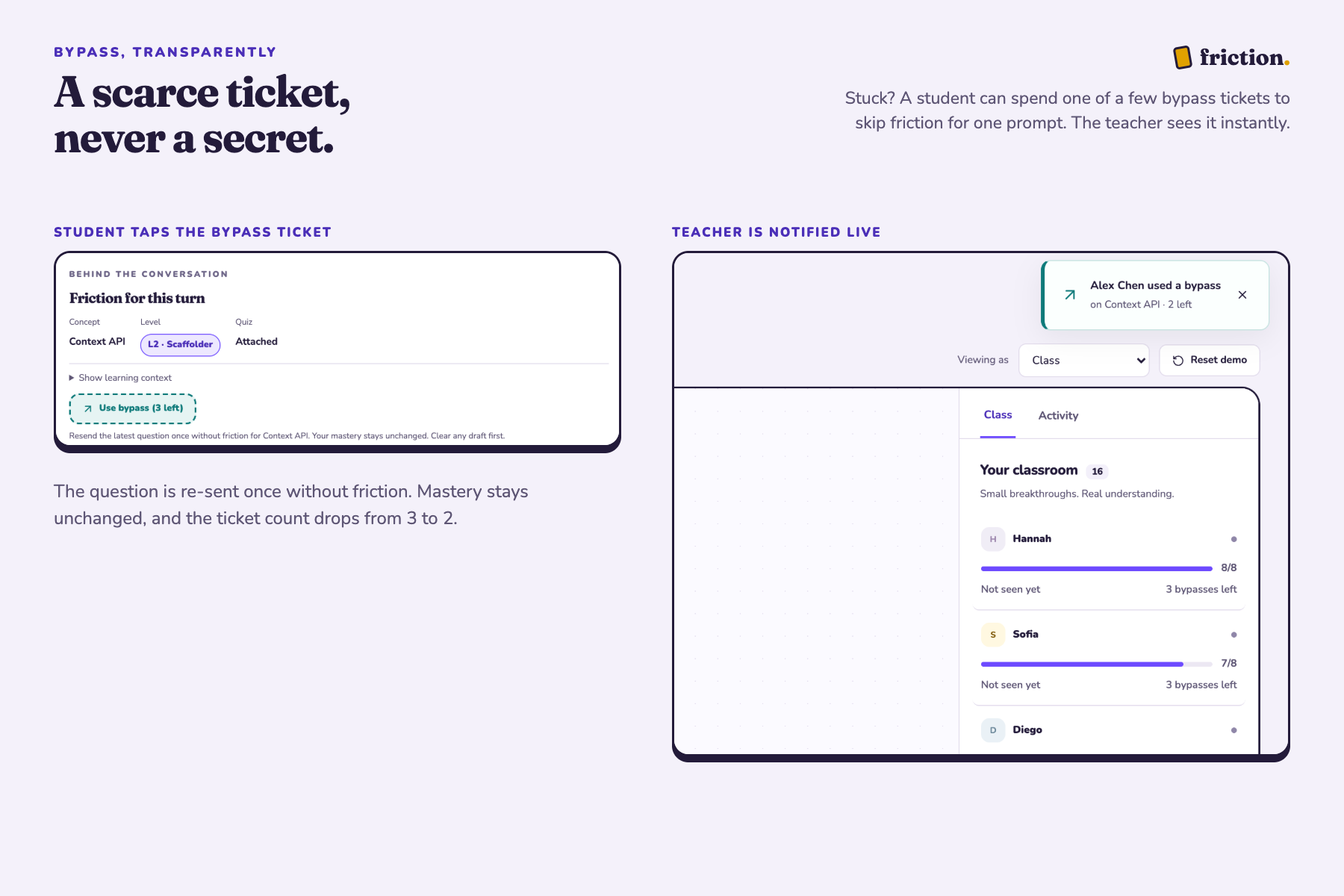
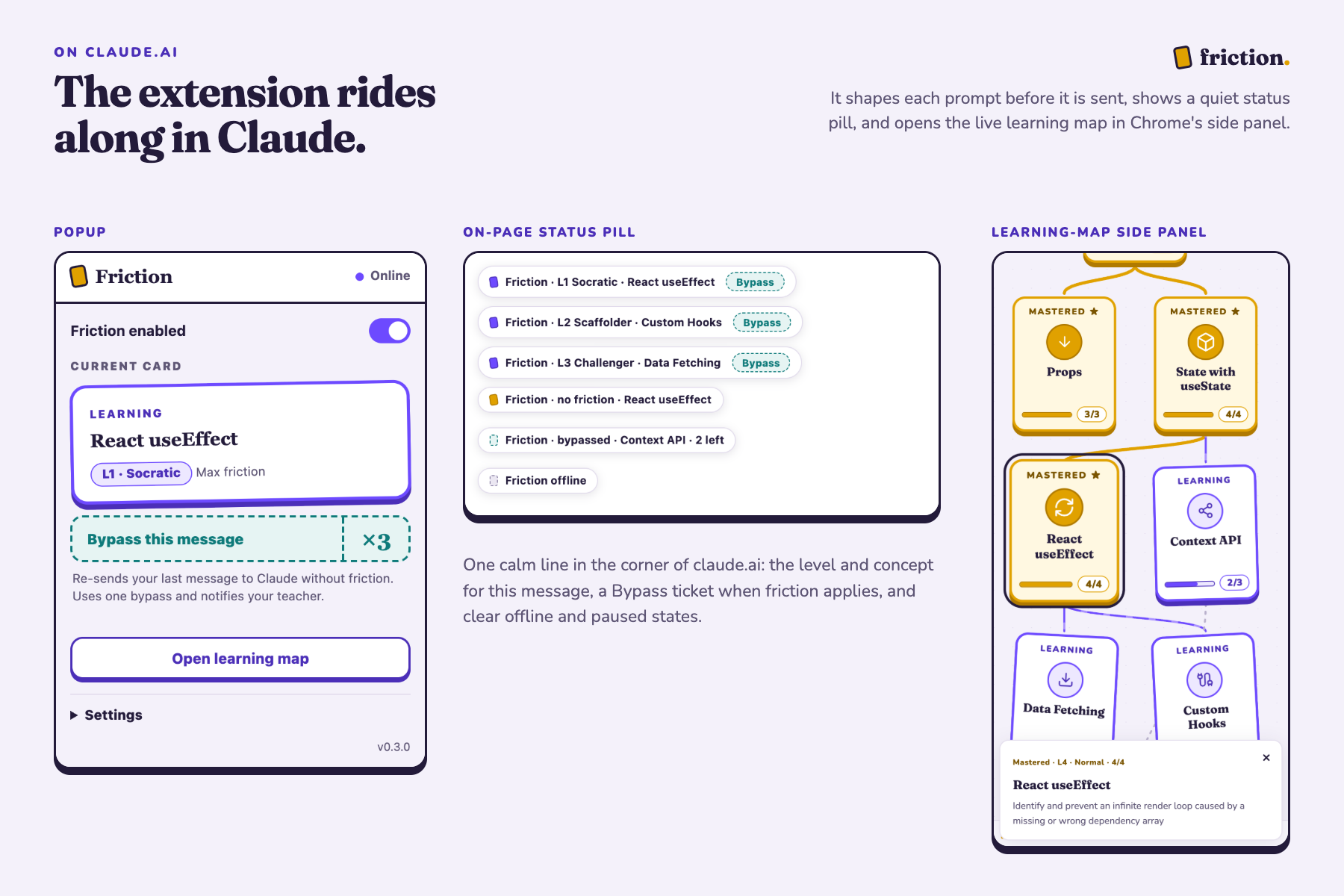
A student who is stuck can spend one of three bypass tickets to skip friction once, and the teacher is notified straight away.
-
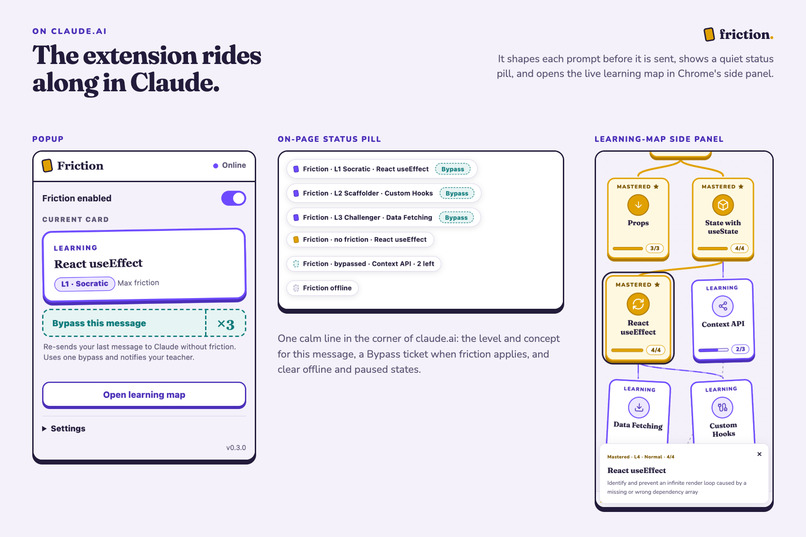
The Chrome extension works inside claude.ai, with a status pill on the page, a popup and the live learning map in the side panel.
-
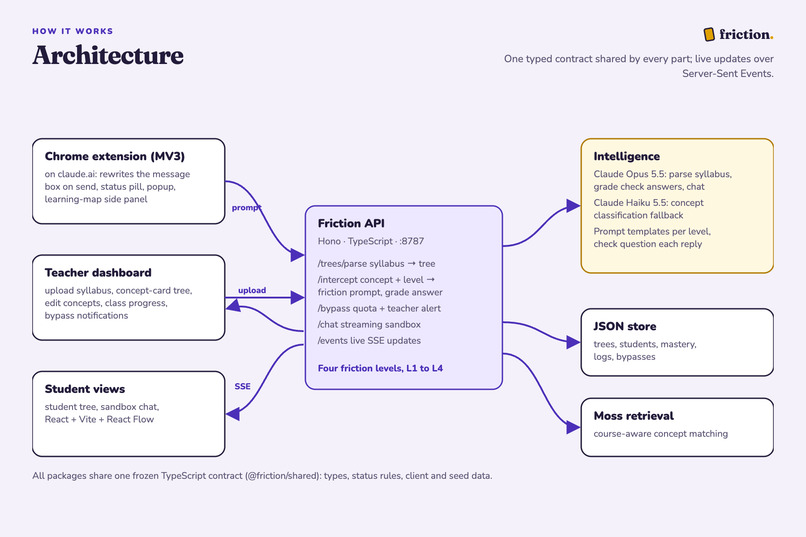
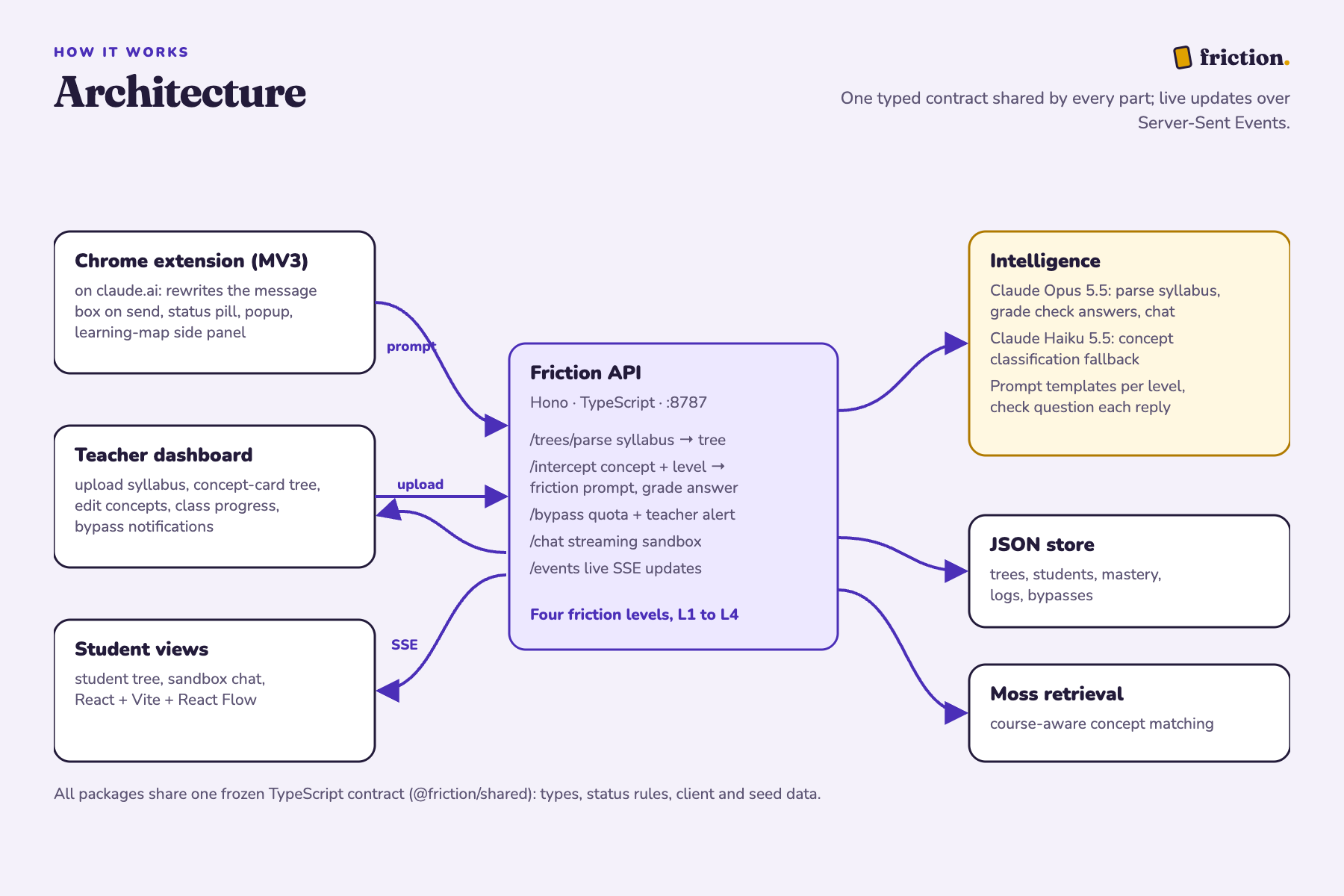
Extension and dashboard talk to one API. Claude parses, tutors and grades, Moss matches concepts, and updates stream live.
Inspiration
Our team started by thinking about how AI could help people learn something new. We wanted to build something that worked with the tools people already use, but changed the experience from getting an answer to actually understanding how to get there. We were also worried about cognitive atrophy (the gradual decline in mental functions through the disuse of specific cognitive abilities over time) as people lean on LLMs without thinking. We kept coming back to this problem, which we thought was especially important for younger students.
One of our teammates works with children and had seen how often they turned to AI when they got stuck on schoolwork. We began discussing what students might miss when they skip that process. They can finish an assignment without developing the fundamentals or problem-solving skills it was meant to teach. This seemed particularly important in schools, where students increasingly have access to AI through school-issued laptops and tablets. The most useful response for a student is not always a direct answer. Sometimes they need a hint, a question that helps them see the next step, or a chance to try again. Teachers understand this, but they have little control over how general-purpose AI tools help their students.
What it does
That conversation led us to create Friction. Rather than building another tutoring app or trying to keep children away from AI, we wanted to change how the tools they already use respond to them. We decided to focus our first version on school-aged students, who are still developing the foundational skills they will rely on throughout their education. Friction starts with the teacher. They upload a syllabus, and Claude turns it into a skill tree that breaks the course into individual concepts and maps how they depend on one another. Teachers can review and edit the tree, keeping control over the learning goals. When a student asks a question in a supported AI tool, Friction identifies the relevant concept and checks the student's current mastery level. If the question doesn't use the syllabus's wording, Moss helps retrieve potentially relevant skills, while Claude makes the final classification. Friction then determines how much help the student receives based on their demonstrated understanding. For example, if a fifth grader asks how to divide six by two, the AI guides them through the reasoning instead of giving the answer outright, then checks their understanding. As they demonstrate mastery, the skill is marked complete on both dashboards and related concepts unlock. Students have a limited number of bypasses for times when they genuinely need to move on. Each bypass notifies the teacher, who can see progress and skipped steps without accessing the student's questions or replies, preserving students' privacy.
How we built it
We divided the work across four builders and an integrator. We built a Hono API with live updates, a React dashboard with teacher and student views, a sandbox chat, and a Chrome extension prototype for Claude.ai. Claude Opus handles syllabus parsing, tutoring, and grading, while Claude Haiku serves as a fallback classifier.
Challenges we ran into
Getting the full process to work in real time was harder than we expected. Grading needed to be fast enough that students would not be left waiting, which meant balancing token usage against quality. We discovered that an interrupted AI reply could look like a completed one, so we had to change how the system handled streaming failures. We also had to protect against students getting around Friction through the prompt itself. Building a web extension and designing in Figma were new to some of us, and we had to learn to integrate existing tools like Moss in ways that actually improved our design.
What we learned
On a small course, Moss did not outperform our existing classifier, so we kept it as a source of suggestions for Claude rather than letting it make the final decision. This reinforced a design choice: the rules determining how much help a student receives should live in our own code, while AI handles tasks that require interpretation. We learned that adding more AI infrastructure does not necessarily make a product better, and that reliability depends as much on how a system handles uncertainty and failure as on the model.
Accomplishments that we're proud of
Our pilot application is already being used for studying by students across multiple campuses around the country. We also got the whole loop working end to end: we could upload a fifth-grade fractions syllabus, generate a skill tree in about fifteen seconds, ask a question about dividing a pizza, receive guided help, and submit an answer that updates the student's mastery on the dashboard.
What's next for Friction
The prototype still needs work before it could be used in real classrooms, including:
- school accounts
- parental consent
- stronger student-data protections
- a production database
- a way for teachers to decide how much friction students face We also want Friction to work across AI agents, so the same learning profile informs how different tools help a student and their goals do not disappear when they switch platforms. We want to develop a personal-use version for individuals just trying to learn something new outside school. We do not think students should have to choose between using AI and learning independently. We want to make it possible for them to do both.
Built With
- anthropic
- chrome
- claude
- hono
- node.js
- pnpm
- react
- server-sent-events
- typescript
- vite

Log in or sign up for Devpost to join the conversation.