Inspiration
A confusing interface can turn a simple task into a frustrating experience. A field that loses its label, an error that explains nothing, or two buttons that look equally important can make people hesitate, lose confidence, or abandon a task.
We wanted to make these problems easier to understand than a conventional UX presentation or design checklist.
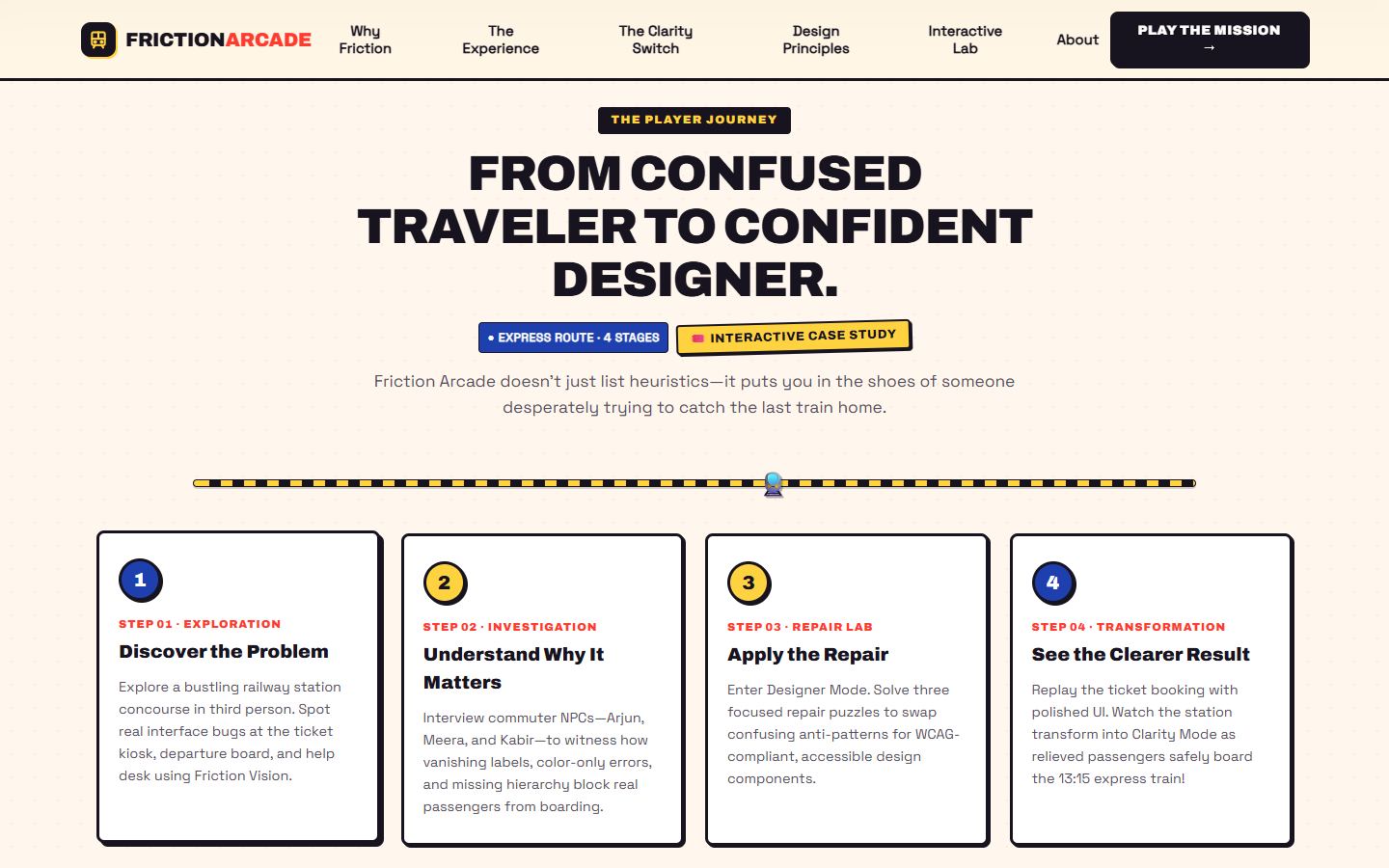
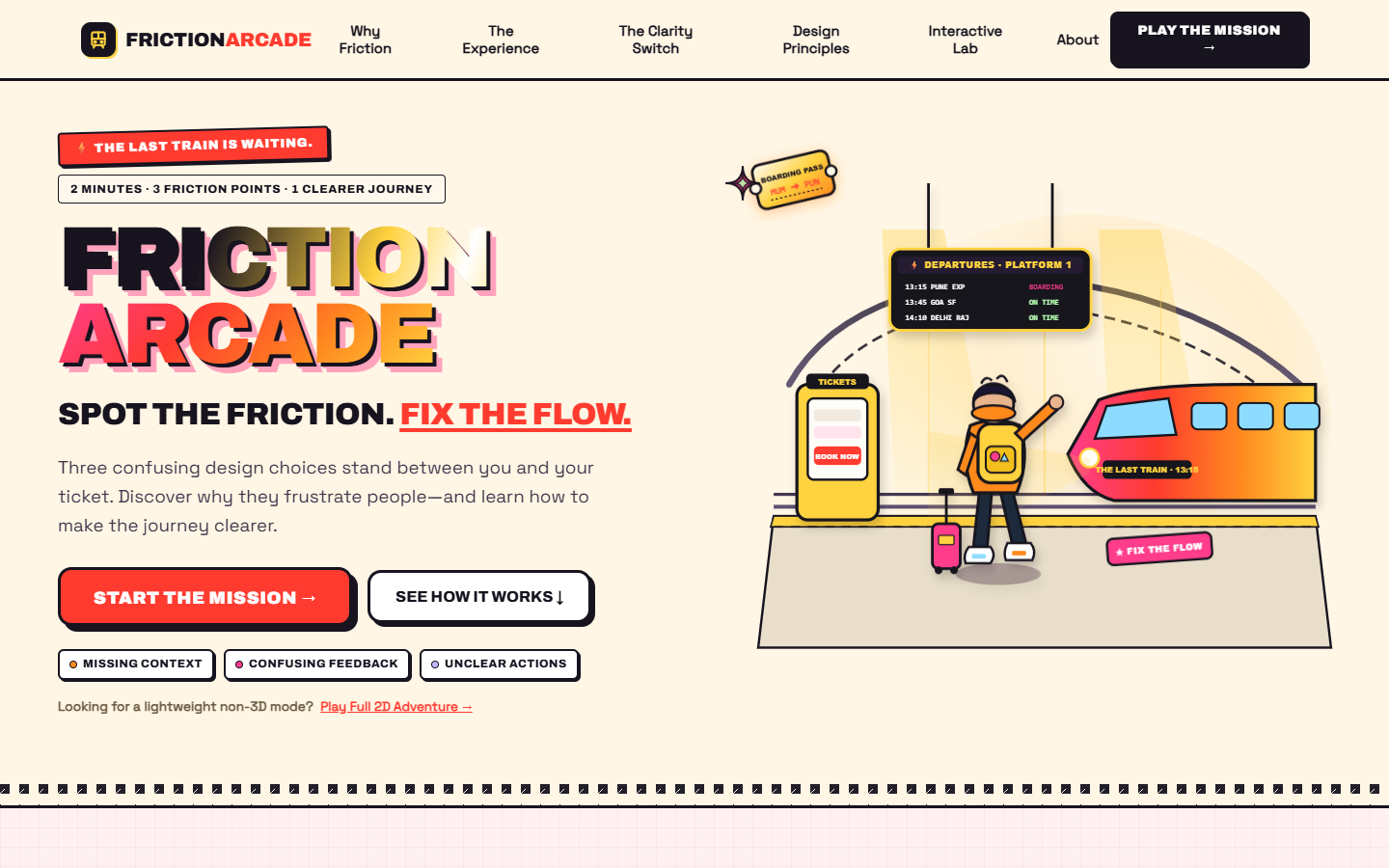
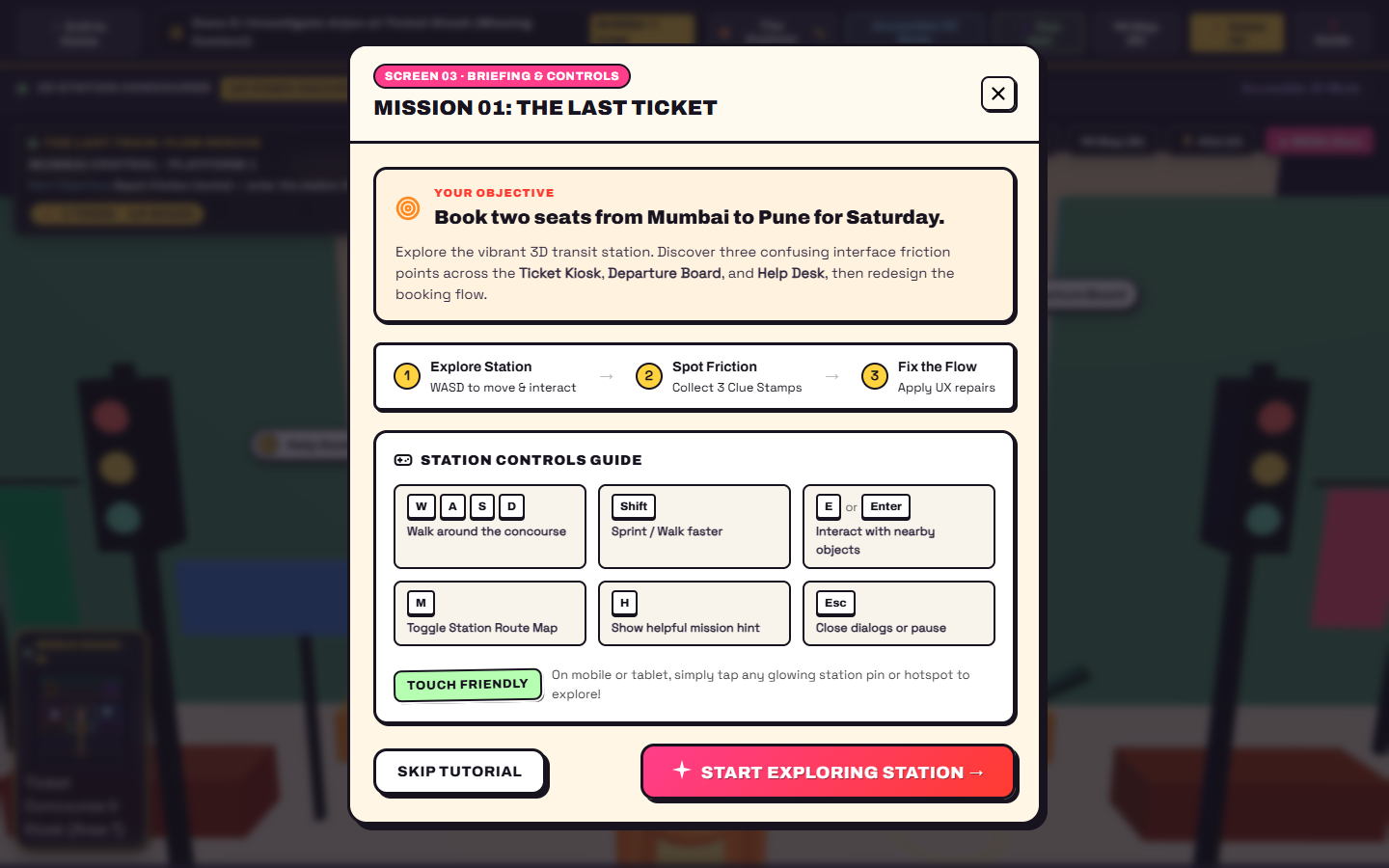
That idea became FRICTION ARCADE: The Last Train — Flow Rescue, an interactive browser game that turns everyday usability problems into a railway-station adventure. Instead of merely telling players what good design looks like, the experience lets them discover poor design choices, investigate their consequences, diagnose their causes, and repair the interface.
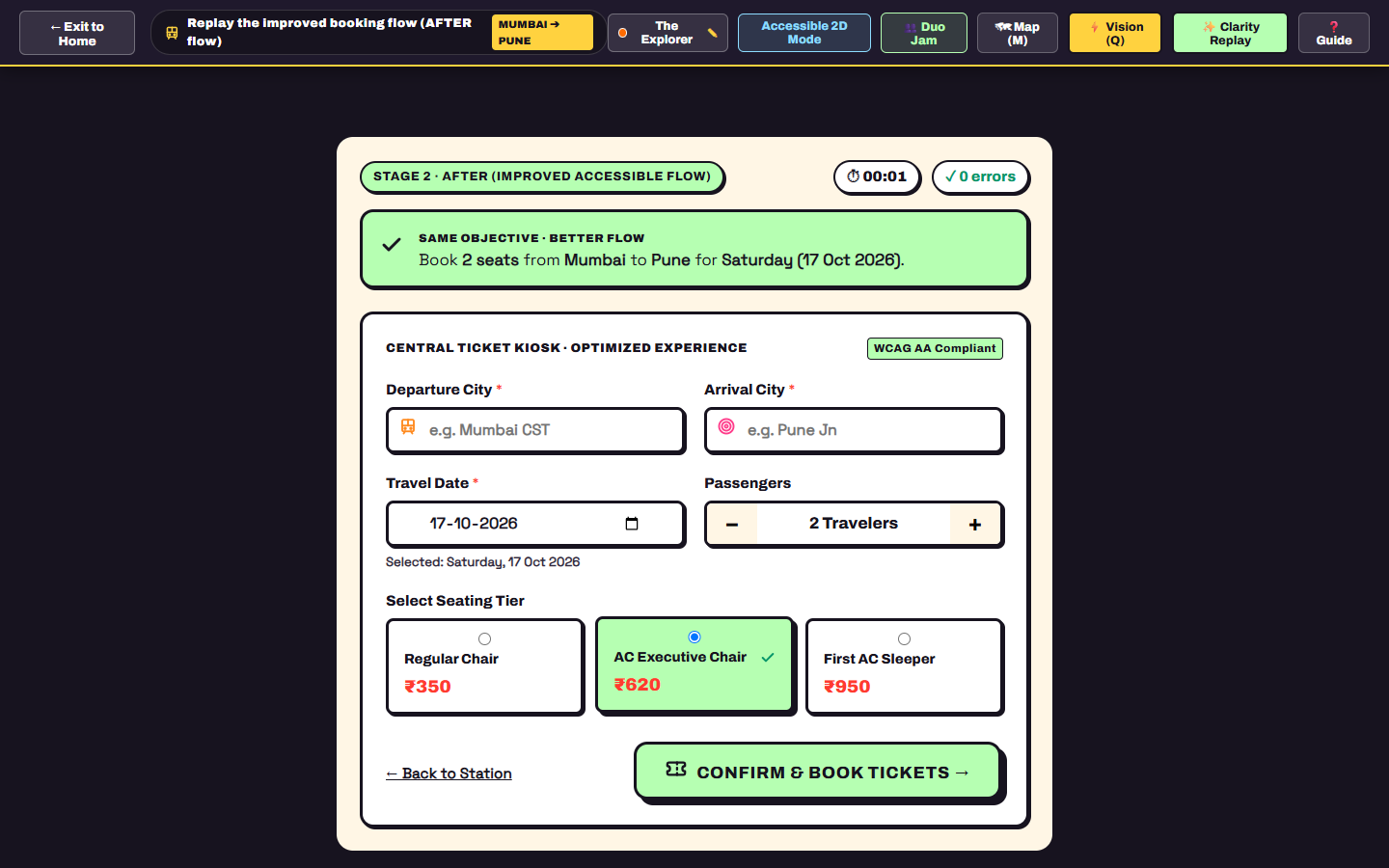
The railway setting gives the lesson a clear purpose: a traveler needs to book two seats from Mumbai to Pune, but three design problems stand between them and a smoother journey.
Our central idea is simple: the best way to understand friction is to experience it, investigate it, and then fix it.
What it does
FRICTION ARCADE combines 3D exploration, interactive diagnosis, practical interface redesign, and personal before-and-after results in one educational game.
1. Explore the railway station
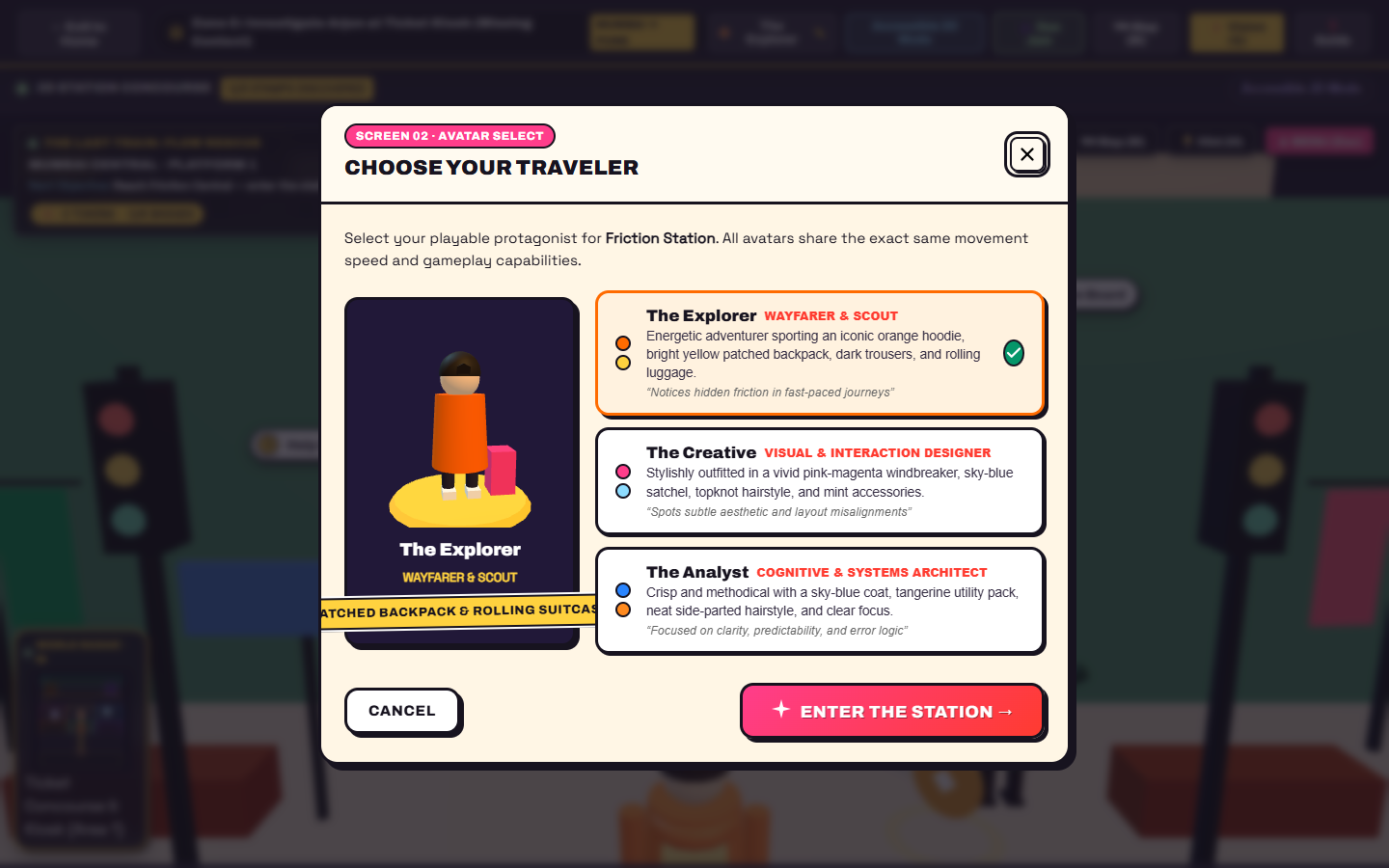
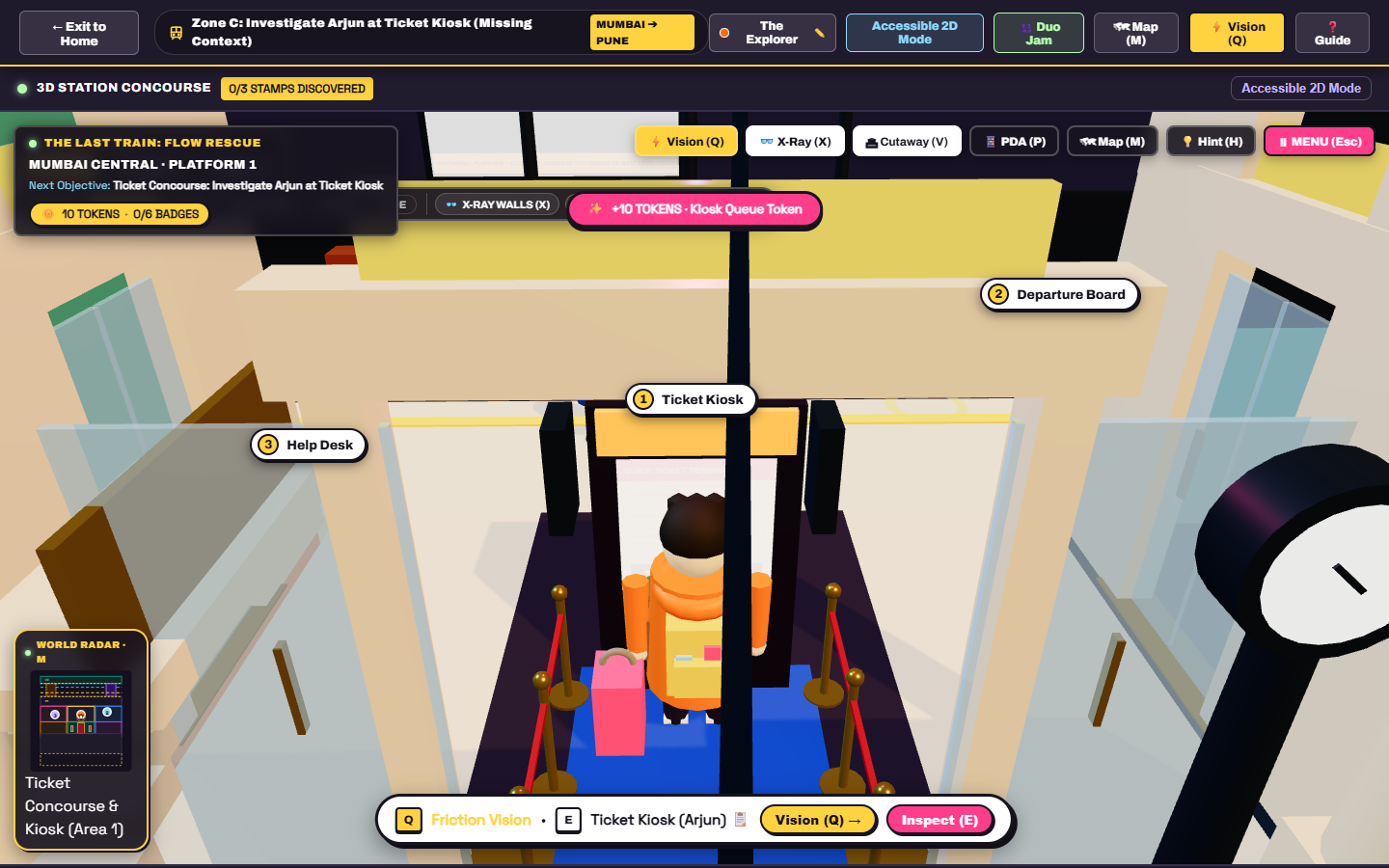
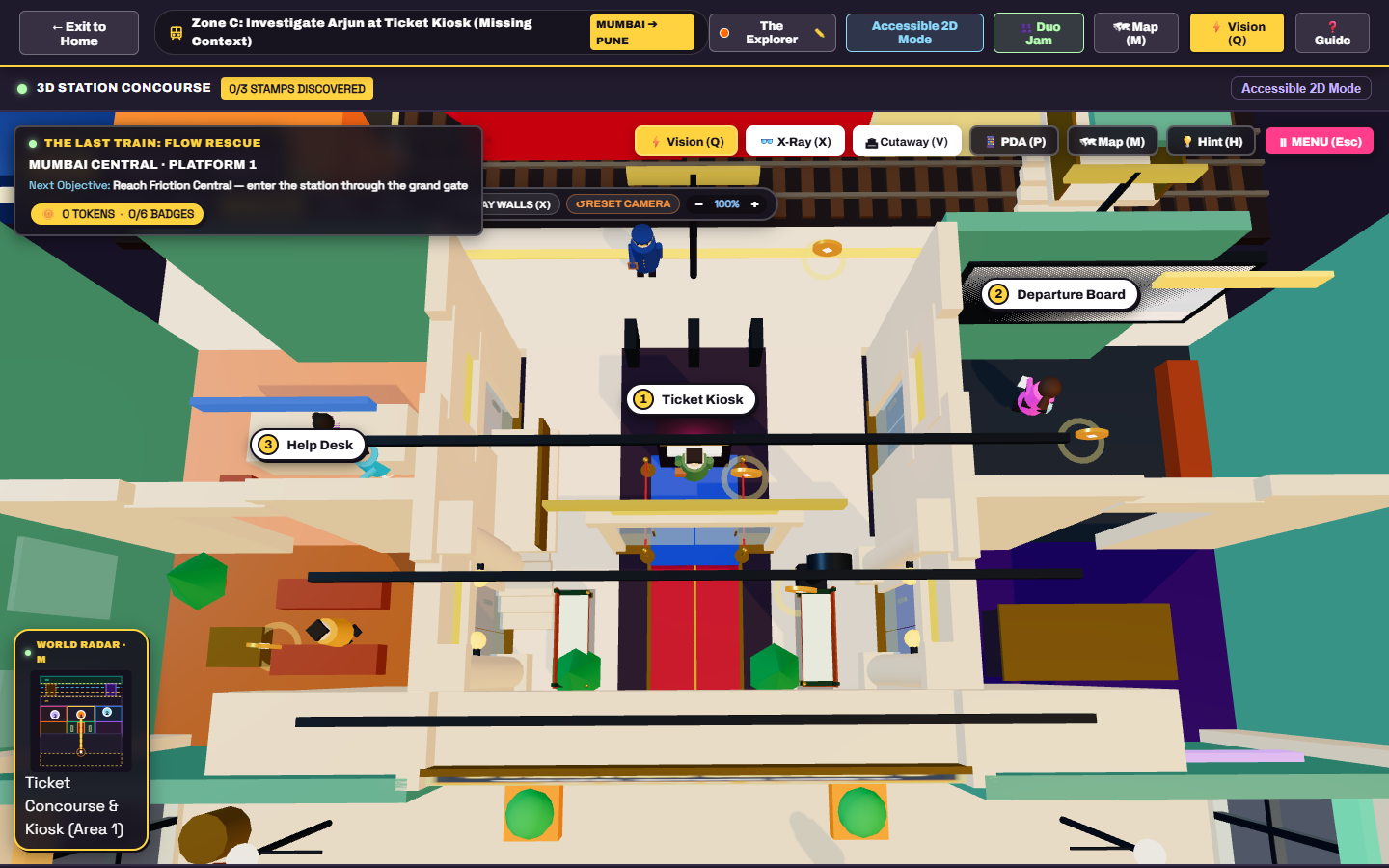
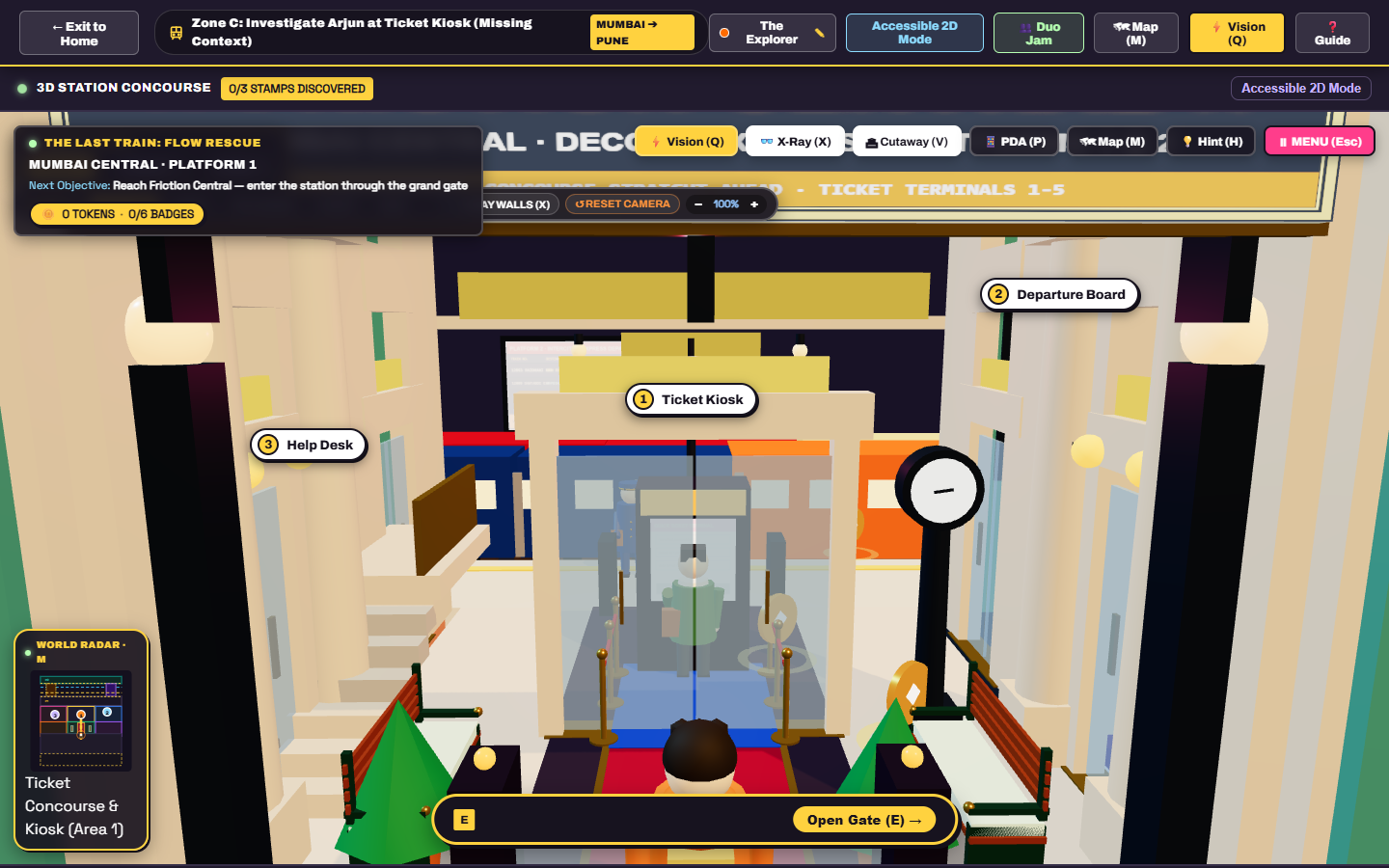
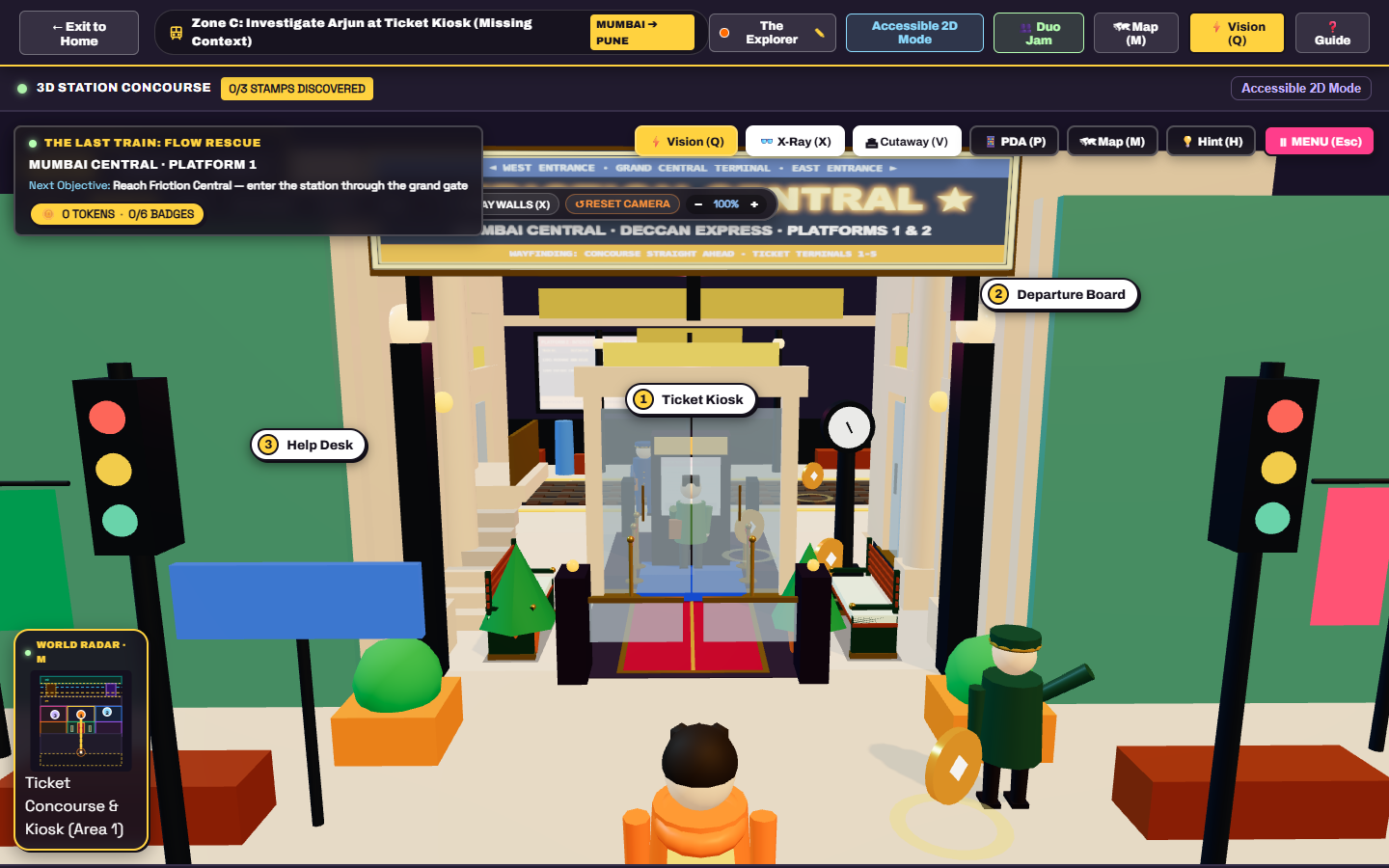
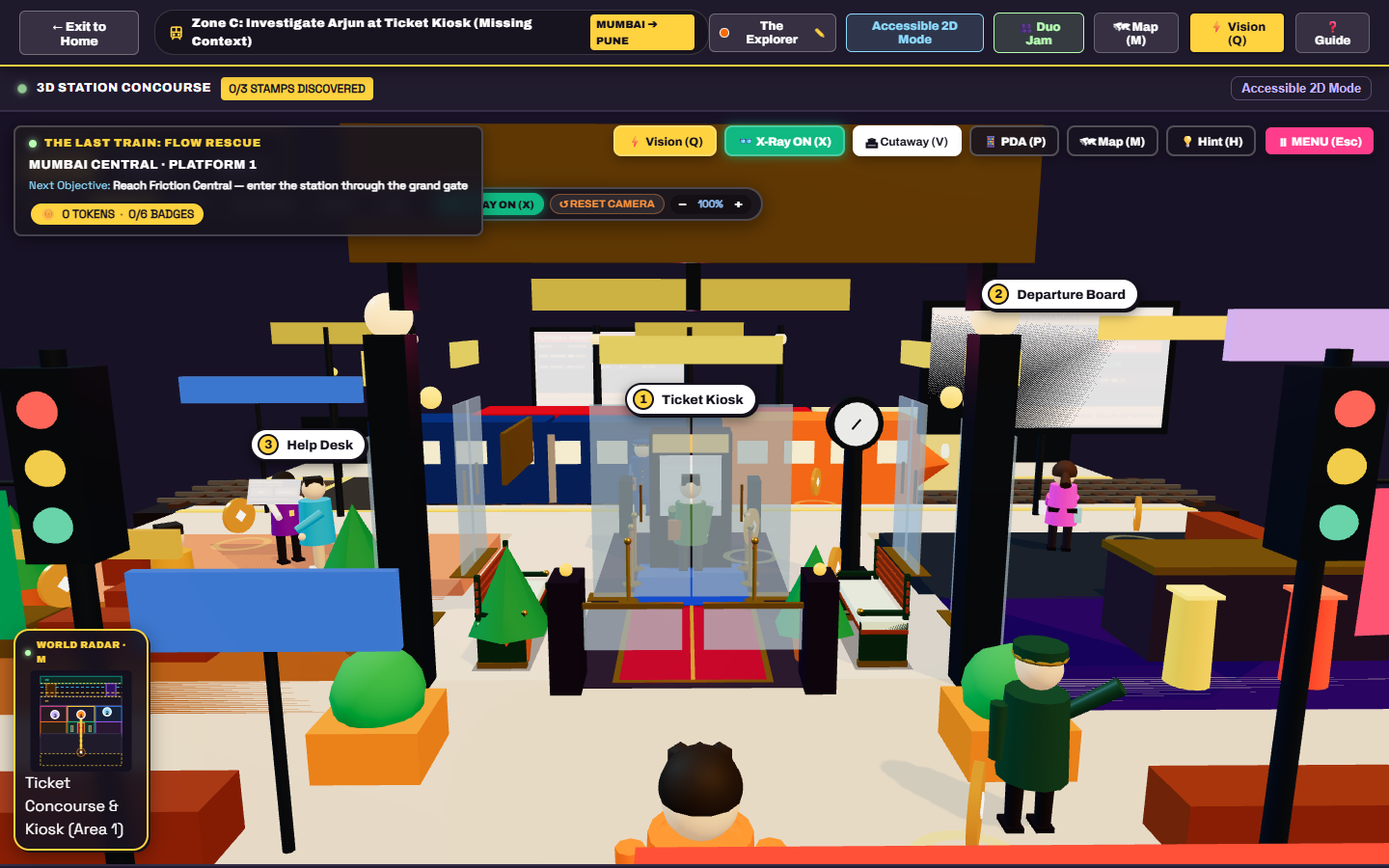
Players choose a traveler avatar and enter a stylized railway environment with recognizable transit spaces, station landmarks, passengers, and navigation tools. The mission connects exploration with a real purpose: helping a traveler complete a ticket-booking journey.
2. Discover three UX problems
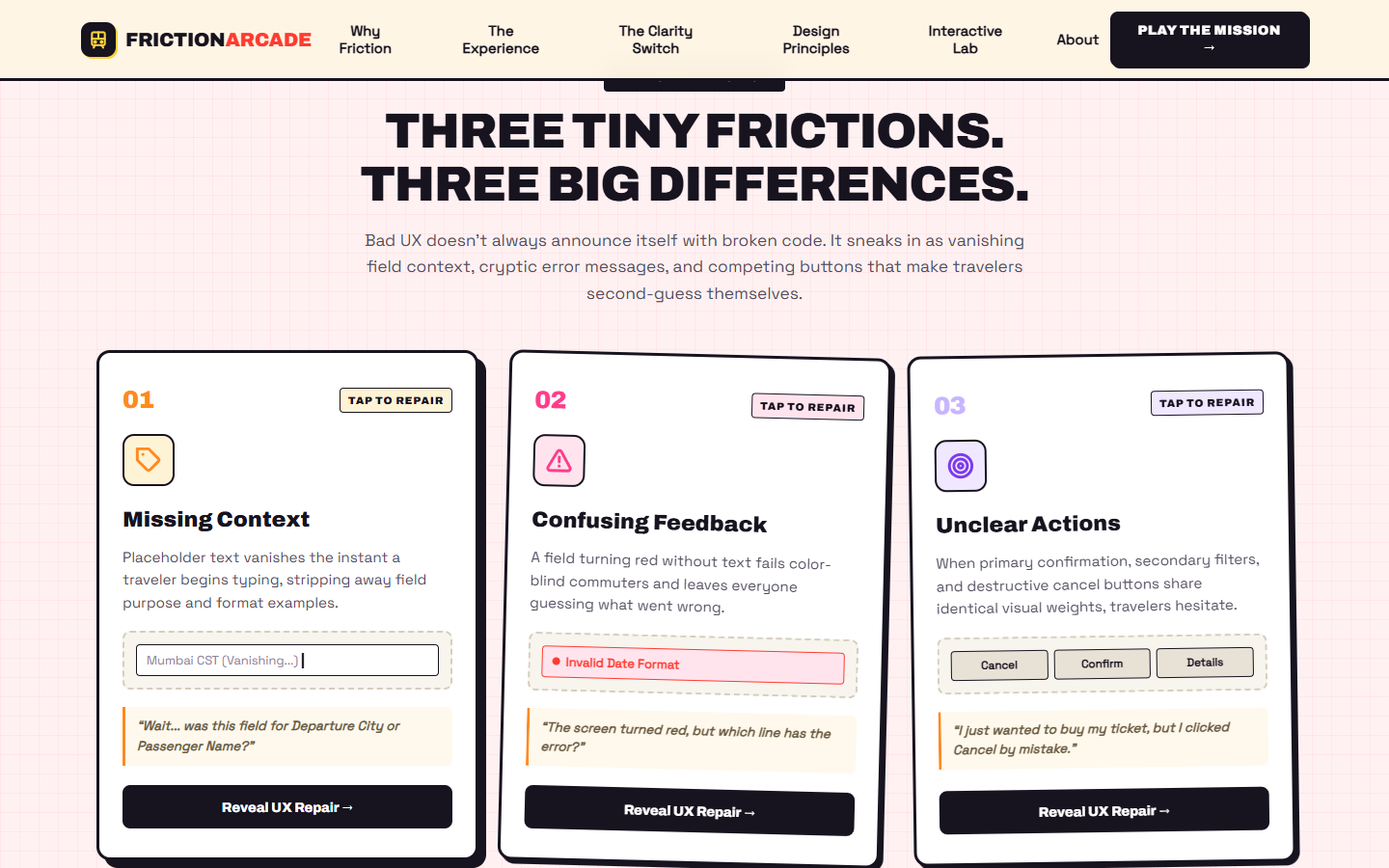
The mission focuses on three common interface failures:
- Missing context: Placeholder-only fields lose their instructions when someone starts typing.
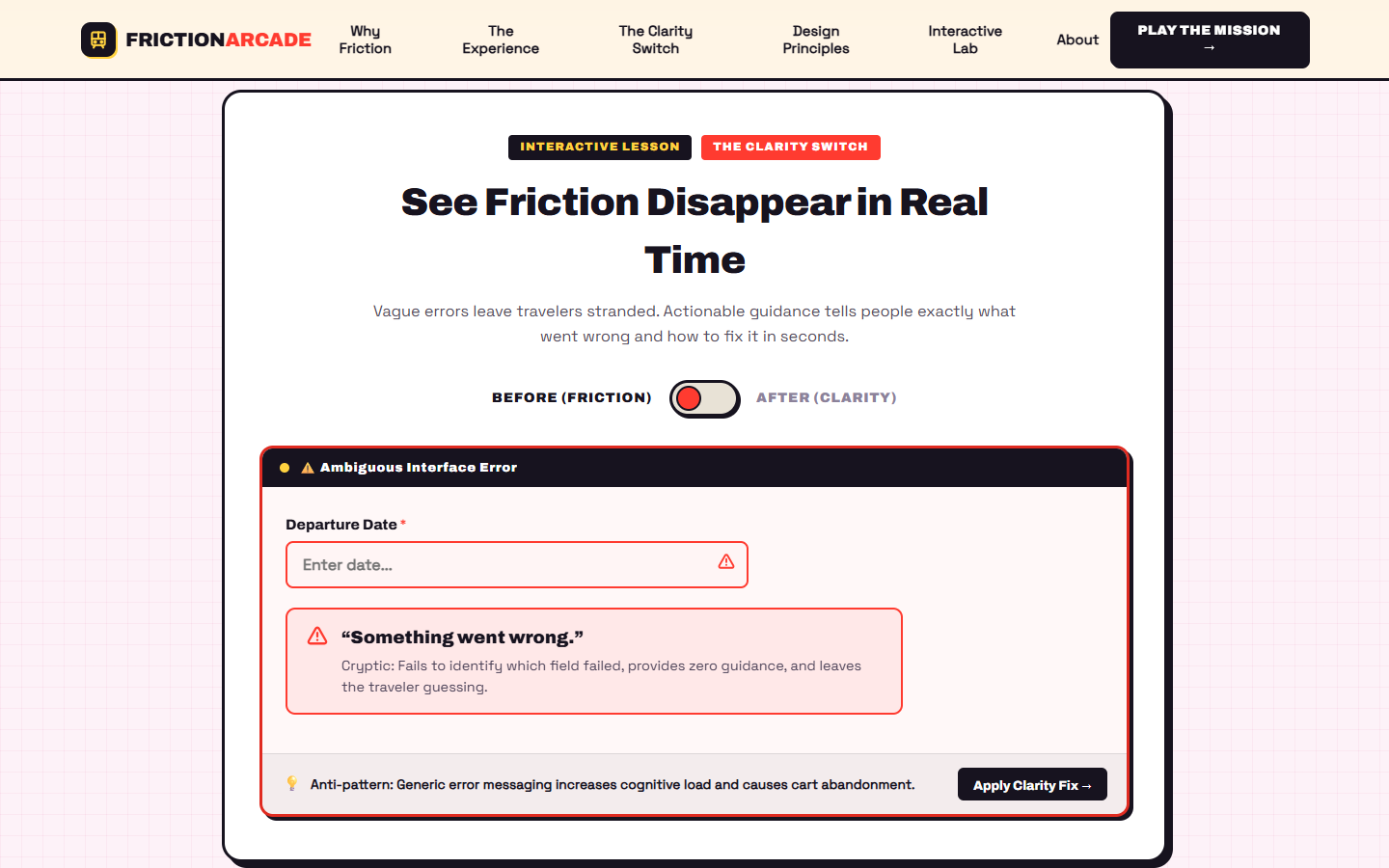
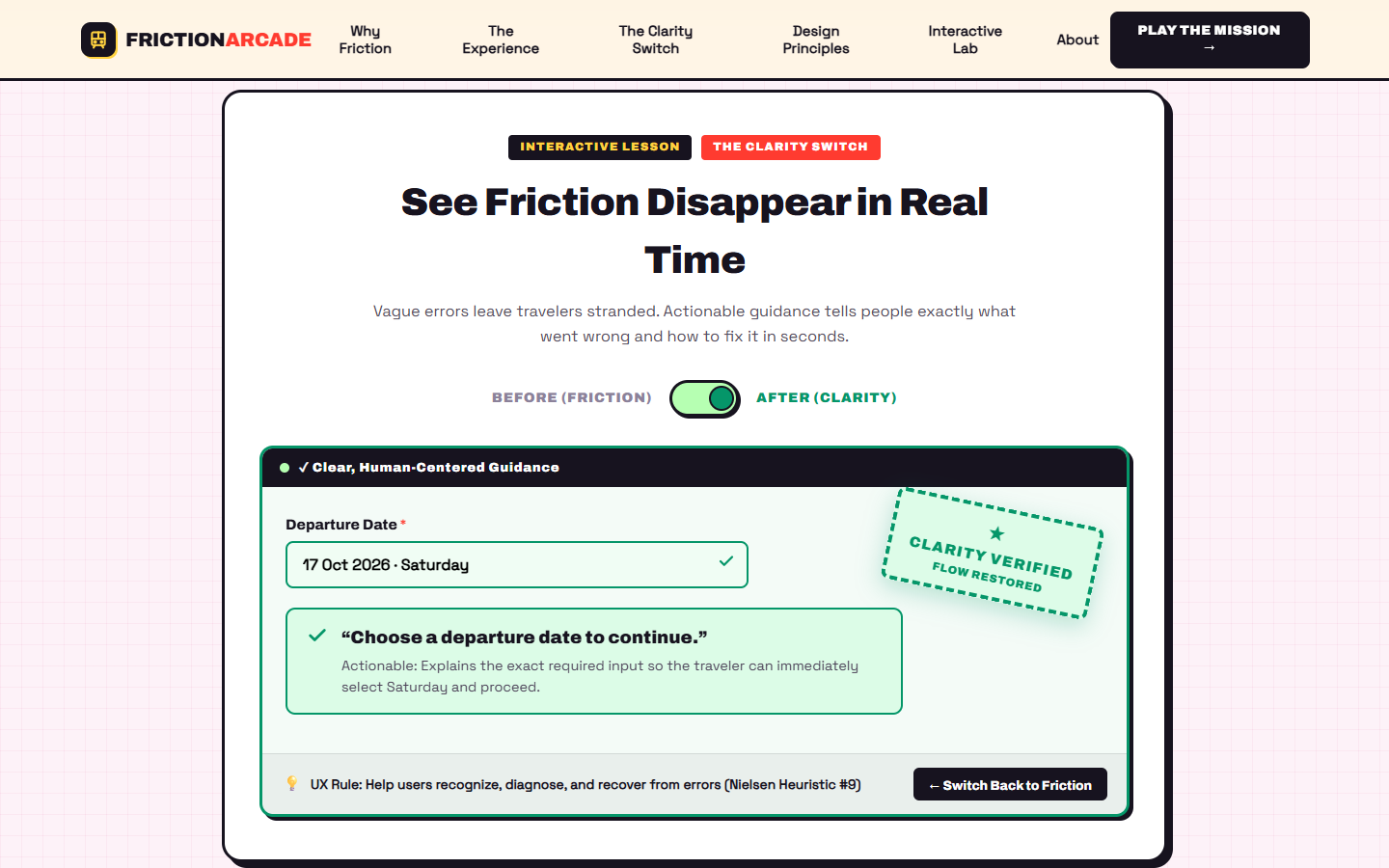
- Confusing feedback: Generic errors fail to explain what went wrong or how to recover.
- Unclear action hierarchy: Competing actions make the next step harder to identify confidently.
Players investigate the relevant station landmarks and passenger situations instead of simply reading a list of problems.
3. Diagnose the cause with Friction Vision
Friction Vision turns observation into an investigation. Players examine an authored passenger scenario, consider possible explanations, and choose the most appropriate diagnosis.
Correct answers reveal the underlying usability principle and award evidence toward mission progress. Incorrect answers provide explanatory feedback and allow another attempt.
This connects an observable interaction problem with its likely design cause and a practical improvement.
4. Experience the BEFORE booking flow
Players attempt a fictional ticket-booking task containing intentional usability flaws. The interface includes interactive fields and validation behavior that lets players experience the consequences of unclear labels, feedback, and action hierarchy.
The game records elapsed time and validation-error counts for the player's run.
5. Repair the design in Designer Mode
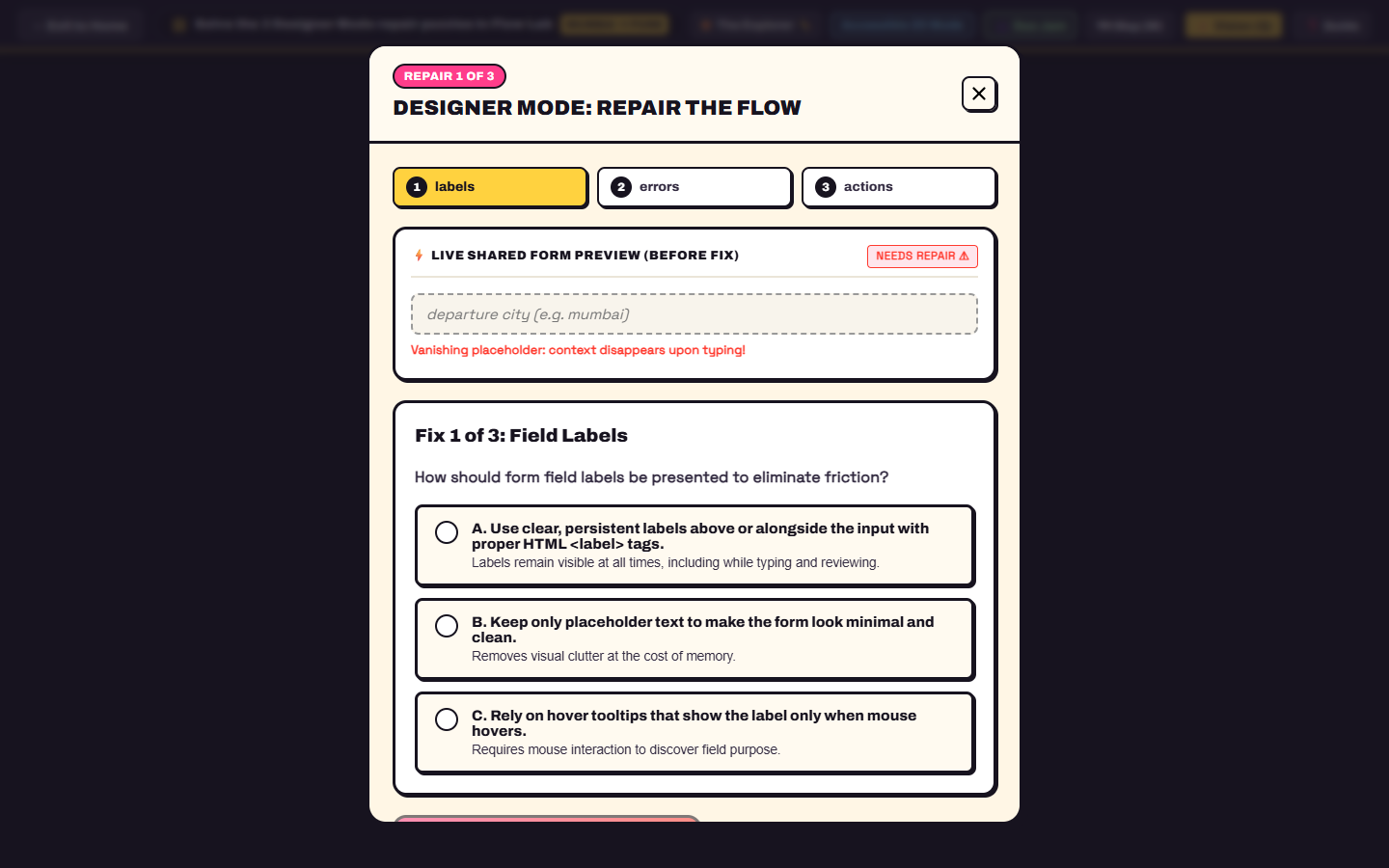
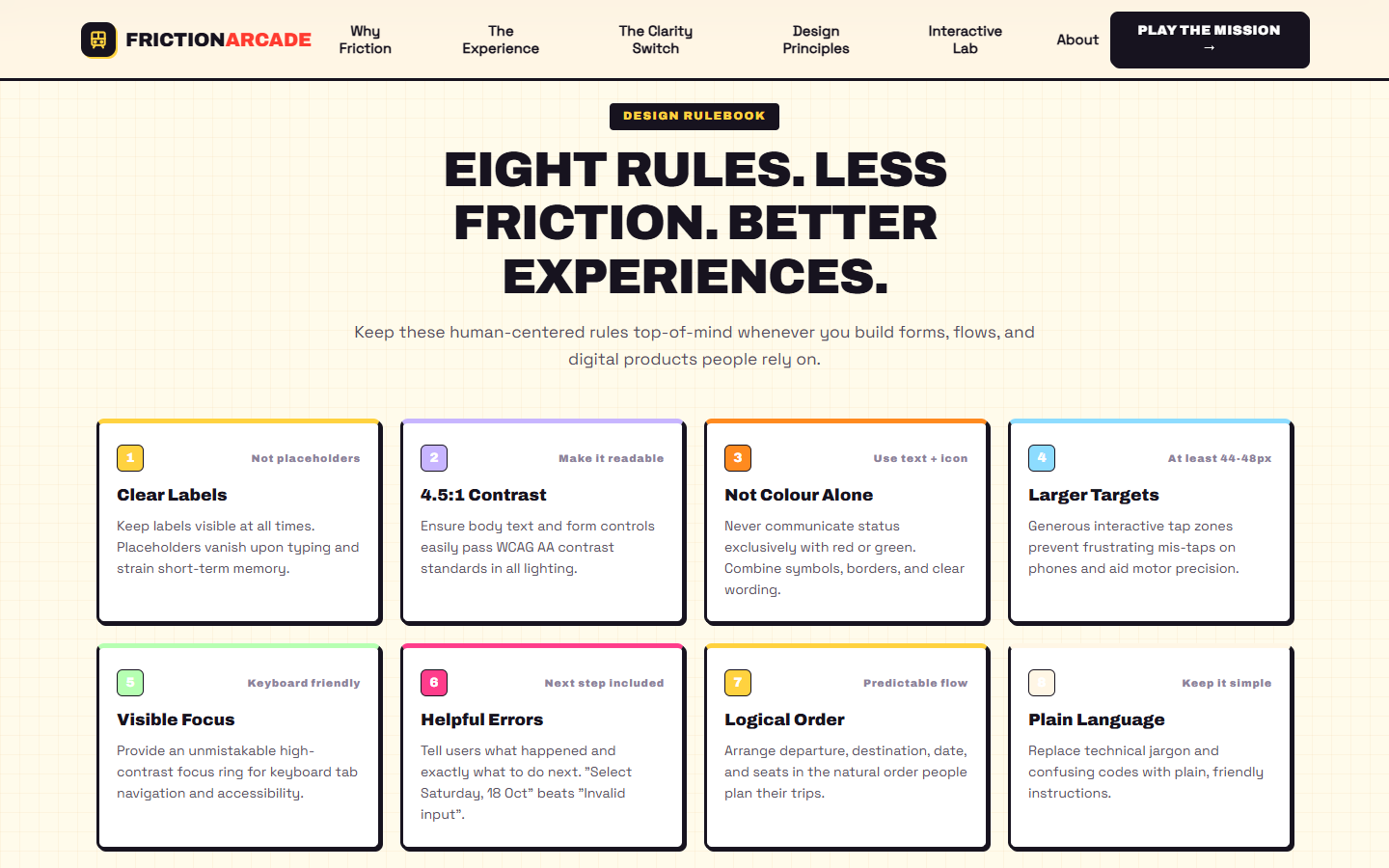
Players tackle three repair challenges covering persistent labels, actionable error feedback, and clear action hierarchy.
Each challenge presents possible solutions with explanatory feedback. As repairs are selected, the shared component preview illustrates the improved design.
Players then retry the booking task using an improved interface with clearer instructions, feedback, and actions.
6. See the difference
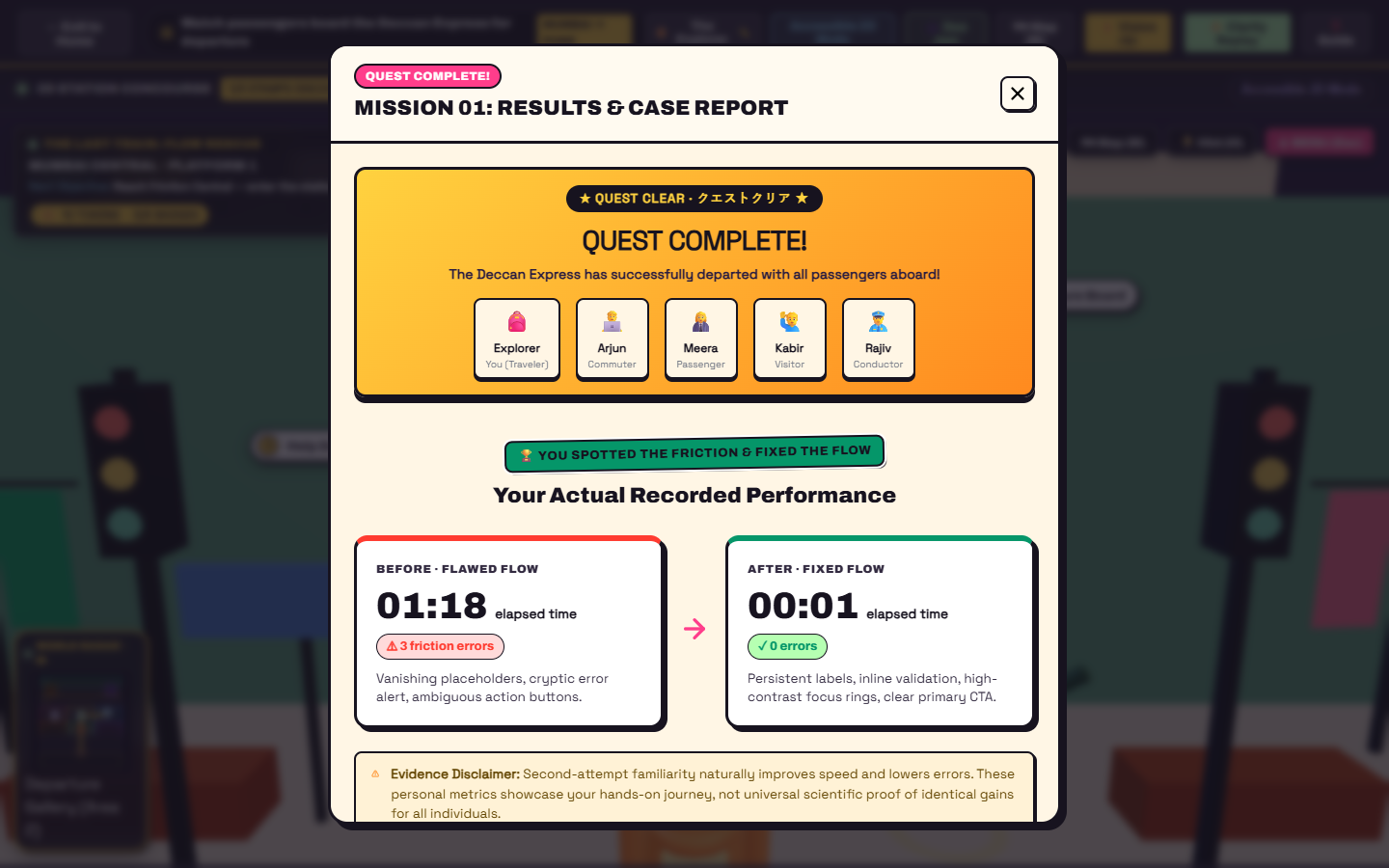
The results experience compares the player's recorded BEFORE and AFTER times and validation-error counts. It also incorporates mission progress, collectible rewards, badges, and a practical design-rule recap.
These are personal gameplay measurements, not claims of statistically proven usability improvement.
7. Learn beyond the mission
The separate editorial landing page introduces the problem and its design lessons, alongside an interactive clarity example and a practical rulebook.
An accessible 2D alternative provides another way to approach the mission without depending entirely on 3D navigation.
How we built it
FRICTION ARCADE is implemented as a browser-based application using a React, TypeScript, and Vite architecture.
Technology stack
- React: Interface components, modals, mission screens, and interactive learning flows.
- TypeScript: Typed application logic and component interfaces.
- Vite: Development server and production build tooling.
- Three.js: 3D environment rendering, character presentation, and game-world objects.
- HTML and CSS: Responsive layouts, booking forms, interaction states, typography, and accessibility-oriented styling.
- SVG: Lightweight diagrams and map-style visualizations.
- Node.js test runner and TypeScript build checks: Automated verification of key mission logic, navigation data, reward handling, and route separation.
Separating the website from the game
The editorial landing page and playable game are separated into different routes. The landing page introduces the product, while the dedicated play route loads the game on demand.
This keeps the game renderer and its interaction systems separate from the normal landing-page experience, while allowing visitors to enter the mission through an explicit action.
Data-driven mission design
The mission defines its UX clues, diagnosis options, repair choices, design principles, and navigation information as structured data. The application connects player actions with feedback and mission progression through this information.
Accessibility and interaction design
Accessibility is central to the educational purpose. The project includes a 2D mission alternative, keyboard-oriented controls, persistent-label and inline-error examples, visible-focus design principles, and guidance on appropriately sized touch targets.
This is an educational prototype; broader manual and assistive-technology testing is still necessary before claiming complete accessibility compliance.
Testing and verification
The reported local verification run passed 36 automated tests covering areas such as mission progression, room connectivity, doorway reachability, train lifecycle logic, reward handling, route separation, design rules, and navigation data.
The TypeScript production build also completed successfully. These results describe the verified local repository build, not an independently verified test of every feature on the public deployment.
Challenges we ran into
Making exploration serve a purpose
A 3D environment is only useful when exploring it helps players understand the problem. We connected station landmarks to specific passenger situations and UX investigations so discoveries contribute directly to the learning journey.
Connecting diagnosis to practical repairs
Recognizing a bad interface is different from knowing how to improve it. Friction Vision and Designer Mode connect the observed symptom, its underlying cause, and a concrete repair.
Keeping gameplay and learning coherent
The experience needs to work as both a game and an educational tool. Mission progression, map navigation, booking challenges, explanatory feedback, and results must support the same objective rather than feel like disconnected screens.
Maintaining a reliable 3D experience
Navigation, camera framing, character movement, room access, and interactive landmarks all affect whether a player can explore comfortably. These systems require continued browser testing across screen sizes and movement scenarios.
Preserving the accessible alternative
A visually rich 3D environment can introduce unnecessary barriers. Maintaining a simpler 2D path helps preserve access to the central learning challenge without making 3D movement mandatory.
Accomplishments that we're proud of
- A playable learning concept: UX design principles are experienced through a mission rather than delivered only as text.
- A connected investigation loop: Explore landmarks, observe passenger friction, diagnose problems, apply repairs, and review the results.
- A signature diagnosis mechanic: Friction Vision turns usability clues into actionable learning moments.
- An interactive before-and-after comparison: Players compare their own recorded attempt metrics instead of being shown fabricated benchmark statistics.
- A live repair-preview concept: Designer Mode connects selected answers to visible interface improvements.
- An accessible alternative: The mission does not depend entirely on 3D navigation.
- A separate editorial website: The project explains its purpose before the visitor enters the game.
- Automated local verification: The reported 36-test run and successful TypeScript production build provide a foundation for further development.
Most importantly, the project makes usability problems something people can actively investigate and repair.
What we learned
This project reinforced that polished UI is not enough. A useful digital experience must help people understand where they are, what has happened, which choices are available, and what to do next.
We learned to connect interface details to their real consequences. A persistent label reduces memory demands; a specific error message provides a recovery path; and clear action hierarchy helps people move forward with greater confidence.
We also learned that gamification works best when rewards reinforce meaningful progress. Evidence, stamps, tokens, and badges are intended to encourage exploration and acknowledge learning rather than distract from it.
From a technical perspective, we gained experience coordinating a 3D world, interactive UI components, mission state, navigation data, and an accessible alternative within one application. We also saw why a successful local build and automated tests must be followed by direct testing of the deployed experience.
What's next for FRICTION ARCADE: The Last Train — Flow Rescue
Our next priorities are to strengthen both the game world and the evidence behind the learning experience.
- Improve environmental exploration: Refine room entrances, corridor connectivity, camera control, collision behavior, and map guidance.
- Make the station feel alive: Further develop passenger behaviors, train arrivals and departures, boarding sequences, and meaningful interactions throughout the world.
- Expand rewards and replayability: Connect optional discoveries, collectible tokens, badges, and side quests to clear objectives and useful feedback.
- Test with real players: Observe first-time users completing the mission and use their feedback to improve controls, accessibility, and instructions.
- Evaluate the learning experience: Explore whether players can apply the lessons from the game to unfamiliar interface-design problems.
- Strengthen release quality: Verify the deployed build against the current repository, investigate navigation and rendering issues, and improve performance and responsive behavior.
FRICTION ARCADE is built around one belief: small design fixes can make everyday digital journeys clearer. Find the friction. Fix the flow.
Built With
- accessibility
- browser
- css3
- development
- educational
- frontend
- gamification
- github
- html5
- human-centered
- innovation-games
- interactive
- javascript
- node.js
- react
- svg
- technology
- three.js
- typescript
- ui/ux
- usability
- vite
- webgl

Log in or sign up for Devpost to join the conversation.