-
-
introducing freshly!
-
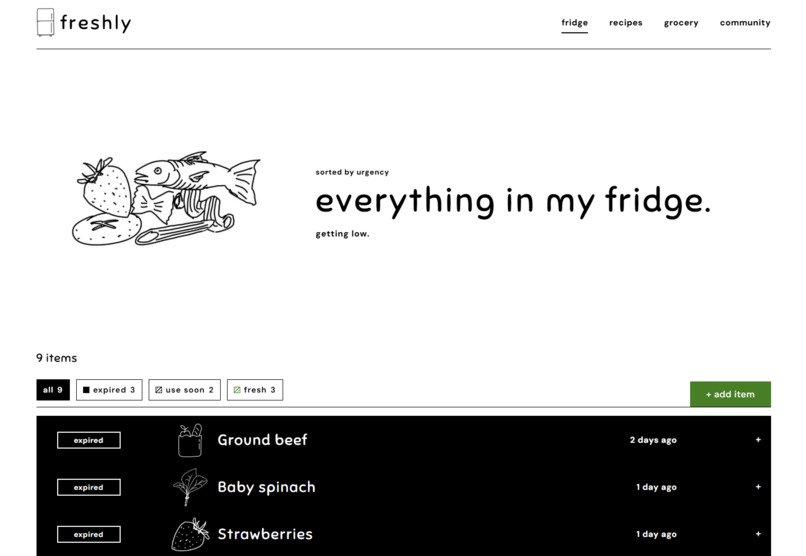
welcome to my fridge
-
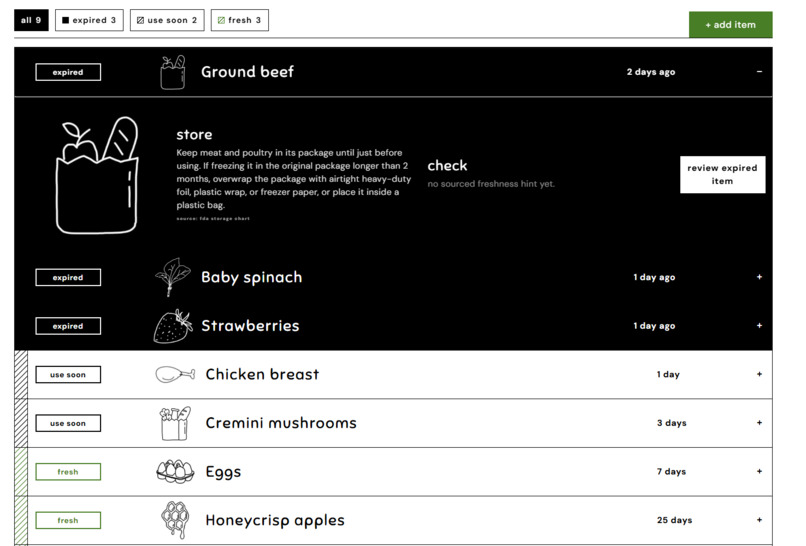
uh oh! that is spoiled
-
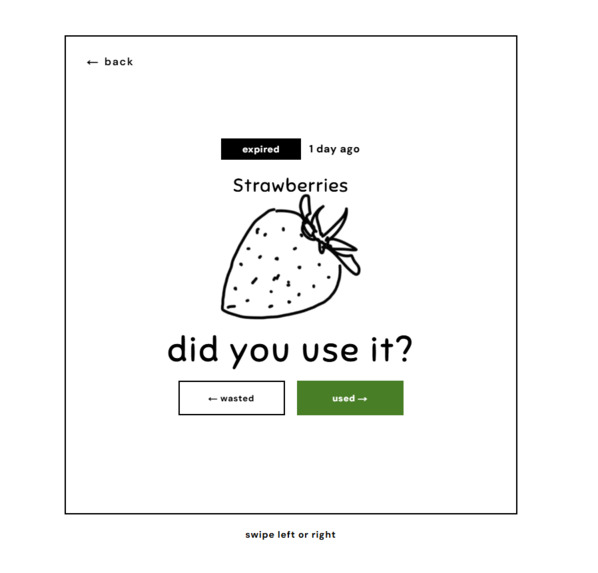
oh no my strawberries
-
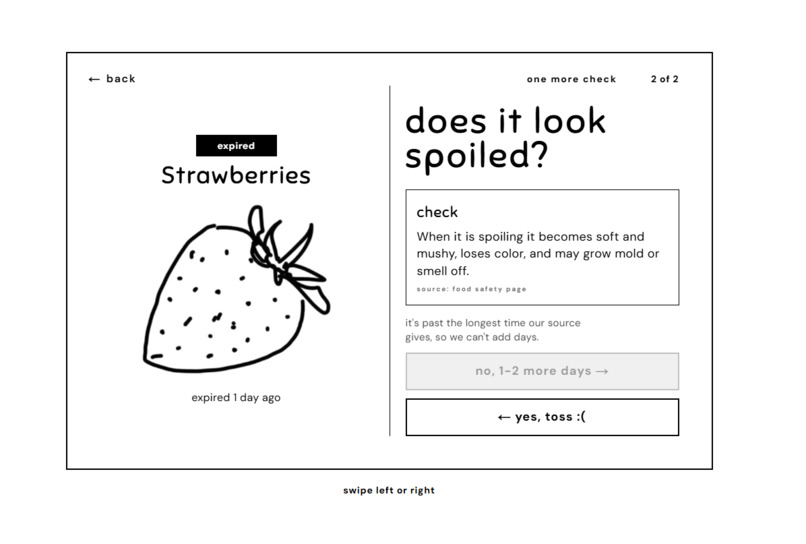
throwing them out
-
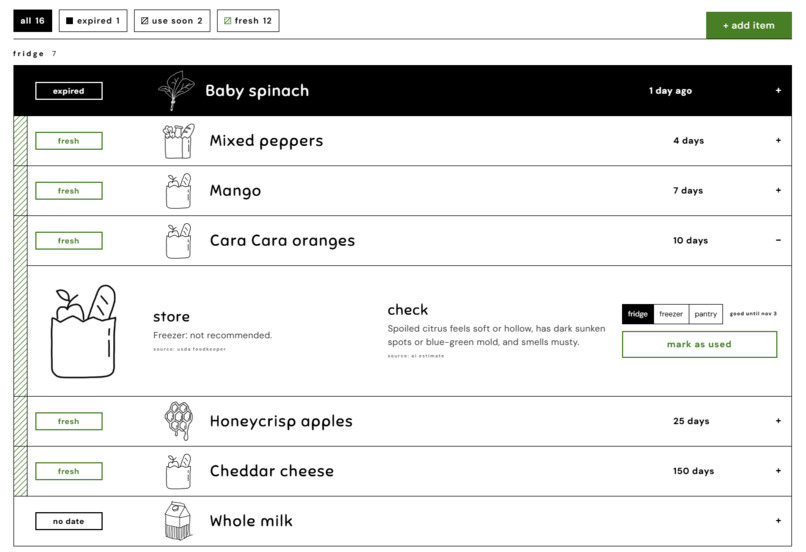
cara cara oranges look tasty
-
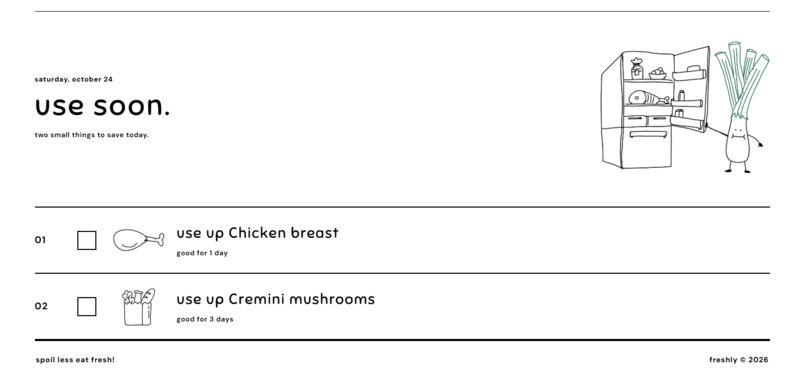
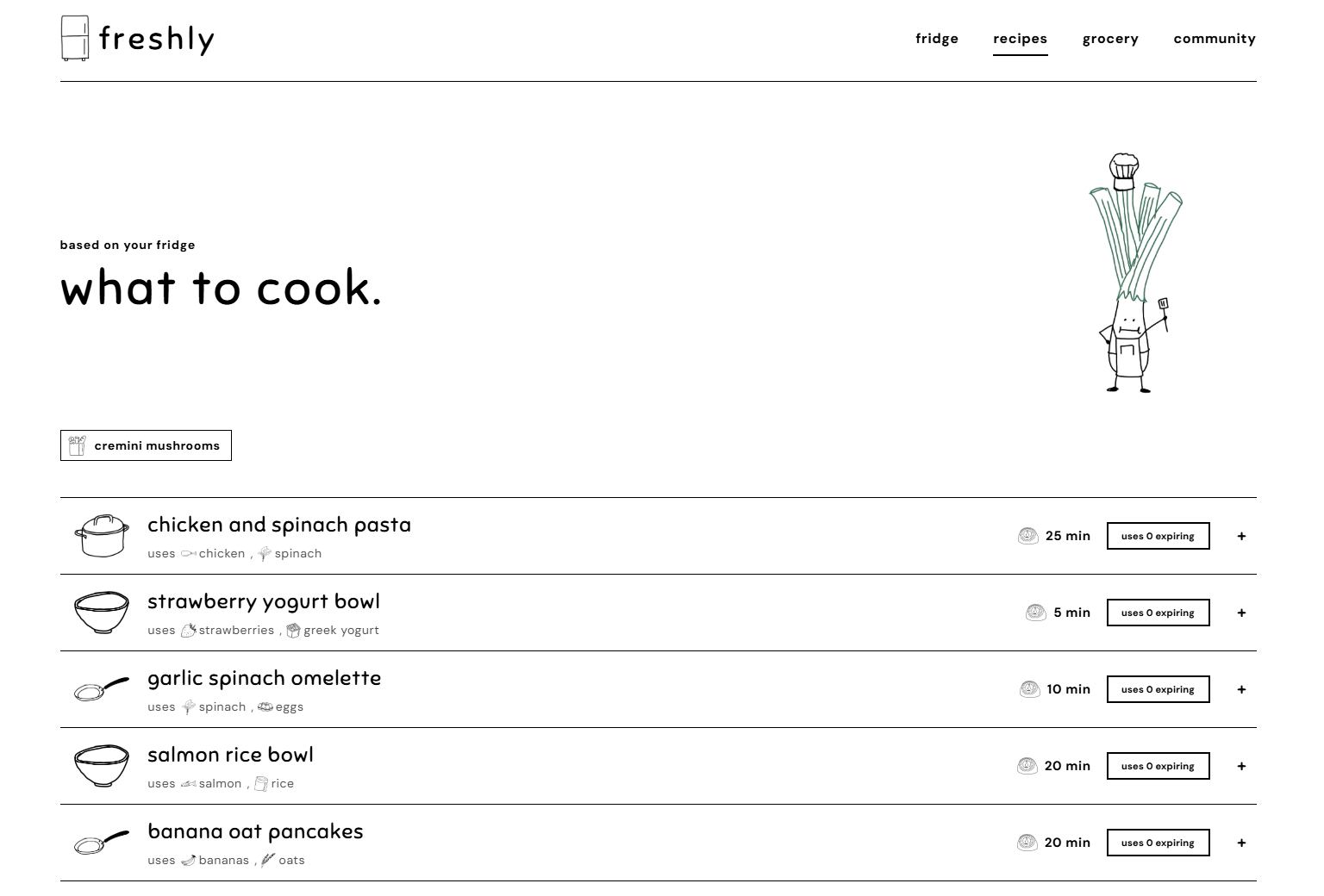
some helpful suggestions
-
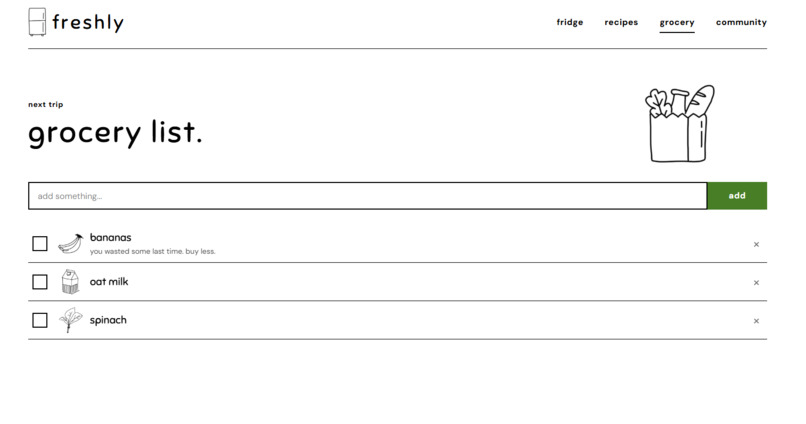
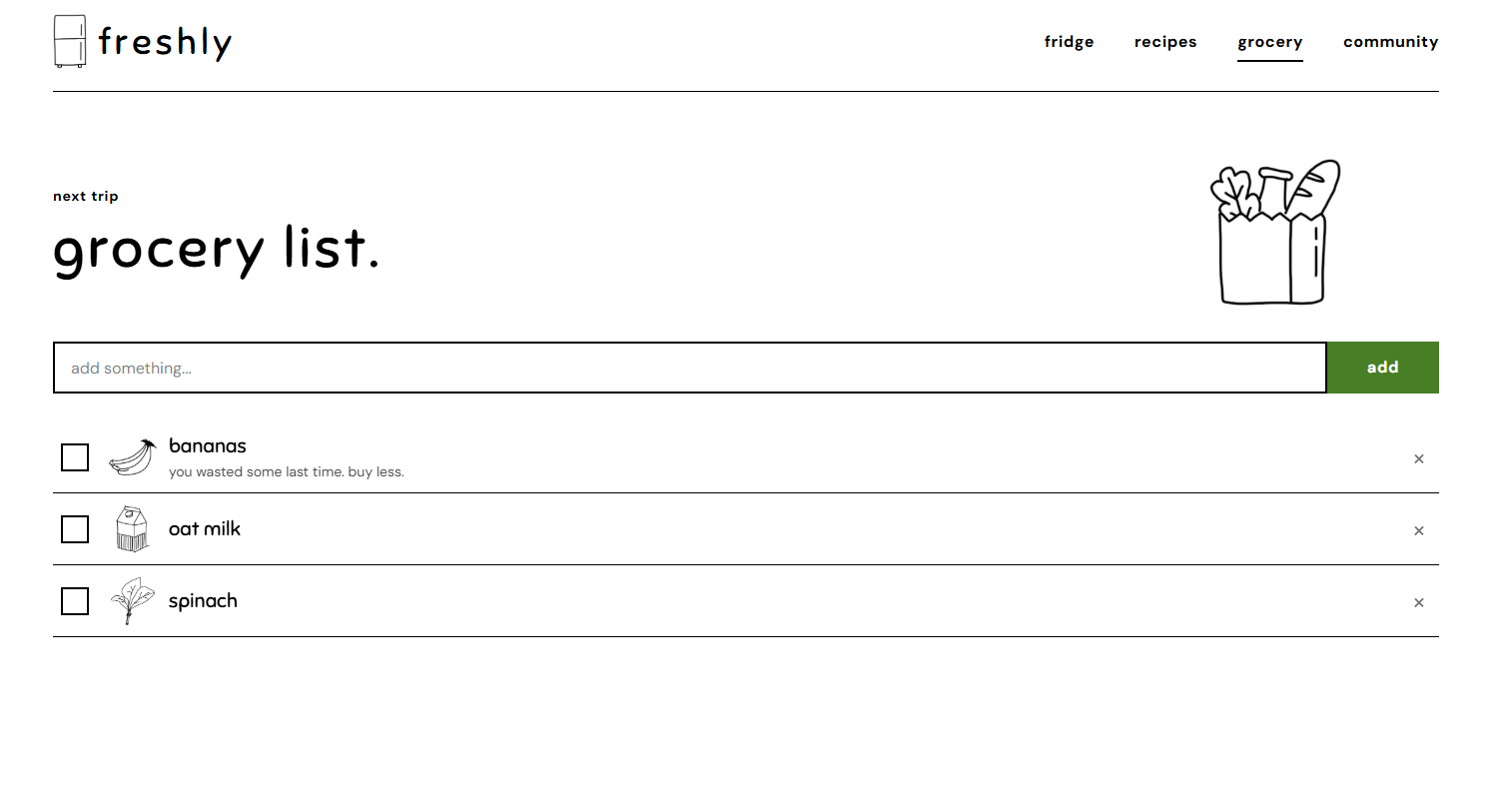
for next grocery run
-
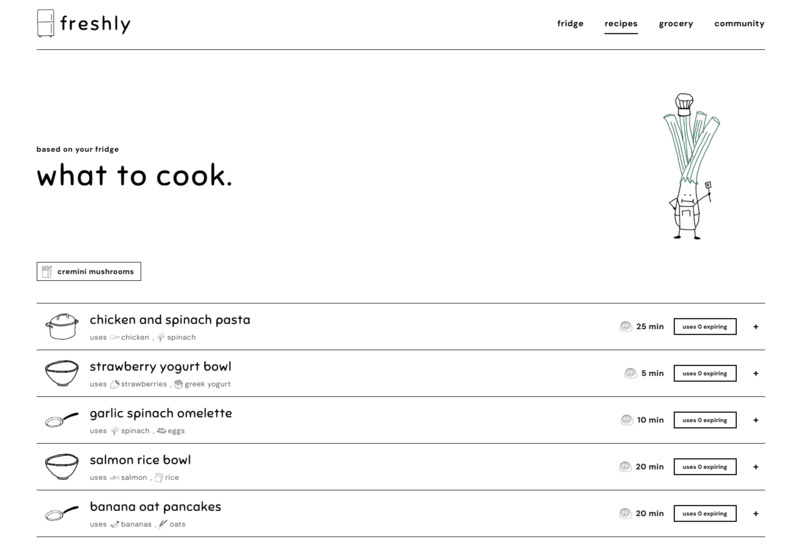
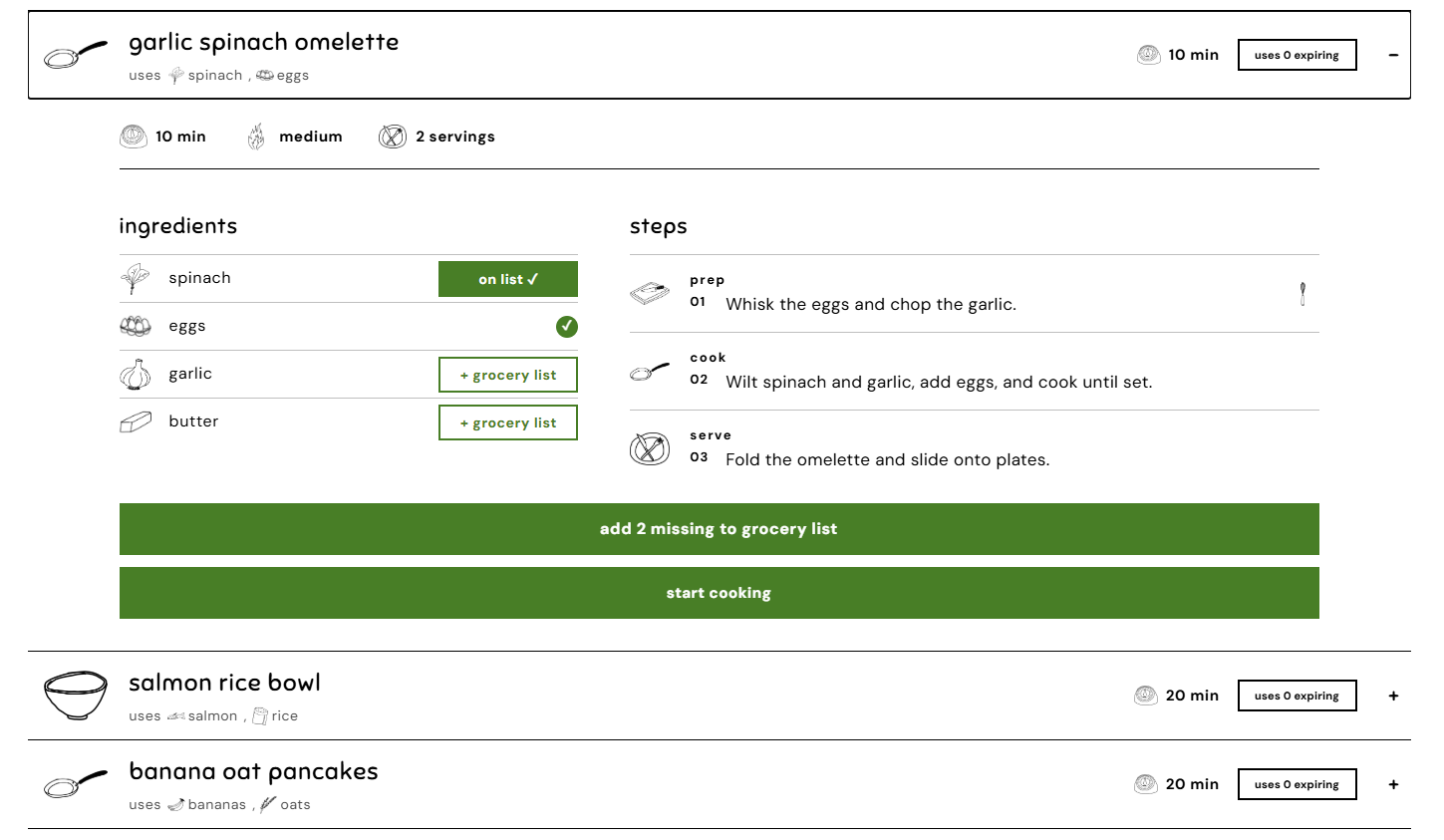
pasta sounds good tonight
-
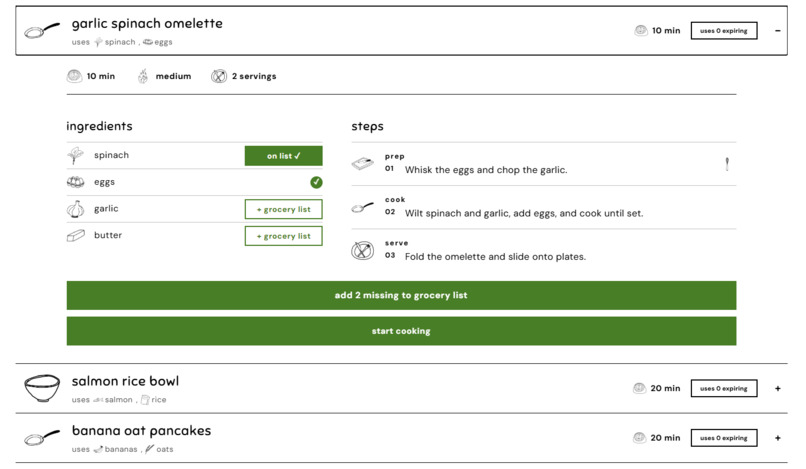
looks like I need to get garlic
-
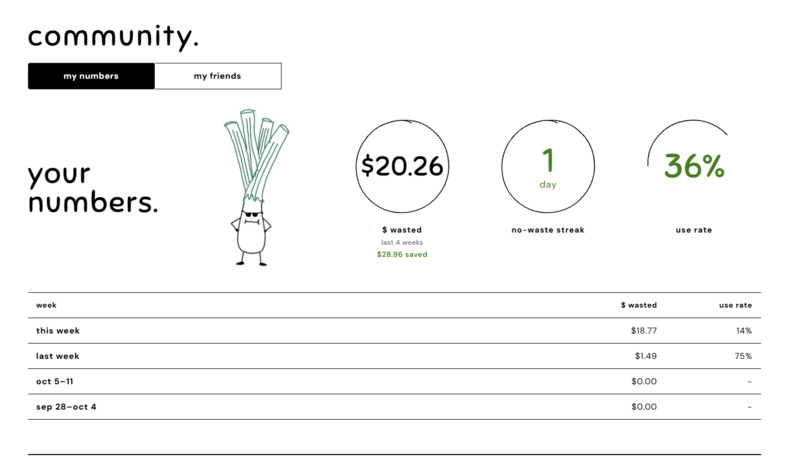
me!
-
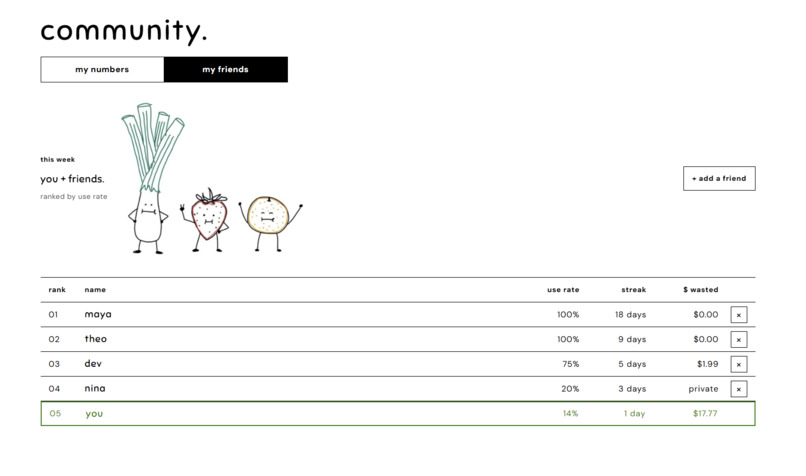
yay friends!
-
a peek into the back
Inspiration
We've all done it: you open the fridge, reach past the sauces, and find a bag of spinach that turned slimy days ago. You bought it with a specific recipe in mind, but you forgot it was there.
That's how most food waste happens. Americans throw away about $762 worth of food per person every year, and 60% of all food waste happens at home, not in restaurants or grocery stores. It's rarely intentional. Food gets buried, outlives a confusing date label, or comes in too big a size, and no one really teaches us how to store it.
We felt this most as college students. Living on your own for the first time means buying groceries on a tight budget, sharing a fridge, and juggling a schedule that makes it easy to forget what you bought. But the problem doesn't end at graduation. Anyone busy, cooking for one, or just forgetful knows the feeling.
Smart fridges that spot food with cameras cost thousands of dollars, and cheaper tracking apps get abandoned within weeks because logging feels like a chore and constant notifications turn into noise.
What if keeping food out of the trash took one photo and a quick swipe? Can wasting less feel like a shared goal with your friends?
What It Does
Freshly tracks your food effortlessly and helps you build second-nature habits so less goes to waste. Four tabs (fridge, recipes, grocery, and community) run one simple loop:
- Scan. Snap a photo of your receipt, and Claude turns every line, even cryptic ones like "96715 ORG SPINACH," into a food in your fridge, with Gemini double-checking the store, date, and total. Add leftovers and takeout by hand.
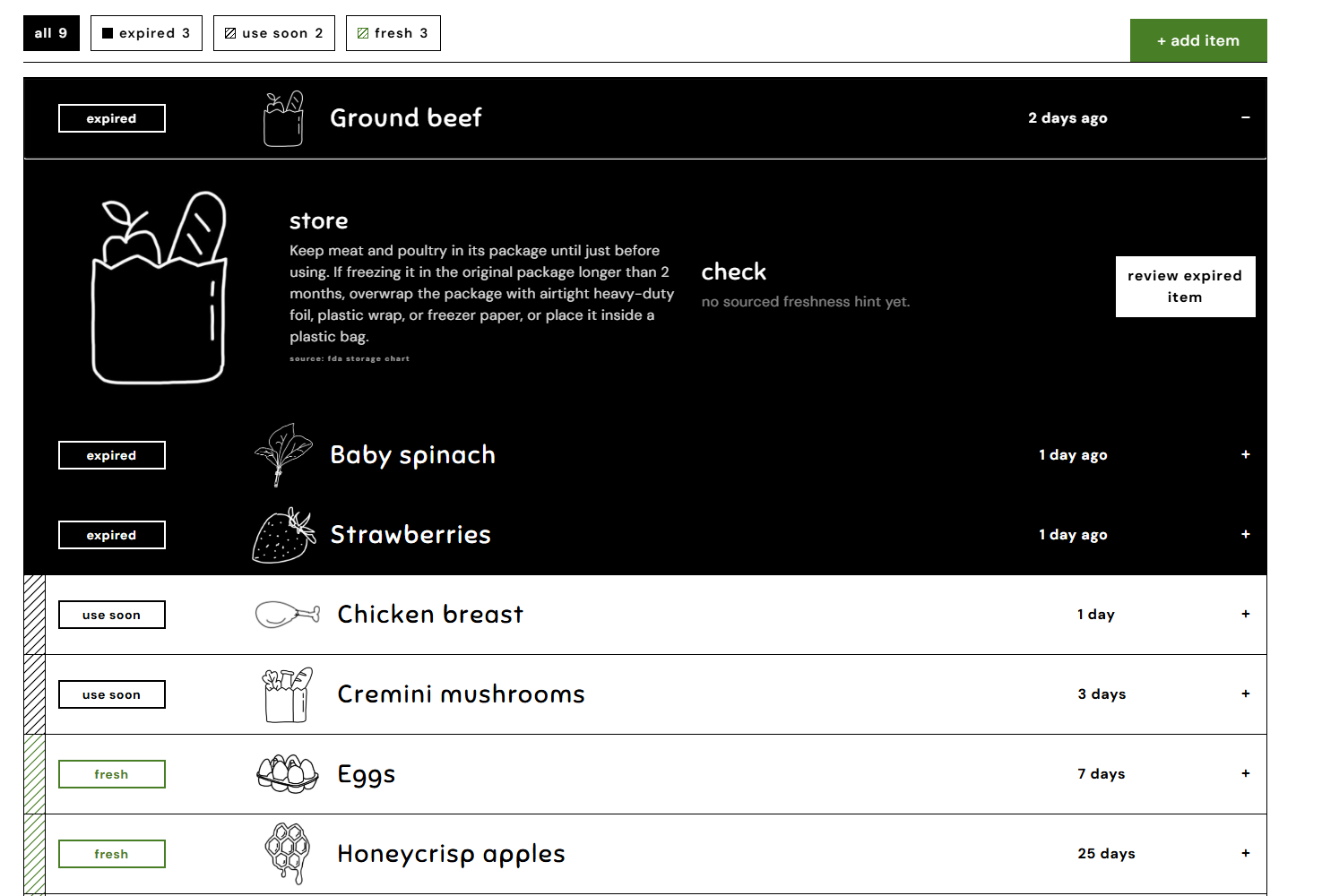
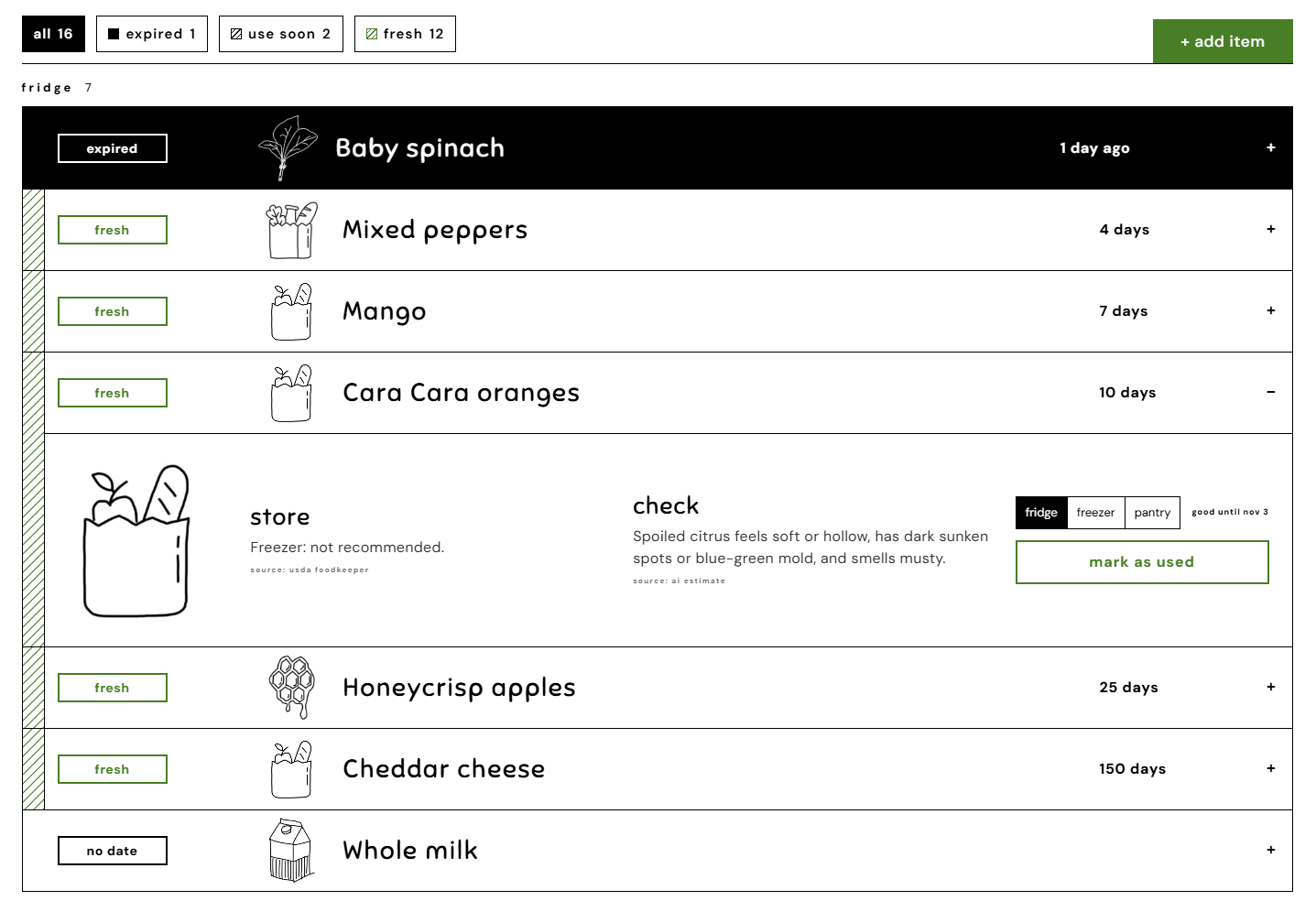
- Estimate. Each item is dated from a sourced shelf-life range (FDA, then USDA FoodKeeper, then Apify web scraping of a trusted shelf-life page), always using the low end so food is often still good on its date. If no source has an answer, Freshly won't guess and asks you to add the date from the package.
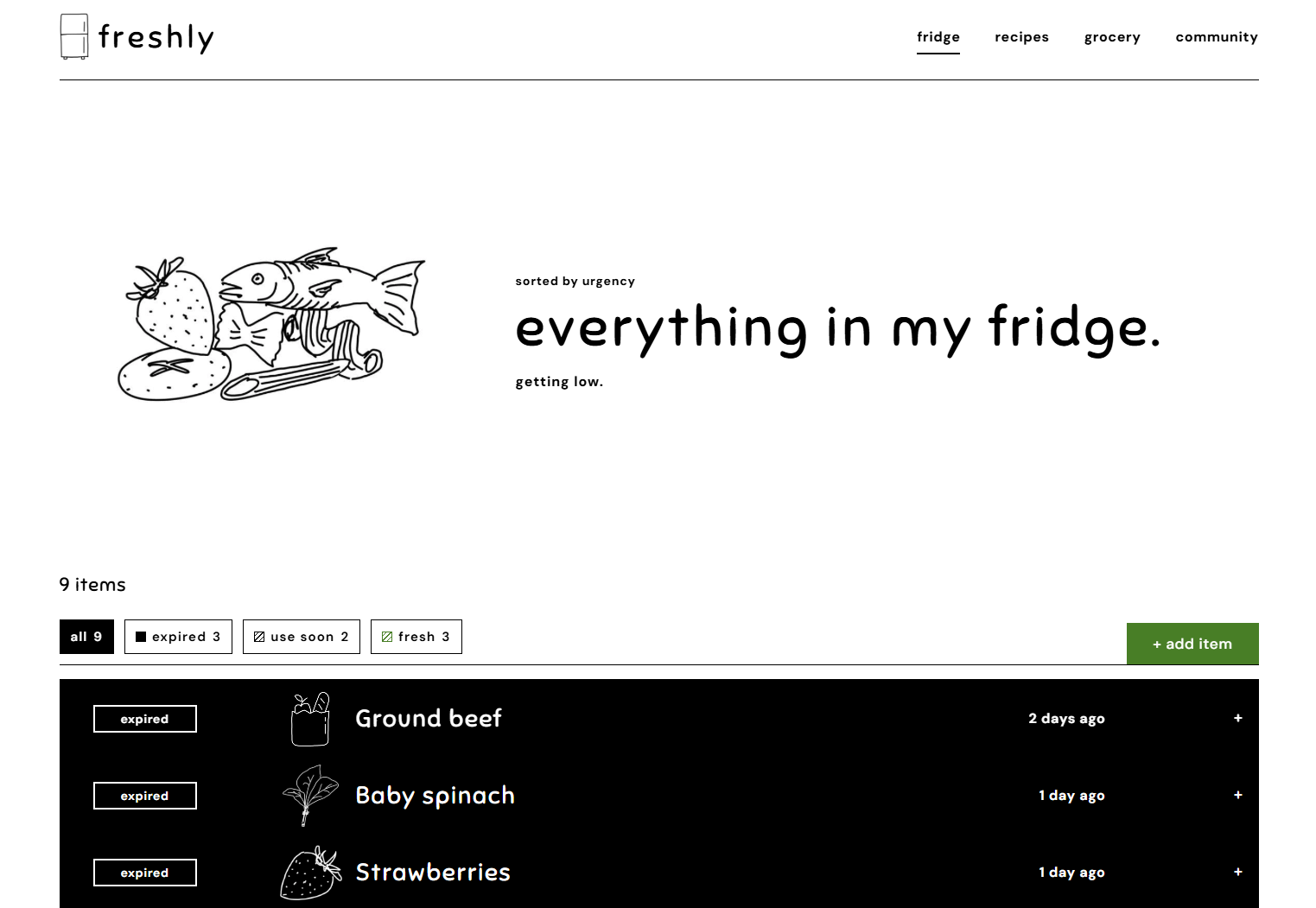
- See your fridge at a glance. Everything is sorted by expiry date and tagged expired, use soon, or fresh, and your hand-drawn food pile grows and shrinks automatically as you shop and eat.
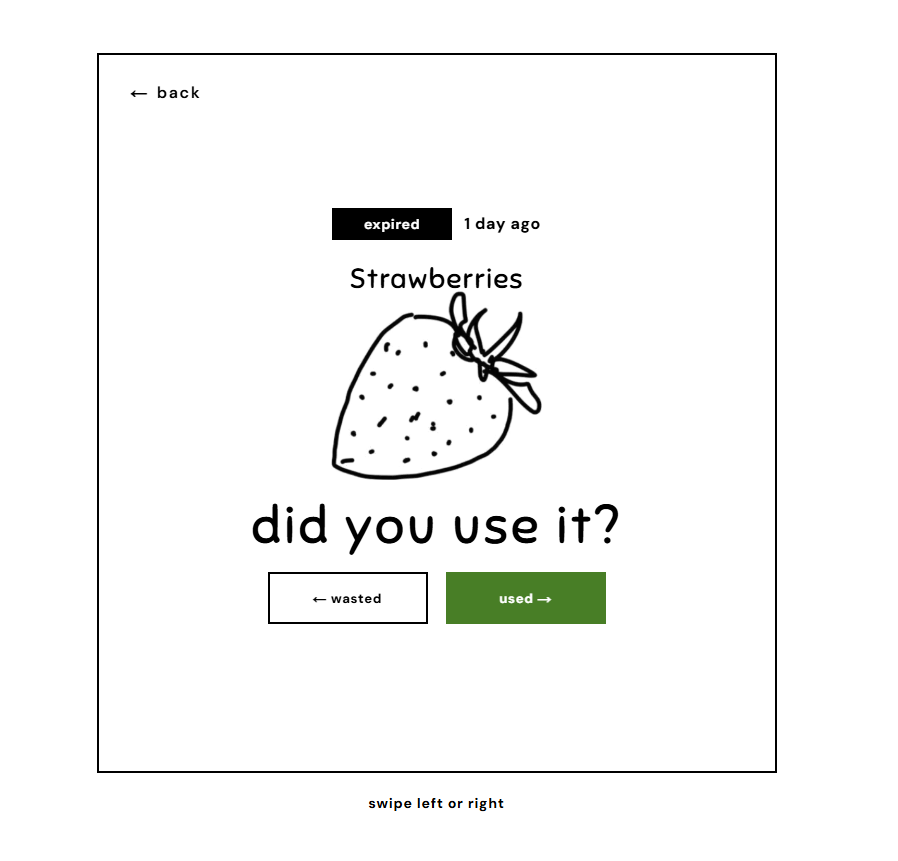
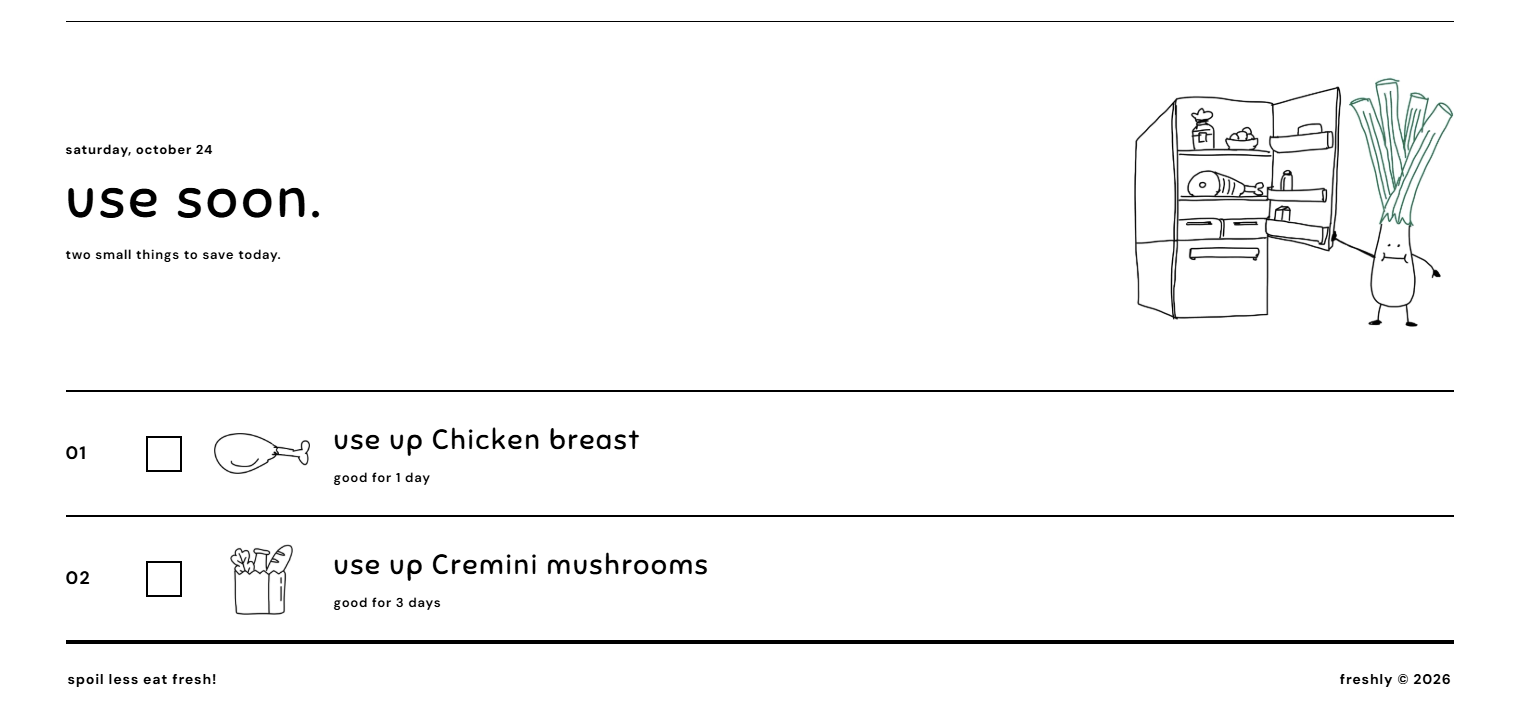
- Remind and Swipe. Instead of a stream of notifications, Freshly checks your fridge once a day and sends one reminder covering every item with 7, 3, or 1 day left. You can change those timings, and on days with nothing coming up, you won't hear from it at all. When food reaches its date, swipe right if you used it and left if you didn't.
- Cook what's expiring. The recipes tab builds dishes around the food you need to use first, pulling real recipes from the web with Apify and using Gemini to turn them into step-by-step cards with built-in timers.
- Shop smarter. Freshly flags every grocery item based on your history, like "you wasted some last time, buy less." Scan a receipt and matching items check themselves off.
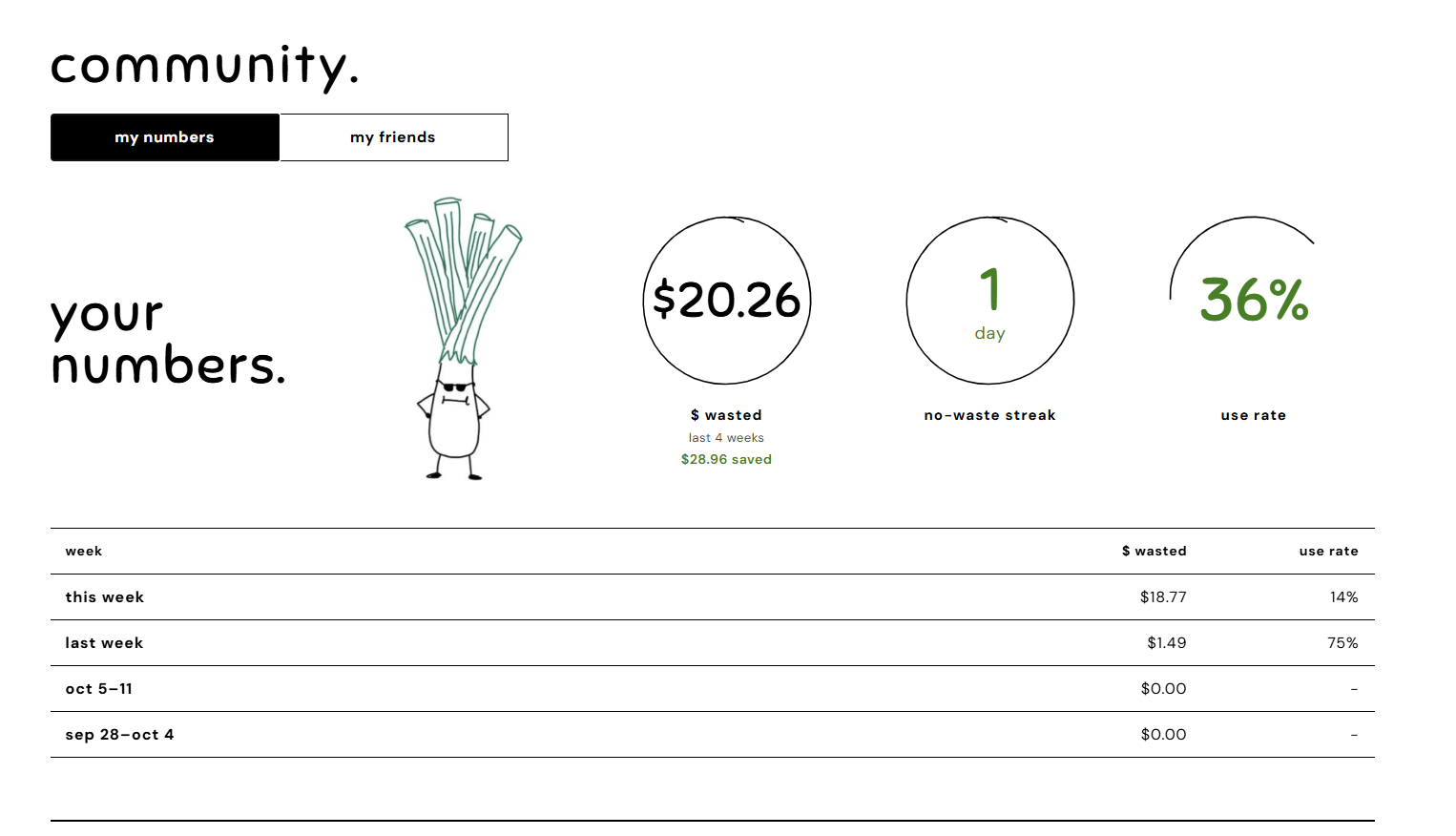
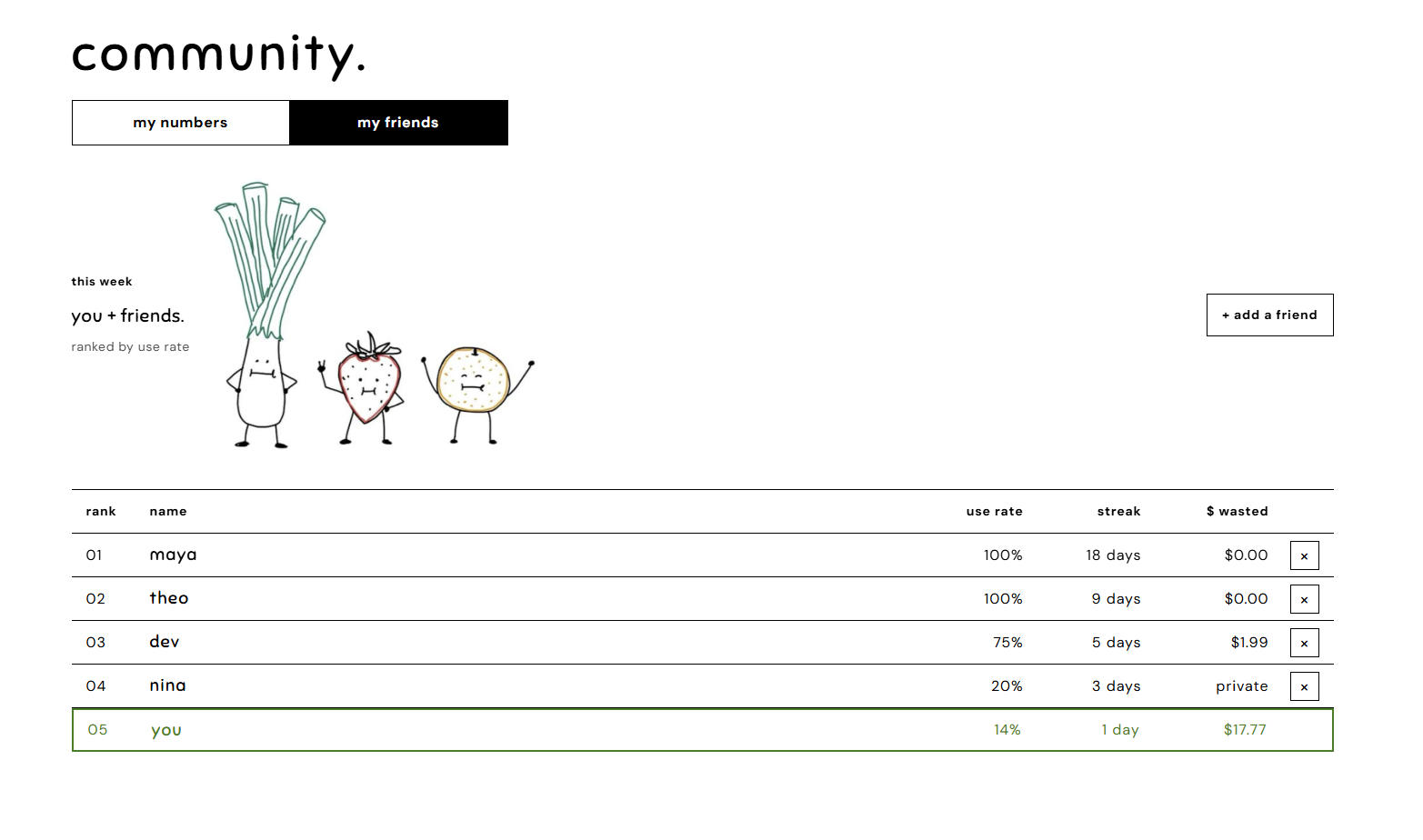
- Learn and compete. Get storage tips for every food, track your personal metrics, and see how your friends are faring.
Freshly gives quality estimates, but never safety guarantees. If a user is in doubt, Freshly suggests throwing it out.
Challenges we ran into
- No database of exact expiry dates exists. The hardest question was when exactly each packaged item expires. To know that, we'd need to know when each product was made, or have access to each grocery store's inventory: what's on the shelf, how old it is, and how often stores restock. None of that is public, and tracking every store's daily inventory ourselves wasn't realistic. So instead of exact dates, we estimate from the most trusted shelf-life source available for each food. Crowdsourcing could help, letting users report when food actually went bad, but collecting that data reliably is its own hard problem.
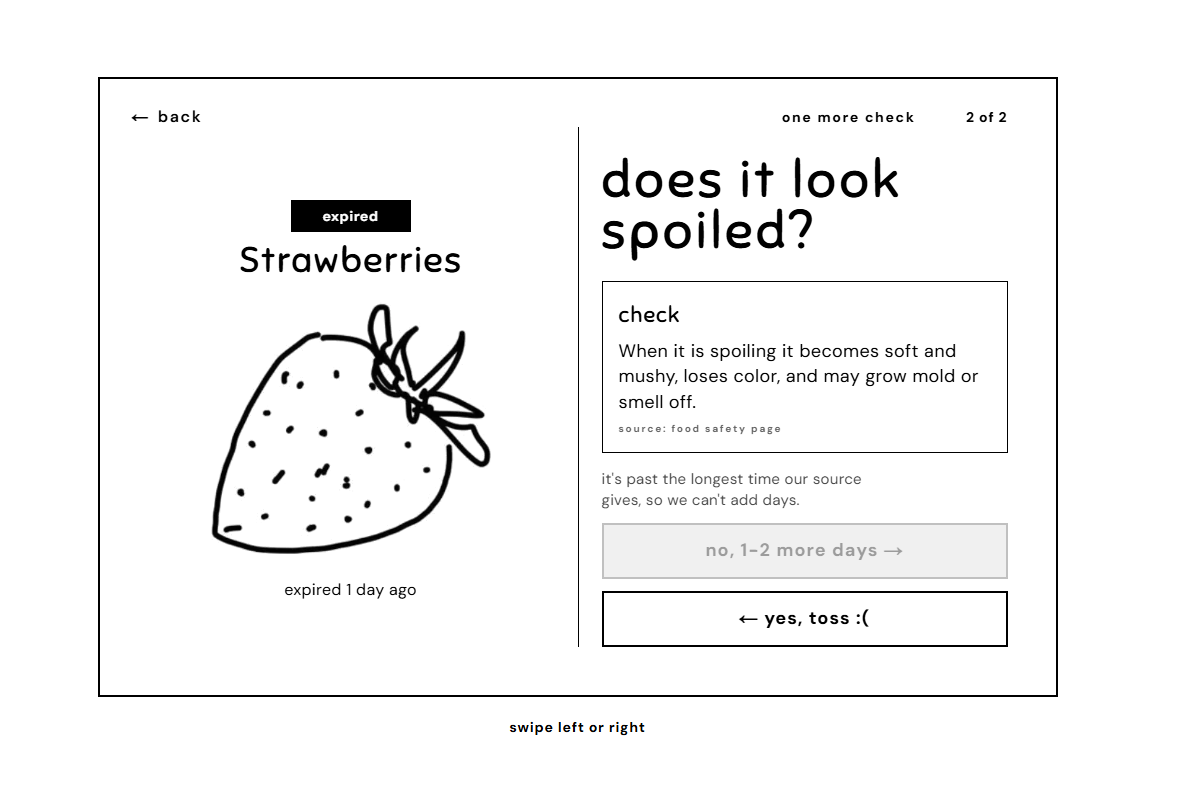
- Designing from the user's perspective. We kept putting ourselves in the user's shoes, and asking "is this spoiled?" about every item got tedious fast. We needed a flow that was quick, logical, and never annoying, so we built swipe cards: one decision per item, with a second question only when the food could still be good. After a few rounds of iteration, we landed on something simple and hard to cheat: items that expire unmarked count as wasted, and tossed items count as half wasted. Every number comes from what the food cost, how much it weighed, and how much you ate.
- Turning the FDA's storage chart into data. Apify has dozens of FDA actors, but they cover recalls, drugs, and devices, not food storage times. So we used Apify to pull the 2023 edition of the FDA's fridge and freezer chart from foodsafety.gov and turned it into our own data file. The chart covers 55 foods (mostly eggs, meat, poultry, fish, deli, and leftovers), so we merged it with USDA FoodKeeper's 649 foods for produce, dairy, and pantry goods. When both sources cover a food, the FDA value wins.
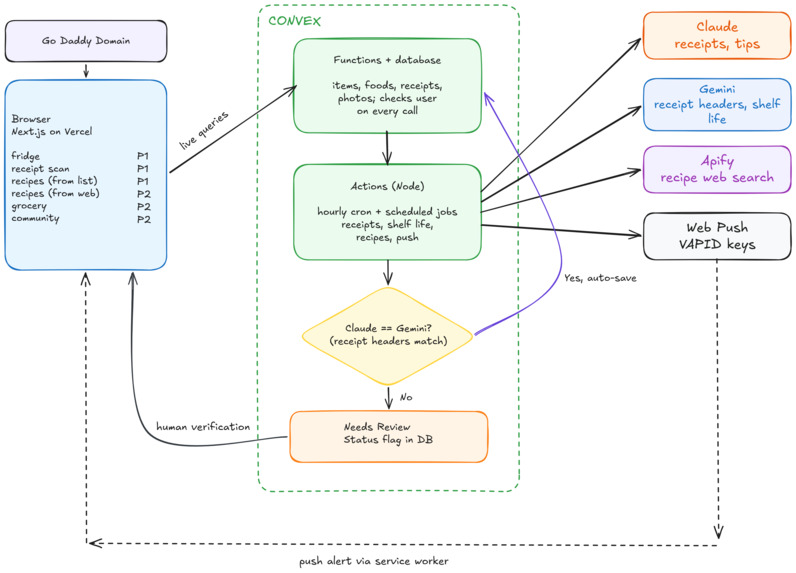
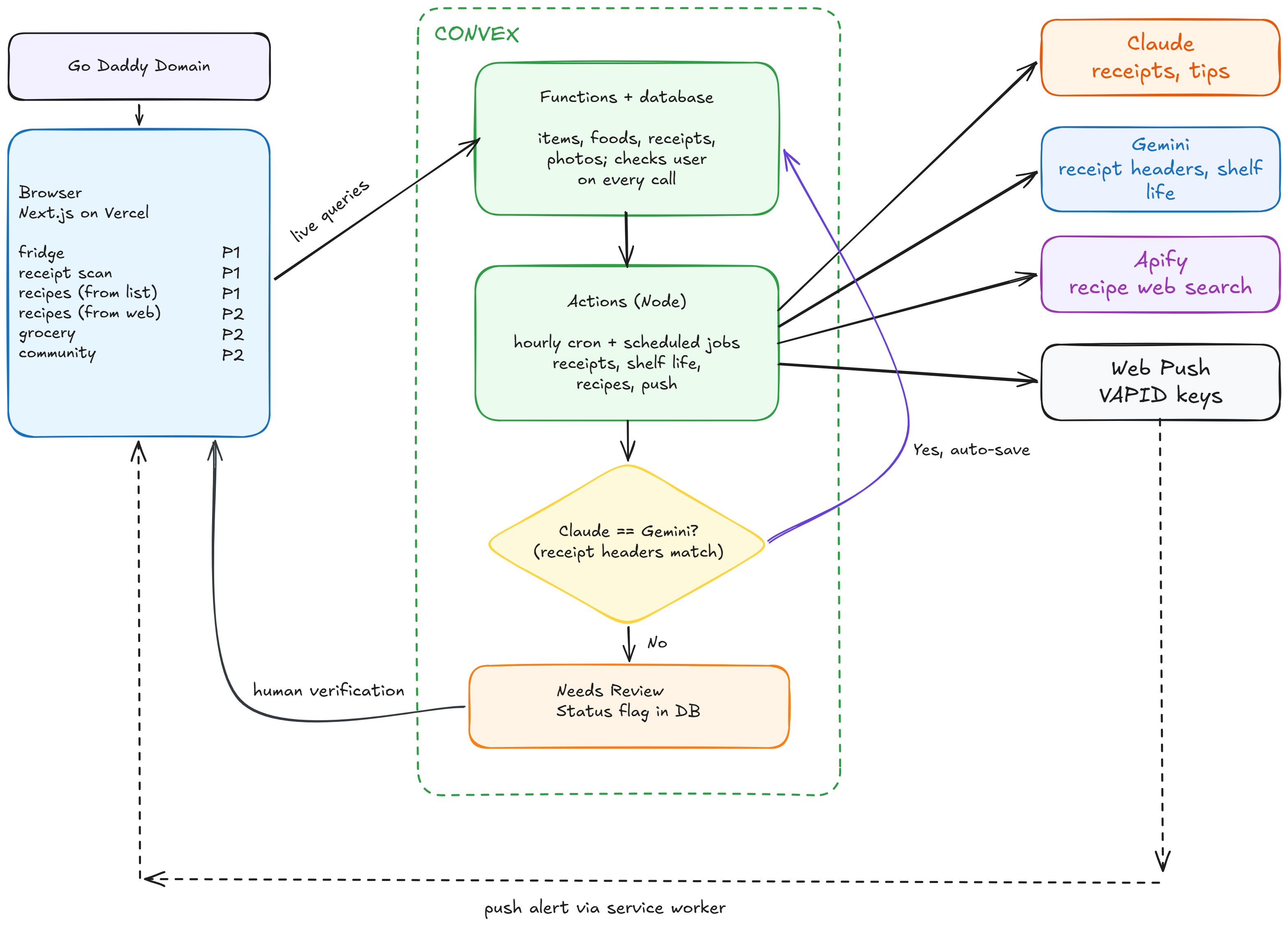
- API limits shaped our AI pipeline. Our free-tier Gemini key couldn't handle the full receipt-parsing load, so we made Claude the main parser and kept Gemini as an independent second check. The limit ended up giving us a stronger setup, with a second model checking Claude's work, while seamlessly incorporating human-in-the-loop feedback.
- Fitting everything on one screen. Freshly does a lot (receipts, manual adds, swipe cards, waste stats, community), but a phone screen only has so much room. Too many tabs made the app feel scattered, so we merged features. We combined the "Fridge" and "Profile" tabs and folded the "Use now" list into the same view, so you can see what you have, what needs eating soon, and your own stats in one place.
Accomplishments that we're proud of
- Every date has a source. We merged the FDA's fridge and freezer chart with USDA FoodKeeper into one food table, with each value linked to the exact entry it came from. For other foods, Apify searches for us. If no source has an answer, the item stays undated instead of guessed.
- A receipt pipeline that checks itself. Claude parses each receipt line and matches it to our food catalog. Gemini independently re-reads the store, date, and total, and Freshly flags any mismatch for you to review, so nothing enters your fridge unchecked.
- Fair, automatic waste tracking. An hourly Convex cron marks items as expired once their date passes. Unswiped expired items still count as waste, so ignoring cards can't improve your stats, and every dollar and pound comes from transparent math on price, weight, and how much was used.
- Making sustainability personal. Climate impact can sometimes feel distant from us, but people see their money every day. Freshly shows food waste both ways: what it costs the planet and what it costs your wallet. Seeing "$18.77 wasted this week" gives you a number to bring down next week, and the habit that saves you money is the same one that keeps food out of the landfill.
- A check-in that takes seconds. Swipe cards turn "did you eat this?" into a single action, with a "does it look spoiled?" follow-up only when the sourced range says the food could still be good.
- An app that feels native without the App Store. Freshly is a Next.js web app that installs on iOS and sends push notifications, so nudges reach users right on their phones.
Most importantly, it solves an everyday problem with a bigger impact. Forgetting what's in the fridge happens to almost everyone, and Freshly makes it easy to fix. But every item saved is also less food in the landfill and less money wasted. We're proud that a small daily habit, like swiping a card, connects to a planet-first goal: helping people waste less and buy smarter.
What we learned
We learned that you can't fix food waste without reliable data, and that data is surprisingly hard to get. No database of exact expiry dates exists, so honesty became a design principle: we use the printed date when the user has it; otherwise, we use an estimate from trusted sources, and we leave an item undated rather than guess.
We also learned that food waste is as much a behavior problem as an information problem. People already know food goes bad, but they forget, get busy, or don't feel like checking. Telling people a date isn't enough. The app has to nudge them at the right moment without being naggy.
Technically, we learned how to:
- Build a full app on Convex: the schema, the server functions, and the scheduled jobs that check each item's expiry date and send reminders on time.
- Plan the product in Figma first, mapping user flows and screens before writing any code.
- Use Apify to scrape StillTasty for storage tips and freshness hints, and keep the source URL and an exact quote next to each one.
- Turn a Next.js app into a web app that installs on an iPhone home screen and sends push notifications with VAPID keys.
What's next for Freshly
We see Freshly as more than a hackathon project. Food loss and waste generate 8-10% of global greenhouse gas emissions, almost five times the total emissions from aviation, and households are responsible for 60% of the food wasted worldwide. Here's where we want to take it next:
- Local shops and farmers markets: connect people with nearby growers and grocers, with recommendations sized to what they'll actually finish. This turns Freshly into a two-sided marketplace. Users get fresher, local food in the right amounts, and vendors get anonymous, neighborhood-level data on what people buy, finish, and throw away, so they can stock smarter and waste less too. Freshly could earn revenue through referral fees or sponsored listings without charging users, and small vendors get a way to compete with big grocery chains. Along the way, practical food knowledge, like how to store what you buy and how much to get, reaches everyone, not just people who can afford a smart fridge.
- Location-aware nudges: at a restaurant, Freshy reminds you what's about to expire at home. At the grocery store, it suggests what to buy that pairs with what's already in your fridge.
- Ask Leeky: a food safety and storage assistant for questions like "can I freeze cream cheese?" It answers from the FDA and USDA FoodKeeper data we already use, and tells you when a question is outside what that data covers.
- Freshly's "Waste Wrapped": a shareable monthly recap of food and money saved, turning one person's progress into a conversation with friends.
- A visual freshness model: snap your produce and get a prediction of how many days it has left based on color and ripeness. This goes after the biggest challenge we ran into. Instead of relying only on general shelf-life ranges, Freshly could estimate freshness from the actual item in front of you, so good food stops getting tossed just because of a date and spoiled food gets caught sooner. Every swipe would also help train the model over time.
- Speech accessibility: hands-free help for busy kitchens. Ask what to cook next, hear storage tips read aloud, and add items without a receipt, all without touching your phone. That helps when your hands are messy, and it makes Freshly usable for people with limited vision or mobility.
With the help of
- redbull
- madelines
- oranges


Log in or sign up for Devpost to join the conversation.