Inspiration
Food waste is a massive global problem — nearly one-third of all food produced is wasted every year. We've all forgotten about groceries in the back of the fridge until they've gone bad. FreshKeep was inspired by the simple idea of giving people a smart, easy way to track what's in their pantry and use it before it expires.
What it does
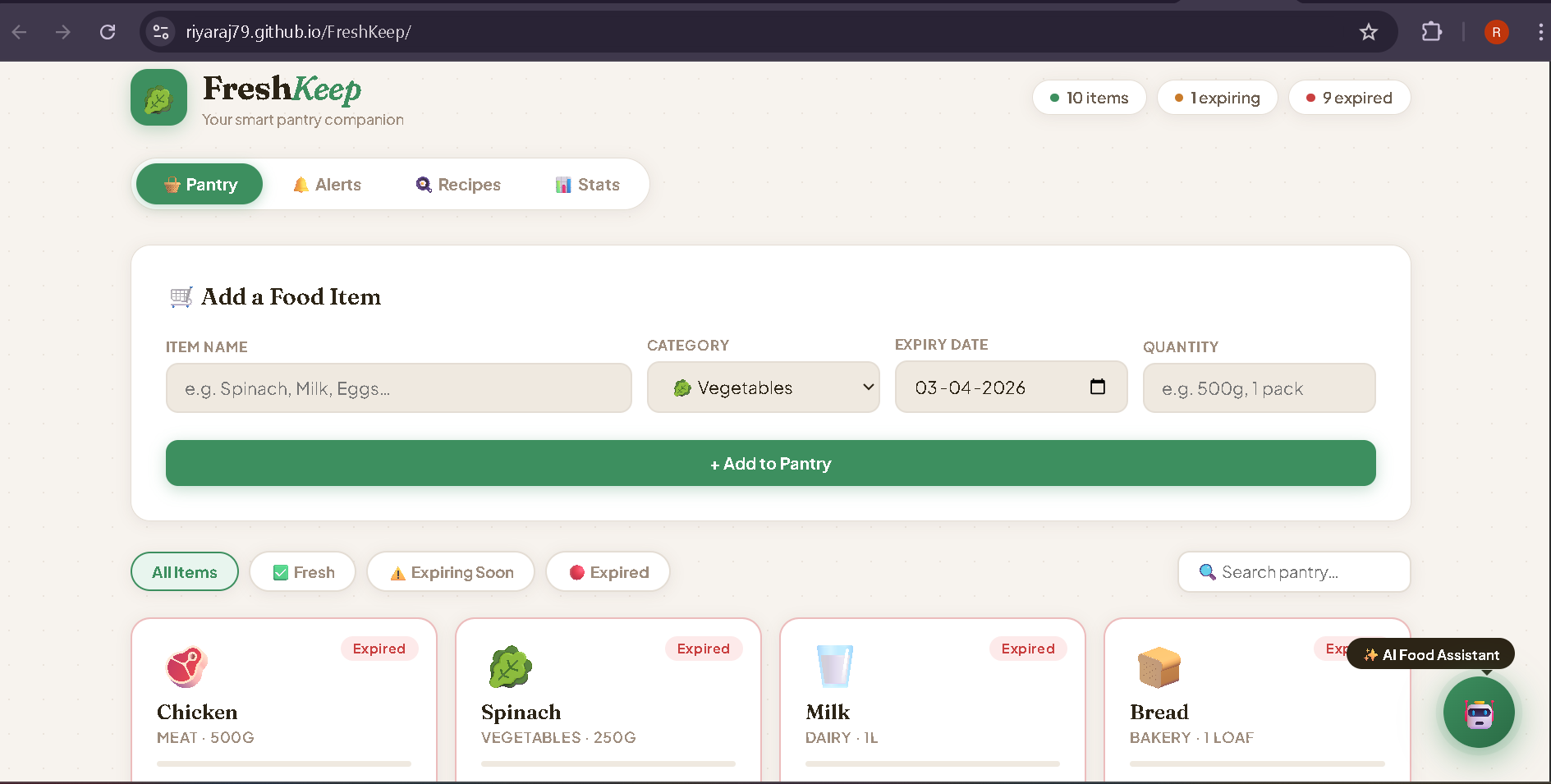
FreshKeep is a smart food expiry tracker that helps users manage their pantry efficiently. It lets users add food items with expiry dates, get visual alerts for items expiring soon or already expired, discover recipe suggestions based on what they currently have, donate expiring food to local NGOs, view pantry statistics, and chat with an AI assistant for personalized food advice and recipe ideas.
How we built it
We built FreshKeep using plain HTML, CSS, and JavaScript for the frontend with a clean, responsive UI. The backend is a Node.js + Express server that connects to the Groq AI API using the LLaMA model for the AI chat feature. We used localStorage to persist pantry data and dotenv to manage API keys securely.
Challenges we ran into
- Managing API keys securely without exposing them in the frontend code
- GitHub push protection blocking commits containing API secrets
- Switching between multiple AI providers (Anthropic, Gemini, Groq) due to quota and billing issues
- Setting up the backend server to properly forward requests to the AI API
- Keeping the chat history context working correctly across messages
Accomplishments that we're proud of
- Built a fully functional pantry management system from scratch
- Successfully integrated a free AI assistant that understands the user's actual pantry contents
- Created a donate feature connecting users with local NGOs to reduce food waste
- Designed a clean, beautiful UI with smooth animations and a great user experience
- Solved complex Git history issues to safely push code to GitHub
What we learned
- How to build and connect a Node.js backend to a frontend HTML app
- How to securely manage API keys using environment variables
- How to work with multiple AI APIs and handle rate limits and quotas
- The importance of .gitignore and protecting sensitive credentials
- How to debug API errors using browser developer tools and terminal testing
What's next for FreshKeep
- Deploy the backend to a cloud server so the app works online for everyone
- Add barcode scanning to automatically add grocery items
- Send push notifications or email alerts when items are about to expire
- Add a shopping list feature that auto-generates based on low/expired items
- Support multiple users and households
- Integrate with grocery delivery apps for seamless restocking

Log in or sign up for Devpost to join the conversation.