-
-

COVER PICTURE OF AI looking over groceries
-
-
-

Inspiration
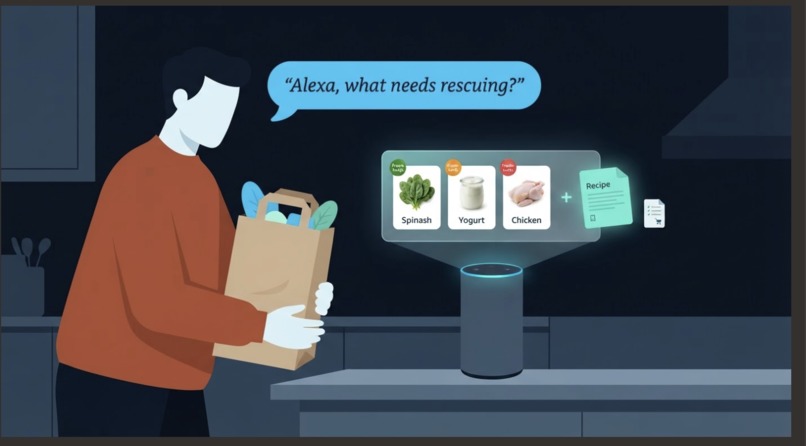
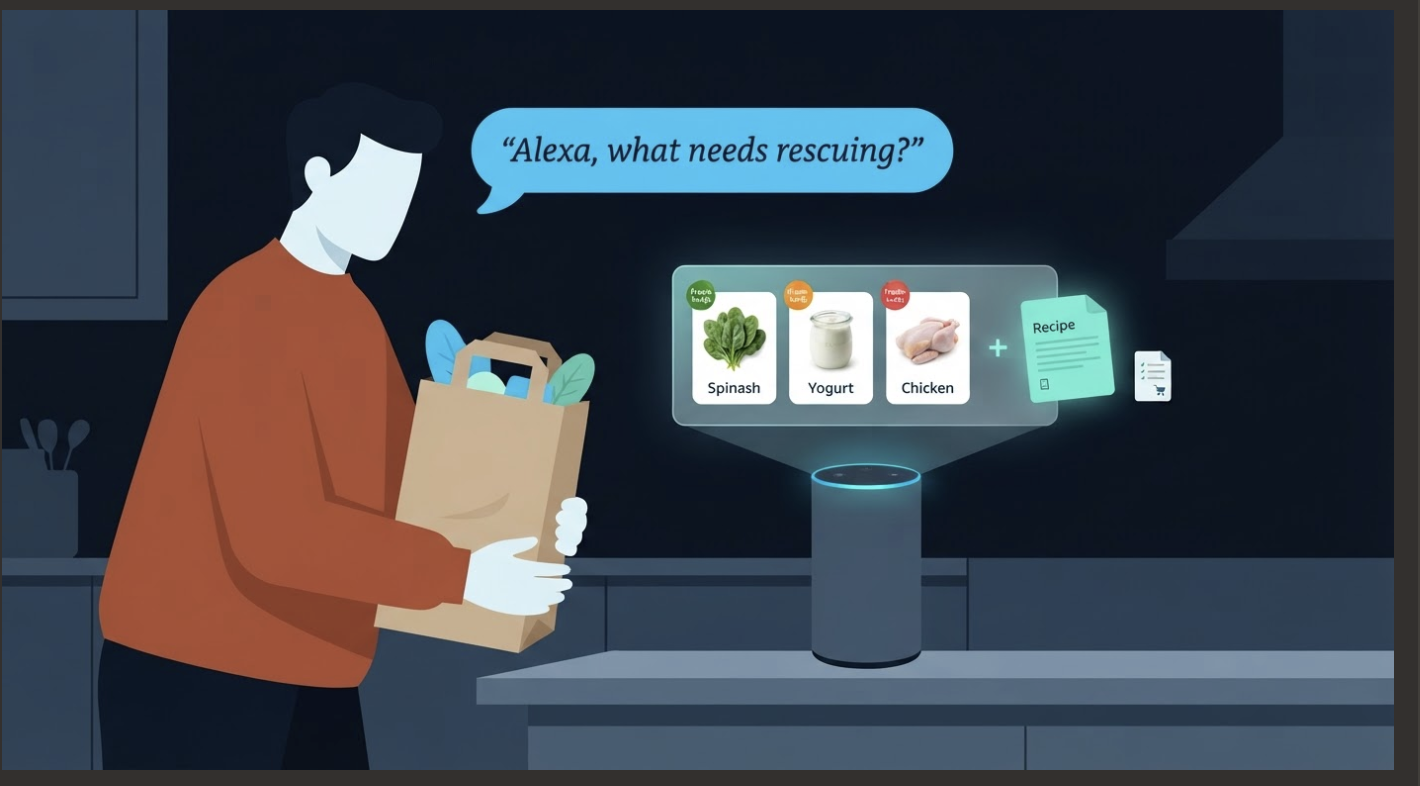
We built FreshKeep because household food waste is both an environmental problem and a financial drain. We wanted to create a system that acts as your kitchen's memory and actively helps you "waste less food." We realized that a smart assistant shouldn't just add things to a shopping list; it should also warn you before food spoils and turn expiring ingredients into tonight's dinner.
By tracking the estimated financial impact of food waste—showing users their "value at risk" in USD—we aimed to provide a tangible incentive to use what you already have before it goes bad.
What it does
FreshKeep is a simulated Alexa+ experience that manages your kitchen inventory to prevent food waste. Specifically, it:
- Tracks groceries: Records the groceries you buy, their quantities, and expiry dates. If an expiry date is not specified, the system estimates one.
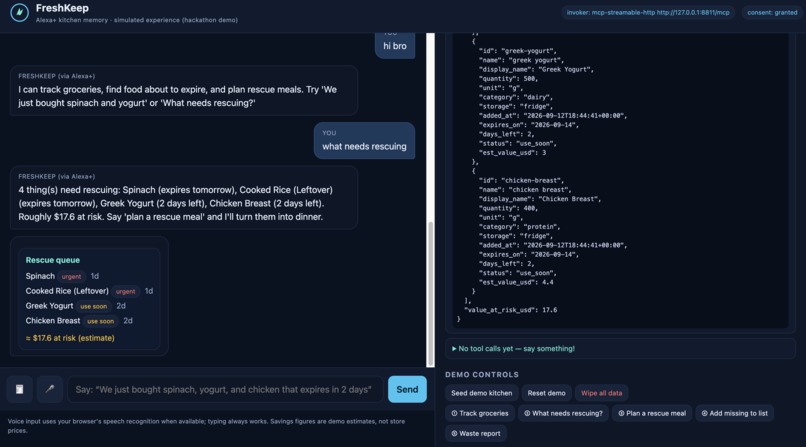
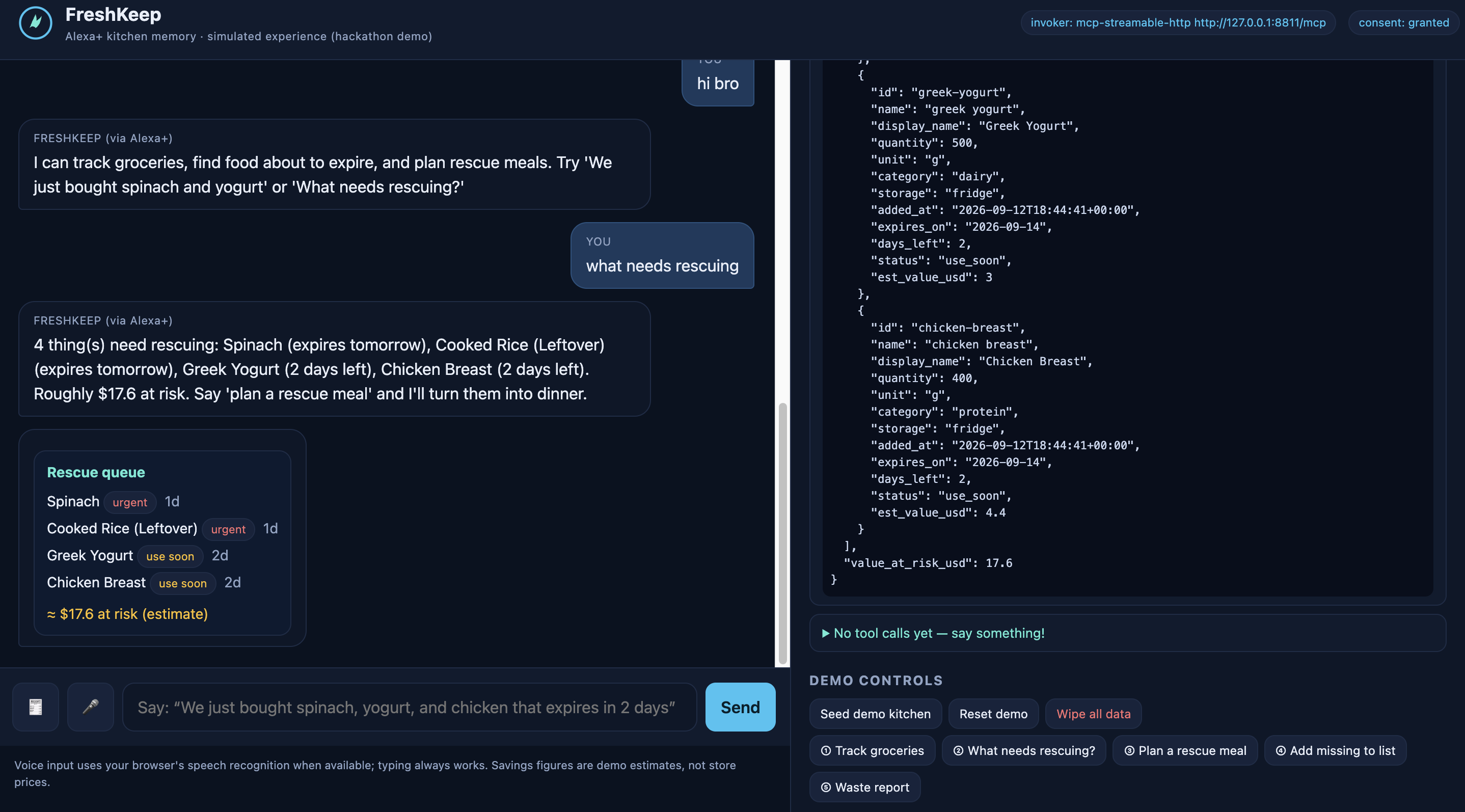
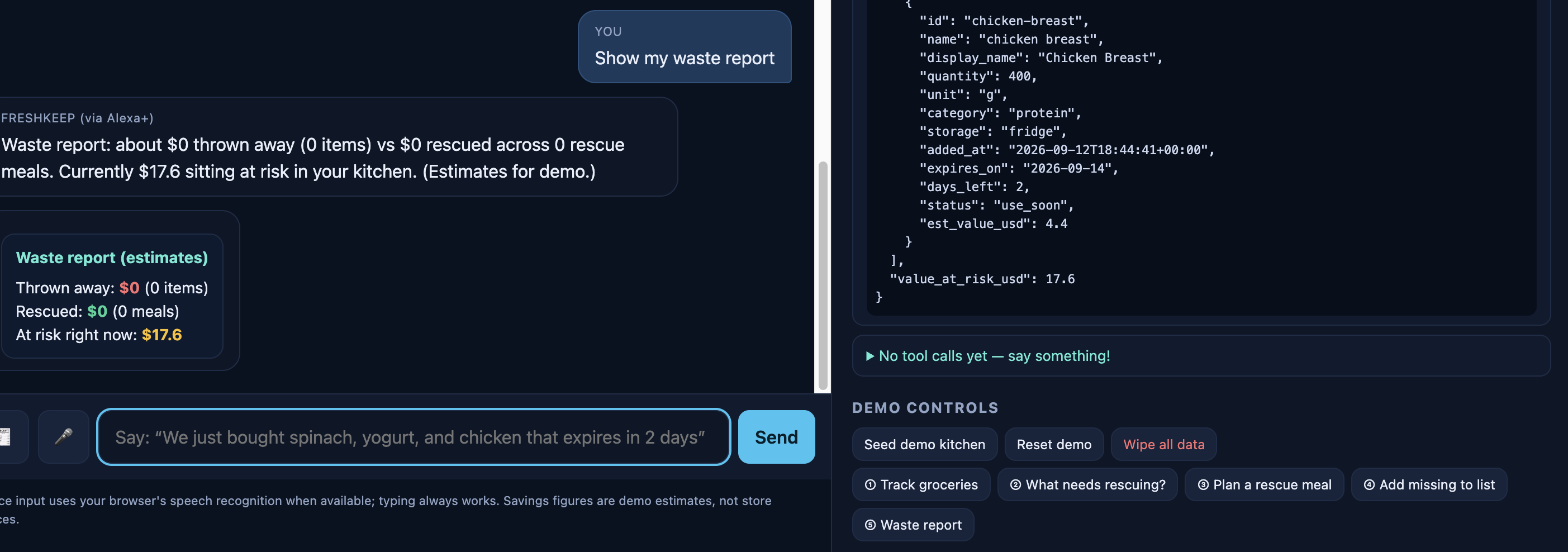
- Rescue queue: Highlights items that are about to expire and displays their estimated monetary value at risk.
- Rescue meals: Generates recipes designed to use expiring ingredients, including prep times, step-by-step instructions, and a list of missing ingredients.
- Shopping list: Lets users quickly add missing ingredients from rescue meals to their shopping list.
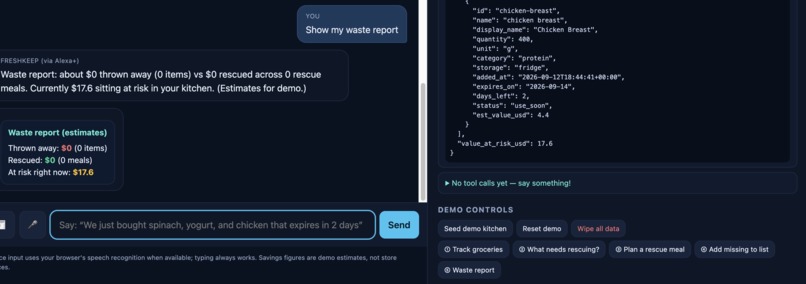
- Waste report: Estimates money lost on discarded items versus money saved by rescuing ingredients through meals.
- Flexible input: Accepts voice input through browser speech recognition, text input, and grocery receipts provided as text or photo uploads.
How we built it
- Architecture: FreshKeep was designed as an "Alexa+ MCP integration" using the Model Context Protocol (MCP).
- Frontend: A web-based simulated chat interface built with HTML, CSS, and JavaScript.
- Backend: An MCP server with a Transport invoker and a Storage backend that supports either a local JSON file or Amazon DynamoDB.
- Logic: A deterministic, LLM-free router handles tool calls and maps user intents to the appropriate backend actions.
- Integrations: Amazon Textract is integrated for receipt parsing from photos.
- Privacy: A strict consent flow requires users to opt in before any data is stored. Raw utterance text is never written to the audit log, and a two-step "delete my data" flow gives users control over stored information.
Challenges we ran into
- Building a comprehensive simulated Alexa+ MCP integration that operates entirely within a web browser interface.
- Designing a deterministic router that reliably triggers the correct backend tools—such as inventory tracking, meal planning, and waste reporting—across varying user inputs.
- Parsing messy, unstructured grocery receipt data and mapping it into structured kitchen inventory, particularly when using the Amazon Textract fallback.
Accomplishments that we're proud of
- Creating a fully functional end-to-end demo that tracks inventory, automatically estimates expiry dates, and plans money-saving rescue meals.
- Building a transparent "Judge mode" sidebar that surfaces live system internals, including MCP server status, transport data, and real-time tool-call traces with latency metrics.
- Implementing a robust privacy model in which AI-generated text is explicitly marked as an estimate or advice rather than verified fact, while users retain complete control over their stored data.
What we learned
- How to successfully implement and visualize the Model Context Protocol (MCP) in a simulated voice-assistant environment.
- The technical nuances of seamlessly combining voice input, text fallback, and image parsing via Textract into a single unified user flow.
- How critical explicit privacy and data-consent flows are when designing applications intended for smart-home assistants.
What's next for FreshKeep
- Moving beyond the current simulated hackathon experience toward a fully native deployment on real Alexa devices.
- Enhancing the data models behind financial waste estimates and expiry-date predictions.
Technical Note
The financial impact can be represented as a simple estimate:
[ \text{Value at Risk} = \sum_{i=1}^{n} \left(\text{Quantity}_i \times \text{Unit Price}_i\right) ]
where each item (i) represents an ingredient that is approaching its estimated expiry date.

Log in or sign up for Devpost to join the conversation.