-
-
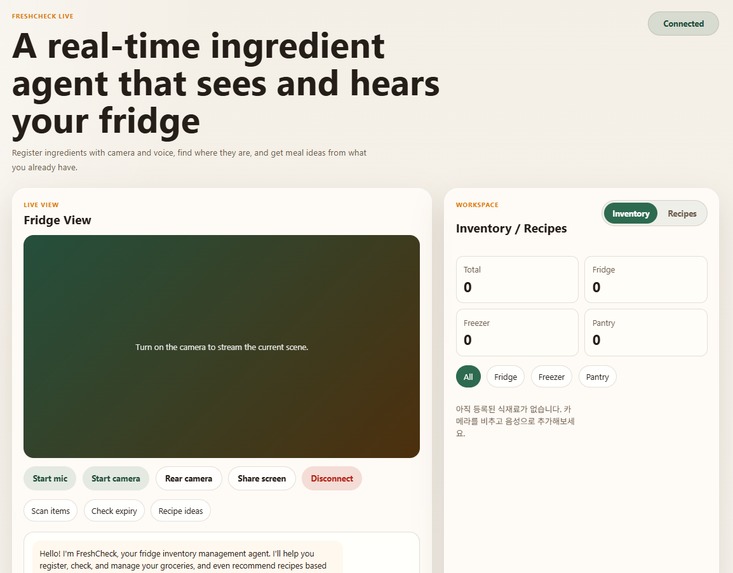
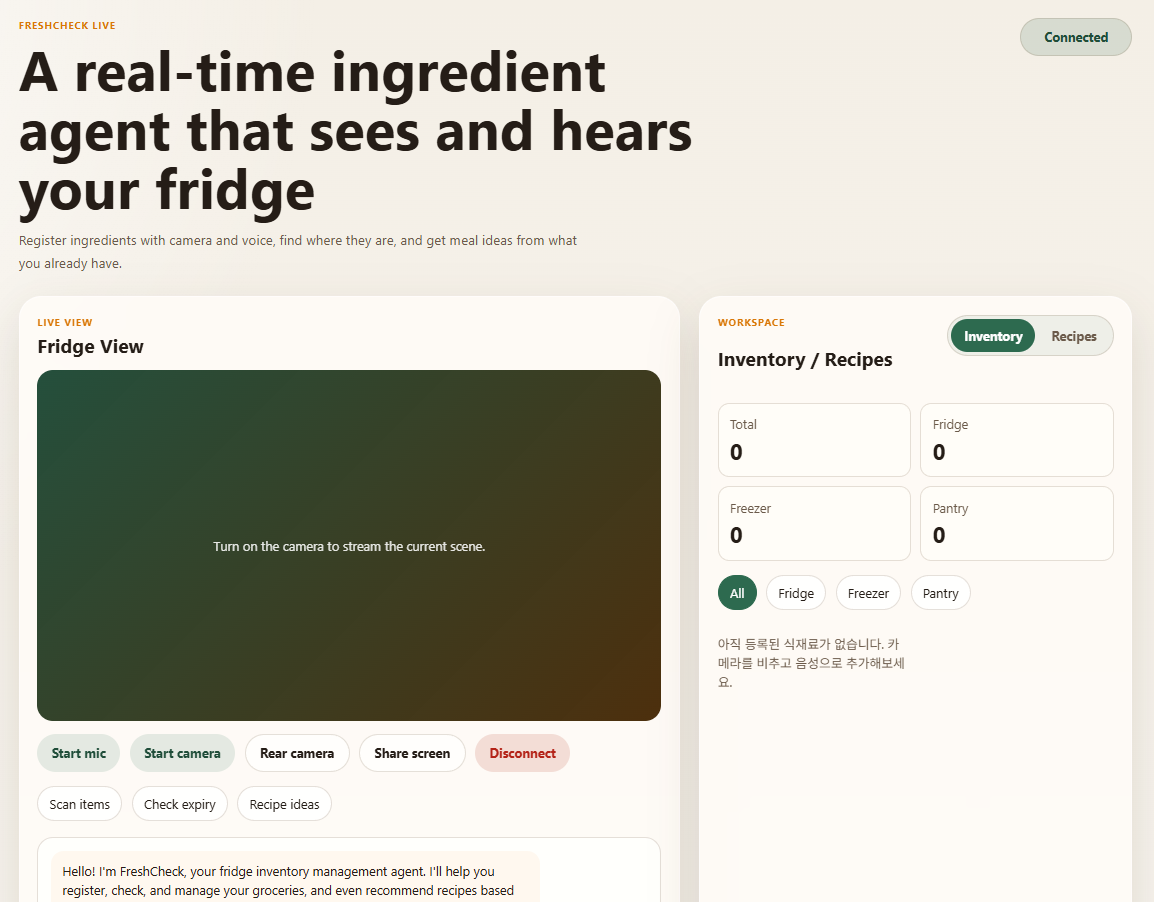
FreshCheck main interface: a real-time AI agent for fridge inventory, voice interaction, and recipe assistance.
-
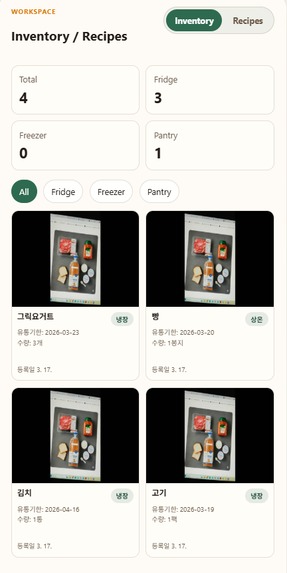
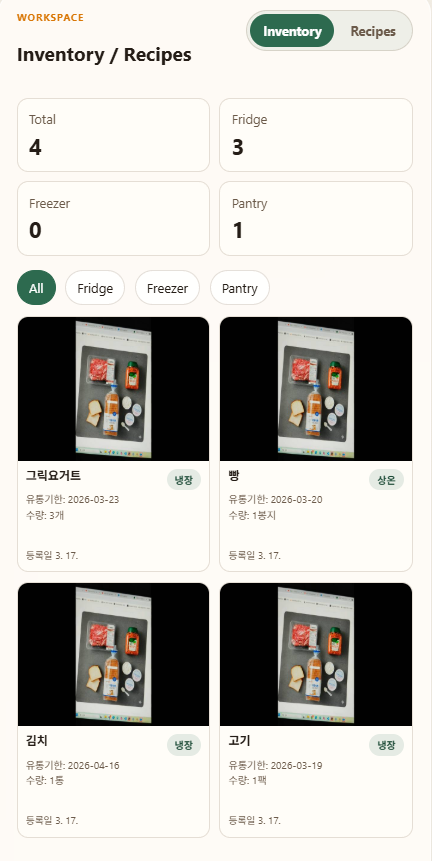
FreshCheck inventory workspace showing categorized grocery cards, storage locations, expiration dates, and quantities at a glance.
-
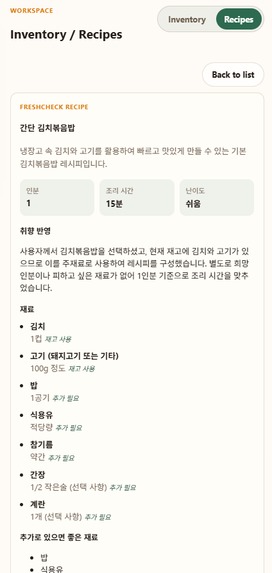
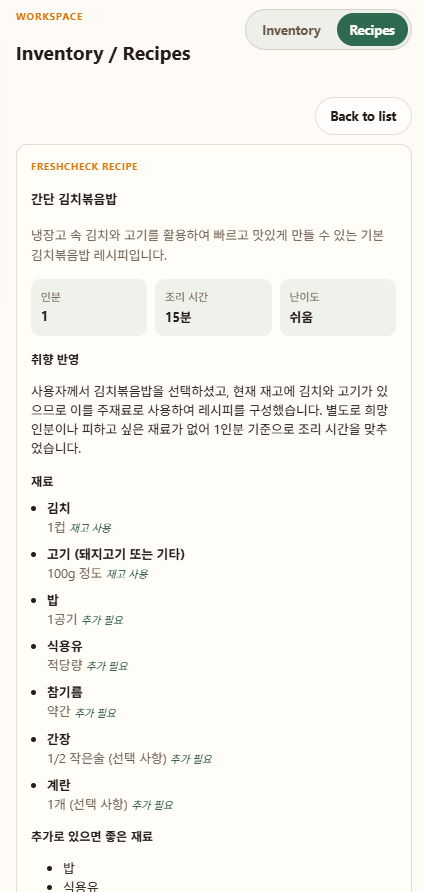
FreshCheck recipe detail view showing an AI-generated meal plan based on current fridge inventory and user preference.
-
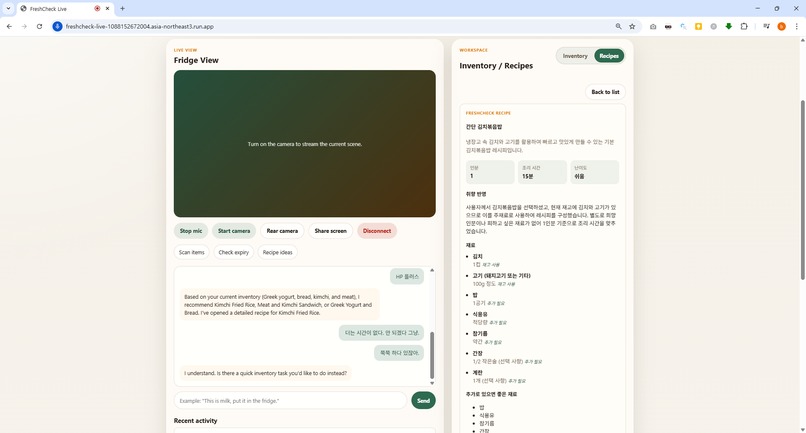
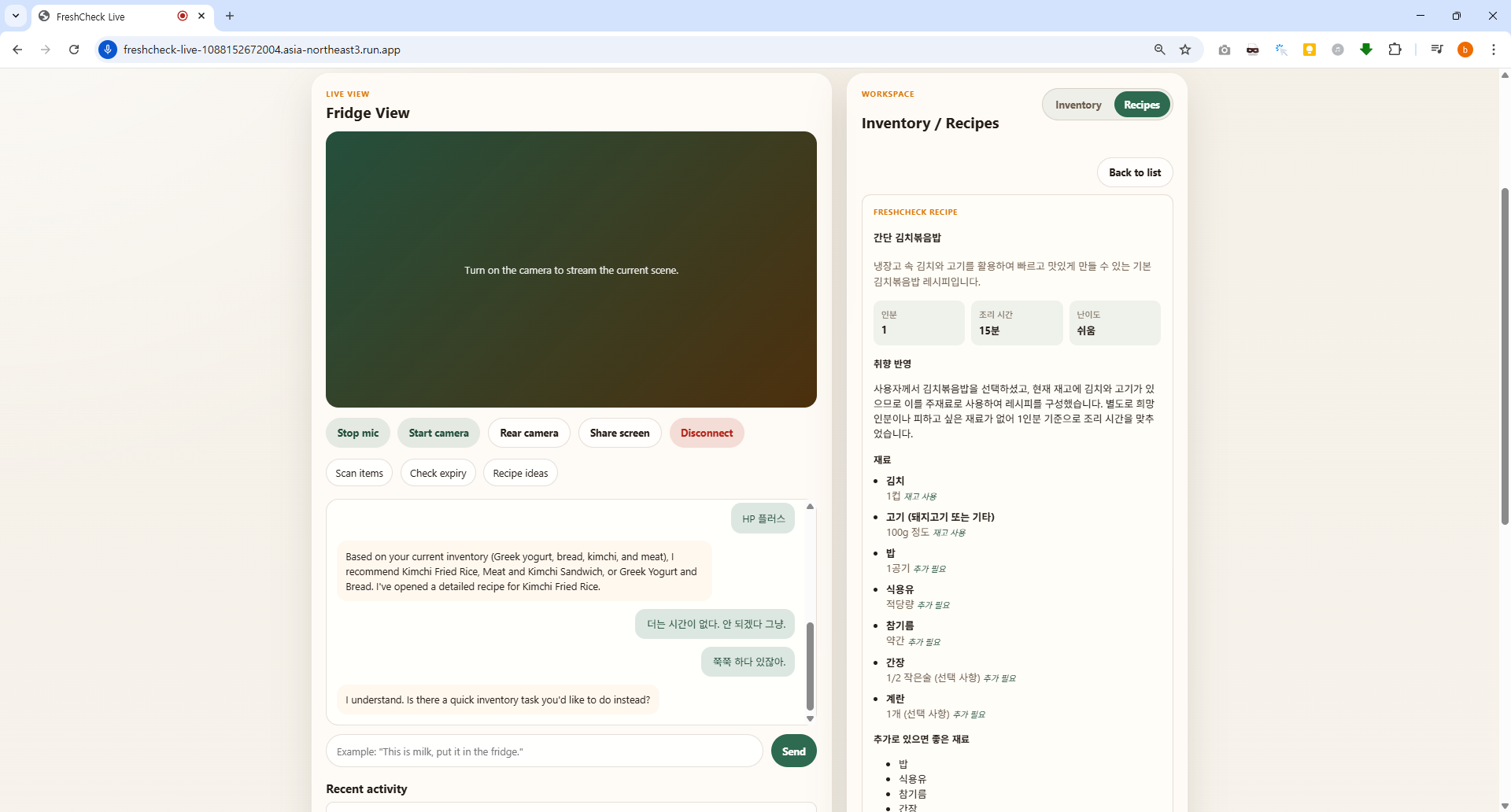
FreshCheck running on Google Cloud Run, with live chat, inventory-aware recipe recommendations, and a detailed AI-generated recipe workspace
FreshCheck — AI Grocery Assistant
Inspiration
FreshCheck started from a simple real-life problem: people often forget what is in their fridge, where ingredients are stored, and which items are close to expiring. In everyday life, this leads to wasted food, duplicate purchases, and decision fatigue when trying to decide what to cook.
We wanted to build an AI agent that feels less like a chatbot and more like a real kitchen assistant. Instead of forcing users to manually type lists into an app, FreshCheck lets them simply show ingredients with the camera, speak naturally, and get immediate help. That idea matched the spirit of the challenge perfectly: a multimodal, real-time AI experience that goes beyond plain text chat.
What it does
FreshCheck is a real-time multimodal grocery assistant that helps users manage fridge inventory and decide what to cook.
Users can:
- speak naturally to the assistant
- show ingredients with the camera
- register one or many ingredients at once
- specify storage location such as fridge, freezer, or pantry
- confirm expiration dates in a follow-up turn
- look up where an ingredient is stored
- delete one or multiple items
- check which items are close to expiring
- ask for recipe recommendations based on current inventory
- open detailed recipes generated from available ingredients
The assistant supports a natural conversational flow. For example:
- “Register everything here.”
- “Put these supplements in the pantry.”
- “What can I cook with what I already have?”
- “I want something spicy.”
- “Delete milk, eggs, and tofu.”
We also added multilingual UI and response support so the experience can start in Korean, English, or Japanese.
How we built it
We built FreshCheck as a browser-based real-time AI system with a Python backend.
Core architecture
- Frontend: Vanilla JavaScript web app
- Backend: FastAPI server with WebSocket communication
- Realtime interaction: Gemini Live API
- Recipe generation: Gemini Flash Lite
- Image understanding / segmentation: Gemini multimodal vision call
- Cloud hosting: Google Cloud Run
Technical flow
- The user opens the web app on desktop or mobile.
- The frontend captures microphone audio, camera frames, and text input.
- These are streamed to the FastAPI backend through WebSocket.
- The backend opens and manages a Gemini Live session.
- Gemini decides when to call tools such as:
register_itemregister_itemsfind_itemdelete_itemdelete_itemslist_itemsget_expiring_itemsget_recipe_recommendationsgenerate_recipe_plan
- The backend executes the tools, updates inventory state, and sends results back to both Gemini and the UI.
- For recipe requests, a second Gemini call generates structured JSON recommendations and detailed recipe plans.
- The deployed production demo runs on Google Cloud Run.
Storage
For hackathon speed, we used lightweight JSON-based local storage:
- inventory state
- workspace / recipe state
This let us move quickly and focus on the multimodal experience first.
Challenges we ran into
One of the biggest challenges was handling real-time multimodal interaction without making the experience feel laggy or unstable.
1. Real-time audio latency
Text input worked immediately, but microphone input sometimes arrived late. We traced this to:
- audio buffering in the browser
- queue buildup on the backend
- transcription timing from the live session
We improved this by:
- reducing audio buffer size
- dropping stale queued audio chunks
- prioritizing the latest incoming audio
2. Tool-call stability
Because the assistant could call multiple tools in a single turn, we ran into cases where:
- repeated mutations happened too aggressively
- large tool payloads slowed the session
- realtime responses became unstable
We solved this by:
- limiting oversized mutation bursts
- summarizing tool payloads before sending them back to Gemini
- adding dedicated batch tools for multi-item registration and deletion
3. Registration with missing expiration dates
Users naturally say things like:
“Register everything here.”
But inventory registration also needs expiration metadata. We redesigned the flow so the assistant can:
- extract the full item list first
- ask a follow-up question for expiration date
- complete the pending registration in the next turn
4. UI state persistence
Recipe recommendations and detailed recipe views were getting lost after refresh. We added both frontend persistence and backend workspace state handling so the experience survives reloads better.
5. Cloud deployment under time pressure
Getting a real demo deployed on Google Cloud was critical for the challenge. We prepared the app for Cloud Run, fixed deployment issues, handled authentication, and deployed a public demo URL in time.
Accomplishments that we're proud of
We are proud that FreshCheck became more than a simple chat demo.
Highlights we are proud of:
- a real-time voice + camera grocery assistant
- batch ingredient registration in a single conversational request
- follow-up expiration date confirmation flow
- batch deletion support
- recipe recommendation and detailed recipe generation from real inventory
- multilingual UI and response support
- Google Cloud Run deployment for a live public demo
- a product-like interface instead of a raw developer demo panel
Most importantly, we turned a generic Live API example into a focused assistant with a clear everyday use case.
What we learned
This project taught us a lot about designing AI agents that feel natural in real-world workflows.
Product lessons
- Users do not want to manually structure their input.
- Follow-up questions are essential for reliable agent behavior.
- Real-time interaction needs to feel responsive even when multiple AI calls are happening behind the scenes.
Technical lessons
- Live multimodal systems need aggressive latency control.
- Tool orchestration matters as much as model quality.
- Batch tools are often better than repeated single-item tool calls.
- Structured JSON outputs make downstream UI rendering much more reliable.
- Cloud deployment should be planned early, not only at the very end.
What's next for FreshCheck — AI Grocery Assistant
FreshCheck is already a strong demo, but we see several next steps:
- migrate inventory storage from JSON files to Firestore
- move API key handling to Google Secret Manager
- improve segmentation quality for per-item image capture
- add OCR for automatic expiration date extraction
- support household/shared inventory accounts
- add proactive reminders for soon-to-expire items
- generate richer meal plans and shopping suggestions
- migrate more of the stack to a fully production-ready Google Cloud architecture
Our long-term vision is to make FreshCheck feel like a true kitchen copilot: always aware of what you have, what you should use first, and what you can make right now.

Log in or sign up for Devpost to join the conversation.