-
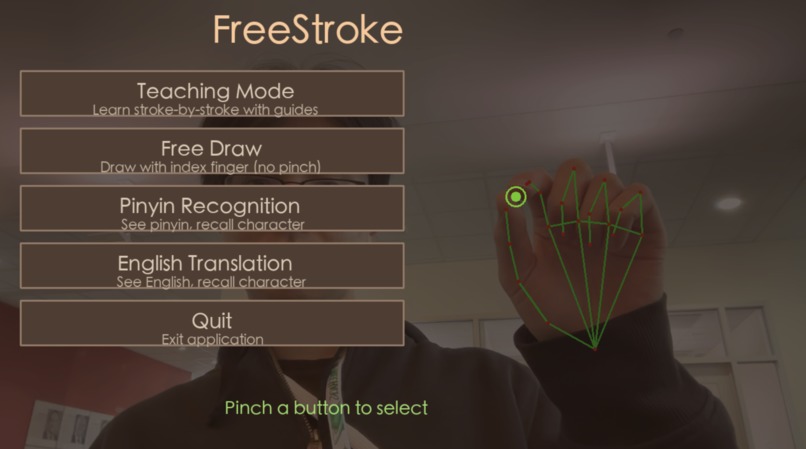
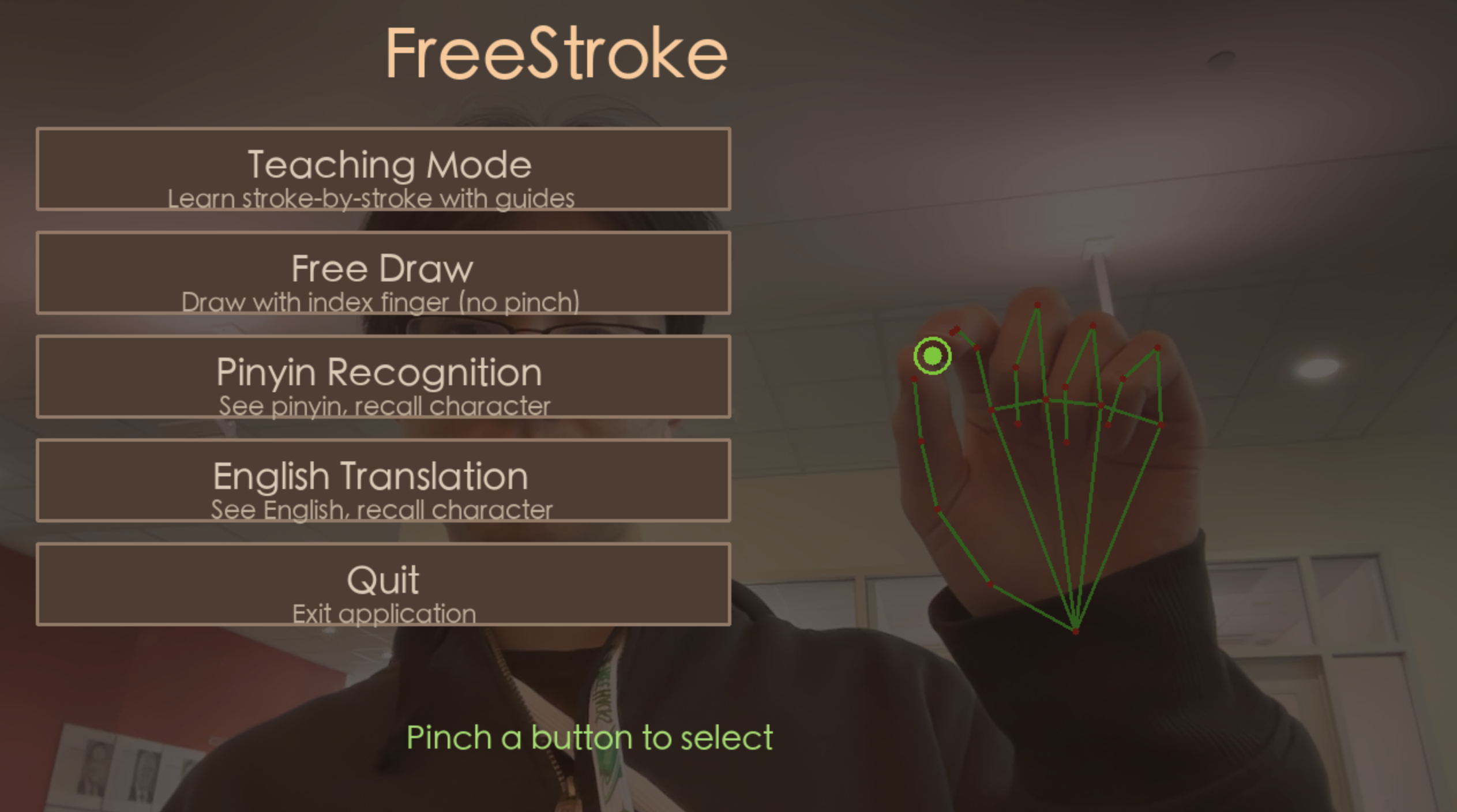
UI main menu screen
-
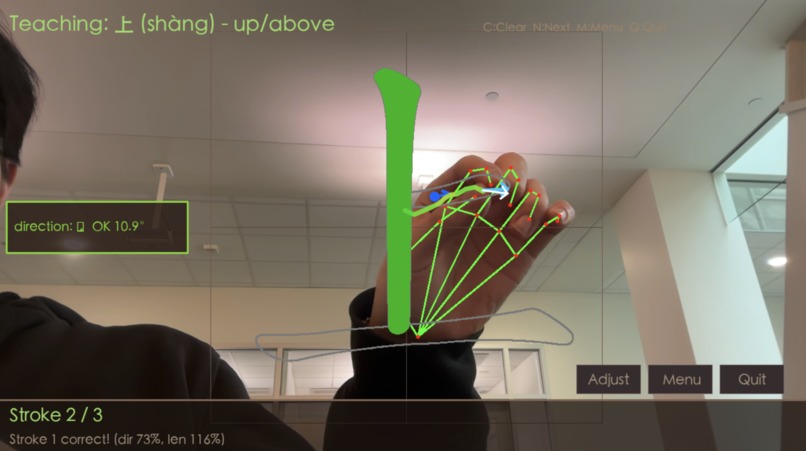
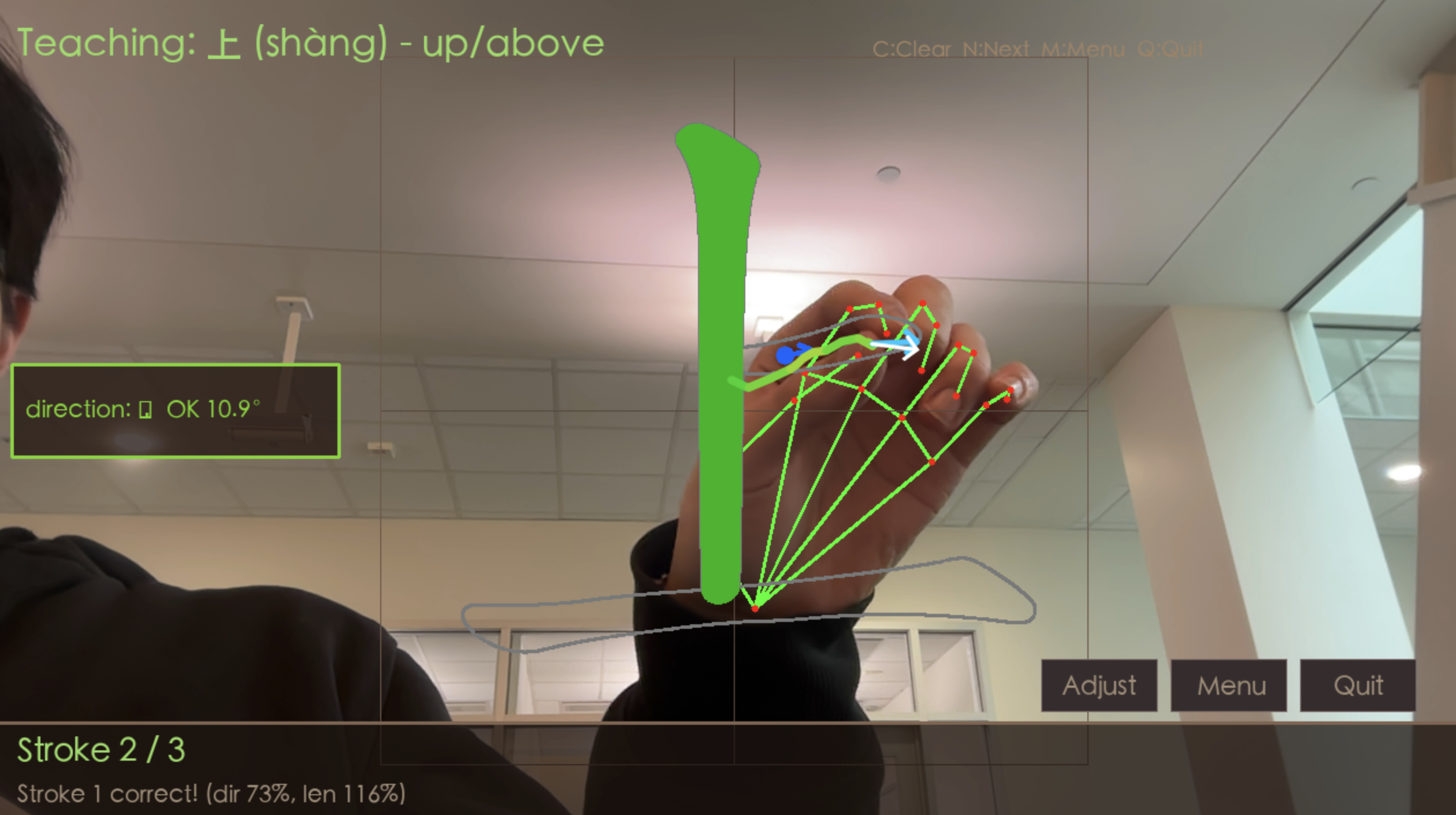
Teach mode, gesture control for writing characters
-
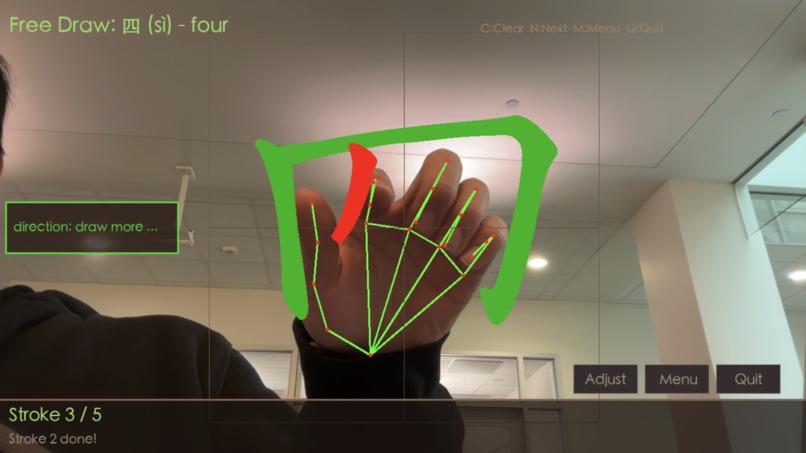
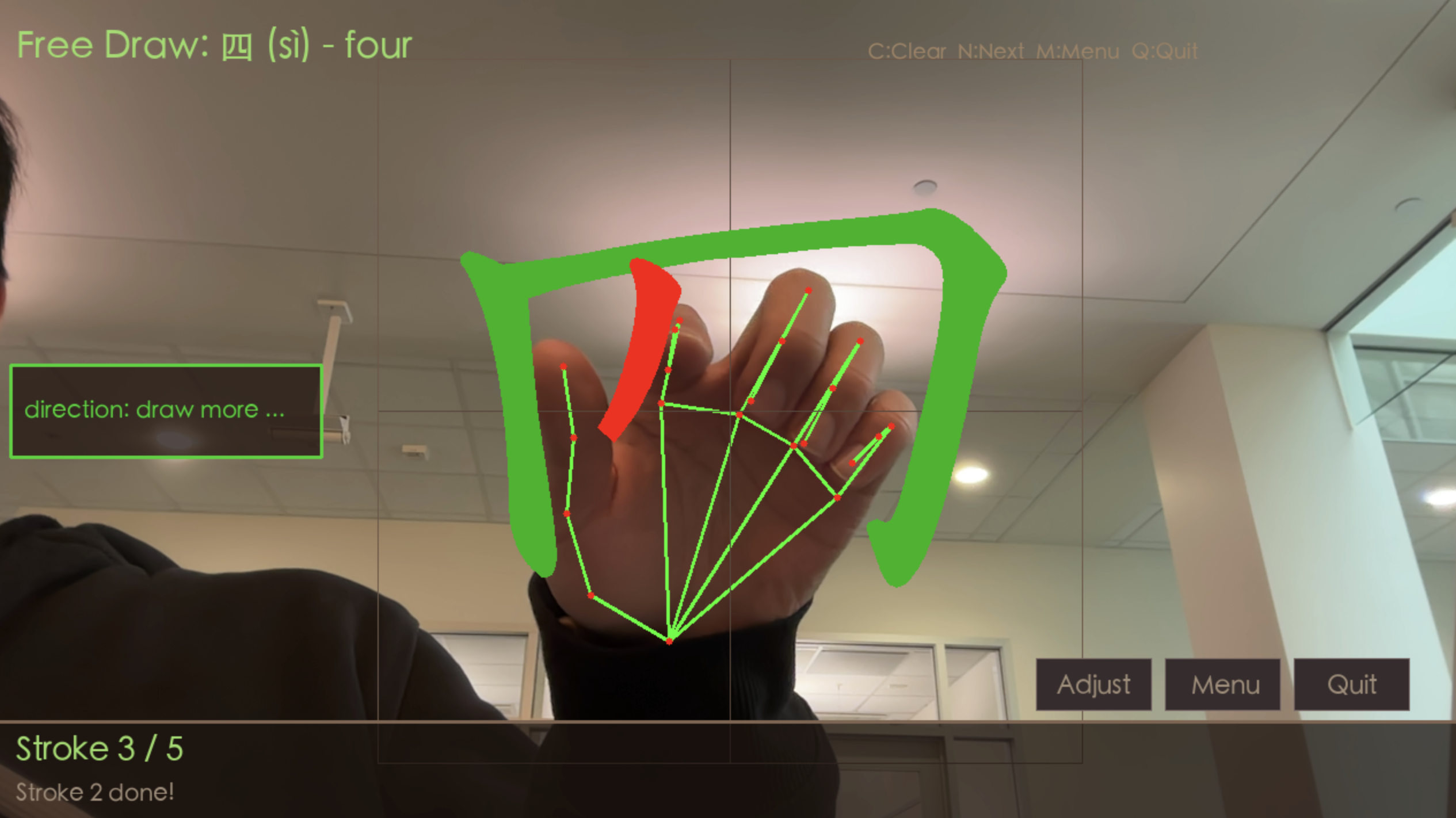
Free draw mode
-
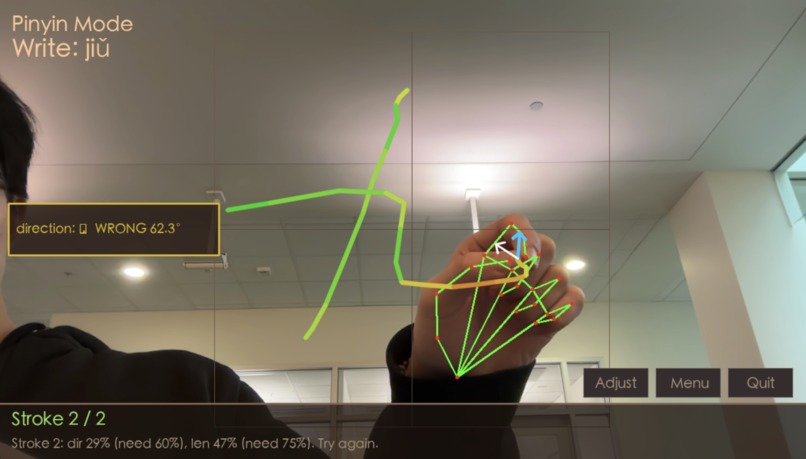
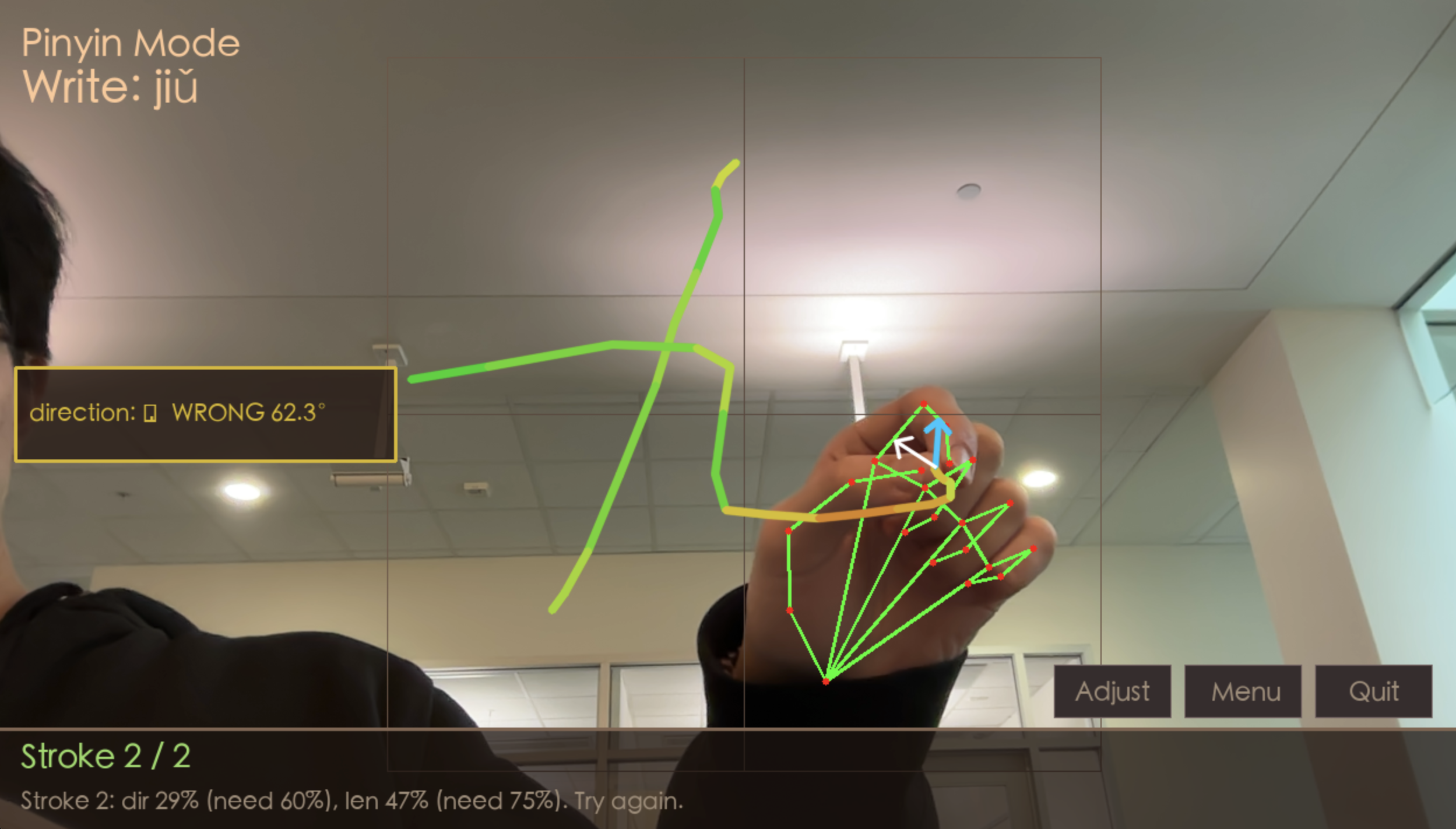
Test mode, write character from pinyin
-
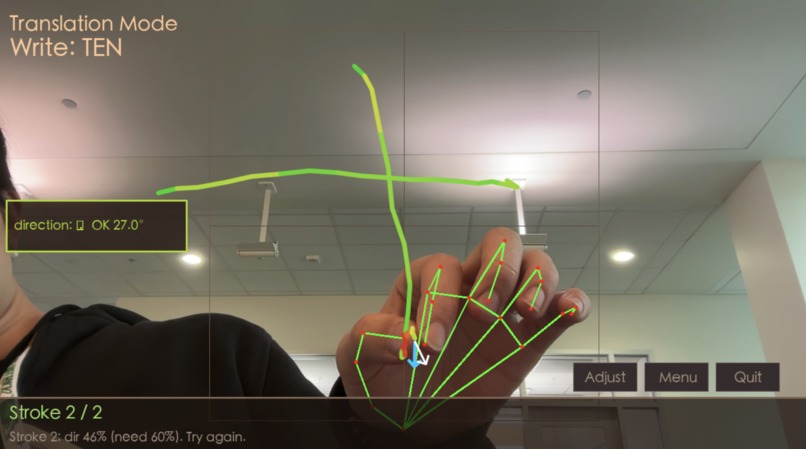
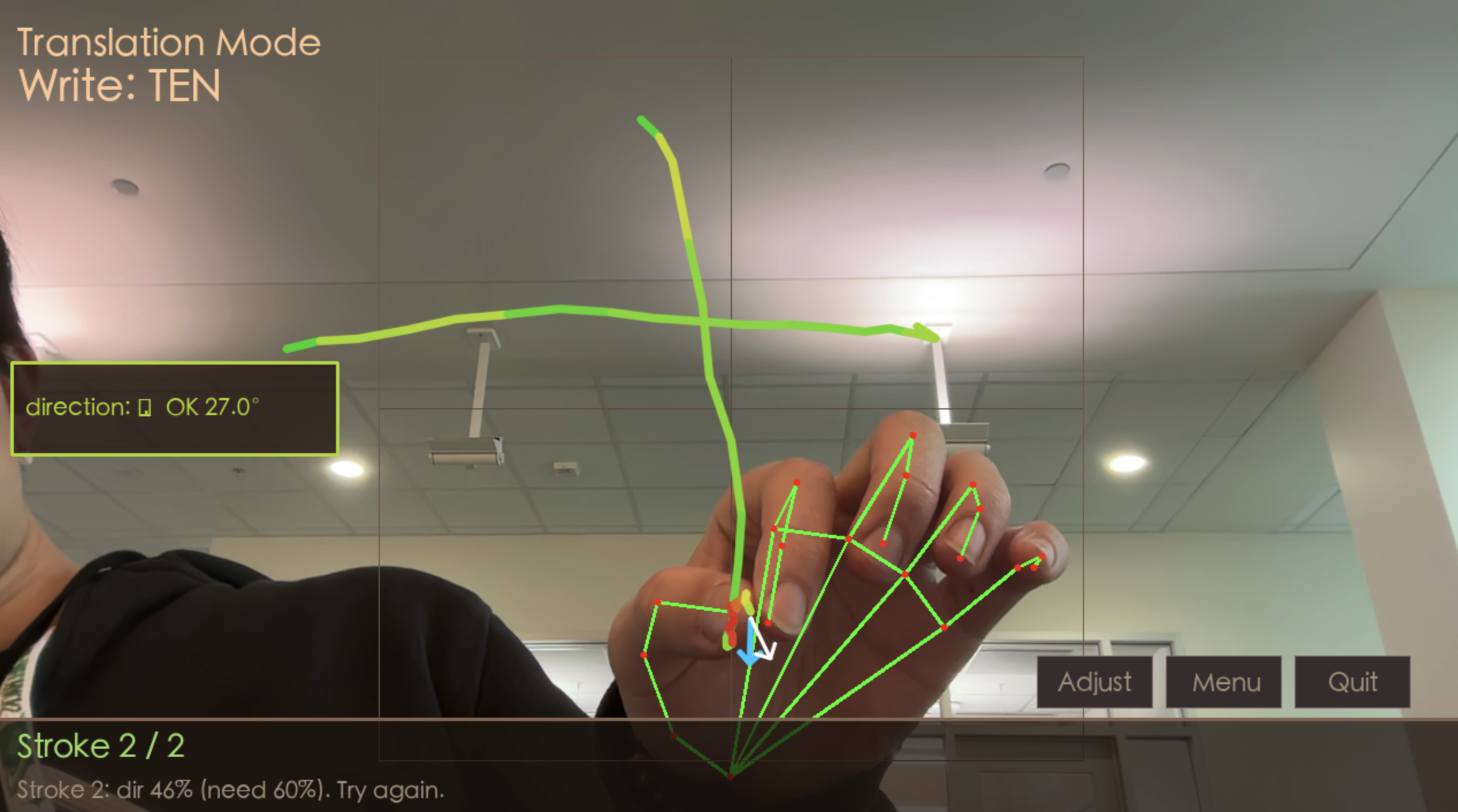
Reading comprehension mode, write character from English translation
Inspiration
Learning character-based languages like Chinese can feel overwhelming, especially online. Apps often reduce writing to tapping pre-made strokes or tracing on a screen, which doesn’t build true muscle memory. Inspired by the physicality of handwriting practice and the importance of stroke order in languages like Chinese, we wanted to recreate the embodied experience of writing, but without pen and paper.
Freestroke was born from the idea that language learning should be active, immersive, and intuitive. We combine motion, haptics, and computer vision, turning the air around you into a canvas.
What it does
Freestroke is an interactive language-learning app that lets users learn Chinese and other character-based languages by drawing characters in the air.
Using computer vision, the system detects and interprets the user’s hand movements as character strokes in real time. The haptic feedback helps enhance the sense of physical interaction, making the input feel grounded and intentional. The app also provides accuracy feedback and signals mistakes, helping users internalize stroke order and structure.
The app includes three core modes:
- Practice Mode: Guided character writing with stroke-by-stroke feedback.

- Test Mode: Independent writing with scoring based on accuracy and stroke order.

- Comprehension Mode: Reinforces recognition and meaning through reading and contextual exercises.
Together, these modes build muscle memory, accuracy, and understanding.
How we built it
Freestroke is implemented as a real-time multimodal system primarily implemented in Python using OpenCV and MediaPipe. We used the MakeMeAHanzi dataset for the ground-truth Chinese strokes in our character stroke detection algorithm.
The system integrates:
- MediaPipe hand tracking

- Pinch-based gesture control for air drawing

- Character stroke detection

- WiFi-based custom haptic feedback system

- Real-time UI overlay
The architecture is event-driven and frame-synchronous at ~30 FPS.
MediaPipe Hand Tracking
Freestroke uses MediaPipe’s real-time hand landmark detection pipeline to extract 21 3D keypoints per frame from the camera stream. We primarily track the midpoint of the user's thumb and pointer fingers as the drawing point, and continuously convert from camera frame coordinates to a normalized drawing space for character stroke detection. We reduce jitter via temporal smoothing to improve accuracy.
Pinch-Based Gesture Control for Air Drawing
Air writing requires a “pen-down” signal so that the user is able to write discrete strokes. Freestroke implements a hysteresis-based pinch detection controller, where a pinch is detected by computing the distance \(d = |P_{index} - P_{thumb}|\), and detecting when it falls below a certain threshold. Hysteresis here means that when the user pinches, the distance threshold increases to make it less likely for the pen to erroneously lift due to the distance jittering above and below the original threshold. This creates stable stroke segmentation boundaries and ensures deterministic start/end stroke events. When the "pen-down" signal is received, it also sends a WiFi signal to the ESP8266 microcontroller controlling the haptic feedback motor.
Character Stroke Detection
This is the main algorithm that powers Freestroke, allowing it to detect Chinese characters.
This section describes the geometric process used for real-time stroke evaluation. The method consists of defining the active drawing region, mapping fingertip pixels into canonical character space, computing reference medians and tangents, estimating the user’s adaptive slope, comparing local directions, and applying final stroke acceptance criteria.
All drawing and evaluation occurs within an active square region: \(\mathcal{B} = (x_0, y_0, x_1, y_1)\). By default, this region is computed automatically. Let the camera frame have width w and height h. We define a centered square occupying 85% of the smaller dimension:
$$ s = 0.85 \cdot \min(w, h) $$
$$ x_0 = \frac{w - s}{2} $$
$$ y_0 = \frac{h - s}{2} $$
$$ x_1 = x_0 + s $$
$$ y_1 = y_0 + s $$
This region is recomputed each frame unless the user overrides it through calibration.
If calibration is enabled, the user selects two opposite corners: \(c_1 = (x^{(1)}, y^{(1)})\) and \(c_2 = (x^{(2)}, y^{(2)})\).
An axis-aligned rectangle is formed:
$$ \tilde{x}_0 = \min(x^{(1)}, x^{(2)}) $$
$$ \tilde{y}_0 = \min(y^{(1)}, y^{(2)}) $$
$$ \tilde{x}_1 = \max(x^{(1)}, x^{(2)}) $$
$$ \tilde{y}_1 = \max(y^{(1)}, y^{(2)}) $$
To preserve canonical character proportions, the rectangle is converted into a square:
$$ s = \min(\tilde{x}_1 - \tilde{x}_0,\; \tilde{y}_1 - \tilde{y}_0) $$
$$ x_0 = \tilde{x}_0 $$
$$ y_0 = \tilde{y}_0 $$
$$ x_1 = x_0 + s $$
$$ y_1 = y_0 + s $$
This calibrated square replaces the default drawing region.
Reference stroke medians are defined in canonical display space: \([0,1024] \times [0,1024]\). Given fingertip pixel coordinates: \((x_{\text{px}}, y_{\text{px}})\), let:
$$ b_w = x_1 - x_0 $$
$$ b_h = y_1 - y_0 $$
The normalization mapping into canonical coordinates is:
$$ x_d = (x_{\text{px}} - x_0)\frac{1024}{b_w} $$
$$ y_d = (y_{\text{px}} - y_0)\frac{1024}{b_h} $$
This ensures that user strokes and reference medians are expressed in the same coordinate system. Each stroke is represented by a median polyline: \(m = {m_0, \dots, m_{K-1}}\). The median is resampled uniformly by arc length to produce a dense representation: \(r = {r_0, \dots, r_{N-1}}\). The reference arc length is: \(L_{\text{ref}} =\sum_{j=0}^{N-2}|r_{j+1} - r_j|\). The expected drawing direction at dense index \(j\) is approximated using central differences \(\tilde{t}_j\), so we can normalize to \(t_j =\frac{\tilde{t}_j}{|\tilde{t}_j|}\).
The user stroke in canonical coordinates is: \(p = {p_0, \dots, p_T}\). The accumulated drawn arc length is: \(L_{\text{drawn}} = \sum_{i=0}^{T-1}|p_{i+1} - p_i|\). Given the newest user point \(p_T\), the closest reference point is determined as \(j^* = \arg\min_j |r_j - p_T|\). The expected direction at that location is \(t_{\text{ref}} = t_{j^*}\). To estimate the user’s local drawing direction, a trailing window of size W (typically 3) is used:
$$ \tilde{u} = \sum_{i=T-W+1}^{T-1} (p_{i+1} - p_i) $$
$$ u = \frac{\tilde{u}} {|\tilde{u}|} $$
The angular deviation between user direction and reference tangent is:
$$ \theta = \cos^{-1}\left( \mathrm{clip}(u \cdot t_{\text{ref}}, -1, 1) \right) $$
$$ \theta_{\deg} = \theta \frac{180}{\pi} $$
A segment is considered directionally correct if \(\theta_{\deg} \le 35^\circ\). Directional accuracy at stroke completion is: \(\text{DirPct} = 100 \cdot\frac{{\theta_{\deg} \le 35^\circ}}{\text{evaluated segments}}\). Length coverage is \(\text{LenPct} =100 \cdot\frac{L_{\text{drawn}}}{L_{\text{ref}}}\). A stroke is accepted if \(\text{DirPct} \ge 60\%\) and \(\text{LenPct} \ge 75\%\).
In Free-Draw mode, stroke segmentation via pinch is disabled. The index finger alone controls drawing. A stroke begins automatically when the hand is detected and ends only after more than G_max consecutive frames without detection:
$$ g > G_{\max} $$
To reduce jitter, a new point is appended only if:
$$ |f_t - f_{t-1}| > \delta $$
where \(\delta\) is a fixed movement threshold (typically 5 pixels). Direction is still computed using the same short-window aggregation shown above, which provides temporal smoothing and stable stroke rendering.
WiFi-Based Custom Haptic Feedback System As previously mentioned, when the "pen-down" signal is received, the computer sends a WiFi signal to the ESP8266 microcontroller that is connected to the same network. The microcontroller sets one of its GPIO pins high, turning on a NPN transistor that allows for the required current to be supplied from the power source to power a DC motor and LED. We attached an asymmetrical servo arm to the DC motor to generate the vibrations. The firmware also constantly checks the strength of the WiFi RSSI level (typically around -20dB to -30dB) and continuously monitors the connection.
Real-Time UI Overlay The UI overlay in the Zoom camera feed displays buttons for each of the modes that can be selected using the same pinch gesture for writing. We also allow the user to rescale the size of a bounding box that defines the area in which the character is drawn. We also display the stroke feedback and accuracy metrics so that they are easily visible to the user.
Challenges we ran into
One of the biggest challenges was integrating live gesture recognition with Zoom in a way that actually felt seamless for teaching. Our system uses the computer camera to track hand movements and render stroke paths in real time, which we then stream into Zoom using a virtual camera setup. Getting this pipeline stable was non-trivial, and we tried different approaches to ensure the most robust and useable interface.
Another major challenge came from the nature of Chinese characters themselves. Unlike simple gesture systems that recognize straight lines or isolated shapes, many characters contain strokes that are long, curved, or change direction mid-stroke. This made stroke tracking and matching significantly harder. We had to design logic that could interpret fluid, continuous motion rather than just discrete segments.
On top of that, we wanted the UI and feedback system to feel natural, not overly strict, but still accurate enough to teach proper stroke order and structure. If the matching tolerance was too tight, users would get frustrated because their writing “looked right” but failed recognition. Too loose, and the educational value dropped. Balancing this required iterating on stroke thresholds, visual guides, and feedback cues so that writing felt intuitive while still pedagogically meaningful.
Accomplishments that we're proud of
We’re especially proud of building a fully working system that lets users write Chinese characters in the air and see their strokes rendered live on screen. Turning hand motion into structured stroke data, and doing it in real time, was a major milestone for us. Seeing characters form naturally from gesture alone felt like bringing calligraphy into a digital, interactive space.
We’re also proud of successfully creating a teaching workflow that works inside live video calls. By routing our rendered stroke feed through a virtual camera, we made it possible for instructors to demonstrate writing live while students follow along. This transforms what is usually a static screen-share experience into something far more dynamic and engaging.
Another accomplishment was developing stroke-matching logic that can handle complex, multi-directional characters. Instead of limiting recognition to simple gestures, our system can interpret longer, curved, and compound strokes, which is essential for accurately representing real Chinese writing.
Finally, we're proud of integrating hardware into this project in the form of a custom haptic feedback motor and controller that communicates over a WiFi link. This made the user experience feel much more satisfying and interactive.
What we learned
One of the biggest things we learned was how to bridge computer vision systems with real-time user interaction. Hand tracking on its own is a solved problem in many demos, but making it reliable enough for teaching required deeper work in smoothing motion, filtering noise, and interpreting intent from imperfect gestures. We gained a much better understanding of how small variations in tracking data can dramatically affect downstream recognition.
We also learned how important latency and visual feedback are in learning tools. Even slight delays between a hand movement and the rendered stroke made the experience feel disconnected. This pushed us to think carefully about rendering pipelines, frame processing, and how to keep the system feeling responsive and “alive” for both instructors and students.
Another key learning was around the structure of Chinese writing itself. Implementing stroke tracking forced us to study stroke order, directionality, and how complex characters are composed. We developed a new appreciation for how nuanced character writing is, especially when translating it into computational representations like stroke paths and matching algorithms.
Finally, we learned the value of balancing technical accuracy with user experience. A system that is perfectly precise but frustrating to use fails as a teaching tool. Iterating on tolerance levels, guidance overlays, and feedback messaging taught us how to design for learning, not just recognition. This mindset shift, from building a cool demo to building something pedagogically useful, was one of our most important takeaways.
What's next for Freestroke
- Extend support for more character-based languages like Korean or Japanese
- Miniaturize haptic feedback motor circuit with improved hardware for better user experience
- Personalized learning feedback by tracking stroke smoothness, velocity, and curvature habits
- Incorporate large character datasets and crowdsourced trajectories
- Optimize latency with GPU inference and microcontroller-side haptics for <40 ms end-to-end.

Log in or sign up for Devpost to join the conversation.