-
-
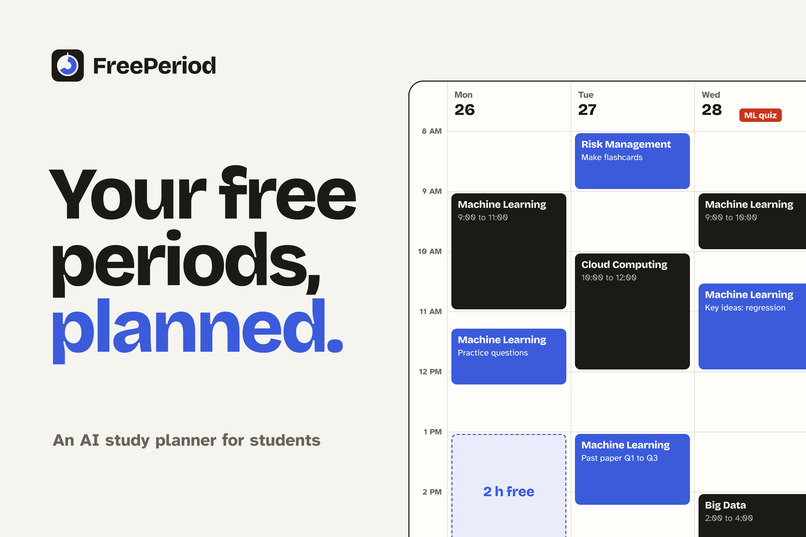
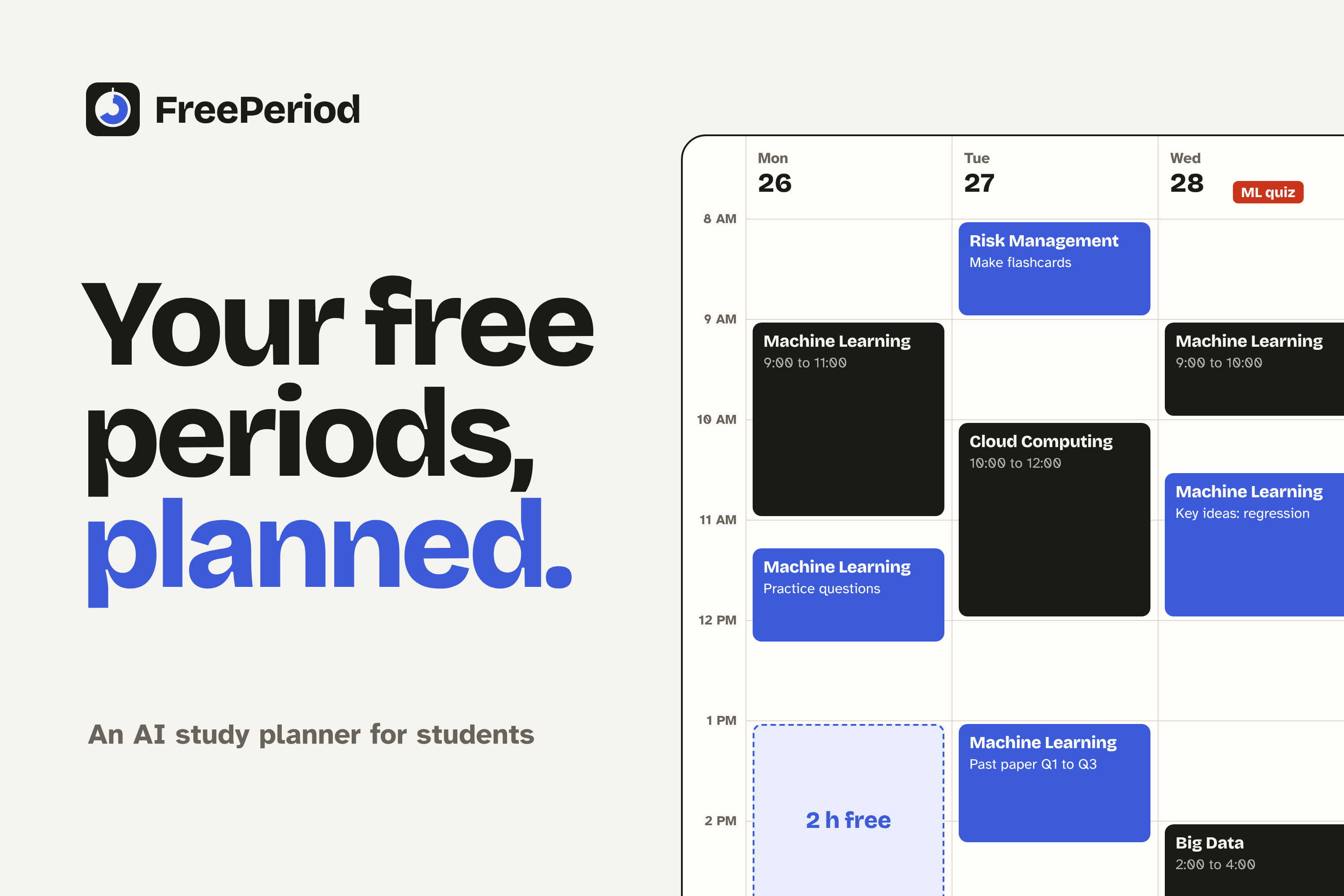
FreePeriod finds the free time between your classes and plans it for you.
-
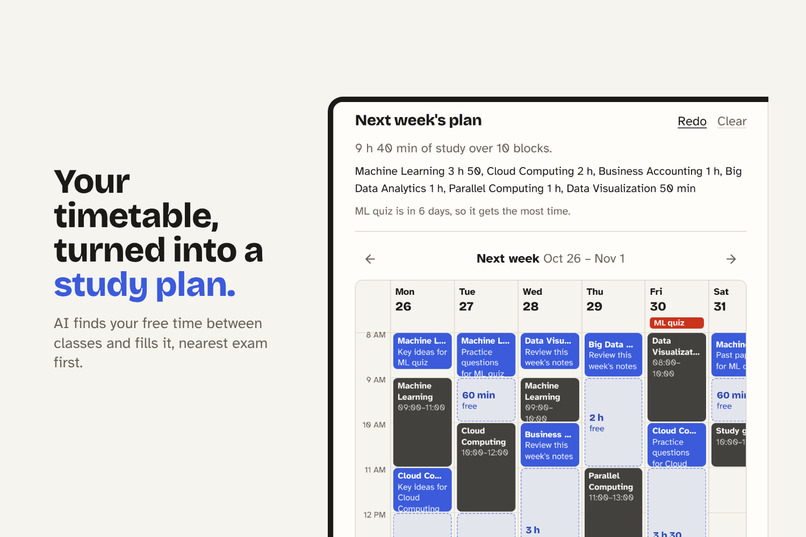
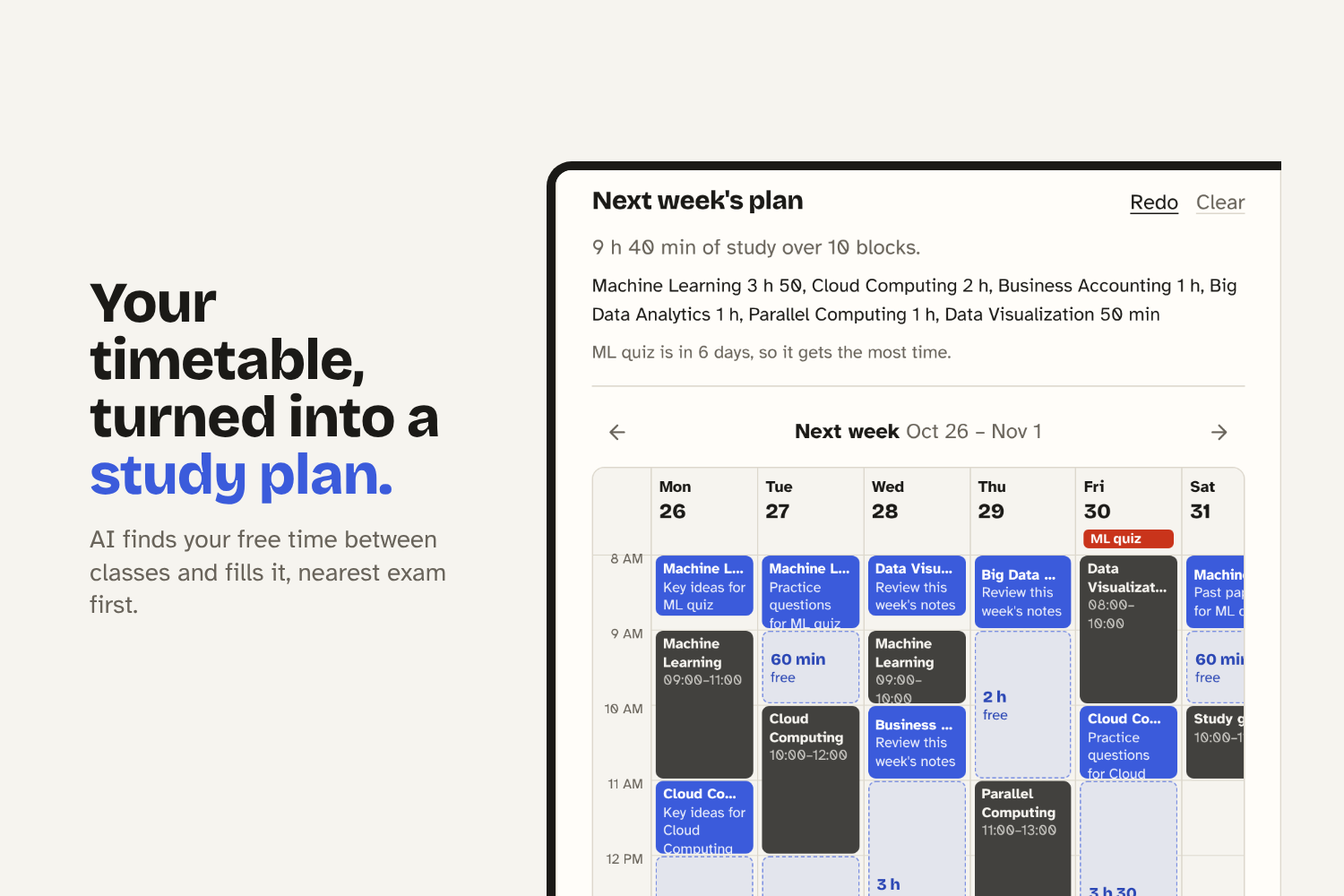
Upload your timetable and AI plans your study week, with your nearest exam first.
-
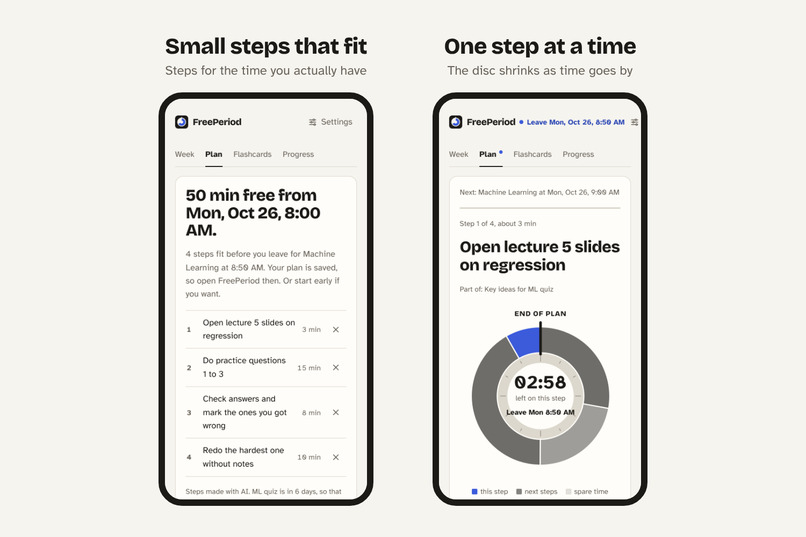
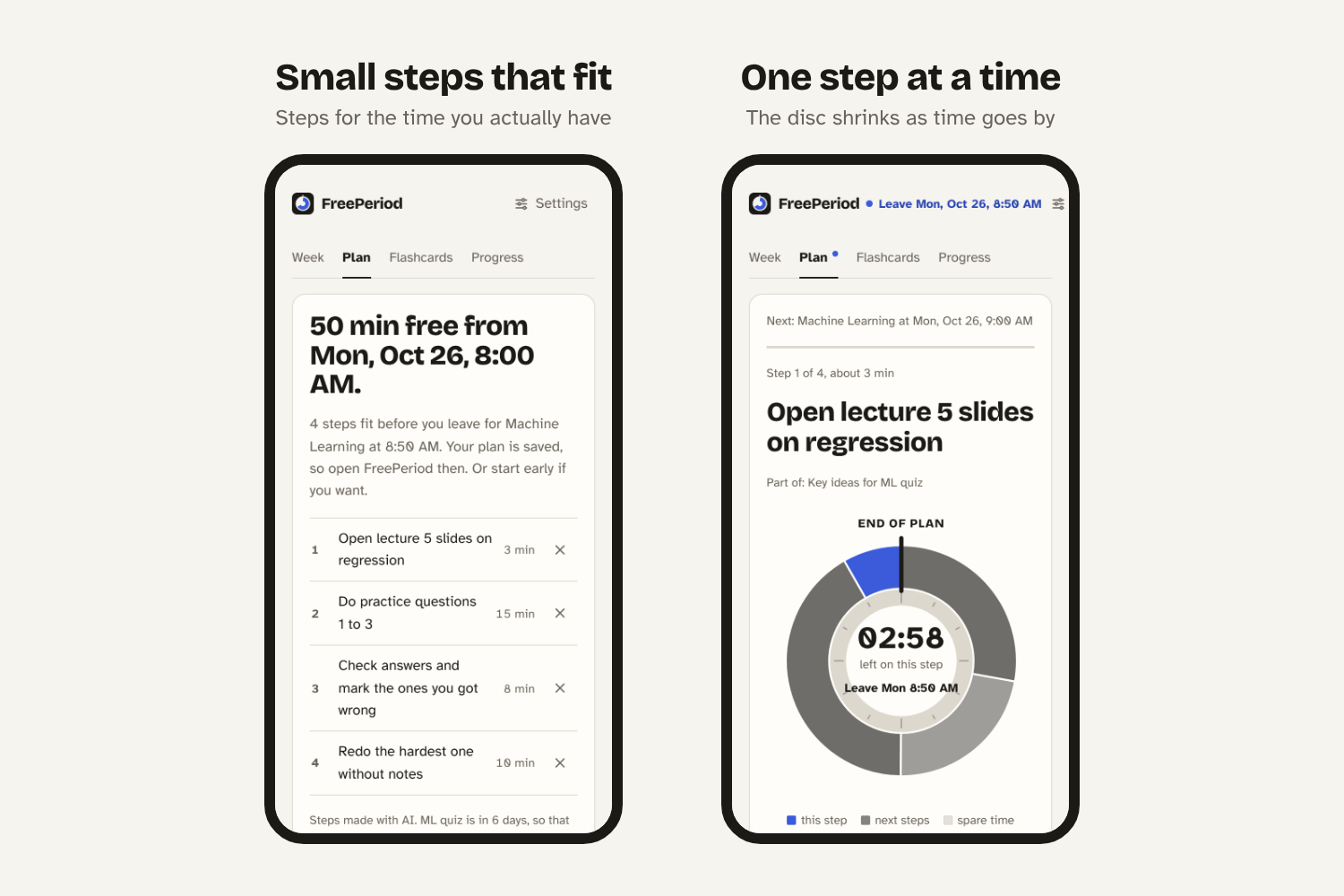
Tap a study block to get small steps that fit, then focus on one at a time.
-
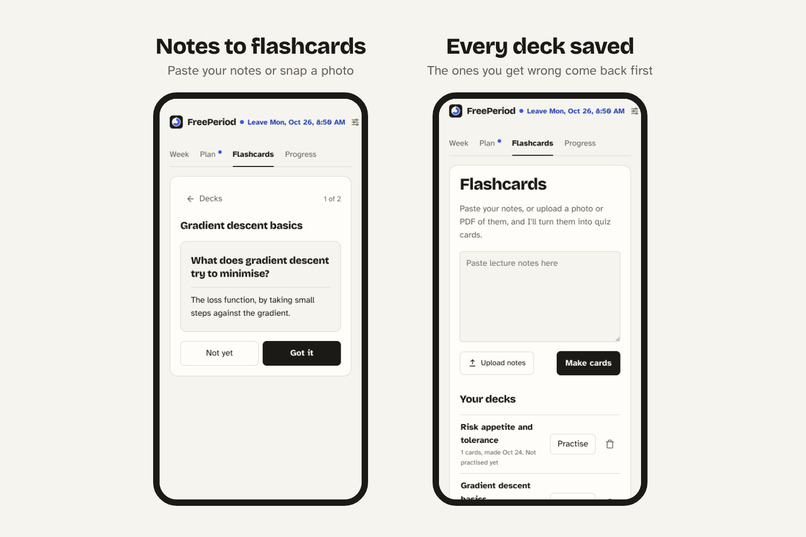
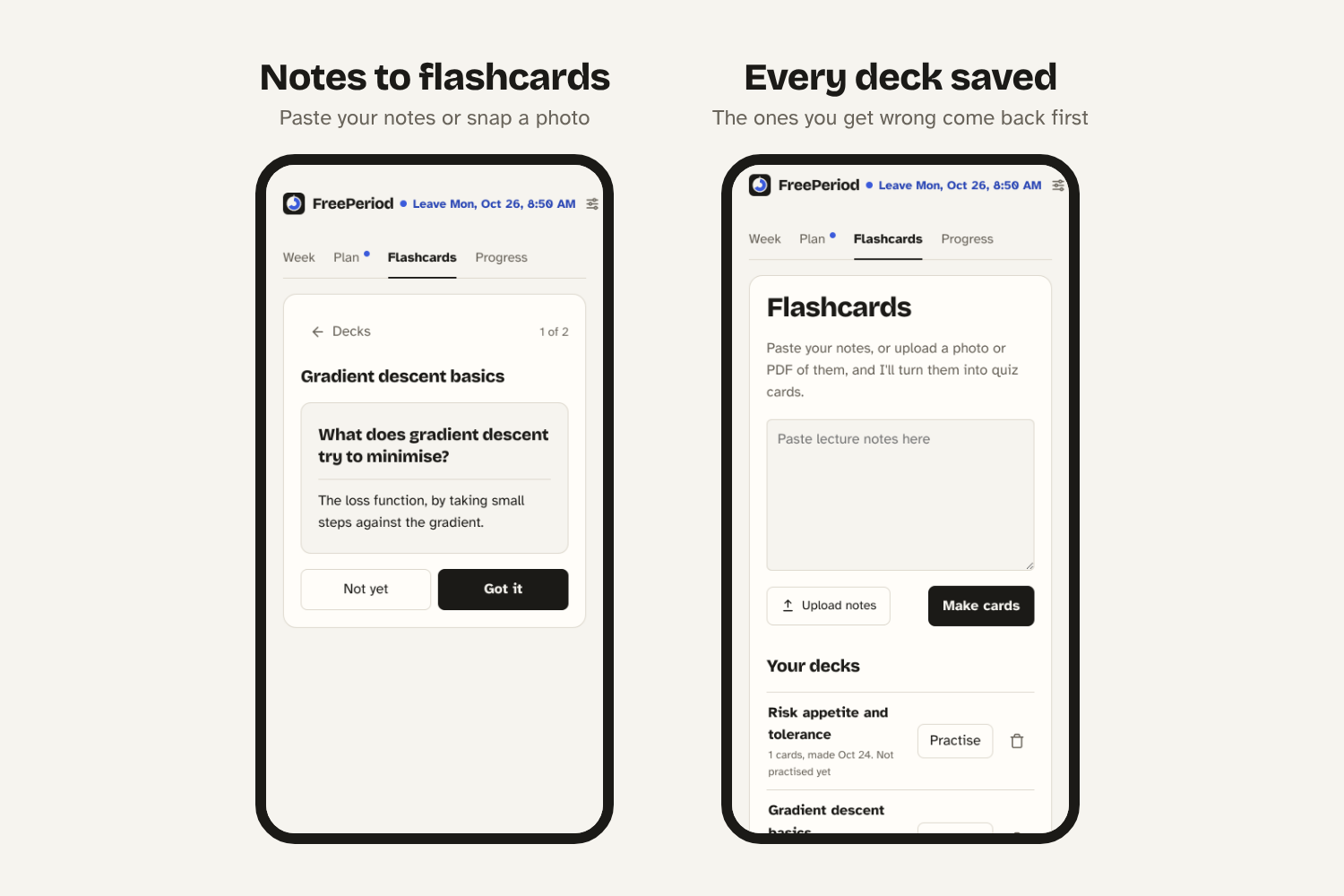
Turn your notes into flashcards. Every deck is saved and the ones you miss come back first.
-
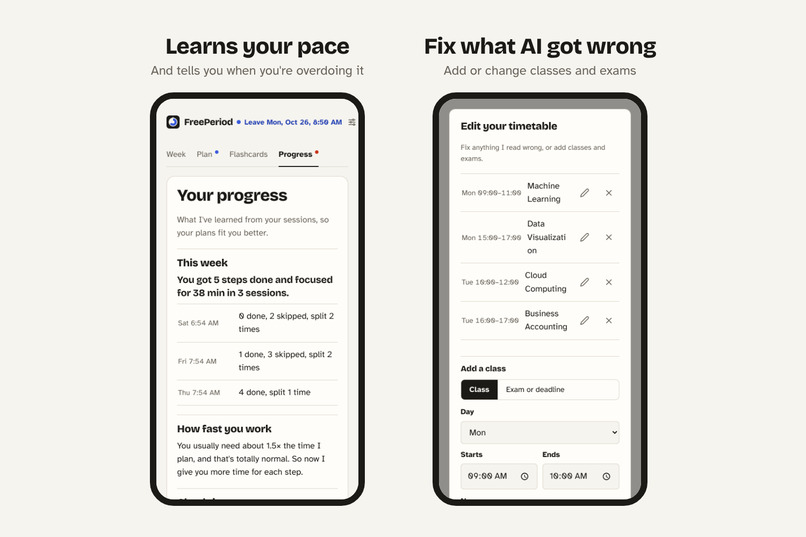
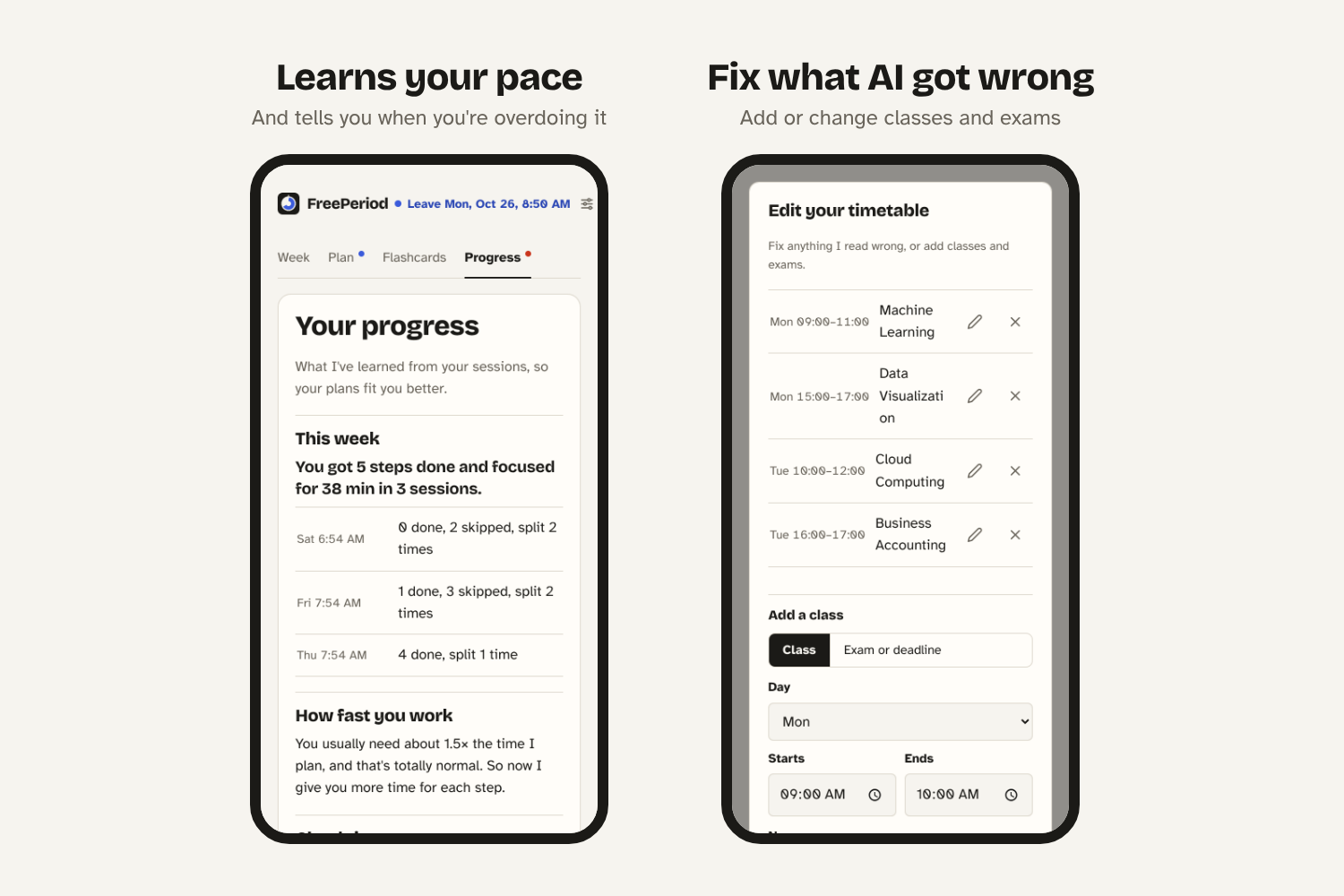
It learns how fast you work and checks in if you’re overdoing it. You can fix anything AI reads wrong.
Inspiration
I have hours between classes almost every day, and most of the time I just waste them. I scroll, I procrastinate, and then it's time for my next class. This happens to me like 5 times a week.
It's not that I don't have time. I just don't know what to do with it. My timetable is a screenshot in my gallery, my exam dates are somewhere else, and my notes are everywhere. Planning all of that feels like another task I don't want to start.
So I wanted an app that looks at my timetable and exams and just tells me: "You're free from 12 to 2. Do practice questions for ML, your quiz is in 3 days."
FreePeriod grew out of GapHelp, a smaller focus app we made earlier this hackathon week. We built on it to match problem statement 1, the Semester Survival Copilot.
What it does
FreePeriod is an AI study planner for uni students, especially people who struggle to get started, like students with ADHD.
Week
- Upload a photo, screenshot or PDF of your timetable or syllabus. AI reads your classes and exam dates and shows your week as a calendar, with your free time shaded.
- Tap Plan my week and AI fills your free time with study blocks. Your nearest exam comes first, subjects are spread across different days, weekends are lighter, and there's a daily limit so you don't burn out.
- Each block tells you exactly what to do, like "Practice questions: regression".
- Missed a block? One tap moves it to later in the week.
- You can edit anything: classes, exams and study blocks.
Plan
- Tap a study block and it gets broken into small steps (2 to 15 min) that fit your free time.
- Too much in your head? Just say it out loud (English or Bahasa Melayu) and it becomes a task list.
- Focus mode shows one step at a time, with a timer disc that shrinks as time passes. If a step feels too hard, tap split smaller.
- An alarm rings when it's time to go to class.
Flashcards
- Paste your notes or upload a photo of them, and AI makes quiz cards. Your decks are saved, and the ones you got wrong come back first.
Progress
- It learns your pace. If you always take longer than planned, it gives you more time next time.
- Burnout check: if you keep skipping steps, study past 11pm, or have done 3+ hours today, it tells you to go easier or take a break.
How we built it
It's a web app made with plain HTML, CSS and JavaScript. No framework, no login. It also works offline and can be installed on your phone.
How we used AI
| Feature | What we used |
|---|---|
| Reading timetables (photo or PDF) | Claude Haiku 5.5 through the Anthropic API (image and PDF input) |
| Weekly study plan and re-planning | Claude |
| Breaking tasks into steps, "split smaller" | Claude |
| Notes to flashcards | Claude |
| Brain dump | Web Speech API (speech to text), then Claude turns it into tasks |
| Learning your pace | Our own simple formula (below) |
| Burnout check | Simple rules from your history |
We ask the AI to reply in JSON and we check everything it sends back. For example, a class at "25:99" gets thrown out, and study blocks can't overlap your classes. If the AI isn't working, the app still works with a built-in planner.
Learning your pace: we look at your last 20 finished steps and compare how long you actually took with how long we planned:
$$p = \text{median}\left(\frac{t_{\text{actual}}}{t_{\text{planned}}}\right)$$
Then new steps get \( p \times \) the planned time (kept between 0.6x and 1.8x). So if you usually need 1.5x longer, your plan gives you that.
Keeping our API key safe: we didn't want judges to need their own key, but we also can't put ours in the code. So we made a small Cloudflare Worker that holds the key. It only works for our site, always uses the same small model, and has a daily limit per person.
Challenges we ran into
- Every timetable looks different. The AI can get things wrong, so we added an edit screen where you can fix or add classes yourself.
- Our first study plan was way too much. It filled every free period with 90 min blocks. Nobody studies like that. We added daily limits, lighter weekends and lunch breaks.
- Guessing how long tasks take. Everyone has a different pace, so any fixed time is wrong for someone. That's why we added pace learning.
- A weird bug. Planning a free period for Thursday started the timer right away and said "51 hours until you leave". We fixed it so future plans are saved for later.
Accomplishments that we're proud of
- You can go from a photo of your timetable to a full week of study blocks.
- It covers the whole problem statement: syllabus and exam dates, a weekly plan, adapting when you fall behind, a burnout check, and notes to flashcards.
- It still works without AI, offline, and on your phone.
- It's made for people who find it hard to start: one step at a time, voice input, a visual timer and an easy-to-read font.
What we learned
- Everyone has a different pace. There's no "right" time for a task, so the app should adjust to you.
- AI needs a backup. Asking for JSON isn't enough. You have to check the answer and have a plan for when it fails.
- Less is more. Every time we removed something from the screen, the app got easier to use.
What's next for FreePeriod
- Google Calendar sync, so you don't have to upload a timetable
- Flashcards that come back over a few days (spaced repetition)
- Phone reminders when a study block is about to start
- Letting more students try it and improving the plans from how they actually study
Team and AI assistance
- Arleen: idea and coding
- Lester: UI/UX design, demo video and the rest
We came up with the idea, made the design decisions, tested it and edited it. FreePeriod uses the Anthropic API (Claude Haiku 5.5), optionally Google Gemini, the browser's Web Speech API, Cloudflare Workers, and free fonts from Fontsource (SIL Open Font License). No other libraries.

Log in or sign up for Devpost to join the conversation.