-
-
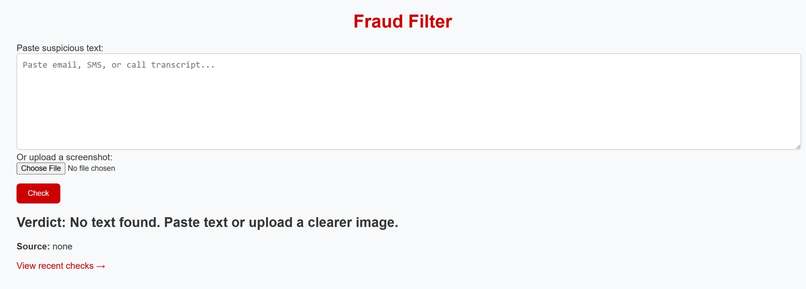
Is this a scam, copy paste or upload.
-
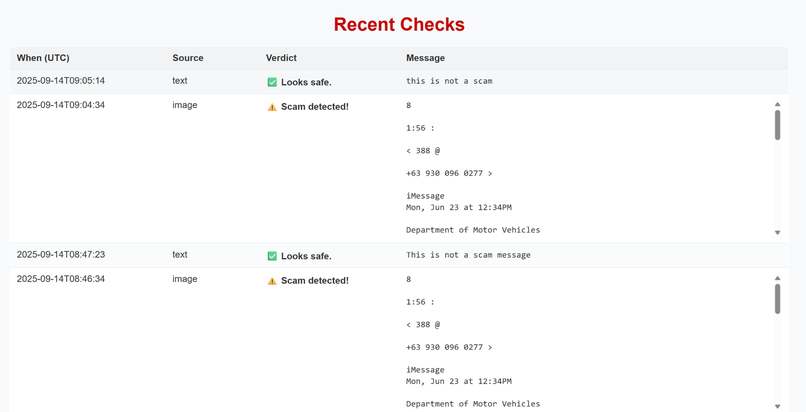
Continuous Tracking and Monitoring
-
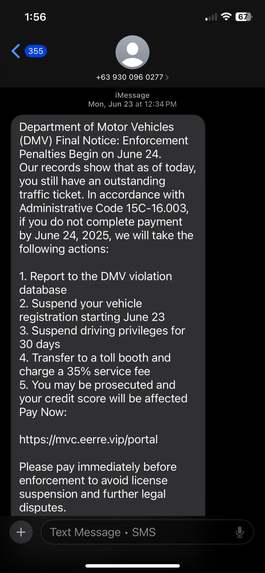
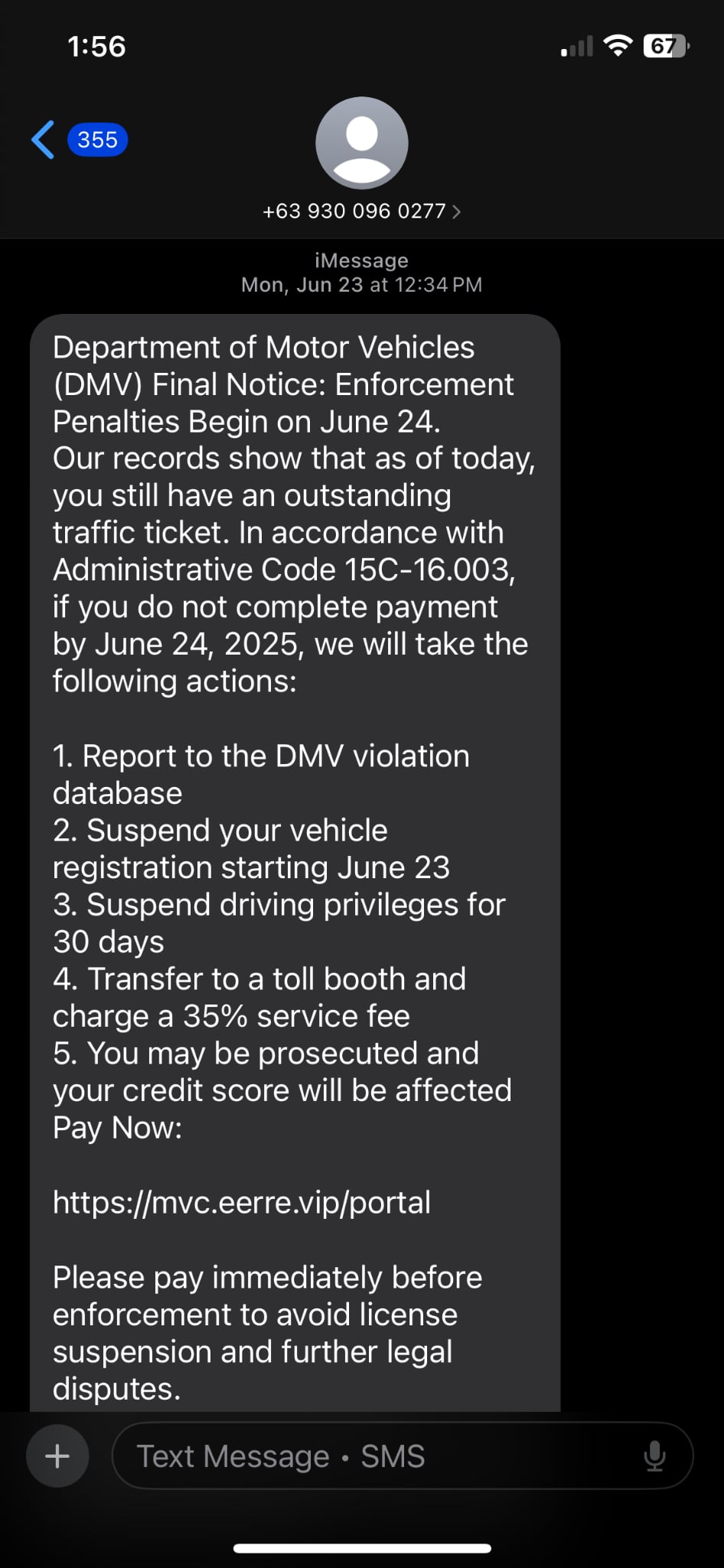
Sample scam message
Inspiration
We have all seen it happen: a grandparent answering a phone call that sounds urgent, a parent clicking on an email that looks official, or a loved one scared into thinking they’ll lose access to their bank if they don’t act right away.
For many of us, these aren’t abstract statistics, they are the people we love and care about. The very people who taught us how to tie our shoes, drove us to school, and believed in us are now being targeted by scammers who exploit fear and trust.
Our goal is to empower vulnerable people to protect themselves through intuitive technology.
What it does
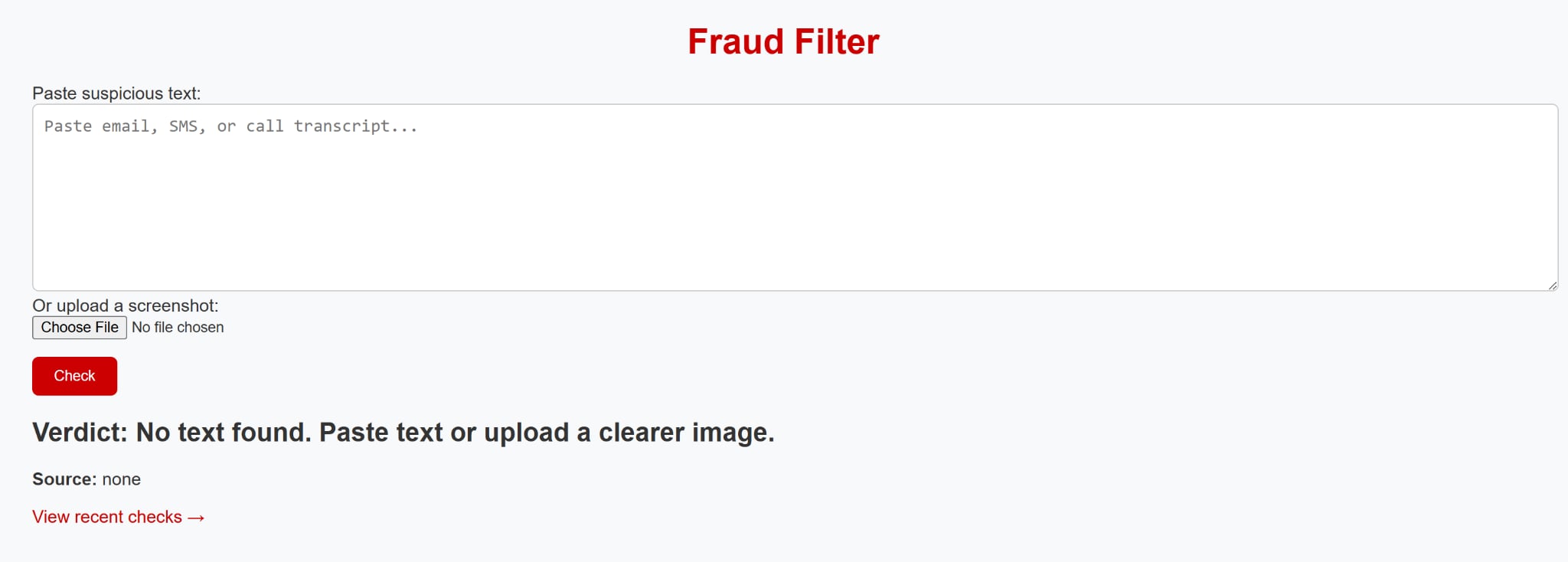
Fraud Filter acts like a personal safety net against fraudulent messages. Users can paste suspicious text directly or upload a screenshot of a message.
Behind the scenes, our app:
Reads input text -> Copy paste of emails, text, FB messenger ,whatsapp or any other messaging platform
Reads input images -> extracts text from copy-paste images of messages received using OCR (so even a screenshot of a text message can be analyzed).
Scans for red-flag language like “urgent,” “wire transfer,” “final notice”, or phished email addresses that often signal a scam.
Delivers a clear verdict: either "Scam detected" or "Looks safe".
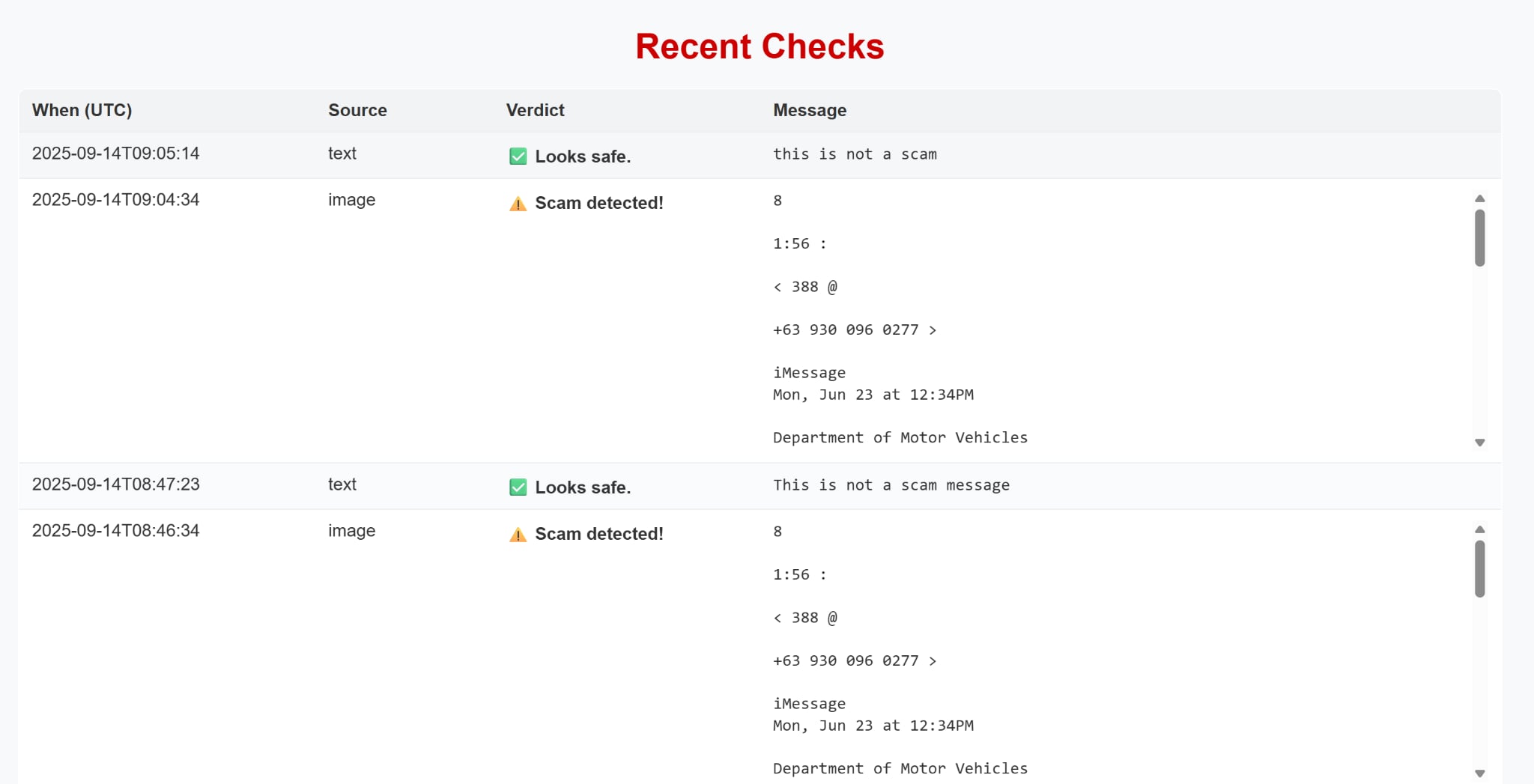
Keeps a history of past messages, allowing loved ones and caregivers to review what the user has been receiving. This can be used for reporting to law enforcement, but more importantly to train models to stay a step ahead of evolving techniques and language used by scammers.
This combination of instant feedback and ongoing transparency empowers vulnerable users to pause before responding and gives families the ability to intervene early.
How We Built It
Framework & App Flow
- Built a lightweight Flask web app to accept plain text or image uploads (drag-and-drop).
- Two primary endpoints:
POST /scan— takes text or an image, returns extracted text + fraud verdict + confidence.GET /history— lists prior scans with filters (date, verdict), plus CSV export.
- Clean, accessible UI: large type, high contrast, keyboard-friendly controls.
OCR Pipeline (screenshots → text)
- Preprocess images with Pillow (PIL) and OpenCV:
- resize → grayscale → denoise/contrast → adaptive threshold for sharper characters
- fast array ops via NumPy to keep latency low
- Convert to text with pytesseract (Tesseract OCR):
- tuned
psm/oemparameters for small UI fonts and screenshots - capture Tesseract confidence and fall back to raw text if OCR is uncertain
- tuned
Scam Detection (MVP)
- Rule-based checks that work well on short, noisy text:
- sender/display-name mismatch, urgent language, “gift card / wire / crypto” asks
- suspicious URLs/domains and obfuscated contact methods
- heuristic scoring → verdict: Safe / Review / Likely Scam (with a short rationale)
- Designed so we can later plug in a small ML model without changing the API.
History & Caregiver Review
A core part of Fraud Filter is not just catching scams in the moment, but keeping a clear record families and caregivers can review over time.
- SQLite datastore (file-based, simple to back up/share):
Why this works
- Fast feedback: small dependencies, on-device OCR, immediate verdict.
- Elder-friendly: minimal steps, large fonts, plain-language outcomes.
- Maintainable: modular pipeline (preprocess → OCR → classify → log) with clear seams for upgrades.
A core part of Fraud Filter is not just detecting scams in the moment, but also keeping a record so families and caregivers can review what’s happening over time. Here’s how we approached the technical design of the history feature:
Database:
We created a simple schema to capture each check:
- id: unique identifier
- timestamp: when the message was scanned
- user_id: to support multiple users in the future
- original_text: the message entered or extracted via OCR
- verdict: safe or scam
- extracted_text : text pulled from an image upload
This schema lives in a lightweight SQLite database we plan on scaling later to PostgreSQL or Firebase for production.
Tech Stack


-C2185B?style=flat-square)

- Backend Framework: Flask — routing, request handling, and API surface
- OCR: Tesseract via
pytesseract— converts screenshots into machine-readable text - Image Processing: Pillow (PIL) — formats and preprocessing; threshold and fast array ops
- Database: SQLite — file-based store for scans, verdicts, and review history
Challenges we ran into
Image I/O interoperability (Flask ↔ Pillow/OpenCV)
Flask delivers uploads aswerkzeug.FileStoragestreams, while Pillow/OpenCV expect different inputs and color models. We had to standardize the path:FileStorage→bytes→np.frombuffer→cv2.imdecode→cv2.cvtColor(BGR→RGB)orPIL.Image.open(and be careful toseek(0)when reusing the stream). Getting this consistent eliminated subtle OCR accuracy drops and “empty image” edge cases.Security & data handling
We realized that when you log messages, you’re handling sensitive personal communication. That means:
- Minimize: store only what’s needed (short excerpts + verdicts), with a configurable retention window.
- Protect: encrypt at rest (OS-level disk encryption or SQLite/SQLCipher), and lock down access (role-based controls).
- Sanitize: escape OCR text before rendering in templates to avoid injection.
- Comply: if publicly deployed, document data flows and add opt-in/consent, export, and deletion paths (GDPR/CCPA-style controls).
Accomplishments that we're proud of
- Integrated OCR successfully, so even screenshots of scam texts and emails can be analyzed, not just copy-pasted text
- Implemented a history feature so families can review flagged messages, adding a real layer of safety beyond one-time checks.
What we learned
- To ship a Flask web app that connects OCR/classification endpoints to a simple, accessible UI.
- Established a lightweight HTML/Jinja templating pattern (layout, partials, forms/validation) to keep pages consistent and easy to extend.
- Integrated Tesseract via
pytesseractwith Pillow/OpenCV preprocessing for uploaded screenshots; tuned grayscale/contrast/denoise to improve OCR accuracy. - Designing with older and vulnerable users in mind: large type, high-contrast palette, minimal steps, and plain-language outcomes.
- (Not implemented) To treat data as sensitive from day one: minimize what we store, add encryption at rest, role-based access, and a clear retention/erase policy.
What's next for Fraud Filter
Integrate voice recognition so that scam calls and voice messages can be recognized.
Fine tune distinction between “spam” and “scam”.
Improve the Database: Expand our history feature with a more robust backend (e.g., PostgreSQL or Firebase) to support multiple users, secure authentication, and caregiver dashboards. Tighten privacy, and provide a way to purge any false positives.
Smarter Alerts: Add a notification system (text/email) so caregivers get pinged when a high-risk scam is detected.
Multi-language Support: Extend OCR + detection to handle scams written in other languages, not just English.
(Optional) Mobile-Friendly Interface: Build a simple app-like view so seniors can use it easily on their phones. Directly integrate with mobile messaging and email (through plugins)
Integrate Gemini API (or other LLMs): Move beyond keyword spotting to AI-powered analysis that can detect subtle scam patterns across language, tone, and structure. While this can be handed off the large public LLM’s, the portability of local lightweight models make it attractive for those who are bandwidth constrained.


Log in or sign up for Devpost to join the conversation.