-
-
1
-
2
-
3
-
4
-
5
-
6
-
7
-
8
-
9
-
10
-
11
-
Logo & Text
-
Logo
-
-

Inspiration
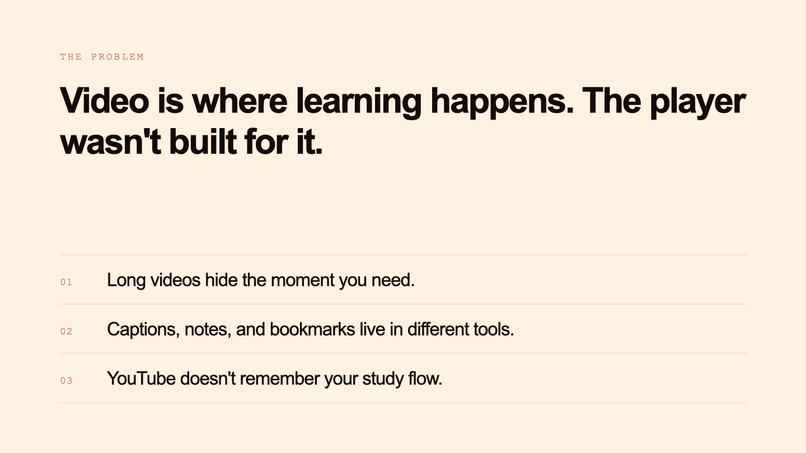
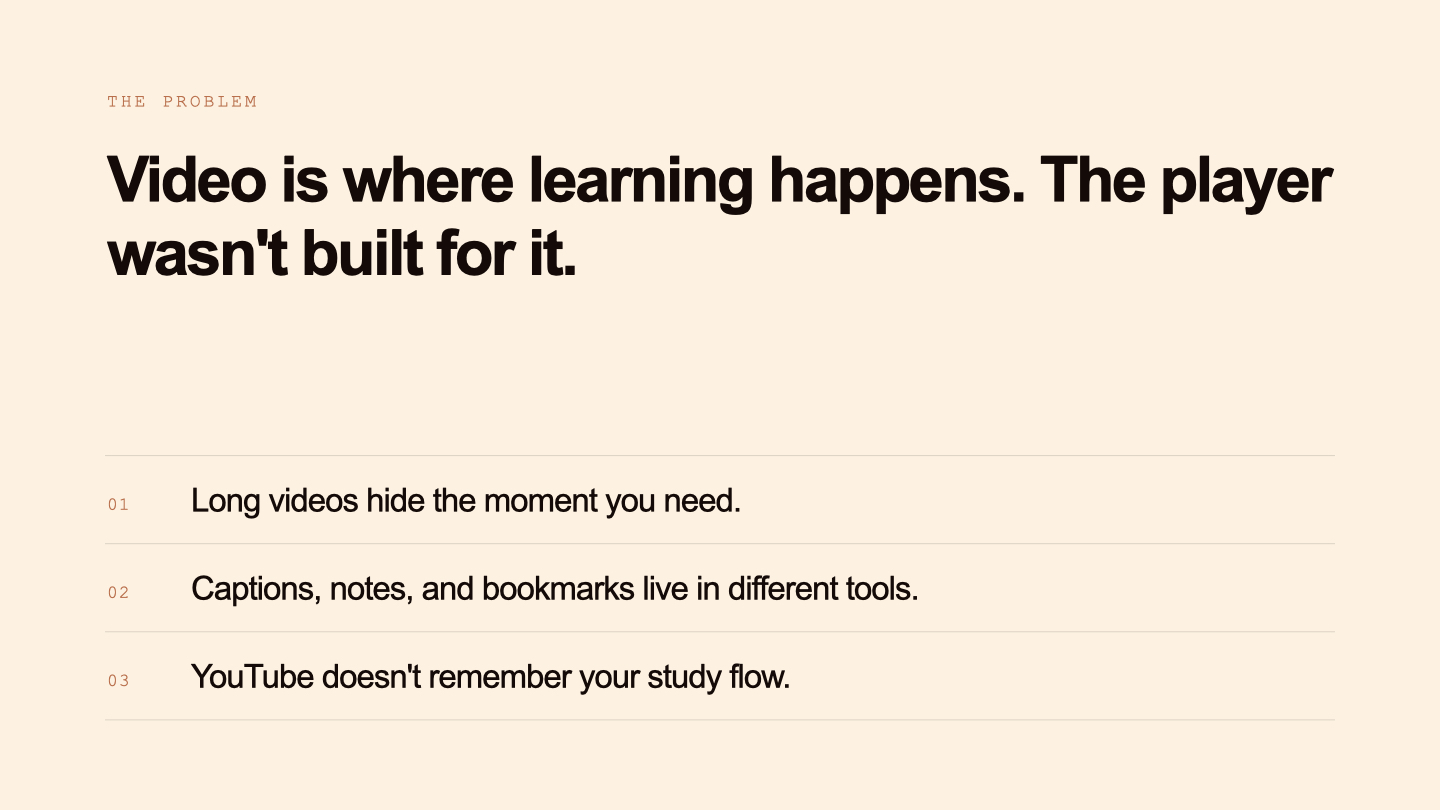
Framewise was inspired by our own experiences as students learning through online videos every day. We constantly found ourselves switching between tabs for notes, captions, timestamps, AI tools, bookmarks, and playback controls just to study effectively. The learning process felt fragmented, distracting, and passive.
As a two-person team made up of women in STEM, we wanted to build something that would genuinely improve the way people interact with educational content. Instead of creating another isolated AI tool, we wanted to design a system that feels useful in everyday life — a product that transforms videos into interactive learning workspaces.
At the same time, we also wanted learning to feel more engaging and enjoyable. Not every video interaction should feel academic or rigid. Some people learn through movement, repetition, creativity, and practice. That inspired us to explore choreography detection, dance practice workflows, and real-time pose tracking as part of the experience.
Our vision was simple:
Videos should not just be watched. They should be explored, questioned, organized, practiced, and enjoyed.
Framewise is designed to help users both study and have fun while learning from video.
What it does
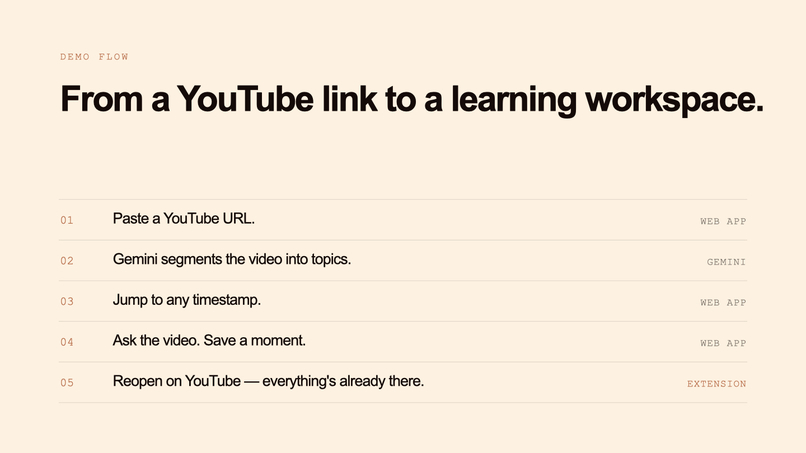
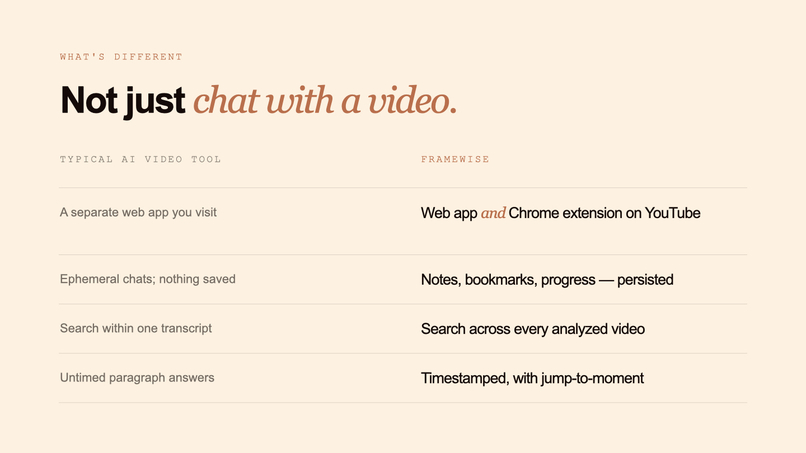
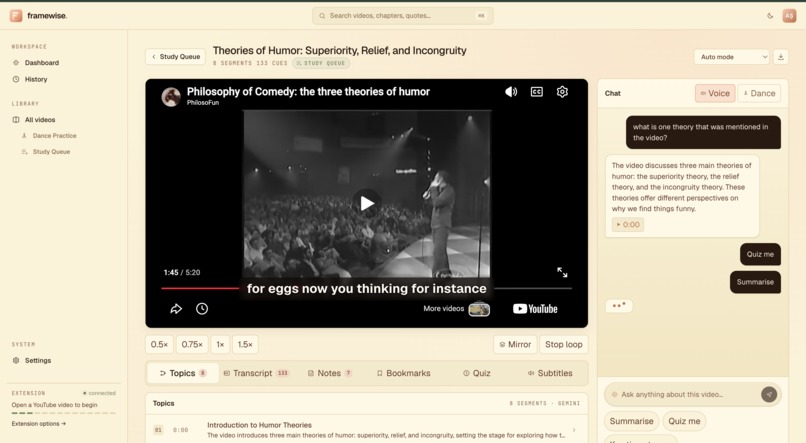
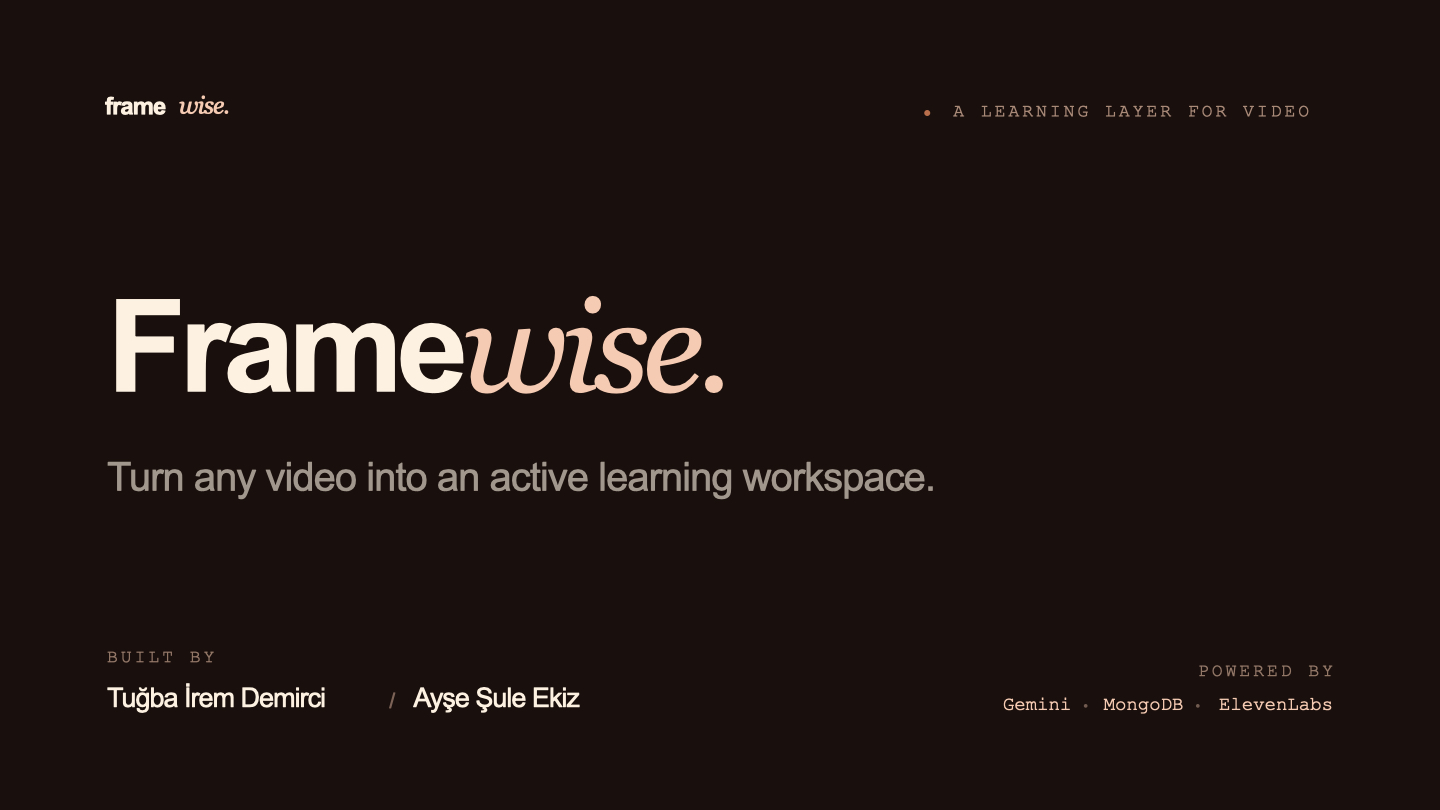
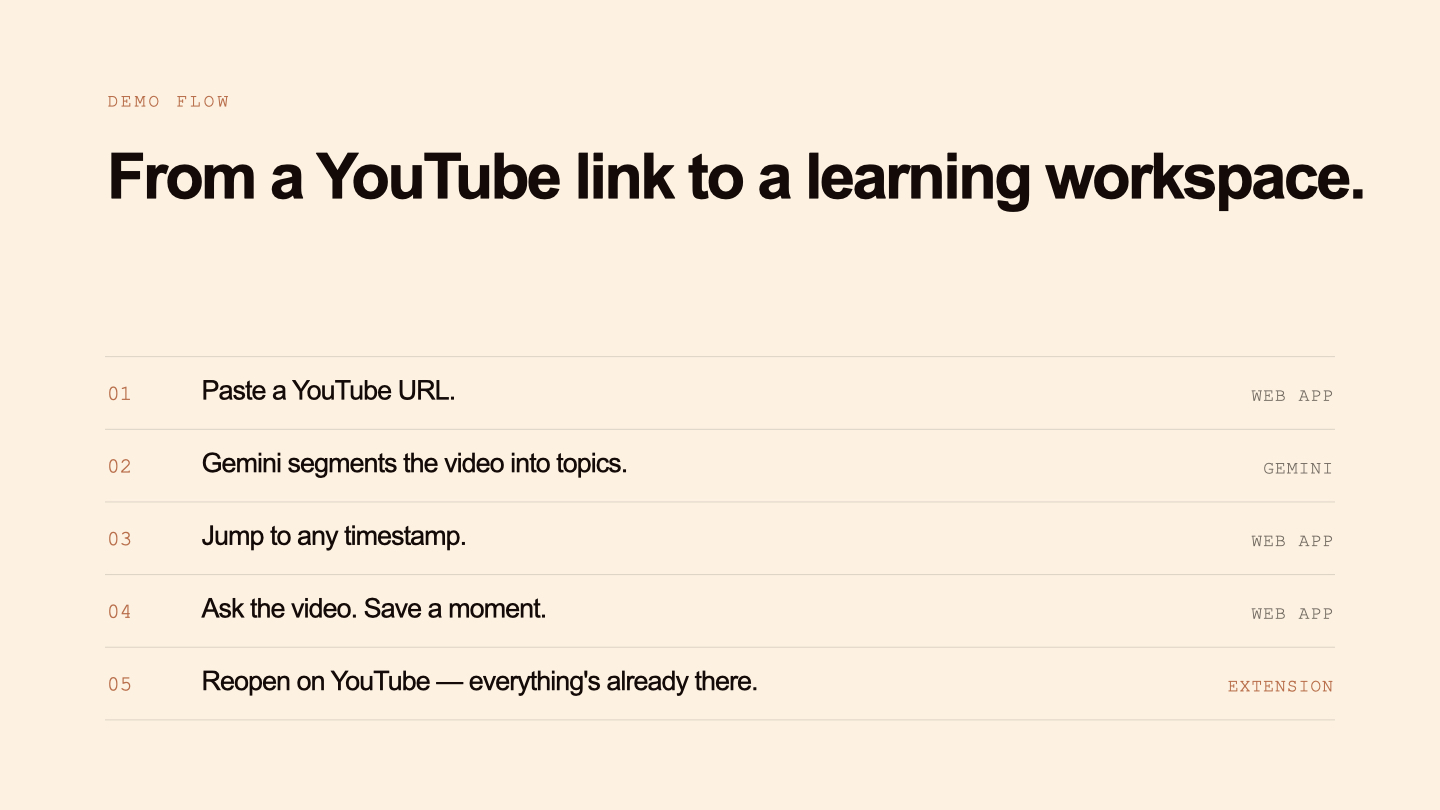
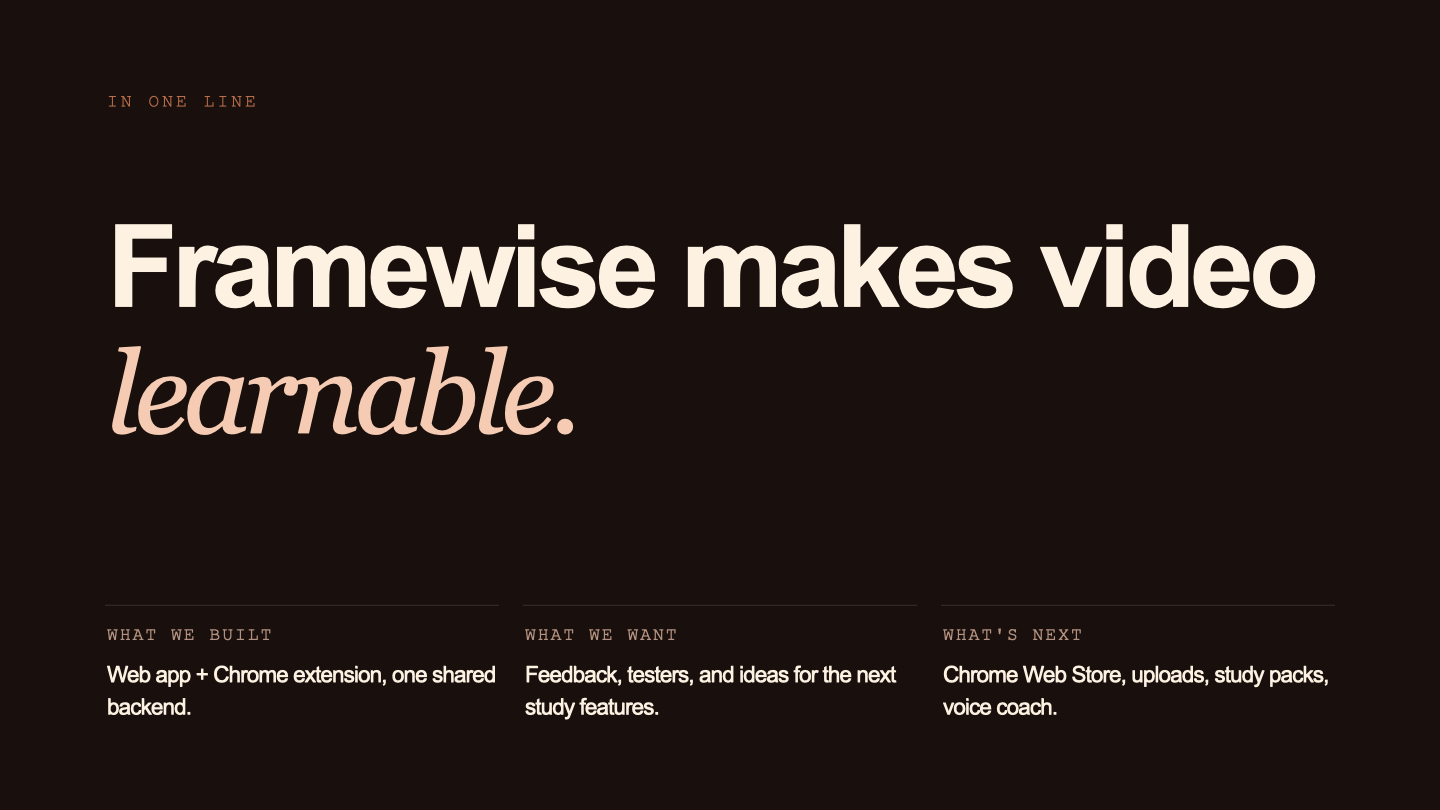
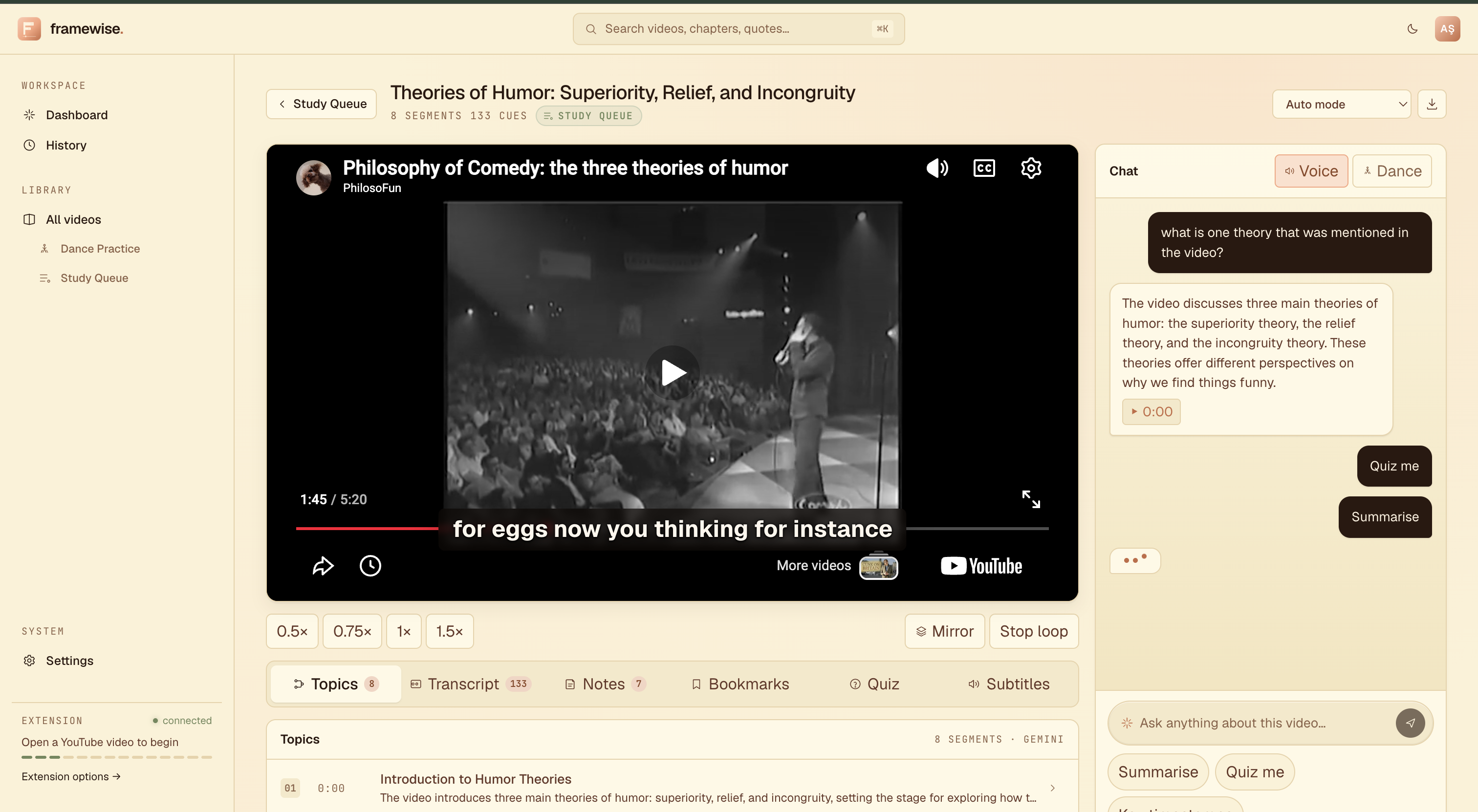
Framewise is an AI-powered video learning assistant that transforms YouTube videos into structured and interactive learning environments.
Users can:
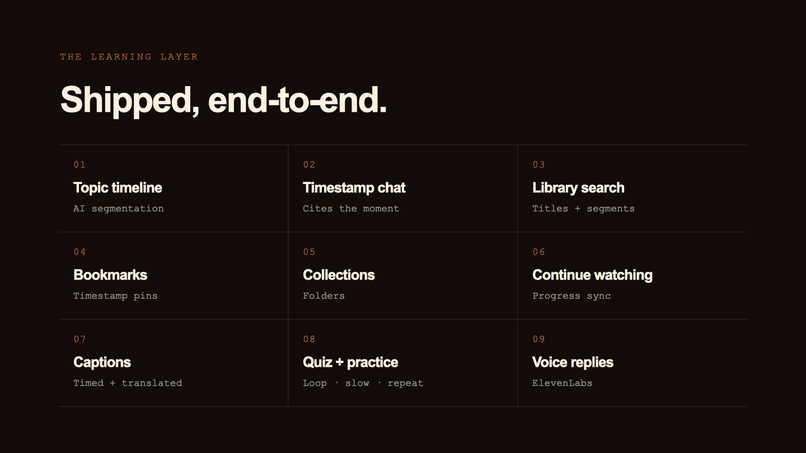
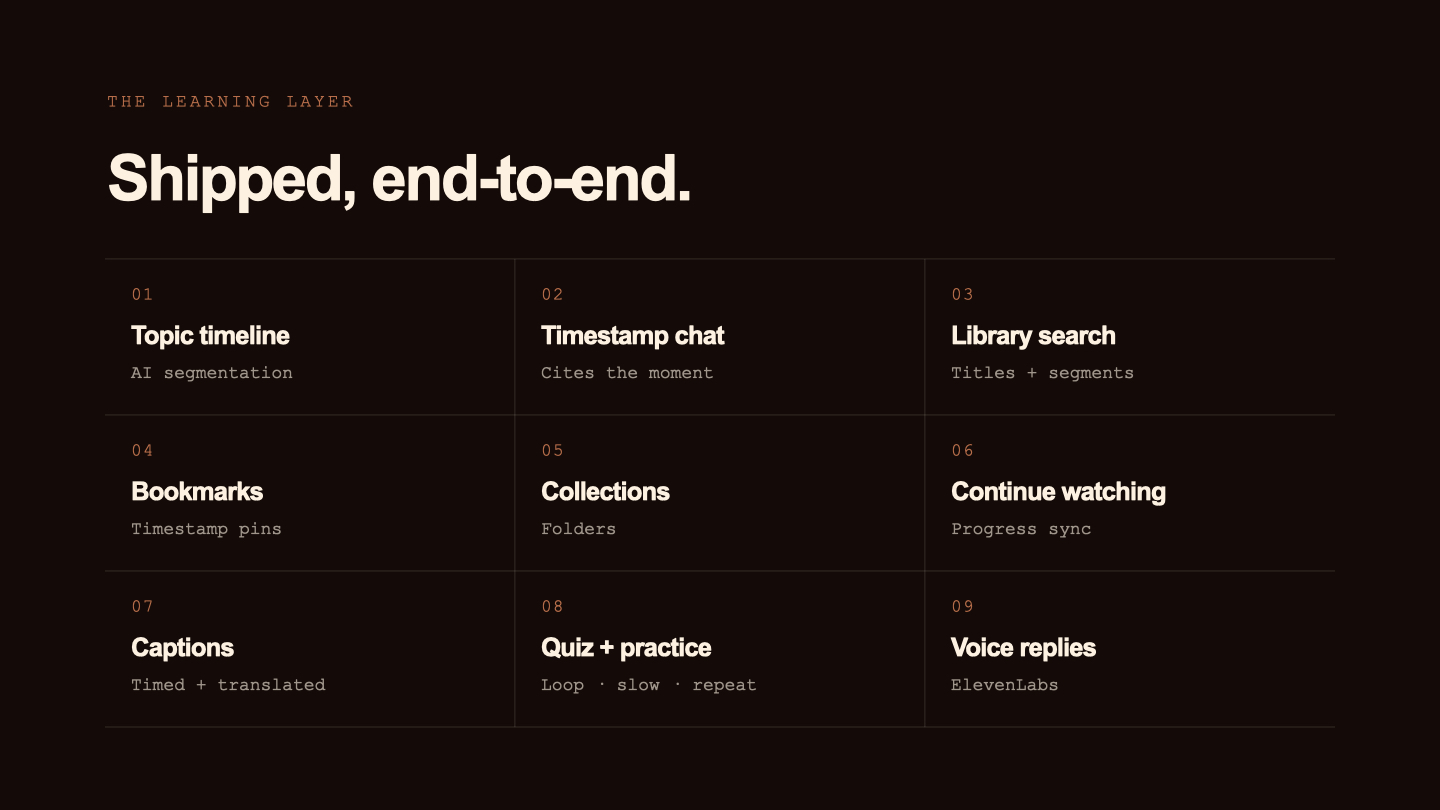
- Analyze YouTube videos with AI
- Generate topic timelines with clickable timestamps
- Chat with videos using contextual AI responses
- Save notes and bookmarks linked to exact moments
- Generate quizzes automatically
- Create and translate captions
- Organize videos into collections and folders
- Continue watching with saved progress
- Use voice-powered interactions
- Practice specific sections using looping, speed controls, and playback tools
- Explore dance and choreography-based learning workflows
Framewise includes:
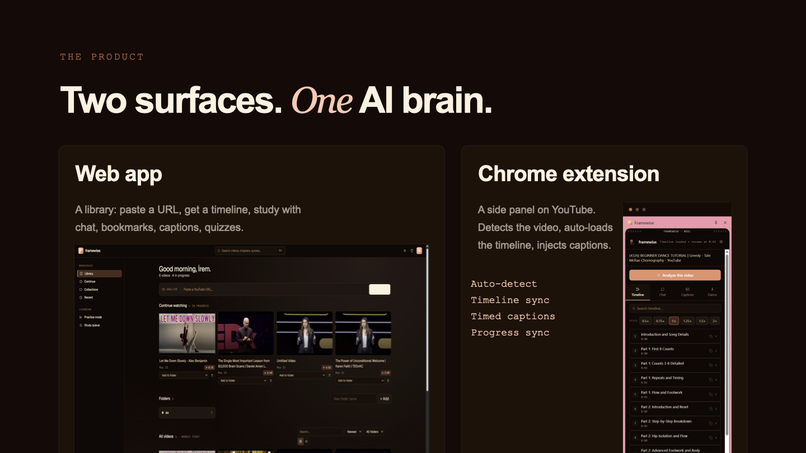
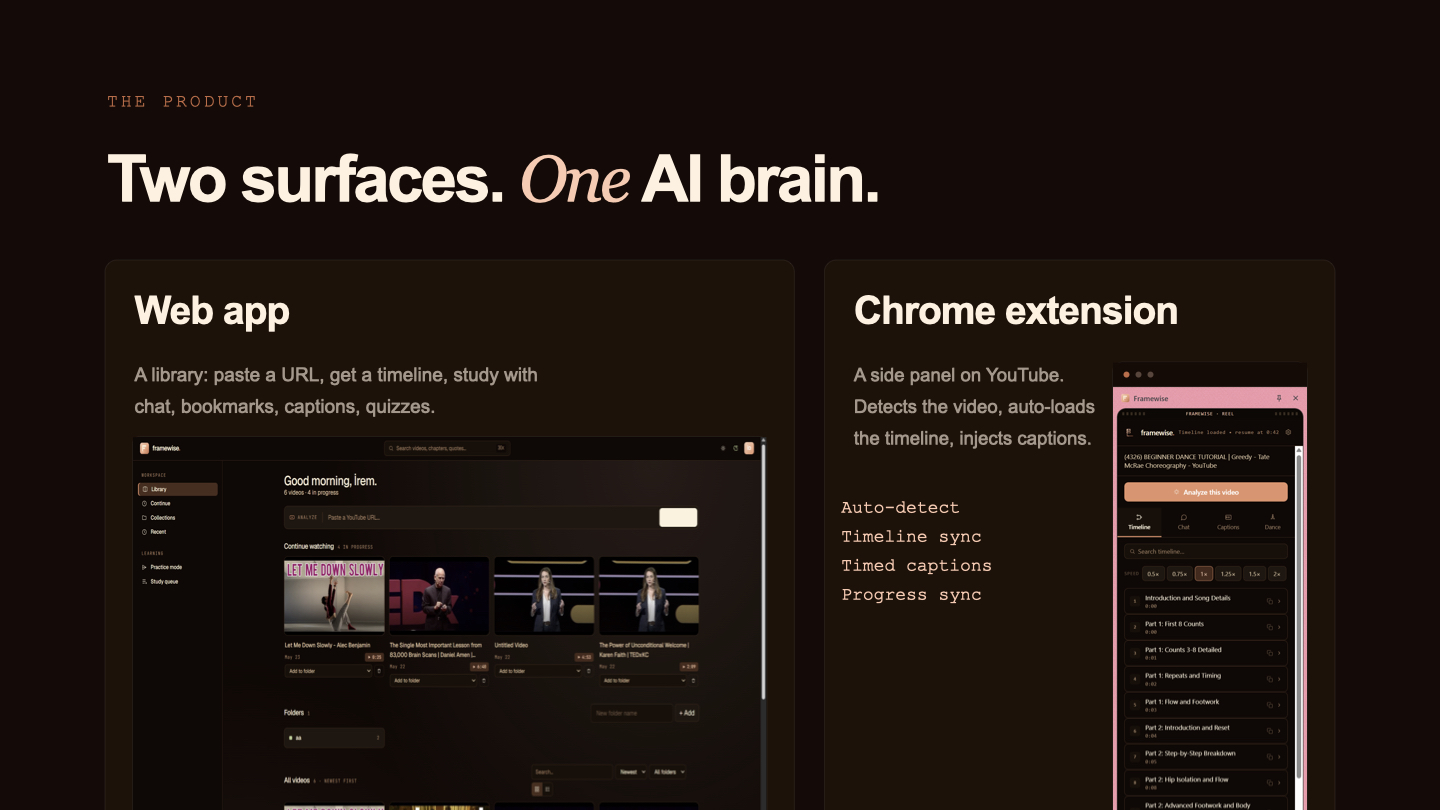
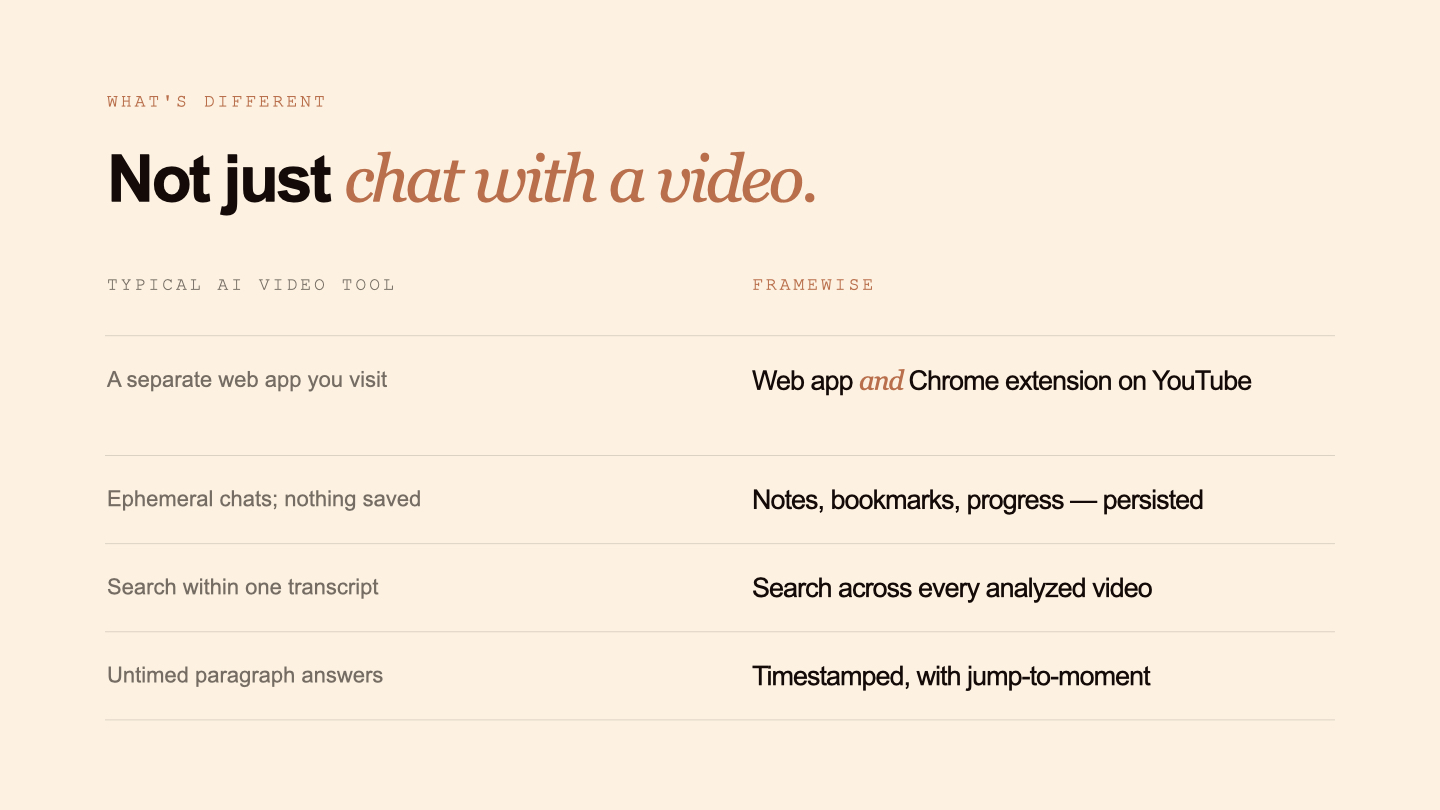
- A web application for building a personal learning library
- A Chrome extension that works directly inside YouTube
The extension automatically detects analyzed videos, loads saved timelines, syncs progress, and injects captions directly over the video player.
How we built it
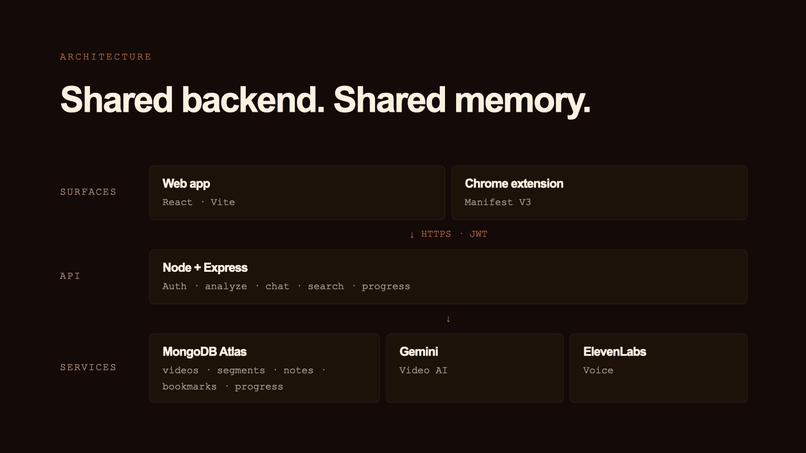
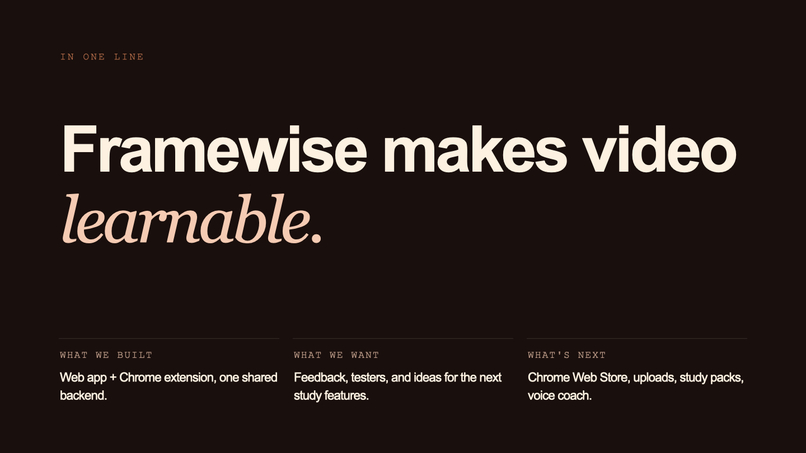
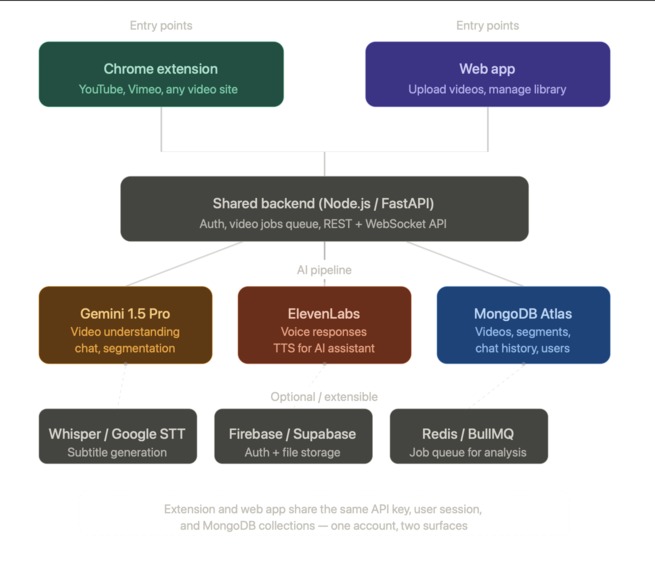
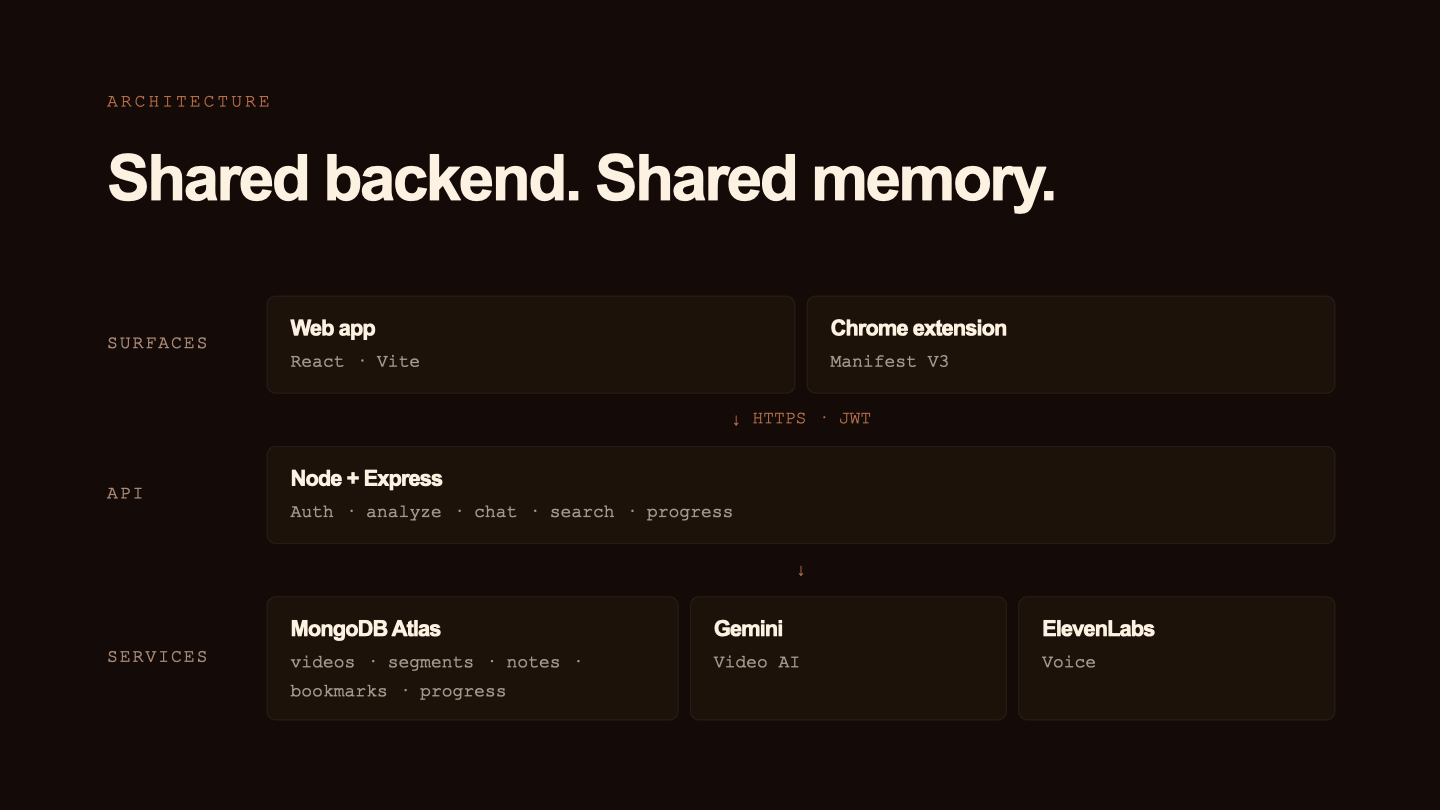
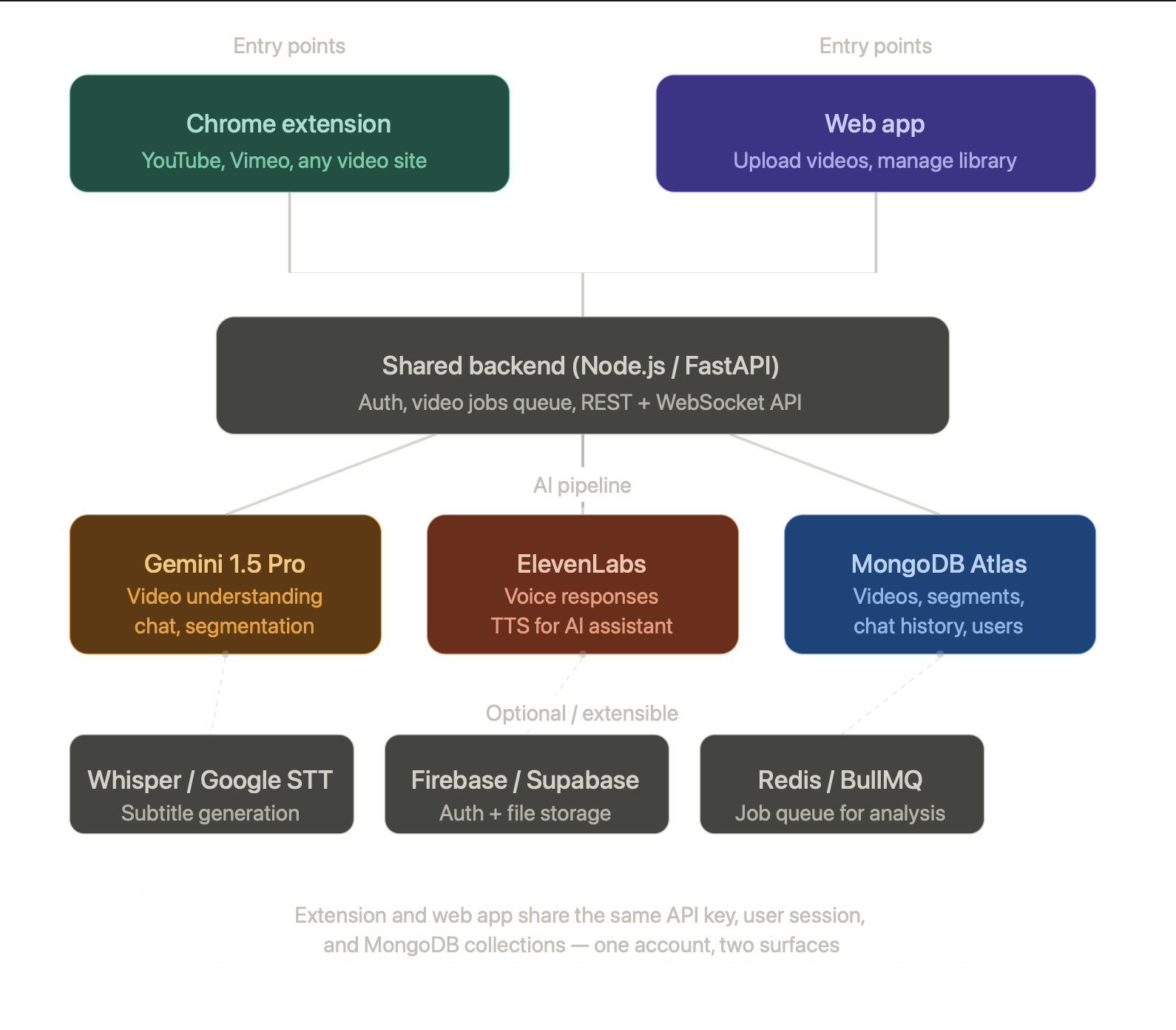
We built Framewise as a connected ecosystem instead of separate applications. The web app and Chrome extension share the same backend, authentication system, database, and AI pipeline, allowing users to move seamlessly between platforms while keeping their learning state synchronized.
Frontend
- React
- Vite
- JavaScript
- CSS
Backend
- Node.js
- Express.js
- JWT Authentication
Database
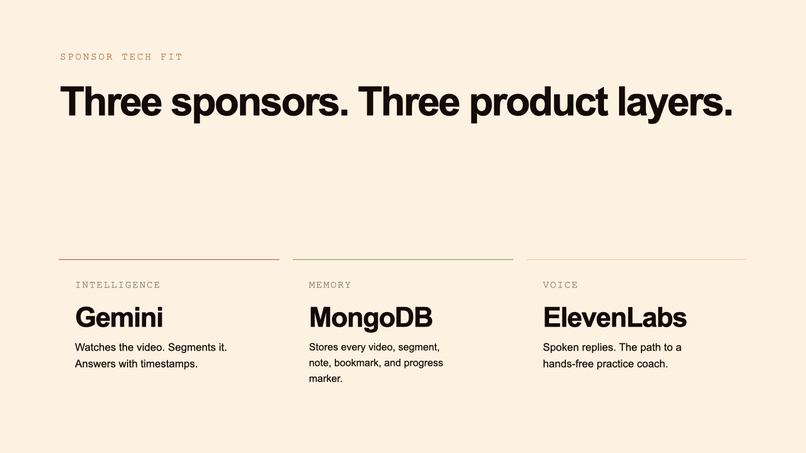
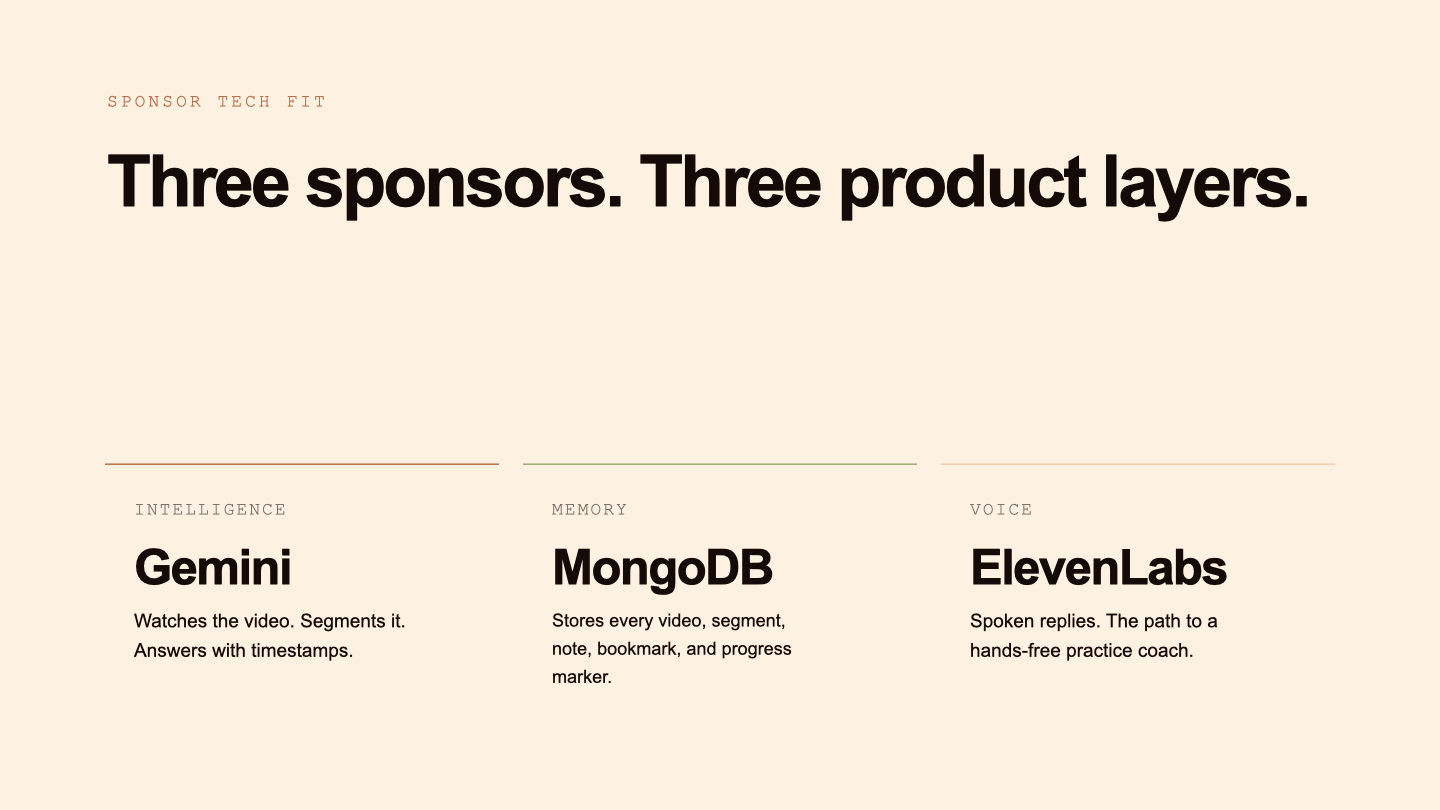
- MongoDB Atlas
AI & APIs
- Gemini AI for video understanding, topic segmentation, and contextual chat
- ElevenLabs for voice responses and audio processing
- YouTube transcript processing for captions and timeline generation
We also designed the architecture so user progress, notes, bookmarks, captions, and collections persist across both the web app and Chrome extension.
One of the features we were especially excited to build was a real-time pose tracking system for dance and movement-based learning. Using TensorFlow.js and MoveNet, we integrated webcam-based pose tracking directly into the Practice section of the app, allowing users to visualize body movement through live skeletal overlays while practicing choreography sections from videos.
Challenges we ran into
One of the biggest challenges was building synchronization between two connected product surfaces: the web application and the Chrome extension. Since both systems shared the same backend and user state, we had to carefully manage authentication, API communication, and persistent data flow.
Another major challenge was handling AI-powered workflows. Video analysis, caption generation, quiz generation, and voice features all depended on external AI services, which introduced latency and required careful optimization and asynchronous handling.
Chrome extension development also presented unique difficulties. Working with browser permissions, content scripts, side panels, and YouTube page detection required extensive debugging and testing across many edge cases.
It was also our first time building a Chrome extension, which made the experience both challenging and exciting. Working with browser APIs, side panels, content scripts, permissions, and real-time interaction inside YouTube introduced us to an entirely new area of development.
At first, the extension ecosystem felt unfamiliar and difficult to debug, especially when synchronizing state between the extension, the web app, and the backend. However, as we continued building, we realized how powerful browser extensions can be for creating seamless user experiences directly inside the platforms people already use every day.
One of the most exciting parts of this project was realizing how much deeper the extension ecosystem goes. What started as a hackathon challenge quickly became an area we genuinely want to continue exploring. It feels like we only scratched the surface, and we can already see there is an entire “deep sea” of possibilities to dive into, from smarter browser-native AI assistants to adaptive learning tools that live directly inside the user’s workflow.
A particularly difficult challenge was implementing real-time pose tracking within such a short timeframe. We integrated TensorFlow.js and the MoveNet SINGLEPOSE_LIGHTNING model to support webcam-based movement detection and skeleton overlays directly inside the Practice section of the app. Handling webcam streams, canvas overlays, animation loops, and real-time pose rendering while maintaining performance was significantly more difficult than we initially expected.
We also spent significant time improving usability and reducing visual clutter. Since the extension operates inside a narrow browser sidebar, organizing features in a clean and non-overwhelming way became an important UX challenge.
Most importantly, we built all of this in only 24 hours as a two-person team. There is still plenty of room for improvement, but we are proud of how much functionality, polish, and technical depth we were able to achieve within the limited time.
Accomplishments that we're proud of
We are proud that we successfully built a working AI-powered learning ecosystem instead of a simple prototype.
Some accomplishments we are especially proud of:
- Building a shared architecture between the web app and Chrome extension
- Creating timestamp-aware AI chat and video analysis
- Implementing synchronized learning progress and persistent user memory
- Building a Chrome extension that works directly inside YouTube
- Designing a cinematic and polished UI/UX experience
- Supporting captions, quizzes, notes, bookmarks, collections, and voice interactions in one connected platform
- Integrating real-time pose tracking with TensorFlow.js and MoveNet
- Creating adaptive workflows for both educational and choreography-based videos
- Developing a functional MVP with real-world educational and practice use cases in only 24 hours
As two women in STEM, we are especially proud that we challenged ourselves technically and creatively while building a product we genuinely believe could help people learn more effectively while also making learning more interactive and enjoyable.
What we learned
Throughout this project, we learned much more than just technical implementation.
We gained experience with:
- Full-stack application architecture
- AI API integration and optimization
- Chrome extension development
- Database modeling and persistent user systems
- TensorFlow.js and real-time pose tracking
- Managing interconnected frontend and backend workflows
- UX design for AI-assisted products
- Performance optimization for real-time interactions
- Team collaboration and rapid product iteration
Most importantly, we learned that building effective AI tools is not only about adding features. It is about designing systems that feel intuitive, reduce friction, and genuinely improve the user experience.
We also learned how important adaptability and communication are during hackathon development. Many ideas changed during implementation, and we constantly had to balance technical ambition with time constraints.
What's next for Framewise
We plan to continue expanding Framewise into a more adaptive and intelligent learning platform.
Our next goals include:
- Supporting direct video uploads beyond YouTube
- Improving AI-generated caption quality and editing tools
- Adding asynchronous processing for faster AI workflows
- Expanding adaptive learning modes and personalized recommendations
- Building study packs, flashcards, and spaced repetition systems
- Improving collaborative and sharing features
- Refining the Chrome extension UI to make it cleaner and less crowded
- Improving movement scoring and practice tracking for dance workflows
- Deploying production-ready versions of both the web app and extension
- Preparing for Chrome Web Store release
Long-term, we want Framewise to become a complete AI-powered learning layer for video, helping users learn, practice, organize, revisit knowledge, and even have fun while interacting with all types of video content.


Log in or sign up for Devpost to join the conversation.