-
-
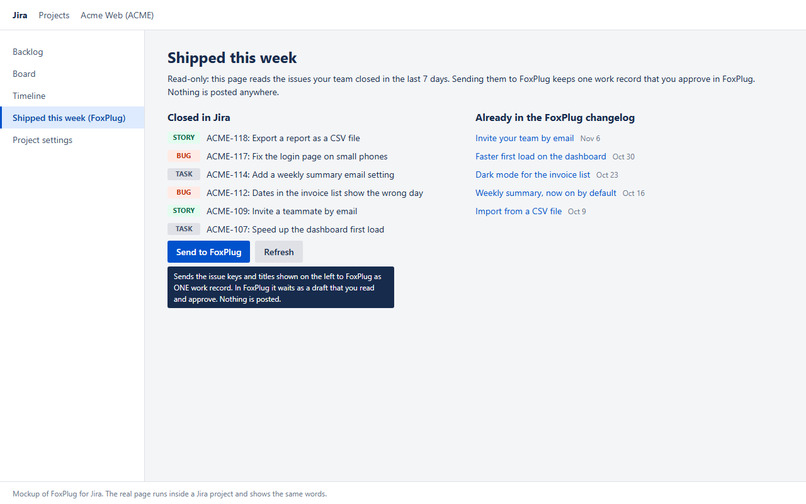
One page per Jira project
-
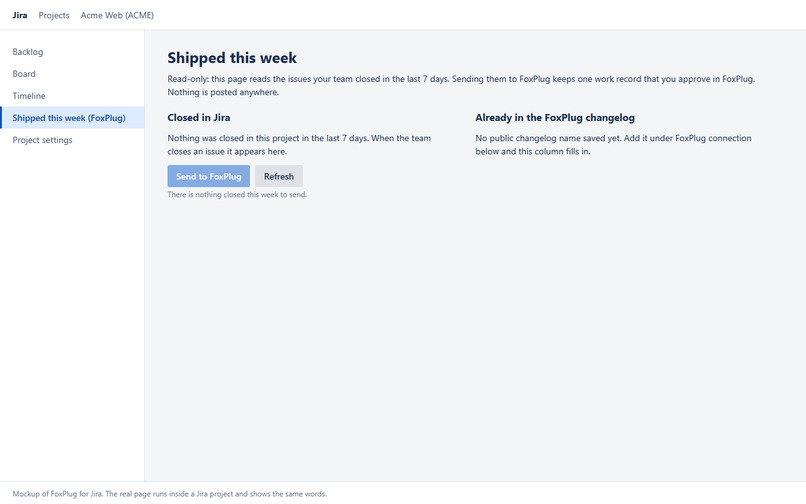
A calm empty state
-
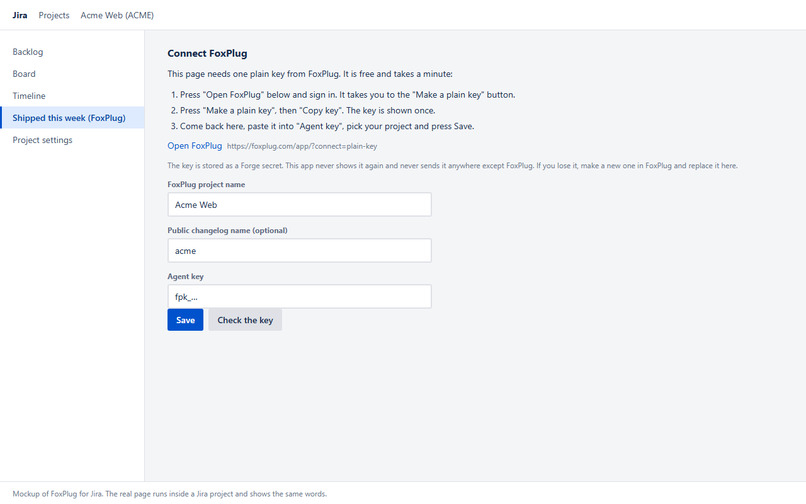
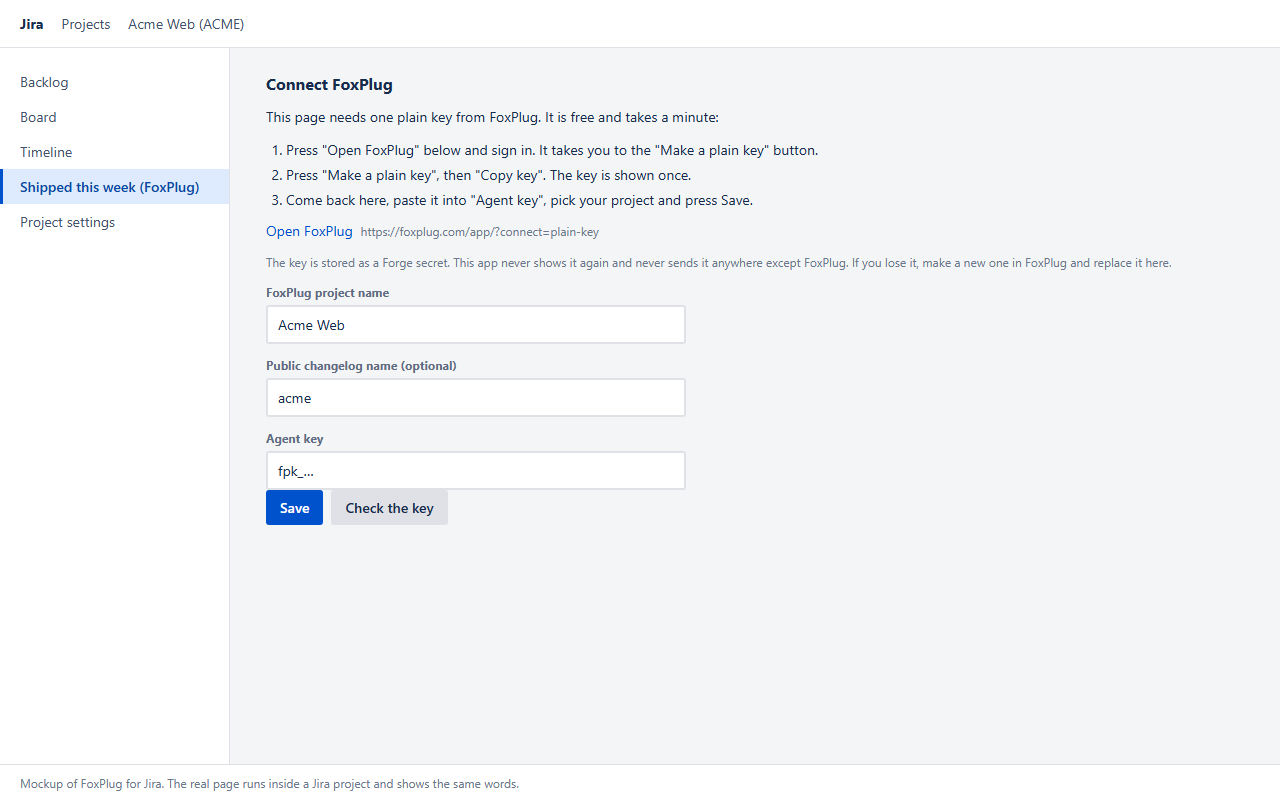
Connect with a plain key, no secrets shown
-
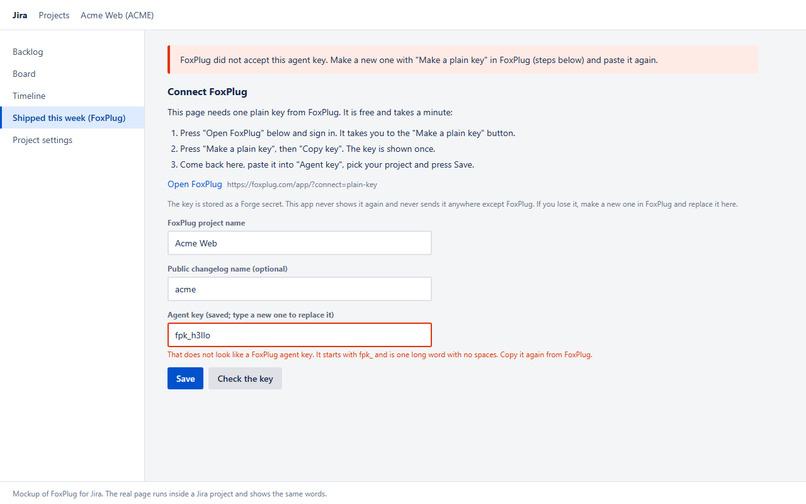
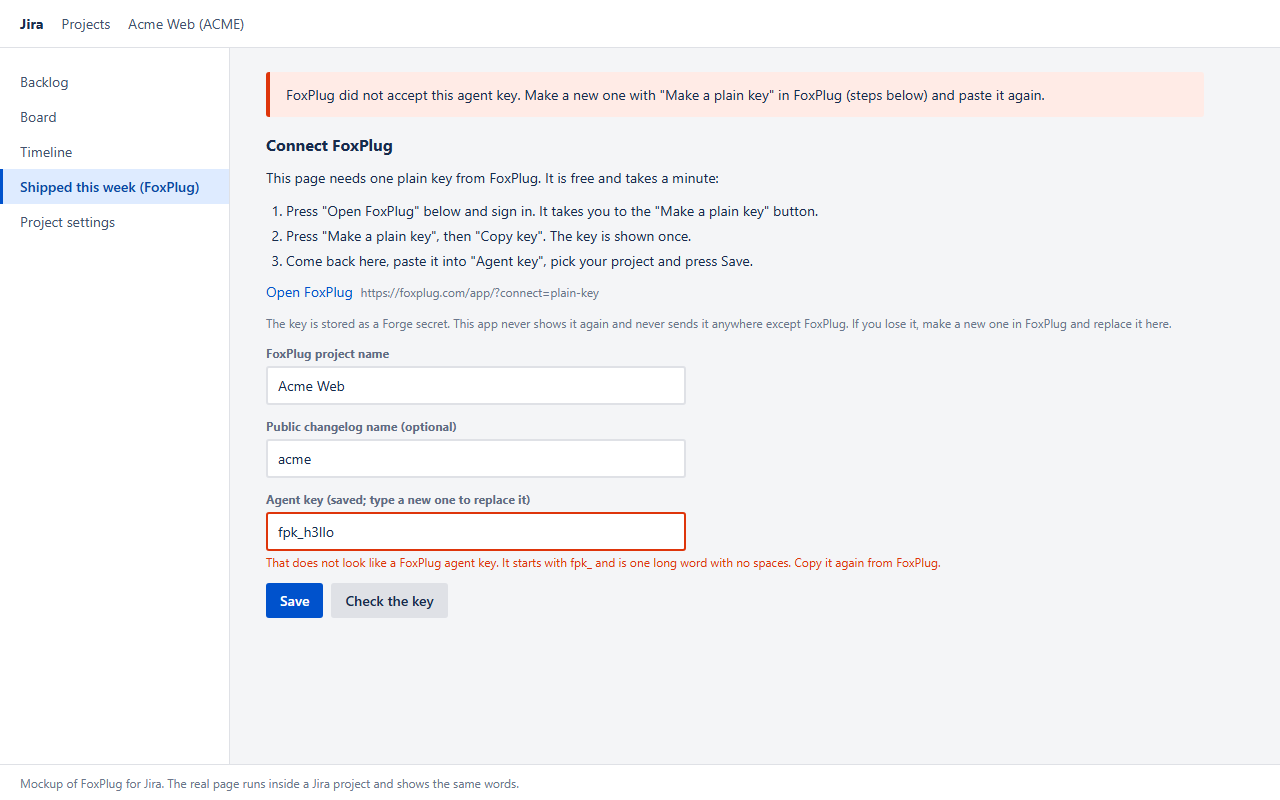
Errors in plain words
-
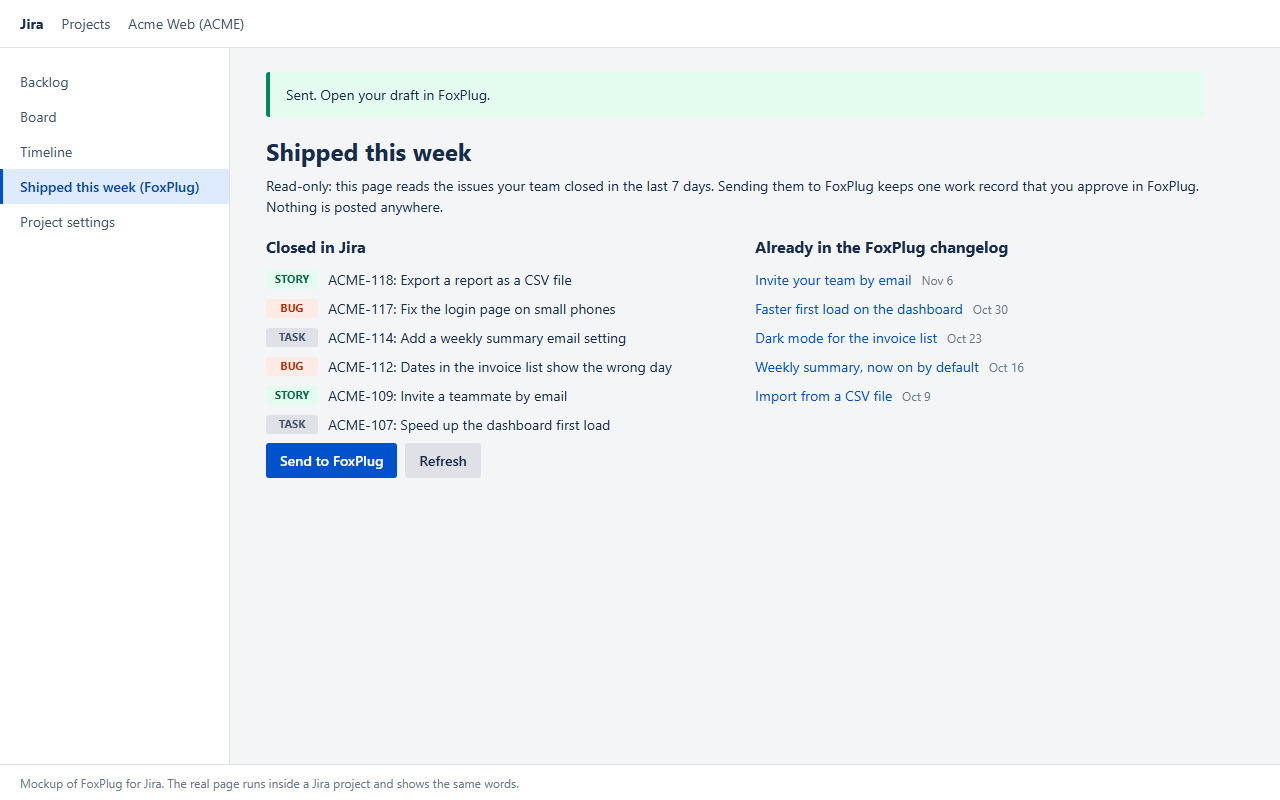
Sent: nothing is published for you
-
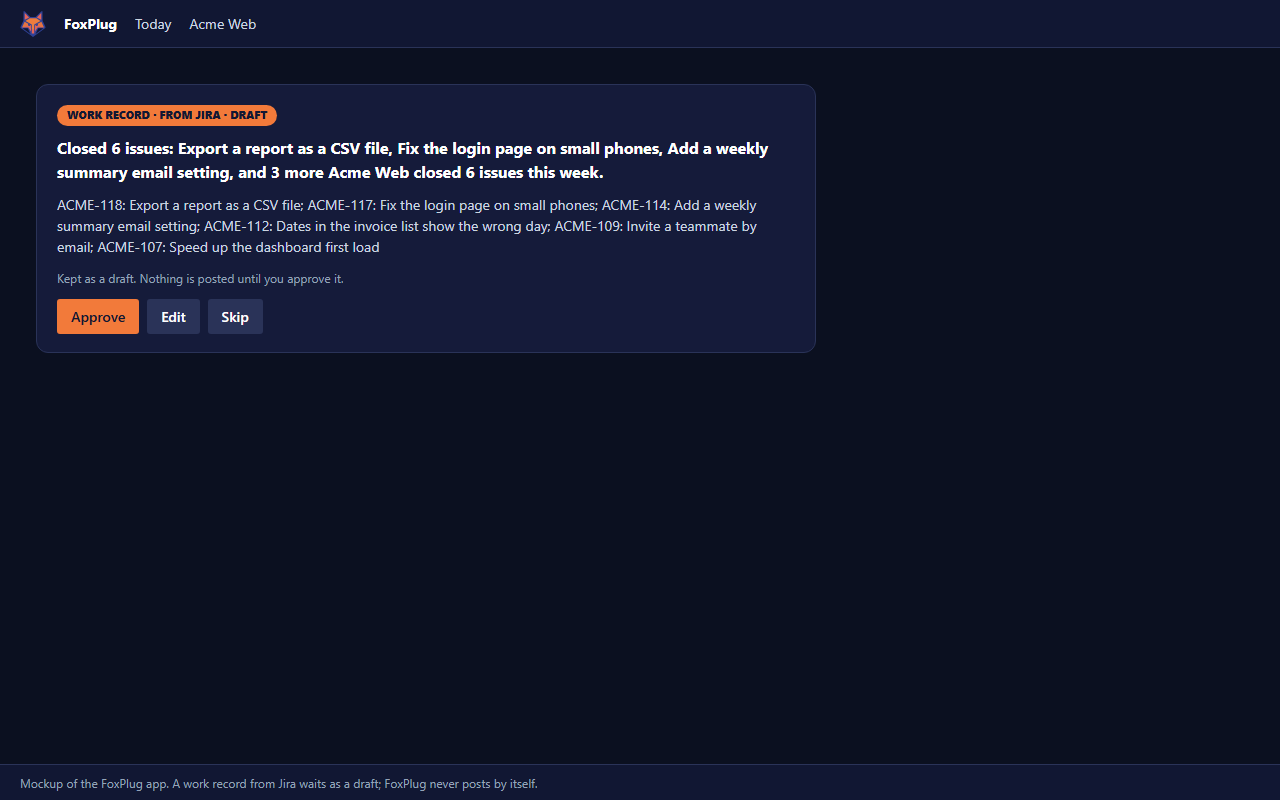
The draft waits for the owner in FoxPlug
Inspiration
Software teams finish a lot every week and tell customers about almost none of it. The work is in Jira; the customer-facing words live somewhere else, and copying ticket titles across is the chore that gets skipped. Customers then see a quiet changelog and assume nothing is happening. We wanted the gap between "closed in Jira" and "told to customers" to be one button wide, without handing the writing or the publishing to a machine.
What it does
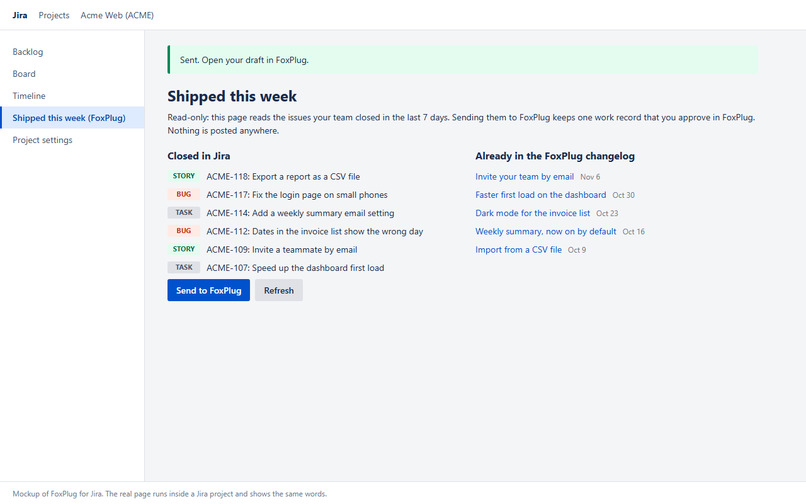
FoxPlug for Jira adds one page to a Jira project: Shipped this week (FoxPlug).
- Closed in Jira: the issues the project closed in the last 7 days, newest first (key, title, type).
- Already in the FoxPlug changelog: the last five entries of the project's public FoxPlug changelog, so the team sees what customers were already told, side by side with what was closed.
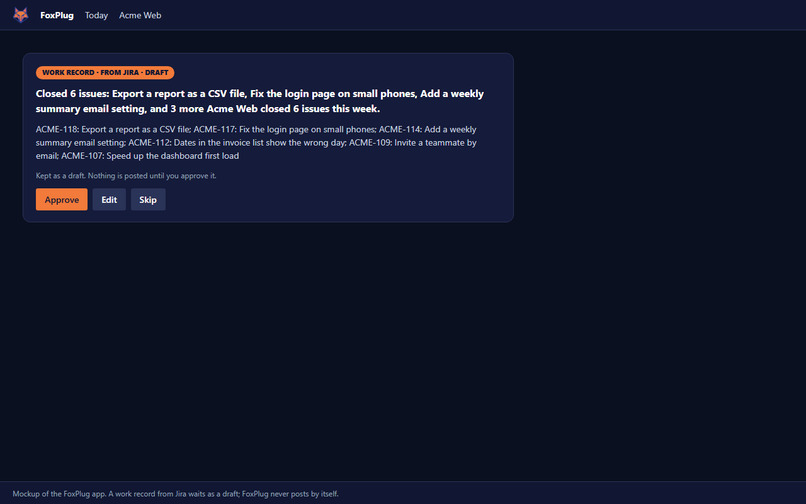
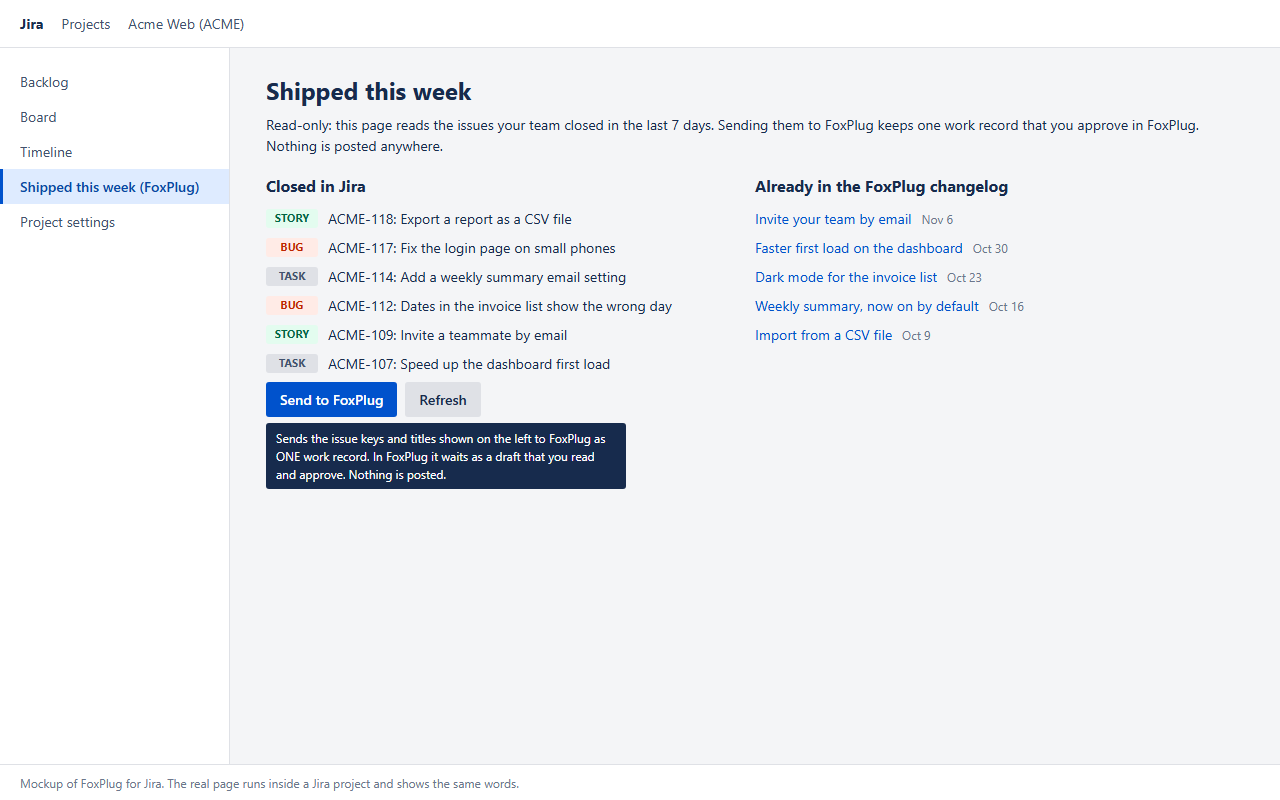
- Send to FoxPlug: one button sends the closed issues (keys and titles only) to FoxPlug as one work record. In FoxPlug it waits as a draft; the owner reads it, edits it and decides whether anything is published. Nothing is posted automatically.
- Check the key: asks FoxPlug whether the saved key works. Nothing is sent and nothing is created.
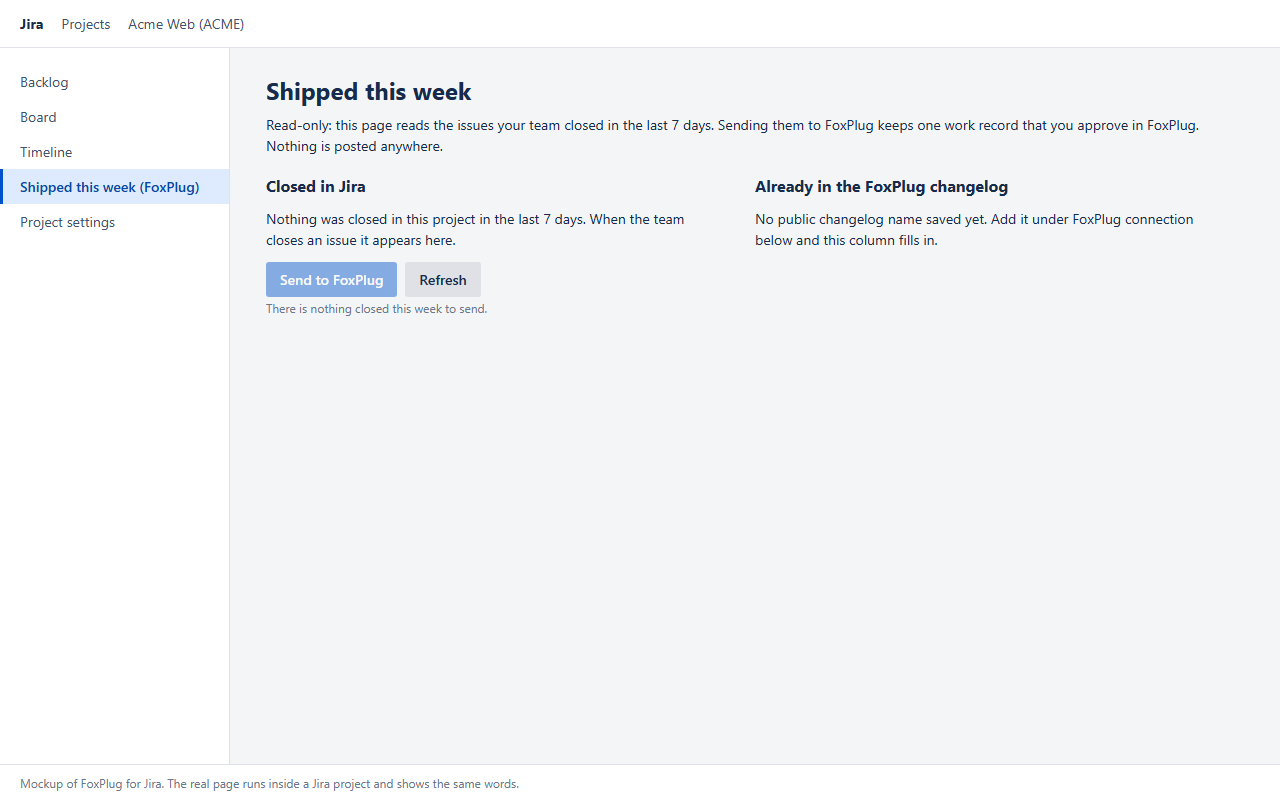
- Calm states everywhere: loading lines, an empty state for each column, one plain sentence for every error (no codes), hover help on every control.
The page shows closed issues with no setup at all; only Send needs a free FoxPlug account and a key (three steps, in the README).
How we built it
- Forge, UI Kit. One
jira:projectPagemodule rendered natively (UI Kit, no Custom UI) plus one resolver function onnodejs22.x. Closed issues are read with the Jira REST API as the signed-in user (api.asUser().requestJira). - Least privilege. Scopes:
read:jira-work(the app never writes to Jira) andstorage:app. One egress address,foxplug.com, declared withinScopeEUD: truebecause issue keys and titles leave Jira. - Forge storage (
@forge/kvs). App storage holds only the FoxPlug project name and the optional changelog name. The agent key is saved as a Forge secret: never readable again, never returned to the page, never logged. - What is sent: the project display name and, for each closed issue, its key and title. Not sent: assignees, reporters, descriptions, comments, attachments, custom fields.
- FoxPlug ingest. Send posts one work record to FoxPlug's agent endpoint with the saved key; FoxPlug turns it into a draft milestone for the owner to approve.
- Testable by design. All logic and all wording are pure functions in
src/lib.js, covered by 36 unit and static tests without needing Atlassian. The manifest validates offline against the schema package the Forge CLI uses. - Resolver hygiene. Every resolver is wrapped so any failure comes back as one plain sentence for the page.
- MIT licensed: https://github.com/OsakaSaul/foxplug-for-jira
Challenges we ran into
- Showing the screens honestly. The page only exists inside a Jira project, so the gallery images are mockups rendered from the app's own wording (
npm run mockupsbuilds them fromsrc/lib.js, so a mockup cannot say something the app does not). Each image says "mockup" in its footer. - Data minimalism. A work record is richer with assignees and descriptions, but that is more data leaving a customer's Jira. We kept it to keys and titles and said so in the manifest, the README and the page.
- Never surprising the user. Send does not publish, email or write back to Jira. Getting an approve-first flow to still feel like one button took several rounds of wording.
- Secrets. The key is entered once, stored as a Forge secret and never echoed; the page can only report "saved" or "not accepted".
Accomplishments that we're proud of
- A working Forge app with a minimal permission set: one read scope, one storage scope, one outside address.
- Every error is a sentence a non-developer understands; every control has hover help.
- 36 tests, offline manifest validation, and a mockup generator that cannot drift from the app's wording.
- A real loop closed end to end: closed ticket in Jira, draft in FoxPlug, owner decision, with a person in charge at each step.
What we learned
- UI Kit is enough for a calm, complete project page, and keeping logic in pure functions makes a Forge app easy to test.
- Declaring egress honestly (including end-user data) is easier up front than retrofitted.
- The most useful setting for "automation that writes to customers" is a draft state: people trust a tool that proposes, not one that posts.
What's next for FoxPlug for Jira: Shipped this week
- Choose the window (last 7 days is fixed today) and filter by issue type or label.
- Group issues by epic or fix version before sending.
- Publish to the Atlassian Marketplace and move key setup into the app's own configuration page.
- Show the draft's status (waiting, edited, published) back on the Jira page.
Built With
- atlassian-forge
- forge
- forge-secrets
- forge-storage
- foxplug
- javascript
- jira
- jira-cloud
- jira-rest-api
- node.js
- ui-kit
