-
-
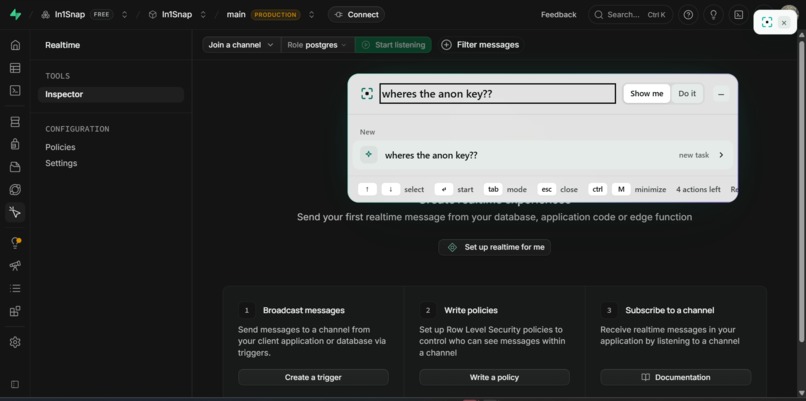
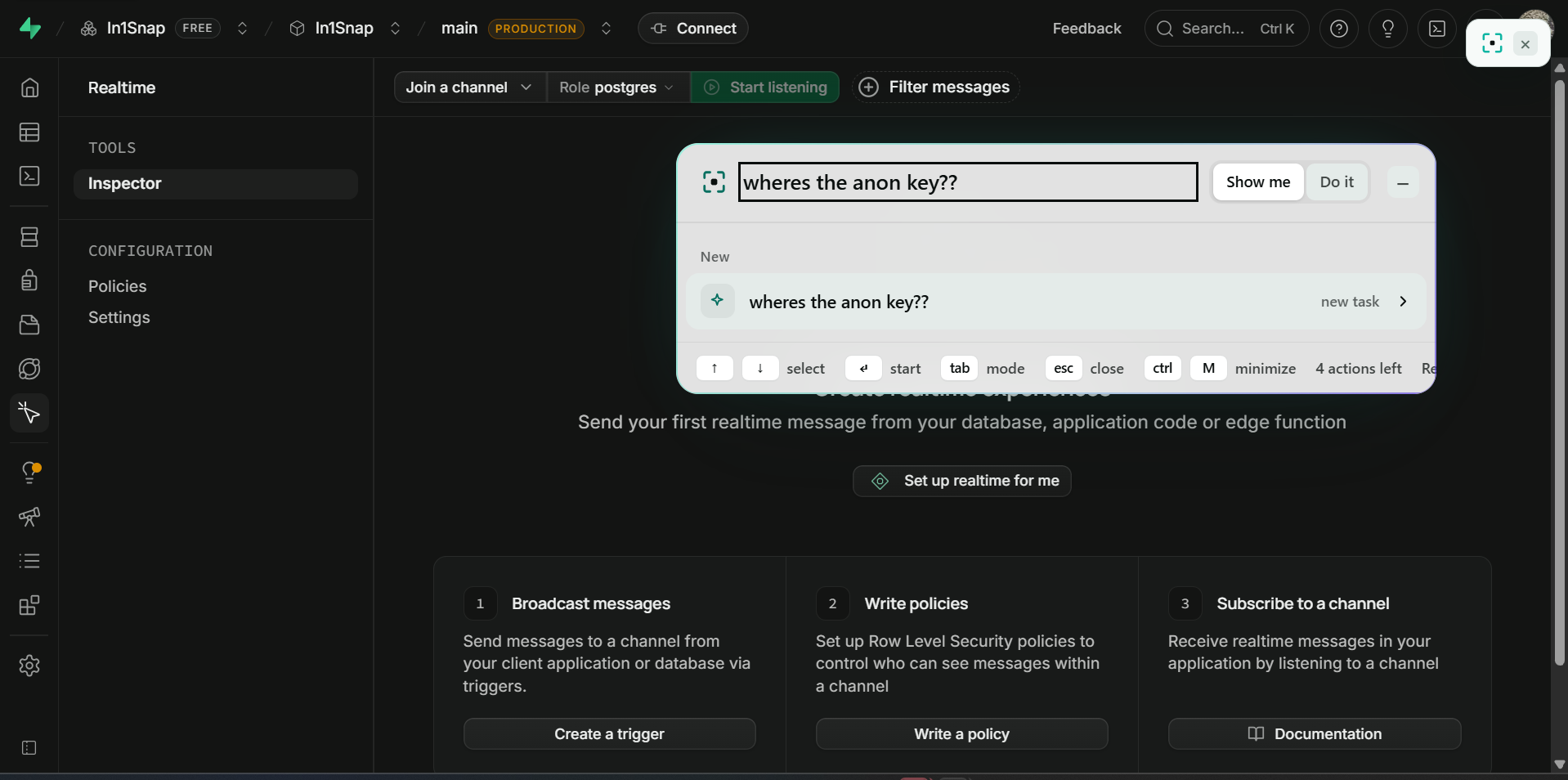
Show me: ask anything and fourtrue will answer/guide you
-
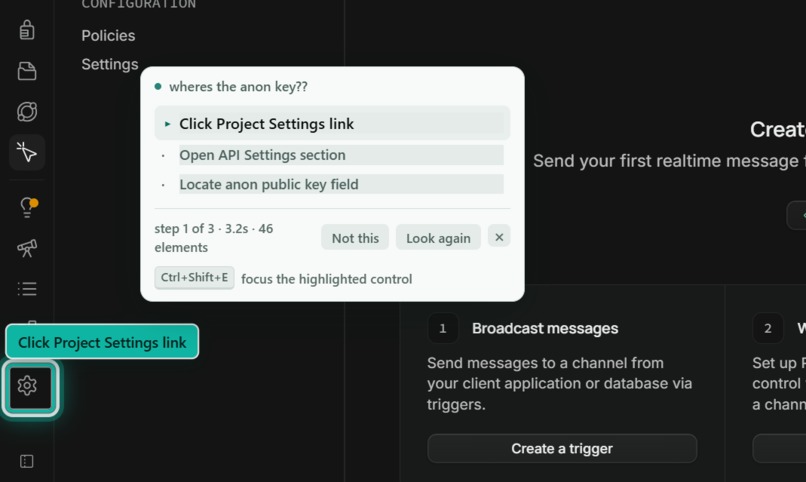
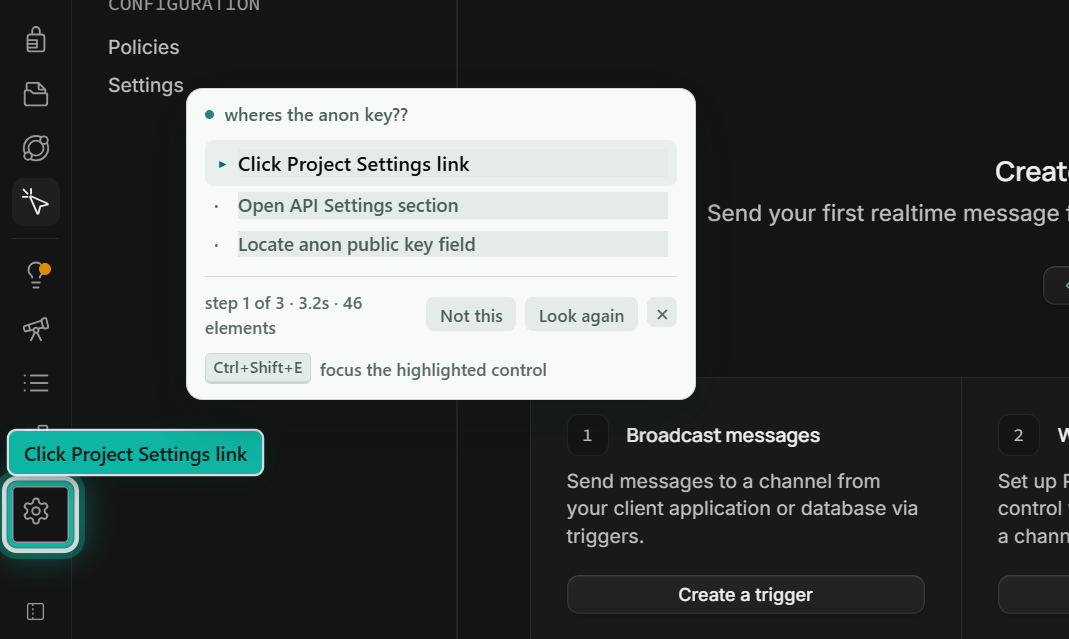
Show me: points at the next click
-
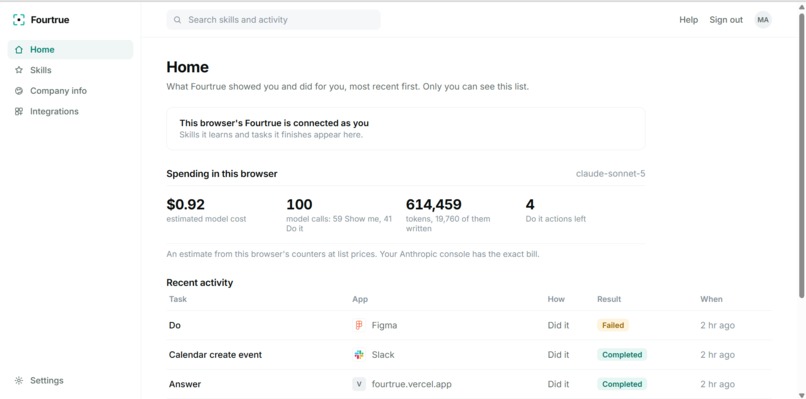
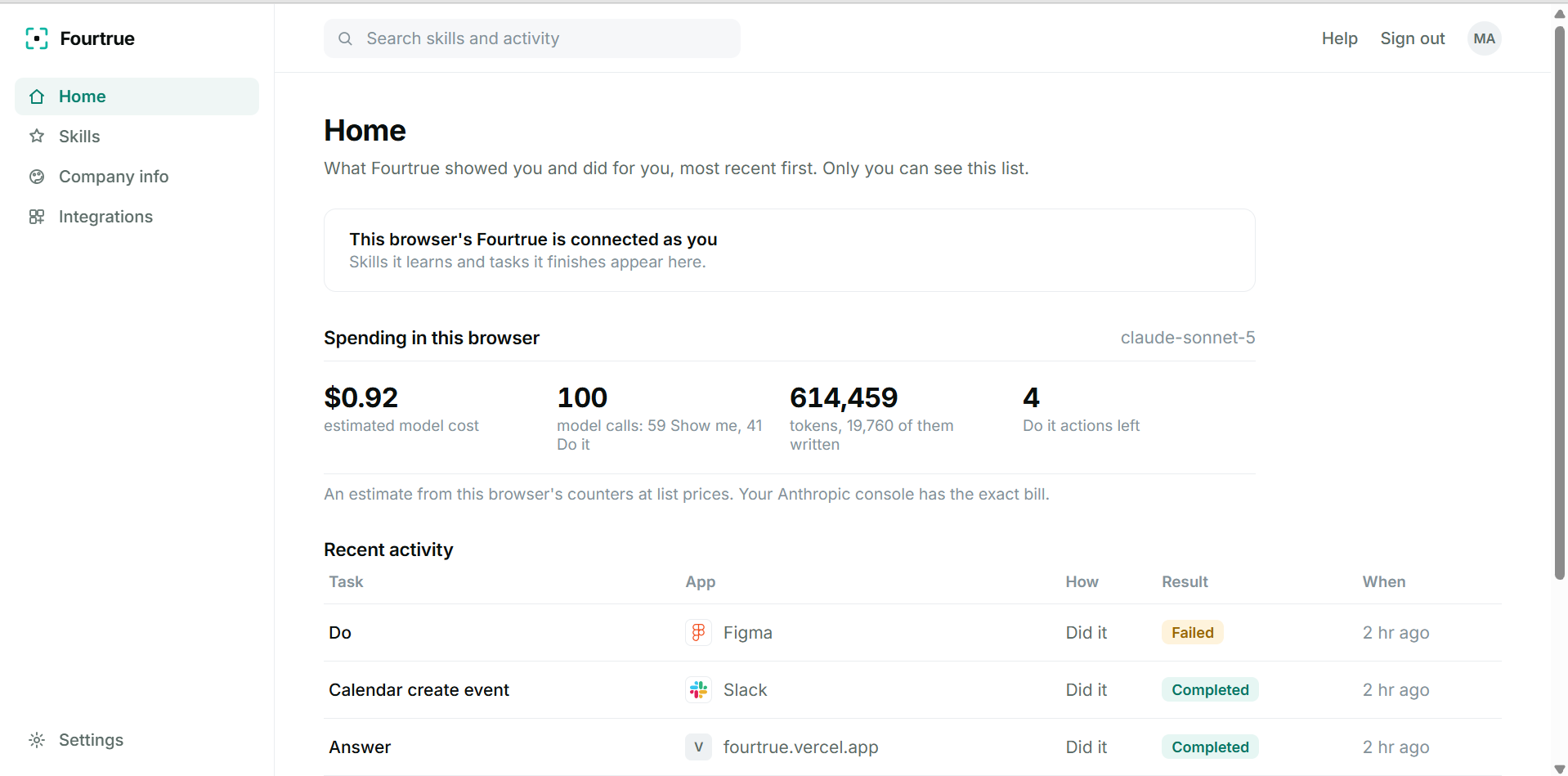
Every task is recorded on your personal dashboard, with its cost tracked. Fourtrue learns from each one, so the next time is faster.
-
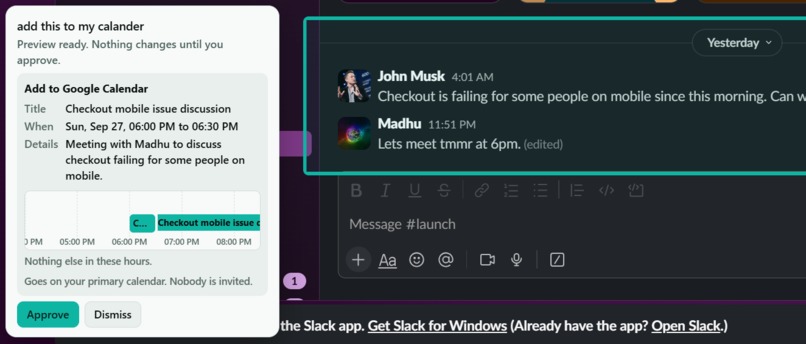
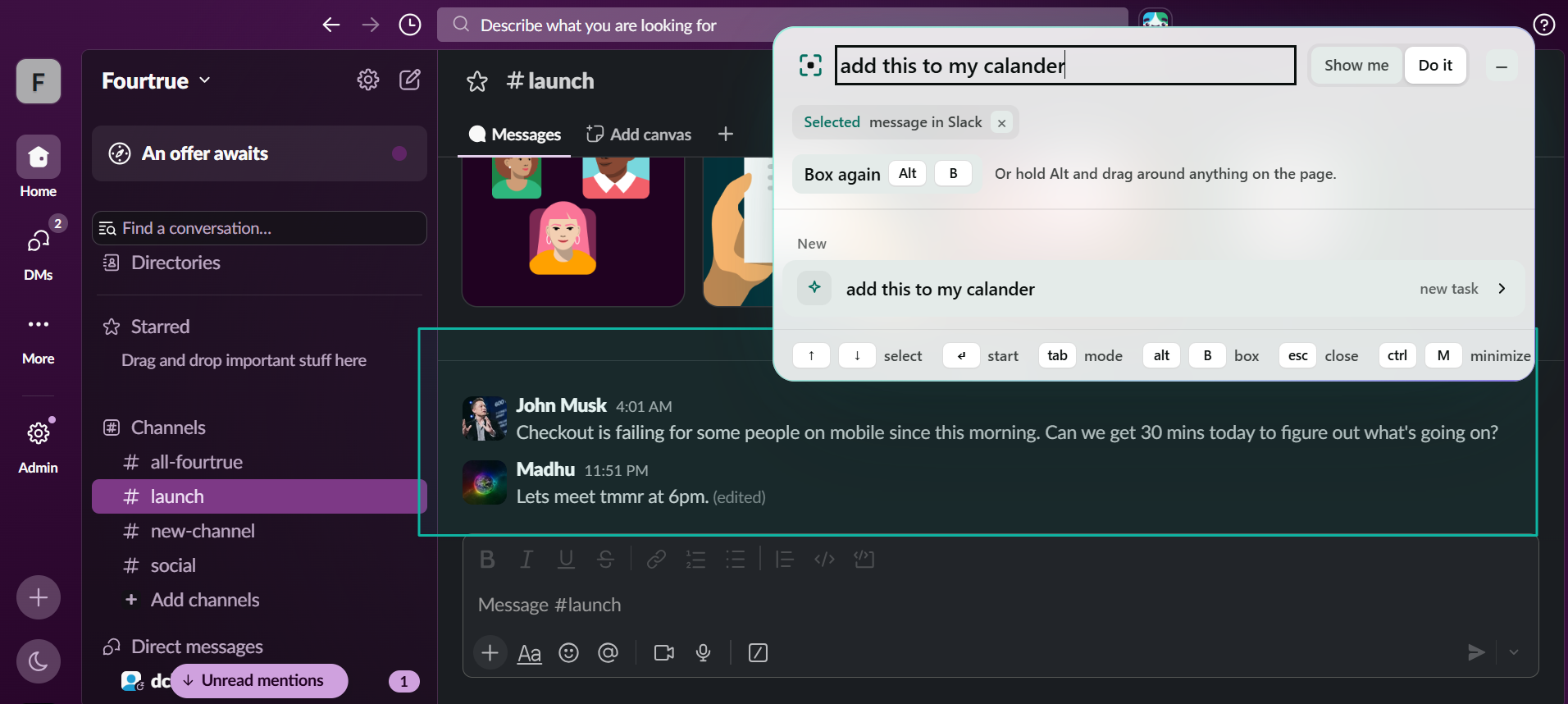
Do it: box or circle in anything and ask fourtrue to complete a task
-
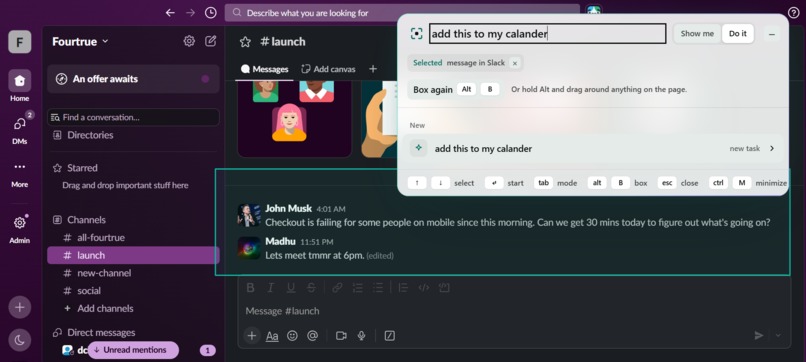
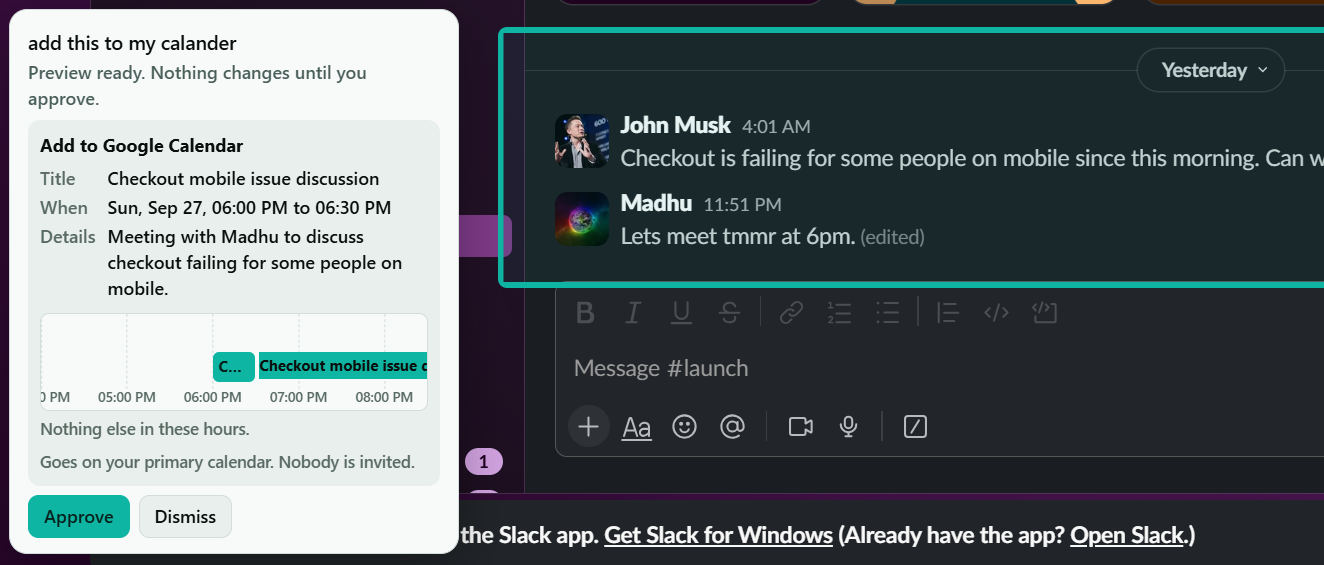
Do it: Fourtrue previews it before anything changes, and waits for your approv
-
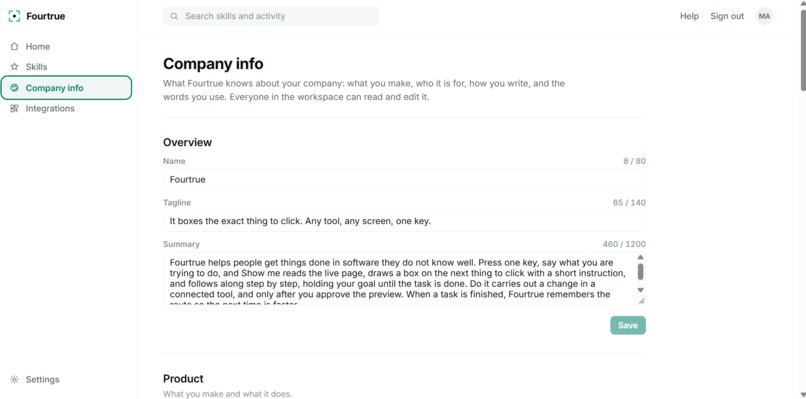
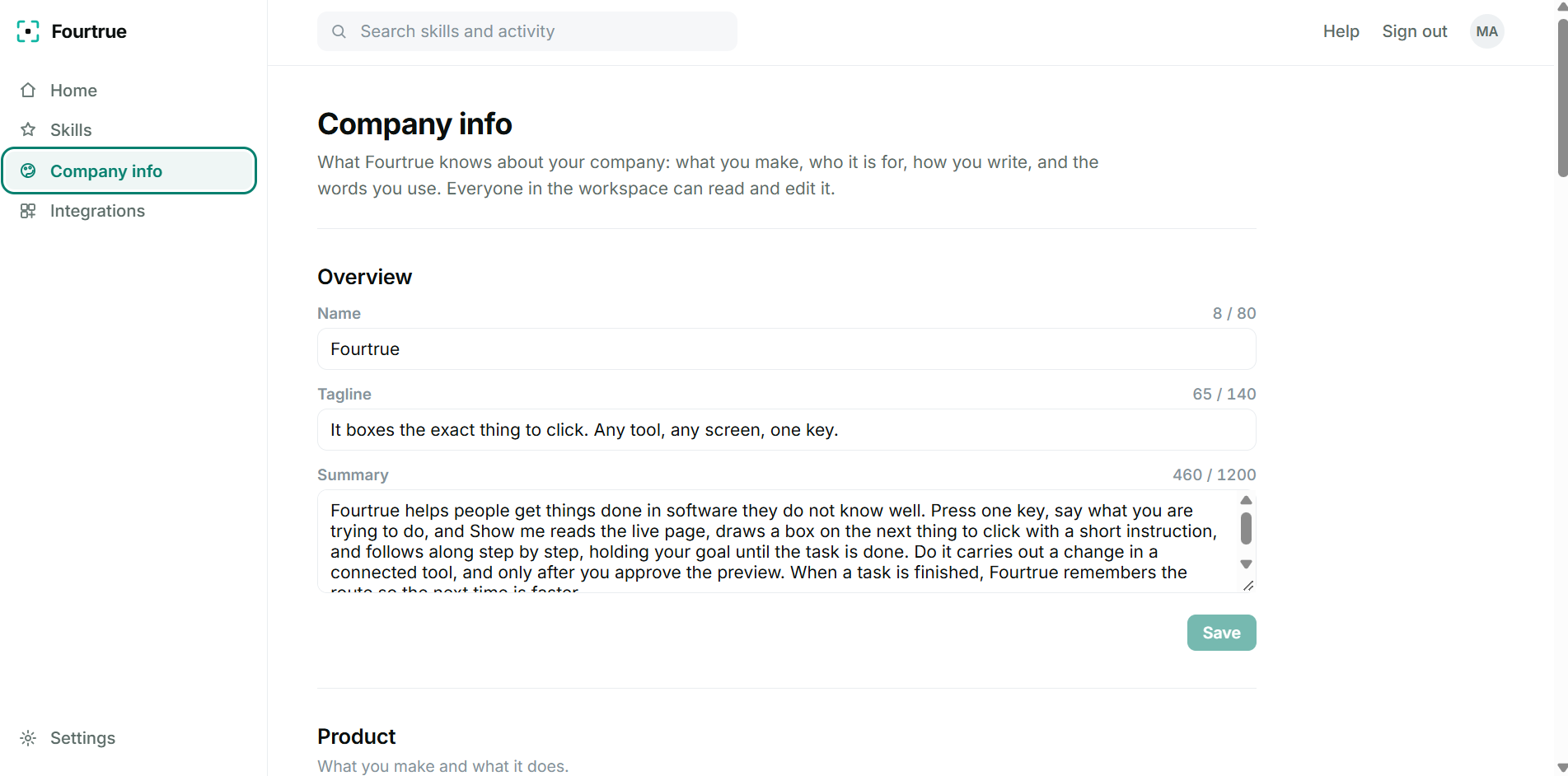
Fourtrue's company brain: what you make, who it's for, and how you write, so every answer and action sounds like your team.
Inspiration
AI knows how almost every piece of software works, but getting its help is still awkward. When I get stuck in a new tool, I usually know exactly what I want to do. I just don't know where to do it. So I leave my work, open an AI chat, explain what I'm looking at, and translate its instructions back to my screen.
Giving an AI vision solves part of that problem, but creates another. Now you're sending screenshots that can contain API keys, private messages, customer data, or anything else visible on your screen.
I wanted to build something different: AI that already understands what you're looking at, can point directly at what you need, and never needs to take a screenshot.
That's Fourtrue.
What it does
Press a hotkey and ask Fourtrue for help.
Show me guides you through software directly on top of the interface. Ask something like “Where do I set up a webhook?” and Fourtrue points at the exact control, then follows the interface as it changes and guides you through the next step.
Do it goes further. Box a message, design, or anything you're working with and tell Fourtrue what you want done. It understands the context you pointed at, figures out which connected tool can handle the task, and prepares the action for you. It can turn a Slack message into a Google Calendar event, update a Figma design to match your company's brand, and much more as new tool calls are added. Fourtrue shows you exactly what it's about to do, and nothing happens until you approve it.
The goal is simple: stop making people translate between their work and their AI.
How I built it
Fourtrue doesn't understand your screen through screenshots.
In the browser, a Chrome extension reads the page structure. On desktop, an Electron app reads the accessibility tree. Fourtrue turns that into a compact representation of the interface and locally redacts sensitive information before anything is sent to the model.
Claude decides which element matters, while the application itself provides its exact location. That separates AI reasoning from UI precision instead of asking a vision model to guess where to click.
For Do it, approved actions run through multiple integrations, with a tool-based architecture that makes it easy to keep adding new actions and services. Supabase handles accounts and memory.
Challenges I ran into
Latency. This was probably my biggest challenge. Guidance isn't very useful if you're waiting around for the next step to appear. I spent a lot of time cutting unnecessary model calls and letting Fourtrue resolve the next step locally whenever it already had enough information. Getting it to the point where the guidance actually feels fast was one of the hardest parts of the build.
Making approval actually mean approval. My first implementation could begin acting before the user approved the preview. I reworked the flow so an action is proposed first and execution only happens after explicit approval.
Figma. Its canvas doesn't expose a normal DOM that the extension can manipulate, so I built a Figma plugin and local relay to bridge Fourtrue's actions into the document.
Redaction. Sensitive data doesn't always appear in convenient formats. Card numbers can contain spaces, separators, Unicode characters, or even span lines, so making local filtering reliable required handling those edge cases rather than just matching obvious strings.
Accomplishments that I'm proud of
Given the timeframe, I'm most proud of getting Fourtrue to the point where the guidance actually feels fast. Latency was my biggest technical challenge, and getting from something that technically worked to something I could actually imagine using was a huge part of the build.
I'm also proud that Fourtrue uses zero screenshots for its core interaction.
On my benchmarks, Show me picked the correct target 54 out of 54 times, and Do it picked the correct action 10 out of 10 times, at roughly $0.01 per action.
What I learned
Measure everything.
Several things I believed about my own project turned out to be wrong once I actually tested them. Building benchmarks for accuracy, action selection, latency, and cost changed how I made engineering decisions and caught problems that felt invisible during development.
The biggest lesson wasn't that the system worked. It was that intuition isn't enough to know why it works or where it fails.
What's next for Fourtrue
This prototype only has a handful of integrations. Next is shared team memory, more connectors, and deeper desktop support so Fourtrue can follow work across applications instead of treating each tool as an island.
But the larger goal goes beyond adding integrations.
The goal is for Fourtrue to become the intelligence layer on every work computer in the world and change the way we interact with AI agents altogether.
Built With
- anthropic
- astro
- chrome
- claude
- css
- electron
- figma-api
- google-calendar-api
- html
- javascript
- manifest-v3
- node.js
- oauth
- postgresql
- powershell
- react
- slack-api
- supabase
- vercel
- websockets
- windows-ui-automation


Log in or sign up for Devpost to join the conversation.